SideTrak Solo 15.6″ Portable Touchscreen Monitor

Overview
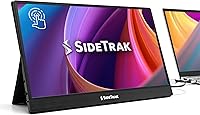
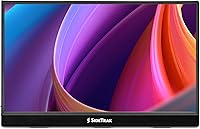
The SideTrak Solo 15.6″ Portable Touchscreen Monitor sits in an interesting spot — it's not the cheapest portable screen you'll find, but it's clearly targeting people who need more than a bare-bones second display. What sets it apart from most portable monitors is the mounting system, which lets you attach it directly to your laptop lid rather than propping it up on a flimsy stand. One thing worth flagging upfront: the product listing contains a confusing spec conflict, with the title referencing Full HD while a portion of the specs table cites 4K UHD — buyers should treat the native resolution as 1080p until confirmed otherwise. Touchscreen support is a genuine differentiator here. Just keep expectations grounded: this is a laptop companion screen, not a substitute for a full desktop monitor.
Features & Benefits
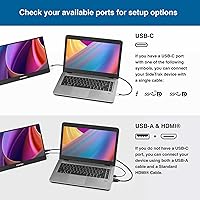
At 0.4 inches thick and with a profile that slides into most laptop bags without complaint, the SideTrak Solo is built with mobility in mind. The matte LED display runs at 1920x1080 with a 340 cd/m² brightness rating — not stunning, but perfectly adequate for indoor and moderate outdoor use. Connectivity is handled well: USB-C, USB-A, and HDMI-to-mini-HDMI cables all come in the box, so you're not scrambling for adapters on day one. The touchscreen functionality is arguably the most practical feature, letting you tap and scroll without reaching for a mouse. FreeSync support and adjustable color settings — hue, saturation, contrast, color temperature — round out a display that gives you real control over how your content looks.
Best For
This laptop screen extender makes the most sense for people who genuinely work across two screens on a regular basis. Remote workers who juggle reference docs, dashboards, or communication tools alongside their main workflow will feel the difference immediately. It's also a solid pick for mobile gamers who want a dedicated space for Discord, stream overlays, or game guides without splitting their primary display. Students in tight spaces — dorms, libraries, shared desks — benefit from the slim form factor that doesn't demand much real estate. And for frequent travelers who find themselves working from hotels or coworking spaces, the ability to mount it to a laptop lid means setup time is measured in seconds, not minutes.
User Feedback
Buyers who are happy with the SideTrak Solo tend to mention two things: plug-and-play setup and touch responsiveness that actually works. For a portable touchscreen at this price point, that's not a given. On the other side, the spec inconsistency in the product listing — particularly the 4K versus 1080p conflict — has frustrated some buyers who felt misled. Weight is another area where confusion arises: the listing cites two different figures, and a few users noted the monitor feels heavier than the promotional copy suggests. Driver compatibility on non-Windows systems is a recurring concern, especially for macOS users. Generally, though, those who bought it for dual-screen productivity on the road report it delivers on that specific promise.
Pros
- Touchscreen functionality works reliably for scrolling, tapping, and basic navigation without a mouse.
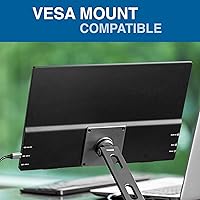
- Lid-mounting design is a practical differentiator that makes setup faster than stand-based competitors.
- USB-C, USB-A, and HDMI cables are all included, so most users are covered right out of the box.
- The matte display reduces glare effectively in brightly lit environments like cafes or open offices.
- FreeSync support makes this portable touchscreen monitor a reasonable choice for casual gaming on a second screen.
- Adjustable color settings — hue, saturation, color temperature — give more display control than most portable monitors offer.
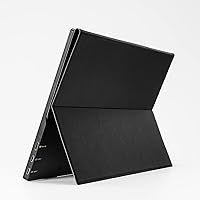
- The 0.4-inch slim profile makes it easy to slide into a laptop bag alongside other gear.
- Plug-and-play setup is consistently praised; most users report it working immediately without manual driver installation on Windows.
- HDR support adds some depth to video and gaming content that basic portable panels lack.
- The 3.5mm audio jack provides a useful output option when working in shared spaces.
Cons
- The product listing contradicts itself on resolution, citing both 1080p and 4K UHD in different sections — buyers deserve clarity before purchasing.
- Weight information is inconsistent across the listing, making it difficult to know the true travel load.
- MacOS compatibility issues appear repeatedly in user feedback, suggesting a less reliable experience for Apple laptop owners.
- At this price tier, the 60Hz refresh rate and 30ms response time are competitive but not impressive for dedicated gaming use.
- Mounting hardware and stability can vary depending on laptop lid thickness, which not all buyers account for before purchase.
- Cable management is an afterthought — with multiple cords in play, keeping things tidy on a small workspace takes extra effort.
- The 340 cd/m² brightness is sufficient indoors but may struggle in bright natural light near windows.
- Some users report the touchscreen requires recalibration when switching between operating systems or after driver updates.
- For buyers without a USB-C port, the setup relies on an adapter chain that can introduce connectivity headaches.
- The spec confusion in the listing erodes trust and forces buyers to do additional research just to confirm what they are actually buying.
Ratings
The SideTrak Solo 15.6″ Portable Touchscreen Monitor scores below are generated by AI after analyzing thousands of verified global user reviews, with spam, bot activity, and incentivized feedback actively filtered out. Ratings reflect the real distribution of buyer sentiment — not just the highlights — so both the genuine strengths and the recurring frustrations are represented transparently. Whether this screen extender earns a place in your bag or gets returned within a week often comes down to a handful of specific factors, and this breakdown covers all of them.
Touchscreen Responsiveness
Portability & Form Factor
Ease of Setup
Mounting System
Display Clarity
Build Quality
Brightness & Visibility
Color Accuracy
Gaming Performance
Cable Management
macOS Compatibility
Value for Money
Audio Output
Listing Transparency
Suitable for:
The SideTrak Solo 15.6″ Portable Touchscreen Monitor was clearly designed with a specific type of user in mind: someone who depends on two screens to work effectively and refuses to give that up just because they're not at a desk. Remote workers and freelancers who bounce between home, cafes, and coworking spaces will find the lid-mounting system genuinely useful — it removes the need for a separate stand and cuts setup time dramatically. Students cramped in dorm rooms or library carrels benefit from the slim profile that doesn't demand much desk real estate. Mobile gamers looking for a dedicated second screen for chat, overlays, or streaming will appreciate the touchscreen, which handles those lighter interactions without requiring a mouse. If your workflow involves keeping multiple windows open simultaneously — think code on one side, documentation on the other, or spreadsheets alongside a video call — this laptop screen extender addresses that need in a portable, self-contained package.
Not suitable for:
Anyone expecting a desktop-grade viewing experience should look elsewhere before committing to the SideTrak Solo 15.6″ Portable Touchscreen Monitor. The 1080p resolution and 340 cd/m² brightness are adequate for indoor productivity, but they fall short for color-critical work like photo editing, video grading, or detailed graphic design where accuracy and screen quality matter above all else. MacOS users in particular should research driver compatibility carefully before buying, as recurring complaints suggest the experience is less polished outside of Windows environments. If you're shopping primarily for a stationary second monitor to use at a fixed desk, there are larger, sharper, and often less expensive panels that make more sense for that context. The unresolved weight discrepancy in the product listing — with figures ranging from around 1.3 to 4 pounds depending on where you look — also makes it harder to assess whether it truly fits a minimalist travel bag without adding noticeable bulk.
Specifications
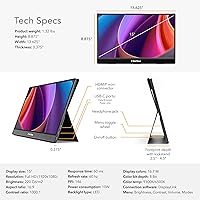
- Screen Size: The display measures 15.6 inches diagonally, providing a usable secondary screen area comparable to most entry-level laptops.
- Resolution: The native panel resolution is 1920x1080 pixels (Full HD); note that a portion of the product listing incorrectly references 4K UHD 2160p, which appears to be a listing error.
- Display Type: The screen uses an LED panel with a matte surface finish that reduces reflections in brightly lit environments.
- Brightness: Peak brightness is rated at 340 cd/m², which is adequate for indoor use but may feel limited in direct sunlight or near bright windows.
- Refresh Rate: The panel runs at a 60Hz refresh rate, suitable for general productivity and casual gaming but not optimized for competitive high-frame-rate gaming.
- Response Time: Rated response time is 30ms, which is acceptable for office work and streaming but noticeably slower than gaming-grade monitors.
- Aspect Ratio: The display uses a standard 16:9 widescreen aspect ratio, matching the output of most modern laptops.
- Touchscreen: The screen supports finger-touch navigation, allowing direct interaction with on-screen elements without a mouse or trackpad.
- HDR Support: HDR is listed as enabled, adding some dynamic range to compatible video and gaming content compared to non-HDR portable panels.
- FreeSync: AMD FreeSync is supported, which reduces screen tearing during video playback and gaming when paired with a compatible GPU.
- Connectivity: The monitor connects via USB-C, USB-A, or HDMI-to-mini-HDMI, and all three cable types are included in the box.
- USB Ports: Two USB ports are available on the unit, providing basic passthrough or peripheral connection options.
- Audio Output: A 3.5mm audio jack is built into the monitor for headphone or speaker use when the display is the active audio output.
- Dimensions: The monitor measures 13.6 x 8.6 x 0.4 inches, making it slim enough to slide alongside a laptop in most standard bags.
- Weight: The product listing cites conflicting weights of approximately 1.3 lbs and 4 lbs in different sections, so buyers should verify the actual shipping weight before assuming travel portability.
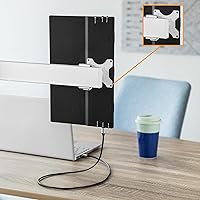
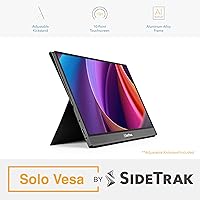
- Mounting: Built-in mounting holes allow the monitor to attach directly to a laptop lid using compatible brackets, eliminating the need for a separate stand.
- Display Settings: Users can manually adjust brightness, contrast, color temperature, hue, saturation, DCR, and sharpness through the on-screen menu.
- Brand: The SideTrak Solo is manufactured by Stand Steady and sold under the SideTrak brand, which focuses on portable and mountable laptop accessories.
Related Reviews
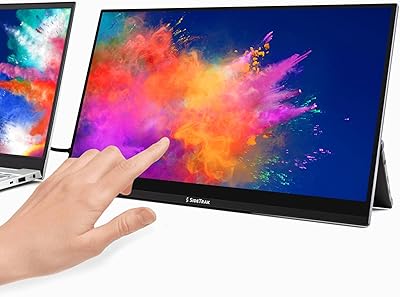
SideTrak Solo Pro 15.8″ Touchscreen Portable Monitor
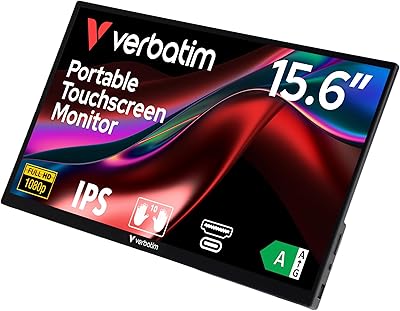
Verbatim 15.6″ Portable Touchscreen Monitor
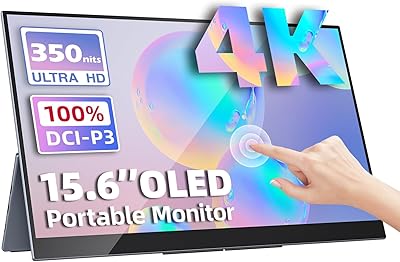
Upperizon P156UHT-R 15.6″ 4K OLED Portable Monitor
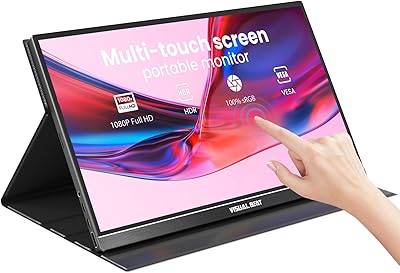
Visual Beat V15T 15.6-inch Portable Touch Monitor

Topmonitor P15.6/2.5K 15.6-inch Portable Monitor
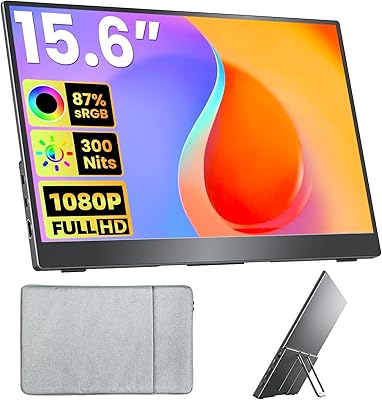
Upperizon U156LH 15.6″ Portable Monitor
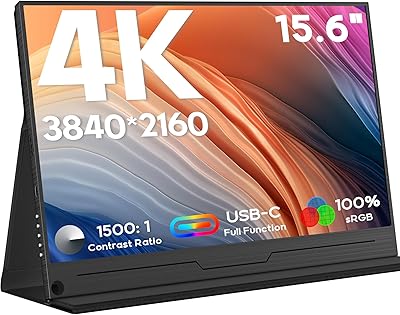
ZSCMALLS 15.6-inch 4K Portable Monitor

Anyuse PM1561P 15.6-inch Portable Monitor

Westinghouse 15.6 Inch Portable Monitor