
Overview
The Sealan Z240B13 24-inch Gaming Monitor is a budget-friendly screen from a relatively young Chinese brand that entered the market in mid-2024, targeting home office workers and casual gamers who want capable visuals without spending a lot. What sets this Sealan monitor apart at its price point is the choice of a VA panel over IPS — VA panels typically deliver deeper blacks and better contrast, which matters for both dark game environments and late-night document work. Built-in speakers are included, which is genuinely unusual at this price. The brand is new enough that long-term reliability data is limited, so buyers should factor that into their expectations.
Features & Benefits
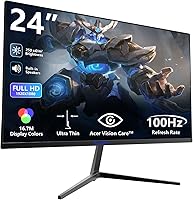
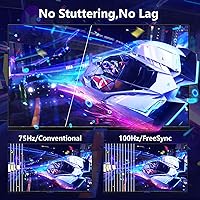
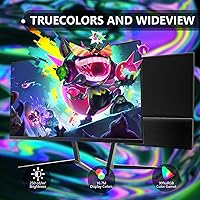
The 100Hz refresh rate with adaptive sync is one of this display's most practical selling points — it keeps motion noticeably smoother during gaming without demanding a powerful graphics card. The 1920x1080 resolution looks sharp and clean on a 24-inch screen, and the 99% sRGB color coverage means colors stay accurate and consistent whether you're editing documents, watching videos, or playing games. Port options cover HDMI, DisplayPort, and a 3.5mm audio jack, which handles most setups without adapters. The matte screen coating cuts down on reflections nicely in office conditions. One honest caveat: the 250 cd/m² brightness ceiling is modest, so this 24-inch VA display may wash out in very bright or sun-facing rooms.
Best For
This budget gaming screen makes the most sense for a few specific types of buyers. If you're a student or first-time monitor owner upgrading from a laptop display, the plug-and-play setup and clean 1080p picture will feel like a genuine step up. Home office workers looking for a capable second screen — or a primary one that doesn't strain the budget — will find it well-suited for spreadsheets, video calls, and general browsing. Casual gamers playing slower-paced titles like RPGs or strategy games will appreciate the 100Hz smoothness without needing to chase higher refresh rates. The VESA mount support is also a bonus for tighter desk setups. Just don't expect it to satisfy competitive FPS players.
User Feedback
Buyers who've picked up this Sealan monitor generally come away satisfied when their expectations are calibrated to the price. Most praise the easy out-of-box setup and image quality relative to cost — people upgrading from older or smaller screens tend to be the most positive. That said, a handful of buyers note that the stand feels a bit lightweight and that the brightness can fall short in well-lit spaces, which aligns with the 250 cd/m² spec. The built-in speakers get occasional mention — they work fine for calls or background audio, but nobody's calling them impressive. Given how recently this product launched, long-term reliability remains an open question, and brand support responsiveness is another thing worth watching as more buyers share their experiences.
Pros
- VA panel delivers noticeably deeper contrast than IPS alternatives at this price tier.
- 100Hz refresh rate with adaptive sync keeps casual gaming visuals smooth and tear-free.
- Built-in speakers save desk space and eliminate the need for a separate audio device.
- Matte screen coating reduces glare effectively in typical indoor office environments.
- VESA compatibility gives users the freedom to mount on a third-party arm for better flexibility.
- Both HDMI and DisplayPort inputs are included, covering most PC and console connection needs.
- The 99% sRGB color coverage produces accurate, vivid colors for everyday productivity tasks.
- At six pounds, this 24-inch VA display is light enough to reposition or transport without hassle.
- Plug-and-play setup means most users are up and running within minutes of unboxing.
- Solid value proposition for first-time monitor buyers stepping up from a laptop screen.
Cons
- At 250 cd/m², brightness falls short in sun-facing or brightly lit rooms.
- The stock stand offers only tilt adjustment — no height, swivel, or pivot movement.
- Sealan is a very new brand with limited long-term reliability data to draw from.
- After-sales support quality remains largely unproven given the brand's short market history.
- Built-in speaker audio quality is adequate at best — not suitable for music or immersive media.
- No factory calibration means out-of-box color accuracy may need manual adjustment.
- Not competitive for fast-paced gaming where 144Hz or higher refresh rates are the standard.
- Stand construction feels lightweight, which can raise concerns about stability over time.
- Limited brand recognition may affect resale value compared to established monitor manufacturers.
- No height adjustment on the stand can make ergonomic positioning harder for taller users.
Ratings
Our AI rating system analyzed verified global buyer reviews for the Sealan Z240B13 24-inch Gaming Monitor, actively filtering out incentivized, bot-generated, and spam submissions to surface what real users actually experienced. The scores below reflect both the genuine strengths that made buyers satisfied and the recurring pain points that tempered their enthusiasm — nothing is glossed over. Whether this budget gaming screen delivers on its promises for your specific needs is exactly what these ratings are designed to help you decide.
Value for Money
Image Quality
Brightness & Visibility
Gaming Performance
Build Quality
Stand & Ergonomics
Connectivity
Built-in Speakers
Glare & Reflections
Setup & Usability
Color Accuracy
Brand Trust & Support
Port Layout & Placement
Packaging & Unboxing
Suitable for:
The Sealan Z240B13 24-inch Gaming Monitor is a solid fit for buyers who need a dependable everyday screen without stretching their budget. Students setting up their first proper desk workstation will find the 1080p picture quality a meaningful upgrade over a cramped laptop display, and the plug-and-play connectivity means there's no complicated setup to wrestle with. Home office workers who spend their days on documents, spreadsheets, and video calls will get clean, color-accurate visuals from the VA panel, and the matte coating keeps things comfortable under typical indoor lighting. Casual gamers who favor slower-paced genres — strategy titles, RPGs, indie games — will appreciate the 100Hz refresh rate keeping motion smooth without needing to invest in a high-powered GPU. Anyone working with a space-constrained desk will also benefit from the VESA mount support, which opens up arm-mounting as a clutter-reducing option. The built-in speakers are a genuine convenience for people who just need audio for calls or background content and don't want to add another device to the mix.
Not suitable for:
The Sealan Z240B13 24-inch Gaming Monitor is not the right choice for buyers with more demanding or specialized needs. Competitive gamers — particularly those playing fast-paced shooters where every millisecond matters — will find 100Hz limiting compared to the 144Hz or 165Hz panels available at slightly higher price points. Creative professionals who depend on color-critical work like photo editing or video grading should approach with caution, since this is a budget-tier panel that has not been factory calibrated for accuracy. The 250 cd/m² brightness ceiling is a real limitation for anyone working near a window or in a sun-drenched room — the image can look washed out in high-ambient-light conditions. Buyers who prioritize brand longevity and established after-sales support will likely feel uneasy about a manufacturer with less than two years on the market and a limited service track record. Finally, anyone hoping for meaningful ergonomic adjustability beyond basic tilt — such as height adjustment or pivot — will need to pair this display with a third-party monitor arm, since the stock stand is fairly basic.
Specifications
- Panel Type: This monitor uses a VA (Vertical Alignment) panel, which offers stronger contrast ratios and deeper blacks compared to IPS panels at a similar price.
- Screen Size: The viewable screen measures 24 inches diagonally, making it a comfortable fit for most standard desk setups.
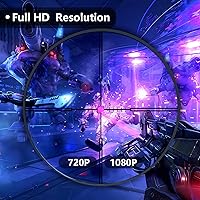
- Resolution: The display runs at 1920x1080 (Full HD), delivering a sharp and clear image well-suited to everyday computing and casual gaming at this screen size.
- Refresh Rate: The panel supports a 100Hz refresh rate, providing noticeably smoother motion than the standard 60Hz screens common at this price point.
- Adaptive Sync: Adaptive sync technology is built in to help reduce screen tearing and stuttering during gameplay without requiring a specific GPU brand.
- Brightness: Peak brightness is rated at 250 cd/m², which is adequate for typical indoor conditions but may feel insufficient in brightly lit or sun-facing rooms.
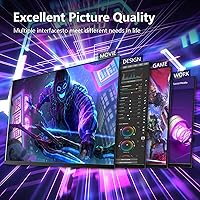
- Color Gamut: The display covers 99% of the sRGB color space, producing accurate and consistent color reproduction for office work and general media consumption.
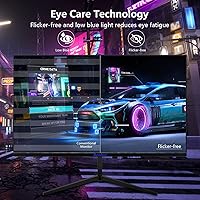
- Screen Surface: A matte anti-glare coating on the panel surface reduces reflections from ambient light sources, improving comfort during extended use.
- Aspect Ratio: The screen uses a standard 16:9 widescreen aspect ratio, compatible with virtually all modern content formats and operating systems.
- Tilt Adjustment: The monitor stand supports tilt adjustment ranging from -5° (forward) to +15° (backward) to help users find a comfortable viewing angle.
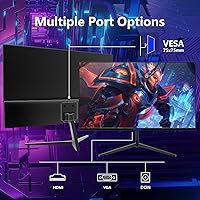
- VESA Compatibility: The rear of the display is VESA-compatible with a 75x75mm hole pattern, allowing attachment to most third-party monitor arms or wall mounts.
- Ports: Connectivity options include one HDMI port, one DisplayPort input, and a 3.5mm headphone audio output jack.
- Built-in Speakers: The monitor includes integrated speakers, offering a basic audio solution for video calls, casual media playback, and everyday computer use.
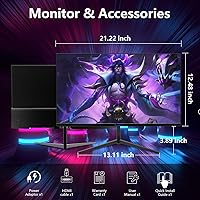
- Dimensions: The monitor measures approximately 21.2″ wide, 16.2″ tall, and 1.45″ deep, giving it a relatively slim profile for desk placement.
- Item Weight: The complete unit weighs approximately 6 pounds, making it lightweight and easy to reposition or transport if needed.
- Input Voltage: The monitor operates at 12V DC, and is designed to work with the included AC power adapter.
- Manufacturer: This display is manufactured by Shenzhen Yundacheng Technology Co., Ltd. and sold under the Sealan brand name.
- Model Number: The official model designation for this unit is Z240B13, which can be referenced when contacting support or sourcing accessories.
- Market Availability: This monitor first became available in May 2024, making it a relatively recent product with a still-developing track record in the market.
- Screen Surface Type: The panel surface is described as matte, which diffuses light rather than reflecting it, reducing eye strain in mixed-lighting environments.
Related Reviews

Sealan 24-Inch Curved Gaming Monitor
STGAubron LCD2401 24-Inch Gaming Monitor

KOORUI E2411K 24-inch Gaming Monitor
AOC 24G4 24-inch Gaming Monitor

CRUA CR245ZB 24.5″ Gaming Monitor

ViewSonic XG2431 24-Inch Gaming Monitor
AOC G2490VXS 24″ Gaming Monitor
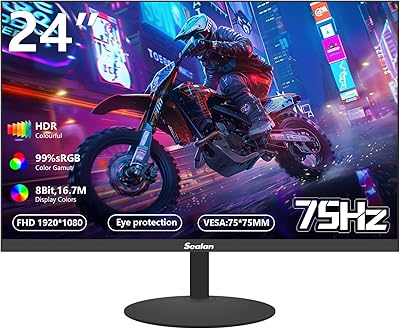
Sealan Z24B1A 24-inch Monitor
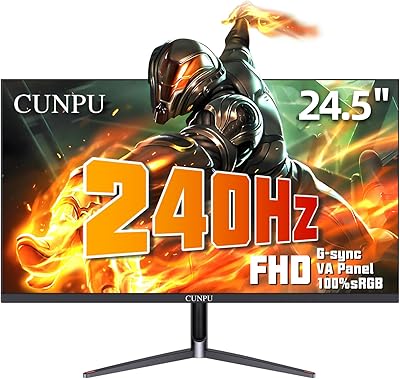
CUNPU 24-Inch 240Hz VA Gaming Monitor