Overview

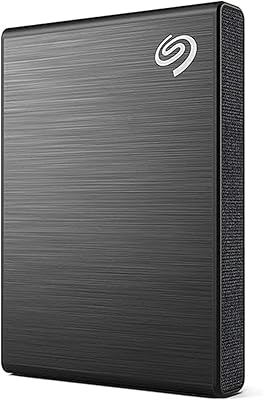
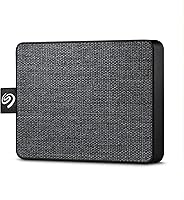
The Seagate One Touch 500GB External SSD stands out in a crowded portable storage market — not by chasing extreme performance, but by nailing the everyday essentials. That textile-wrapped casing immediately sets it apart from the sea of generic plastic drives; it feels more considered, less throwaway. Plug it into a Windows or Mac machine and it's recognized instantly, no driver installation needed. Tossed in as bonuses are a one-year Mylio Create subscription and a two-month Adobe CC Photography trial — handy extras, but not the reason to buy this drive. At a mid-range price, it's an honest, capable companion for light-to-moderate storage tasks, nothing more.
Features & Benefits

At just 2.46 ounces with a footprint barely larger than a credit card, this portable SSD is built around the idea that size shouldn't be a burden. The 500GB capacity covers a healthy photo library, several video projects, or a solid system backup without running short. USB 3.0 keeps transfers at a respectable pace for daily tasks — pulling RAW files from a shoot, streaming stored footage, or copying documents between machines. It draws power directly from the USB port, so no wall adapter is needed. The one real caveat: USB-C laptops require a separately sold adapter — not included, and immediately noticeable for anyone with a modern machine.

Best For

This portable SSD is a natural fit for people who prioritize portability over raw capacity. Photographers hauling gear between locations, students shuttling between campus and home, or remote workers who jump between a PC and a Mac will get the most out of it. Cross-platform compatibility works out of the box without any reformatting required, which removes a common friction point. Those chasing the absolute highest capacity at this price range may find better options elsewhere. But if the goal is a drive that slips into a bag pocket, transfers files at a solid everyday clip, and works reliably on any machine, this Seagate SSD checks all the boxes.

User Feedback

With a 4.6-star rating drawn from over 1,500 verified reviews, the One Touch drive has earned genuine approval from a wide range of buyers. The most consistent praise lands on its setup and portability — people describe plugging it in, watching it appear on the desktop, and getting to work in seconds. On the critical side, the missing USB-C adapter comes up repeatedly, often from users who felt it should have been obvious to include. A number of reviewers also note that transfer speeds are solid but not spectacular — this Seagate SSD is no match for a premium NVMe enclosure. The software bundle divides opinion neatly: useful for photographers, largely ignored by everyone else.

Pros

  • Featherlight at 2.46 ounces — easy to carry all day without noticing it in a bag.
  • Plug-and-play on both Mac and PC straight out of the box, with no reformatting needed.
  • Bus-powered via USB, so there is no separate power brick to carry or forget.
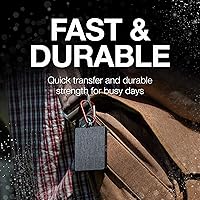
  • The textile-wrapped casing feels more durable and grippy than standard plastic portable drives.
  • 500GB capacity comfortably handles photo libraries, project backups, and everyday file storage.
  • USB 3.0 speeds are solid for daily tasks like transferring RAW photo batches or streaming stored video.
  • Earns a 4.6-star average across more than 1,500 reviews, reflecting genuine and widespread buyer satisfaction.
  • Bundled one-year Mylio Create subscription adds real value for photographers managing large image collections.
  • Compact enough to slip into a coat pocket, making it genuinely portable rather than just technically portable.
  • Highly rated for ease of setup — most users report being up and running within minutes of unboxing.

Cons

  • USB-C adapter is not included, which is a real inconvenience for most modern laptop users.
  • Transfer speeds are respectable but not exceptional — power users expecting NVMe performance will be disappointed.
  • 500GB fills up faster than expected once RAW photo files and video projects start accumulating.
  • The two-month Adobe CC Photography trial is too short to be considered meaningful long-term value.
  • No hardware encryption or password protection is offered, which matters for anyone carrying sensitive data.
  • The included USB-A cable may become a compatibility headache as more devices drop the standard USB-A port.
  • No official IP rating or drop-resistance certification, so durability claims rely on the textile casing alone.
  • Mylio Create subscription requires account registration, which some users find an unnecessary friction point.
  • At this price tier, competing drives offer more storage capacity or faster interfaces for a similar outlay.
  • No indicator light or status LED, so there is no quick visual confirmation that the drive is actively connected.

Ratings

The Seagate One Touch 500GB External SSD was scored through AI-assisted analysis of thousands of verified buyer reviews collected globally, with bot-generated, spam, and incentivized feedback actively identified and excluded before any rating was calculated. The scores below reflect where this drive genuinely earns its reputation — portability, simplicity, and cross-platform reliability — and where real buyers consistently hit friction, from the USB-C omission to transfer speed expectations the hardware cannot always meet. Both the strengths and the legitimate shortcomings are represented exactly as the reviewer data indicates.

Portability & Size
94%
Reviewers consistently describe the One Touch drive as one of the most genuinely pocketable external SSDs they have owned. At 2.46 ounces and barely the footprint of a business card, it slips into a camera bag, jacket pocket, or laptop sleeve without adding noticeable bulk. Daily commuters and travel photographers cite this as their primary reason for choosing it.
A small group of users note that the 0.39-inch profile, while impressively slim, is not quite as effortlessly portable as a USB thumb drive for true keychain-carry setups. For the vast majority this is irrelevant, but ultra-minimalist travelers who want something small enough to forget about entirely may find it one step too substantial.
Build Quality
83%
The woven textile exterior draws consistent praise — reviewers describe it as feeling more considered and premium than the smooth plastic casings on rival drives at a similar price. It provides a reliable grip and resists minor surface scuffs noticeably better than glossy alternatives, which several buyers confirmed after months of daily bag carry.
Without a published drop-resistance rating or IP certification, the drive offers no formal durability guarantee beyond its solid state internals. Buyers who used it in demanding outdoor environments or high-humidity conditions reported mixed experiences, and those looking for verified ruggedness will need to look at purpose-built alternatives.
Transfer Speed
72%
28%
For typical everyday workloads — copying a batch of RAW photos from a shoot, streaming stored video to a laptop, or duplicating a project backup — buyers report that USB 3.0 speeds feel responsive and more than adequate. Students and remote workers especially appreciated how quickly routine transfers completed without eating into their workday.
Creative professionals who attempted to edit 4K footage or run large applications directly from this portable SSD reported hitting a clear speed ceiling. Compared to NVMe-based external drives, the USB 3.0 interface shows its limits under sustained write loads, and this gap is a recurring theme in critical reviews from more demanding users.
Storage Capacity
68%
32%
For buyers who purchased it as a travel drive, secondary project backup, or semester-long student archive, 500GB proved entirely sufficient and never felt cramped. Photo hobbyists and remote workers carrying essential files between locations consistently reported the capacity matching their actual usage patterns without issue.
Buyers who underestimated how quickly 500GB fills when shooting in RAW format or accumulating video projects were among the most vocal critics. Several reviewers noted they outgrew the capacity within a few months of regular use and ended up returning for the 1TB or 2TB variants, wishing they had sized up from the start.
Ease of Setup
91%
Out-of-box usability is one of the most universally praised aspects across the entire review pool. Buyers describe plugging the drive in, watching it appear on their desktop within seconds, and getting straight to work — no drivers, no installation prompts, and no configuration required. First-time external drive users found this particularly confidence-building.
The only setup friction that surfaced involved reformatting for macOS Time Machine use, which while not technically difficult requires a few steps that can catch less experienced users off guard. A small number of reviewers also found the Mylio Create registration process more involved than expected for what is meant to be a bonus feature.
Cross-Platform Use
86%
Reviewers who regularly switch between Mac and Windows environments praised how this Seagate SSD handles both platforms without any reformatting needed for standard file access. Remote workers with a home Mac and an office PC cited this friction-free cross-compatibility as a key reason they chose it over alternatives that required more manual setup.
Time Machine users on macOS hit an unexpected snag — the drive needs to be reformatted before it will register as a valid backup destination, which is not made obvious on the packaging. A subset of buyers assumed full Mac readiness out of the box and were caught off guard when Time Machine failed to recognize it immediately.
Value for Money
74%
26%
Buyers who prioritized portability and everyday reliability over raw specs generally came away feeling the price was well-earned. The combination of a thoughtfully designed form factor, cross-platform compatibility, and two bundled software subscriptions gave the overall package enough substance that most satisfied reviewers considered it a fair deal.
More price-focused reviewers noted that competing brands offer comparable SSD capacity for less, and that the textile casing and software bundle do not fully close that gap for buyers who have no use for those extras. Those evaluating the drive on storage cost per gigabyte alone will likely find better-value options elsewhere.
Software Bundle
61%
39%
Photographers who activated the one-year Mylio Create subscription reported genuine utility — the platform helped consolidate scattered image libraries across devices, which is a persistent pain point for working creatives. The two-month Adobe CC Photography trial was also appreciated by users exploring Lightroom for the first time.
The majority of casual buyers never activated either subscription, citing either a lack of need or an off-putting registration process. The Adobe trial in particular is widely viewed as too short to build a meaningful workflow around, functioning more as a brand marketing touchpoint than a lasting benefit tied to the hardware.
USB-C Support
43%
57%
For buyers who regularly use USB-A ports — on older laptops, desktop towers, or powered docking stations — the lack of a USB-C cable is entirely irrelevant. That segment of users reports zero frustration and a fully plug-and-play experience, which still represents a meaningful portion of the overall buyer base.
The missing USB-C adapter is the single most frequently cited complaint across all reviews, and it is a legitimate frustration given that most modern MacBooks and a growing number of Windows ultrabooks have dropped USB-A ports entirely. Buyers who discovered the omission only after unboxing were notably more irritated, describing it as an avoidable and unnecessary gap.
Power Convenience
93%
Bus-powered operation came up organically in dozens of positive reviews, often described as a detail buyers did not know they would care about until they used a drive that needed a wall adapter. Travelers and long-haul commuters especially appreciated being able to access files without hunting for an available outlet.
A very small number of users on older USB 2.0 ports or underpowered USB hubs reported occasional connection inconsistencies, most likely tied to insufficient bus power rather than a drive defect. This was not a widespread issue, but buyers relying on passive USB hubs should be aware it can surface.
Durability
77%
23%
The solid state internals mean there are no moving parts to fail from everyday drops, vibrations, or being jostled around in transit — a meaningful advantage over traditional spinning hard drives that several long-term buyers explicitly called out. The textile casing also showed minimal cosmetic wear after extended daily carry, according to multiple reviewers.
The complete absence of a published shock rating or weatherproofing specification leaves durability claims in the realm of assumption. Reviewers who pushed the drive into harsher conditions — outdoor shoots, dusty job sites, humid environments — had less consistent outcomes, and competing ruggedized drives address this gap far more directly.
Design & Aesthetics
88%
The woven textile finish is one of the most talked-about physical details in the entire review pool, with buyers describing it as more closely resembling a premium accessory than a typical storage peripheral. Multiple reviewers noted it drew unsolicited positive comments from colleagues, adding a small but genuine lifestyle dimension to the purchase.
The single available color limits personalization for buyers who prefer variety, and a few reviewers noted the fabric surface picks up lint and fine debris during bag carry more readily than a smooth casing would. Neither is a serious complaint, but design-conscious buyers who want a choice of colorways will find the options underwhelming.

Suitable for:

The Seagate One Touch 500GB External SSD is a strong pick for anyone whose storage needs lean toward portability and everyday reliability rather than raw speed or massive capacity. Photographers shooting on location will appreciate having a pocketable backup drive that works the moment they plug it in — no drivers, no reformatting, no fuss. Students who constantly move between a home setup and a campus library will find the featherlight build and bus-powered convenience genuinely practical. Remote workers juggling a MacBook at home and a Windows PC at the office also benefit from the out-of-the-box cross-platform compatibility. The textile-wrapped design adds a layer of grip and durability that feels more intentional than the standard glossy plastic alternatives. If your priority is a drive you can throw in a jacket pocket and trust to show up ready — this portable SSD delivers exactly that.

Not suitable for:

Buyers who need blazing transfer speeds for professional video editing workflows or large-scale data migration will likely find the One Touch drive underwhelming — it operates over USB 3.0, not Thunderbolt or NVMe, so throughput has a ceiling that serious content creators will hit quickly. Anyone running a modern laptop with only USB-C ports should factor in the added cost and inconvenience of a separately purchased adapter, since none is included. Users who need 1TB or more of storage for large raw video archives or extensive software libraries will quickly outgrow 500GB. Those investing in a primary working drive for 4K video post-production should look at faster external NVMe options instead. The Seagate One Touch 500GB External SSD is also not the right call for buyers who need enterprise-grade durability, shock resistance ratings, or hardware encryption, as none of those features are part of this package.
Specifications

  • Capacity: Offers 500GB of solid state storage, suitable for photo libraries, video projects, and general file backups.
  • Drive Type: Uses solid state drive (SSD) technology with no moving parts, making it quieter and more resistant to physical shock than a traditional spinning hard drive.
  • Interface: Connects via USB 3.0 and is backward compatible with USB 2.0 ports, though speeds will be reduced on older connections.
  • Form Factor: Designed as a 2.5-inch external drive housed in an ultra-compact, pocket-sized body.
  • Dimensions: Measures 2.95 x 2.19 x 0.39 inches, making it one of the smallest drives in its storage class.
  • Weight: Weighs just 2.46 ounces, light enough to carry in a jacket pocket or small pouch throughout the day.
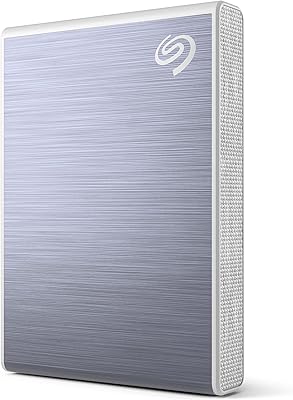
  • Color: Finished in Black with a woven textile exterior that resists minor surface scuffs and fingerprints better than smooth plastic.
  • Platform Support: Compatible out of the box with both Windows PCs and Mac computers; reformatting may be required for macOS Time Machine use.
  • Power Source: Bus-powered entirely through the USB connection, with no external power brick or wall adapter required.
  • Casing Design: Features a woven textile outer shell that provides a more secure grip and a more distinctive look than standard plastic portable drives.
  • Included Cable: Ships with one USB 3.0 Type-A cable; no USB-C cable or adapter is included in the package.
  • USB-C Support: Does not natively support USB-C connections; users with USB-C-only laptops must source a compatible adapter or cable separately.
  • Software Bundle: Includes a one-year complimentary subscription to Mylio Create, a cross-device photo management and organization platform.
  • Photo Software: Also includes a two-month trial membership to the Adobe Creative Cloud Photography plan, subject to geographic availability.
  • Seller Rank: Ranked #510 in the External Solid State Drives category on Amazon at the time of this evaluation.
  • User Rating: Holds a 4.6 out of 5 star average based on 1,522 verified customer ratings across a wide range of buyer profiles.

Related Reviews

Seagate One Touch SSD 2TB External SSD
76%
83%
Transfer Speed
94%
Portability
76%
Build Quality
78%
Value for Money
91%
Ease of Setup
More
Seagate One Touch 1TB External SSD
81%
83%
Transfer Speed
93%
Portability
78%
Build Quality
81%
Value for Money
94%
Setup & Ease of Use
More
Seagate One Touch 5TB External Hard Drive
76%
91%
Storage Capacity
62%
Transfer Speed
83%
Build Quality
88%
Portability
84%
Setup & Ease of Use
More
Seagate One Touch 4TB External Hard Drive
75%
93%
Ease of Setup
88%
Storage Value
74%
Transfer Speed
81%
Build Quality
61%
Long-Term Reliability
More
Seagate One Touch Hub 6TB Hard Drive
73%
86%
USB Hub Functionality
83%
Storage Capacity
67%
Transfer Speed
71%
Build Quality
58%
Thermal Management
More
Seagate One Touch Hub 20TB External Hard Drive
84%
94%
Storage Capacity
86%
Data Transfer Speed
91%
Setup and Installation
90%
Compatibility (Windows & Mac)
88%
Data Security (Encryption & Backup Tools)
More
Seagate One Touch Hub 10TB External Hard Drive
75%
91%
Storage Capacity
83%
USB Hub Functionality
88%
Ease of Setup
72%
Transfer Speed
58%
Noise Level
More
Seagate One Touch Hub 8TB External Hard Drive
72%
91%
Storage Capacity
83%
Built-in USB Hub
71%
Transfer Speed
58%
Noise Level
62%
Software (Seagate Toolkit)
More
Seagate One Touch 1TB Portable Hard Drive
76%
93%
Ease of Setup
91%
Portability
58%
Transfer Speed
84%
Build Quality
76%
Encryption & Security
More
Seagate Fast SSD 500GB Portable External SSD
80%
94%
Portability & Form Factor
88%
Transfer Speed
83%
Build Quality & Durability
91%
Compatibility & Plug-and-Play
61%
Storage Capacity
More

FAQ

The Seagate One Touch 500GB External SSD ships with a USB-A cable only, so it will not connect directly to a USB-C port. You will need a USB-A to USB-C adapter or a compatible cable, both of which are inexpensive and easy to find. Just factor that extra step into your purchase decision if you are on a modern MacBook or a recent Windows ultrabook.
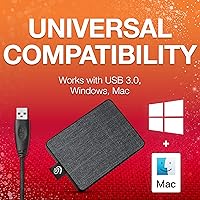
No drivers are needed on either Windows or Mac. Plug the One Touch drive in and it should appear on your desktop or in File Explorer within seconds. The bundled software — Mylio Create and the Adobe CC Photography trial — is entirely optional and downloaded separately only if you choose to use it.

For hobbyists or anyone backing up a travel trip, a wedding shoot, or a season of photos, 500GB covers a lot of ground. Professionals shooting high-resolution RAW files on a daily basis will hit the ceiling sooner than they expect. Think of this portable SSD as an excellent working or travel backup drive rather than a long-term archive for years of professional output.

Yes, it works across both platforms right out of the box. The one exception is macOS Time Machine — if you want to use this Seagate SSD as a Time Machine backup disk, you will need to reformat it first to a Mac-compatible file system, which takes only a few minutes. All other Mac and Windows usage requires no reformatting at all.

As a solid state drive on a USB 3.0 connection, it is noticeably faster than a typical spinning external hard drive for everyday file tasks — moving photo batches, streaming stored video, or duplicating project folders feels responsive and quick. That said, it does not match the speeds of a Thunderbolt or NVMe-based external drive, so anyone editing 4K footage directly off the disk will likely notice its limits.

Not at all. The drive draws its power entirely from the USB port it is connected to, so there is no separate power cable or adapter involved. One cable, one port, and you are running — which is a big part of why it works so well as an on-the-go backup solution.

The textile casing gives it better grip and surface scratch resistance than a glossy plastic drive, and the solid state internals are more tolerant of bumps and vibrations than a spinning hard drive. That said, Seagate does not publish a formal drop-resistance or IP rating for this model, so it is not positioned as a rugged drive. For a busy camera bag, a small padded sleeve is a smart added precaution.

Mylio Create is a photo library management app that syncs and organizes your images across multiple devices, even offline. The included one-year subscription is a genuine bonus if you struggle with photos scattered across your phone, laptop, and external drives. If you just need straightforward file storage and are not a dedicated photo organizer, you can safely skip it — activating it is entirely optional.

Once the trial period ends, you would need to subscribe to Adobe Creative Cloud Photography at the standard monthly rate to keep using Lightroom and Photoshop through that plan. Adobe will typically notify you before the trial expires. If you are already an Adobe subscriber, the trial code may not stack with your existing plan depending on your account type.

A thumb drive wins on raw size, but the One Touch drive is significantly faster for transferring large files and far more reliable under sustained read and write workloads. Thumb drives also tend to degrade more quickly with heavy daily use. If you are regularly moving large photo folders, video projects, or full backups rather than the occasional document, this portable SSD is the more practical and durable choice.