Overview

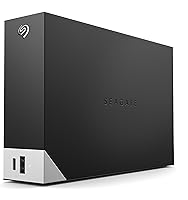
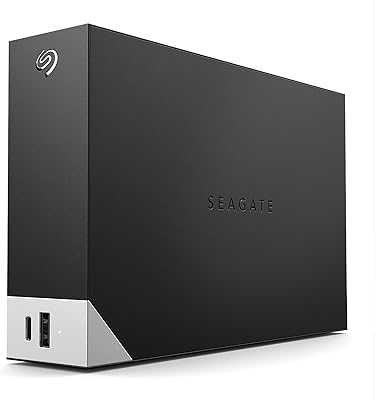
The Seagate One Touch Hub 10TB External Hard Drive sits in an interesting spot — it is not just a storage drive, it is a desktop hub that happens to hold a lot of data. Most external drives give you a plug and nothing else. This one adds front-facing USB-C and USB 3.0 ports, which changes how useful it actually is on a crowded desk. With 10TB of space, there is enough room for years of backups, raw video footage, or a growing photo library. It works with both Windows and Mac right out of the box, no reformatting needed. The price lands in mid-to-premium territory for a mechanical drive, so it needs to justify that cost beyond capacity alone.
Features & Benefits

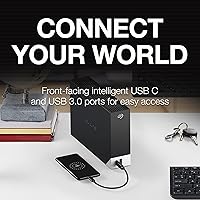
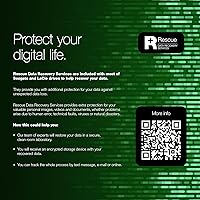
What sets the One Touch Hub apart from a plain external drive is the front-facing USB hub. The two ports — one USB-C, one USB 3.0 — can charge devices and transfer data even when your computer is completely off, which is genuinely handy if you use your desk as an overnight charging station. The drive spins at 7200 RPM, putting it at the faster end of mechanical HDD performance. For backup workflows, the bundled Seagate Toolkit handles scheduled and one-click backups without much fuss. There is also password protection built in, a feature that matters if the drive sits in a shared workspace. A two-year warranty with Rescue Data Recovery Services rounds out the reliability side nicely.

Best For

This Seagate hub drive makes the most sense for people juggling storage needs and desk clutter at the same time. Photographers and video editors with large working archives will appreciate having 10TB on hand without paying recurring cloud subscription fees. It also suits home-office setups where a single centralized backup point is more practical than managing multiple smaller drives or configuring a full NAS. The dual USB ports are a real bonus for anyone already running short on available connections. Cross-platform households — one person on Mac, another on PC — benefit from the exFAT formatting too. And if data recovery insurance matters to you, the included Rescue Services add a layer of real peace of mind.

User Feedback

Across nearly 2,800 ratings, the One Touch Hub holds a 4.1 out of 5 average — solid, but with a fair share of gripes underneath. Buyers consistently praise the easy setup and the convenience of the hub ports for a busy desk. The sheer capacity draws positive mentions too. On the critical side, mechanical drives are inherently noisier than SSDs, and several reviewers note the unit runs warm during extended use. A handful of users raised concerns about early failures, worth weighing at this price point. Some also question whether the per-terabyte cost holds up against cloud storage alternatives or competing desktop drives. The warranty and recovery services help soften that debate, but not entirely.

Pros

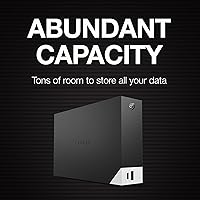
  • 10TB of capacity covers years of backups and large media libraries without needing multiple drives.
  • The front-facing USB-C and USB 3.0 ports let you charge devices even when your computer is off.
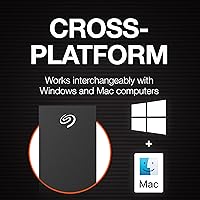
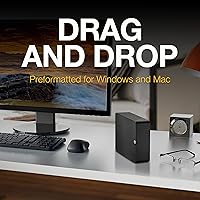
  • Works with both Windows and Mac right out of the box — no reformatting required.
  • Password protection adds a useful security layer for anyone storing sensitive files.
  • Seagate Toolkit makes scheduled and automatic backups genuinely easy to set up.
  • Rescue Data Recovery Services is a meaningful inclusion that most competitors skip at this tier.
  • The 7200 RPM spin speed puts it at the faster end of mechanical HDD performance.
  • Two-year warranty provides reasonable long-term coverage for a desktop drive investment.
  • Consolidates storage and USB hub functionality, reducing cable clutter on a busy desk.

Cons

  • Mechanical drive noise is noticeable during active use, which bothers users in quiet workspaces.
  • The unit generates real heat during sustained transfers, raising some concern about long-term thermal stress.
  • A handful of buyers have reported early failures, which is worth factoring into the purchase decision.
  • Performance cannot compete with SSDs for tasks requiring fast random read and write access.
  • The price-per-terabyte is harder to justify if you do not actively need the built-in USB hub.
  • At nearly three pounds and over nine inches wide, it takes up meaningful desk real estate.
  • The bundled Seagate Toolkit software receives mixed feedback — some users find it clunky.
  • Not portable — the 3.5-inch desktop form factor rules out mobile or travel use cases entirely.

Ratings

The scores below are generated by AI after analyzing thousands of verified global user reviews for the Seagate One Touch Hub 10TB External Hard Drive, with spam, bot activity, and incentivized feedback actively filtered out. Every category reflects what real buyers experienced over time — not just first impressions — so both the strengths and the genuine frustrations are represented honestly. Whether you are weighing storage capacity, hub utility, or long-term reliability, these ratings are designed to give you a clear, unbiased picture before you decide.

Storage Capacity
91%
Ten terabytes gives most users more breathing room than they realistically need for years, which is exactly the point. Photographers and video editors who have burned through smaller drives consistently call out the capacity as one of the clearest reasons they chose the One Touch Hub over competing options.
A small number of buyers noted that the formatted usable space comes in slightly below the advertised 10TB, which is normal for HDD manufacturing but still catches some people off guard. Those with extremely large 4K video libraries working toward 8TB or more already used may find themselves planning for a second drive sooner than expected.
USB Hub Functionality
83%
The front-facing USB-C and USB 3.0 ports are a genuine differentiator that users in cluttered desk setups genuinely appreciate. Being able to charge a phone or connect a peripheral without crawling behind a tower was cited repeatedly as a daily convenience that justified the purchase on its own.
Some users pointed out that the hub only provides two ports, which feels limiting if you were hoping to replace a dedicated USB hub entirely. A few also reported that charging speeds through the front ports are modest rather than fast-charge capable, which matters if you are topping up a tablet or newer smartphone.
Ease of Setup
88%
Plug-and-play behavior across both Windows and Mac means most users are up and running within minutes of unboxing, with no driver installations or reformatting required. Reviewers with minimal technical confidence consistently praised how little friction was involved in getting the drive recognized and functional.
The Seagate Toolkit software, while useful for backups, received mixed reactions during initial installation — a portion of users found the interface unintuitive or encountered install errors on older operating systems. A few Mac users on newer Apple Silicon machines noted occasional compatibility hiccups that required a software update to resolve.
Transfer Speed
72%
28%
At 7200 RPM, sequential read and write speeds are competitive for a mechanical drive, and users doing large bulk file transfers — moving a full photo archive or copying a video project — generally found the throughput acceptable for the job. It handles sustained sequential workloads better than budget 5400 RPM alternatives.
Random access performance is where mechanical drives always fall short compared to SSDs, and the One Touch Hub is no exception. Users who tried using it as an active working drive for video editing directly from the disk reported noticeable lag, and anyone expecting SSD-like responsiveness will be disappointed.
Noise Level
58%
42%
During light use or idle states, the drive is relatively unobtrusive, and users in louder office environments or with background music playing rarely flagged noise as a problem. For a 7200 RPM mechanical drive, the noise floor during idle is about what you would expect from any comparable desktop HDD.
Under sustained read and write loads, the spinning and head movement becomes clearly audible, which bothered users working in quiet home offices or recording studios. Several reviewers specifically mentioned the noise as their primary complaint, with some describing the sound during large transfers as persistent enough to be distracting over long sessions.
Heat Management
61%
39%
For casual backup use — scheduled overnight transfers or periodic file copies — the drive stays within reasonable temperature ranges and most users never encounter any heat-related issues. The enclosure does dissipate warmth adequately under moderate workloads.
Extended sustained transfers push the enclosure to noticeably warm temperatures, which raised concern among users who run long backups or leave the drive in operation for hours at a time. A handful of reviewers questioned whether prolonged heat exposure could affect long-term drive health, and a few reported thermal throttling-like slowdowns during very heavy use.
Build Quality
74%
26%
The matte black enclosure feels solid enough for a stationary desktop device, and users generally report that it does not feel flimsy or prone to vibration-related movement on a desk. The overall fit and finish is consistent with what you would expect from a brand-name Seagate product at this tier.
The plastic casing does attract fingerprints and dust readily, and some buyers felt the enclosure quality did not quite match the price point when compared to competitors with metal housing. A small number of users reported the drive feeling slightly hollow or resonant, which amplified perceived noise.
Password Protection
79%
21%
The built-in password protection works reliably and gives shared-workspace users a meaningful layer of security without needing third-party encryption software. Setting it up through Seagate Toolkit is straightforward enough that non-technical users can get it configured without much trouble.
Losing the password means losing access to the data entirely, and Seagate's recovery options in that scenario are limited — something a few buyers discovered the hard way. The encryption is also software-based rather than hardware-based AES encryption, which security-conscious users may find less robust than alternatives at a similar price.
Software (Seagate Toolkit)
66%
34%
For basic scheduled backups and simple file mirroring, the Toolkit does its job without requiring the user to configure anything complex. Non-technical buyers who just want automatic backups to run in the background without thinking about it generally found the core functionality adequate.
The software interface feels dated compared to modern backup solutions, and power users who want granular control over backup rules or versioning quickly hit its limitations. Update cadence has been inconsistent, and some users on newer OS versions reported bugs or features that stopped working after system updates.
Long-Term Reliability
63%
37%
The majority of buyers who reviewed after extended use report the drive continuing to function without issues, and the two-year warranty plus Rescue Data Recovery Services provides a real fallback if something does go wrong. For a backup drive that is not under constant stress, reliability feedback is largely positive.
A statistically noticeable share of reviewers reported early failures within the first year, which is concerning at this price point and pulls the reliability score down meaningfully. Some users flagged that Seagate drives in this family have historically shown higher-than-average failure rates in third-party reliability studies, making the recovery service feel less like a bonus and more like a necessity.
Value for Money
67%
33%
When the USB hub ports, bundled recovery services, and generous capacity are taken together as a package, the One Touch Hub offers more utility than a bare external drive at a comparable capacity. Users who specifically needed the hub functionality felt they were getting fair value for the premium over standard desktop drives.
Buyers who do not need the USB hub — or who compared the cost-per-terabyte against competing drives or cloud storage plans — frequently flagged it as overpriced for what it delivers. At this tier, the mechanical drive technology starts to feel like it is holding back the overall value proposition compared to what SSDs now offer.
Mac Compatibility
81%
19%
Out-of-the-box exFAT compatibility means Mac users can start using the drive immediately without reformatting, and most reviewers on macOS found the initial experience entirely painless. Time Machine users can reformat to APFS or HFS+ with minimal effort if they prefer a Mac-native file system.
A subset of users on Apple Silicon Macs reported intermittent connection issues or drive recognition delays that required Seagate Toolkit updates or macOS restarts to resolve. Seagate Toolkit itself is not as well-optimized on macOS as on Windows, which slightly undermines the cross-platform promise.
Windows Compatibility
86%
Windows users consistently report the smoothest overall experience with this drive, from initial setup through ongoing backup scheduling via Seagate Toolkit. Plug-in recognition is immediate across Windows 10 and Windows 11, and the software integration feels most polished on the Windows side.
A handful of users on older Windows versions encountered driver conflicts or toolkit installation failures that required manual troubleshooting. Those running heavily customized or enterprise Windows environments occasionally reported USB power management settings interfering with drive recognition after sleep cycles.
Warranty & Support
77%
23%
A two-year limited warranty is above the industry standard for external drives, and the inclusion of Rescue Data Recovery Services within that period adds genuine practical value that most competing drives do not offer. Users who needed to invoke warranty claims generally reported the process as functional, if not fast.
Customer support response times drew criticism from a segment of users, particularly around warranty claim processing and RMA turnaround. Some buyers also noted that the Rescue Data Recovery Service has usage limitations in the fine print that were not immediately obvious at the time of purchase.

Suitable for:

The Seagate One Touch Hub 10TB External Hard Drive is a strong match for anyone who needs serious local storage and a bit more desk utility in a single device. Creative professionals — photographers, videographers, and audio producers — will find the 10TB capacity genuinely useful for keeping raw project files and finished archives in one place without constantly managing space. Home-office workers who already feel the pinch of too few USB ports will appreciate being able to charge a phone or connect a peripheral directly from the front of the drive. It also works well in mixed-platform households where one person uses a Mac and another a Windows PC, since the exFAT formatting means no reformatting headaches. Anyone who has ever lost important data and wants a physical backup with a real recovery safety net — rather than relying purely on cloud services — will find the included Rescue Data Recovery Services genuinely reassuring.
Not suitable for:

The Seagate One Touch Hub 10TB External Hard Drive is a harder sell if speed is your primary concern. As a mechanical hard drive, it simply cannot match the read and write performance of an SSD, so anyone regularly working with large files that need fast random access — editing 4K footage directly from the drive, for instance — will likely find it frustrating. The unit runs warm during sustained workloads and produces audible mechanical noise, which can be distracting in quiet environments. If your desk space is limited and you need something compact or portable, this 3.5-inch desktop drive is not built for that use case. Buyers comparing the cost per terabyte against cloud storage subscriptions or budget NAS solutions may also find the value proposition less compelling, especially if they do not specifically need the built-in USB hub feature.
Specifications

  • Storage Capacity: The drive provides 10TB of raw storage capacity, formatted in exFAT for immediate cross-platform use.
  • Drive Type: This is a mechanical hard disk drive (HDD), not a solid-state drive, relying on spinning platters for data storage.
  • Rotational Speed: The platters spin at 7200 RPM, which is on the higher end for desktop-class mechanical drives and supports faster sequential transfers.
  • Host Interface: The drive connects to a computer via USB 3.0, providing backward compatibility with USB 2.0 ports at reduced speeds.
  • Front USB-C Port: A front-facing USB-C port supports both data transfer and device charging, functioning even when the host computer is powered off.
  • Front USB-A Port: A front-facing USB 3.0 Type-A port mirrors the USB-C functionality, allowing simultaneous charging or data access for a second device.
  • Compatibility: The drive works out of the box with Windows and Mac computers thanks to its exFAT file system formatting.
  • Security: The drive supports password protection and hardware encryption to restrict unauthorized access to stored files.
  • Bundled Software: Seagate Toolkit is included and supports one-click backups, scheduled backups, and file mirroring without requiring third-party software.
  • Data Recovery: Rescue Data Recovery Services are included with purchase, providing professional recovery assistance in the event of drive failure or accidental data loss.
  • Warranty: The drive is covered by a two-year limited manufacturer warranty from Seagate.
  • Form Factor: The chassis follows a 3.5-inch desktop form factor and requires AC power, making it a stationary rather than portable solution.
  • Dimensions: The unit measures 9.17 x 8.74 x 3.07 inches, placing it firmly in desktop territory rather than compact or travel-friendly sizing.
  • Weight: The drive weighs 2.73 pounds, which is typical for a powered 3.5-inch mechanical desktop enclosure.
  • Color: The drive is available in Black with a matte finish that suits most desktop and workstation aesthetics.
  • Power Source: The drive uses an external AC power adapter rather than drawing power solely from the USB connection.
  • Max Capacity Option: The One Touch Hub product line scales up to 20TB, making larger capacity upgrades available within the same product family.
  • ASIN: The Amazon product identifier for this specific model is B093WZYR19, corresponding to model number STLC10000400.

Related Reviews
Seagate One Touch Hub 8TB External Hard Drive
72%
91%
Storage Capacity
83%
Built-in USB Hub
71%
Transfer Speed
58%
Noise Level
62%
Software (Seagate Toolkit)
More
Seagate One Touch Hub 6TB Hard Drive
73%
86%
USB Hub Functionality
83%
Storage Capacity
67%
Transfer Speed
71%
Build Quality
58%
Thermal Management
More
Seagate One Touch Hub 20TB External Hard Drive
84%
94%
Storage Capacity
86%
Data Transfer Speed
91%
Setup and Installation
90%
Compatibility (Windows & Mac)
88%
Data Security (Encryption & Backup Tools)
More
Seagate One Touch 5TB External Hard Drive
85%
92%
Value for Money
88%
Ease of Setup
90%
Data Recovery Service
95%
Storage Capacity
85%
Portability
More
Seagate One Touch 4TB External Hard Drive
75%
93%
Ease of Setup
88%
Storage Value
74%
Transfer Speed
81%
Build Quality
61%
Long-Term Reliability
More
Seagate One Touch 1TB Portable Hard Drive

76%
93%
Ease of Setup
91%
Portability
58%
Transfer Speed
84%
Build Quality
76%
Encryption & Security
More
Seagate Expansion 10TB External Hard Drive
82%
95%
Capacity & Storage
90%
Transfer Speed
92%
Ease of Setup
85%
Build Quality
78%
Reliability
More
Seagate Ultra Touch 2TB External Hard Drive
79%
93%
Portability
88%
Design & Aesthetics
91%
Storage Capacity
57%
Transfer Speed
89%
Plug-and-Play Setup
More
Seagate Game Drive for PlayStation 2TB
79%
94%
Ease of Setup
91%
Storage Capacity
93%
PS4 Compatibility
72%
PS5 Compatibility
74%
Transfer Speed
More
Seagate Expansion 5TB Portable External Hard Drive
80%
93%
Value for Money
96%
Ease of Setup
94%
Storage Capacity
61%
Transfer Speed
88%
Portability
More

FAQ

Yes, it connects and mounts right away on a Mac because it ships in exFAT format, which both macOS and Windows can read and write natively. You do not need to reformat it or install any drivers to get started.

Yes, that is actually one of the more practical features of the One Touch Hub. The front USB-C and USB 3.0 ports remain powered independently, so you can leave your phone or other devices plugged in overnight without keeping your computer running.

It is noticeably audible. Like most 7200 RPM mechanical drives, you will hear a low hum during idle and a more distinct spinning or clicking sound during active reads and writes. If you work in a very quiet environment, it is worth being aware of before buying.

It is fairly straightforward through the Seagate Toolkit software included in the box. You set a password through the app and the drive enforces it on connection. No advanced technical knowledge is needed, though you should store your password somewhere safe since losing it can lock you out of your data.

It covers professional data recovery assistance if the drive fails mechanically or if data becomes inaccessible due to accidental deletion, corruption, or hardware issues. The service is included for two years from purchase. It does not cover intentional data overwrites or theft.

Technically you can transfer files to and from it, but editing 4K footage directly off a mechanical HDD is generally not recommended. The sequential read speeds are decent for an HDD, but the slow random access times common to spinning drives can cause stuttering or lag in demanding editing workflows. An SSD would serve that use case better.

Seagate officially supports Windows and Mac, but because the drive ships in exFAT format, most modern Linux distributions can mount and use it without much trouble. You may need to install exFAT support packages depending on your distribution. Just note that Seagate Toolkit software does not have a Linux version.

It runs warm under sustained workloads, which is fairly typical for a 7200 RPM desktop drive. As long as there is reasonable airflow around it and it is not enclosed in a cabinet, most users do not experience heat-related problems. Blocking the vents or stacking items on top of it would be worth avoiding.

It depends on how much data you are managing. For large archives in the multi-terabyte range, a one-time hardware purchase can work out cheaper over a few years than recurring cloud subscription fees. The trade-off is that a physical drive can fail and is not offsite, so combining both approaches is what most data-conscious users end up doing.

After the two-year warranty window closes, repairs or replacements would be at your own expense. The Rescue Data Recovery Services also have a defined coverage period. Once those run out, professional third-party data recovery is still possible but can be expensive depending on the type of failure — which is a good reason to keep secondary backups regardless of the drive you use.