Overview

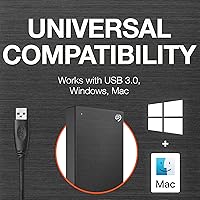
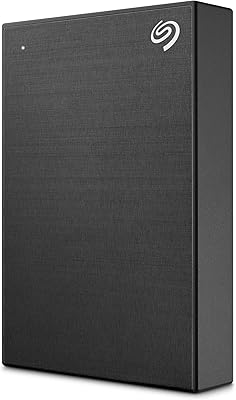
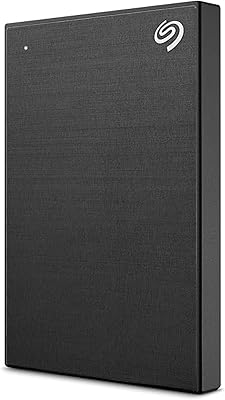
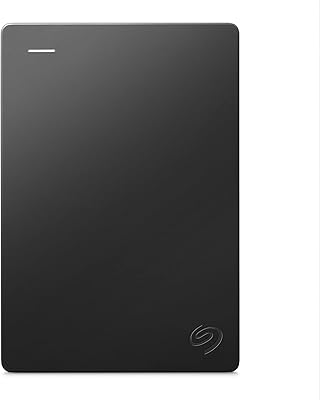
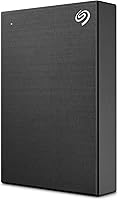
The Seagate One Touch 5TB External Hard Drive sits in a comfortable mid-range position — enough capacity to matter, compact enough to carry daily, and bundled with services that cheaper drives simply don't offer. What immediately sets it apart from budget alternatives is the brushed metal enclosure, which feels noticeably more substantial than the plastic shells common at this price tier. It connects via USB 3.0 and works out of the box with both Windows and Mac, though Mac users planning to use Time Machine will need to reformat first. Perhaps its most compelling differentiator is the included two-year Rescue Data Recovery Service — a safety net that is genuinely rare to find bundled at no extra cost.
Features & Benefits

This Seagate portable drive keeps daily backup genuinely low-effort. Plug it in, and the included software handles the rest — you can opt for a single-click backup or configure automatic schedules for daily, weekly, or monthly saves, which suits people who would rather not think about it. The 7200 RPM spin speed and USB 3.0 connection deliver transfers fast enough for large photo or video libraries without a painful wait. Two bundled subscriptions add real-world value for creatives: a year of Mylio Create for photo organization and four months of Adobe Creative Cloud Photography. Both are time-limited trials, not permanent perks, so factor that into expectations before buying.

Best For

The One Touch 5TB makes the most sense for a specific type of buyer. Photographers and video editors will appreciate the capacity and bundled software, even if the Adobe and Mylio subscriptions eventually expire. Travelers and remote workers will value the fact that it weighs under 10 ounces and tucks easily into a bag — no external power adapter required. It is also a strong pick for anyone running a Windows or Mac laptop who wants a hands-off backup routine they can actually stick to. If you are upgrading from a smaller drive and need meaningful extra headroom, 5TB removes the constant juggling of what to keep and what to delete.

User Feedback

With a 4.4-star average across a solid number of ratings, this external HDD earns mostly positive marks — but it is not without its critics. Users consistently praise setup simplicity and the Rescue Data Recovery Service, which buyers describe as valuable insurance they hope they never need. On the other side, some reviewers flag that the backup software can feel clunky compared to native OS tools, and a handful of Mac users note the need to reformat before using Time Machine. The most pointed criticism involves speed: at this price point, some buyers question whether they should have spent a little more on an SSD alternative. For raw capacity-per-dollar, though, the value case remains strong.

Pros

  • 5TB of portable storage is a genuinely large capacity for a 2.5-inch drive you can slip into a bag.
  • The two-year Seagate Rescue Data Recovery Service adds real peace of mind that most competing drives skip entirely.
  • Plug-and-play USB 3.0 setup works without installing drivers on both Windows and Mac.
  • Scheduled automatic backups — daily, weekly, or monthly — make it easy to stay protected without thinking about it.
  • The brushed metal enclosure feels far more premium than the plastic shells common at this storage tier.
  • Bundled Mylio Create subscription is a genuinely useful photo management tool for photographers starting out.
  • At under 10 ounces, this external HDD is light enough that carrying it daily never feels like a burden.
  • The two-year limited warranty provides a longer coverage window than many competitors offer.
  • Single-click backup is a practical option for users who want the simplest possible workflow.
  • A 4.4-star average across a solid number of real-world buyers reflects consistently reliable day-to-day performance.

Cons

  • Mechanical HDD speeds lag noticeably behind portable SSDs available at a comparable price point.
  • Mac users must reformat the drive before it works with Time Machine, which catches some buyers off guard.
  • The included backup software feels clunky to some users who prefer native OS backup tools.
  • Adobe Creative Cloud Photography access is limited to four months, making it a trial rather than a lasting benefit.
  • Long-term durability concerns are a real consideration with spinning-disk drives used frequently on the go.
  • The Mylio Create subscription expires after one year, so ongoing photo management will require a paid plan.
  • No USB-C cable is included, which may require an adapter for users with newer laptops that lack USB-A ports.
  • Some buyers report the backup software occasionally needs manual intervention after system updates.
  • Heavy daily users transferring large video files may find the read and write speeds a bottleneck over time.

Ratings

Our AI-generated scores for the Seagate One Touch 5TB External Hard Drive are derived from a comprehensive analysis of verified buyer reviews collected worldwide, with spam, bot-generated submissions, and incentivized feedback actively filtered out before scoring. Each category reflects genuine real-world usage patterns rather than marketing positioning, so the ratings capture both where this Seagate portable drive genuinely delivers and where real buyers have run into friction. The breakdown below is designed to give you a transparent, category-by-category picture so you can make a confident purchase decision based on what actually matters to you.
Storage Capacity
91%
Five terabytes in a 2.5-inch shell that fits in a jacket pocket is a genuine achievement, and real buyers back that up. Photographers, remote workers, and content creators consistently report being able to store full RAW image libraries, video projects, and complete system backups on a single drive without running short for many months.
A small number of power users working with uncompressed 4K footage found 5TB filled faster than expected. A few buyers also noted that the actual formatted capacity comes in slightly below the advertised figure, which can cause mild frustration when planning how much content to store.
Transfer Speed
62%
38%
For standard backup tasks — syncing a photo library, copying a folder of documents, or running a scheduled overnight backup — the USB 3.0 connection at 7200 RPM delivers speeds that are perfectly adequate and clearly faster than the older USB 2.0 drives many buyers are upgrading from.
Buyers comparing this external HDD against similarly priced portable SSDs consistently report a meaningful speed gap, particularly when moving large video files. Several users noted that transferring 50GB-plus folders felt noticeably slow, and a handful found the drive frustrating when used as an active project drive during video editing.
Build Quality
83%
The brushed metal enclosure earns consistent praise from buyers stepping up from cheaper plastic-shelled alternatives, with many describing it as feeling solid and professional in hand. Users who carry it daily between home and office note it handles repeated use without flexing or picking up notable surface damage quickly.
A few buyers reported scuffing around the USB port area after several months of regular carry. The drive carries no official shock or drop rating, and some longer-term owners noted the brushed finish, while initially attractive, can show visible wear after sustained daily transport in an unprotected bag.
Portability
88%
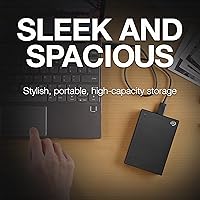
At under 10 ounces and fully bus-powered over USB, this Seagate portable drive needs nothing more than a single cable to run anywhere. Frequent travelers and remote workers highlight how easily it slips into a laptop bag or coat pocket alongside other gear without adding meaningful weight or bulk.
The included USB-A cable is the only connectivity option in the box, which means buyers with USB-C-only laptops need to source their own adapter. A small number of reviewers also found the cable length slightly short for comfortable desk use depending on where their laptop ports are positioned.
Setup & Ease of Use
84%
The majority of Windows users report a genuinely plug-and-play experience — connect the cable, the drive appears, and backups can begin within minutes. The scheduled automatic backup options via Seagate's software are a real time-saver for users who know they will procrastinate on manual backups until something actually goes wrong.
Mac users frequently flag the reformatting requirement for Time Machine as an unexpected hurdle, particularly for less technically confident buyers. The backup software itself draws mixed reviews, with a notable number of users describing it as confusing compared to cleaner alternatives like Windows Backup or Apple's built-in tools.
Backup Software
67%
33%
For buyers willing to invest a few minutes learning the interface, Seagate's bundled backup software does deliver reliable scheduled functionality once configured. Users who set it up correctly consistently report it running quietly in the background without interrupting active work during business hours or overnight sessions.
The software interface draws repeated criticism for feeling dated and unintuitive by modern standards. Several reviewers reported needing to reinstall or manually reconfigure it after OS updates disrupted the scheduling function, and a meaningful segment of buyers abandoned it entirely in favour of native OS backup utilities.
Data Recovery Service
93%
The two-year Seagate Rescue Service is the feature buyers mention most enthusiastically, and real-world accounts back the praise. Owners who have actually needed it describe a straightforward process with Seagate's lab successfully recovering files lost to drive failure or accidental deletion that would otherwise have been gone permanently.
The service does not cover physical damage from drops or liquid exposure, which catches some buyers off guard. A few reviewers also found the claims process required more documentation and shipping coordination than anticipated, adding unwanted friction during what is already a stressful data-loss situation.
Value for Money
74%
26%
When the Rescue Data Recovery Service, Mylio Create subscription, and Adobe Creative Cloud Photography trial are factored in alongside 5TB of portable storage, the total package represents solid value for buyers who will genuinely use those extras rather than leaving them unclaimed in an email inbox.
Buyers who compare options quickly find that portable SSDs have closed the price gap considerably, offering meaningfully faster speeds for a comparable spend. Users who skip all the bundled extras and treat the One Touch 5TB purely as a storage device may find the value argument harder to justify on capacity alone.
Mac Compatibility
69%
31%
Once properly reformatted, this external HDD works reliably with macOS, and users running it as a straightforward file storage drive on a Mac report no recurring mounting or access issues. Buyers who format it as exFAT for cross-platform use also describe smooth read and write performance across both Mac and Windows machines.
The reformatting requirement before Time Machine will function trips up a significant number of Mac buyers expecting a completely plug-in-and-go experience. Seagate's in-box guidance on this point is not always clear, and several reviewers reported accidental data loss from reformatting a partially loaded drive without understanding the implications first.
Bundled Software Value
77%
23%
For photographers just getting started, the combination of one year of Mylio Create for photo organisation and four months of Adobe Creative Cloud Photography is a genuinely useful starter package. Buyers who actively used both services during their trial windows consistently described them as solid introductions to professional-grade creative tools.
Both subscriptions are explicitly time-limited, and several buyers felt caught off guard when standard billing kicked in after expiry. For buyers who already pay for Adobe or Mylio independently, the bundled access adds no practical value, making this a benefit that depends entirely on the individual buyer's existing software stack.
Long-term Reliability
71%
29%
The majority of buyers who have used the drive for a year or more report stable, consistent performance during normal desktop or light travel use. Seagate's established reputation for mechanical drives and the two-year warranty provide a reassurance floor that many competing budget brands cannot credibly offer.
A meaningful minority of longer-term reviews flag early failures or clicking sounds developing within the first year, a known risk for mechanical drives used regularly in portable settings. Buyers who travel with the drive in checked luggage or high-impact bags report noticeably higher failure rates than those using it primarily at a desk.
Cable & Connectivity
58%
42%
The USB 3.0 connection works consistently with any laptop or desktop that has a standard USB-A port, and users report reliable drive recognition across restarts and system changes. For buyers with traditional USB-A setups, the included cable handles everyday desk and travel use without issues.
The absence of a USB-C cable or adapter is a recurring complaint from buyers with newer ultrabooks and MacBooks that have moved entirely to USB-C. The included cable length also runs shorter than some users prefer, restricting how far the drive can comfortably sit from the laptop during use.

Suitable for:

The Seagate One Touch 5TB External Hard Drive is a strong match for anyone who needs serious portable storage without the complexity of a desktop setup. Photographers, videographers, and creative professionals will find particular value here — the 5TB capacity handles large RAW image files and video footage without constant pruning, and the bundled Mylio Create and Adobe Creative Cloud Photography subscriptions give newcomers a genuine head start with professional tools. Travelers and remote workers who need reliable backup on the road will appreciate a drive that weighs under 10 ounces, requires no external power brick, and connects instantly to both Windows and Mac machines. It also suits people who have put off backups simply because the process felt too complicated — the scheduled automatic backup options make a consistent routine almost effortless. Finally, anyone who has ever lost files to a failed drive will find the two-year Rescue Data Recovery Service a genuinely reassuring inclusion, covering scenarios from accidental deletion to mechanical failure.
Not suitable for:

Buyers with speed-critical workflows should think carefully before committing, because the Seagate One Touch 5TB External Hard Drive is a mechanical hard drive, and no amount of bundled software changes that fundamental reality. If you regularly transfer large 4K video files or work directly from the drive rather than copying files to a local disk, the speed gap between this HDD and a similarly priced portable SSD will become noticeable and frustrating very quickly. Mac users who want a plug-and-play Time Machine solution should also be aware that the drive ships formatted for Windows and requires reformatting before Time Machine will recognize it — a minor but occasionally confusing hurdle. The Adobe and Mylio subscriptions, while a genuine bonus, are time-limited trials rather than lasting perks, so buyers who factor those heavily into the value calculation may feel shortchanged once they expire. Power users who already own backup software or recovery insurance will find some of the bundled extras redundant and may be better served by a drive focused purely on speed or durability.

Specifications

  • Storage Capacity: The drive provides 5TB (5000GB) of total usable storage, suitable for large photo libraries, video archives, and full system backups.
  • Drive Type: This is a mechanical hard disk drive (HDD) with spinning platters, not a solid-state drive.
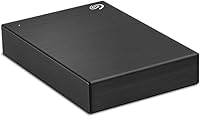
  • Form Factor: The 2.5-inch form factor keeps the drive compact enough to slip into a jacket pocket or small bag without a dedicated case.
  • Interface: It connects via USB 3.0, which is backward-compatible with older USB 2.0 ports, though speeds will be limited on those connections.
  • Rotational Speed: The internal disk spins at 7200 RPM, which sits on the faster end of the spectrum for portable mechanical hard drives.
  • Weight: The drive weighs 9.5 oz, light enough for daily carry without adding noticeable load to a laptop bag.
  • Dimensions: Physical dimensions measure 4.54 x 3.15 x 0.78 inches, roughly comparable in footprint to a large smartphone.
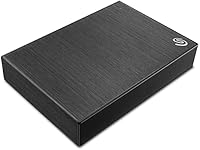
  • Enclosure Material: The outer shell is brushed metal, providing a more durable and premium feel than the plastic enclosures common on budget drives.
  • Color: This model variant (STKC5000400) is available in Black.
  • Compatibility: Works with Windows PCs and Mac computers out of the box, though Time Machine support on Mac requires reformatting the drive first.
  • Warranty: Seagate includes a two-year limited warranty covering manufacturing defects under normal use conditions.
  • Data Recovery: A two-year Seagate Rescue Data Recovery Service is bundled, covering accidental file deletion, data corruption, and mechanical drive failure scenarios.
  • Backup Modes: Supports both single-click manual backup and scheduled automatic backups at daily, weekly, or monthly intervals via Seagate software.
  • Bundled Subscriptions: Includes a one-year Mylio Create subscription for photo management and a four-month Adobe Creative Cloud Photography plan, both requiring redemption within one year of drive registration.
  • Power Source: The drive is bus-powered entirely through its USB connection, requiring no external power adapter or additional cable.

Related Reviews

Seagate One Touch 4TB External Hard Drive
75%
93%
Ease of Setup
88%
Storage Value
74%
Transfer Speed
81%
Build Quality
61%
Long-Term Reliability
More
Seagate One Touch 1TB Portable Hard Drive
76%
93%
Ease of Setup
91%
Portability
58%
Transfer Speed
84%
Build Quality
76%
Encryption & Security
More
Seagate One Touch Hub 20TB External Hard Drive
84%
94%
Storage Capacity
86%
Data Transfer Speed
91%
Setup and Installation
90%
Compatibility (Windows & Mac)
88%
Data Security (Encryption & Backup Tools)
More
Seagate One Touch Hub 8TB External Hard Drive
72%
91%
Storage Capacity
83%
Built-in USB Hub
71%
Transfer Speed
58%
Noise Level
62%
Software (Seagate Toolkit)
More
Seagate One Touch Hub 10TB External Hard Drive
75%
91%
Storage Capacity
83%
USB Hub Functionality
88%
Ease of Setup
72%
Transfer Speed
58%
Noise Level
More
Seagate One Touch Hub 6TB Hard Drive
73%
86%
USB Hub Functionality
83%
Storage Capacity
67%
Transfer Speed
71%
Build Quality
58%
Thermal Management
More
Seagate Expansion 5TB Portable External Hard Drive
80%
93%
Value for Money
96%
Ease of Setup
94%
Storage Capacity
61%
Transfer Speed
88%
Portability
More
Seagate Expansion 5TB Desktop External Hard Drive
67%
91%
Storage Value
93%
Ease of Setup
58%
Long-Term Durability
72%
Transfer Speed
63%
Build Quality
More
Seagate Ultra Touch 2TB External Hard Drive
79%
93%
Portability
88%
Design & Aesthetics
91%
Storage Capacity
57%
Transfer Speed
89%
Plug-and-Play Setup
More
Seagate Game Drive for PlayStation 2TB
79%
94%
Ease of Setup
91%
Storage Capacity
93%
PS4 Compatibility
72%
PS5 Compatibility
74%
Transfer Speed
More

FAQ

The Seagate One Touch 5TB External Hard Drive ships formatted for Windows, so it will mount on a Mac and let you drag and drop files right away. However, if you want to use it with Time Machine, you will need to reformat it to Mac OS Extended or APFS first, which will erase any data already on the drive. It is a one-time step, but worth knowing before you start.
No software is required just to use the drive as a storage device — plug it in and it shows up like any external drive. That said, Seagate offers downloadable backup software that unlocks scheduled automatic backups, which is genuinely worth setting up if you want hands-off, consistent protection without remembering to do it manually.

It covers situations like accidental file deletion, file or partition corruption, and mechanical failure where the drive stops being recognized entirely. You ship the drive to Seagate's recovery lab and their technicians attempt to extract your data. It does not cover physical damage from drops or liquid exposure, so think of it as a software and hardware failure safety net rather than all-purpose insurance.

For light editing of 1080p footage it can manage, but you may run into stuttering or buffering with 4K files. Mechanical drives, even at 7200 RPM, are meaningfully slower than portable SSDs. If you edit high-resolution video regularly, this external HDD is better used as an archive or backup destination rather than an active working drive.

No. The box includes a standard USB-A to Micro-B cable. If your laptop only has USB-C ports, you will need to pick up a USB-C to USB-A adapter separately, as one is not included.

Both are unlocked through Seagate's drive registration page, which you access after purchase. Once registered, you receive codes or direct links for each service. Keep in mind that the Adobe Creative Cloud Photography access lasts only four months and the Mylio Create plan runs for one year — after that, continuing either service requires a paid subscription.

Yes, but the format matters. If you leave it in exFAT format, it reads and writes on both platforms without any extra software. If you reformat it for Mac OS Extended to use with Time Machine, Windows will no longer recognize it natively. For anyone moving files between both systems regularly, sticking with exFAT is the most practical setup.

No. This Seagate portable drive is fully bus-powered, drawing everything it needs directly from the USB port on your computer. There is no separate power brick or cable to manage, which makes it genuinely convenient for travel and desk setups where you want minimal cable clutter.

It is noticeably sturdier than plastic-shelled drives and holds up well against everyday handling. That said, this is still a mechanical drive with moving parts inside, so it is more vulnerable to drops and vibration than an SSD would be. Keeping it in a padded sleeve when tossed into a bag is a good habit to protect against impact damage over time.

For most personal use cases — full laptop backups, large photo collections, music libraries, and mixed media archives — 5TB is substantial headroom that the average user will not fill quickly. The main exception is anyone archiving uncompressed or high-bitrate 4K video at scale, where storage gets consumed rapidly and a larger desktop-class drive might be a smarter long-term investment.