Overview

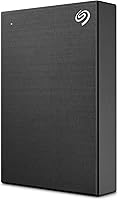
The Seagate One Touch 4TB External Hard Drive is the kind of plug-and-play storage solution that requires almost no learning curve — you plug it in and it simply works. What sets this portable hard drive apart visually is its brushed metal enclosure, a genuine rarity at this price point where plastic shells dominate. It runs on both Windows and Mac, though Mac users planning to use Time Machine should know upfront that reformatting is required — a minor but real friction point worth noting before purchase. The package bundles creative software subscriptions that add meaningful value beyond raw storage. Being a mechanical HDD rather than an SSD means trading speed for significantly more capacity per dollar.
Features & Benefits

Running at 7200 RPM, this Seagate drive spins faster than most portable HDDs on the market, which typically top out at 5400 RPM — and you notice the difference when moving large folders. The USB 3.0 connection handles bulk transfers without making you wait, and it is bus-powered, so there is no wall adapter to carry. Seagate Toolkit makes scheduled backups straightforward, though it is not the most polished app available. The bundled Mylio Create subscription and Adobe Creative Cloud Photography plan are genuinely useful additions for photographers — just know you must redeem them within one year of registering the drive, and they are not available in every country.

Best For

This portable hard drive is a strong fit for photographers and creatives who want a reliable place to offload raw files and can actually put the bundled software subscriptions to use. It also suits students and remote workers who need portable extra storage without a complicated setup process — just plug in and go. The metal casing makes it feel like a considered accessory rather than a throwaway gadget, which matters if aesthetics are part of your decision. Buyers who need SSD-level transfer speeds will want to look elsewhere, but for anyone prioritizing 4TB of capacity at a sensible price over raw performance, this drive makes a solid case for itself.

User Feedback

With over 10,000 ratings and a 4.6-star average, the One Touch HDD earns its standing largely through easy setup and consistent day-to-day reliability. Buyers frequently praise how quickly it gets running and how the build quality feels a step above expectations for the category. That said, a portion of longer-term owners report drive failures after a year or more of use — not unusual for mechanical HDDs, but worth factoring into your decision. The Seagate Toolkit draws mixed reactions on both Mac and Windows; functional, but not particularly intuitive. A handful of users also found the software bundle redemption steps more cumbersome than expected, particularly when tracking down the registration process.

Pros

  • 4TB of storage capacity gives you serious room to grow without constantly managing space.
  • The 7200 RPM spin speed outperforms most portable HDDs, which typically run slower.
  • Bus-powered via USB — no wall adapter means one less thing to pack or forget.
  • Brushed metal enclosure looks and feels noticeably more premium than plastic alternatives.
  • Plug-and-play setup works on both Windows and Mac with minimal configuration.
  • Seagate Toolkit supports one-click and scheduled backups for hands-off data protection.
  • Bundled Mylio Create and Adobe CC Photography plan add real value for creative users.
  • Compact 2.5-inch form factor slips easily into a laptop bag or backpack.
  • Consistently high user satisfaction across a very large pool of real-world buyers.
  • Competitive capacity-per-dollar ratio compared to portable SSD options at similar price points.

Cons

  • Mechanical HDD speeds are a clear step behind portable SSDs — large transfers take noticeably longer.
  • Mac users must reformat the drive before using it with Time Machine, which is not communicated clearly at purchase.
  • Some long-term owners report drive failures after extended use, raising questions about multi-year reliability.
  • The Seagate Toolkit software feels dated and draws consistent criticism for its usability on both platforms.
  • Software bundle redemption can be confusing, and the process trips up buyers who delay registration.
  • Adobe and Mylio subscriptions are not available in all countries, reducing value for international buyers.
  • The one-year redemption window on the software bundle punishes buyers who do not act promptly.
  • No included carrying pouch or protective case despite the portable positioning.
  • Moving parts inside make the One Touch HDD more vulnerable to damage from drops than an SSD would be.

Ratings

The scores below reflect an AI-driven analysis of thousands of verified global user reviews for the Seagate One Touch 4TB External Hard Drive, with spam, bot activity, and incentivized feedback actively filtered out to ensure accuracy. Each category captures what real buyers consistently praised or struggled with, giving you an honest, unvarnished picture of where this portable hard drive excels and where it falls short.

Ease of Setup
93%
Buyers across skill levels consistently describe the setup experience as nearly effortless — plug in the USB cable and the drive is recognized within seconds on Windows machines. For non-technical users like students or office workers setting up a backup routine for the first time, this immediacy is a genuine relief.
Mac users who need Time Machine compatibility hit a friction point that catches many off guard: the drive must be reformatted before it will work, and that requirement is not prominently communicated at purchase. For a product marketed as plug-and-play, this extra step drew consistent frustration.
Storage Value
88%
Getting 4TB of portable storage in a bus-powered 2.5-inch enclosure at this price tier is genuinely competitive, and buyers who need to archive large photo or video libraries find the capacity more than sufficient for years of accumulation. The cost-per-terabyte ratio stacks up well against both comparable HDDs and pricier SSD alternatives.
Users who later compared it to portable SSDs felt the value proposition weakened once they factored in the speed limitations of a mechanical drive. A few buyers noted that the usable storage after formatting is slightly less than the advertised 4TB, which is standard practice but still draws complaints.
Transfer Speed
74%
26%
The 7200 RPM spin speed gives this drive a real edge over slower 5400 RPM portable HDDs, and buyers moving large batches of RAW photos or multi-gigabyte video files notice a meaningful difference in day-to-day transfer times. For typical backup tasks over USB 3.0, performance is solid and rarely causes bottlenecks.
Anyone who has used a modern portable SSD will find the speeds here underwhelming by comparison, and users who tried editing video files directly off the One Touch HDD reported noticeable lag and stuttering. Transferring very large libraries — 500GB or more in a single session — can take long enough to be genuinely inconvenient.
Build Quality
81%
19%
The brushed metal enclosure earns consistent praise from buyers who expected a cheap plastic shell and were pleasantly surprised by how solid and refined the drive feels in hand. Creative professionals who keep this Seagate drive on a desk alongside a premium laptop report that it looks and feels like it belongs there.
Despite the premium exterior, some users noted that the metal casing showed scratches and scuffs relatively quickly with regular handling, which undercuts the aesthetic appeal over time. A few reviewers also flagged that the enclosure offers no meaningful drop protection, which is a concern for buyers who carry it loosely in a bag.
Long-Term Reliability
61%
39%
The majority of buyers who use this portable hard drive for standard daily backups over the first year report consistent, trouble-free operation with no data loss. For low-intensity use cases — periodic backups of documents and photos — the drive holds up reliably for many users well past the initial purchase period.
A meaningful proportion of long-term owners report unexpected drive failures after 12 to 24 months of regular use, which is a serious concern for anyone storing irreplaceable files without a secondary backup. This pattern appears often enough in verified reviews to suggest it is a genuine product-line weakness rather than isolated incidents.
Portability
86%
At 12 ounces and roughly the footprint of a small paperback, the One Touch HDD slips into a laptop bag or backpack without adding noticeable bulk, and the bus-powered design means you are never hunting for an outlet or managing an extra cable. Remote workers and students consistently call out this convenience as one of their favorite aspects.
The drive is slightly thicker and heavier than the slimmest SSD competitors, and a small number of buyers wished it came with a protective sleeve or pouch given its portable positioning. Without any bundled case, carrying it loose in a bag exposes the metal surface to scratching against other items.
Software Bundle Value
69%
31%
For photographers already interested in Adobe and Mylio workflows, the included subscriptions represent a genuinely useful addition that extends the overall value of the purchase well beyond raw storage. Buyers who redeemed both offers in time described them as a nice bonus that made the price feel even more justified.
The redemption process frustrated a notable share of buyers, with multiple users describing unclear instructions and a registration system that felt clunky. The regional availability restrictions further diminish the bundle's value for international buyers, and the one-year redemption window means anyone who delays setup risks losing the offers entirely.
Backup Software (Seagate Toolkit)
58%
42%
Seagate Toolkit handles its core job — scheduled and one-click backups — without requiring any technical knowledge, which suits buyers who just want a fire-and-forget backup solution. For users who set it up once and leave it running in the background, it largely stays out of the way.
The app interface draws consistent criticism for feeling dated and unintuitive, with Mac users in particular reporting confusion and occasional glitches. Several buyers gave up on Toolkit entirely and switched to third-party software, which suggests the bundled app adds friction rather than simplifying the experience for a meaningful portion of users.
Mac Compatibility
67%
33%
Once properly formatted, the drive works reliably with macOS for both file storage and Time Machine backups, and buyers who took the time to reformat reported no ongoing compatibility issues. The brushed metal design also appeals specifically to Mac users who want their peripherals to match their setup aesthetics.
The out-of-box experience on Mac is genuinely worse than on Windows, with the reformatting requirement creating a barrier that many buyers did not anticipate and some found confusing to navigate. A handful of Mac users also reported that the Seagate Toolkit software felt less stable on macOS than on Windows.
Noise & Heat
76%
24%
Under normal operation, the drive runs quietly enough that most buyers working in home offices or libraries never found it distracting. Light read and write operations produce minimal audible noise, and the metal casing helps dissipate heat reasonably well during standard use sessions.
During sustained large transfers, some users noticed the drive producing a noticeable mechanical hum and warming up more than expected, which added a low-level anxiety about long-term wear. A small number of buyers reported occasional clicking sounds during extended use, which is typically a warning sign in mechanical drives.
Design & Aesthetics
89%
The minimalist brushed metal casing consistently draws admiring comments from buyers who are used to the glossy or matte-plastic portables that dominate this price range. It sits comfortably alongside premium laptops and desktops without looking out of place, which matters to design-conscious buyers.
The drive is only available in black, which limits options for buyers with specific color preferences or desk setups. A few users felt the brushed finish, while attractive initially, showed fingerprints and light abrasion marks with daily handling more than they expected.
Compatibility (Cross-Platform)
79%
21%
Buyers who switch between a Windows desktop and a Mac laptop found the drive worked on both platforms after a reformat to exFAT, making it a workable solution for multi-device households. No additional drivers or software installs are required on either platform once the initial formatting is sorted.
The default NTFS format limits native write access on macOS without reformatting, which creates an awkward first experience for cross-platform users who did not expect to need any configuration at all. This single step is minor but consistently surfaces as a source of frustration in user reviews.
Cable & Accessories
72%
28%
The inclusion of a USB 3.0 cable in the box means buyers can start using the drive immediately without sourcing accessories, which is a small but appreciated convenience that not all competitors bother with. The cable length is practical for most desk setups.
No protective pouch, sleeve, or travel case is included, which feels like an oversight for a drive marketed specifically as portable. Several buyers noted they had to purchase a separate case to safely carry the drive in a bag, adding a small unexpected cost.
Customer Support Experience
55%
45%
Buyers who filed warranty claims within Seagate's two-year coverage window generally reported receiving replacements without excessive friction, and the official warranty process appears functional for straightforward hardware failure cases. Seagate's support documentation online is reasonably thorough for setup-related questions.
Multiple reviewers described difficulty reaching responsive support when experiencing issues outside of clear-cut warranty scenarios, including software redemption problems and compatibility troubleshooting. The overall support experience appears inconsistent, with some buyers resolving issues quickly while others reported long waits and unhelpful responses.

Suitable for:

The Seagate One Touch 4TB External Hard Drive is a practical pick for photographers, videographers, and creative professionals who regularly accumulate large libraries of raw files and want a reliable home for them without spending heavily on SSD storage. Students and remote workers will appreciate how effortlessly it connects — no drivers, no power brick, just a single USB cable and you are ready to go. If you are someone who values how your gear looks as much as what it does, the brushed metal casing genuinely stands out against the sea of matte-plastic portables that dominate this category. The bundled Mylio Create and Adobe Creative Cloud Photography subscriptions make the package especially attractive for photo-focused buyers, provided you are in a supported region and remember to redeem within a year of registration. For anyone who simply needs a dependable daily backup drive for a laptop or desktop and does not require SSD-level transfer speeds, this Seagate drive delivers solid value.
Not suitable for:

The Seagate One Touch 4TB External Hard Drive is not the right call for users who need fast, consistent transfer speeds — whether for video editing workflows, running applications directly off the drive, or moving large batches of files under a deadline. As a mechanical HDD, it cannot compete with modern portable SSDs on speed, and if you are regularly editing 4K footage or working with high-resolution files in real time, that gap will frustrate you quickly. Mac users who want to use this drive with Time Machine should know upfront that reformatting is required — it is not a huge obstacle, but it is an extra step that catches some buyers off guard. The software bundle, while appealing on paper, comes with regional restrictions and a redemption window, so international buyers or anyone who might delay setup could find those perks inaccessible. Finally, if long-term durability is your top priority, it is worth knowing that a meaningful share of long-term owners report unit failures after extended use, which is worth weighing seriously before purchase.

Specifications

  • Storage Capacity: The drive offers 4TB (4,000GB) of total storage, with actual available space slightly lower after formatting overhead.
  • Drive Type: This is a traditional mechanical hard disk drive (HDD), not a solid-state drive, meaning it uses spinning platters to read and write data.
  • Rotational Speed: The internal disk spins at 7200 RPM, which is faster than the 5400 RPM found in most competing portable HDDs and improves real-world transfer performance.
  • Interface: Connectivity is handled via USB 3.0, which supports high-speed data transfer and is fully backward compatible with USB 2.0 ports.
  • Form Factor: The drive uses a 2.5-inch internal form factor, keeping the overall unit compact enough to fit in a shirt pocket or small bag pouch.
  • Dimensions: Physical dimensions measure 5.59″ x 4.02″ x 1.65″, making it slightly larger than some ultra-slim portables but still very carry-friendly.
  • Weight: The unit weighs 12 ounces, which is noticeable but not burdensome when carried in a laptop bag alongside other gear.
  • Power Source: The drive is entirely bus-powered through the USB connection, requiring no external power adapter or wall outlet to operate.
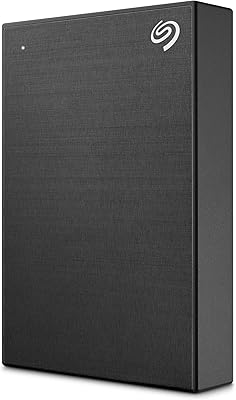
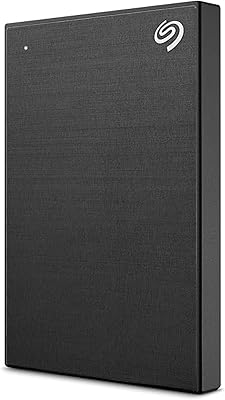
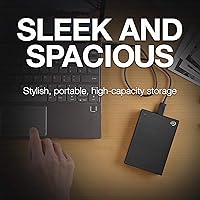
  • Enclosure Material: The outer shell is a brushed metal casing, which gives it a more durable and premium feel compared to standard plastic-bodied portable drives.
  • Color: Available in Black, with the brushed metal finish giving the surface a muted, professional appearance rather than a glossy or shiny look.
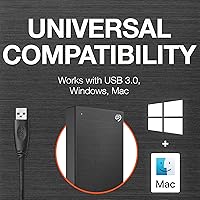
  • Compatibility: Works natively with Windows PCs and Macs, though Mac users who wish to use Time Machine must first reformat the drive to a compatible file system.
  • Backup Software: Seagate Toolkit is included and supports one-click manual backups as well as scheduled automatic backups on daily, weekly, or monthly intervals.
  • Bundled Software: Purchase includes a one-year Mylio Create subscription for photo management and a four-month Adobe Creative Cloud Photography plan, both requiring redemption within one year of drive registration.
  • Software Availability: The bundled software subscriptions are not available in all countries; buyers should verify regional eligibility before factoring them into the purchase decision.
  • Cable Included: A USB 3.0 cable is included in the box, so no additional accessories are required to begin using the drive immediately after unboxing.
  • Warranty: Seagate covers this drive with a standard limited two-year warranty against manufacturing defects under normal use conditions.
  • Platform Support: Compatible with both Mac and PC hardware platforms, supporting major versions of Windows and macOS without requiring additional driver installation.
  • BSR Ranking: Holds a Best Sellers Rank of #258 in the External Hard Drives category on Amazon, based on ongoing sales performance data.
  • Total Ratings: Has accumulated over 10,835 customer ratings with an overall average score of 4.6 out of 5 stars, reflecting broad user satisfaction.
  • Release Date: This model was first made available for purchase in August 2020 and has remained an active listing in Seagate's portable storage lineup since then.

Related Reviews

Seagate One Touch 5TB External Hard Drive
85%
92%
Value for Money
88%
Ease of Setup
90%
Data Recovery Service
95%
Storage Capacity
85%
Portability
More
Seagate One Touch Hub 10TB External Hard Drive
85%
95%
Storage Capacity
88%
Setup & Installation
91%
Data Recovery Services
90%
Cross-Platform Compatibility
85%
USB Connectivity
More
Seagate One Touch Hub 6TB External Hard Drive
84%
87%
Performance & Speed
92%
Ease of Setup
91%
Security Features
84%
Build Quality
80%
Software Experience
More
Seagate One Touch 1TB Portable External Hard Drive
87%
88%
Performance
92%
Value for Money
85%
Build Quality
95%
Portability/Size
90%
Ease of Setup
More
Seagate One Touch Hub 20TB External Hard Drive
84%
94%
Storage Capacity
86%
Data Transfer Speed
91%
Setup and Installation
90%
Compatibility (Windows & Mac)
88%
Data Security (Encryption & Backup Tools)
More
Seagate One Touch Hub 8TB External Hard Drive
85%
94%
Storage Capacity
86%
Performance/Transfer Speeds
90%
Ease of Use/Setup
92%
Compatibility (Windows/Mac)
87%
Build Quality
More
Seagate Ultra Touch 2TB External Hard Drive
79%
93%
Portability
88%
Design & Aesthetics
91%
Storage Capacity
57%
Transfer Speed
89%
Plug-and-Play Setup
More
Seagate Expansion Portable 4TB External Hard Drive
86%
85%
Performance
93%
Ease of Use
91%
Portability
80%
Build Quality
95%
Compatibility (Windows/Mac)
More
Seagate Game Drive for PlayStation 2TB
79%
94%
Ease of Setup
91%
Storage Capacity
93%
PS4 Compatibility
72%
PS5 Compatibility
74%
Transfer Speed
More
G-Technology 4TB G-DRIVE Mobile USB-C Portable External Hard Drive
88%
88%
Performance
94%
Portability
91%
Build Quality
89%
Compatibility
95%
Setup & Installation
More

FAQ

It will connect and be readable on a Mac straight away, but if you want to use it with Time Machine for backups, you will need to reformat it first using Disk Utility. The drive ships formatted for Windows compatibility, so that one extra step is required for full Mac integration. It only takes a few minutes and Apple has a straightforward guide built into macOS to walk you through it.

As a mechanical HDD running at 7200 RPM over USB 3.0, real-world transfer speeds typically fall in the range of 100 to 130 MB/s under good conditions. That is solid for an HDD and noticeably faster than slower 5400 RPM drives, but it is still well below what a portable SSD can achieve. For everyday backups and file storage it is more than adequate, but if you need to move massive files frequently or at speed, an SSD would serve you better.

No, the Seagate One Touch 4TB External Hard Drive is fully bus-powered, meaning it draws all the power it needs directly from the USB port on your computer. There is no power brick, no separate cable, and no wall outlet required, which makes it genuinely portable for use on the go.
You need to register the drive through Seagate's website first, after which redemption instructions for both software offers are provided. The key thing to know is that you must complete the redemption within one year of registering the drive — waiting too long means losing access to those offers. Also, both subscriptions have regional restrictions, so if you are outside a supported country, they may not be available to you at all.

For basic read and write access on both platforms, you would need to format the drive as exFAT, which is compatible with both Windows and macOS. Out of the box, the drive is formatted for Windows (NTFS), which Macs can read but not write to natively. A quick reformat to exFAT solves this completely, and you will not lose any functionality in the process.

Seagate Toolkit does what it promises — scheduled backups and one-click manual saves work reliably — but the interface feels somewhat outdated and users on both Mac and Windows have noted that it is not the most intuitive app to navigate. If you prefer a more polished backup experience, third-party options like Carbon Copy Cloner on Mac or Macrium Reflect on Windows are popular alternatives that work perfectly with this drive.

The brushed metal casing is more robust than a typical plastic-shell portable drive, but it is still a mechanical HDD, which means the internal components are sensitive to drops and heavy impacts. It is not designed for rough handling or outdoor conditions. For daily commuting in a padded laptop bag it should hold up fine, but if you tend to be rough on gear or travel frequently, investing in a protective sleeve or considering a ruggedized SSD alternative would be wise.

Honestly, yes — a portion of long-term owners have flagged unit failures after a year or more of regular use, which is worth factoring in. That said, this is not unusual for mechanical HDDs in this category, and the majority of users report reliable everyday performance. Keeping a secondary backup of critical files is always a good practice with any single mechanical drive, regardless of brand.

A USB 3.0 cable is included in the box, so you can plug it in and start using it immediately without needing to source any extra accessories.

This portable hard drive is backed by Seagate's standard two-year limited warranty covering manufacturing defects under normal use. If you experience a hardware failure within that window, Seagate's support process handles replacements or repairs. Keep your proof of purchase handy since it is typically required when submitting a warranty claim.

Where to Buy