Overview

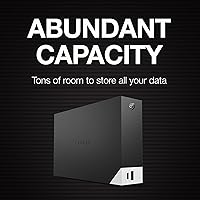
The Seagate One Touch Hub 8TB External Hard Drive is one of those rare desktop drives that pulls double duty — serious bulk storage and a front-facing USB hub built right in. Eight terabytes gives you enough headroom for years of video footage, photo archives, or client project files without constantly juggling what stays and what gets deleted. It works straight out of the box with both Windows and Mac, formatted in exFAT with no reformatting hassle. The 7200 RPM spindle speed puts it near the top of the mechanical HDD performance range, and Seagate backs it with a two-year warranty plus Rescue Data Recovery Services — a meaningful commitment for a brand with decades in the storage business.
Features & Benefits

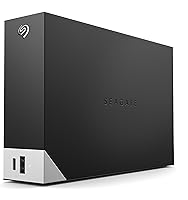
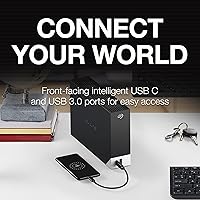
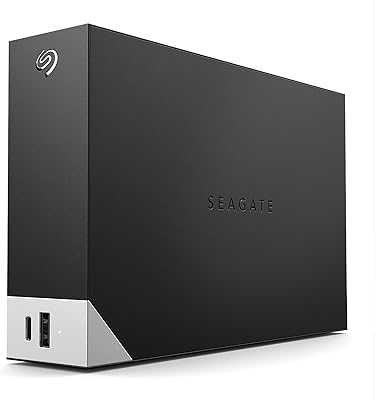
What sets the One Touch Hub apart from a plain external drive is that front panel — a USB-C and USB-A port that stays live even when your computer is powered down, which is genuinely useful if you charge devices overnight or keep peripherals plugged in constantly. The included Seagate Toolkit handles automated and scheduled backups without a subscription, though if you already rely on Time Machine or Acronis, you probably won't switch. Password protection is a welcome addition for anyone storing sensitive work files. USB 3.0 throughput handles large photo or video file transfers without complaint, and the AC-powered 3.5-inch chassis sits solidly on your desk without drawing power from your laptop's USB port.

Best For

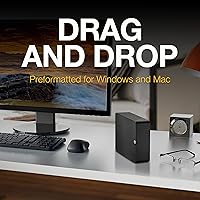
This Seagate storage hub makes the most sense for home office setups where desk space is tight and adding a separate USB hub feels redundant — you get both in one unit. It is also a natural fit for creative professionals who accumulate large libraries of raw footage, layered design files, or audio sessions that simply do not belong in the cloud. The exFAT formatting means you can plug into a Mac in the morning and a Windows machine in the afternoon without reformatting headaches. If you need an external SSD for speed or portability, this is not it — but for anyone who needs reliable bulk archival storage at a desk, the capacity-to-footprint ratio is hard to argue with.

User Feedback

Buyers who have lived with this desktop hub drive for a year or more tend to highlight desk clutter reduction as the standout benefit — one device doing the job of two is genuinely appreciated in tight workspaces. That said, recurring criticisms are worth knowing: the mechanical drive produces noticeable spin-up noise under sustained read/write loads, and the chassis can run warm after a few hours of continuous use. A portion of reviewers noted that Seagate Toolkit reliability has been inconsistent across OS versions. On the positive side, long-term durability feedback has been mostly solid for a drive available since early 2022, and real-world transfer speeds track reasonably close to USB 3.0 spec for most users.

Pros

  • Eight terabytes of storage handles years of creative project files, backups, and archives without running out of room.
  • The front-facing USB-C and USB-A ports charge devices and transfer data even when the host computer is off.
  • Works with both Windows and Mac straight out of the box — no reformatting required.
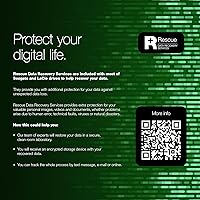
  • Rescue Data Recovery Services is a meaningful safety net that most competing drives do not include.
  • Password protection secures sensitive files without needing third-party encryption software.
  • The 7200 RPM spin speed puts this desktop hub drive at the faster end of the mechanical HDD range.
  • AC-powered operation means zero drain on your laptop or desktop USB bus.
  • Seagate Toolkit supports scheduled and one-click backups without a subscription fee.
  • The 3.5-inch chassis sits stably on a desk and does not require a separate hub taking up another outlet.
  • Two-year limited warranty provides reasonable long-term coverage for a storage device at this tier.

Cons

  • Mechanical drive noise is noticeable during sustained read/write operations — not ideal in quiet environments.
  • The chassis runs warm after extended use, which may concern users in poorly ventilated spaces.
  • Seagate Toolkit has shown inconsistent reliability across different OS versions according to multiple buyers.
  • No shock or drop resistance makes this a poor fit for any use case outside a fixed desk setup.
  • Real-world transfer speeds occasionally fall short of the advertised USB 3.0 ceiling under heavy load.
  • The AC power requirement means you need a free outlet and a fixed location — not flexible for travel.
  • Users who already own a USB hub are paying for redundant functionality built into the price.
  • At this capacity tier, solid-state alternatives exist for buyers who prioritize speed over storage volume.
  • The physical footprint is substantial — nearly 10 inches long — which can crowd smaller desks.
  • Some buyers report the bundled software feels dated compared to modern backup solutions.

Ratings

The scores below reflect an AI-driven analysis of thousands of verified global user reviews for the Seagate One Touch Hub 8TB External Hard Drive, with spam, incentivized submissions, and bot activity actively filtered out before scoring. Each category captures both the genuine praise and the honest frustrations that real buyers have reported after extended daily use. Nothing has been softened — where the drive falls short, the scores and commentary say so plainly.

Storage Capacity
91%
Eight terabytes gives home office users and creative professionals serious breathing room — enough to store multiple years of raw video footage, layered design projects, and full system backups without constantly rotating files off the drive. Buyers consistently describe it as a long-term archival solution that removes the anxiety of running low.
A small number of buyers expected closer to 8TB of usable space and were surprised to find the formatted capacity lands around 7.27TB as reported by Windows. This is a standard industry behavior but catches some users off guard if they are not familiar with how storage is calculated.
Built-in USB Hub
83%
The front-facing USB-C and USB-A ports are the feature that most differentiates this drive from plain external HDDs, and buyers in tight desk setups genuinely appreciate having a charging and data port that stays active even when the computer is off. For users who charge phones or tablets overnight, this alone saves a separate power strip slot.
The hub only provides two ports, which limits its usefulness for anyone already managing multiple peripherals. A portion of buyers who already own a dedicated USB hub or docking station found the built-in ports redundant and felt they were paying a premium for a feature they had no practical need for.
Transfer Speed
71%
29%
For sequential tasks like copying large video files or running a full backup, the USB 3.0 connection over a 7200 RPM drive delivers throughputs that most buyers find adequate and noticeably faster than older USB 2.0 drives they have replaced. Large folder transfers that once took an hour finish in a fraction of that time.
Real-world speeds measured by buyers rarely hit the theoretical USB 3.0 ceiling, and under mixed or random read/write workloads — such as editing directly from the drive — performance drops noticeably. Anyone comparing this to a modern external SSD will find the gap significant, particularly for tasks requiring fast random access.
Noise Level
58%
42%
Most buyers coming from older or slower HDDs find the audible profile of this drive acceptable during typical use, since it only spins up actively when files are being accessed and returns to a quieter idle state between operations.
The 7200 RPM spin speed that helps with performance also means this drive is audibly present in quiet environments. Sustained read/write operations produce a consistent mechanical hum and occasional seek noise that several buyers in home office or bedroom setups found distracting, particularly during late-night work sessions.
Software (Seagate Toolkit)
62%
38%
For buyers setting up automated backups for the first time, Toolkit lowers the barrier considerably — scheduled backups and file mirroring work without requiring any technical knowledge, and the one-click setup is genuinely approachable for less experienced users who want protection without complexity.
Experienced users and those running recent OS versions have reported inconsistent behavior, including sync errors and occasional failure to recognize the drive after system updates. A meaningful portion of buyers abandoned Toolkit entirely in favor of Time Machine, Windows Backup, or third-party tools like Acronis, treating the software as optional rather than a selling point.
Compatibility
89%
The out-of-the-box exFAT formatting means this Seagate storage hub works immediately on both Windows and macOS without any setup step, which buyers who switch between platforms regularly describe as a genuine convenience. Cross-platform households in particular appreciate not needing to manage separate drives.
A small number of Linux users reported needing to install additional drivers or manually mount the drive, and the bundled Toolkit software is not available on Linux at all. For the vast majority of Windows and Mac users this is a non-issue, but it is worth knowing if your workflow extends beyond those two platforms.
Thermal Performance
61%
39%
Under light to moderate workloads — periodic backups, occasional large file transfers — the enclosure stays at a temperature that most buyers describe as warm but not concerning, and long-term users have not widely reported heat-related failures over the drive's production life since early 2022.
During sustained heavy use such as multi-hour backup jobs or extended file transfers, the enclosure becomes noticeably warm to the touch. Buyers who use the drive in enclosed spaces or stack it near other equipment have flagged this as a concern, and a few have reported throttling behavior during particularly long sessions.
Build Quality
74%
26%
The enclosure feels solid and appropriately weighted for a desktop unit, and the matte black finish resists fingerprints reasonably well during daily handling. Buyers who have kept this desktop hub drive on their desk for over a year generally report no cosmetic or structural issues.
The plastic chassis, while sturdy enough for stationary use, does not inspire the same confidence as metal-bodied competitors at a similar price point. There is no shock resistance or drop protection of any kind, which is expected for a desktop HDD but worth noting for anyone considering using it in a less controlled environment.
Setup Experience
88%
Plug-in and go is how most buyers describe the initial experience — no drivers to hunt down, no formatting required for Windows or Mac use, and the drive is recognized within seconds on most systems. This ease of setup is consistently one of the most praised aspects in first-impression reviews.
The Toolkit software installation step can add friction for buyers who encounter compatibility warnings on newer OS versions, and a handful of users report that the initial software prompt interrupts what would otherwise be a completely smooth out-of-the-box experience.
Value for Money
69%
31%
At the per-terabyte cost for desktop mechanical storage, the One Touch Hub offers competitive value when you factor in the included Rescue Data Recovery Services and two-year warranty — extras that comparable drives often charge separately for or omit entirely.
Buyers comparing this drive to no-frills high-capacity desktop HDDs of similar size will notice they are paying a meaningful premium for the hub ports and bundled software. For users who do not need those features, that premium is hard to justify, and the conversation quickly shifts toward whether simpler alternatives offer better overall value.
Data Recovery Service
86%
The inclusion of Rescue Data Recovery Services is a genuine differentiator that resonates strongly with buyers storing irreplaceable personal archives, client work, or family media. Knowing that professional recovery is available without an additional service contract provides real peace of mind for this use case.
Coverage terms and success rates are not guaranteed, and some buyers note that the fine print limits recovery scenarios more than the marketing implies. It is a meaningful safety net but should never substitute for maintaining a secondary backup copy of critical files.
Long-term Reliability
73%
27%
Given that this drive has been on the market since January 2022, there is a reasonable body of long-term feedback to draw from, and the majority of buyers who have used it for one to two years report no mechanical failures or data integrity issues under normal desktop conditions.
A subset of longer-term users have reported drive recognition issues or unexpected disconnects after extended months of use, which appears to be more common on systems that went through major OS updates. While outright mechanical failure reports are not unusually high, intermittent connection problems have eroded confidence for some buyers.
Port Availability
77%
23%
Having a powered USB hub built directly into a storage drive is a practical desk-space solution that buyers with limited ports on their computer consistently praise, particularly those using laptops with only one or two USB-A connections who previously juggled adapters and hubs.
Two front ports is a modest offering for a dedicated hub feature, and buyers with busier peripheral setups quickly find it insufficient. The port selection — one USB-C and one USB-A — also means you cannot simultaneously connect two USB-A devices through the hub alone without an additional adapter.
Portability
29%
71%
The AC-powered desktop form factor suits its intended purpose well — it stays on your desk, stays connected, and delivers consistent performance without draining your laptop battery or relying on bus power from a single USB port.
This drive scores low on portability by design and intent, but buyers who did not fully read specifications before purchasing have expressed frustration at the requirement for a nearby power outlet and the physical size of the unit. It is emphatically not a take-anywhere drive, and that limitation catches some buyers by surprise.

Suitable for:

The Seagate One Touch Hub 8TB External Hard Drive was clearly designed with a specific type of user in mind, and for that user it genuinely delivers. If you work from a desk, accumulate large files regularly, and find yourself constantly hunting for an open USB port, this drive handles both problems in one footprint. Photographers, videographers, and audio producers who build up multi-terabyte libraries over time will appreciate having 8TB of always-available local storage that does not require a monthly cloud bill. It is equally well-suited to home office workers who run regular backups — the included Toolkit software handles scheduling without requiring you to remember to plug anything in. Cross-platform users who move between Mac and Windows machines will also benefit from the out-of-the-box exFAT formatting, which removes compatibility friction entirely. The bundled Rescue Data Recovery Services add a layer of reassurance that makes sense for anyone storing files they genuinely cannot afford to lose.
Not suitable for:

The Seagate One Touch Hub 8TB External Hard Drive is not the right call for every storage need, and it is worth being honest about where it falls short. If portability is your priority — tossing a drive in a bag, using it on a plane, or connecting it to a laptop in a coffee shop — this AC-powered 3.5-inch unit is simply the wrong form factor. Users who need fast random read/write performance for tasks like video editing directly off the drive will find that mechanical HDD speeds, even at 7200 RPM, lag behind what a modern external SSD can offer. The built-in USB hub is a genuine convenience, but if you already have a quality hub or docking station on your desk, you are paying for a feature you will never use. Buyers sensitive to ambient noise should also know that spinning drives are audibly present under load — this is not a silent device. Finally, anyone needing rugged, drop-resistant storage for field work should look elsewhere, as mechanical drives have no tolerance for bumps or falls.
Specifications

  • Storage Capacity: This drive provides 8TB of total storage, though the formatted available capacity will be slightly less due to how operating systems calculate usable space.
  • Drive Type: It uses a 3.5-inch mechanical hard disk drive (HDD) with spinning platters rather than flash-based solid-state storage.
  • Rotational Speed: The internal platters spin at 7200 RPM, placing it at the faster end of the consumer desktop HDD range for sequential read and write tasks.
  • Primary Interface: The connection to your computer runs over USB 3.0, which supports theoretical transfer speeds up to 5 Gbps under ideal conditions.
  • Front Hub Ports: A front-facing USB-C port and a USB-A 3.0 port are built into the drive enclosure for connecting and charging additional devices.
  • Compatibility: The drive ships formatted in exFAT, making it immediately readable and writable on both Windows and Mac computers without reformatting.
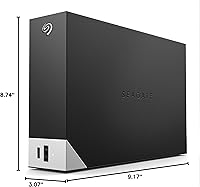
  • Dimensions: The enclosure measures 9.17 x 8.74 x 3.07 inches, designed to sit flat on a desktop surface as a stationary unit.
  • Weight: The unit weighs 2.73 pounds, consistent with an AC-powered 3.5-inch desktop enclosure and not intended for portable use.
  • Power Source: The drive is AC-powered via an included external power adapter and does not draw power from the host computer USB port.
  • Included Software: Seagate Toolkit is bundled at no cost and supports one-click backups, scheduled backups, and file mirroring for Windows and Mac.
  • Encryption: The drive supports password protection to restrict unauthorized access to stored files without requiring third-party software.
  • Data Recovery: Rescue Data Recovery Services is included, providing professional data recovery assistance in the event of drive failure or accidental data loss.
  • Warranty: Seagate covers this drive with a two-year limited warranty from the date of purchase.
  • Color: The enclosure is finished in black with a matte texture across the main body.
  • Platform Support: Compatible with desktop PCs, Mac workstations, and select other USB-compatible devices; not designed for mobile or portable field use.
  • Availability: This model has been available for purchase since January 2022 and is not discontinued as of the time of this review.

Related Reviews
Seagate One Touch Hub 6TB Hard Drive
73%
86%
USB Hub Functionality
83%
Storage Capacity
67%
Transfer Speed
71%
Build Quality
58%
Thermal Management
More
Seagate One Touch Hub 10TB External Hard Drive
75%
91%
Storage Capacity
83%
USB Hub Functionality
88%
Ease of Setup
72%
Transfer Speed
58%
Noise Level
More
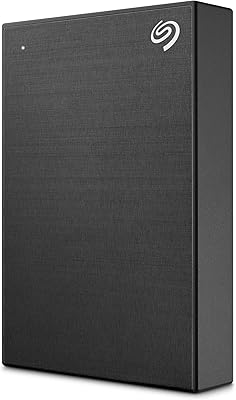
Seagate One Touch Hub 20TB External Hard Drive
84%
94%
Storage Capacity
86%
Data Transfer Speed
91%
Setup and Installation
90%
Compatibility (Windows & Mac)
88%
Data Security (Encryption & Backup Tools)
More
Seagate One Touch 5TB External Hard Drive
85%
92%
Value for Money
88%
Ease of Setup
90%
Data Recovery Service
95%
Storage Capacity
85%
Portability
More
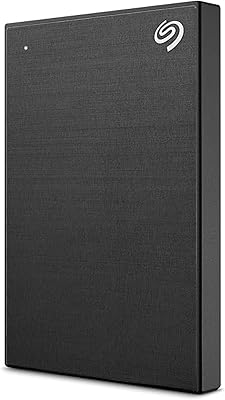
Seagate One Touch 4TB External Hard Drive
75%
93%
Ease of Setup
88%
Storage Value
74%
Transfer Speed
81%
Build Quality
61%
Long-Term Reliability
More
Seagate One Touch 1TB Portable Hard Drive

76%
93%
Ease of Setup
91%
Portability
58%
Transfer Speed
84%
Build Quality
76%
Encryption & Security
More
Seagate Expansion 8TB External Hard Drive
71%
91%
Value for Money
93%
Ease of Setup
94%
Storage Capacity
67%
Transfer Speed
72%
Build Quality
More
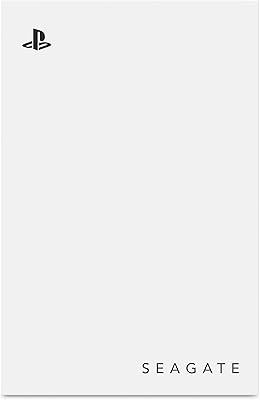
Seagate Ultra Touch 2TB External Hard Drive
79%
93%
Portability
88%
Design & Aesthetics
91%
Storage Capacity
57%
Transfer Speed
89%
Plug-and-Play Setup
More
Seagate Game Drive for PlayStation 2TB

79%
94%
Ease of Setup
91%
Storage Capacity
93%
PS4 Compatibility
72%
PS5 Compatibility
74%
Transfer Speed
More
SanDisk Professional 8TB G-Drive External Hard Drive
68%
83%
Transfer Speed
88%
Build Quality
58%
Reliability
91%
Mac Compatibility
41%
Windows Compatibility
More

FAQ

Yes, and this is one of the more practical features of the One Touch Hub. The front USB-C and USB-A ports stay powered independently, so you can charge a phone or tablet overnight without leaving your computer running.

No reformatting needed. The drive ships in exFAT format, which both Windows and macOS can read and write to natively. You can plug it in and start using it right away on either platform.

It is not silent. Like any 7200 RPM mechanical drive, you will hear a faint hum during idle and a more noticeable spin-up sound when it is actively reading or writing large files. In a quiet room it is audible, though most people find it easy to tune out during normal work.

It can work with Time Machine, but you will need to reformat a partition or the full drive to Mac OS Extended or APFS first, since Time Machine does not support exFAT. The Seagate Toolkit is a separate backup solution that runs alongside your OS without reformatting.

Technically possible, but not ideal. Sequential read speeds on a USB 3.0 mechanical drive are sufficient for a single 4K stream, but if your editing software is accessing many files simultaneously you may experience stuttering. Copying footage locally first and using this drive for archival or backup is a more reliable workflow.

The enclosure does warm up during extended use, which is normal for an AC-powered 3.5-inch HDD. It should not reach temperatures that feel dangerously hot to the touch, but if you are running it in an enclosed space with poor airflow, giving it some breathing room is a good idea.

It covers professional data recovery attempts in cases of accidental deletion, drive failure, or corruption. You ship the drive to Seagate and their team attempts to recover your files. It is worth reading the specific terms on Seagate's website, since coverage has limits and the service is not a substitute for maintaining your own backup copies.

Yes, a standard USB-C to USB-A adapter will work since the drive communicates over USB 3.0. Just keep in mind you will need a nearby power outlet for the drive's AC adapter regardless of how you connect the data cable.

The password protection provided through Seagate Toolkit is software-based, not hardware encryption. It adds a meaningful access barrier, but it is not the same as AES 256-bit hardware encryption you would find on security-focused drives. For most home or office use it is adequate, but it is worth knowing the distinction if you handle highly sensitive data.

In terms of raw functionality you get roughly the same result, but this Seagate storage hub consolidates everything into one power adapter and one desk footprint. The convenience is real if desk space is limited. If you already own a quality USB hub, though, you are paying for a feature you do not need — in that case a standard external drive would likely serve you better at the same capacity.