Overview

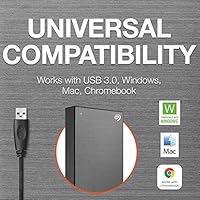
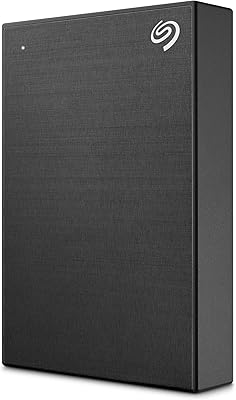
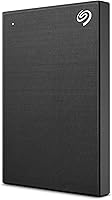
The Seagate One Touch 1TB Portable Hard Drive is a slim, brushed-metal drive built for everyday users who want dependable local backup without carrying anything bulky. It sits comfortably in the mid-range HDD space — not the cheapest option on the shelf, but noticeably more polished than bare-bones drives that ship with nothing but a cable. It works straight out of the box with Windows, Mac, and Chromebook, and comes bundled with a Mylio Photos subscription and a Dropbox Backup trial for extra utility. One honest caveat: as a mechanical spinning disk, transfer speeds won't rival an SSD, so set expectations accordingly before you buy.
Features & Benefits

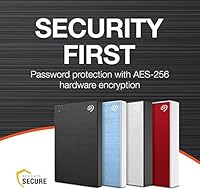
Hardware encryption is built right in — set a password and your files are locked to anyone who doesn't have it, no extra software required. That's a meaningful perk for anyone storing tax documents or client work. The bundled software handles one-click or scheduled backups on a daily, weekly, or monthly cadence, which removes the friction most people feel about backing up consistently. The USB 3.0 connection gives decent transfer rates for a spinning drive, though don't expect SSD-class speeds. At 5.2 ounces and under half an inch thick, this portable drive genuinely disappears into a bag. The included Rescue Data Recovery Services and limited warranty round things out as a solid safety net.

Best For

This Seagate drive makes the most sense for students and remote workers who want a local backup alternative to paying for cloud storage month after month. It's also well-suited for mixed households where one drive needs to move between a Windows laptop and a MacBook without reformatting headaches — though Mac users planning to use Time Machine should reformat first. Photographers who shoot RAW files will appreciate having a physical copy that doesn't depend on an internet connection. If you travel frequently, the One Touch HDD is light enough to forget it's in your bag. Anyone wanting basic file encryption without digging into software settings will feel right at home here too.

User Feedback

With over 10,000 ratings and a 4.4-star average, the One Touch HDD has earned real trust from a wide range of buyers. The most common praise centers on how effortlessly it connects — plug it in and it just works, which matters more than people expect. Reviewers also consistently mention the brushed-metal finish feeling premium for the price. On the critical side, a recurring frustration is the USB-A only cable: owners of newer laptops with USB-C ports need an adapter that isn't included. Some users also report that real-world transfer speeds fall noticeably short of USB 3.0 theoretical maximums. Long-term reliability reviews are mixed — most report no issues after years of use, but a handful note failures within the first year.

Pros

  • Works plug-and-play with Windows, Mac, and Chromebook right out of the box.
  • Built-in hardware encryption lets you password-protect files without installing extra software.
  • Scheduled automatic backups — daily, weekly, or monthly — remove the friction of remembering to back up.
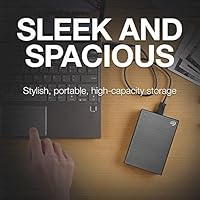
  • At 5.2 ounces and under half an inch thick, this portable drive fits in a jacket pocket without bulk.
  • Brushed-metal enclosure feels noticeably more premium than plastic drives at a similar price.
  • Bundled Mylio Photos subscription and Dropbox Backup trial add genuine value beyond raw storage.
  • Rescue Data Recovery Services are included, giving you a real fallback if the drive fails.
  • Ranked among the top portable external drives on Amazon with over 10,000 verified ratings.
  • One-click backup software is straightforward enough that non-technical users can set it up in minutes.
  • Limited manufacturer warranty provides baseline peace of mind for everyday use.

Cons

  • Real-world transfer speeds disappoint users moving large files regularly — mechanical HDDs simply cannot keep up with SSDs.
  • The included USB-A cable means USB-C laptop owners must buy an adapter separately before they can use the drive.
  • Mac users must reformat the drive before it works properly with Time Machine, which catches some buyers off guard.
  • A small but notable share of long-term reviewers report drive failures within the first one to two years.
  • The password encryption is basic consumer-grade protection — not suited for highly sensitive or regulated data.
  • At 1TB, storage fills up faster than expected for photographers or video creators shooting in high resolution.
  • The bundled software can feel unnecessary or intrusive for users who prefer manual drag-and-drop backups.
  • No USB-C cable or adapter is included despite USB-C being standard on most modern laptops.

Ratings

The scores below for the Seagate One Touch 1TB Portable Hard Drive were generated by our AI rating engine after analyzing thousands of verified global buyer reviews, with spam, bot-submitted, and incentivized feedback actively filtered out before scoring. Each category reflects both the genuine strengths users praised and the real frustrations they reported, giving you an honest picture of where this portable drive delivers and where it falls short.
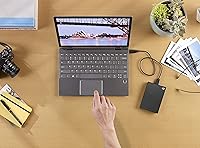
Ease of Setup
93%
Buyers across platforms consistently highlight how quickly this drive gets going — plug it into a Windows PC or Chromebook and it simply shows up, no driver installation or configuration needed. Reviewers who describe themselves as non-technical users repeatedly mention that setup took under a minute.
Mac users who want Time Machine compatibility run into an extra reformatting step that catches some off guard, especially if they did not read the fine print beforehand. A small number of reviewers found the bundled backup software setup process confusing and chose to ignore it entirely.
Portability
91%
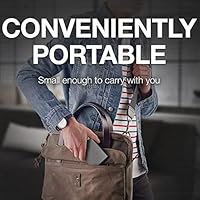
At 5.2 ounces and less than half an inch thick, this Seagate drive genuinely disappears into a coat pocket or the sleeve of a slim laptop bag without adding noticeable weight. Commuters and frequent travelers specifically call out how easy it is to toss into a bag every day without thinking about it.
A few users who compared it directly against ultra-slim SSD competitors noted that, while compact for a mechanical drive, it is still slightly thicker than modern portable SSDs at a comparable footprint. For minimalist packers, that half-inch thickness can feel like one millimeter too many.
Transfer Speed
58%
42%
For routine backup tasks — syncing documents, photos, and music libraries — real-world speeds are adequate, and most everyday users report no meaningful frustration during scheduled automatic backups that run in the background overnight.
Anyone who regularly moves large video files or RAW photo batches will feel the mechanical HDD ceiling hard. Real-world write speeds hover well below USB 3.0 theoretical maximums, and reviewers who upgraded from SSDs describe the experience as noticeably sluggish for heavy data transfers.
Build Quality
84%
The brushed-metal enclosure gives this portable drive a build quality that consistently surprises buyers in the mid-range segment — it feels solid in the hand, resists minor scuffs, and holds up well after months of daily carry. Multiple long-term reviewers note it still looks good after a year of regular use.
Despite the premium-feeling finish, it is not ruggedized or shock-rated, and reviewers who dropped it from desk height reported mixed outcomes. The drive is not meaningfully more durable than typical plastic-encased competitors when it comes to actual physical impacts.
Encryption & Security
76%
24%
Having password-activated hardware encryption built directly into the drive is a genuine convenience for personal users — no third-party apps to install, no subscription key management, just set a password and your files are locked. Reviewers storing tax documents and client work cite this as a quiet but meaningful feature.
Security-conscious reviewers who researched the implementation note it is consumer-grade protection and should not be treated as enterprise-level encryption. Those working with regulated or highly sensitive data will likely find it insufficient for their compliance requirements.
Software Bundle Value
71%
29%
The combination of a Mylio Photos subscription and a Dropbox Backup trial gives buyers tangible extras that go beyond raw storage, and photographers in particular appreciate having an automatic photo organization tool included at no added cost for the trial period.
Several reviewers report that trial periods expire faster than expected and that converting to paid tiers adds recurring costs they had not planned for. Others found the bundled Seagate backup software intrusive during installation and ended up uninstalling it in favor of manual file management.
Compatibility
88%
Out-of-the-box support for Windows, Mac, and Chromebook means this drive genuinely works across a mixed-device household without reformatting gymnastics. Reviewers who share a single drive between a work Windows laptop and a personal MacBook describe the experience as effortless.
The required reformatting for Time Machine on Mac is a recurring complaint that generates more frustration than it should, simply because it is not clearly communicated at purchase. Chromebook users also note the drive works for basic storage but that some backup software features are not available on Chrome OS.
Cable & Connectivity
53%
47%
USB 3.0 support means the One Touch HDD connects to an exceptionally wide range of devices, and the cable length is adequate for typical desk use without feeling tethered. Backward compatibility with USB 2.0 ports is a genuine plus for users with older hardware.
The USB-A only cable is arguably the most consistently criticized aspect of this drive — most modern laptops ship with USB-C ports only, and the lack of an included adapter leaves buyers scrambling before they can even use what they just purchased. This single omission generates disproportionate negative feedback relative to its actual cost to fix.
Reliability & Longevity
67%
33%
The majority of verified long-term buyers report no issues after one to two or more years of regular use, and the included Rescue Data Recovery Services provide a meaningful fallback that builds confidence in the purchase. Reviewers who use it for light weekly backups report especially consistent performance.
A notable minority of reviewers report failures within the first year, which pulls the reliability score down from what the overall rating might suggest. Given that this is a mechanical spinning disk, it is more vulnerable to failure from vibration and impact than an SSD alternative would be.
Value for Money
79%
21%
For a mid-range mechanical drive with hardware encryption, a decent software bundle, and a trusted brand warranty, most buyers feel they received fair value — especially those who are not moving large files frequently and simply want affordable local backup.
Buyers who later discover how close portable SSD prices have come to mechanical HDD prices in the 1TB segment often feel the value equation shifts. For users who push the drive hard and hit speed limitations regularly, the savings over an SSD feel less justified in retrospect.
Physical Size & Footprint
87%
The 2.5-inch form factor is compact enough to sit neatly beside a laptop on a desk without taking up meaningful workspace, and its thin profile means it stacks flat in a bag without creating awkward lumps. Desk-bound users appreciate that it does not require a dedicated drive dock or standing enclosure.
Though it is compact by HDD standards, a side-by-side comparison with a modern NVMe-based portable SSD shows just how much thinner and lighter storage technology has become. For ultra-minimal setups, the physical footprint is still larger than some buyers prefer.
Noise & Vibration
72%
28%
Under normal backup workloads the drive runs quietly enough that most reviewers say they forget it is plugged in. Light everyday use generates minimal audible noise, and vibration on a flat surface is barely perceptible during sequential reads.
When the drive is under sustained load — copying a large folder or running a full backup — the spinning disk produces a faint but audible hum and occasional seek noise that some users find distracting in quiet environments like libraries or open-plan offices.
Backup Software Usability
69%
31%
For users who do engage with the bundled Seagate Toolkit software, the one-click backup and schedule setup are straightforward enough that non-technical users can configure automated daily backups in a few minutes without consulting a manual.
Reviewers who prefer clean, minimal setups report that the software feels bloated relative to what it actually does, and the initial installation prompts are more persistent than expected. Cross-platform functionality is limited — some features simply do not work on Mac or Chromebook.
Packaging & Unboxing
74%
26%
The drive arrives well-protected and the packaging is clean enough that it reads as a considered mid-range product rather than a budget commodity. Most buyers report the out-of-box experience feels appropriately polished for the price tier.
There are no extras in the box beyond the drive and cable — no pouch, no adapter, no quick-start card with Mac reformatting instructions. Given how frequently the USB-C and Time Machine issues arise, a simple included note would save a meaningful number of support headaches.

Suitable for:

The Seagate One Touch 1TB Portable Hard Drive is a strong pick for anyone who wants a no-fuss local backup solution that travels well and works across multiple platforms. Students juggling a mix of college-owned and personal machines will appreciate that it connects to Windows, Mac, and Chromebook without any reformatting out of the box. Remote workers who handle moderately sensitive files — think freelance contracts, financial records, or client deliverables — will find the built-in password encryption genuinely useful without needing to install or manage separate software. Photographers who shoot high-resolution RAW files and want a physical backup that doesn't depend on Wi-Fi or a subscription will get real value from 1TB of portable local storage. Frequent travelers who already carry a packed bag will also appreciate just how light and thin this portable drive is — at 5.2 ounces and under half an inch thick, it barely registers.
Not suitable for:

If your workflow demands fast transfer speeds, the Seagate One Touch 1TB Portable Hard Drive will frustrate you — it is a mechanical hard drive spinning at 7200 RPM, and real-world write speeds fall well short of what even a budget portable SSD delivers. Video editors working with 4K or RAW footage, or anyone who regularly moves large batches of files under a deadline, will feel that bottleneck quickly. Mac users who want to use this drive as a dedicated Time Machine backup volume should know they will need to reformat it first, which is a minor but easy-to-miss hurdle. Anyone who only has USB-C ports on their laptop will need an adapter right away since the included cable is USB-A only — that adapter is not in the box. Finally, buyers who need enterprise-grade or multi-layer encryption for highly sensitive professional data should look at drives purpose-built for security rather than relying on this consumer-tier password protection.
Specifications

  • Storage Capacity: This portable drive provides 1TB of usable storage, suitable for documents, photos, videos, and general file backups.
  • Interface: Connects via USB 3.0 using the included USB-A cable, with backward compatibility for USB 2.0 ports at reduced speeds.
  • Form Factor: Built around a 2.5-inch mechanical hard disk housed in a compact, pocket-friendly enclosure.
  • Dimensions: Measures 4.52 x 3.07 x 0.46 inches, making it one of the slimmer options in the portable HDD category.
  • Weight: Weighs 5.2 oz, light enough to carry daily in a laptop bag, backpack, or jacket pocket without noticing it.
  • Rotational Speed: The internal disk spins at 7200 RPM, which is on the faster end for mechanical HDDs but still slower than any SSD.
  • Enclosure Material: The outer shell features a brushed-metal finish that resists minor scratches and gives the drive a more durable, premium feel.
  • Encryption: Offers password-activated hardware encryption to lock the drive contents, operable without any third-party software installation.
  • Compatibility: Works natively with Windows, Mac, and Chromebook systems; Mac users who need Time Machine support should reformat the drive first.
  • Bundled Software: Includes a Mylio Photos complementary subscription for photo organization and a Dropbox Backup Plan free trial for cloud redundancy.
  • Data Recovery: Comes with Seagate Rescue Data Recovery Services, providing one attempt at professional data recovery in the event of drive failure.
  • Warranty: Covered by Seagate's limited manufacturer warranty; buyers should verify the exact duration at registration, as it may vary by region.
  • Platform Support: Officially supports Mac and PC platforms, with Chromebook compatibility confirmed for basic plug-and-play file storage use.
  • Power Source: Bus-powered via the USB connection, so no external power adapter or wall outlet is required during normal operation.
  • Market Rank: Ranked #22 in the External Hard Drives category on Amazon with over 10,460 ratings and a 4.4-star average score.

Related Reviews

Seagate Basic 1TB Portable External Hard Drive
85%
90%
Value for Money
95%
Portability
88%
Transfer Speed
80%
Build Quality
91%
Ease of Use
More
Seagate One Touch 5TB External Hard Drive
85%
92%
Value for Money
88%
Ease of Setup
90%
Data Recovery Service
95%
Storage Capacity
85%
Portability
More
Seagate One Touch 4TB External Hard Drive
75%
93%
Ease of Setup
88%
Storage Value
74%
Transfer Speed
81%
Build Quality
61%
Long-Term Reliability
More
Seagate Expansion Portable 1TB External Hard Drive
85%
88%
Performance
94%
Setup & Installation
91%
Portability & Size
89%
Compatibility
87%
Value for Money
More
Seagate One Touch Hub 8TB External Hard Drive
72%
91%
Storage Capacity
83%
Built-in USB Hub
71%
Transfer Speed
58%
Noise Level
62%
Software (Seagate Toolkit)
More
Seagate One Touch Hub 10TB External Hard Drive
75%
91%
Storage Capacity
83%
USB Hub Functionality
88%
Ease of Setup
72%
Transfer Speed
58%
Noise Level
More
Seagate One Touch Hub 20TB External Hard Drive
84%
94%
Storage Capacity
86%
Data Transfer Speed
91%
Setup and Installation
90%
Compatibility (Windows & Mac)
88%
Data Security (Encryption & Backup Tools)
More
Seagate One Touch Hub 6TB Hard Drive
73%
86%
USB Hub Functionality
83%
Storage Capacity
67%
Transfer Speed
71%
Build Quality
58%
Thermal Management
More
G-Technology G-DRIVE Mobile 1TB Portable Hard Drive
75%
88%
Build Quality
93%
Mac Compatibility
91%
Portability
57%
Transfer Speed
62%
Value for Money
More
Seagate One Touch 1TB External SSD
81%
83%
Transfer Speed
93%
Portability
78%
Build Quality
81%
Value for Money
94%
Setup & Ease of Use
More

FAQ

No, you can plug it in and start dragging files over immediately on Windows, Mac, or Chromebook without installing anything. The bundled backup software is optional and only needed if you want scheduled or one-click automatic backups.

The drive itself is perfectly compatible, but the included cable is USB-A only, so you will need a USB-A to USB-C adapter or a USB-C hub to connect it. That adapter is not included in the box, so factor that in before you buy if your laptop is USB-C only.

You can, but not straight out of the box. The drive ships formatted for Windows (exFAT or NTFS), and Time Machine requires a Mac-compatible format. You will need to reformat it using Disk Utility first, which takes only a few minutes but erases anything already on the drive.

As a 7200 RPM mechanical hard drive, you can expect real-world write speeds in the range of 100 to 130 MB/s under good conditions — decent for an HDD, but roughly three to five times slower than a budget portable SSD. For everyday file backups and document storage it is perfectly fine; for moving large video files regularly, an SSD would serve you better.

The Seagate One Touch 1TB Portable Hard Drive uses password-activated hardware encryption, which is a solid layer of protection for personal use — things like tax returns, freelance contracts, or personal photos. It is not designed for enterprise or regulatory compliance scenarios, but for individual privacy it does the job well without requiring any extra setup.
It draws all the power it needs directly from the USB port, so there is no power brick or separate cable to deal with. Just one cable and you are up and running.

Like most 1TB drives, the usable space after formatting lands around 930 to 950 GB, since storage manufacturers measure in decimal gigabytes while operating systems report in binary. It is a standard industry difference and not specific to this drive.

Yes, out of the box the drive is formatted in a way that both Windows and Mac can read and write to it, so switching between machines is straightforward. Just remember to eject it safely before unplugging, especially on Mac.

Seagate includes access to their Rescue Data Recovery Services, which gives you one professional recovery attempt if the drive fails mechanically or becomes unreadable. It is a useful safety net, though no recovery service can guarantee full retrieval, so keeping a second copy of critical files elsewhere is always a smart habit.

It is slim and light enough for daily carry, but it is not marketed as shockproof or ruggedized. The brushed-metal enclosure adds some protection against bumps and scratches, but like all mechanical hard drives it is vulnerable to impact while the disk is spinning. Keeping it in a padded sleeve or pouch during transit is a wise precaution.

Where to Buy