



Overview

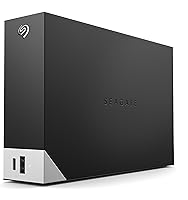
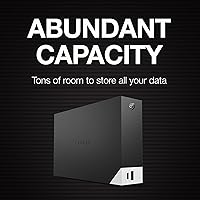
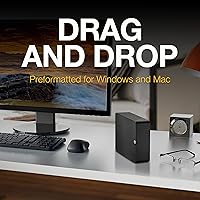
The Seagate One Touch Hub 6TB Hard Drive is a desktop storage unit that doubles as a USB hub — a distinction that sets it apart from most external drives in this category. Six terabytes is a comfortable ceiling for home offices and creative users storing years of photos, raw video, or audio project archives. At its mid-range price point, you're not getting SSD-level speed, but you are getting a genuinely capable workhorse that plays nicely with both Windows and Mac straight out of the box. No reformatting required, and no extra software needed to get started.

Features & Benefits

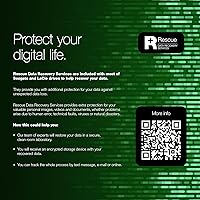
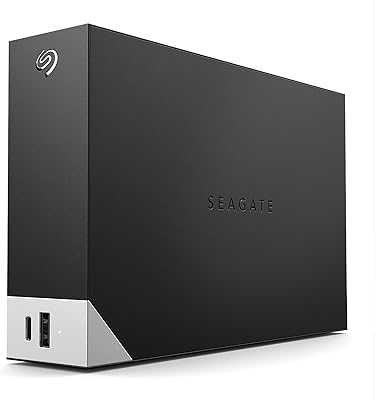
The front-facing ports — one USB-C and one USB 3.0 — are more useful than they might first appear. They can charge your phone or transfer data from a camera even when your computer is completely powered off, which is a surprisingly handy quirk. The 7200 RPM spin speed gives this desktop hub drive a performance edge over slower 5400 RPM alternatives, making large file transfers less of a waiting game. Built-in password encryption keeps sensitive files locked down without needing a separate app. Seagate's Toolkit software handles scheduled backups and file mirroring, and the two-year warranty with Rescue Data Recovery adds a meaningful safety net.

Best For

This desktop hub drive earns its place on desks where cable clutter is already a problem. If you're a photographer or video editor managing a growing archive, 6TB gives you room to breathe without immediately shopping for another drive. It also works well in mixed households — someone using a Mac for creative work and a Windows PC for everything else can share this unit without touching a format setting. The scheduled backup feature makes it a strong pick for users who want protection without thinking about it daily. It's less ideal for anyone who needs portable storage or fast SSD-class transfer rates.

User Feedback

With over 2,700 ratings averaging 4.1 stars, the One Touch Hub lands in solidly positive territory — though not without caveats. The hub functionality comes up repeatedly as the standout perk; buyers consistently say having that extra port available without a dedicated hub on the desk is worth it. On the flip side, several users mention the unit runs noticeably warm after extended operation, which is worth keeping in mind for confined desk setups. Long-term reliability raises some flags in the reviews — a subset of buyers report issues beyond the first year. Transfer speeds are rated as adequate for backups but won't compete with solid-state alternatives.

Pros

  • Built-in USB-C and USB 3.0 front ports eliminate the need for a separate hub on most desks.
  • The drive can charge devices and transfer data even when the host computer is completely off.
  • 6TB of storage gives creative users and home offices significant room to grow without upgrading soon.
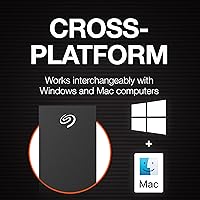
  • Works with both Windows and Mac straight out of the box — no reformatting needed.
  • Password encryption protects sensitive files without requiring a third-party security app.
  • The 7200 RPM spin speed outperforms the slower 5400 RPM drives common at this price range.
  • Seagate Toolkit makes scheduling automatic backups straightforward for non-technical users.
  • A two-year warranty plus Rescue Data Recovery Services offers meaningful protection for stored data.
  • Over 2,700 buyer reviews and a 4.1-star average reflects a broad, largely satisfied user base.
  • Setup is genuinely plug-and-play — most users report being up and running within minutes.

Cons

  • The mechanical drive cannot compete with SSD transfer speeds for high-demand creative workflows.
  • Multiple users report the unit runs noticeably warm after several hours of continuous operation.
  • Long-term reliability concerns appear in a meaningful portion of reviews beyond the one-year mark.
  • The Seagate Toolkit software receives mixed feedback — some users find it clunky compared to native OS tools.
  • At nearly 3 pounds and desktop-only form factor, this unit offers zero portability.
  • The built-in USB hub provides only two ports, which may not be enough for heavily connected setups.
  • No USB 3.2 Gen 2 speeds — the primary interface tops out at USB 3.0 bandwidth.
  • Warm operating temperatures in enclosed or poorly ventilated desk setups could be a concern over time.
  • Buyers who prefer cloud-first or NAS-based backup strategies will find limited reasons to choose this.
  • The exFAT format works cross-platform but lacks native support for some advanced Mac or Windows file features.

Ratings

The scores below reflect an AI-assisted analysis of verified global buyer reviews for the Seagate One Touch Hub 6TB Hard Drive, with spam, incentivized, and bot-flagged submissions actively filtered out before scoring. Each category is weighted against real-world usage patterns reported by actual owners — from home office setups to creative studio workflows. Both the strengths that keep buyers satisfied and the friction points that lead to returns or complaints are transparently reflected in every score.

USB Hub Functionality
86%
The front-facing USB-C and USB 3.0 ports are consistently cited as the standout feature that makes this drive worth the premium over a plain external HDD. Buyers especially appreciate being able to charge phones or offload camera cards even when their laptop is in sleep mode or completely off.
The hub only offers two ports, which some users found limiting when they had three or more peripherals to manage simultaneously. A few buyers noted the USB-C port does not deliver enough wattage for charging larger devices like tablets at a useful speed.
Storage Capacity
83%
Six terabytes gives most home office users and creative professionals years of headroom without feeling pressured to offload or delete files constantly. Photographers and video editors running mixed RAW and edited-file archives particularly appreciated having a single destination large enough to hold entire project histories.
For users with rapidly growing 4K video libraries or multi-camera workflows, 6TB can fill faster than expected — especially when used as both a working archive and a backup destination simultaneously. There is no onboard capacity indicator, so users need to monitor usage manually through their OS.
Transfer Speed
67%
33%
The 7200 RPM spin speed does give this desktop hub drive a real-world edge over slower 5400 RPM alternatives, and buyers report that everyday backups and file copies complete at a reasonable pace for an HDD. Bulk transfers of large photo libraries or document folders are handled without frustrating bottlenecks for most users.
Anyone coming from an SSD-based workflow will notice the speed ceiling immediately — sustained write speeds on a mechanical drive at this tier cannot compete with even budget solid-state options. Users trying to edit high-bitrate video directly from the drive reported stuttering and lag, confirming this is a backup and storage unit, not a performance drive.
Build Quality
71%
29%
The enclosure feels solid and presents a clean, professional aesthetic that blends into most desk setups without looking out of place. The front-panel port placement is well thought out, keeping cables accessible without requiring users to reach behind the unit.
Some buyers found the plastic casing less reassuring than the price point suggests, with a few noting minor flex when pressure is applied to the top panel. The unit also lacks any rubber feet grip on certain surface types, leading to occasional creep on smooth desks during cable insertion.
Thermal Management
58%
42%
Under light to moderate daily backup use, the One Touch Hub maintains an acceptable operating temperature that most users in open desk environments will never notice. The drive does not throttle performance noticeably during standard file transfer sessions of under an hour.
Extended continuous operation — think overnight large-archive backups or all-day active access — causes the unit to run noticeably warm, which a meaningful number of reviewers flagged as a concern. Users with enclosed desk cavities or small workspaces reported the heat accumulation was uncomfortable enough to prompt repositioning the drive.
Software (Seagate Toolkit)
62%
38%
For users who want a simple, graphical way to set up scheduled backups or mirror folders without touching any system settings, Toolkit delivers a functional and reasonably approachable interface. First-time external drive owners in particular found it reduced the learning curve significantly.
More experienced users frequently dismissed Toolkit in favor of native OS tools like Time Machine or Windows Backup, citing limited customization and occasional sync glitches. A subset of reviewers reported the software consuming more background resources than expected, and update notifications were described as intrusive by several buyers.
Setup & Compatibility
88%
Out-of-the-box cross-platform compatibility is a genuine strong point — plug it into a Mac or a Windows PC and it simply works without any reformatting or driver installation. Buyers in mixed-platform households consistently praised this as one less thing to think about.
The exFAT format, while universally readable, does not support some advanced features like native Time Machine use on Mac without reformatting first, which surprised a few less technical buyers. Linux and Chromebook users reported varying levels of compatibility depending on their system configuration.
Password & Security
74%
26%
Having built-in password encryption without needing a third-party app is a meaningful convenience for users storing sensitive client files, financial records, or personal media. The setup process through Toolkit is straightforward enough that even non-technical users managed it without frustration.
The encryption implementation is not hardware-level AES in the traditional enterprise sense, which security-conscious buyers noted as a limitation for highly sensitive data use cases. A few reviewers also mentioned that forgetting the password results in complete data loss with no recovery path, which is a significant risk for casual users who set it and forget it.
Warranty & Support
78%
22%
A two-year limited warranty is above average for this category, and the inclusion of Rescue Data Recovery Services provides genuine peace of mind for users who store irreplaceable files. Buyers who did engage Seagate support reported reasonably responsive service within the warranty window.
Several reviewers noted that reliability concerns tend to surface after the warranty window closes, which limits the practical value of the two-year coverage for buyers expecting a five-plus-year lifespan. The Rescue Data Recovery Service has conditions and limitations that not all buyers read before assuming full coverage.
Value for Money
69%
31%
The combination of 6TB storage, a built-in USB hub, password security, backup software, and a data recovery service in one unit offers a compelling bundle that would cost more to assemble from separate purchases. For users who genuinely need all of those features, the pricing reflects reasonable market positioning.
Buyers who only need basic storage and have no use for the hub functionality will find cheaper 6TB alternatives that deliver equivalent or better raw storage performance. The mechanical HDD speed ceiling is a notable compromise at this price tier when SSD pricing has dropped considerably in recent years.
Noise Level
76%
24%
Under typical backup and file transfer use, the drive operates quietly enough that most users in home office environments reported no distraction. The 7200 RPM mechanism is audible if you are listening for it, but it rarely rises above ambient room noise during normal operation.
During intensive sustained reads or writes — particularly large overnight backups — the drive produces a persistent low hum and occasional seek noise that lighter sleepers in adjacent rooms found noticeable. It is louder than a 5400 RPM alternative would be, which is the trade-off for the speed gain.
Cable & Port Placement
81%
19%
Front-facing hub ports are a smart ergonomic decision that regular users genuinely appreciate — plugging in a phone or flash drive takes a second rather than requiring you to feel around the back of a unit tucked under a monitor. The main data cable port on the rear keeps the primary connection tidy.
The rear placement of the host connection port can be mildly awkward during initial setup if the drive is already positioned in a tight desk corner. Some buyers also wished for a longer included cable, as the stock length did not reach comfortably in all desk configurations.
Long-term Reliability
55%
45%
A large number of buyers report months or over a year of trouble-free operation under normal backup and archival use, suggesting the drive performs reliably when not pushed beyond its intended workload. The included data recovery service at least provides a meaningful fallback if something does go wrong.
A recurring theme in lower-rated reviews involves drive failures or degraded performance emerging after the first year, which is a pattern consistent enough to warrant caution for buyers expecting a five-year or longer lifespan. This is not unique to this model, but it is a real consideration for anyone treating this as their sole backup solution.

Suitable for:

The Seagate One Touch Hub 6TB Hard Drive is a practical fit for home office workers and creative professionals who are tired of juggling too many devices on a crowded desk. If you regularly plug in cameras, phones, or USB accessories alongside a bulky backup drive, having storage and a hub in one unit genuinely reduces friction. Photographers and videographers building out a local archive will appreciate the 6TB headroom — it holds years of raw files without forcing immediate decisions about what to delete or offload. Mixed households running both Mac and Windows machines will also find the out-of-the-box compatibility refreshing, since there is no reformatting ritual before you can start using it. For anyone who wants automated backups running quietly in the background without configuring third-party software, the bundled Toolkit handles that reliably enough for everyday needs.

Not suitable for:

The Seagate One Touch Hub 6TB Hard Drive is not the right call for anyone who needs fast sustained transfer speeds for demanding workflows like 4K video editing or large database operations — mechanical drives at this tier simply cannot match solid-state alternatives. If portability matters, this is a 3.5-inch desktop unit weighing nearly 3 pounds, so it stays on the desk. Users who run intensive workloads for many hours daily should be aware that real-world feedback flags this unit running noticeably warm under sustained use, which is a consideration for tightly enclosed workspaces. Anyone already invested in a dedicated NAS setup or cloud-first backup strategy will find little added value here. Finally, buyers who prefer to rely on native OS backup tools like Time Machine or File History without an intermediary application may find the bundled Toolkit more optional than advertised.

Specifications

  • Storage Capacity: This unit provides 6TB (6,000GB) of formatted storage capacity for files, backups, and media archives.
  • Drive Type: It uses a 3.5-inch mechanical hard disk drive (HDD) with spinning platters rather than flash-based solid-state storage.
  • Rotational Speed: The internal drive spins at 7200 RPM, which is faster than the 5400 RPM found in many competing desktop drives at this tier.
  • Primary Interface: The main connection to a host computer is via USB 3.0, offering backward compatibility with USB 2.0 ports at reduced speeds.
  • Hub Ports: Two front-facing ports are built into the unit: one USB-C and one USB 3.0, usable for data transfer or device charging.
  • Compatibility: The drive ships formatted in exFAT, enabling out-of-the-box use with both Windows and Mac operating systems without reformatting.
  • Encryption: Password-based hardware encryption is supported to restrict unauthorized access to the stored data.
  • Backup Software: Seagate Toolkit is included and supports one-click backups, scheduled automatic backups, and file mirroring to the drive.
  • Warranty: Seagate provides a two-year limited warranty covering manufacturing defects from the date of purchase.
  • Data Recovery: Rescue Data Recovery Services are bundled with the drive, offering professional recovery assistance in the event of data loss.
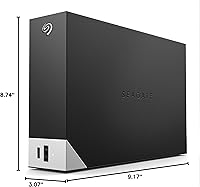
  • Dimensions: The unit measures 9.17 x 8.74 x 3.07 inches, making it a full-size desktop device not intended for travel or portable use.
  • Weight: The drive weighs 2.73 pounds, consistent with a standard 3.5-inch desktop enclosure with internal hub circuitry.
  • Color: The unit is available in Black with a matte finish designed to blend into typical desk and workstation environments.
  • Model Number: The official item model number is STLC6000400, which identifies this specific 6TB hub variant within the One Touch lineup.
  • Launch Date: This model was first made available in February 2022 and has not been discontinued as of current product listings.

Related Reviews
Seagate One Touch Hub 10TB External Hard Drive
75%
91%
Storage Capacity
83%
USB Hub Functionality
88%
Ease of Setup
72%
Transfer Speed
58%
Noise Level
More
Seagate One Touch Hub 8TB External Hard Drive
72%
91%
Storage Capacity
83%
Built-in USB Hub
71%
Transfer Speed
58%
Noise Level
62%
Software (Seagate Toolkit)
More
Seagate One Touch Hub 20TB External Hard Drive
84%
94%
Storage Capacity
86%
Data Transfer Speed
91%
Setup and Installation
90%
Compatibility (Windows & Mac)
88%
Data Security (Encryption & Backup Tools)
More
Seagate One Touch 4TB External Hard Drive
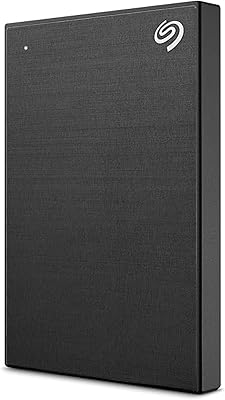
75%
93%
Ease of Setup
88%
Storage Value
74%
Transfer Speed
81%
Build Quality
61%
Long-Term Reliability
More
Seagate One Touch 5TB External Hard Drive
85%
92%
Value for Money
88%
Ease of Setup
90%
Data Recovery Service
95%
Storage Capacity
85%
Portability
More
Seagate One Touch 1TB Portable Hard Drive
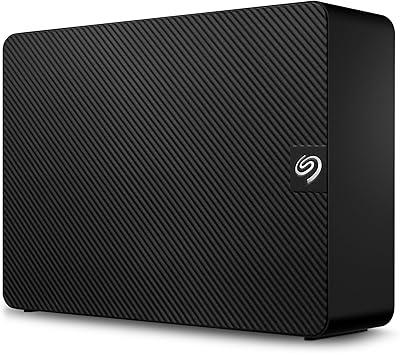
76%
93%
Ease of Setup
91%
Portability
58%
Transfer Speed
84%
Build Quality
76%
Encryption & Security
More
Seagate Expansion 6TB External Hard Drive
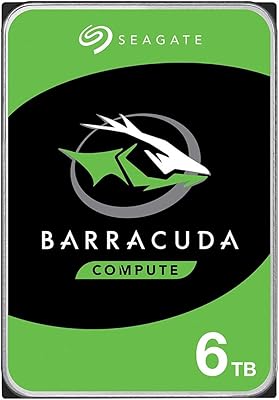
73%
93%
Ease of Setup
91%
Storage Value
67%
Transfer Speed
88%
Data Recovery Service
72%
Build Quality
More
Seagate Barracuda 6TB Internal Hard Drive
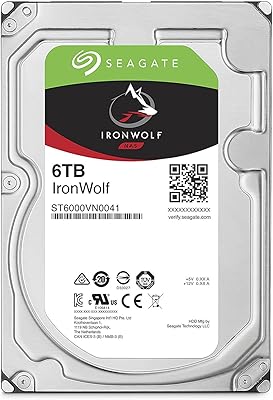
77%
93%
Value for Money
91%
Storage Capacity
74%
Reliability & Longevity
89%
Installation Ease
61%
Read/Write Performance
More
Seagate IronWolf 6TB NAS Hard Drive
87%
89%
Performance
91%
Reliability
85%
Setup/Installation
87%
Build Quality
75%
Noise Level
More
Seagate Exos 7E10 6TB SAS Hard Drive
87%
94%
Performance in RAID Setups
92%
Reliability & Durability
90%
Workload Capacity
89%
Compatibility with Data Centers
60%
Noise Levels
More

FAQ

Yes, and that is one of the more practical aspects of this unit. The front USB-C and USB 3.0 ports can charge devices and transfer data independently of your computer's power state, as long as the drive itself is plugged into a wall outlet.

No reformatting is required. The One Touch Hub ships in exFAT format, which both macOS and Windows read natively. You can plug it in and start copying files on either platform without any additional setup steps.

It depends on your needs. Toolkit works well for users who want simple scheduled backups or file mirroring without digging into settings. That said, some users prefer native tools like Time Machine on Mac or File History on Windows, and the drive supports those too — the software is optional, not mandatory.

It does run noticeably warm after extended operation, which is worth keeping in mind. This is fairly typical for 7200 RPM desktop drives, but if your desk setup is enclosed or has limited airflow, you may want to give it some breathing room to avoid heat buildup over long sessions.

Chromebooks with file manager support for exFAT can read the drive, though full software feature support is not guaranteed. On Linux, the drive is readable in exFAT with the right packages installed, but the Seagate Toolkit software is not officially supported on Linux distributions.

The hub provides two ports — one USB-C and one USB 3.0 — so you can connect two additional devices simultaneously. It is a convenience feature rather than a full hub replacement, so if you need four or more ports, you would still need a separate hub.

For light editing with compressed formats it can work, but this is a mechanical HDD and not designed for demanding video production workflows. If you are cutting 4K RAW footage or working with high-bitrate files, you will likely encounter performance bottlenecks that a solid-state drive would not have.

Seagate's Rescue Data Recovery Service is a professional data recovery program included with the drive for a set period. If the drive fails and your data becomes inaccessible, you can send it in for recovery assistance. It covers scenarios like accidental deletion, physical damage, and firmware issues, though terms and coverage limits apply.

Yes, the this desktop hub drive works with Time Machine. You may need to reformat the drive to Mac OS Extended or APFS first since Time Machine does not support exFAT, but that is a straightforward process using Disk Utility on your Mac.

A portion of buyer reviews do raise reliability questions after the first year of use, which is worth factoring in. The two-year warranty provides some coverage, and the included Rescue Data Recovery service adds a fallback. As with any mechanical drive, keeping regular secondary backups elsewhere — whether cloud or another drive — is a sensible precaution regardless of brand.

Where to Buy