Overview

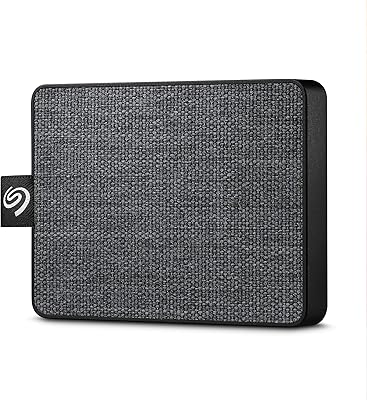
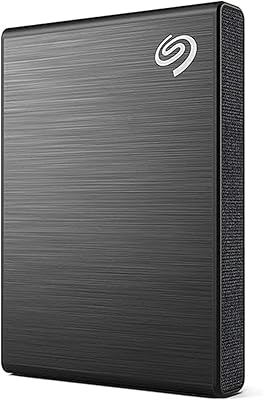
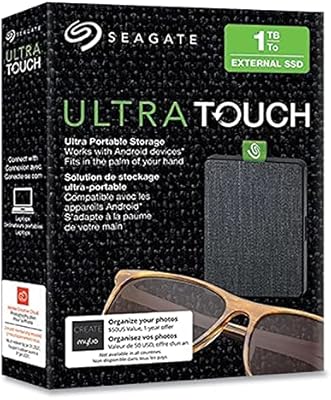
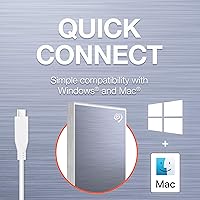
The Seagate One Touch 1TB External SSD is Seagate's answer to the growing demand for portable storage that doesn't look like an afterthought. Wrapped in a soft textile shell and small enough to disappear into a jacket pocket, this portable SSD sits comfortably in the mid-range of the market — not a budget throwaway, but not a prosumer tool either. The bundled software subscriptions and a three-year warranty with data recovery support push the overall value well beyond raw storage. That said, if you need ruggedized protection or blazing NVMe speeds, you'll want to keep looking.

Features & Benefits

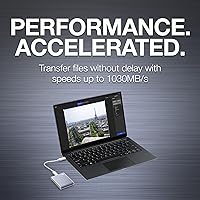
Plug this portable SSD into a modern USB-C port and you'll feel the difference immediately — peak reads can hit 1030MB/s, which means a folder of RAW photos or a chunky video project transfers in a fraction of the time you'd spend waiting on a spinning hard drive. Worth noting: those top speeds require a USB 3.2 Gen 2 host port, so results will vary depending on your laptop. The drive weighs just over two ounces and needs no external power, pulling everything it needs straight from the cable. The Mylio Photos+ and Dropbox subscriptions are a welcome bonus, though they're time-limited, so don't let them drive the buying decision.

Best For

This compact flash drive is a natural fit for photographers and videographers who spend long days away from a desk and need fast, reliable access to their files. Students who lug a laptop to class daily will appreciate how little space and weight it adds to a bag. It works straight out of the box on both Mac and PC, which saves the hassle of reformatting. The Dropbox and Mylio bundles genuinely add value for anyone already in those ecosystems. If you're still relying on an external hard drive and feel the daily frustration of slow transfers, switching to SSD speeds here will be a noticeable upgrade.

User Feedback

Buyers consistently call out the build quality as a standout trait — the textile exterior feels different from the usual plastic slabs, and people seem to genuinely enjoy carrying it. Transfer speed satisfaction is high among users with compatible USB 3.2 ports, though a handful note that real-world numbers fall short of the peak figure on older machines. A recurring gripe is the absence of a USB-A adapter in some packages, which can catch buyers off guard. Most users report no durability issues with everyday carry, though a few mention the drive running warm during sustained heavy use. The Rescue Services warranty is frequently cited as a confidence-building perk.

Pros

  • Transfer speeds are fast enough to stream 4K video directly from the drive without stuttering or buffering.
  • At just over two ounces, this portable SSD is genuinely one of the lightest options in its category.
  • The textile exterior stands out from generic plastic enclosures and resists fingerprint smudging well.
  • Three-year warranty coverage is unusually generous for a mid-range portable drive.
  • Rescue Data Recovery Services provide a real safety net that most competitors at this tier simply do not offer.
  • Bus-powered operation means one cable is all you need — no adapter, no power brick.
  • Works out of the box on both Mac and PC without any reformatting required.
  • The Mylio Photos+ and Dropbox bundle adds genuine short-term value for photographers and remote workers who use those platforms.
  • Compact dimensions let it fit in a shirt pocket or small pouch without taking up meaningful bag space.
  • A strong overall value proposition when factoring in speed, warranty, and bundled software together.

Cons

  • Peak speeds require a USB 3.2 Gen 2 host port — users on older machines will see significantly lower real-world performance.
  • A USB-A adapter is not consistently included in the box, which is an inconvenient omission for laptops without USB-C ports.
  • The textile finish, while attractive, offers no meaningful protection against drops, dust, or moisture.
  • The software subscriptions expire after six months, so the bundle value is temporary rather than lasting.
  • The drive can run noticeably warm during sustained heavy transfers, which may concern users pushing it hard for long sessions.
  • 1TB capacity fills up faster than expected for videographers or users who shoot in RAW format regularly.
  • No hardware encryption is advertised, which may be a dealbreaker for users handling sensitive professional data.
  • The blue colorway is the most visible option but color availability varies by retailer, limiting personalization.
  • Casual users who only need occasional backups may find they are paying for speed they rarely take advantage of.

Ratings

Our AI rating system analyzed thousands of verified global user reviews for the Seagate One Touch 1TB External SSD, actively filtering out incentivized, bot-generated, and outlier submissions to surface what genuine buyers actually experience day to day. The scores below reflect both what this compact flash drive consistently gets right and where real frustrations tend to surface — no padding, no spin.

Transfer Speed
83%
Users who pair this portable SSD with a modern USB 3.2 Gen 2 laptop report transfers that feel dramatically faster than anything a spinning hard drive could manage — moving a 10GB photo archive in well under a minute is a common experience. For everyday tasks like backing up a shoot or offloading video clips on the go, the speed holds up well.
The gap between advertised peak speeds and real-world results frustrates buyers with older USB 3.0 machines, who may see less than half the rated throughput. Several reviewers felt the headline figure set expectations that their specific hardware setup could not meet.
Portability
93%
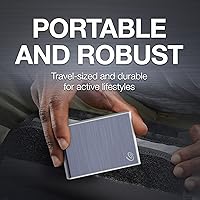
At just over two ounces and small enough to slip into a coat pocket, this drive is genuinely one of the easiest external SSDs to carry daily without thinking about it. Commuters, travel photographers, and students consistently single out the size and weight as a standout quality.
A small number of users who prefer a more rigid protective casing note there is no included pouch or case, meaning the drive rattles loose in a bag without added protection. It is a minor gripe, but one that comes up in longer-term ownership reviews.
Build Quality
78%
22%
The textile exterior generates consistently positive reactions — buyers describe it as feeling premium compared to generic plastic drives, and the fabric holds up well to the usual wear of daily bag life without showing scuffs or fingerprints. The overall construction feels solid for its weight class.
The enclosure carries no official ruggedization rating, and a segment of users express concern about long-term durability after drops or exposure to light moisture. The textile can also attract lint over time, which bothers detail-oriented owners.
Value for Money
81%
19%
When factoring in the three-year warranty, Rescue Data Recovery Services, and the bundled Mylio and Dropbox subscriptions, the overall package feels meaningfully fuller than a bare drive at the same price point. Users who actively use either software service consider it genuinely good value.
Buyers who have no interest in Mylio or Dropbox feel they are partly paying for perks they will never use, and the subscriptions expiring after six months means the value diminishes over time. A handful of users found comparable raw storage cheaper from lesser-known brands.
Setup & Ease of Use
94%
Plug it in and it just works — that is the near-universal experience across Mac and PC users alike. No drivers, no formatting headaches, no configuration screens. For buyers who dread tech setup, this drives consistent satisfaction in early reviews.
Mac users who want to use it as a Time Machine destination need to reformat it first, which catches some buyers off guard who expected it to work immediately for backup purposes without any extra steps.
Software Bundle
67%
33%
For photographers already invested in the Mylio ecosystem or those who use Dropbox for work, the six-month trials feel like a genuinely useful addition rather than throwaway extras. A subset of users report that the Mylio subscription alone influenced their buying decision positively.
The six-month time limit means the bundle's value disappears relatively quickly, and users who do not already have an account with either service find the onboarding adds friction they did not expect. Several reviewers called out the bundle as a marketing layer rather than a functional differentiator.
Warranty & Support
89%
The three-year warranty coverage is frequently cited as a standout detail — users shopping at this tier typically encounter one- or two-year coverage elsewhere, and the extended window builds meaningful confidence. Rescue Data Recovery Services in particular resonates strongly as a trust signal for anyone who has experienced data loss before.
A few users report that actually initiating a warranty or Rescue Services claim involves more steps than expected, and response time satisfaction is mixed in support-related reviews. The protection is real, but accessing it is not always described as smooth.
Thermal Performance
63%
37%
During typical daily use — copying files, backing up photos, accessing documents — the drive stays comfortable to the touch and does not generate any noticeable heat. Casual users rarely encounter any temperature-related issues under normal conditions.
Under sustained heavy loads, such as continuous large video file transfers over an extended session, the drive runs noticeably warm. A segment of power users flag this as a concern for workloads where the drive is being pushed hard for more than 20 to 30 minutes at a stretch.
Design & Aesthetics
88%
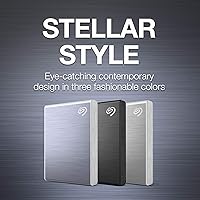
The textile finish makes this portable SSD visually distinct in a category full of anonymous black rectangles, and buyers regularly mention that it prompts positive comments when pulled out at a cafe or co-working space. The blue colorway in particular photographs well and reads as intentionally designed rather than accidental.
Color selection varies by retailer and region, leaving some buyers unable to find the specific shade they wanted. A minority of users also find the fabric texture less premium-feeling after a few months of daily carry compared to their initial impression.
Cable & Accessory Inclusion
58%
42%
A USB-C to USB-C cable is included in the box, which covers the majority of modern laptop setups without requiring an extra purchase. Users with recent MacBook or USB-C PC setups report a smooth out-of-box experience on this front.
The absence of a USB-C to USB-A adapter in many retail packages is a recurring frustration, particularly for users whose only available port is USB-A. Several reviewers felt that omitting the adapter was a cost-cutting move that added an unnecessary extra purchase on day one.
Noise & Vibration
97%
With no spinning platters or moving parts, the drive operates in complete silence even during heavy transfers. Users who previously worked with mechanical external drives specifically mention how refreshing the total absence of noise and vibration is during long editing sessions.
There is essentially no meaningful negative feedback on this dimension — the only minor note from a handful of reviewers is that the silent operation can make it easy to forget the drive is still connected and accidentally pull it without safely ejecting.
Compatibility
91%
Cross-platform support is broadly reliable, with the vast majority of Mac and Windows users reporting a true plug-and-play experience across different OS versions. ChromeOS users and those connecting to smart TVs also report success in many cases.
A small number of users on Linux distributions report needing manual configuration steps before the drive is recognized correctly, and compatibility with older Android devices via OTG adapters is inconsistent enough to be unreliable for that use case.
Long-Term Reliability
74%
26%
The majority of buyers who have owned the Seagate One Touch drive for over a year report no performance degradation or failure, and the three-year warranty provides a practical backstop for those concerned about longevity. Brand trust in Seagate as an established storage manufacturer also contributes to confidence here.
A smaller but notable segment of long-term owners report unit failures after 12 to 18 months of daily heavy use, which is enough to register as a pattern in aggregate review data. This does not affect most users but is worth knowing for those planning to depend on it as a primary working drive.

Suitable for:

The Seagate One Touch 1TB External SSD is a strong match for anyone who moves constantly and needs their files to keep up. Photographers shooting events or travel assignments will appreciate how fast large RAW file batches transfer compared to a traditional spinning drive, and the pocket-friendly size means it genuinely goes where they go. Videographers who need to stream stored 4K footage directly from the drive rather than copying it first will find the speed headroom comfortable for that workflow. Students and remote workers who carry a packed laptop bag daily get a storage upgrade that adds almost no weight penalty. The broad Mac and PC compatibility means it can switch between machines without a reformatting session, which is a practical win for anyone who works across platforms or shares files with colleagues on different systems. If you already use Dropbox or Mylio Photos, the bundled trial subscriptions are a meaningful addition rather than throwaway marketing.

Not suitable for:

Buyers expecting professional-grade durability should know the Seagate One Touch 1TB External SSD is built for everyday carry, not abuse — the textile finish is a style choice, not a rugged rating, and there is no IP certification for dust or water resistance. Users with older laptops or desktop setups limited to USB 3.0 or USB 2.0 ports will not come close to the advertised peak transfer speeds, and the gap can be frustrating if that was a primary reason for buying. Anyone who needs more than 1TB for a single working archive may find the capacity limiting before long. Power users who regularly move very large video libraries or work with demanding NVMe workflows will find faster, if bulkier, alternatives at a comparable or only slightly higher price. Finally, if you have no interest in cloud backup tools and were counting on the software bundle as a core part of the value, keep in mind those subscriptions are time-limited and the underlying price should stand on its own merits without them.

Specifications

  • Storage Capacity: The drive offers 1TB of solid state storage, though formatted capacity available to the user will be slightly less due to system overhead.
  • Interface: It connects via USB-C and is compatible with USB 3.0 and later host ports, with best performance on USB 3.2 Gen 2 systems.
  • Read Speed: Maximum sequential read speed is rated up to 1030MB/s when paired with a USB 3.2 Gen 2 port.
  • Form Factor: The drive uses a 2.5-inch external SSD form factor, making it substantially more compact than traditional portable hard drives.
  • Dimensions: Physical measurements are 2.76 x 1.97 x 0.39 inches, small enough to fit in a shirt pocket or small accessories pouch.
  • Weight: The unit weighs 2.29 ounces, which is light enough to carry daily without any noticeable addition to bag or pocket weight.
  • Exterior Finish: The enclosure is wrapped in a textile fabric finish that reduces fingerprint visibility and provides a distinct look compared to standard plastic shells.
  • Power Source: The drive is entirely bus-powered through its USB connection, requiring no external power adapter or wall outlet.
  • Compatibility: It works with both Windows PCs and Mac computers out of the box, with no reformatting required for most standard use cases.
  • Warranty: Seagate backs this drive with a three-year limited warranty, which is longer than the one- or two-year coverage common among competitors in this category.
  • Data Recovery: Rescue Data Recovery Services are included, giving users access to professional file recovery assistance in the event of drive failure or data loss.
  • Software Bundle: Each drive includes a six-month Mylio Photos+ subscription for photo organization and a six-month Dropbox Backup plan for cloud redundancy.
  • Cable Included: A USB-C to USB-C cable is included in the box; availability of a USB-C to USB-A adapter varies by retail package.
  • Drive Type: The storage medium is a solid state drive with no moving parts, which contributes to faster access times and quieter operation than spinning HDDs.
  • Color Options: The blue colorway is the most widely available variant, though additional colors may be offered depending on region and retailer.

Related Reviews
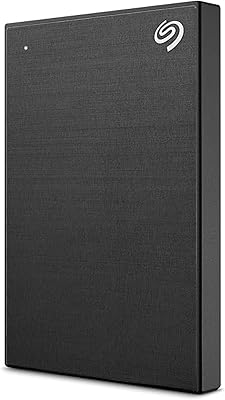
Seagate One Touch 1TB Portable External Hard Drive
87%
88%
Performance
92%
Value for Money
85%
Build Quality
95%
Portability/Size
90%
Ease of Setup
More
Seagate One Touch SSD 2TB
87%
94%
Transfer Speed
91%
Portability
85%
Software & Services
88%
Build Quality
93%
Ease of Use
More
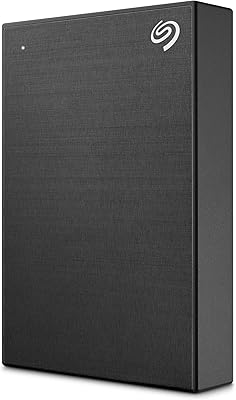
Seagate Ultra Touch 1TB External SSD
80%
93%
Portability & Form Factor
91%
Design & Aesthetics
67%
Transfer Speed — Real World
72%
Build Quality & Durability
88%
Connectivity & Compatibility
More
Seagate One Touch SSD 500GB
85%
92%
Performance (Speed)
95%
Portability/Size
88%
Build Quality
90%
Ease of Use
87%
Compatibility
More
Seagate One Touch 5TB External Hard Drive
85%
92%
Value for Money
88%
Ease of Setup
90%
Data Recovery Service
95%
Storage Capacity
85%
Portability
More
Seagate One Touch 4TB External Hard Drive
75%
93%
Ease of Setup
88%
Storage Value
74%
Transfer Speed
81%
Build Quality
61%
Long-Term Reliability
More
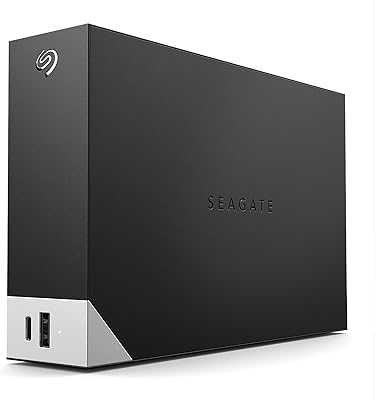
Seagate One Touch Hub 8TB External Hard Drive
85%
94%
Storage Capacity
86%
Performance/Transfer Speeds
90%
Ease of Use/Setup
92%
Compatibility (Windows/Mac)
87%
Build Quality
More
Seagate One Touch Hub 10TB External Hard Drive
85%
95%
Storage Capacity
88%
Setup & Installation
91%
Data Recovery Services
90%
Cross-Platform Compatibility
85%
USB Connectivity
More
Seagate One Touch Hub 20TB External Hard Drive
84%
94%
Storage Capacity
86%
Data Transfer Speed
91%
Setup and Installation
90%
Compatibility (Windows & Mac)
88%
Data Security (Encryption & Backup Tools)
More
Seagate One Touch Hub 6TB External Hard Drive
84%
87%
Performance & Speed
92%
Ease of Setup
91%
Security Features
84%
Build Quality
80%
Software Experience
More

FAQ

No, the drive works as a plug-and-play device on both Mac and Windows without installing anything first. You can start dragging files to it right away. The Mylio and Dropbox software are optional and handled separately through their own setup processes.

It can work, but you will need a USB-C to USB-A adapter or cable since the drive ships with a USB-C connector. Also keep in mind that older USB-A ports typically run at USB 3.0 speeds, so you will not see anywhere near the peak transfer rate the drive is capable of.

That depends a lot on your computer. To hit speeds close to 1030MB/s, your laptop or desktop needs a USB 3.2 Gen 2 port. On a USB 3.0 connection you are more likely to see speeds in the 400 to 500MB/s range, which is still a major step up from a spinning hard drive but worth knowing before you buy.

Mostly for looks. The textile finish feels nice and handles daily handling well, but it carries no official drop, dust, or water resistance rating. Treat it like you would any other portable drive — protect it from hard impacts and keep it away from liquids.

Yes, it is compatible with Time Machine. You may need to reformat it to APFS or Mac OS Extended before setting it up as a Time Machine destination, which takes just a few minutes through Disk Utility.

It can run warm during sustained transfers, particularly if you are moving large batches of files continuously. This is normal for SSDs under load. It should not get uncomfortably hot during typical use, but a small number of users have noted warmth during prolonged sessions.

Once the trial periods end, you would need to subscribe to either service at their regular rates to continue using the premium features. The drive itself continues to work normally — the subscriptions are entirely separate from its storage functionality.

Seagate does not advertise hardware-level encryption on this particular model. If data security is a priority, you can use software encryption tools like BitLocker on Windows or FileVault on Mac to protect the contents of the drive.

If the drive fails and you lose data, you can contact Seagate to initiate a recovery request under the included plan. They will work to retrieve your files from the damaged drive. It is a meaningful safety net, though it is worth noting it covers the drive itself and is not a substitute for maintaining your own regular backups.

It depends on what you are storing. For a student or someone backing up documents and photos from a smartphone, 1TB goes a long way. For videographers working with high-bitrate 4K or RAW footage, it can fill up faster than expected. If you regularly shoot video professionally, thinking through your storage needs before committing to this capacity is worthwhile.

Where to Buy