Overview

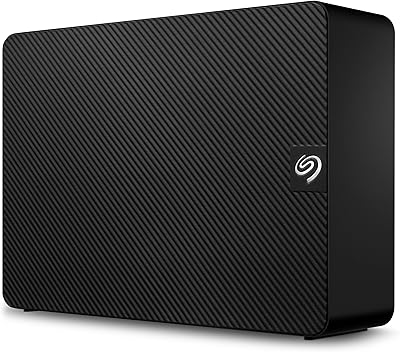
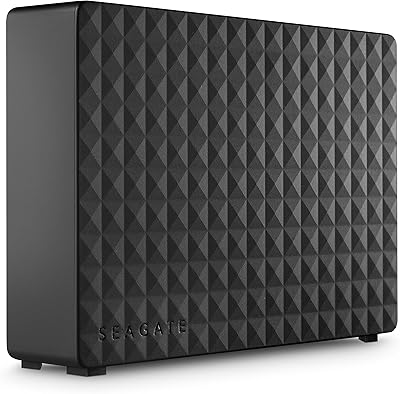
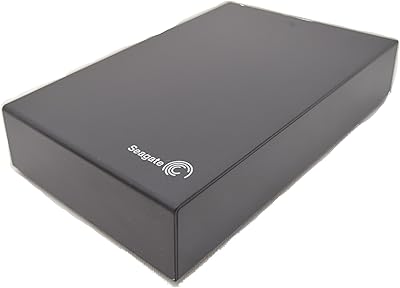
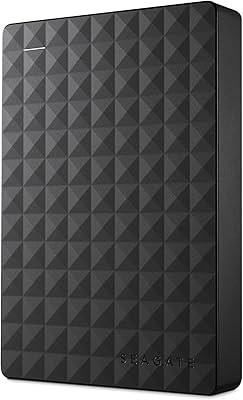
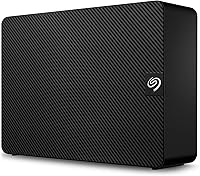
The Seagate Expansion 6TB External Hard Drive sits in a practical sweet spot — plenty of storage without the complexity of enterprise-grade hardware. It belongs to Seagate's Expansion lineup, which has always prioritized straightforward, high-capacity storage at a reasonable price point. Plug in the power adapter, connect the USB cable, and you are ready on both Windows and Mac with no software to install. That said, it is a mechanical hard drive, not an SSD, so think of it as a workhorse for backups and bulk file storage rather than anything speed-sensitive. The included Rescue Data Recovery Services adds a layer of reassurance that most drives at this tier simply do not offer.
Features & Benefits

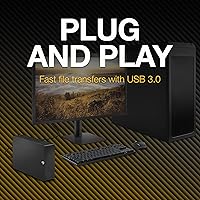
At its core, this desktop hard drive is built around USB 3.0 connectivity, which handles large file transfers at a respectable pace — think moving a season of raw photo files in minutes rather than hours. The 6TB capacity is the real selling point; that is enough room for years of video archives, full system backups, and bulky project folders without constantly juggling space. Keep in mind it needs an AC power adapter to run, so this is a desk-bound drive rather than something you toss in a bag. Mac users should know upfront that reformatting is required before it works with Time Machine — a quick process, but easy to overlook during initial setup.

Best For

This external HDD is a natural fit for home users who want a dedicated backup drive without overthinking the setup. If you shoot a lot of photos or video, 6TB of headroom lets you store years of work without constantly pruning old files. Small business owners who run scheduled backups or archive client documents will find it reliable and low-maintenance. Creative professionals can park finished projects here while keeping active work on a faster internal drive. And for anyone who has ever lost files to a crash or accidental deletion, the three-year recovery service alone makes this a genuinely smart choice over bare-bones alternatives with no safety net.

User Feedback

Across more than 2,500 ratings and a 4.4-star average, the Seagate Expansion earns consistent praise for easy plug-and-play setup and strong value per terabyte — buyers regularly note how quickly it was recognized and ready to use. The more pointed criticism tends to land in two areas: the drive running noticeably warm during extended sessions (leaving ventilation space around the unit helps) and a low-level hum that some find distracting in quiet rooms. A handful of Mac users hit friction expecting Time Machine to work straight out of the box. On the upside, several reviewers specifically mentioned the data recovery service after actually using it, which carries more weight than any marketing description.

Pros

  • Six terabytes of storage handles years of photos, videos, and backups without constant space management.
  • Plug-and-play setup on Windows requires zero software installation — genuinely ready within seconds.
  • USB 3.0 transfers large file batches at a respectable pace for a mechanical drive.
  • The included three-year data recovery service is a rare and meaningful safety net at this price tier.
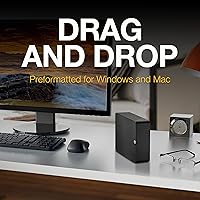
  • Works with both Windows and Mac out of the box, with Time Machine support after a quick reformat.
  • A 4.4-star average across more than 2,500 real-world buyers points to consistent, dependable performance.
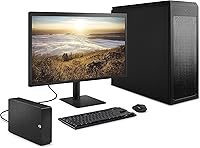
  • The compact desktop footprint fits neatly on a desk without dominating the workspace.
  • Ranked among the top external hard drives on Amazon, reflecting strong sustained buyer confidence.
  • Seagate's established reputation in storage hardware adds a layer of long-term brand reliability.

Cons

  • Mechanical HDD speeds are noticeably slower than SSDs — not suitable for running apps or editing video directly.
  • Requires an AC power adapter, making it impractical for travel or multi-location use.
  • Mac users must reformat the drive manually before Time Machine will recognize it — not obvious for first-time buyers.
  • The drive runs warm during extended use; positioning it with open airflow around it is necessary, not optional.
  • A low-level operational hum can be distracting in very quiet environments.
  • No USB-C connector included, which may require an adapter for newer laptops with only USB-C ports.
  • As with all mechanical drives, it is more vulnerable to damage from drops or vibration than solid-state alternatives.
  • No hardware encryption or password protection built in, which matters if you store sensitive business data.

Ratings

The scores below reflect an AI-driven analysis of thousands of verified global buyer reviews for the Seagate Expansion 6TB External Hard Drive, with spam, bot activity, and incentivized feedback actively filtered out to ensure accuracy. Each category is scored to honestly capture both what real users consistently praised and the friction points that came up repeatedly across different buyer profiles. Nothing is glossed over — the strengths and the shortcomings are weighted equally.

Ease of Setup
93%
Buyers across all skill levels — from retirees backing up family photos to small business owners setting up their first archive system — consistently reported that the drive was recognized and ready within a minute of plugging it in on Windows. No driver downloads, no configuration menus, no confusion.
Mac users who assumed Time Machine would work immediately ran into a frustrating wall — the required reformat step is not flagged in the box or the quick-start guide, and several buyers had to search online to figure out why backups were not initiating.
Storage Value
91%
Six terabytes at this price tier is genuinely hard to argue with, and buyers repeatedly noted how long it took before they even made a dent in the available space. For households storing decades of photos, home videos, and document archives, this drive removed the constant anxiety of running out of room.
A small number of buyers noted the usable space displayed by their operating system was slightly less than the labeled 6TB — a standard industry formatting reality, but one that still caught some shoppers off guard when they first plugged in the drive.
Transfer Speed
67%
33%
For bulk file transfers — moving a year's worth of RAW photos or a folder of large video exports — the USB 3.0 connection handled the job at a pace most backup-focused buyers found acceptable. Buyers coming from older USB 2.0 drives often described the speed improvement as a meaningful upgrade.
Anyone who compared it directly to even a budget external SSD noticed an immediate and significant gap in performance. Running software from the drive or editing video files stored on it produced sluggish, frustrating results — this is inherent to spinning-platter HDD technology, but buyers expecting SSD-like speeds were clearly disappointed.
Data Recovery Service
88%
The three-year Rescue Data Recovery plan generated unusually specific positive mentions in reviews — buyers who had actually used it after accidental deletion or corruption described the recovery process as straightforward and effective. For many, this included service was a deciding factor over otherwise comparable competing drives.
Some buyers found the process of initiating a recovery claim more involved than expected, and coverage does have limits — catastrophic physical damage scenarios are not always recoverable. A few users also wished the registration process for activating the plan was more clearly communicated in the packaging.
Build Quality
72%
28%
The matte black plastic enclosure feels solid enough for a stationary desktop drive, and most buyers who handled it described it as appropriately weighted and stable on a desk. It does not feel cheap or flimsy in hand, and the footprint is well-proportioned for the storage it houses.
The enclosure is fully plastic with no metal reinforcement, which some buyers felt did not project the durability they expected from a drive storing irreplaceable data. A few reviews also mentioned that the surface picks up dust and light scratches more easily than expected.
Noise Level
61%
39%
During light use — occasional file saves or short backup windows — the drive operates quietly enough that most buyers working in typical home or office environments simply did not notice it. The hum is consistent and low-pitched rather than erratic or alarming.
In quiet rooms — home studios, bedrooms, or very still office environments — the operational hum became a recurring complaint. Several buyers specifically noted the spinning-platter noise was more present than they anticipated, and a handful returned the drive for a quieter alternative as a result.
Heat Management
63%
37%
Under typical workloads such as nightly backup routines or periodic file offloads, the drive maintains a manageable temperature and buyers rarely flagged heat as an issue in those contexts. Seagate's thermal design handles everyday use without intervention.
During sustained activity — large continuous transfers or all-day backup jobs — multiple reviewers noted the enclosure became noticeably warm to the touch. Buyers who placed the drive in enclosed shelving or against other equipment reported more heat buildup, and the lack of any ventilation slots on the chassis does not help.
Mac Compatibility
69%
31%
The drive mounts cleanly on Mac without any additional software, and buyers who were simply using it for drag-and-drop storage rather than Time Machine had a smooth experience. Read access from Mac is immediate and reliable once the drive is connected.
The Time Machine reformatting requirement created genuine frustration for a meaningful segment of Mac buyers who expected out-of-the-box compatibility. The lack of any prominent packaging callout about this step resulted in multiple reviews citing it as a negative surprise, and a few buyers assumed the drive was defective before discovering the fix.
Portability
38%
62%
For buyers who knew from the outset they wanted a stationary desktop archive drive, the form factor made complete sense — the larger enclosure, stable base, and permanent power connection suited their workflow without issue.
At 2.59 pounds and requiring an AC adapter, this drive is not designed to move around, and buyers who discovered this after purchase — expecting something more like a portable pocket drive — were genuinely frustrated. Taking it between a home office and a workplace is impractical by design.
Long-Term Reliability
74%
26%
The broader pool of buyer reviews skews positively on longevity, with many users reporting years of steady operation without failure. Seagate's track record in mechanical storage gives buyers some confidence, and the included recovery plan backstops the risk during the first three years of ownership.
Mechanical hard drives carry an inherent lifespan ceiling that flash storage does not, and a subset of long-term reviewers reported failure after two to four years of continuous daily use. Buyers using this as their sole backup copy — rather than one layer of a multi-drive strategy — are taking on meaningful risk.
Packaging & Unboxing
76%
24%
Most buyers described the unboxing as clean and adequately protective — the drive arrived in good condition and the included cables and power adapter were neatly organized. Nothing felt excessive or wasteful in the packaging design.
The documentation included in the box is minimal, which compounded the Mac Time Machine confusion for buyers who relied on printed instructions. A clearer setup guide — particularly around platform-specific steps — would have prevented a notable share of the frustration reflected in lower-rated reviews.
Cable & Connector Quality
71%
29%
The included USB cable is functional and of a length that works well for most desk setups, and buyers generally had no complaints about connection stability once the drive was in regular use. The USB-A connector seated firmly without wobble.
The drive ships with a USB-A cable only, which creates an immediate compatibility gap for buyers whose laptops have moved entirely to USB-C ports — an adapter is required and not included. A small number of buyers also flagged that the cable felt thin relative to the drive's capacity demands.
Value for Money
86%
When evaluated purely on cost per terabyte for a desktop backup drive, the Seagate Expansion consistently earned high marks from buyers who prioritized raw storage capacity over performance. The inclusion of the multi-year data recovery service further strengthened the perceived value proposition for most buyers in this category.
Buyers who needed faster speeds or portability and chose this drive on price alone often felt it did not represent good value for their specific use case. For those applications, spending more on an SSD-based alternative would have delivered a meaningfully better return.

Suitable for:

The Seagate Expansion 6TB External Hard Drive is a strong match for anyone whose primary need is reliable, high-capacity storage without a steep learning curve. Home users who have been putting off backing up years of family photos, home videos, and documents will find the setup refreshingly painless — plug it in and it just works on Windows straight away. Small business owners running scheduled backups or archiving client files will appreciate having 6TB of headroom that is unlikely to fill up quickly. Creative professionals such as photographers and videographers who need a dedicated offload drive for finished projects — rather than a fast editing drive — will get solid value from the generous capacity. Mac users can absolutely use it with Time Machine, though they should budget a few minutes upfront to reformat the drive before first use. Anyone who has ever lost irreplaceable files to a hardware failure will particularly value the three-year Rescue Data Recovery Services, which covers scenarios ranging from accidental deletion to drive corruption.

Not suitable for:

The Seagate Expansion 6TB External Hard Drive is not the right tool if speed is anywhere near the top of your priority list. As a mechanical hard drive, its read and write performance sits well below what even a budget SSD delivers, which makes it a poor fit for running applications, editing 4K video directly from the drive, or anything requiring fast random access. It also requires a dedicated AC power outlet since it does not draw power over USB — travelers or people who work from different locations regularly will find a compact bus-powered portable drive far more practical. If you need to use it in a quiet room — a home studio or a bedroom office, for instance — the faint operational hum may become an ongoing irritant. Buyers who expect Time Machine to work the moment they plug it into a Mac without any configuration will hit an immediate roadblock. And if your workflow demands portability above all else, the fixed desktop form factor simply rules this drive out from the start.
Specifications

  • Storage Capacity: This drive offers 6TB of total storage space, suitable for large photo libraries, video archives, and full system backups.
  • Drive Type: It uses a 3.5-inch mechanical hard disk drive (HDD) with spinning platters, not solid-state flash memory.
  • Interface: Connectivity is handled via USB 3.0, which also maintains backward compatibility with USB 2.0 ports at reduced speeds.
  • Power Source: The drive requires an included AC power adapter and does not draw power from the USB connection alone.
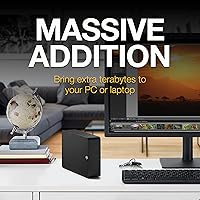
  • Dimensions: The unit measures 8.58 x 8.35 x 3.03 inches, sized for a permanent desktop position rather than portability.
  • Weight: At approximately 2.59 pounds, the drive is stable on a desk but not practical for frequent travel.
  • Compatibility: Works with Windows PCs out of the box and is recognized by Mac computers, though reformatting is required for Time Machine use.
  • Setup: No software installation is required for basic drag-and-drop file storage on Windows or Mac.
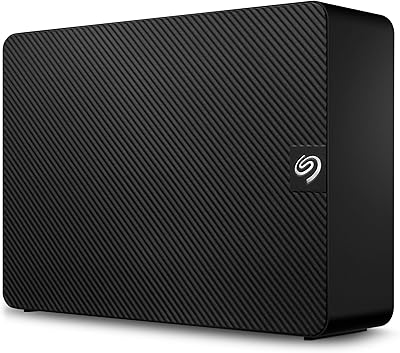
  • Color & Finish: The enclosure comes in a matte black finish with a compact, unobtrusive design suited for most desk environments.
  • Data Recovery: A three-year Seagate Rescue Data Recovery Services plan is included, covering accidental deletion, corruption, and certain hardware failures.
  • Model Number: The official model identifier for this unit is STKP6000400, part of Seagate's Expansion desktop series.
  • Brand & Series: Manufactured by Seagate, this drive belongs to the Expansion lineup, which targets value-conscious buyers needing high capacity.
  • Average Rating: The drive holds a 4.4-out-of-5-star average based on over 2,572 verified buyer ratings on Amazon.
  • Market Rank: It ranks at number 41 in the External Hard Drives category on Amazon, reflecting strong and sustained buyer demand.
  • Form Factor: The 3.5-inch form factor is the standard desktop HDD size, designed for stationary use with a power outlet nearby.
  • Warranty: Seagate includes a limited manufacturer warranty with this drive, in addition to the separate Rescue Data Recovery coverage.

Related Reviews

Seagate Expansion 28TB External Hard Drive
75%
94%
Storage Capacity Value
91%
Ease of Setup
78%
Sequential Transfer Speed
74%
Long-Term Reliability
61%
Noise Level
More
Seagate Expansion 8TB External Hard Drive
71%
91%
Value for Money
93%
Ease of Setup
94%
Storage Capacity
67%
Transfer Speed
72%
Build Quality
More
Seagate Expansion 10TB External Hard Drive
82%
95%
Capacity & Storage
90%
Transfer Speed
92%
Ease of Setup
85%
Build Quality
78%
Reliability
More
Seagate Expansion 18TB External Hard Drive
74%
88%
Value for Money
93%
Storage Capacity
84%
Setup & Ease of Use
61%
Transfer Speed
71%
Long-term Reliability
More
Seagate Expansion 24TB External Hard Drive
71%
93%
Value for Money
97%
Storage Capacity
91%
Ease of Setup
68%
Transfer Speed
72%
Build Quality
More
Seagate Expansion 22TB External Hard Drive
81%
94%
Storage Capacity
88%
Performance (Transfer Speed)
91%
Ease of Setup
87%
Reliability (Data Recovery Services)
83%
Compatibility (Windows and Mac)
More
Seagate Expansion Portable 1TB External Hard Drive
85%
88%
Performance
94%
Setup & Installation
91%
Portability & Size
89%
Compatibility
87%
Value for Money
More
Seagate Expansion 5TB Desktop External Hard Drive
67%
91%
Storage Value
93%
Ease of Setup
58%
Long-Term Durability
72%
Transfer Speed
63%
Build Quality
More
Seagate Expansion Desktop 16TB External Hard Drive
85%
94%
Capacity
92%
Ease of Use
90%
Setup/Installation
87%
Performance Speed
83%
Build Quality
More
Seagate Expansion 4TB Portable External Hard Drive
74%
94%
Ease of Setup
91%
Storage Capacity
66%
Transfer Speed
73%
Build Quality
88%
Portability
More

FAQ

No, you do not. On Windows, just plug in the power adapter and USB cable and the drive shows up ready to use. On Mac, it also mounts automatically for standard file storage. The only exception is if you want to use it with Time Machine, which requires a quick reformat first.

Yes, but not straight out of the box. The drive ships formatted for Windows (NTFS), so before Time Machine will recognize it as a backup destination, you need to reformat it to Mac OS Extended or APFS using Disk Utility. It takes about two minutes and is straightforward — just be aware that reformatting erases anything already on the drive.

Faster than a basic flash drive, but slower than any SSD. The USB 3.0 connection is capable, but the mechanical spinning platters are the real bottleneck. For moving large batches of photos or video files, speeds are perfectly workable. For running applications or editing footage directly from the drive, an SSD would serve you much better.

It requires its own AC power adapter. Unlike compact portable drives that draw power through the USB cable, the 3.5-inch desktop form factor needs a wall outlet. The adapter is included in the box, but keep in mind you will need a free outlet wherever you plan to use it.

The Seagate Expansion 6TB External Hard Drive includes a three-year Rescue plan that gives you access to professional data recovery in cases of accidental file deletion, logical corruption, or certain types of hardware failure. If something goes wrong, you contact Seagate, ship the drive, and their team attempts to recover your files. It does not cover every possible failure scenario, but it is a meaningful safety net that most competing drives at this price simply do not include.
It produces a low-level hum that is typical of 3.5-inch mechanical drives. In a busy room or office, you are unlikely to notice it. In a very quiet space like a bedroom or a home recording setup, some users do find it mildly distracting. It is not unusually loud for its class, but if silence is critical, an SSD-based external drive would be a better fit.

It does run warm, which is normal for a desktop HDD working through large transfers or continuous backup jobs. To keep temperatures reasonable, make sure there is open space around the unit — avoid tucking it behind other equipment or into an enclosed shelf. With adequate airflow, it handles extended sessions without issue.

Yes, it is backward-compatible with USB 2.0. The drive will still connect and function correctly, though transfer speeds will be noticeably slower than on a USB 3.0 port. For occasional backups it is fine; for moving very large files regularly, a USB 3.0 port is worth tracking down.

Not really. Its 3.5-inch desktop design, 2.59-pound weight, and dependency on an AC adapter make it better suited to staying in one spot. If you need to move a drive between locations regularly, a compact bus-powered portable drive would be a far more practical choice.

In practice, you will see slightly less than 6TB of usable space once the drive is formatted — typically around 5.45TB displayed in Windows, due to the difference between how drive manufacturers and operating systems calculate storage units. This is standard across all hard drives and not specific to this model.