Overview

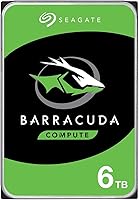
The Seagate Barracuda 6TB Internal Hard Drive is one of the most straightforward answers to the question of affordable, high-capacity desktop storage available today. The BarraCuda line has been a staple in consumer PCs for decades, and that history shows in how polished and predictable the experience tends to be. It uses a standard 3.5-inch form factor with a SATA interface, so it slots into virtually any desktop without fuss. Just don't expect SSD speeds — this is a mechanical drive, and sequential transfers are capable but not blazing. The two-year limited warranty offers a reasonable safety net at this price tier.
Features & Benefits

Six terabytes is a genuinely useful amount of space — think thousands of game installations, years of raw video footage, or a photo archive you'll struggle to fill in a single project cycle. The SATA 6 Gb/s interface means plug in and go, with no exotic adapters or driver headaches on modern motherboards. At 5400 RPM, the drive runs cool and relatively quiet, though the speed gap versus an SSD is noticeable on large transfers. The 256MB cache buffer smooths out burst reads and makes daily use feel more responsive than the spindle speed alone would suggest. Critically, this BarraCuda 6TB drive uses CMR recording technology, not SMR, which matters for anyone doing frequent writes or running continuous backup tasks.

Best For

This Seagate desktop HDD makes the most sense as a secondary storage drive — paired with a smaller SSD for your OS and most-used apps, it covers a lot of ground without the cost of going all-SSD at high capacities. PC gamers with sprawling libraries, video editors offloading project archives, and home media server builders will all find the cost-per-terabyte value hard to argue with. It's less suited to write-intensive workloads or situations where transfer speeds are a constant bottleneck. But for bulk storage, scheduled backups, and media archives, the 6TB capacity and broad SATA compatibility make it a practical addition to a wide range of desktop builds.

User Feedback

The 4.4-star average across more than 1,200 ratings tells a consistent story: buyers appreciate the value, find the drive quiet enough for most cases, and report solid reliability through the first couple of years. Long-term owners — those running their drives well past the warranty window — often describe them humming along without issue as secondary storage. That said, a real subset of reviews flag early drive failures, typically within the first few months, and that's worth taking seriously rather than dismissing as statistical noise. Installation gets consistently positive marks: immediate BIOS recognition and clean formatting with no surprises. As with any mechanical drive, don't use this as your only copy of anything important — maintain a backup.

Pros

  • Six terabytes of storage is enough for most users to go years without worrying about space.
  • The cost-per-terabyte is among the best available for a desktop internal drive at this capacity.
  • CMR recording technology makes the 6TB BarraCuda more reliable under frequent write conditions than SMR alternatives.
  • Standard SATA interface means it works with virtually every desktop motherboard without extra hardware.
  • Runs cool and quiet enough that most users never notice it in a mid-tower build.
  • Plug-in BIOS recognition is consistently reported as immediate, with no driver installation needed.
  • The 256MB cache buffer noticeably smooths out burst transfers compared to older, lower-cache drives.
  • Seagate's established RMA process and firmware maturity reduce the headache if something does go wrong.
  • Long-term owners frequently report trouble-free operation well past the two-year warranty window.
  • Works as a secondary archive drive or a standalone backup target with equal practicality.

Cons

  • A measurable portion of user reviews report early failures within the first few months of use.
  • 5400 RPM spindle speed means transfer rates that will frustrate anyone accustomed to SSD performance.
  • The two-year warranty is shorter than what some competing drives at this capacity tier offer.
  • Mechanical drives are inherently more vulnerable to physical shock and vibration than solid-state alternatives.
  • Not suitable as a standalone backup solution — losing data to a single drive failure is a real risk.
  • Larger capacity needs like 8TB or 10TB require stepping up to a different product entirely.
  • Vibration and low-frequency hum can be noticeable in very quiet open-air cases or lightweight enclosures.
  • Not rated or optimized for always-on NAS use, where purpose-built NAS drives have a clear edge.

Ratings

The scores below for the Seagate Barracuda 6TB Internal Hard Drive were generated by our AI engine after analyzing thousands of verified purchase reviews from buyers worldwide, with spam, incentivized, and bot-flagged submissions actively filtered out before scoring. Each category reflects the honest weight of real user experiences — not just the highlights — so both the consistent strengths and the recurring pain points are represented fairly. Buyers installing this drive as a bulk storage upgrade, a media archive, or a desktop secondary will find the scorecard especially useful for setting accurate expectations.

Value for Money
93%
This is consistently the category buyers rave about most. At 6TB of usable desktop storage, the cost-per-terabyte sits comfortably among the best available in the mechanical HDD segment, and long-term owners frequently note that the drive has delivered more mileage than they expected for the price.
A small but vocal group of buyers who experienced early failures feel the value proposition collapses completely when a drive fails within months — replacement and data recovery costs can quickly outpace any savings from the initial price.
Storage Capacity
91%
Six terabytes genuinely moves the needle for users managing large game libraries, raw video footage, or years of photo archives. Most buyers report it lasting significantly longer before hitting capacity limits than their previous drives, which is exactly the kind of headroom desktop users look for.
The formatted capacity shows up as roughly 5.45TB under Windows due to binary vs. decimal measurement differences, which trips up a handful of buyers who weren't expecting it. It's not a defect, but it does catch people off guard.
Reliability & Longevity
74%
26%
The majority of long-term owners — those running this Seagate desktop HDD for two, three, or more years as a secondary drive — report zero issues and describe the drive as quietly doing its job without any intervention. CMR recording also contributes positively here compared to SMR alternatives in this price range.
Early failure reports are too consistent to ignore; a meaningful subset of buyers describe the drive failing within the first three to six months. This tracks with bathtub curve failure patterns in HDDs generally, but the frequency is notable enough to factor into any purchase decision.
Installation Ease
89%
Buyers across skill levels describe installation as straightforward. The drive is recognized immediately in BIOS after connecting a SATA data and power cable, and Windows Disk Management handles initialization without any complications. First-time builders consistently report no surprises.
A small number of users on older systems encountered BIOS detection issues, typically tied to legacy motherboard firmware rather than the drive itself. New users unfamiliar with the initialization step in Disk Management occasionally mistake an unformatted drive for a defective one.
Read/Write Performance
61%
39%
For sequential tasks like transferring large video files or writing a backup archive, the 6TB BarraCuda performs adequately, and the 256MB cache buffer helps smooth out burst transfers in ways that feel noticeable during daily use compared to older, lower-cache drives.
Anyone coming from SSD usage will immediately feel the gap — loading times, file indexing, and random read performance are all noticeably slower. The 5400 RPM spindle speed is a deliberate trade-off for heat and noise reduction, but it makes this drive a poor fit anywhere speed is a priority.
Noise & Vibration
78%
22%
In standard mid-tower builds with case fans running, this Seagate desktop HDD is effectively inaudible. Buyers using it in home theater PC builds or media server setups specifically call out how quiet it runs during idle and typical workloads, which matters in living room or bedroom setups.
In very quiet environments — open-air cases, fanless builds, or enclosures without rubber drive mounts — a low-frequency hum and faint vibration can become noticeable, especially during sustained disk activity. It's not unusual for a mechanical drive, but sensitive users should be aware.
Heat Management
81%
19%
The 5400 RPM spindle speed keeps operating temperatures low under typical loads, which buyers in warm climates or compact cases appreciate. Most users running standard health monitoring tools report temps well within safe ranges even after extended use.
In cramped cases with poor airflow, drive temps can creep up during sustained write sessions — particularly during full-drive backups or large file transfers. This isn't unique to this model but is worth considering when planning case airflow.
Compatibility
88%
The SATA 6 Gb/s interface works reliably with both modern and older SATA 3 Gb/s motherboards, covering a wide range of desktop builds spanning multiple generations. Buyers rarely report any compatibility friction during installation.
Laptop users without a dedicated 3.5-inch bay need a USB enclosure or adapter to use this drive externally, which adds cost and bulk. It also won't fit in small form factor desktops or mini-ITX cases that only support 2.5-inch drives.
Warranty & Support
67%
33%
Seagate's RMA process gets reasonably positive marks from buyers who have actually used it — replacements are typically processed without excessive friction, and the brand's size means support infrastructure is widely available. The two-year coverage period provides at least a basic safety net.
Two years is on the shorter end for a desktop storage drive, with some competing products at this capacity offering three-year coverage. Buyers who experienced failures just outside the warranty window expressed frustration, and a few noted longer-than-expected RMA turnaround times.
Packaging & Delivery Condition
72%
28%
Most buyers report the drive arriving well-packaged with adequate anti-static protection and cushioning. The bare drive format is standard for internal HDDs and keeps costs down without sacrificing protection under normal shipping conditions.
A recurring complaint involves drives arriving with physical damage — dented corners, loose internal sounds — pointing to rough handling during shipping rather than factory defects. This appears more often in reviews tied to marketplace third-party sellers than direct retail fulfillment.
Long-Term Consistency
71%
29%
Buyers who clear the initial few months without issues tend to report very consistent, trouble-free performance over extended periods. Desktop users running the 6TB BarraCuda as a secondary archive or backup target describe it as a dependable workhorse that requires minimal attention.
The bimodal nature of user experiences — either the drive runs fine for years or it fails early — makes it harder to predict long-term outcomes than with some competing drives. This variability is the primary source of uncertainty for buyers evaluating long-term ownership costs.
OS & Software Compatibility
84%
Works cleanly across Windows, macOS, and Linux without requiring any manufacturer-side software. On Windows, it shows up immediately in Disk Management; on macOS, Disk Utility handles formatting in minutes. There are no reported issues with major operating system versions.
The drive ships formatted as NTFS, which macOS can read but not write to without third-party software. Mac users who don't realize this upfront may be momentarily confused when the drive appears read-only on their system.
NAS & Server Suitability
53%
47%
For casual, single-bay home media servers or NAS-lite setups with moderate workloads, the drive functions adequately and many users report no problems in this kind of light always-on environment. The cost advantage over purpose-built NAS drives is real for budget-conscious setups.
This is a desktop-class drive not rated for always-on NAS workloads, multi-bay vibration environments, or high-duty-cycle write tasks. Users running it in demanding NAS configurations report higher failure rates, and several storage enthusiasts point out it lacks the error recovery tuning found in NAS-rated alternatives.

Suitable for:

The Seagate Barracuda 6TB Internal Hard Drive is a strong fit for desktop PC users who need serious bulk storage without spending serious money. If you're a PC gamer with a library that's outgrown your current drive, a home media enthusiast with years of movies and music to store, or a photographer and video editor who needs a reliable archive drive, this one checks the right boxes. It's especially well-suited to anyone building or upgrading a hybrid setup — pairing it with a smaller SSD for the OS and active projects is genuinely the smartest way to use it. Home media server builders and budget-conscious NAS-lite setups will also appreciate the cost-per-terabyte math here. If your priority is maximum capacity at a reasonable price point and you can live with mechanical drive speeds, this BarraCuda 6TB drive is a practical, proven choice.

Not suitable for:

The Seagate Barracuda 6TB Internal Hard Drive is not the right tool if fast read and write speeds are central to your workflow. Anyone who needs quick boot times, rapid application launches, or fast load screens in games should use an SSD for those tasks — no mechanical drive competes there. This Seagate desktop HDD is also not ideal for write-intensive workloads like continuous surveillance recording or intensive RAID configurations, where drives rated specifically for those use cases will hold up better over time. Laptop users without a spare 3.5-inch bay will find it impractical without an external enclosure. And if you have no existing backup strategy, do not rely on a single mechanical drive — the subset of early-failure reports in user reviews is a real reminder that no drive, regardless of brand reputation, is a backup solution on its own.

Specifications

  • Capacity: The drive offers 6TB of raw storage, though the formatted capacity available to the user will be slightly lower due to how operating systems calculate disk space.
  • Form Factor: Standard 3.5-inch form factor, designed for desktop PC drive bays and compatible with most full-size and mid-tower enclosures.
  • Interface: Uses a SATA 6 Gb/s interface, backward compatible with SATA 3 Gb/s connections at reduced throughput.
  • Spindle Speed: Operates at 5400 RPM, which keeps heat output and acoustic noise low at the expense of peak sequential transfer speed.
  • Cache Buffer: Equipped with a 256MB cache buffer that improves burst read performance and smooths out transfer consistency during typical desktop workloads.
  • Recording Tech: Uses Conventional Magnetic Recording (CMR), which provides more predictable write performance and better long-term durability than Shingled Magnetic Recording (SMR).
  • Drive Type: Mechanical hard disk drive (HDD) with spinning platters and a read/write head, not a solid-state device.
  • Dimensions: Measures 5.79 x 4.01 x 1.03 inches, conforming to the standard 3.5-inch HDD footprint.
  • Weight: Weighs approximately 1.34 pounds, which is typical for a multi-platter 3.5-inch mechanical drive at this capacity.
  • Warranty: Covered by Seagate's two-year limited warranty, which includes access to their RMA replacement process if the drive fails within the coverage period.
  • Model Number: The official model number is ST6000DM003, useful for verifying firmware updates, warranty status, and compatibility documentation on Seagate's support site.
  • Manufacturer: Designed and manufactured by Seagate, one of the longest-standing hard drive companies in the consumer and enterprise storage markets.
  • Compatibility: Compatible with desktop PCs as a primary or secondary internal drive; can also be used in a laptop or external enclosure with the appropriate 3.5-inch SATA adapter.
  • Installation: Designed for internal installation in a desktop PC, requiring a free 3.5-inch drive bay and an available SATA data and power connector.
  • OS Support: Works with Windows, macOS, and Linux operating systems; formatting requirements vary by OS and intended use case.
  • Availability: First made available in September 2017 and remains in active production with no discontinuation from the manufacturer.

Related Reviews
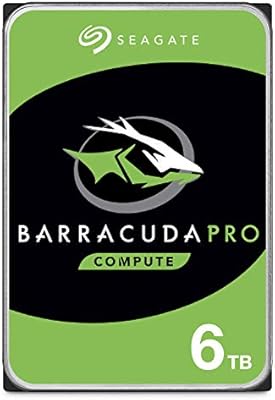
Seagate BarraCuda Pro 6TB Internal Hard Drive
87%
88%
Performance
95%
Storage Capacity
89%
Speed (7200 RPM)
85%
Reliability
91%
Ease of Setup
More
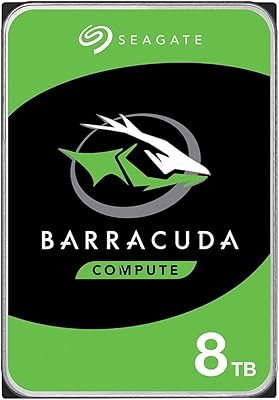
Seagate BarraCuda ST8000DM004 8TB Internal Hard Drive
73%
93%
Storage Capacity Value
67%
Reliability & Longevity
61%
Read & Write Performance
89%
Installation & Compatibility
63%
Noise & Vibration
More
Seagate BarraCuda ST1000DM010 1TB Internal Hard Drive
77%
91%
Value for Money
74%
Reliability & Longevity
79%
Read & Write Performance
93%
Installation Ease
68%
Noise & Vibration
More
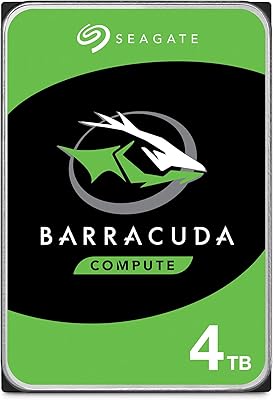
Seagate BarraCuda 4TB Internal Hard Drive
87%
86%
Performance
90%
Reliability
93%
Setup & Installation
95%
Storage Capacity
72%
Data Transfer Speed
More
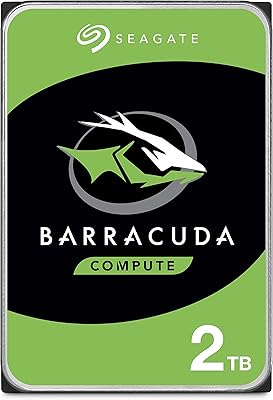
Seagate BarraCuda 2TB Internal Hard Drive
85%
88%
Performance
91%
Reliability
86%
Build Quality
72%
Noise Level
85%
Data Transfer Speed
More
Seagate Barracuda ST5000DM000 5TB Internal Hard Drive
83%
91%
Value for Money
94%
Storage Capacity
88%
Ease of Setup
85%
Performance for General Use
65%
Speed for Demanding Tasks
More
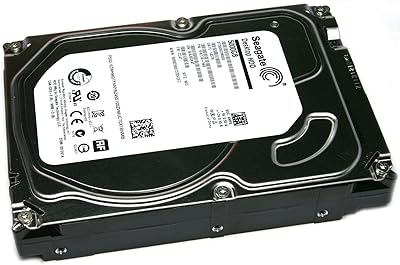
Seagate SkyHawk 6TB Surveillance Hard Drive
82%
91%
Recording Reliability
88%
Compatibility with NVR/DVR Systems
86%
Noise & Vibration
83%
Heat & Power Efficiency
79%
Value for Money
More
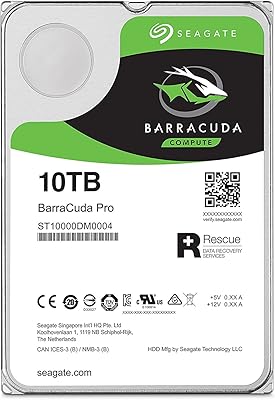
Seagate Barracuda XT 3TB Internal Hard Drive
84%
89%
Performance
95%
Storage Capacity
88%
Speed/Access Time
92%
Value for Money
85%
Build Quality
More
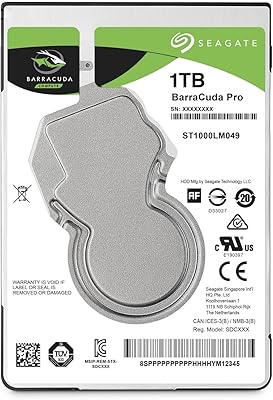
Seagate BarraCuda Pro 10TB Internal Hard Drive
86%
91%
Performance
98%
Storage Capacity
88%
Reliability & Durability
85%
Ease of Installation
60%
Noise Levels
More
Seagate BarraCuda Pro 1TB 7200RPM Internal Hard Drive
87%
92%
Performance
90%
Speed
88%
Reliability
95%
Ease of Installation
65%
Noise Levels
More

FAQ

No special drivers are required. Once you physically connect the Seagate Barracuda 6TB Internal Hard Drive to a SATA port and power connector, your BIOS should detect it automatically. If you're using it as a secondary drive on Windows, you'll need to initialize and format it through Disk Management before it shows up in File Explorer — but that's a two-minute process, not a technical hurdle.

Technically yes, but it's not the best idea for everyday use. Booting from a 5400 RPM mechanical drive means noticeably slower startup times and longer application load times compared to an SSD. Most people are far better off using a smaller SSD for the OS and keeping this BarraCuda 6TB drive strictly for bulk storage, games, or archives.

Almost certainly. The SATA 6 Gb/s interface is backward compatible with SATA 3 Gb/s ports, so even older motherboards will recognize it — just at slightly reduced maximum transfer speeds. As long as your board has a spare SATA connector and your power supply has an available SATA power cable, you should be fine.

CMR stands for Conventional Magnetic Recording, and it matters because some hard drives in this capacity range use SMR (Shingled Magnetic Recording) instead. SMR drives can slow down significantly during sustained writes because they need to rewrite overlapping data tracks. CMR does not have this limitation, which makes this Seagate desktop HDD more consistent and dependable for tasks like backups, video recording, or any workload that writes large amounts of data regularly.

It's generally quiet enough that you won't notice it in a standard mid-tower case with other fans running. Some users in very quiet, fanless, or open-air builds report hearing a low hum or faint vibration, especially if the drive cage isn't padded. For most everyday setups, it's a non-issue.

You can use it in a NAS-lite or home media server setup, and many people do. That said, this is a desktop-class drive and is not rated for the always-on, vibration-heavy environment of a multi-bay NAS. For a single-drive or casual home NAS where uptime requirements are relaxed, the 6TB BarraCuda is a reasonable budget option. For anything more demanding, a NAS-rated drive like the Seagate IronWolf would be a better fit.

The formatted capacity will be slightly lower — typically around 5.45TB as shown by Windows — because drive manufacturers measure storage in decimal terabytes while operating systems use binary calculations. This is normal for every hard drive, not a defect specific to this model.

It's worth taking those reports seriously rather than dismissing them. A subset of buyers do report drive failures within the first few months, which is consistent with what's known as the bathtub curve in hardware reliability — early failures happen across all mechanical drive brands. The practical advice is to run a health check with a tool like CrystalDiskInfo after install, keep backups from day one, and register the drive with Seagate so you can use the warranty quickly if something does go wrong.

It works with macOS, but it will arrive formatted as NTFS, which Macs can read but not write to natively. You'll want to reformat it as exFAT (for cross-platform use) or APFS/HFS+ (for Mac-only use) before putting data on it. That's a simple process through Disk Utility, and it only takes a few minutes.

Seagate handles warranty claims through their online support portal. You'll need the drive's serial number, which is printed on the label, and proof of purchase. Once approved, Seagate typically ships a replacement drive before you return the faulty one, depending on your region. Registering the drive on Seagate's website right after installation makes the process faster if you ever need it.