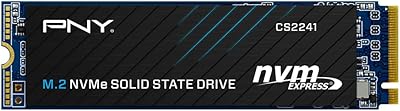
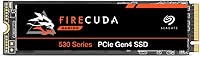
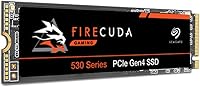
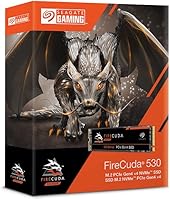
Seagate FireCuda 530 4TB M.2 NVMe SSD
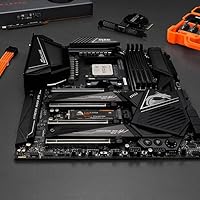

Overview
The Seagate FireCuda 530 4TB M.2 NVMe SSD sits at the top of Seagate's gaming-focused FireCuda lineup, built around the PCIe Gen4 interface that modern high-end motherboards and the PS5 both support. The M.2 2280 form factor keeps things compact, but don't let the size fool you — this is a drive designed for users who push hardware hard. At 4TB capacity, it targets content creators, power users, and anyone tired of juggling multiple smaller drives. That said, this Gen4 SSD commands a premium price point, and you'll only unlock its full potential if your platform actually supports Gen4. Going in with realistic expectations matters here.
Features & Benefits
The headline numbers — 7300 MB/s read and 6900 MB/s write — are genuinely impressive, but what they translate to in practice is faster game loads, near-instant large file transfers, and noticeably snappier system responsiveness on a compatible platform. Unlike QLC-based drives that can slow down under sustained writes, this NVMe drive uses 3D TLC NAND, which holds up better during long encoding sessions or big file moves. The 5100 TBW endurance rating is unusually high for a consumer drive — most competitors at this tier offer significantly less. The 1.8 million hour MTBF figure adds further confidence for users who plan to keep this drive in rotation for years.
Best For
The FireCuda 530 4TB makes the most sense for a few specific types of buyers. PS5 owners wanting to expand their console's internal storage will find it performs well in that slot — but note that Sony recommends a heatsink, and Seagate offers a heatsink variant specifically for that purpose. On the PC side, you'll need a Gen4-compatible platform like AMD X570/B550 or Intel Z690 and newer to get full speed. Video editors and photographers moving large raw files will feel the difference in daily workflows. It also suits anyone consolidating older, smaller drives into one high-capacity solution without sacrificing performance.
User Feedback
Users who've spent real time with this Gen4 SSD tend to come away impressed by how consistently it performs under actual workloads, not just in benchmarks. The most repeated praise involves speed under load during game installs, large transfers, and PS5 boot sequences. The recurring concern, though, is heat — without a heatsink, the drive can throttle during prolonged sustained tasks, which matters in cramped cases or poorly ventilated consoles. A small number of buyers have reported early failures, though this seems to be the exception rather than the rule. The most divided topic is value perception: enthusiasts feel the performance justifies the cost, while casual buyers question whether 4TB is truly necessary.
Pros
- Real-world transfer speeds hold up under sustained workloads, not just in synthetic benchmarks.
- The 5100 TBW endurance rating is among the highest available in consumer-grade M.2 drives.
- 3D TLC NAND maintains consistent write performance better than QLC alternatives during long sessions.
- 4TB in a single M.2 slot means one clean installation instead of juggling multiple drives.
- PS5 compatibility is well-documented and the installation process is straightforward for most users.
- The 1.8 million hour MTBF figure gives genuine confidence for long-term use in critical systems.
- Works across desktops, compatible laptops, and the PS5 — genuinely versatile for multi-platform users.
- Seagate's brand support and warranty provide reasonable peace of mind at this price tier.
Cons
- Full speed requires a PCIe Gen4 platform; Gen3 systems will see only a fraction of the rated performance.
- No heatsink included in the standard version, which is a meaningful gap given PS5 and thermal requirements.
- The price per gigabyte is high — buyers who need less than 4TB are paying a significant premium for capacity they may never use.
- Thermal throttling under heavy sustained loads is a real concern in poorly ventilated cases without active cooling.
- A small but notable number of users have reported early drive failures, which is worth tracking for a drive at this price.
- At this price point, competitors from Samsung and WD offer comparable Gen4 performance and deserve serious comparison before buying.
- The 4TB capacity may be overkill — and costly overkill — for users whose workloads don't regularly push past 2TB.
Ratings
The scores below reflect AI-driven analysis of verified global buyer reviews for the Seagate FireCuda 530 4TB M.2 NVMe SSD, with spam, bot activity, and incentivized feedback actively filtered out to preserve accuracy. Each category captures both what users genuinely love and where real frustrations surfaced — nothing has been softened to protect the product's image. The result is an honest, balanced picture of how this drive performs across a wide range of real-world use cases.
Sequential Read Performance
Sequential Write Performance
Thermal Management
PS5 Compatibility
Endurance & Longevity
Value for Money
Installation Experience
Real-World Gaming Performance
Software & Ecosystem
Build & Form Factor
Benchmark Consistency
Capacity Utility
Compatibility Breadth
Suitable for:
The Seagate FireCuda 530 4TB M.2 NVMe SSD is purpose-built for users who genuinely need both high throughput and high capacity in a single drive. PS5 owners who've burned through their console's built-in storage will find this one of the most capable expansion options available, provided they pair it with a heatsink as Sony recommends. On the PC side, it's an excellent fit for builders running Gen4-compatible platforms — AMD X570, B550, or Intel Z690 and newer — where the drive's full bandwidth can actually be used. Video editors, photographers, and 3D artists who regularly move or process large files will notice real workflow gains compared to slower Gen3 alternatives. It's also a smart pick for anyone who wants to buy once and not worry about storage or endurance for many years, given the exceptional TBW rating and reliability specs.
Not suitable for:
The Seagate FireCuda 530 4TB M.2 NVMe SSD is not the right call for every buyer, and being honest about that matters. If your motherboard only supports PCIe Gen3, this drive will work but will be bottlenecked well below its rated speeds, making it hard to justify the cost over a more affordable Gen3 option. Casual PC users who mostly browse, stream, or use office applications won't feel any meaningful difference in daily use compared to a mid-range NVMe drive that costs significantly less. Budget-conscious shoppers should also think carefully here — the 4TB tier carries a steep premium, and for many users a 1TB or 2TB alternative at a fraction of the price covers everything they actually need. Those without good case airflow or who plan to use this in a cramped system without a heatsink should be aware that sustained workloads can cause thermal throttling, which undermines the performance you're paying for.
Specifications
- Capacity: This drive offers 4TB of usable storage, making it one of the highest-capacity consumer M.2 NVMe options currently available.
- Interface: It uses a PCIe Gen4 x4 NVMe 1.4 interface, delivering significantly higher bandwidth than the previous Gen3 standard.
- Form Factor: The M.2 2280 form factor measures 80mm in length and fits standard M.2 slots found in modern motherboards, laptops, and the PS5.
- Sequential Read: Rated sequential read speed reaches up to 7300 MB/s under optimal conditions on a compatible Gen4 platform.
- Sequential Write: Rated sequential write speed reaches up to 6900 MB/s, enabling fast transfers of large files such as video projects and game installs.
- NAND Type: The drive uses 3D TLC (Triple-Level Cell) NAND flash, which offers a strong balance of write endurance, density, and sustained performance.
- Endurance Rating: The drive is rated for 5100 TBW (terabytes written), an exceptionally high endurance figure for a consumer-grade internal SSD.
- MTBF: Mean Time Between Failures is rated at 1.8 million hours, reflecting a reliability level more commonly associated with enterprise storage products.
- Dimensions: Physical dimensions are 3.2″ x 0.9″ x 0.1″, consistent with the standard M.2 2280 footprint used across most modern systems.
- Weight: The drive weighs just 0.32 ounces, making it negligible in terms of system weight for both desktop and portable builds.
- Operating Voltage: The drive operates at 1V, drawing power directly from the M.2 slot without requiring any additional power connectors.
- Compatible Devices: Officially compatible with PlayStation 5 (PS5), desktop PCs, and laptops equipped with an M.2 PCIe Gen4 slot.
- Color: The drive is finished in black, consistent with the FireCuda gaming aesthetic and suitable for visible builds with windowed cases.
- Model Number: The official model number is ZP4000GM3A013, which can be used to verify compatibility and locate firmware or support documentation.
- Manufacturer: Designed and manufactured by Seagate Technology, a storage industry veteran with decades of consumer and enterprise drive production.
- Hardware Platform: Fully supported on Linux and Windows PC platforms, with PS5 compatibility confirmed through Sony's M.2 SSD expansion program.
- Heatsink Option: A separate heatsink variant of this drive is available and is recommended for PS5 installation, where thermal management inside the console is critical.
Related Reviews
Seagate FireCuda 510 2TB NVMe SSD
TEAMGROUP MP44Q 4TB NVMe SSD

ORICO TCM2 M.2 NVMe SSD Enclosure
ORICO IG740PRO 4TB M.2 NVMe SSD
fanxiang S770 4TB NVMe M.2 SSD
Kingston NV2 4TB M.2 NVMe SSD
fanxiang S660 4TB NVMe M.2 SSD
Crucial T500 4TB Gen4 NVMe M.2 SSD
MOVE SPEED HB7450 4TB NVMe M.2 SSD