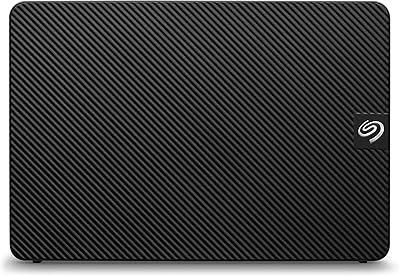
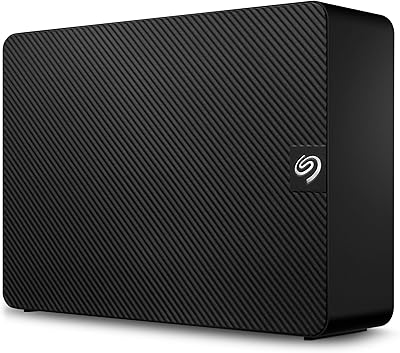
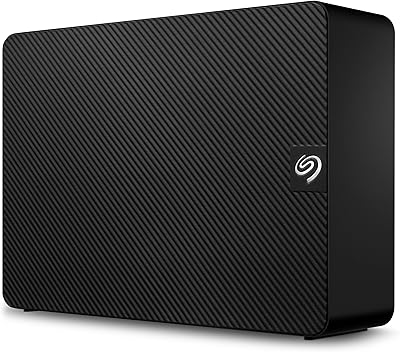
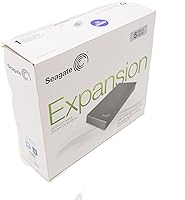
Seagate Expansion 5TB Desktop External Hard Drive
Seagate Expansion 5TB Desktop External Hard Drive — image 1
Seagate Expansion 5TB Desktop External Hard Drive — image 2
Seagate Expansion 5TB Desktop External Hard Drive — image 3
Seagate Expansion 5TB Desktop External Hard Drive — image 4
Seagate Expansion 5TB Desktop External Hard Drive — image 5
67%
33%

Overview

The Seagate Expansion 5TB Desktop External Hard Drive has been around since 2014, and the fact that it still ranks among the top external drives says something real about its staying power. This is not a flashy product — it never tried to be. What the Seagate Expansion does well is simple: it gives you a lot of storage without asking much in return. Plug in the power adapter, connect the USB cable, and your PC recognizes it immediately. No software to install, no account to create. For anyone who finds storage setup unnecessarily complicated, that kind of friction-free experience genuinely matters.

Features & Benefits

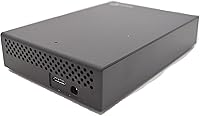
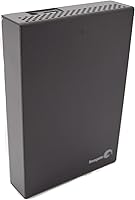
At its core, this desktop drive connects via USB 3.0, which handles large file transfers at a respectable pace — though real-world speeds will land below the theoretical ceiling, as they always do. If your machine only has USB 2.0 ports, it still works, just slower. The 3.5-inch form factor means it stays on your desk and pulls power from a wall adapter rather than your computer. That trade-off keeps your PC's USB ports from being taxed. The 5TB capacity is the headline feature, and it genuinely holds up for users managing video libraries, photo archives, or years worth of project backups. The matte black enclosure is plain, but it fits quietly into most workspaces.

Best For

This 5TB external hard drive suits people who need bulk storage without the complexity of NAS systems or cloud subscriptions. Home users running scheduled PC backups will find it dependable and easy to maintain. Content creators — videographers, photographers, musicians — who accumulate gigabytes fast will appreciate having a dedicated local archive that does not disappear behind a paywall. It also makes sense for anyone stepping up from a 1TB or 2TB drive who wants room to grow. One important caveat: this is a desktop-only solution. It is not portable, and it was never designed to be. If you move around a lot, look elsewhere.

User Feedback

Across more than seven thousand ratings, this desktop drive holds a 4.5-star average — a figure that reflects broad real-world satisfaction, particularly around setup simplicity and the value of having five terabytes readily available. Many users mention getting years of reliable daily use out of it. That said, the honest picture includes some recurring concerns worth knowing. A portion of buyers report noticeable drive noise during operation, and the unit does run warm after extended use. More seriously, a cluster of negative reviews describes drives failing somewhere between one and two years in. That is not a dealbreaker for everyone, but it is worth factoring into your expectations and backup strategy.

Pros

  • Five terabytes of storage handles years of backups, media files, and project archives without running out of room.
  • Setup takes under two minutes — plug in the power adapter, connect the USB cable, and your PC recognizes it immediately.
  • No software installation or account creation is required, which makes it accessible for non-technical users.
  • USB 3.0 support enables reasonably fast transfers for everyday files and large batch moves.
  • Backward compatibility with USB 2.0 ports means it works on older machines without needing an upgrade.
  • The Seagate Expansion has maintained strong sales and ratings since 2014, suggesting dependable performance for most users.
  • The understated black enclosure sits quietly on a desk without drawing attention or clashing with existing setups.
  • Thousands of verified user reviews provide a reliable picture of real-world performance over time.
  • For users who keep their drive stationary and powered on daily, it has proven itself as a stable workhorse for many buyers.

Cons

  • A meaningful number of user reviews report drive failure within one to two years of regular use.
  • The unit runs noticeably warm during extended operation, which raises questions about long-term thermal management.
  • Some buyers describe audible noise during read and write cycles, which can be distracting in quiet workspaces.
  • Real-world transfer speeds fall short of the theoretical USB 3.0 ceiling, which can frustrate users moving large files frequently.
  • The external power adapter adds cable clutter and means the drive cannot be used without access to a wall outlet.
  • This desktop drive ships formatted for Windows and requires reformatting before it works reliably on macOS.
  • As an older model, it lacks features found in newer drives such as hardware encryption or USB-C connectivity.
  • There is no included backup software, so users need to arrange their own backup solution separately.
  • The 3.5-inch form factor and wall-power requirement make it completely unsuitable for mobile or travel use.

Ratings

Based on a thorough AI analysis of thousands of verified global user reviews for the Seagate Expansion 5TB Desktop External Hard Drive — with spam, incentivized feedback, and bot activity actively filtered out — the scores below reflect a transparent, balanced picture of where this desktop drive genuinely excels and where real buyers have run into frustration. Strengths around storage value and ease of setup are clearly reflected, as are the durability and noise concerns that surface consistently across long-term owners.

Storage Value
91%
For users who simply need a large volume of local storage without paying a premium, this desktop drive delivers more usable space per dollar than most competing options in its class. Buyers archiving years of photos, home videos, or work projects consistently cite the five-terabyte capacity as more than adequate for their needs.
A small but real portion of capacity is lost after formatting, which surprises some buyers expecting the full advertised amount. Those comparing raw advertised capacity to what appears on their desktop may feel slightly misled, even though this is standard across all hard drives.
Ease of Setup
93%
The plug-and-play experience is one of the most consistently praised aspects across user reviews. Windows PC users in particular report that the drive appears on their system within seconds of plugging it in, with no software downloads, no account registration, and no configuration steps required.
Mac users face an extra reformatting step before the drive is fully usable, which catches some buyers off guard. While the process itself is straightforward for technically minded users, first-time Mac owners have flagged it as an unexpected friction point not mentioned clearly enough at purchase.
Long-Term Durability
58%
42%
A solid portion of buyers report getting two or more years of daily use from this desktop drive without incident, particularly those who keep it in a stable, ventilated environment. For users running light to moderate workloads, like weekly backups or occasional file transfers, the drive holds up reasonably well.
A notable cluster of negative reviews describes drive failures occurring within one to two years, which is concerning for a device often used as a primary backup solution. This durability inconsistency is the most frequently cited dealbreaker among dissatisfied buyers and pulls the score down significantly.
Transfer Speed
72%
28%
Under USB 3.0, everyday transfers — moving large folders of photos, video files, or documents — proceed at a practical pace that most users find acceptable for backup and archiving tasks. Users who previously relied on USB 2.0 drives notice a meaningful improvement in day-to-day copy speeds.
Real-world throughput falls noticeably short of the theoretical USB 3.0 ceiling, which disappoints buyers expecting peak performance. Those attempting to edit video or work with large files directly from the drive, rather than copying first, tend to experience lag that makes it impractical for professional workflows.
Build Quality
63%
37%
The enclosure feels solid enough for a stationary desktop device and the matte black finish resists visible fingerprints and minor scuffs. For users who leave it sitting on a desk and rarely handle it, the build is functionally adequate.
The plastic casing does not inspire confidence when compared to drives at higher price tiers, and several reviewers noted that it feels hollow or lightweight relative to its footprint. A handful of buyers also reported cosmetic creaking or flexing around the casing seams after extended use.
Noise Level
61%
39%
During idle or light activity, the drive produces only a quiet background hum that most users in normal home or office environments will not find distracting. Some buyers working in louder setups report never noticing the drive at all during daily use.
Under sustained read or write loads, audible clicking and spinning sounds become more noticeable, and a subset of users found this distracting in quiet workspaces. A few reviewers also flagged that louder-than-expected clicking noises appeared after several months of use, raising concerns about early mechanical wear.
Thermal Management
64%
36%
In well-ventilated desktop setups with adequate airflow around the unit, the drive maintains acceptable operating temperatures during normal backup tasks. Users who park it on an open desk surface and run standard workloads rarely report heat becoming a practical issue.
The drive runs noticeably warm during extended operation, and buyers who placed it in enclosed spaces or stacked it under other devices reported it becoming uncomfortably hot to the touch. Sustained heat exposure under poor ventilation conditions may contribute to the long-term reliability issues flagged in user reviews.
Compatibility
78%
22%
Out of the box, the drive is broadly compatible with Windows desktops and works without any additional setup, which covers the majority of its target audience. The USB 3.0 interface is widely supported across machines from the last decade, and USB 2.0 backward compatibility extends usability to older hardware.
The Windows-only factory formatting limits immediate usability for Mac users, requiring a reformatting step that some find inconvenient. There is also no native support for direct connection to smart TVs, gaming consoles, or network-attached storage systems without additional configuration.
Value for Money
83%
Measured purely in terms of storage capacity relative to cost, this 5TB external hard drive offers a compelling proposition for buyers who prioritize space above all else. Home users and those on tighter budgets consistently rate it as one of the more cost-efficient ways to expand desktop storage significantly.
When factoring in the durability questions and the absence of premium features like hardware encryption or USB-C connectivity, the value calculation becomes less clear-cut. Buyers who experience an early failure find the value proposition collapses quickly, especially if the drive was holding data they did not back up elsewhere.
Software & Features
47%
53%
The absence of bundled software is genuinely a positive for users who just want a storage device and nothing else — no bloatware, no subscription prompts, no mandatory account creation. For straightforward backup use, this bare-bones approach keeps things clean.
Beyond raw storage, the drive offers almost nothing in the way of added functionality. There is no hardware encryption, no bundled backup utility, no cloud integration, and no activity indicator light — features that competing drives at similar price points increasingly include as standard.
Portability
29%
71%
The drive's weight and dimensions are not unusually large for a 3.5-inch desktop unit, and some users do transport it between locations occasionally without major difficulty when needed.
Requiring a wall-powered AC adapter makes this drive genuinely impractical for mobile or travel use — it is not designed for that purpose in any meaningful way. Buyers who assumed they could use it on the road have consistently flagged this as a frustrating limitation, and the physical size reinforces that this belongs on a desk, not in a bag.
Setup Documentation
55%
45%
For Windows users, the lack of a setup guide is rarely an issue because the plug-and-play experience is intuitive enough that documentation is unnecessary. Most buyers are up and running without ever opening the box insert.
Mac users, and those unfamiliar with reformatting drives, report that the minimal documentation left them confused about the extra steps required. Clearer guidance on cross-platform compatibility and reformatting procedures in the box would meaningfully reduce the friction some buyers experience at first setup.
Brand Reliability
74%
26%
Seagate is one of the most established names in the hard drive industry, and for many buyers that heritage carries genuine weight when making a storage purchase. The brand's long track record means replacement parts, firmware updates, and customer support channels are more readily accessible than with lesser-known manufacturers.
Seagate's reliability reputation has faced scrutiny over the years due to failure rate data surfaced in independent studies, and some buyers arrive already skeptical. That context, combined with the real-world durability patterns observed in user reviews of this specific model, means brand trust alone is not enough to fully reassure cautious shoppers.

Suitable for:

The Seagate Expansion 5TB Desktop External Hard Drive is a practical fit for anyone who needs a large pool of local storage and wants to get there without any technical headaches. Home users running regular PC backups will find the plug-and-play setup refreshingly simple — plug it in, and it works. Content creators dealing with growing libraries of raw video footage, high-resolution photos, or multi-track audio sessions will appreciate having five terabytes of dedicated archive space that does not depend on a monthly subscription or an internet connection. It also makes good sense for someone upgrading from a smaller drive who has simply run out of room and needs a meaningful jump in capacity. If your workflow is desktop-based and the drive will largely stay put on your desk, this is a reasonable and well-proven choice backed by years of real-world use.

Not suitable for:

The Seagate Expansion 5TB Desktop External Hard Drive is not the right tool for every situation, and it is worth being clear about where it falls short before you buy. Because it requires an external power adapter, it is completely impractical for anyone who needs portable, on-the-go storage — this drive belongs on a desk, not in a bag. Users who need fast transfer speeds for demanding tasks like editing 4K footage directly from the drive may find performance limiting, since real-world USB 3.0 throughput rarely matches marketing figures. The durability record from user reviews also gives pause: a notable share of buyers reported failures within one to two years, which makes this a less confident pick for anyone storing irreplaceable data without a secondary backup. Those running Mac systems should also check compatibility and be prepared to reformat, as this drive ships configured for Windows PCs.

Specifications

  • Brand: Manufactured by Seagate, one of the longest-established names in the hard drive industry.
  • Model Number: This drive carries the official model designation STBV5000100.
  • Storage Capacity: Offers 5TB of raw storage capacity, though formatted usable space will be slightly less due to system overhead.
  • Interface: Connects via USB 3.0 and remains fully backward compatible with USB 2.0 ports on older machines.
  • Form Factor: Built around a 3.5-inch desktop form factor, designed to sit stationary on a desk rather than travel in a bag.
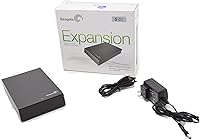
  • Power Source: Draws power from an included external AC adapter rather than from the connected computer's USB port.
  • Dimensions: Measures 7.07 x 4.65 x 1.48 inches, making it compact enough to fit on most desktops without dominating workspace.
  • Weight: Weighs 2.06 pounds, which is typical for a 3.5-inch desktop hard drive with its enclosure.
  • Color: Ships in a matte black finish that blends unobtrusively into most desk or workstation setups.
  • OS Compatibility: Ships pre-formatted for Windows PCs and requires reformatting before use with macOS systems.
  • Software Required: No proprietary software or driver installation is needed; the drive is recognized automatically by compatible operating systems.
  • Series: Part of Seagate's Expansion lineup, a long-running series focused on simple, high-capacity storage without advanced features.
  • Availability: First made available in April 2014 and has remained in active circulation since, with continued retail presence.
  • Market Rank: Ranked #453 in External Hard Drives on Amazon at time of review, reflecting sustained buyer demand.
  • User Rating: Holds a 4.5-out-of-5-star rating based on over 7,100 verified customer ratings.

Related Reviews
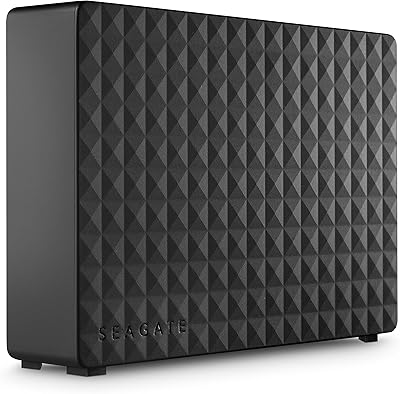
Seagate Expansion Desktop 16TB External Hard Drive
85%
94%
Capacity
92%
Ease of Use
90%
Setup/Installation
87%
Performance Speed
83%
Build Quality
More
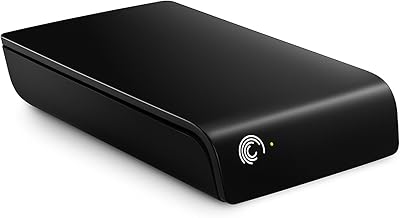
Seagate Expansion 2TB External Hard Drive
73%
94%
Ease of Setup
88%
Storage Capacity
47%
Transfer Speed
73%
Build Quality
71%
Reliability & Longevity
More
Seagate Expansion 18TB External Hard Drive
74%
88%
Value for Money
93%
Storage Capacity
84%
Setup & Ease of Use
61%
Transfer Speed
71%
Long-term Reliability
More
Seagate Expansion 24TB External Hard Drive
71%
93%
Value for Money
97%
Storage Capacity
91%
Ease of Setup
68%
Transfer Speed
72%
Build Quality
More
Seagate Expansion 6TB External Hard Drive
73%
93%
Ease of Setup
91%
Storage Value
67%
Transfer Speed
88%
Data Recovery Service
72%
Build Quality
More
Seagate Expansion 22TB External Hard Drive
81%
94%
Storage Capacity
88%
Performance (Transfer Speed)
91%
Ease of Setup
87%
Reliability (Data Recovery Services)
83%
Compatibility (Windows and Mac)
More
Seagate Expansion 28TB External Hard Drive
75%
94%
Storage Capacity Value
91%
Ease of Setup
78%
Sequential Transfer Speed
74%
Long-Term Reliability
61%
Noise Level
More
Seagate Expansion 14TB Desktop Hard Drive
83%
96%
Storage Capacity
89%
Data Transfer Speed (USB 3.0)
92%
Setup & Installation
85%
Build Quality
90%
Compatibility (Windows & Mac)
More
Seagate Expansion 5TB Portable External Hard Drive

80%
93%
Value for Money
96%
Ease of Setup
94%
Storage Capacity
61%
Transfer Speed
88%
Portability
More
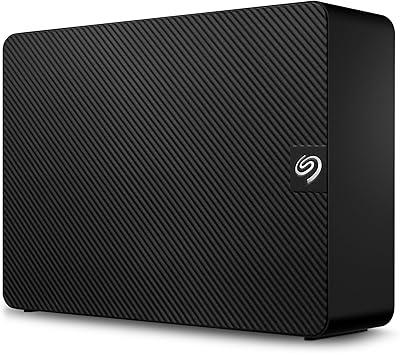
Seagate Expansion 10TB External Hard Drive
82%
95%
Capacity & Storage
90%
Transfer Speed
92%
Ease of Setup
85%
Build Quality
78%
Reliability
More

FAQ

It works straight out of the box on Windows PCs. Just plug in the power adapter, connect the USB cable, and your computer should recognize it within seconds. No software installation, no account setup — nothing like that is required.

It will physically connect to a Mac without any issues, but the drive ships formatted for Windows (NTFS), which Macs can read but cannot write to by default. To use it fully on macOS, you will need to reformat it to exFAT or HFS+ using Disk Utility. Keep in mind that reformatting erases everything on the drive, so do this before you start copying files over.

Yes, the drive is backward compatible with USB 2.0, so it will connect and function on older machines. Transfer speeds will be noticeably slower than USB 3.0, but it will work fine for everyday backup and file storage tasks.

It is not silent. Like most 3.5-inch mechanical drives, you will hear a low hum and occasional clicking sounds during read and write activity. Most users find it easy to tune out, but if you work in a very quiet environment or are particularly sensitive to background noise, it is worth knowing about before you buy.

It does run warm during extended use, which is normal for desktop hard drives. As long as it has reasonable airflow around it and is not enclosed in a tight space, this should not be a problem. Avoid stacking other devices on top of it or placing it in confined areas where heat can build up.

Reviews are mixed on long-term durability. Many users report years of trouble-free daily use, but a notable cluster of negative reviews describe failures occurring somewhere between one and two years in. It is wise to treat this — or any single hard drive — as one part of a broader backup strategy rather than your only copy of important data.

No backup software is included in the box. The drive is purely a storage device. You will need to set up your own backup routine, whether that is using Windows Backup, macOS Time Machine after reformatting, or a third-party solution.

Yes, this is a desktop drive and it is built for that kind of always-on use. Many users run it continuously as a dedicated backup destination. Just make sure it has adequate ventilation and is not left in an unusually hot environment.

You will see slightly less than 5TB of usable space once the drive is formatted. Hard drive manufacturers measure capacity in decimal gigabytes, while operating systems report in binary, which creates a gap. In practice, you can expect roughly 4.5 to 4.6TB of accessible space after formatting.

The drive ships with a USB 3.0 cable and a power adapter, so you have everything you need to get started. You do not need to purchase any additional cables or accessories for basic setup.