Overview

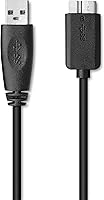
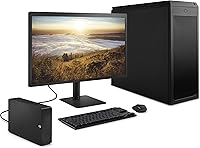
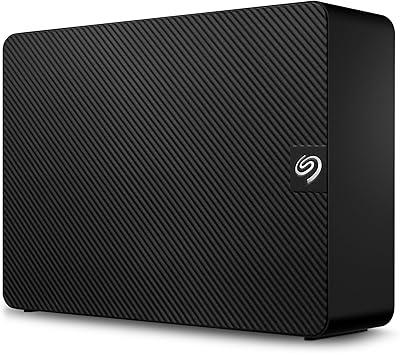
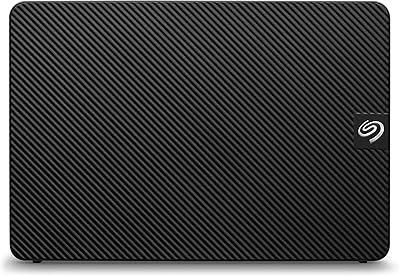
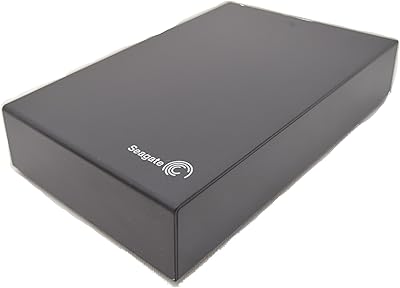
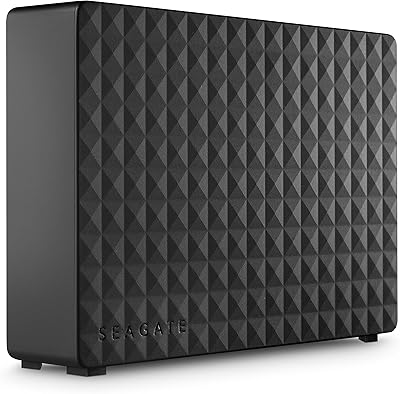
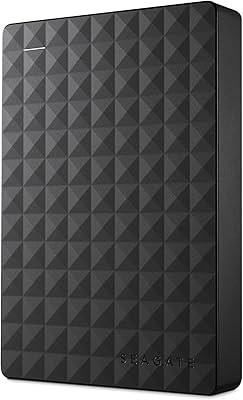
The Seagate Expansion 24TB External Hard Drive is built for one job — storing a massive amount of data without making you jump through hoops. Plug in the power adapter, connect the USB cable, and your computer recognizes it straight away. No driver installation, no setup wizard. It works with both Windows and Mac out of the box, though Mac users wanting a Time Machine backup target will need to reformat it first — a quick, one-time task. Being a mechanical drive, speeds won't rival an SSD, but for bulk backup storage, that trade-off is entirely reasonable. The included Rescue Data Recovery Services adds a layer of real-world reassurance that most competing drives skip entirely.
Features & Benefits

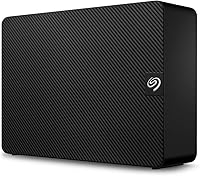
At 24TB, this desktop drive holds roughly 6,000 hours of HD video or several years' worth of RAW photo files from a professional camera — capacity that makes it a serious contender for anyone drowning in large files. The 7200 RPM motor puts it a step ahead of the slower 5400 RPM drives that populate this price range, translating to noticeably faster performance during large transfers. USB 3.0 keeps things moving at a decent clip, though the mechanical internals will always cap out below what a solid-state drive can do — be realistic about that. Worth noting: this is a desktop unit requiring an AC power adapter, so it stays on your desk, not in your bag. The three-year recovery service rounds out a strong feature set.

Best For

This high-capacity HDD is a natural fit for creative professionals — photographers with growing RAW libraries, videographers sitting on terabytes of uncompressed footage, or editors who need a reliable local archive alongside cloud storage. Small office environments can get a lot of mileage out of it too, using it as a shared backup destination for multiple computers. Mac users looking for a Time Machine backup drive at scale will find it works well once reformatted. Where it's less ideal: anyone needing portability or on-the-go access. It's a desk-bound solution by design. If your priority is cost per terabyte rather than raw speed, this drive delivers that value better than almost anything else at this storage tier.

User Feedback

With over 266,000 ratings and a 4.6-star average, the Seagate Expansion has earned genuine buyer trust — not a small sample size. The most consistent praise centers on setup simplicity and the sheer amount of storage space relative to the price. Photographers and video editors frequently call it a reliable archive workhorse. On the critical side, some users report audible drive noise during heavy use, and heat buildup after extended sessions comes up occasionally. A minority of reviews flag early failures, which is worth keeping in mind for any mechanical drive deployed at scale. Opinions on the included recovery service are mixed — some found it reassuring, while others felt the terms were harder to navigate than expected.

Pros

  • Enormous storage capacity handles years of RAW photos, video archives, or full system backups without breaking a sweat.
  • Plug-and-play setup on Windows requires zero software installation — it just works immediately.
  • The 7200 RPM motor delivers noticeably faster transfer performance than the slower drives common at this price tier.
  • Cross-platform compatibility means it works with both Windows and Mac computers right out of the box.
  • Rescue Data Recovery Services provides up to three years of coverage for accidental deletion or drive failure — a rare inclusion.
  • Cost per terabyte is among the most competitive available for desktop-class mechanical storage.
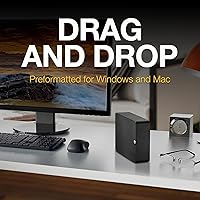
  • The straightforward drag-and-drop functionality makes it accessible even for less tech-savvy users.
  • Works as a reliable Time Machine backup target for Mac users after a simple one-time reformat.
  • A massive ratings pool of over 266,000 reviews reflects long-standing buyer confidence in this drive family.

Cons

  • Requires an AC power adapter, making it completely unsuitable for mobile or on-the-go use.
  • Mechanical hard drives carry an inherent failure risk over time that solid-state alternatives largely avoid.
  • Drive noise during heavy read and write cycles is a recurring complaint among long-term users.
  • Heat buildup during extended use sessions has been flagged by a portion of buyers, which may shorten lifespan.
  • USB-only connectivity limits integration options — there is no Thunderbolt or USB-C port on this unit.
  • Mac users must reformat before using Time Machine, which can catch first-time buyers off guard.
  • Transfer speeds, while decent for a spinning drive, will frustrate anyone used to working with SSDs.
  • Some buyers reported difficulty navigating the terms and claim process for the included recovery service.
  • A minority of reviews cite early failures, a risk worth weighing seriously for mission-critical backup use.

Ratings

The scores below were generated by our AI engine after analyzing thousands of verified global user reviews for the Seagate Expansion 24TB External Hard Drive, with spam, bot-submitted, and incentivized feedback actively filtered out before any scoring was applied. Each category reflects the full spectrum of buyer experience — where this desktop drive genuinely excels and where real frustrations surfaced — so you can make a properly informed decision rather than a hopeful one.

Value for Money
93%
Buyers consistently describe the cost-per-terabyte as one of the best available in desktop storage, and it is hard to argue with that math. Photographers and video editors who priced out NAS solutions or multiple smaller drives often landed here because the economics simply made more sense for bulk archival needs.
A small but vocal group of buyers who experienced early drive failures felt the value proposition collapsed entirely once they factored in the time and stress of data recovery. For mission-critical use, the true cost can feel higher than the sticker price suggests.
Storage Capacity
97%
At this capacity tier, buyers routinely describe the relief of consolidating multiple older drives into a single unit — years of RAW photo libraries, uncompressed video projects, and full system backups finally living in one place. Very few users reported running out of space, even after heavy long-term use.
A handful of tech-savvy buyers noted that the formatted usable capacity comes in slightly below the advertised 24TB, which is standard across all hard drive manufacturers but still catches some first-time buyers off guard when they first check available space.
Ease of Setup
91%
Windows users almost universally praised how effortless the initial setup was — plug in the power adapter, connect the USB cable, and the drive is ready to use within seconds. For less tech-savvy buyers purchasing their first large external drive, this zero-configuration experience was frequently called out as a genuine relief.
Mac users had a consistently bumpier experience. The requirement to reformat before using Time Machine was not clearly communicated in the box, and several buyers were confused or frustrated when the drive did not behave as expected on macOS without that extra step.
Transfer Speed
68%
32%
For a mechanical drive at this price point, the 7200 RPM motor gives it a real edge over slower competing models. Users transferring large batches of files — full season video folders, photography job archives — noted that speeds were acceptable and consistent enough for regular backup routines.
Anyone coming from an SSD workflow found the transfer speeds noticeably underwhelming, particularly during sustained large writes. Multiple users flagged that copying a full 4K project directory took considerably longer than expected, and the USB 3.0 ceiling means there is no easy upgrade path to faster throughput on this unit.
Build Quality
72%
28%
The enclosure feels solid enough for a stationary desktop drive, and most buyers reported no cosmetic or structural issues out of the box. The footprint is compact given the capacity inside, and it sits stably on a desk without requiring any additional mounting or padding.
Several users described the plastic casing as feeling somewhat lightweight relative to the premium they were paying, and a portion of long-term owners noted that the enclosure can flex slightly when the drive is under sustained load. It does not feel fragile, but it does not feel built to last a decade either.
Noise Level
61%
39%
In typical daily use — occasional file saves, background backups — many buyers reported that the drive noise faded into the background and became easy to ignore. For users keeping the drive in a cabinet or in a separate area of the room, this was a non-issue.
During heavy sustained transfers, the clicking and spinning noise from the 7200 RPM mechanism is clearly audible, and buyers working in quiet home offices or editing suites mentioned it as a genuine distraction. A recurring theme in critical reviews was that the noise level was higher than expected for a modern external drive.
Heat Management
63%
37%
Under light to moderate workloads — routine nightly backups, occasional large file transfers — the drive stays at a temperature that most users described as warm but not concerning. Seagate's thermal management holds up reasonably well in well-ventilated desktop setups.
Extended continuous use, such as running large backup jobs that run for hours, generated enough warmth that several buyers expressed concern about long-term reliability. Users who placed the drive in enclosed spaces or tight desk configurations reported noticeably higher surface temperatures, which is a real risk to lifespan.
Long-term Reliability
71%
29%
The overwhelming majority of the massive ratings pool reflects buyers who have used the Seagate Expansion for months or years without incident, and the brand's long track record in consumer storage lends genuine credibility to those positive experiences. Many repeat Seagate buyers cited reliability history as the reason they returned to this series.
A consistent minority of reviews — enough to notice across a sample this large — describe premature failures within the first one to two years of use. This pattern is not unique to this model, but for a device people trust with irreplaceable files, even a small failure rate carries disproportionate consequences.
Compatibility
84%
Windows compatibility is essentially universal — the drive works across Windows 10 and 11 without any tweaking, and it plays nicely with most USB hubs and docking stations buyers tested it with. Mac read compatibility also works straight away, which is useful for cross-platform households.
Full Mac read-write and Time Machine functionality requires reformatting, which is a step that should be communicated upfront but often is not. A small number of users also reported intermittent recognition issues when connecting through older USB hubs, though direct connections resolved this in most cases.
Data Recovery Service
74%
26%
Having a three-year recovery service included at no extra cost is a meaningful differentiator, and buyers who actually used it in emergencies reported that it provided genuine peace of mind during a stressful situation. For users storing years of irreplaceable personal or professional work, the inclusion felt like a smart safety net.
The claims process drew criticism for being more cumbersome than buyers anticipated, with some describing difficulty reaching support or navigating the eligibility terms. A few users felt the service was better as a marketing point than as a practical rescue tool once they actually needed to use it.
Portability
29%
71%
There is not much to praise here by design — buyers who understood upfront that this is a stationary desktop drive had no complaints, and its compact footprint at least means it does not dominate a desk or shelving setup.
This drive requires an AC adapter and is entirely unsuitable for travel or on-the-go use. Multiple buyers left negative reviews after expecting a portable solution and receiving something that requires a wall outlet — a clear case of mismatched expectations that reflects a gap in product page communication.
Packaging & Unboxing
78%
22%
Most buyers reported that the drive arrived well-protected, with no cosmetic damage or movement inside the box. The included cables and power adapter were present and functional, and the unboxing experience was straightforward without excessive waste.
A small number of buyers received units with damaged packaging or missing accessories, which, while not common, adds a note of caution for buyers purchasing through third-party sellers. Setup documentation inside the box was described by some as minimal and not particularly helpful for first-time external drive users.
Software & Ecosystem
58%
42%
The drive works entirely without software, which many buyers actually preferred — there is no bloatware to uninstall, no account to create, and no subscription to manage. For users who just want storage without strings attached, this stripped-back approach works well.
Buyers who wanted built-in backup scheduling, drive health monitoring, or encryption tools found that the Seagate Expansion offers essentially nothing in that department natively. Competing drives at a similar price point sometimes bundle basic management utilities, and the absence here was noted by more technically oriented users.
Connectivity Options
54%
46%
USB 3.0 is widely supported across virtually every desktop and laptop on the market, so connecting this drive is never a compatibility issue. The backward compatibility with USB 2.0 ports also means it works on older machines, which some buyers specifically needed.
The lack of a USB-C or Thunderbolt port frustrated a growing number of buyers whose newer laptops and desktops have moved away from Type-A USB entirely. Relying on an adapter adds friction, and the absence of any alternative connectivity option feels increasingly dated for a drive released in 2025.

Suitable for:

The Seagate Expansion 24TB External Hard Drive is a strong match for anyone who accumulates large files fast and needs a no-fuss place to put them. Photographers shooting in RAW, videographers sitting on libraries of uncompressed footage, and content creators who have simply outgrown smaller drives will find the capacity genuinely useful rather than aspirational. Small office setups benefit too — a single unit can serve as a centralized backup destination for an entire team without requiring a NAS or complex network configuration. Mac users looking for a high-volume Time Machine target will find it works well after a quick reformat, which takes only a few minutes and needs to be done just once. If your main priority is storing as much data as possible for the least cost per terabyte, this desktop drive is hard to argue with.

Not suitable for:

The Seagate Expansion 24TB External Hard Drive is not the right tool if portability is anywhere on your checklist — it needs a wall outlet to run, so it stays on a desk. Anyone expecting speeds comparable to an SSD will be disappointed; this is a spinning-platter drive, and while the 7200 RPM motor performs respectably for its class, transfer rates have a hard ceiling that no USB cable can overcome. Users who need to access files on the go, work from multiple locations, or plug into a single USB port without a power source should look at bus-powered portable drives instead. Similarly, workflows that depend on fast random read and write speeds — video editing directly off the drive in high resolutions, for instance — will feel the friction quickly. If long-term mechanical reliability is a top concern and budget allows, a quality SSD or a RAID-based solution would offer more peace of mind than any single spinning drive.
Specifications

  • Storage Capacity: Provides 24TB of total storage, enough to hold roughly 6,000 hours of HD video or several million high-resolution RAW photo files.
  • Drive Type: Uses a traditional mechanical hard disk drive (HDD) with spinning platters, not solid-state technology.
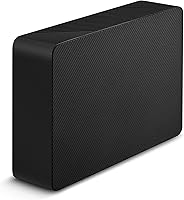
  • Form Factor: Built around a 3.5-inch internal platter design, housed in a compact desktop enclosure.
  • Rotational Speed: Spins at 7200 RPM, which is faster than the 5400 RPM found in many competing desktop drives and contributes to better sustained transfer rates.
  • Interface: Connects via USB 3.0, offering backward compatibility with USB 2.0 ports at reduced speeds.
  • Power Source: Requires an included AC power adapter to operate and cannot draw power from a USB port alone.
  • Dimensions: Measures 7.04 x 4.92 x 1.65 inches (L x H x W), making it compact enough to sit unobtrusively on a desk.
  • Weight: Weighs 2.95 pounds, which is typical for a 3.5-inch desktop drive enclosure of this capacity.
  • OS Compatibility: Works with Windows out of the box using NTFS formatting; Mac users can read files immediately but must reformat to HFS+ or APFS for full read-write and Time Machine use.
  • Data Recovery: Includes Seagate Rescue Data Recovery Services for up to three years, covering scenarios such as accidental deletion, physical damage, and drive failure.
  • Connectivity: Offers a single USB Type-A connection only; there is no Thunderbolt, USB-C, or eSATA port on this unit.
  • Plug-and-Play: Requires no software installation on Windows and is recognized automatically by the operating system upon connection.
  • Brand & Series: Manufactured by Seagate and sold under the Expansion series, one of the brand's long-running consumer desktop storage lines.
  • Model Number: Identified by model number STKP24000400, which can be used when registering the drive or contacting Seagate support.
  • Warranty: Backed by Seagate's limited product warranty; buyers should verify the specific duration on Seagate's website at time of purchase.
  • Time Machine Use: Compatible with Apple Time Machine after a one-time reformatting process, which takes only a few minutes using macOS Disk Utility.
  • Intended Use: Designed for desktop or stationary laptop use as a backup, archival, or primary mass-storage drive — not intended for portable or travel use.

Related Reviews

Seagate Expansion 8TB External Hard Drive
71%
91%
Value for Money
93%
Ease of Setup
94%
Storage Capacity
67%
Transfer Speed
72%
Build Quality
More
Seagate Expansion 10TB External Hard Drive
82%
95%
Capacity & Storage
90%
Transfer Speed
92%
Ease of Setup
85%
Build Quality
78%
Reliability
More
Seagate Expansion 6TB External Hard Drive
84%
91%
Value for Money
88%
Ease of Setup
93%
Data Recovery Service
85%
USB 3.0 Performance
89%
Cross-Platform Compatibility
More
Seagate Expansion 22TB External Hard Drive
81%
94%
Storage Capacity
88%
Performance (Transfer Speed)
91%
Ease of Setup
87%
Reliability (Data Recovery Services)
83%
Compatibility (Windows and Mac)
More
Seagate Expansion 18TB External Hard Drive
85%
94%
Storage Capacity
86%
Transfer Speed
89%
Build Quality
91%
Ease of Setup
88%
Reliability
More
Seagate Expansion 28TB External Hard Drive
86%
96%
Storage Capacity
92%
Data Transfer Speed
89%
Ease of Setup
80%
Compatibility
88%
Build Quality
More
Seagate Expansion Portable 4TB External Hard Drive
86%
85%
Performance
93%
Ease of Use
91%
Portability
80%
Build Quality
95%
Compatibility (Windows/Mac)
More
Seagate Expansion 5TB Desktop External Hard Drive
88%
89%
Performance
94%
Ease of Use
95%
Capacity
85%
Transfer Speed (USB 3.0)
87%
Build Quality
More
Seagate Expansion Portable 1TB External Hard Drive
85%
88%
Performance
94%
Setup & Installation
91%
Portability & Size
89%
Compatibility
87%
Value for Money
More
Seagate Expansion Desktop 16TB External Hard Drive
85%
94%
Capacity
92%
Ease of Use
90%
Setup/Installation
87%
Performance Speed
83%
Build Quality
More

FAQ

No, nothing to install at all. Plug in the power adapter, connect the USB cable, and Windows recognizes the drive automatically. You can start dragging and dropping files within seconds of plugging it in.

Yes, but it takes one small extra step. The drive ships formatted for Windows, so you will need to reformat it using macOS Disk Utility before Time Machine can use it. The process takes just a few minutes and only needs to be done once. After that, Time Machine treats it like any other backup drive.

Not really. The Seagate Expansion 24TB External Hard Drive requires an AC power adapter to run, which means it needs to be near a wall outlet at all times. It is designed to sit on a desk, not travel in a bag. If you need something truly portable, a smaller bus-powered USB drive would serve you better.
For a mechanical hard drive, it performs well — the 7200 RPM motor helps it move data faster than the slower 5400 RPM drives common in this category. That said, you should not expect SSD-level speeds. Large file transfers will take noticeable time, and the USB 3.0 connection, while capable, cannot fully compensate for the physical limits of spinning platters.

It covers scenarios like accidental file deletion, logical drive errors, and certain types of physical drive failure for up to three years from purchase. If the drive fails or files go missing, you can submit a claim to Seagate to attempt data recovery. Some users have found the process straightforward, while others note the claim terms require careful reading — it is worth registering the drive early and understanding the coverage before you need it.

It produces a moderate amount of noise — audible clicking and spinning sounds are normal for a 7200 RPM mechanical drive. In a quiet room you will likely notice it during heavy read or write operations. It is not distractingly loud, but if near-silent operation is important to you, a solid-state drive would be a better fit.

This desktop drive is designed for direct USB connection to a single computer. Some routers with USB ports can share it on a local network, but performance and compatibility vary widely by router model. It is not a dedicated NAS drive and does not include any built-in network functionality.

Some users do report warmth during prolonged sessions, which is typical for high-capacity mechanical drives working hard. It should not reach temperatures that are dangerous under normal desktop conditions, but it is worth ensuring there is reasonable airflow around it — avoid enclosing it in a drawer or stacking items directly on top of it.

For average home users who mostly deal with documents, music, and casual photos, yes — it is a lot. But for photographers shooting RAW files, videographers working in high resolution, or anyone managing backups across multiple computers, 24TB fills up faster than you might expect. If you have been bouncing between multiple smaller drives to keep up with your files, consolidating into a single high-capacity unit often makes daily workflows simpler.

Not necessarily, thanks to the included recovery service. However, no single drive — regardless of brand or price — should be your only copy of important data. The best practice is to follow a 3-2-1 backup strategy: three copies of your data, on two different media types, with one stored offsite or in the cloud. The Seagate Expansion is an excellent piece of that strategy, but relying on it alone carries real risk.