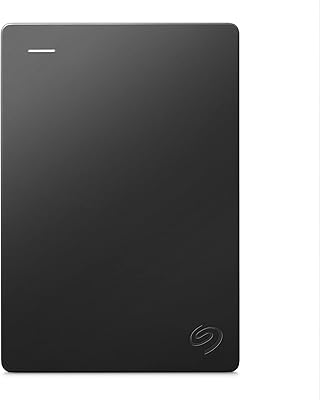
Seagate Expansion 4TB Portable External Hard Drive
Seagate Expansion 4TB Portable External Hard Drive — image 1
Seagate Expansion 4TB Portable External Hard Drive — image 2
74%
26%

Overview

The Seagate Expansion 4TB Portable External Hard Drive has been around since 2015, and the fact that it still sits among the top-200 bestsellers in its category tells you more than any spec sheet could. This is a drive built for people who want large-capacity backup without any technical fuss. Plug it in via USB 3.0 and your Windows PC recognizes it immediately — no drivers, no setup. It runs off USB power, so there is no separate adapter to deal with. Keep in mind, though: this is a mechanical spinning drive, not an SSD, so speed and shock tolerance sit in a different league than flash storage.

Features & Benefits

Four terabytes is the headline, and it goes a long way — think years of photos, full system backups, and growing video libraries before you feel the pinch. The USB 3.0 connection supports speeds up to 120 MB/s on paper, though real-world rates during mixed file transfers will typically run below that peak. USB 2.0 compatibility means older machines are not left out. The drive itself measures 4.61 x 3.15 x 0.82 inches, weighs 8.3 oz, and draws power entirely from the USB port. An 18-inch cable comes in the box. Windows users can start copying files immediately. Mac users must reformat the drive first, which trips up a surprising number of people. A one-year limited warranty covers the purchase.

Best For

This expansion drive makes the most sense for Windows PC users who want large-capacity backup without any setup friction — connect it, copy your files, done. Students and remote workers who regularly shuttle files between locations will appreciate the compact 2.5-inch form factor and the overall lack of complexity. Photographers and videographers building archives will find the 4TB ceiling genuinely useful, as long as they are not counting on it for speed-intensive workflows. It also works well for anyone consolidating data from an aging machine or expanding console game storage on a PS4 or PS5. That said, it is better suited to secondary or backup use than as a drive you read and write to constantly.

User Feedback

With over 129,000 ratings averaging 4.6 stars, this Seagate portable drive carries one of the more trustworthy feedback profiles in its category. The majority of buyers report strong day-to-day reliability and stress how little effort the whole experience requires, which is exactly what this type of drive is meant to deliver. Critics in the lower-star tier raise a legitimate concern: some units show early failure signs within the first two years, a pattern worth knowing about when deciding how critical your stored data is. Mac owners also crop up frequently in complaints about unexpected reformatting steps. On the whole, buyers who prioritize volume over speed come away satisfied, citing outstanding value for the capacity on offer.

Pros

  • Four terabytes of storage handles years of photos, videos, documents, and full system backups with capacity to spare.
  • Plug-and-play USB 3.0 setup means Windows users are up and running in seconds, with zero software to install.
  • Bus-powered operation eliminates the need for a separate power adapter, keeping your bag lighter and your desk tidier.
  • The compact 2.5-inch footprint and 8.3-oz weight make this expansion drive genuinely easy to carry anywhere.
  • Backward USB 2.0 compatibility ensures it works with older laptops and desktops without requiring any adapters.
  • Over 129,000 buyer ratings averaging 4.6 stars reflect consistent real-world satisfaction across a wide range of users.
  • The included 18-inch USB cable keeps the setup tidy without requiring a separate purchase.
  • Works reliably as extended storage for PS4 and PS5 consoles, a popular use case backed by many verified buyers.
  • At this capacity tier, the value per terabyte is difficult to match among established, reputable brands.

Cons

  • Real-world transfer speeds fall noticeably below the 120 MB/s spec during typical mixed-file operations.
  • Mac users must reformat the drive before it works natively, a step that catches many buyers off guard.
  • As a mechanical HDD, it is significantly more vulnerable to damage from drops or physical shocks than solid-state alternatives.
  • A portion of long-term owners report drive failures within one to two years, raising legitimate concerns about longevity.
  • The one-year warranty is shorter than what several competing brands offer at a comparable price point.
  • Mechanical operation produces faint audible noise during transfers, which can be noticeable in quiet work environments.
  • Constant daily read/write use accelerates wear on mechanical HDDs, making it a poor fit as a sole primary drive.
  • No hardware encryption or bundled backup software is included, leaving data security entirely to the user.

Ratings

The scores below reflect an AI-driven analysis of over 129,000 verified buyer reviews for the Seagate Expansion 4TB Portable External Hard Drive, with spam, incentivized submissions, and bot activity actively filtered to surface what genuine owners actually experience. Each category is scored to give you a transparent, unvarnished picture that captures both the areas of consistent praise and the real frustrations that surface across long-term use. Nothing here is sanitized — the pain points are weighted alongside the strengths.

Ease of Setup
94%
Windows users consistently report that getting started takes under a minute — plug it in, hear the drive spin up, and File Explorer recognizes it automatically. No driver downloads, no account registration, no configuration menus to navigate. For buyers who just want backup to start working the moment the drive arrives, this is exactly the experience they get.
The experience is not universal. Mac users routinely encounter a frustrating surprise: the drive will not accept new files until reformatted, which requires extra steps that many first-time Mac owners are simply not prepared for. This single friction point drags down what could otherwise be a near-perfect setup score.
Storage Capacity
91%
Four terabytes gives most household users more breathing room than they will realistically fill for years. Buyers regularly mention fitting entire photo libraries, multiple full PC backups, and growing video archives onto a single drive with space to spare. The capacity-to-size ratio on a bus-powered portable is genuinely impressive for this price tier.
The usable space after formatting lands closer to 3.6TB rather than a full 4TB, which is industry-standard but still catches some buyers off guard. A small number of value-focused users also note that competing drives occasionally offer marginally more formatted capacity at comparable prices during promotional windows.
Transfer Speed
66%
34%
For typical backup tasks — copying a folder of family photos, offloading a semester of coursework, or moving a batch of RAW files — the USB 3.0 connection delivers workable sequential speeds that feel reasonably responsive. Large, single-file transfers in particular tend to track closer to the rated ceiling.
The 120 MB/s specification is a ceiling under ideal conditions, not a number buyers should plan around. Real-world performance during mixed workloads — moving thousands of small files at once, for instance — drops noticeably below that figure. Anyone regularly transferring large volumes of varied file types will find the wait times longer than the spec implies.
Build Quality
73%
27%
The enclosure is compact and well-assembled for its price range, with no obvious rattling, seam gaps, or loose ports out of the box. For buyers using it as a stationary desk backup or a careful bag companion, the construction holds up reliably under normal everyday handling over time.
The plastic shell feels functional rather than premium, and there is no rubberized coating or reinforced casing to suggest the drive can absorb real knocks. Several buyers who used the drive heavily over time reported scuffs and wear appearing faster than expected, adding to broader concerns about how the enclosure ages.
Portability
88%
At 8.3 oz and roughly the footprint of a small paperback, this expansion drive disappears into a laptop bag without complaint. Students and remote workers shuttling the drive between home, campus, and the office consistently call out its size as one of the key reasons they keep reaching for it over bulkier alternatives.
The drive is marginally thicker than some competing slim portables on the market, which matters to users fitting it into tight ultrabook sleeves or jacket pockets. The included cable, while practical in length, adds bulk to a kit that would otherwise be genuinely minimal when packed for travel.
Value for Money
87%
The cost per terabyte is among the most competitive available from a name-brand manufacturer at this capacity tier. Reviewers on tighter budgets frequently cite it as the deciding factor — getting 4TB of portable storage from a well-known brand without overspending feels like a meaningful win for most buyers.
The value proposition depends heavily on the drive holding up over time. Long-term owners who experienced failures within two years often feel the upfront savings were offset by the cost and hassle of replacement — and, for some, the stress of attempting to recover files that were not backed up elsewhere.
Long-term Reliability
57%
43%
The majority of buyers across a very large review base report no issues during everyday use throughout their first year, and many describe years of quiet, uneventful service when the drive is used as intended: as secondary or archival storage that does not face constant heavy read and write cycles.
A persistent thread in lower-star reviews describes drive failures between 12 and 24 months of regular use — a recognized risk pattern with budget mechanical HDDs. It is not unique to this product, but it is frequent enough that relying on this drive as the sole copy of irreplaceable data would be an unwise decision.
Mac Compatibility
52%
48%
Once reformatted to exFAT or HFS+, the drive functions reliably on macOS and delivers the same stable day-to-day performance that Windows users experience. Mac owners who complete the reformatting step correctly report no ongoing compatibility issues and find the drive works smoothly across Apple hardware afterward.
Out of the box, the drive ships in NTFS format, which macOS can read but not write to — meaning new files cannot be saved until the drive is reformatted. This catches a genuinely large number of Mac buyers off guard and is the single most common source of one-star reviews from Apple users.
Shock Resistance
48%
52%
Under routine handling — being set down on a desk, slipped into a padded bag, or moved carefully between rooms — the drive performs without issue for the vast majority of users. Those who treat it with basic care and keep it in a cushioned sleeve report no problems from normal movement.
As a mechanical drive with spinning platters, a single drop from desk height can be enough to cause permanent damage or data loss. Multiple buyers attribute failures directly to accidental drops, and this model offers no marketed internal shock protection — a gap that purpose-built ruggedized drives address directly.
Noise & Heat
74%
26%
Under typical use, the drive runs quietly enough that buyers working in home offices, libraries, or shared workspaces report barely noticing it is there. Heat output during normal transfers stays modest, and the enclosure does not become uncomfortable to touch even after a sustained backup session lasting 30 minutes or more.
In a very quiet room, the faint clicking and spinning of the mechanical internals is audible during active transfers — a sound that a small but vocal group of noise-sensitive users find distracting. Prolonged heavy workloads, such as backing up a large media library in one sitting, can also produce mild warmth on the casing.
Warranty & Support
62%
38%
Seagate is a well-established manufacturer with an accessible warranty process, and buyers who have needed to use the one-year coverage generally report a straightforward replacement experience. Having a recognized brand behind the product offers more recourse than a no-name alternative would if something goes wrong early.
A one-year warranty is on the shorter end for a device most buyers intend to use for three to five years or more. Several competing brands offer two or three years of coverage at similar price points, making the single-year window feel like a meaningful gap given the reliability concerns some long-term owners report.
Bus Power
89%
Running entirely off USB power is one of the most quietly appreciated features among frequent travelers and remote workers. Not needing to locate or carry a separate wall adapter simplifies packing considerably and means the drive works from a laptop on a train, a café table, or a library desk without any extra gear.
The bus-powered design has one practical catch: an unpowered USB hub often cannot supply enough current to spin the drive up reliably, causing connection failures that confuse users unaware of the underlying cause. Plugging directly into the host machine resolves the issue immediately but limits some desk-setup flexibility.
Accessories
77%
23%
The 18-inch USB 3.0 cable included in the box strikes a practical balance — long enough for comfortable desktop positioning without creating excess slack in a bag. Having the cable pre-bundled means buyers can get started immediately rather than discovering they need a separate purchase to use the drive at all.
Beyond the cable, the package is bare: no protective sleeve, no backup software, and no USB-C adapter for users with modern laptops that have moved away from full-size USB-A ports. Buyers with recent MacBooks or thin ultrabooks will need a separate adapter, an unplanned expense that reduces the drive's out-of-box accessibility.
Device Compatibility
81%
19%
Beyond computers, the drive works with a broad range of USB-accepting devices including smart TVs, game consoles, and media streamers — giving it real utility beyond standard PC backup. Many buyers mention PS4 and PS5 game storage as a secondary use that extends the practical value of the purchase.
USB-C-only devices like newer iPads and some thin-and-light laptops require an adapter that is not included, adding an unplanned cost for a growing number of users. The drive also lacks direct compatibility with Android phones and tablets for file storage, which limits its usefulness for buyers expecting broader mobile-device support.

Suitable for:

The Seagate Expansion 4TB Portable External Hard Drive is a strong fit for anyone who needs large-capacity backup without spending time on configuration. Windows PC users get the smoothest experience — plug it in and it is ready to go, with no drivers or software required. Students and remote workers who regularly move large files between home, school, or the office will appreciate that it slips into a bag easily and draws power entirely from the USB port, leaving one less thing to pack. Photographers and videographers accumulating media libraries faster than their internal drives can handle will find 4TB gives them genuine breathing room without a premium price. It also serves as a practical game storage extension for PS4 and PS5 owners running low on console space. If your priority is storage volume at a sensible cost — and raw speed is secondary — this drive consistently delivers on that promise.

Not suitable for:

The Seagate Expansion 4TB Portable External Hard Drive is not the right tool for every buyer, and it helps to be honest about where it falls short. Video editors working with 4K or RAW footage in real time will quickly outpace what a mechanical drive can handle, as real-world throughput often lags well behind the rated ceiling under sustained mixed workloads. It is also a poor choice as a primary, always-on drive for files you access constantly — mechanical HDDs wear more quickly under that kind of pressure and are genuinely better treated as secondary or archival storage. Mac users face an added friction point: the drive requires reformatting before it works natively, which is a real inconvenience for anyone who is not technically inclined. People storing irreplaceable data should think carefully before relying on a single mechanical drive without a secondary backup, given the failure rates some long-term owners describe. And if the drive will be used in rough conditions — frequent travel, job sites, or heavy physical movement — a ruggedized or solid-state alternative offers meaningfully better resilience.

Specifications

  • Storage Capacity: This drive provides 4TB of storage, offering ample room for years of documents, photos, videos, and full system backups.
  • Drive Type: The internal mechanism is a traditional mechanical hard disk drive (HDD), not solid-state, which directly affects both transfer speed and physical shock tolerance.
  • Form Factor: The 2.5-inch form factor keeps the enclosure compact enough to slip into a jacket pocket or laptop bag without adding meaningful bulk.
  • Interface: The drive connects via USB 3.0 and is fully backward compatible with USB 2.0 ports, though speeds will be reduced on older connections.
  • Transfer Speed: The maximum rated transfer speed is 120 MB/s, a figure achieved under ideal sequential conditions; real-world mixed-file transfers typically run below this ceiling.
  • Dimensions: The drive measures 4.61 x 3.15 x 0.82 inches, making it easy to transport alongside a laptop without occupying significant bag space.
  • Weight: At 8.3 oz, the drive is light enough for daily carry without adding noticeable heft to a bag or backpack.
  • Included Cable: An 18-inch USB 3.0 cable is included in the box, providing enough reach for clean desk setups without leaving excess slack.
  • Power Source: The drive is entirely bus-powered through its USB connection, requiring no separate power adapter or nearby electrical outlet during operation.
  • OS Compatibility: The drive works natively with Windows 10, 8, and 7 straight out of the box; Mac users must reformat the drive before writing files to it.
  • Warranty: Seagate provides a one-year limited warranty covering manufacturing defects, beginning from the date of purchase.
  • Color: The enclosure is finished in plain black, with a low-profile, understated build suited for both desk and travel environments.
  • Model Number: The official model identifier is STEA4000400, useful for warranty registration and verifying compatibility with specific devices.
  • Brand: Manufactured by Seagate under the Expansion product line, one of the brand's most widely distributed portable storage series.
  • Release Date: First made available in November 2015, this drive has maintained consistent sales and market relevance for over a decade.

Related Reviews
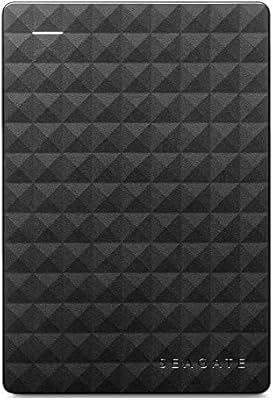
Seagate Expansion Portable 1TB External Hard Drive

85%
88%
Performance
94%
Setup & Installation
91%
Portability & Size
89%
Compatibility
87%
Value for Money
More
G-Technology G-DRIVE Mobile 4TB Portable Hard Drive
77%
93%
Build Quality
91%
Mac Compatibility
61%
Transfer Speed
88%
Portability
58%
Value for Money
More
Seagate Portable 2TB (STGX2000400)
84%
93%
Value for Money
91%
Portability
94%
Setup Experience
88%
Operating Noise
67%
Cable Utility
More
Seagate Expansion 6TB External Hard Drive
73%
93%
Ease of Setup
91%
Storage Value
67%
Transfer Speed
88%
Data Recovery Service
72%
Build Quality
More
Seagate Expansion 8TB External Hard Drive
71%
91%
Value for Money
93%
Ease of Setup
94%
Storage Capacity
67%
Transfer Speed
72%
Build Quality
More
Seagate Expansion 28TB External Hard Drive
75%
94%
Storage Capacity Value
91%
Ease of Setup
78%
Sequential Transfer Speed
74%
Long-Term Reliability
61%
Noise Level
More
Seagate Expansion 22TB External Hard Drive
81%
94%
Storage Capacity
88%
Performance (Transfer Speed)
91%
Ease of Setup
87%
Reliability (Data Recovery Services)
83%
Compatibility (Windows and Mac)
More
Seagate Expansion 24TB External Hard Drive
71%
93%
Value for Money
97%
Storage Capacity
91%
Ease of Setup
68%
Transfer Speed
72%
Build Quality
More
Seagate Expansion 10TB External Hard Drive
82%
95%
Capacity & Storage
90%
Transfer Speed
92%
Ease of Setup
85%
Build Quality
78%
Reliability
More
Seagate Expansion 5TB Portable External Hard Drive
80%
93%
Value for Money
96%
Ease of Setup
94%
Storage Capacity
61%
Transfer Speed
88%
Portability
More

FAQ

No software installation is needed at all for Windows users. Plug the drive into any available USB port and your computer will recognize it automatically — you can start dragging and dropping files within seconds. It is as close to instant setup as external storage gets.

It will connect to a Mac, but you cannot write files to it straight away. The drive ships pre-formatted for Windows (NTFS), which Macs can read but not write to by default. You will need to reformat it to exFAT or Mac OS Extended before it becomes fully usable on Apple hardware. The process takes only a few minutes using Disk Utility, but it is worth knowing upfront so you are not caught off guard.

No separate power supply is needed — the drive draws everything it needs directly from the USB port. One cable is all it takes. Just be aware that if you are connecting through an unpowered USB hub, the hub may not deliver enough current to spin the drive up reliably; plugging directly into your computer is always the safer choice.

The Seagate Expansion 4TB Portable External Hard Drive is rated up to 120 MB/s, but that is a best-case sequential figure under controlled conditions. In typical use — copying a mix of file sizes, for example — real speeds will be noticeably lower. Large single files like video exports move reasonably quickly, but thousands of small files will feel slow. If transfer speed matters most to you, a portable SSD is the better fit.

Yes, and it is one of the most frequently mentioned real-world uses in buyer reviews. Both the PS4 and PS5 support USB external drives for expanded game storage. You simply connect it, follow the console prompts to format the drive for gaming use, and you are set. It works reliably for this purpose, though load times will be slower than the console's internal SSD on PS5.

This is a mechanical drive, meaning it has spinning platters inside that are sensitive to physical shock. Light handling in a padded laptop bag is fine, but dropping it from desk height or carrying it loose in a bag with heavy items is a real risk. If you know your drive will take regular rough treatment, a ruggedized portable drive with SSD internals would be a smarter investment.

Seagate includes a one-year limited warranty that covers manufacturing defects. If the drive fails due to a hardware fault within that window, Seagate will typically arrange a replacement. It does not cover physical damage, accidental drops, or data recovery. After the year is up, you are on your own — which is one reason to treat this as secondary or backup storage rather than the only place your important files live.

You can, but you need to format the drive correctly first. Reformatting to exFAT is the most practical option — it is natively readable and writable on both Windows and macOS without any extra software. Once that is done, switching between platforms is completely seamless. Just avoid NTFS or HFS+ if cross-platform use is your plan, as each of those formats favors one operating system.

You will typically see around 3.6 to 3.7TB of usable space once the drive is formatted, not a full 4TB. This is completely normal and affects every hard drive on the market. Drive manufacturers measure storage in base-10 gigabytes, while operating systems measure in base-2, which creates the apparent shortfall. It is not a defect — just a longstanding industry convention worth knowing about before you buy.

Yes, the drive is fully backward compatible with USB 2.0, so it will connect and function without any issues. The trade-off is speed — USB 2.0 maxes out at around 60 MB/s under ideal conditions, and often less in practice, compared to USB 3.0. For occasional backups or moving files every now and then, it is perfectly usable. If you are planning to transfer large amounts of data regularly, the slower speeds may become frustrating over time.