Overview

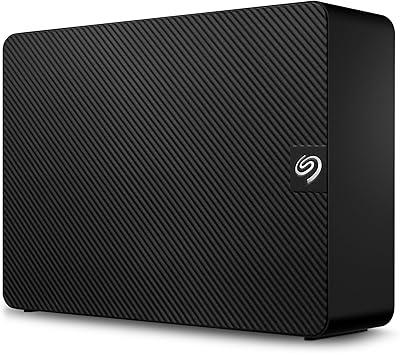
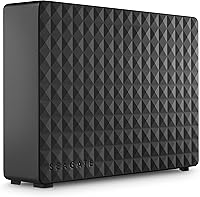
The Seagate Expansion Desktop 16TB External Hard Drive is built for one clear purpose: giving you an enormous amount of local storage without any setup fuss. This is not a NAS box requiring network configuration, nor a RAID array demanding technical know-how. Plug it in, and your Windows PC recognizes it instantly — no software required. It is a mechanical hard drive, so do not expect SSD-level speeds, but for archiving and backing up massive libraries, that trade-off makes complete sense. The bundled 1-Year Rescue Service adds genuine peace of mind. Just keep in mind this high-capacity external drive is a desk fixture, not something you toss in a bag.
Features & Benefits

Sixteen terabytes is a genuinely hard number to visualize, so consider this: you could store roughly 3,000 hours of HD video, tens of thousands of RAW photos, or years' worth of system backups — all in one place. Transfers run at up to 160 MB/s, which handles large batch moves well, though anyone doing live 4K editing will want a faster drive. The included cable and 18W power adapter mean you are ready to go out of the box. Windows users connect and go; Mac users must reformat before use, which is straightforward but worth knowing before you plug in.

Best For

This high-capacity external drive hits a sweet spot for people who have outgrown cloud storage subscriptions or simply prefer keeping their data local and private. Photographers with sprawling RAW archives, videographers sitting on terabytes of unedited footage, and small offices needing a single backup destination will all get serious value here. It also works well for consolidating a handful of aging, smaller drives into one tidy unit. That said, if you need fast read/write speeds for active workflows, or true portability, this Seagate Expansion unit is not the right tool — it is built squarely for high-volume archiving.

User Feedback

With over 3,800 ratings averaging 4.6 out of 5 stars, this desktop hard drive has clearly earned broad satisfaction in the real world. Buyers consistently highlight how quiet the drive runs and how painless setup is — two things that matter more than people expect. On the downside, a meaningful number of users report unit failures after one to two years, which is a real concern for any mechanical drive in this class. The Rescue Data Recovery plan softens that risk, but is not a substitute for a proper backup strategy. Experienced users strongly recommend the 3-2-1 backup rule and not treating any single drive as your only copy.

Pros

  • 16TB of capacity is enough for tens of thousands of RAW photos or hundreds of hours of HD video in one place.
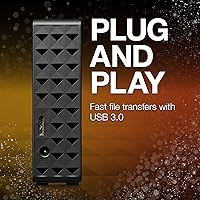
  • Plug-and-play setup on Windows means no drivers, no software, and no configuration headaches.
  • Runs quietly enough that you will rarely notice it on a desk during regular use.
  • The bundled 18-inch USB 3.0 cable and 18W power adapter mean nothing extra to buy on day one.
  • The included 1-Year Rescue Data Recovery Service adds a real safety net for accidental deletions or partial drive failures.
  • At roughly 2 pounds and a compact footprint, it takes up surprisingly little desk space for its capacity.
  • A 4.6-star average across more than 3,800 ratings signals consistent satisfaction across a wide range of buyers.
  • Consolidating several aging smaller drives into one unit immediately simplifies cable clutter and file organization.
  • Works with Mac after a quick reformat, so it is not strictly a Windows-only device for those willing to spend five minutes on setup.

Cons

  • Mechanical HDD speeds top out around 160 MB/s, which is a real bottleneck for anyone editing high-resolution video directly off the drive.
  • Requires wall power at all times — there is no battery or bus-powered option for on-the-go use.
  • Mac compatibility requires reformatting out of the box, which catches many buyers off guard and risks data loss if not done carefully.
  • Some users report unit failures within one to two years, which is a meaningful concern for a drive being trusted with large irreplaceable archives.
  • The 1-Year Rescue Service covers some scenarios but is not a substitute for a proper redundant backup strategy.
  • USB 3.0 is functional but not future-proof — USB-C and Thunderbolt connections are becoming the standard on newer machines.
  • No hardware encryption or password protection built in, which matters for anyone storing sensitive personal or business files.
  • A single drive of this capacity creates a single point of failure — if it goes, everything on it goes with it unless you have redundancy elsewhere.

Ratings

The scores below for the Seagate Expansion Desktop 16TB External Hard Drive were generated by our AI system after analyzing thousands of verified global buyer reviews, actively filtering out incentivized, bot-generated, and duplicate submissions to surface what real users genuinely experienced. Both the strengths that earned this drive its loyal following and the frustrations that tempered enthusiasm are reflected transparently across every category.

Storage Capacity
96%
Buyers consistently describe this as the single most compelling reason they purchased this high-capacity external drive, and the feedback backs that up. Whether archiving years of wedding photography shoots, hoarding entire 4K movie libraries, or consolidating four or five older drives into one, 16TB consistently exceeded expectations for volume.
A small but vocal group of power users noted that even 16TB fills faster than anticipated when dealing with uncompressed RAW video or large virtual machine libraries, and wished a larger capacity variant were available at a comparable price tier.
Ease of Setup
91%
Windows users almost universally praised how frictionless the setup experience was — plug in the USB cable, connect the power adapter, and the drive appeared in File Explorer within seconds, no disc, no driver download, no account creation required. For non-technical buyers, this zero-configuration approach was a genuine relief.
Mac users tell a very different story, and their frustration shows up repeatedly in reviews. The drive ships NTFS-formatted, which means macOS users face an extra reformatting step before they can write anything — a process that catches many buyers off guard and has resulted in accidental data loss for those who did not read the fine print.
Transfer Speed
68%
32%
For the primary use case of bulk archiving and backup, the USB 3.0 connection delivers adequate real-world throughput. Users moving large folders of completed projects or performing overnight system backups found the speeds acceptable, and the drive rarely felt like a bottleneck for that specific workload.
Anyone expecting to use this Seagate Expansion unit as an active working drive for video editing or frequent large-file access will run into the mechanical HDD speed ceiling quickly. Multiple reviewers noted dropped performance during sustained read/write sessions, and the 160 MB/s ceiling simply cannot compete with even entry-level SSDs for responsive daily use.
Long-Term Reliability
62%
38%
The majority of buyers who reviewed at the 12-to-18-month mark reported no issues, and several long-term owners noted years of trouble-free daily operation when the drive was used primarily as an archive destination rather than an always-on working drive.
A meaningful percentage of reviewers reported unit failures within the first one to two years, which is a real concern for a drive being trusted with irreplaceable data. Mechanical HDDs carry inherent failure risks by design, and this drive is not exempt from that reality — making the included Rescue Service a necessity rather than a luxury.
Build & Enclosure Quality
74%
26%
The matte black enclosure feels solid enough for a stationary desk drive, and most buyers found the physical footprint surprisingly compact for the capacity it holds. The drive sits stably without vibrating or walking across a desk during operation, which users appreciated in quieter home office environments.
The plastic enclosure does not inspire confidence in a premium product, and several buyers noted it feels less substantial than competing drives at a similar tier. There is no rubber padding on the base, which means on hard desk surfaces the unit can transmit slight vibration noise during heavy read/write cycles.
Noise Level
83%
For a mechanical desktop hard drive spinning at this capacity, buyers were genuinely pleasantly surprised by how quiet this high-capacity external drive runs during idle and light-use periods. Most users in home office settings described a low, barely perceptible hum that became background noise within days.
During sustained large file transfers, the drive becomes noticeably more audible — a rhythmic clicking and spinning sound that some users in quiet rooms found distracting. It is within normal HDD operating parameters, but buyers who are particularly sensitive to ambient noise should be aware it is not a silent drive under load.
Mac Compatibility
53%
47%
Once reformatted to exFAT or APFS, this desktop hard drive works reliably with macOS across file transfers and Time Machine backups. Users who took the time to properly set up the drive on Mac reported no ongoing compatibility issues and stable long-term performance.
The out-of-the-box Mac experience is poor enough that it deserves its own category. The NTFS-only formatting, absent from any prominent warning on the packaging, has resulted in frustrated buyers who assumed plug-and-play meant plug-and-play on all platforms. The reformatting requirement is a genuine friction point that disproportionately affects less technical users.
Value for Money
84%
Across thousands of reviews, value is cited as one of the top reasons buyers chose this unit over competing options. The combination of 16TB of storage, the bundled cable and power adapter, and the included 1-Year Rescue Service packages meaningful utility into the purchase without requiring additional accessories or subscriptions on day one.
Buyers who experienced early drive failures understandably rated value much lower, since replacing a failed unit erases the cost advantage entirely. The value proposition also weakens for Mac users who require third-party NTFS software or must invest time in reformatting before the drive is usable.
Rescue Data Recovery Service
79%
21%
Having a professional data recovery option bundled in is something buyers genuinely appreciated, particularly those storing irreplaceable personal archives. Several reviewers specifically called out the Rescue Service as the deciding factor over a competing drive, treating it as meaningful insurance rather than marketing fine print.
Coverage is limited to one year and does not guarantee full recovery in every failure scenario, which leaves long-term owners without a safety net. A number of users also noted that activating the service and navigating the claims process was less straightforward than the marketing language suggested.
Power & Cable Setup
77%
23%
The bundled 18-inch USB 3.0 cable and 18W power adapter mean buyers have everything they need in the box without a trip to an electronics store. The cable length proved sufficient for most standard desk configurations, and the power adapter is compact enough not to block adjacent outlets on most power strips.
Requiring a wall outlet is a genuine constraint that buyers occasionally overlook before purchasing. Users who wanted to use the drive in locations without easy outlet access — a living room media setup, a bedside archiving station — found the power requirement more limiting than they anticipated.
Portability
31%
69%
The drive is compact enough to relocate between rooms or offices when needed, and at just over two pounds it is not impractical to move occasionally. For users who only need to shift it between a home office and a studio desk, the size is manageable.
This is fundamentally a desktop device, and buyers who purchased it expecting portability comparable to bus-powered pocket drives were disappointed. The mandatory power adapter, combined with the 3.5-inch form factor, makes carrying it in a bag an inconvenient and impractical daily habit.
Software & Ecosystem
66%
34%
The decision to ship with no required software is a legitimate strength for Windows users who want minimal friction. There is no bloatware to uninstall, no account to create, and no dashboard cluttering the system tray — the drive simply behaves like any internal storage volume.
Seagate does not include any backup scheduling or drive health monitoring software in the box, which means users who want those features need to source their own solutions. Buyers who expected Seagate Toolkit or similar utilities to be bundled were disappointed to find the drive is a purely passive storage device with no companion software.
Thermal Performance
71%
29%
Under normal archiving and backup workloads, the drive maintains reasonable operating temperatures without becoming hot to the touch. Users who leave the drive running for extended periods during large backups reported no thermal shutdowns or performance throttling under typical home office conditions.
During prolonged heavy transfers — particularly when migrating multiple terabytes of data in a single session — some users noted the enclosure becoming warm enough to be uncomfortable to touch. Ventilation around the unit and avoiding enclosed spaces is advisable for anyone running intensive, continuous workloads.

Suitable for:

The Seagate Expansion Desktop 16TB External Hard Drive is an excellent fit for anyone whose storage needs have genuinely outgrown the cloud or a collection of smaller drives scattered across a desk. Photographers sitting on years of RAW shoots, videographers with libraries of uncompressed or 4K footage, and home users who simply want one dependable place to consolidate everything will find this high-capacity external drive hits that need squarely. It is particularly well-suited for Windows households that want zero-configuration storage — plug it in and it just works. Small offices looking for a straightforward, centralized backup destination without the complexity of a NAS setup will also appreciate how little overhead this Seagate Expansion unit demands. If your priority is raw volume over speed, and you want a drive that stays on your desk rather than traveling in a bag, this is a very logical choice.

Not suitable for:

The Seagate Expansion Desktop 16TB External Hard Drive is not the right pick for anyone who needs fast, responsive storage for active creative workflows. At up to 160 MB/s, this desktop hard drive is adequate for moving large batches of files, but trying to edit 4K footage directly off it will likely expose its mechanical speed ceiling quickly. It also requires wall power, so anyone hoping for a drive they can throw in a bag and use on a laptop away from a desk should look elsewhere. Mac users should know upfront that the drive ships formatted for Windows only — using it on macOS requires reformatting first, which means any out-of-the-box data transfer expectations need adjusting. Finally, anyone considering this as their sole backup copy is taking on real risk; mechanical hard drives of any brand can and do fail, and this high-capacity external drive is best treated as one layer in a broader backup plan, not the entire plan itself.
Specifications

  • Storage Capacity: This drive offers 16TB of total storage, enough to hold tens of thousands of RAW image files or hundreds of hours of 4K video footage.
  • Drive Type: It uses a 3.5-inch mechanical hard disk drive (HDD), which prioritizes high-capacity storage over the faster read/write speeds of solid-state alternatives.
  • Interface: Connectivity is handled via USB 3.0, which is backward compatible with USB 2.0 ports at reduced transfer speeds.
  • Transfer Speed: Maximum sequential read speed reaches up to 160 MB/s, suitable for large file batch transfers but not optimized for real-time high-resolution video editing.
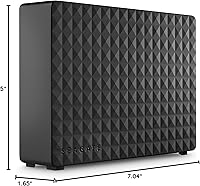
  • Dimensions: The enclosure measures 7.04 x 1.65 x 5 inches (L x W x H), giving it a relatively compact desk footprint for a drive of this capacity.
  • Weight: The unit weighs approximately 2.09 pounds, making it a stationary desktop device rather than a practical carry-anywhere option.
  • Power Supply: An 18W external power adapter is included and required for operation, as this desktop-class drive cannot draw sufficient power from a USB port alone.
  • Included Cable: An 18-inch USB 3.0 cable is bundled in the box, providing enough reach for most standard desktop and laptop setups.
  • Windows Setup: On Windows PCs, the drive is automatically recognized upon connection with no drivers or additional software required.
  • Mac Compatibility: The drive functions with macOS but ships formatted for Windows (NTFS) and must be reformatted before use on a Mac, which will erase any existing data on the drive.
  • Rescue Service: A 1-Year Seagate Rescue Data Recovery Service is included, covering scenarios such as accidental file deletion and certain hardware-related failures.
  • Form Factor: The 3.5-inch internal HDD is housed in a fixed desktop enclosure and is not designed for portable or mobile use.
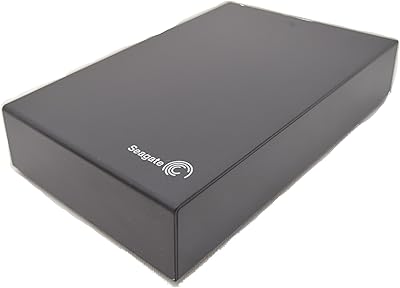
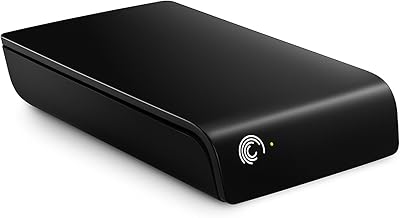
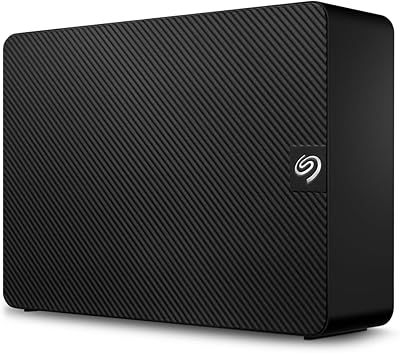
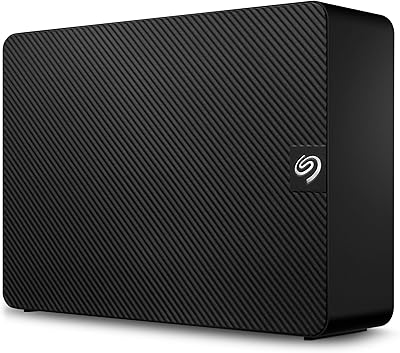
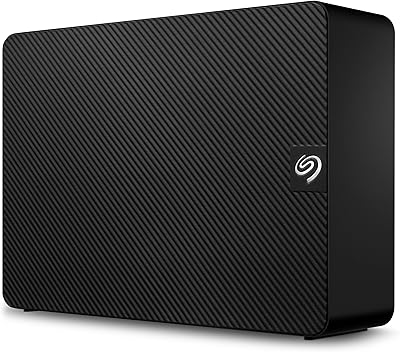
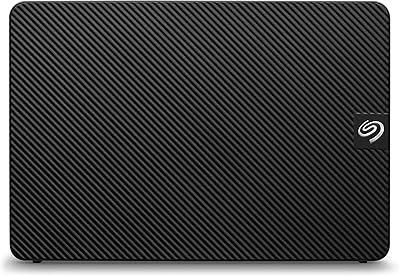
  • Color: The enclosure is finished in matte black, consistent with Seagate's standard Expansion desktop lineup aesthetic.
  • Model Number: The official model identifier is STEB16000402, which can be used to verify compatibility and look up support documentation directly with Seagate.
  • Average Rating: This desktop hard drive holds a 4.6 out of 5 star average rating based on over 3,800 verified customer ratings on Amazon.
  • BSR Ranking: It ranks at approximately #282 in the External Hard Drives category on Amazon, reflecting consistent long-term sales volume and buyer satisfaction.

Related Reviews

Seagate Expansion 5TB Desktop External Hard Drive
67%
91%
Storage Value
93%
Ease of Setup
58%
Long-Term Durability
72%
Transfer Speed
63%
Build Quality
More
Seagate Expansion 2TB External Hard Drive
73%
94%
Ease of Setup
88%
Storage Capacity
47%
Transfer Speed
73%
Build Quality
71%
Reliability & Longevity
More
Seagate Expansion 24TB External Hard Drive
71%
93%
Value for Money
97%
Storage Capacity
91%
Ease of Setup
68%
Transfer Speed
72%
Build Quality
More
Seagate Expansion 18TB External Hard Drive
74%
88%
Value for Money
93%
Storage Capacity
84%
Setup & Ease of Use
61%
Transfer Speed
71%
Long-term Reliability
More
Seagate Expansion 8TB External Hard Drive
71%
91%
Value for Money
93%
Ease of Setup
94%
Storage Capacity
67%
Transfer Speed
72%
Build Quality
More
Seagate Expansion 10TB External Hard Drive
82%
95%
Capacity & Storage
90%
Transfer Speed
92%
Ease of Setup
85%
Build Quality
78%
Reliability
More
Seagate Expansion 28TB External Hard Drive
75%
94%
Storage Capacity Value
91%
Ease of Setup
78%
Sequential Transfer Speed
74%
Long-Term Reliability
61%
Noise Level
More
Seagate Expansion 22TB External Hard Drive
81%
94%
Storage Capacity
88%
Performance (Transfer Speed)
91%
Ease of Setup
87%
Reliability (Data Recovery Services)
83%
Compatibility (Windows and Mac)
More
Seagate Expansion 6TB External Hard Drive
73%
93%
Ease of Setup
91%
Storage Value
67%
Transfer Speed
88%
Data Recovery Service
72%
Build Quality
More
Seagate Expansion 14TB Desktop Hard Drive
83%
96%
Storage Capacity
89%
Data Transfer Speed (USB 3.0)
92%
Setup & Installation
85%
Build Quality
90%
Compatibility (Windows & Mac)
More

FAQ

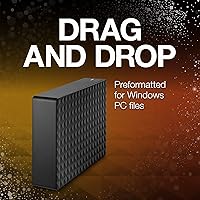
No, nothing to install at all. Just plug it in via the included USB cable, connect the power adapter, and Windows will recognize it automatically within a few seconds. It shows up like any other drive in File Explorer and you can start dragging files over right away.

It will, but not straight out of the box. The drive comes pre-formatted in NTFS, which is Windows’ native file system, and Macs cannot write to NTFS without third-party software. The cleanest solution is to reformat it using Disk Utility on your Mac — either to exFAT if you want cross-platform compatibility, or APFS/HFS+ for Mac-only use. Just make sure to do this before copying any important files onto the drive, since reformatting wipes everything.

It can handle light editing tasks, but this high-capacity external drive is really designed for archiving and backup rather than active editing workflows. At up to 160 MB/s transfer speed, a single 4K stream will technically play back, but a multi-stream or high-bitrate project will likely cause dropped frames or sluggish performance. For active editing, an SSD or a high-RPM RAID setup will serve you much better.

Seagate’s Rescue Data Recovery Service is a real benefit, covering things like accidental file deletion, certain types of mechanical failure, and even some cases of logical corruption. You ship the drive to Seagate and their recovery team attempts to retrieve your data. It does not cover every possible failure scenario, and recovery is never guaranteed, but it is a meaningful safety net that most external drives in this category do not include.

Yes, this drive requires its included 18W power adapter to operate — it cannot be powered through the USB port alone. That is a standard characteristic of 3.5-inch desktop HDDs, which need more power than bus-powered portable drives. Just factor in the need for a wall outlet near your desk.

Most users report it as very quiet during normal operation — a low, barely noticeable hum at rest, with slightly more audible activity during active read/write transfers. It is not silent, but it is far from disruptive. If you are sensitive to background noise, it is worth noting, but the majority of buyers in real-world feedback do not find it bothersome.

You will get slightly less than 16TB of usable space after formatting — this is normal for any storage device. Hard drive manufacturers measure capacity in decimal terabytes (1TB = 1,000,000,000,000 bytes), while operating systems report in binary, which results in a displayed capacity of roughly 14.5TB to 14.9TB depending on your OS. No space is missing; it is just a difference in how the two systems count.

Honestly, early failures are a real risk with any mechanical hard drive, and this Seagate Expansion unit is no exception. The overall ratings are strong, but a portion of users do report failures within the first couple of years. The included Rescue Service helps in some of those situations, but the most important thing you can do is not rely on any single drive as your only backup. Following a 3-2-1 backup strategy — three copies, two different media types, one offsite — is the best protection against losing important data.

The Seagate Expansion Desktop 16TB External Hard Drive uses a standard 3.5-inch SATA internal drive inside a USB enclosure. Technically the drive can be extracted and used internally, but doing so is not officially supported, voids any warranty, and requires comfort with hardware disassembly. For most users, it makes more sense to just use it as intended through the USB connection.
It can work with consoles as extended storage for certain content, but compatibility varies by platform and what you want to store. On PlayStation 5, for example, USB drives can store PS4 games and media but cannot run native PS5 titles — those require an internal NVMe SSD. Xbox Series consoles support USB drives for storing and playing older-gen titles. If console gaming is your primary use case, check your console’s specific USB storage guidelines before committing to this desktop hard drive.