Overview

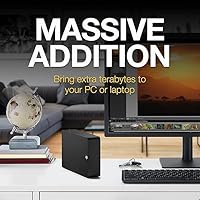
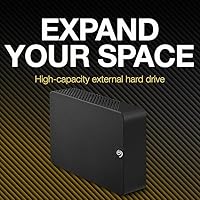
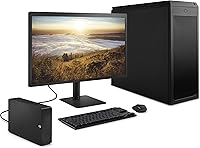
The Seagate Expansion 28TB External Hard Drive sits at the high end of consumer desktop storage, competing with drives like WD’s My Book lineup for buyers who need serious archival capacity without stepping into enterprise territory. At 28TB, this is bulk-tier storage — the kind you reach for when a shelf full of smaller drives starts feeling like a liability. It connects via USB, requires no software installation, and works right out of the box on Windows. Seagate also bundles in Rescue Data Recovery Services, which separates this high-capacity desktop drive from stripped-down alternatives. One thing to be clear about upfront: this is a mechanical hard drive, not an SSD, so speed expectations should be calibrated accordingly.

Features & Benefits

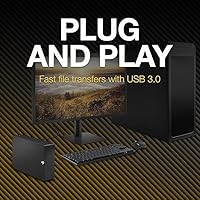
Running at 7200 RPM, this Seagate Expansion HDD delivers respectable sequential speeds for a mechanical drive — typically in the 150–200 MB/s range over USB 3.0, which handles large file moves well. The interface requires no drivers on modern systems. Windows users get true plug-and-play out of the box; Mac users should know upfront that Time Machine support requires reformatting — straightforward, but worth planning for. At just under three pounds and a compact 1.65 x 7.04 x 4.92 inches, the footprint is manageable for a desktop. The included Rescue Data Recovery Services cover data loss from corruption or accidental deletion, though coverage is time-limited and conditional — treat it as a safety net, not a blanket guarantee.

Best For

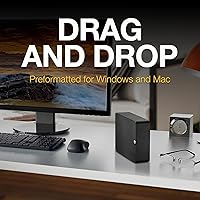
This high-capacity desktop drive is a strong fit for anyone accumulating data faster than they can offload it. Content creators sitting on terabytes of raw footage, photographers with years of uncompressed shoots, or podcasters and musicians with large project archives will find the capacity genuinely useful. It also works well for small offices or freelancers who want a single local backup destination instead of juggling multiple drives or relying entirely on cloud subscriptions. The setup experience is genuinely hands-off — plug it in and start dragging files. For users comfortable with basic drive management, the 28TB Expansion can also serve as consolidation storage, replacing a cluster of aging smaller drives in one go.

User Feedback

With over 266,000 ratings and a 4.6-star average — and the #1 bestseller rank in External Hard Drives — the volume of feedback here is substantial. Positive reviews consistently highlight how easy the drive is to set up, its reliable day-to-day performance, and the comfort of having recovery services included. On the critical side, some users mention audible drive noise during active use, which is typical for 7200 RPM mechanical drives but worth knowing if your workspace is quiet. Heat during extended operation comes up occasionally as well. A smaller subset of reviews flag early failures, though this pattern appears across the mechanical drive category broadly. Overall, the feedback reflects a drive that delivers on its core promise for the majority of buyers.

Pros

  • 28TB of capacity handles years of video, photo, and audio archives without constantly juggling drives.
  • Plug-and-play setup on Windows means anyone can get started in under a minute.
  • USB 3.0 delivers solid sequential transfer speeds suited for moving large files in bulk.
  • Rescue Data Recovery Services adds a meaningful safety net that most competing drives skip entirely.
  • The 3.5-inch form factor keeps the physical footprint small relative to the massive storage on offer.
  • No mandatory software installation keeps the setup clean and system clutter-free.
  • A 4.6-star average across more than 266,000 ratings reflects consistent real-world satisfaction.
  • 7200 RPM spin speed offers better sequential performance than slower 5400 RPM desktop drives.
  • Consolidating multiple aging smaller drives into one unit simplifies cable management and reduces desk clutter.
  • Strong value per terabyte compared to SSD alternatives at this capacity level.

Cons

  • Mechanical drive noise at 7200 RPM is noticeable in quiet rooms during active read/write sessions.
  • Heat buildup during extended use has been flagged by a portion of long-term users.
  • Mac users must reformat before using Time Machine, which catches some buyers off guard.
  • Rescue Data Recovery Services are time-limited and conditional — not a permanent or unconditional guarantee.
  • Requires an external power adapter, making it impractical for portable or travel use.
  • Random access speeds lag well behind SSDs, making it unsuitable for running software or editing directly off the drive.
  • Early failure reports exist in the review base, consistent with mechanical drive failure rates at high capacities.
  • No included backup or encryption software for users who want those features without third-party tools.
  • USB 3.0 connection, while fast enough for sequential transfers, does not take full advantage of faster interfaces available on newer systems.
  • The power brick adds another cable and wall outlet to manage on an already busy desk.

Ratings

Our AI rating engine analyzed tens of thousands of verified global reviews for the Seagate Expansion 28TB External Hard Drive, actively filtering out incentivized, duplicate, and bot-generated feedback to surface what real buyers actually experience. The scores below reflect an honest synthesis of both the standout strengths and the recurring frustrations that show up across long-term users worldwide. Nothing has been softened — if a category divides opinion, the score and commentary reflect that tension directly.

Storage Capacity Value
94%
Buyers consistently describe the 28TB capacity as the single biggest reason they chose this Seagate Expansion HDD over the competition. Content creators archiving 4K footage and photographers storing decades of RAW files report finally having room to breathe without managing multiple drives simultaneously.
A small but vocal group of reviewers note that the advertised 28TB translates to roughly 25.4TB of usable space in practice due to how operating systems calculate storage — a gap that surprises first-time high-capacity drive buyers.
Ease of Setup
91%
Windows users overwhelmingly praise the zero-friction setup experience — plug in the power adapter, connect the USB cable, and the drive appears in File Explorer within seconds. Non-technical users in particular highlight this as a major confidence booster, with many noting they had it fully operational in under two minutes.
Mac users regularly flag that the plug-and-play experience does not extend to macOS, particularly for Time Machine, where reformatting is required. This catches a meaningful number of buyers off guard, especially those who assumed cross-platform compatibility was fully automatic.
Sequential Transfer Speed
78%
22%
For a mechanical desktop HDD, the 7200 RPM spindle delivers competitive sequential read and write speeds over USB 3.0, which most users find more than adequate for bulk file transfers, nightly backups, and offloading large media libraries without sitting in front of a progress bar all evening.
Users who attempt to run software directly from the drive or edit high-bitrate video off it report a noticeable performance ceiling. Random access workloads expose the inherent limitations of spinning disk technology, and buyers upgrading from SSDs find the speed difference more jarring than expected.
Long-Term Reliability
74%
26%
The majority of reviewers who have used the 28TB Expansion for a year or more report consistent, trouble-free operation across daily backup routines and media server duties. Seagate’s brand track record and the inclusion of Rescue Data Recovery Services give many buyers added confidence in the drive’s longevity.
Early failure reports do appear in the review pool at a rate that is hard to dismiss, with some units failing within the first few months of use. This is partially consistent with mechanical drive failure curve statistics, but it is a real concern for buyers storing irreplaceable data without a secondary backup.
Noise Level
61%
39%
Users in standard home office or living room environments generally find the drive’s operational noise acceptable, describing it as a quiet hum that fades into the background during normal use. Those who previously used older or lower-quality enclosures often rate it as an improvement.
In quiet workspaces or bedrooms, the 7200 RPM mechanical noise becomes a genuine nuisance for a notable portion of buyers. Seek sounds during heavy read/write cycles and the persistent low-frequency vibration on hard desk surfaces are the two complaints that appear most consistently in critical reviews.
Heat Management
63%
37%
Under typical use — occasional backups, periodic file access — the enclosure maintains a reasonable surface temperature that does not cause concern. Users running scheduled overnight backups report the drive cooling down appropriately once the task is complete.
Extended continuous operation, such as large initial data migrations or media server streaming over several hours, causes the enclosure to warm up noticeably. A portion of long-term reviewers express concern about sustained heat and its potential impact on drive lifespan, particularly in enclosed or poorly ventilated desk setups.
Build & Enclosure Quality
69%
31%
The enclosure feels sturdy enough for stationary desktop use, and the understated industrial design fits unobtrusively into most workspace setups. Users appreciate that it does not feel cheap or hollow, which is a credibility marker for a drive storing valuable data.
Several reviewers describe the plastic enclosure as functional but unremarkable, noting that it feels less premium than the price point might suggest. A handful of users also mention that the included USB cable feels flimsy relative to the quality expected at this capacity tier.
Mac Compatibility
58%
42%
Once reformatted to a Mac-compatible file system, this high-capacity desktop drive works reliably with macOS and Time Machine, and users who complete the reformatting step report a smooth experience afterward. The process itself is straightforward for users comfortable with Disk Utility.
The requirement to reformat before Mac use is a genuine friction point that is not clearly communicated at the point of purchase. Mac-first buyers who plug in the drive expecting immediate Time Machine compatibility are frequently surprised, and some report losing time troubleshooting what should have been disclosed upfront.
Rescue Data Recovery Service
77%
23%
Buyers who have actually used the Rescue Data Recovery service report positive outcomes with Seagate’s support process, and the mere presence of professional recovery coverage provides meaningful peace of mind for users storing irreplaceable personal or business archives. It is a genuine differentiator at this price tier.
A portion of reviewers who read the service terms carefully note that coverage is time-limited to approximately three years and applies only under specific conditions, meaning accidental physical damage or out-of-warranty failures may not be covered. Those who assumed it was an indefinite guarantee express disappointment upon learning the actual scope.
Value for Money
86%
When measured purely by cost-per-terabyte, the 28TB Expansion consistently ranks among the most efficient options available in the consumer external drive market, and buyers evaluating total cost of storage — including the bundled recovery service — find the overall proposition strong relative to alternatives.
Buyers comparing this drive to SSDs at smaller capacities sometimes feel the value argument weakens when factoring in the speed limitations and mechanical failure risk. Those who have experienced an early failure also reassess the value calculation significantly once a replacement or recovery process is involved.
Windows Compatibility
93%
Windows 10 and 11 users across a wide range of hardware configurations report instant recognition with no driver installation, no formatting prompts, and no compatibility hiccups. IT professionals and home users alike single out the Windows experience as one of the most friction-free large-drive setups they have encountered.
Edge cases involving older Windows versions or specific USB controller chipsets occasionally surface in reviews, with a small number of users reporting the drive not being recognized immediately and requiring port-switching or system restarts to resolve. These are infrequent but worth noting for users on legacy hardware.
Power Adapter Convenience
55%
45%
For a stationary desktop setup, the external power adapter is a non-issue for most buyers, who simply route the cable behind their desk once during initial setup and never think about it again. The adapter itself is described as compact and manageable relative to older external drive power bricks.
The requirement for a wall outlet in addition to a USB port is a consistent minor complaint, particularly for users with limited desk or outlet space. Any accidental disconnection of the power adapter also interrupts drive access immediately, which a few users discovered the hard way mid-transfer.
Packaging & Unboxing
72%
28%
Most buyers describe the packaging as adequately protective, with the drive arriving in good condition even after extended shipping. The straightforward unboxing process — drive, power adapter, USB cable, documentation — matches what buyers expect from a no-fuss storage device.
A recurring minor complaint involves the quality and length of the included USB cable, which some users find too short for flexible desk placement. A small number of buyers also report receiving units with minor cosmetic scuffs on the enclosure, suggesting packaging protection could be improved for this capacity tier.

Suitable for:

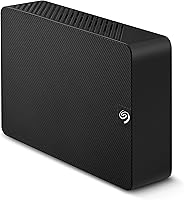
The Seagate Expansion 28TB External Hard Drive is purpose-built for people who have outgrown conventional storage and need a single, reliable destination for large volumes of data. Video editors, photographers, and musicians with years of project files will immediately appreciate having that much headroom in one place, without the overhead of managing a stack of smaller drives. Small business owners or freelancers who handle client archives, raw footage exports, or nightly system backups will find the capacity and plug-and-play setup genuinely practical rather than just impressive on paper. It also suits home users who want a long-term backup solution they can largely set up once and forget about, especially those running Windows who get true zero-configuration use right out of the box. If you value the added reassurance of professional data recovery coverage baked into the purchase, this high-capacity desktop drive offers something most bare-bones competitors simply do not.
Not suitable for:

The Seagate Expansion 28TB External Hard Drive is not the right tool for every storage problem, and being clear about that upfront will save some buyers real frustration. If you need fast random access — for editing directly off the drive, running applications, or working with databases — a mechanical HDD at any capacity will feel sluggish compared to an SSD, and this drive is no exception. Laptop users or anyone who needs portable, bus-powered storage should look elsewhere; this is a desktop unit that requires an external power adapter and is not designed to travel. Mac users planning to use Time Machine should know that reformatting is required before the drive works with Apple’s backup system — it is a manageable step, but it is not plug-and-play on macOS. Anyone expecting the Rescue Data Recovery Services to function as unconditional insurance should read the fine print carefully, as coverage is time-limited and subject to specific conditions. If your priority is silent operation or running 24/7 in a noise-sensitive environment, the audible hum of a 7200 RPM mechanical drive may also be a dealbreaker.
Specifications

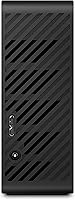
  • Storage Capacity: This drive offers 28TB of total storage, suited for large-scale archival and backup workloads.
  • Drive Type: It uses a traditional mechanical hard disk drive (HDD) with spinning platters, not solid-state memory.
  • Form Factor: The internal mechanism uses a standard 3.5-inch hard disk form factor housed in a desktop enclosure.
  • Interface: Connectivity is handled via USB 3.0, which supports fast sequential data transfers on any modern computer.
  • Rotational Speed: The drive spindle operates at 7200 RPM, offering better sequential throughput than lower-speed 5400 RPM alternatives.
  • Dimensions: The enclosure measures 1.65 x 7.04 x 4.92 inches, making it compact enough for a standard desktop workspace.
  • Weight: The unit weighs 2.59 pounds, reflecting its desktop-class internal components and enclosure build.
  • Power Supply: The drive requires an external power adapter for operation and does not draw power through the USB connection alone.
  • OS Compatibility: It works plug-and-play on Windows systems; Mac users need to reformat the drive before it works with Time Machine.
  • Included Service: Rescue Data Recovery Services are bundled with the drive, providing professional data recovery assistance under defined conditions.
  • Installation Type: This is an external desktop drive and is not designed for internal installation or portable travel use.
  • File System: The drive ships pre-formatted for Windows compatibility; reformatting is required for full Mac or cross-platform use.
  • Brand: Manufactured and sold by Seagate, one of the most established names in consumer and enterprise hard drive storage.
  • Amazon Ranking: This drive holds the number one bestseller rank in the External Hard Drives category on Amazon at time of listing.
  • User Rating: The drive carries a 4.6-star average rating based on over 266,000 customer reviews on Amazon.
  • Connectivity Type: The sole connectivity method is USB, requiring no proprietary adapters or special drivers on supported operating systems.
  • Release Date: The product was first made available in March 2025, placing it among the more recent releases in Seagate’s Expansion lineup.
  • Model Number: The official Seagate model identifier for this unit is STKP28000400.

Related Reviews

Seagate Expansion 22TB External Hard Drive
81%
94%
Storage Capacity
88%
Performance (Transfer Speed)
91%
Ease of Setup
87%
Reliability (Data Recovery Services)
83%
Compatibility (Windows and Mac)
More
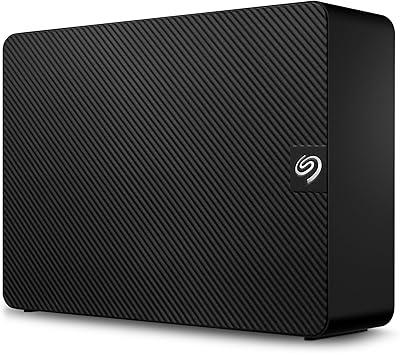
Seagate Expansion 10TB External Hard Drive
82%
95%
Capacity & Storage
90%
Transfer Speed
92%
Ease of Setup
85%
Build Quality
78%
Reliability
More
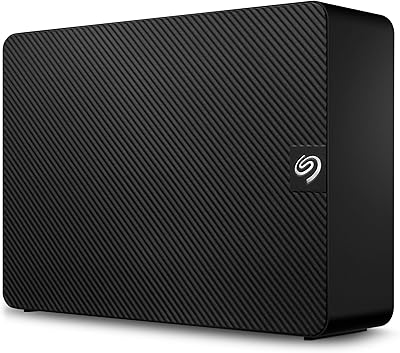
Seagate Expansion 24TB External Hard Drive
71%
93%
Value for Money
97%
Storage Capacity
91%
Ease of Setup
68%
Transfer Speed
72%
Build Quality
More
Seagate Expansion 8TB External Hard Drive
71%
91%
Value for Money
93%
Ease of Setup
94%
Storage Capacity
67%
Transfer Speed
72%
Build Quality
More
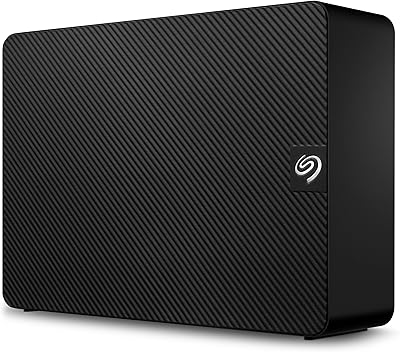
Seagate Expansion 18TB External Hard Drive
74%
88%
Value for Money
93%
Storage Capacity
84%
Setup & Ease of Use
61%
Transfer Speed
71%
Long-term Reliability
More
Seagate Expansion 6TB External Hard Drive
73%
93%
Ease of Setup
91%
Storage Value
67%
Transfer Speed
88%
Data Recovery Service
72%
Build Quality
More
Seagate Expansion 5TB Desktop External Hard Drive
67%
91%
Storage Value
93%
Ease of Setup
58%
Long-Term Durability
72%
Transfer Speed
63%
Build Quality
More
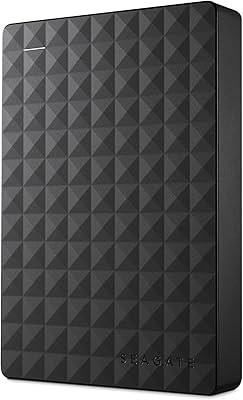
Seagate Expansion Portable 1TB External Hard Drive
85%
88%
Performance
94%
Setup & Installation
91%
Portability & Size
89%
Compatibility
87%
Value for Money
More
Seagate Expansion 4TB Portable External Hard Drive
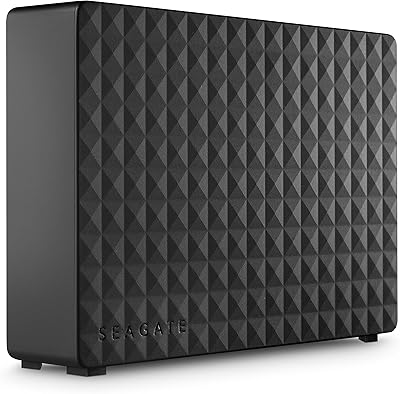
74%
94%
Ease of Setup
91%
Storage Capacity
66%
Transfer Speed
73%
Build Quality
88%
Portability
More
Seagate Expansion Desktop 16TB External Hard Drive
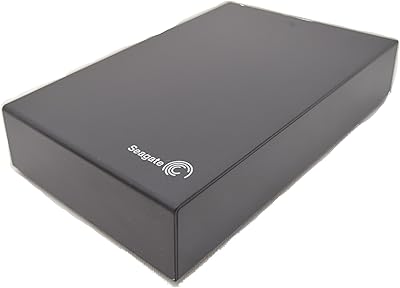
85%
94%
Capacity
92%
Ease of Use
90%
Setup/Installation
87%
Performance Speed
83%
Build Quality
More

FAQ

No, there is no software installation required for Windows users. Just plug in the power adapter and USB cable, and the drive will be recognized automatically. You can start dragging and dropping files right away without any additional setup steps.

It will work with a Mac, but not straight out of the box for Time Machine. You will need to reformat the drive to a Mac-compatible file system first, which takes just a few minutes using Disk Utility. Once reformatted, it functions normally as a Time Machine destination. Just keep in mind that reformatting will erase any existing data on the drive, so do that before adding files.

As a 7200 RPM mechanical drive, you will hear it during active read and write operations — a low hum or occasional clicking sound is completely normal. It is not disruptively loud, but if your workspace is very quiet, you will notice it. If silence is a priority, an SSD-based external drive would be a better fit.

You can edit lower-bitrate footage directly from this Seagate Expansion HDD, but for heavy 4K or RAW video editing workflows, a USB-connected mechanical drive may introduce some lag or stuttering on complex timelines. It is best used as a backup and archival destination rather than a primary working drive for high-demand editing.

The service provides access to professional data recovery if your files become inaccessible due to accidental deletion, corruption, or certain types of drive failure. Coverage is typically valid for three years from the date of purchase and applies under specific conditions outlined in Seagate’s terms. It is a genuinely useful addition, but it is not unconditional — read the terms so you know what scenarios are and are not covered before relying on it as your only safety net.

Some users have noted that the enclosure warms up noticeably during long backup sessions or extended operation, which is fairly typical for high-capacity mechanical drives in compact enclosures. It should not reach temperatures that cause concern under normal use, but placing it in an area with decent airflow is a good habit. Avoid stacking items directly on top of it.

The drive ships with a USB 3.0 connection, which is backward and forward compatible with USB 3.1 and USB 3.2 ports. If your computer only has USB-C ports, you will need a USB-A to USB-C adapter or a hub, as the included cable uses a standard USB-A connector. Transfer speeds will be capped at USB 3.0 rates regardless of the port speed.

That is one of the most common reasons buyers choose the 28TB Expansion — consolidating a messy collection of smaller drives into a single unit simplifies everything from cable management to long-term organization. As long as the combined data on your existing drives fits within 28TB, this is a clean and practical way to streamline your setup.

Compatibility depends on the specific device. Many smart TVs and consoles support USB drives, but they often require a specific file system format such as FAT32 or exFAT. Since the 28TB Expansion ships pre-formatted for Windows (NTFS), you may need to reformat it to a format your device supports. Check your TV or console documentation for supported formats and maximum drive capacities before purchasing for that purpose.

In practical terms, a single large drive is simpler to manage, uses fewer USB ports, and takes up less desk space than three or four separate drives. The trade-off is that all your eggs are in one basket — if this drive fails, you lose everything stored on it unless you have a separate backup. Using this high-capacity desktop drive as one half of a two-location backup strategy, rather than your only copy of important data, is the smarter long-term approach.