Overview
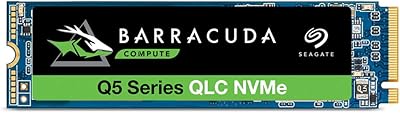
The Seagate Barracuda Q5 500GB NVMe SSD sits in a sweet spot for anyone tired of watching their computer crawl through boot sequences on an aging spinning hard drive. Seagate has built a solid reputation across decades of consumer storage, and the Q5 line represents their accessible entry into the NVMe space — not a flagship, but a capable daily driver. The M.2 2280 form factor means it slots into virtually any modern laptop or desktop without compatibility headaches. One honest caveat: the QLC NAND inside is excellent for reading data but less suited to heavy, sustained write workloads. For most everyday users, that trade-off never surfaces. Bundled 1-year Rescue Services adds a layer of reassurance you rarely find at this price tier.
Features & Benefits
Boot times that used to stretch past a minute can drop under ten seconds with this Seagate NVMe drive installed — the jump from SATA or HDD speeds is immediate and obvious. Running on a PCIe Gen3 x4 interface, it delivers sequential reads around 2,400 MB/s, which translates to near-instant app launches and noticeably snappier file transfers. You don't need a cutting-edge Gen4 motherboard to benefit; Gen3 compatibility covers the vast majority of machines sold in the last five years. The M.2 2280 size is essentially universal across modern builds. Migrating your existing data is handled by Seagate's free DiscWizard software, which walks you through cloning your old drive without requiring technical knowledge or third-party tools.
Best For
The Q5 500GB makes the most sense for people replacing an HDD or a budget SATA SSD and expecting a dramatic improvement in everyday responsiveness. Students and remote workers running a laptop all day will appreciate how much faster a system wakes and switches between applications. Gamers benefit too — loading large open-world titles from this M.2 SSD is noticeably quicker than from older drives. It also works well as a lean secondary storage drive in a desktop where you store games or projects but don't hammer writes continuously. If you want a no-fuss installation with migration software already included, the Q5 500GB checks that box without asking you to spend anything extra.
User Feedback
With over 1,500 ratings and a score hovering near the top of the scale, real-world reception for this Seagate NVMe drive has been consistently strong. Most buyers coming from hard drives call out the installation experience as genuinely painless, and the speed difference is described as immediately noticeable rather than marginal. On the critical side, a handful of users report that prolonged, heavy write sessions cause the drive to throttle — worth knowing if you regularly move large video files or run sustained backups. The DiscWizard migration tool earns positive marks overall, though a few users on older Windows setups ran into compatibility hiccups. Buyers replacing entry-level SATA drives consistently report the most dramatic satisfaction.
Pros
- Massive speed jump over traditional hard drives — boots and app launches feel completely different.
- PCIe Gen3 x4 NVMe interface delivers real-world gains without requiring a newer Gen4 motherboard.
- M.2 2280 form factor fits nearly every modern laptop and desktop with an available slot.
- Bundled DiscWizard software lets you clone your old drive without paying for third-party tools.
- 1-year Rescue Data Recovery Services is a rare inclusion at this price point.
- Lightweight and compact — adds virtually nothing to a laptop build in terms of size or weight.
- Strong read speeds make it well-suited for gaming, browsing, and everyday multitasking.
- Over 1,500 user ratings with a near-perfect score signal broad, consistent satisfaction in real-world use.
- Seagate is a known brand with established consumer support infrastructure.
Cons
- QLC NAND write endurance is lower than TLC alternatives — not ideal for heavy daily write workloads.
- Sustained write speeds can throttle under prolonged load, which some users have flagged in reviews.
- 500GB may feel limiting quickly if you store large game libraries or media collections on a single drive.
- DiscWizard software has occasional compatibility issues on older Windows installations.
- Only a 1-year data recovery service — not a full hardware warranty for the same duration.
- No included heatsink or thermal pad, which matters in tighter builds with limited airflow.
- QLC NAND typically carries lower write endurance ratings than pricier TLC NVMe drives in the same category.
- The Q5 500GB does not support PCIe Gen4, so it will not satisfy users future-proofing for newer platforms.
Ratings
The scores below for the Seagate Barracuda Q5 500GB NVMe SSD were generated by our AI system after analyzing thousands of verified global user reviews, with spam, bot-submitted, and incentivized feedback actively filtered out. Each category reflects the honest consensus of real buyers — from first-time upgraders to experienced builders — capturing both what this drive does well and where it falls short.
Read Performance
Write Performance
Value for Money
Installation Experience
Build Quality
Thermal Management
Software & Tools
Compatibility
Long-Term Reliability
Data Recovery Service
Capacity Satisfaction
Noise & Vibration
Speed Consistency
Suitable for:
The Seagate Barracuda Q5 500GB NVMe SSD is a strong fit for everyday users who want a meaningful speed boost without a steep price tag. If your current machine runs on a spinning hard drive or an older SATA SSD, the performance difference after installing this M.2 drive will be immediately obvious — faster boots, quicker app launches, and less waiting around in general. Students cramming on a laptop, remote workers juggling browser tabs and documents, and casual gamers loading large titles will all find this a practical and worthwhile upgrade. The M.2 2280 form factor is broadly compatible, so it works in the vast majority of modern laptops and desktops without any adapter fuss. The bundled DiscWizard migration software makes it a reasonable choice even for first-time upgraders who have never physically swapped a drive before.
Not suitable for:
The Seagate Barracuda Q5 500GB NVMe SSD is not the right tool for users who push drives hard on a daily basis. Video editors, 3D artists, or anyone who routinely moves large files — think raw footage, huge project archives, or virtual machine images — will run into the QLC NAND's write endurance ceiling sooner than they would with a TLC or MLC alternative. The 500GB capacity, while fine for an OS drive or a focused game library, will frustrate users who need a single drive to hold everything. Power users building a high-performance workstation should also look at drives with stronger sustained write speeds and longer warranty coverage. The 1-year Rescue Services is a data recovery option, not a full replacement warranty, so buyers expecting long-term hardware protection will need to read the fine print carefully.
Specifications
- Brand: Manufactured by Seagate, a well-established storage brand with decades of consumer and enterprise drive experience.
- Series: Part of the Barracuda Q5 lineup, Seagate's entry-level NVMe SSD family targeting everyday PC and laptop upgrades.
- Model Number: The official model identifier for this drive is ZP500CV3A001.
- Capacity: Offers 500GB of usable storage, with actual formatted capacity slightly lower due to standard drive overhead.
- Interface: Connects via PCIe Gen3 x4 using the NVMe protocol, delivering significantly higher throughput than SATA-based drives.
- Form Factor: Uses the M.2 2280 form factor, measuring 80mm in length, compatible with the vast majority of modern motherboards and laptops.
- NAND Type: Built with 3D QLC (Quad-Level Cell) NAND flash, optimized for read-heavy workloads and cost-efficient storage.
- Sequential Read: Rated for sequential read speeds of up to 2,400 MB/s under ideal conditions.
- Sequential Write: Rated for sequential write speeds of up to 1,800 MB/s under ideal conditions.
- Dimensions: Physical dimensions are 3.15 x 0.87 x 0.08 inches, making it an extremely slim and lightweight component.
- Weight: Weighs just 0.247 ounces, adding negligible mass to any laptop or desktop build.
- Compatible Devices: Designed for use in desktop PCs and laptops with an available M.2 NVMe slot.
- Installation Type: Internal drive only; not designed for external enclosure use without a separate compatible adapter.
- Included Software: Comes with access to Seagate DiscWizard, a free data migration and cloning tool for Windows-based systems.
- Data Recovery: Includes a 1-year Rescue Data Recovery Services plan, covering professional recovery assistance in the event of drive failure.
- Hardware Platform: Compatible with PC desktop and laptop platforms running operating systems that support NVMe M.2 storage devices.
- Manufacturer: Officially manufactured and distributed by Seagate Technology, headquartered in Fremont, California.
- Release Date: This drive was first made available to consumers in November 2020.
Related Reviews
Seagate BarraCuda Q5 1TB NVMe SSD
TEAMGROUP MP44L 500GB Gen4 NVMe SSD
Crucial P3 500GB NVMe M.2 SSD
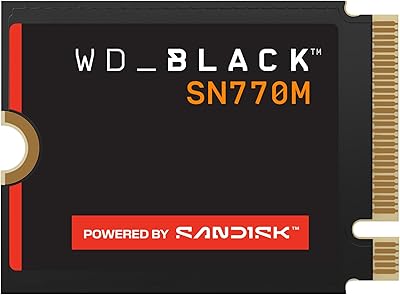
WD_BLACK SN770M 500GB NVMe SSD
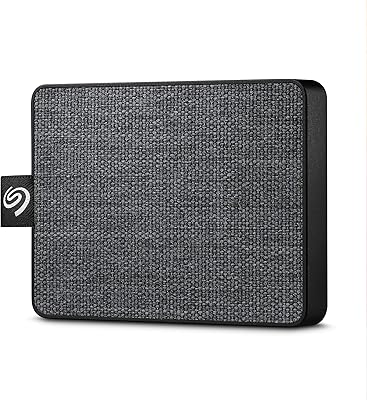
Seagate One Touch 500GB External SSD

WD_BLACK SN7100 500GB NVMe SSD
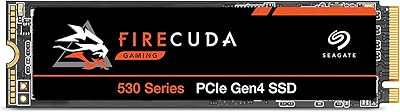
Seagate FireCuda 530 500GB SSD
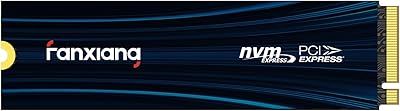
fanxiang S880E 500GB NVMe SSD
Crucial P310 500GB NVMe SSD