Overview

The Seagate BarraCuda Pro 12TB Internal Hard Drive sits at the top of Seagate's consumer desktop HDD lineup, designed for power users, creative professionals, and home server builders who have outgrown mid-range storage. Twelve terabytes is a serious commitment — we're talking about bulk local storage for 4K video libraries, years of RAW photography, or a packed home media server. The BarraCuda Pro line is positioned above the standard BarraCuda, targeting heavier workloads and longer operational life. This is a 3.5-inch SATA drive, which means it belongs inside a desktop tower or a direct-attached enclosure — not a laptop bag. And it's mechanical, so manage expectations accordingly: excellent sequential throughput, but no SSD-class responsiveness.

Features & Benefits

Running at 7200RPM with sustained transfers up to 250MB/s, the BarraCuda Pro handles large sequential workloads well. Copying a 100GB video project takes minutes rather than the half-hour crawl you'd see with a 5400RPM drive. The 256MB cache buffer is notably generous for a consumer HDD, smoothing out burst reads when you're jumping between large files rapidly. The 6Gb/s SATA interface is the pipeline, not the bottleneck — actual throughput will always be governed by the spinning platters. What genuinely stands out is the bundled Rescue recovery service, offering two years of data recovery coverage against mechanical failure or accidents. Paired with a 5-year warranty and a 300TB/year workload rating, this drive signals it's built for real sustained use, not casual occasional access.

Best For

This 12TB desktop drive makes the most sense for people who regularly move or generate large files. Video editors working with 4K or 6K footage, photographers sitting on terabytes of RAW archives, or anyone building a home media server will find the capacity and speed genuinely useful. Desktop PC builders chasing bulk secondary storage at a reasonable cost per terabyte are also a natural fit. That said, if you're considering this for a NAS enclosure, pump the brakes — the BarraCuda Pro is rated for desktop and direct-attached storage use, not always-on network-attached environments. And regardless of use case, treat this as one layer of your storage strategy, not the whole plan. A single drive of any kind is not a backup.

User Feedback

With a 3.7-out-of-5 rating across 52 reviews, this high-capacity internal HDD sits in mixed territory — and that's worth taking seriously. On the positive side, buyers consistently praise the raw capacity, fast file transfer speeds for large sequential workloads, and the included Rescue service, with several users noting it actually delivered when a drive failed. The friction points are harder to ignore: a notable subset of reviewers reported early drive failures or units that arrived dead. That's not unusual across the HDD industry, but it's more concerning at this price point. With only 52 reviews, the sample is too small to draw firm reliability conclusions either way. The 5-year warranty and recovery service help soften that risk, but pair this drive with a solid backup routine regardless.

Pros

  • 12TB of local storage comfortably holds years of 4K footage, RAW photo archives, or large project libraries without running out of room.
  • The 7200RPM spindle speed delivers noticeably faster large-file transfers compared to slower 5400RPM consumer drives.
  • A 256MB cache buffer, generous for a desktop HDD, helps smooth out burst reads when accessing multiple large files quickly.
  • Bundled 2-year Seagate Rescue data recovery service provides real-world insurance against mechanical failure or accidental damage.
  • A 5-year manufacturer warranty is unusually generous for a desktop hard drive and adds meaningful long-term peace of mind.
  • The 300TB/year workload rating makes this a practical pick for users who move large files daily rather than occasionally.
  • Cost per terabyte remains far more affordable than equivalent SSD storage, making bulk local storage economically reasonable.
  • Sequential transfer speeds up to 250MB/s keep large media file workflows, like exporting edited footage, moving at a practical pace.

Cons

  • A 3.7-out-of-5 rating across only 52 reviews raises legitimate questions about long-term reliability that are hard to ignore.
  • Multiple buyers reported DOA units or early failures, which is a more serious concern at a premium price point.
  • No official NAS certification means using this in an always-on network enclosure carries real compatibility and longevity risk.
  • Random read/write speeds are limited by spinning platters, leaving everyday desktop responsiveness far behind even entry-level SSDs.
  • With only 52 total reviews, there is not enough data yet to draw confident conclusions about the drive's real-world failure rate.
  • Operational noise and vibration are inherent to 7200RPM mechanical drives, which may be noticeable in quieter desktop environments.
  • The 3.5-inch internal form factor restricts installation to desktop towers and compatible enclosures only, with no portable use case.
  • Storing 12TB on a single mechanical drive without redundant backup creates substantial data loss exposure if the drive fails unexpectedly.

Ratings

Our AI-generated scores for the Seagate BarraCuda Pro 12TB Internal Hard Drive are built by analyzing verified buyer feedback from across the globe, with spam, bot-driven, and incentivized reviews actively filtered out before any score is assigned. The ratings reflect the full picture — where this high-capacity desktop drive earns genuine praise and where real owners ran into frustration. Strengths and pain points are weighted equally so you can make a confident, grounded purchasing decision.
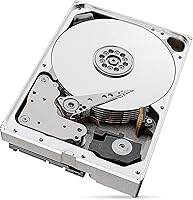
Sequential Transfer Speed
83%
Users moving large 4K video files or batch-exporting RAW photo libraries consistently praised the transfer speeds, with many reporting real-world copy rates comfortably in the 220–245MB/s range. For desktop workflows built around large sequential files, this puts the BarraCuda Pro meaningfully ahead of budget 5400RPM drives in day-to-day throughput.
The speed ceiling is firmly mechanical — anyone expecting SSD-like file launch times or snappy OS responsiveness will be disappointed. Several reviewers noted that once workloads shifted toward lots of small files rather than large sequential chunks, the drive felt noticeably sluggish by modern storage standards.
Storage Capacity Value
88%
Twelve terabytes of local desktop storage remains extremely difficult to match at this cost per gigabyte using flash storage. Creative professionals building out media archives, home server builders, and photographers with years of accumulated RAW files all cited the raw capacity as the single most compelling reason to choose this drive.
The value calculation shifts quickly if reliability concerns materialize — a drive failure at this capacity without a redundant backup represents a catastrophic data loss event. Some buyers felt the unit cost was harder to justify given the mixed early-failure reports scattered across independent user reviews.
Mechanical Reliability
61%
39%
When functioning as intended, the drive ran stably in well-ventilated tower cases and held up under moderate daily workloads for multiple users. Some longer-term owners reported trouble-free operation well into their second and third year of use, consistent with what a 5-year warranted desktop drive should deliver.
The 3.7-star overall rating is dragged down by a recurring pattern of DOA units and early-life failures cited across multiple independent reviews. For a drive sold at a premium price point, that failure pattern — even if statistically modest — creates genuine hesitation among buyers who cannot afford unexpected downtime or data loss.
Data Recovery Service
91%
The bundled 2-year Seagate Rescue service is one of the most tangible differentiators in this drive's favor, and users who actually needed it reported a positive recovery experience. For professionals storing irreplaceable client work or creative projects, having a lab-grade recovery option baked in at no extra cost is meaningful real-world insurance.
The service covers the recovery attempt but does not guarantee successful retrieval, and coverage expires after two years with no automatic renewal. A few buyers were caught off guard when they assumed the protection was permanent, only to discover ongoing coverage requires a separate paid subscription after the bundled period lapses.
Value for Money
72%
28%
At the 12TB tier, the cost per terabyte undercuts any comparable SSD option by a wide margin, and the 5-year warranty plus bundled recovery service add measurable coverage that most bare drives at this size simply do not include. For users with a clear bulk-storage use case, the overall package is hard to dismiss.
The value proposition weakens considerably once reliability concerns are factored in — an early failure multiplies the real cost through lost time, data risk, and warranty return logistics. Buyers comparing this against more consistently reviewed competitors in the same capacity bracket may find the confidence-to-price ratio harder to accept.
Warranty Coverage
87%
A 5-year manufacturer warranty is unusually generous for a consumer desktop HDD and signals meaningful confidence in the drive's intended lifespan. Users who processed RMA claims generally found the replacement pathway functional, even if it was not without the standard waiting periods associated with drive warranty returns.
Warranty coverage handles drive replacement, not data recovery, so buyers who experienced failures still had to navigate data loss risk separately. A handful of reviewers mentioned turnaround times that created multi-day workflow disruptions for users relying on the drive as their primary active working storage.
Cache Performance
79%
21%
The 256MB DRAM buffer is roughly double what most standard consumer hard drives carry, and its benefit is noticeable when handling mixed large-file bursts — switching between ongoing media projects or ingesting multiple camera cards simultaneously felt more fluid than on cache-constrained alternatives.
The larger cache smooths burst behavior but does not change the underlying mechanical speed ceiling, and its advantage is most apparent in specific burst scenarios rather than sustained sequential workloads. Users who expected the cache to meaningfully accelerate random small-file access were consistently underwhelmed by the real-world result.
Noise & Vibration
67%
33%
In a properly insulated mid-tower case, the drive operates at an acceptable noise level during typical desktop use, and the dual-plane balance control does a reasonable job of limiting vibration felt through the chassis during sequential reads. Users running single-drive setups in larger enclosures generally found it unobtrusive during normal workloads.
At 7200RPM, this is audibly louder than 5400RPM consumer alternatives, and users building quiet workstations or home theater PCs noticed it clearly during active file operations. A few reviewers in multi-drive tower setups mentioned that resonance between adjacent drives became noticeable without additional acoustic dampening or rubber isolation mounts.
Compatibility
74%
26%
The SATA 6Gb/s interface works with virtually any desktop motherboard or add-in controller card produced in the last decade, making installation compatibility a non-issue for the vast majority of desktop PC and direct-attached enclosure setups. Users upgrading older towers or adding secondary storage praised the universally plug-and-play nature of the connection.
The drive is not officially certified for NAS use, limiting its appeal for buyers hoping to drop it into an always-on network enclosure without caveats. Some users also found that running it on older SATA II controllers produced slightly throttled throughput, though that edge case is rare in modern builds.
Installation Experience
82%
18%
Physical installation was straightforward for most users — standard 3.5-inch mounting, a SATA data cable, and a power connector are all that is required. Users newer to building desktop PCs found the process no more complex than any other 3.5-inch drive, and OS-level initialization added only a few extra minutes.
The drive ships as a bare unit with no included SATA cable, which catches first-time builders off guard if their motherboard box did not include spares. A recurring complaint involved confusion about needing to manually initialize and partition the drive before it appeared as usable storage in Windows or macOS.
Workload Endurance
84%
The 300TB/year workload rating sits well above the 55TB/year typical of standard desktop HDDs, making this a credible pick for power users continuously writing and reading large volumes of data. Video production professionals and high-volume backup users running daily large-file transfers found it held up well under that level of sustained demand.
Despite the elevated rating, this remains a desktop-class drive, and running it in conditions that exceed its designed parameters — like continuous 24/7 operation in a NAS — risks accelerated wear the workload spec was not intended to cover. The rating defines the ceiling for appropriate use, not a blanket endorsement for any environment.
Random Access Performance
43%
57%
For purely sequential workflows — bulk transfers, local video playback, large backup operations — the mechanical design performs adequately, and users focused exclusively on those tasks rarely raised access speed as a complaint. The 7200RPM spin speed does provide a modest edge over slower mechanical drives even in mixed-access scenarios.
Random I/O performance is the fundamental weakness of any high-RPM mechanical drive, and this one is no exception. Users who installed it as a primary or boot drive expecting Windows or application load times anywhere close to SSD performance were consistently let down — mechanical rotational latency is a hard physical constraint that cache and spin speed cannot overcome.
Heat Management
71%
29%
In desktop towers with adequate airflow, the drive maintained stable operating temperatures under prolonged sequential workloads, and no users reported thermal throttling under standard desktop use conditions. The drive's platter design limits heat buildup reasonably well compared to older high-capacity desktop HDDs from the same era.
Running the drive in poorly ventilated compact cases led to elevated temperatures flagged by some users during extended intensive operations. At 7200RPM with high-density platters, it generates more ambient heat than a 5400RPM alternative, which matters in tight builds or environments with naturally warm ambient temperatures.
Software & Extras
66%
34%
The bundled Seagate Rescue subscription adds tangible real-world value beyond the bare hardware, and users who registered their drives found the warranty portal straightforward to navigate when initiating RMA or recovery requests. The recovery service in particular stood out as a meaningful addition that most competing bare drives at this capacity simply do not offer.
Seagate's optional companion software is fairly basic and adds little beyond what the operating system already provides natively for drive health and management. The absence of included SATA cables or mounting hardware is a minor but recurring complaint, particularly from first-time builders who expected at least minimal accessories in the box.

Suitable for:

The Seagate BarraCuda Pro 12TB Internal Hard Drive is purpose-built for users who live and work with large files on a desktop machine. Video editors archiving 4K or 6K project footage, photographers managing sprawling RAW image libraries, and content creators who need a fast, high-capacity secondary drive will get genuine value here. The 7200RPM spin speed and sustained transfer rates make moving multi-gigabyte files noticeably faster than budget 5400RPM alternatives, which matters when you're regularly ingesting or exporting large batches. Desktop PC builders looking to maximize local storage without paying SSD prices per terabyte will also find this a sensible fit for a secondary data drive. Anyone who values having built-in data recovery insurance — especially for irreplaceable creative work — benefits from the bundled Seagate Rescue service that comes standard with this drive.

Not suitable for:

If you're expecting SSD-level responsiveness for booting, launching apps, or snappy everyday use, the Seagate BarraCuda Pro 12TB Internal Hard Drive will disappoint — no spinning hard drive can close that gap, regardless of cache size or spin speed. Users building a true always-on NAS setup should also look elsewhere, since this drive is rated for desktop and direct-attached storage use rather than the continuous, multi-drive workloads that NAS-certified drives are engineered to handle. Anyone working from a laptop or a compact build without a 3.5-inch drive bay has no practical path to using this form factor at all. If your storage needs sit in the range of a terabyte or two, this much capacity is genuine overkill and the pricing reflects that. Finally, relying on this as your sole storage location — without a backup — is a serious risk at any drive capacity, but especially with 12TB of data on the line.

Specifications

  • Capacity: This drive provides 12TB of formatted storage capacity, suited for large media libraries, project archives, and data-intensive desktop workloads.
  • Form Factor: It uses the standard 3.5-inch form factor, requiring an open internal bay in a desktop tower, workstation, or compatible direct-attached enclosure.
  • Interface: The drive connects via a SATA 6Gb/s interface, compatible with any modern desktop motherboard or add-in SATA controller card.
  • Spindle Speed: It spins at 7200RPM, the fastest standard speed for consumer mechanical hard drives, enabling strong sustained sequential read and write performance.
  • Transfer Rate: Sustained sequential read speeds reach up to 250MB/s, making large file transfers noticeably faster than typical 5400RPM consumer drives.
  • Cache Buffer: A 256MB DRAM cache buffer, larger than most consumer HDDs, helps maintain consistent throughput during burst read and write operations on large files.
  • Drive Type: This is a conventional magnetic recording (CMR) mechanical hard drive, offering stable and predictable write performance without the degradation found in SMR drives.
  • Warranty: Seagate backs this drive with a 5-year limited manufacturer warranty covering defects in materials and workmanship from the date of purchase.
  • Workload Rating: The drive is rated for up to 300TB of data written per year, comfortably supporting heavier-than-average desktop and creative workstation use.
  • Data Recovery: Every unit includes a 2-year Seagate Rescue Data Recovery Service, covering data loss caused by mechanical failure, accidental damage, or natural disaster.
  • Weight: The drive weighs 1.32 pounds, typical for a 3.5-inch multi-platter high-capacity mechanical hard drive.
  • Dimensions: Physical dimensions measure 5.79 x 4.01 x 1.03 inches, fitting standard 3.5-inch drive bays without any modification or adapter.
  • Compatible Devices: Officially compatible with desktop PCs, all-in-one computers, creative workstations, and direct-attached storage (DAS) enclosures.
  • Installation: Designed for internal installation only; this drive must be mounted inside a desktop case or enclosure and is not intended for standalone external use.
  • Model Number: The model identifier for this 12TB variant is ST12000DM0007, useful for verifying compatibility, registering the warranty, or ordering a replacement.

Related Reviews
Seagate BarraCuda Pro 6TB Internal Hard Drive
87%
88%
Performance
95%
Storage Capacity
89%
Speed (7200 RPM)
85%
Reliability
91%
Ease of Setup
More
Seagate BarraCuda Pro 10TB Internal Hard Drive
74%
93%
Storage Capacity
78%
Read/Write Performance
61%
Reliability & Longevity
54%
Noise & Vibration
91%
Warranty Coverage
More
Seagate BarraCuda Pro 1TB 7200RPM Internal Hard Drive
87%
92%
Performance
90%
Speed
88%
Reliability
95%
Ease of Installation
65%
Noise Levels
More
Seagate BarraCuda Pro 500GB Internal Hard Drive
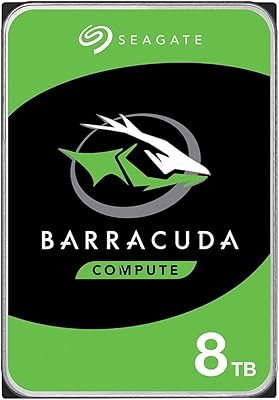
75%
74%
Read/Write Performance
83%
Reliability & Longevity
67%
Value for Money
58%
Noise & Vibration
91%
Compatibility
More
Seagate Barracuda 6TB Internal Hard Drive
77%
93%
Value for Money
91%
Storage Capacity
74%
Reliability & Longevity
89%
Installation Ease
61%
Read/Write Performance
More
Seagate BarraCuda ST8000DM004 8TB Internal Hard Drive
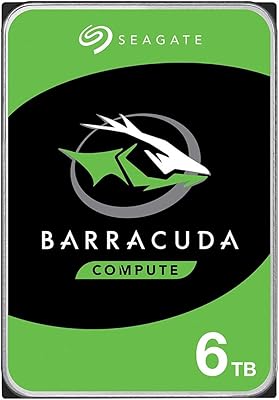
73%
93%
Storage Capacity Value
67%
Reliability & Longevity
61%
Read & Write Performance
89%
Installation & Compatibility
63%
Noise & Vibration
More
Seagate BarraCuda 4TB Internal Hard Drive
87%
86%
Performance
90%
Reliability
93%
Setup & Installation
95%
Storage Capacity
72%
Data Transfer Speed
More
Seagate BarraCuda ST1000DM010 1TB Internal Hard Drive
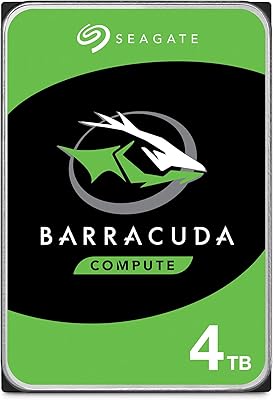
77%
91%
Value for Money
74%
Reliability & Longevity
79%
Read & Write Performance
93%
Installation Ease
68%
Noise & Vibration
More
Seagate BarraCuda 2TB Internal Hard Drive
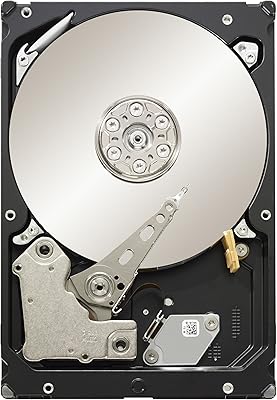
79%
91%
Value for Money
74%
Transfer Speed
77%
Reliability & Longevity
93%
Installation Ease
79%
Noise Level
More
Seagate Barracuda ST5000DM000 5TB Internal Hard Drive
83%
91%
Value for Money
94%
Storage Capacity
88%
Ease of Setup
85%
Performance for General Use
65%
Speed for Demanding Tasks
More
Seagate IronWolf 12TB NAS Internal Hard Drive
82%
93%
NAS Compatibility
84%
Long-Term Reliability
91%
Data Integrity & CMR Technology
82%
Read/Write Performance
88%
Vibration & Noise Management
More

FAQ

Yes, as long as your desktop has an open 3.5-inch drive bay and a free SATA port, installation is straightforward. Most mid-tower and full-tower cases have at least one available bay, and the SATA power connector is compatible with virtually all modern power supplies. Just confirm your case has the physical space before ordering.

It will physically fit in most NAS enclosures, but this drive is officially rated for desktop and direct-attached storage use — not always-on NAS environments. Seagate's IronWolf line is specifically engineered for the continuous multi-drive workloads that NAS setups demand. Using a desktop drive in a NAS is not guaranteed to fail immediately, but you are operating outside its intended workload spec, which may affect long-term reliability.

For large sequential operations — like copying a folder of 4K footage — you can realistically expect sustained speeds in the 200 to 250MB/s range. That translates to moving roughly 50GB in about four minutes, which is solid for a mechanical drive. Where it won't impress is random small-file access; for loading apps or booting an OS, an SSD is in a completely different league.

The 2-year Seagate Rescue service covers professional data recovery attempts in the event of mechanical failure, accidental damage, or natural disaster during the coverage window. If the drive fails and your data is at risk, you ship it to Seagate and their recovery lab works to retrieve it. It is a genuine differentiator over bare drives, and multiple real buyers have noted it actually came through when they needed it.

This is a CMR (conventional magnetic recording) drive, which is the more desirable type for write-heavy workloads. SMR drives can throttle significantly during sustained writes because of how they handle overlapping data tracks. CMR avoids that issue entirely, giving you predictable performance when regularly writing large batches of files.

You will need a desktop case with an available 3.5-inch bay, a free SATA data cable, and a spare SATA power connector from your power supply unit. No special tools beyond a basic screwdriver are required for most cases. Once physically installed, your operating system will detect it, but you will need to initialize and format it as a new volume before it is ready to use.

It is worth taking seriously, particularly at this price point. The most frequently cited complaints involve DOA units or early mechanical failures, which are real concerns even though some failure rate is normal across all hard drive brands. The sample of 52 reviews is relatively small, so it is hard to draw firm statistical conclusions either way. The 5-year warranty and included recovery service do provide meaningful protection, but they are not a substitute for keeping your own backup.

No single drive — of any brand or capacity — should ever be your sole copy of important data. At 12TB, a failure without a backup could mean losing an enormous amount of irreplaceable work. Use this as one part of a broader storage strategy that includes either a cloud backup, a second local drive, or both.

Seven-thousand-RPM drives are audibly louder than their 5400RPM counterparts, particularly when seeking data across platters during heavy reads or writes. In a well-insulated mid-tower case, most users find it acceptable during everyday use, but it will be noticeable during sustained transfers. If you are building a near-silent workstation, it is worth factoring in case dampening or comparing against quieter, lower-RPM options for archival storage.

No special drivers are required; modern versions of Windows, macOS, and Linux will recognize the drive automatically once it is connected. If it is being used as a secondary data drive rather than a boot drive, you will need to use your operating system's disk management utility to initialize, partition, and format it before storing files. Seagate does offer optional companion software, but it is not necessary for the drive to function.