Overview

The Seagate Barracuda ST5000DM000 5TB Internal Hard Drive sits in Seagate's long-running BarraCuda lineup — a series aimed at everyday desktop users who need bulk storage without stepping into enterprise pricing. At 5TB, it occupies a sweet spot that appeals to home users building out media libraries or prosumers who have outgrown smaller drives. The price positions it squarely in mid-range territory, where buyers expect solid capacity but understand they aren't getting top-tier performance. Community reception, however, has been notably mixed, and that's worth paying attention to before committing to a purchase.
Features & Benefits

This 5TB desktop hard drive uses SMR technology — Shingled Magnetic Recording — to pack five terabytes onto a 3.5-inch platter set, connected via a SATA 6Gb/s interface that works with virtually any modern desktop motherboard. It spins at 5900 RPM rather than the more common 7200 RPM, which generally means quieter operation but reduced sustained write throughput — a trade-off that becomes noticeable under heavy workloads. A 128MB cache buffer and Seagate's AcuTrac servo technology help maintain consistent read performance. The bundled Disk Wizard software is a practical touch, letting users install large-capacity drives on older Windows systems that would otherwise struggle to recognize them.

Best For

The ST5000DM000 is well suited to users who need sheer capacity rather than speed. Think secondary storage in a desktop tower — a dedicated drive for a Plex media library, a photo archive, or a rolling backup destination. It's not the right pick for your OS partition or any application that writes data continuously in large bursts; the SMR recording method can bottleneck under those conditions. Budget-minded builders who want the most gigabytes per dollar on a standard SATA setup will find it appealing. If your workflow is mostly read-heavy — streaming stored files, browsing archives — this 5TB desktop hard drive handles that without complaint.

User Feedback

With a 3.7 out of 5 rating across around 113 reviews, community opinion on the Seagate BarraCuda drive is divided. Buyers who use it as a backup or media storage drive tend to be satisfied — easy installation and solid capacity at a fair price point come up frequently as positives. The recurring concerns, though, are harder to dismiss. A meaningful subset of reviewers report reliability issues, with some experiencing failures earlier than expected for a drive of this class. Others specifically call out the SMR architecture causing sluggish write performance during large transfers. It's a drive that can serve well in the right role, but the reliability pattern is real enough to weigh carefully in your purchase decision.

Pros

  • Five terabytes of storage offers serious capacity headroom for media libraries and long-term archives.
  • The SATA 6Gb/s interface means plug-and-play compatibility with virtually any desktop motherboard built in the last decade.
  • Bundled Disk Wizard software solves large-drive compatibility issues on older Windows systems without extra cost.
  • The 3.5-inch standard form factor drops into most desktop towers and compatible external enclosures without modification.
  • At this capacity tier, the price per terabyte is competitive against many comparable spinning drives.
  • The 128MB cache buffer helps with read-heavy workloads like streaming locally stored video files.
  • RAID compatibility opens the door to use in basic home NAS enclosures or mirrored backup setups.
  • Quieter operation compared to 7200 RPM alternatives makes it a reasonable choice for a home office or living room media PC.

Cons

  • SMR recording technology causes noticeable write slowdowns during large or sustained data transfers.
  • A 3.7 out of 5 community rating is below what most buyers expect from a dedicated storage drive at this price.
  • A meaningful number of reviewers report early drive failures, raising questions about long-term durability.
  • The 5900 RPM spin speed is slower than the 7200 RPM standard, which affects overall data access times.
  • SMR architecture makes this drive a poor fit for write-intensive RAID configurations despite its RAID-compatible label.
  • Reliability concerns make it a risky choice as a sole backup destination for important or irreplaceable files.
  • Users unfamiliar with SMR limitations may feel misled after experiencing sluggish bulk write performance post-purchase.
  • No clear firmware transparency from the manufacturer makes it harder to diagnose or anticipate failure patterns.

Ratings

Our AI rating system analyzed verified global user reviews for the Seagate Barracuda ST5000DM000 5TB Internal Hard Drive, actively filtering out incentivized, bot-generated, and spam submissions to surface genuine buyer experiences. The scores below reflect a candid picture of where this 5TB desktop hard drive earns real confidence — and where it falls short — so you can make an informed decision without wading through noise. Both the strengths that loyal users praise and the pain points that frustrated buyers flag repeatedly are transparently represented in every category.

Storage Capacity Value
83%
Five terabytes at this price tier is genuinely hard to argue with for buyers who need bulk storage on a budget. Users building out Plex libraries or local media archives repeatedly call out the cost-per-terabyte as one of the most compelling reasons they chose this drive over smaller alternatives.
The headline capacity figure can obscure the SMR trade-offs that affect how usable that space feels in practice. Buyers who expected to fill the drive quickly with large backups often hit write slowdowns before they reached half capacity, making the raw number feel less impressive post-purchase.
Write Performance
44%
56%
For light, sequential write tasks — copying a single large video file or moving a modest folder of photos — the ST5000DM000 performs acceptably and won't cause immediate frustration. Users in low-intensity roles like periodic scheduled backups report that write speeds feel adequate when the drive isn't under sustained pressure.
SMR technology is the core culprit here, and reviewers are vocal about it. Once the drive's cache fills during large sustained transfers, write speeds can drop dramatically, turning what should be a straightforward bulk copy into a hours-long wait. This is arguably the single biggest disappointment for buyers who didn't research SMR before purchasing.
Read Performance
71%
29%
Day-to-day reading — streaming a locally stored 4K file, browsing a large photo collection, or opening documents — is where this Seagate BarraCuda drive holds up reasonably well. The 128MB cache buffer helps with sequential reads, and most media consumption workflows feel smooth enough that users rarely complain about read speeds specifically.
The 5900 RPM spin speed creates a measurable ceiling on random read performance compared to 7200 RPM alternatives, and this shows up in scenarios like loading a game from the drive or accessing many small files rapidly. Users who compared it directly against faster CMR drives noticed the lag, particularly during directory-intensive operations.
Long-Term Reliability
41%
59%
A portion of the user base reports years of stable, uneventful operation when the drive is used in light-duty cold storage or secondary roles. Buyers who treated it as a media archive drive rather than a workhorse report few issues, suggesting the drive can be durable in the right conditions.
The reliability concern pattern in user reviews is too consistent to dismiss. A meaningful percentage of buyers report failures within the first one to two years, which is below expectations for a desktop drive at this tier. The 3.7 out of 5 overall rating is directly tied to this issue, and it makes the ST5000DM000 a risky choice for anyone storing data they cannot afford to lose.
Installation & Setup
86%
Physical installation is as straightforward as any standard 3.5-inch SATA drive — it drops into a desktop bay, connects with two cables, and is immediately recognized by modern operating systems. Users consistently highlight how painless the initial setup is, even for first-time builders.
The bundled Disk Wizard software, while useful for legacy systems, adds an extra step for users on older Windows installs who need the full 5TB recognized correctly. A small number of reviewers found the software interface dated and the instructions less clear than expected for a product aimed at non-technical buyers.
Noise & Vibration
74%
26%
Running at 5900 RPM rather than 7200 RPM keeps this 5TB desktop hard drive noticeably quieter during idle and light-load operation, which users in home office or living room setups appreciate. Several reviewers specifically mention it as one of the quieter drives they have owned at this capacity level.
Under active seek loads — such as when backup software is scanning and writing simultaneously — the drive produces audible clicking and mechanical noise that some users found distracting in quiet environments. Vibration in poorly damped enclosures can amplify this further, and a few users reported resonance issues in budget PC cases.
Heat Management
69%
31%
The lower rotational speed contributes to modest heat output during standard use, and buyers running the drive in well-ventilated towers report surface temperatures that stay within comfortable ranges without dedicated cooling. This makes it a reasonable fit for compact or passively cooled desktop builds.
Under prolonged heavy access — such as a long backup session or a sustained file transfer — some users noted that the drive ran warmer than expected, particularly in enclosures with limited airflow. In tight NAS cases without active fan cooling, heat management becomes a genuine concern over time.
RAID & NAS Compatibility
52%
48%
The RAID-compatible label is accurate in a narrow technical sense — the drive will function inside a basic mirrored array and is recognized by common NAS operating systems like OMV or Unraid without driver issues. For a simple two-drive mirror used primarily for reading, users report adequate stability.
SMR and RAID are a problematic combination in real-world NAS use. Under the sustained write demands of a RAID rebuild or active multi-user file server, performance degrades significantly, and some users report array instability. Experienced NAS builders consistently recommend CMR-based drives for any setup with regular write activity.
Software Bundle
67%
33%
Seagate Disk Wizard genuinely solves a real problem for users on older systems — being able to install a 5TB drive on a Windows XP or early Windows 7 machine without reformatting or buying new hardware is a practical convenience that several reviewers called out as a pleasant surprise.
The software feels dated compared to modern disk management tools, and users on current Windows 10 or 11 systems have little practical use for it since the OS handles large drives natively. The download and installation process also struck some users as unnecessarily cumbersome for what amounts to a utility tool.
Value for Money
63%
37%
On a pure gigabytes-per-dollar calculation, this Seagate BarraCuda drive is competitive within the spinning hard drive market, and buyers who understand its limitations and use it accordingly tend to feel they got reasonable value. For a bulk cold storage role, the math still works in its favor.
When reliability concerns and SMR performance caveats are factored in, the value proposition weakens considerably. Buyers who experienced early failures or found the write performance unacceptable for their workload often felt the drive did not deliver fair value, and some went on to spend more on a CMR alternative anyway.
Form Factor & Build
78%
22%
The standard 3.5-inch dimensions and conventional SATA power and data connectors mean this drive fits universally in desktop towers, docking stations, and external enclosures without adapter hassles. Build quality feels solid and consistent with what Seagate delivers across its consumer lineup.
There is nothing distinguishing about the physical construction — it is a utilitarian drive with no vibration dampening, mounting isolation, or premium finishing of any kind. Users who handle the drive carefully during installation report no issues, but the standard mounting holes and bare metal chassis offer no protection against rough handling.
OS & Platform Compatibility
81%
19%
Broad SATA compatibility ensures this 5TB desktop hard drive works across Windows, Linux, and macOS desktop environments without requiring special drivers or configuration steps on modern systems. Linux users in particular noted smooth out-of-the-box recognition across multiple distributions.
macOS users who want to use the drive with Time Machine or in an HFS+ format will need to reformat, and the bundled Disk Wizard software is Windows-only, offering no utility to Mac or Linux users. Compatibility is broad, but the software ecosystem around the drive is narrower than the hardware itself.

Suitable for:

The Seagate Barracuda ST5000DM000 5TB Internal Hard Drive is a practical choice for desktop users whose primary need is bulk storage at a reasonable cost per terabyte. Home media enthusiasts building a Plex server or a local movie and music archive will find the 5TB capacity generous enough to store thousands of hours of content without constantly managing space. It also works well as a dedicated secondary drive in a desktop tower — the kind of drive you point your backup software at and largely forget about. Users running older Windows systems will appreciate the included Disk Wizard software, which removes the compatibility headaches that large-capacity drives can create on systems without a modern UEFI BIOS. For anyone with a straightforward SATA-equipped desktop who values storage volume over raw speed, this Seagate BarraCuda drive covers the basics competently.
Not suitable for:

Buyers expecting consistent high-speed write performance should approach the ST5000DM000 with caution, because its SMR recording technology introduces real bottlenecks during sustained large-file transfers — something that catches many users off guard after purchase. It is not a good fit as a primary OS or application drive, where constant random read and write activity will expose its performance limitations quickly. Anyone building a high-availability NAS array or a RAID setup that depends on sustained throughput should look toward CMR-based drives instead, as SMR and heavy RAID workloads are a known mismatch. The 3.7-star community rating also reflects reliability concerns that are hard to ignore for mission-critical storage — if you are archiving irreplaceable data, this 5TB desktop hard drive should not be your only copy, and may not be the most confidence-inspiring primary destination either. Users who have already invested in NVMe or fast SSD infrastructure will find this drive a step backward for anything beyond cold storage.

Specifications

  • Storage Capacity: This drive provides 5TB of usable storage space, making it one of the higher-capacity options in the consumer desktop hard drive category.
  • Interface: It connects via a SATA 6Gb/s (Serial ATA-600) interface, which is compatible with the vast majority of desktop motherboards produced in the last decade.
  • Form Factor: The drive uses the standard 3.5-inch form factor, fitting directly into desktop tower bays and most compatible external enclosures.
  • Rotational Speed: The platters spin at 5900 RPM, which is slower than the traditional 7200 RPM desktop standard and results in modestly lower sustained data throughput.
  • Cache Buffer: A 128MB buffer cache helps smooth out read operations and improves performance during sequential access tasks.
  • Recording Tech: Data is written using SMR (Shingled Magnetic Recording) technology, which increases storage density but can reduce write speeds under sustained or random workloads.
  • Servo Technology: Seagate's AcuTrac servo system maintains accurate head positioning even at track widths as narrow as 75 nanometers, supporting reliable read accuracy at high densities.
  • RAID Support: The drive is rated as RAID-compatible, meaning it can be used in basic home NAS or mirrored backup configurations, though SMR limitations apply under heavy write loads.
  • Dimensions: Physical dimensions measure 5.79 x 4 x 1.03 inches, which is standard for a 3.5-inch internal hard drive and fits most desktop bays without modification.
  • Weight: The drive weighs 1.34 pounds, consistent with other drives in this form factor and capacity class.
  • Included Software: Seagate Disk Wizard software is bundled in the package, enabling large-capacity drive installation on older Windows systems that lack native UEFI BIOS support.
  • OS Compatibility: The drive works with modern Windows operating systems and, when used with the included Disk Wizard utility, is also compatible with legacy systems running Windows XP.
  • Platform: Designed specifically for desktop PC use, this drive is not intended for laptop or ultrabook installations due to its 3.5-inch form factor.
  • Model Number: The official Seagate model designation is ST5000DM000, which identifies this specific 5TB BarraCuda variant within the product family.
  • Series: This drive belongs to Seagate's long-running BarraCuda lineup, which targets everyday desktop users seeking high-capacity storage at accessible price points.
  • Availability: This model was first made available in May 2014 and remains an active (non-discontinued) product in Seagate's current lineup as of the latest available data.

Related Reviews
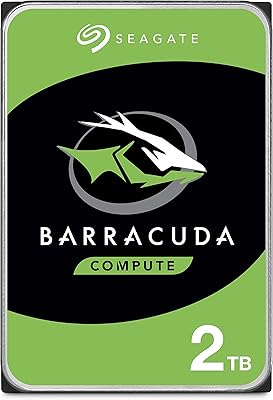
Seagate BarraCuda 2TB Internal Hard Drive
79%
91%
Value for Money
74%
Transfer Speed
77%
Reliability & Longevity
93%
Installation Ease
79%
Noise Level
More
Seagate BarraCuda 4TB Internal Hard Drive
87%
86%
Performance
90%
Reliability
93%
Setup & Installation
95%
Storage Capacity
72%
Data Transfer Speed
More
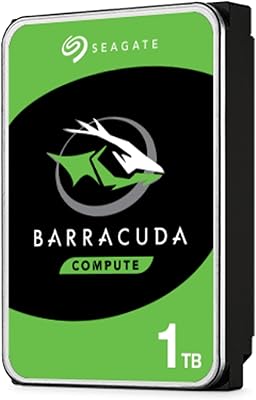
Seagate BarraCuda ST1000DM010 1TB Internal Hard Drive
77%
91%
Value for Money
74%
Reliability & Longevity
79%
Read & Write Performance
93%
Installation Ease
68%
Noise & Vibration
More
Seagate BarraCuda ST8000DM004 8TB Internal Hard Drive
73%
93%
Storage Capacity Value
67%
Reliability & Longevity
61%
Read & Write Performance
89%
Installation & Compatibility
63%
Noise & Vibration
More
Seagate Barracuda 6TB Internal Hard Drive
77%
93%
Value for Money
91%
Storage Capacity
74%
Reliability & Longevity
89%
Installation Ease
61%
Read/Write Performance
More
Seagate Barracuda XT 3TB Internal Hard Drive
84%
89%
Performance
95%
Storage Capacity
88%
Speed/Access Time
92%
Value for Money
85%
Build Quality
More
Seagate BarraCuda Pro 10TB Internal Hard Drive
74%
93%
Storage Capacity
78%
Read/Write Performance
61%
Reliability & Longevity
54%
Noise & Vibration
91%
Warranty Coverage
More
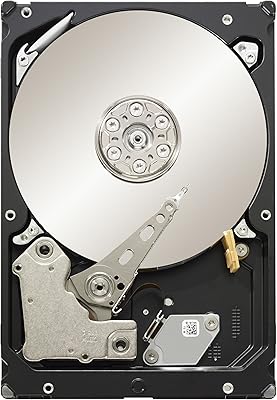
Seagate BarraCuda Pro 6TB Internal Hard Drive
87%
88%
Performance
95%
Storage Capacity
89%
Speed (7200 RPM)
85%
Reliability
91%
Ease of Setup
More
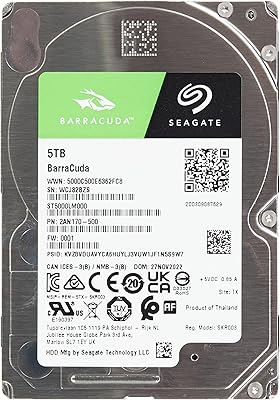
Seagate Barracuda ST5000LM000 5TB Internal Hard Drive
75%
88%
Value for Money
93%
Storage Capacity
54%
Read & Write Speed
91%
Installation Ease
61%
Noise & Vibration
More
Seagate BarraCuda Pro 1TB 2.5-Inch HDD
81%
78%
Read/Write Speed
91%
Storage Capacity
81%
Build Quality
73%
Reliability
67%
Noise & Vibration
More

FAQ

Technically it will work as a boot drive, but it is not recommended. The 5900 RPM spin speed and SMR recording technology mean Windows will feel noticeably sluggish compared to even a basic SSD or a 7200 RPM CMR drive. You'll get a much better experience using this Seagate BarraCuda drive as secondary storage and booting from a faster device.

SMR stands for Shingled Magnetic Recording, a method of writing data in overlapping tracks to pack more storage into the same physical space. The downside is that when the drive needs to rewrite existing data, it has to read, erase, and rewrite entire bands of tracks rather than just the targeted sector. In practice, this means sustained write speeds can drop significantly during large transfers or backup operations, especially once the drive's cache fills up.

Yes, and Seagate specifically addresses this with the bundled Disk Wizard software. Older systems with a legacy BIOS often cannot natively recognize drives larger than 2TB, but Disk Wizard creates a bootable environment or installs a driver that allows the full 5TB to be seen and used correctly, even on Windows XP.

It carries a RAID-compatible label, so it will function in a basic mirrored or JBOD array. That said, SMR drives are generally not recommended for NAS enclosures that handle regular write activity, like a home file server that multiple people actively save to. For a RAID setup used mainly for read access or cold storage, it can work — but for anything write-intensive, a CMR-based NAS drive is a safer choice.

The 5900 RPM spin speed is actually an advantage here — it tends to run quieter and cooler than 7200 RPM alternatives. Most users find the ST5000DM000 acceptable for home office or living room media PC use, though like all spinning hard drives, it produces some audible hum and occasional seek noise during active access.

For a read-heavy media library — streaming locally stored movies, browsing photos, or pulling files on demand — this 5TB desktop hard drive performs quite well. The SMR limitations mainly affect write-heavy use cases, and day-to-day media consumption is mostly about reading data. Just be aware that the initial bulk transfer of your collection to the drive may be slower than expected if you're moving hundreds of gigabytes at once.

The reliability concerns are real and worth taking seriously, but context matters. A subset of buyers has reported early failures, which is a pattern that stands out for a drive at this tier. However, failures are not universal, and many users report years of trouble-free use in light-duty roles. The key takeaway is to never rely on this — or any single hard drive — as your only copy of important data. Keep a backup elsewhere regardless.

For sequential reads like playing a video file or opening a large document, the difference is modest and often imperceptible. Where 5900 RPM shows its limits is in random access tasks — loading many small files quickly, for instance — and in sustained write scenarios. If your workload is light and file sizes are large, the speed difference probably won't bother you.

Yes, the standard 3.5-inch form factor is compatible with a wide range of external desktop enclosures that accept SATA drives. Keep in mind that the enclosure's USB bridge will likely be the bottleneck rather than the drive itself, and SMR performance characteristics still apply regardless of whether the drive is installed internally or externally.

Seagate typically covers BarraCuda desktop drives with a two-year limited warranty, though it is always worth verifying the warranty terms directly with Seagate at the time of purchase, as coverage details can vary by region and reseller. Registering the drive on Seagate's website after purchase is a good habit for easier warranty claims if needed.