Overview

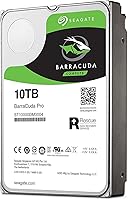
The Seagate BarraCuda Pro 10TB Internal Hard Drive sits at the top of Seagate's BarraCuda family, designed for desktop users who need serious capacity without compromising on sustained performance. Unlike the standard BarraCuda, the Pro tier targets content creators, power users, and PC builders — people who move large files regularly and cannot afford storage bottlenecks. Seagate has been building hard drives for over two decades, and that institutional knowledge shows in the engineering choices here. This is not a drive you buy impulsively; it is one you plan around. The included five-year limited warranty and a two-year Rescue Data Recovery subscription are meaningful assurances, not marketing decoration. Just be clear going in: this is a mechanical hard drive, and it performs accordingly.
Features & Benefits

At 10TB of storage, this high-capacity desktop drive can hold roughly 2,000 hours of full HD video, tens of thousands of RAW photos, or an enormous game library — the kind of capacity where you stop rationing space and just work. The 7200 RPM spindle speed is the other key detail. Faster rotation means the drive reads and writes data more quickly than the 5400 RPM alternatives common in budget or portable drives. The 256MB cache buffer smooths things out further during heavy, sustained workloads like batch file transfers or video rendering. SATA 6 Gb/s connectivity plugs into virtually any modern desktop motherboard without an adapter or fuss. It is strictly a 3.5-inch internal unit — not portable, not for laptops.

Best For

The BarraCuda Pro 10TB makes the most sense as a secondary storage drive in a desktop build — paired with a fast SSD that handles your operating system and active applications. Video editors, photographers, and audio producers who accumulate large project archives will find the capacity genuinely useful rather than aspirational. PC gamers looking to house a sprawling library without juggling external drives are another natural fit. It also works well in home backup and NAS setups where reliability and raw space matter more than peak speed. Where it does not belong: as a primary OS drive, or in a quiet workspace where mechanical drive noise would be a constant irritant. Know your use case before buying.

User Feedback

With a 3.8 out of 5 rating across 234 reviews, this Seagate spinning drive earns solid marks — but not universal praise. Happy buyers consistently highlight read/write performance and sheer capacity, and most report straightforward installation in a standard desktop case. The concern that comes up repeatedly, and deserves honest mention, is early drive failure among a meaningful subset of buyers. High-density mechanical drives carry inherent risk, and some users experienced failures within the first year. On the noise front, several reviewers noted noticeable vibration and spin-up sound in quiet environments. The silver lining: Seagate's Rescue Data Recovery service received genuine appreciation from users who actually needed it. Experienced builders will manage fine; first-timers should research the installation process beforehand.

Pros

  • 10TB of storage handles years of video, photo, and audio project accumulation without running short
  • 7200 RPM spin speed delivers noticeably stronger sustained performance than slower 5400 RPM alternatives
  • The 256MB cache buffer helps smooth out heavy workloads like large file transfers and batch processing
  • Five-year limited warranty is one of the most generous coverage periods in the consumer HDD market
  • Bundled two-year Rescue Data Recovery service provides a genuine safety net if things go wrong
  • SATA 6 Gb/s interface is universally compatible with virtually all modern desktop motherboards
  • Installation is straightforward for anyone with basic PC-building experience
  • Consolidating multiple older drives into this single unit simplifies cable management and system organization
  • The BarraCuda Pro lineup has a long track record in the desktop storage market

Cons

  • A meaningful share of buyers have reported early drive failure, which is a real concern at this density
  • Mechanical noise and vibration are noticeable enough to bother users in quiet work environments
  • This Seagate spinning drive cannot serve as a practical primary OS or boot drive
  • No USB connectivity — this is strictly an internal SATA installation, not a plug-and-play solution
  • First-time PC builders may find the installation process less intuitive than expected
  • High-density HDDs carry an inherent failure risk that grows with heavy daily read/write cycles
  • The drive adds 1.4 pounds to your build, which matters in compact or weight-sensitive cases
  • Older desktop systems with only SATA 3 Gb/s ports will not fully utilize the drive's interface speed
  • No hardware encryption support, which is a drawback for users with sensitive data storage needs

Ratings

The scores below were generated by AI after analyzing verified buyer reviews from around the world for the Seagate BarraCuda Pro 10TB Internal Hard Drive, with spam, incentivized, and bot-flagged submissions actively filtered out before any scoring was applied. This high-capacity desktop drive drew strong opinions on both ends — enthusiastic praise from power users who got exactly what they needed, and pointed criticism from those who encountered reliability issues or unmet expectations. Both sides are represented here without sugarcoating.

Storage Capacity
93%
For users who have spent years rationing disk space across multiple drives, 10TB in a single unit is a genuine relief. Video editors, photographers, and gamers consistently describe it as future-proofing their workflow — enough room to stop deleting old projects just to make space for new ones.
A small number of buyers noted that the usable formatted capacity comes in slightly under the advertised 10TB, which is standard across all HDD manufacturers but still catches some first-time large-capacity buyers off guard.
Read/Write Performance
78%
22%
At 7200 RPM with a 256MB cache, this Seagate spinning drive handles large sequential file transfers — think moving entire video project folders or installing multi-gigabyte games — with noticeably less waiting than 5400 RPM alternatives users had previously owned.
Users who expected SSD-like snappiness were consistently disappointed. Random read performance during tasks like booting or launching applications is where mechanical drives show their age, and this one is no exception regardless of its cache size.
Reliability & Longevity
61%
39%
Many buyers have run this drive for two or more years under heavy creative workloads without a single issue, praising its consistency during long encoding sessions and overnight backup jobs where the drive stays active for hours at a stretch.
A meaningful portion of reviewers reported failure within the first 12 months, which is a red flag that cannot be dismissed. High-density platters carry greater mechanical complexity, and the failure rate here is higher than what seasoned builders typically accept without pause.
Noise & Vibration
54%
46%
Users in standard desktop towers with good airflow and case dampening reported the operational noise as background and easy to tune out — audible, but not distracting during normal computing tasks or media playback.
In quieter environments — home recording setups, open-plan offices, or cases without vibration dampeners — the spin-up whir and platter hum are genuinely noticeable. Several reviewers specifically flagged that the BarraCuda Pro 10TB vibrates more than they expected when mounted without isolation.
Warranty Coverage
91%
The five-year limited warranty is one of the strongest in the consumer HDD segment, and buyers who had to use it generally reported a smooth claims process. Knowing you have half a decade of manufacturer coverage reduces the anxiety of storing irreplaceable files on a single drive.
A few users found the warranty terms somewhat restrictive around workload limits and noted that the claim process, while functional, required more documentation than expected. The warranty does not cover all failure scenarios, so reading the fine print before assuming full coverage is wise.
Rescue Data Recovery Service
84%
The included two-year Rescue subscription is a differentiator that buyers who have experienced data loss genuinely appreciate. Several reviewers specifically mentioned that this service saved them after an unexpected failure, recovering files that would otherwise have been permanently lost.
The service covers mechanical failures but does not extend to accidental deletion or software-level corruption, which some buyers discovered only after assuming broader coverage. The two-year window also means you are on your own past that point if you have not purchased an extension.
Installation Experience
77%
23%
Experienced PC builders consistently describe installation as quick and painless — standard 3.5-inch bay, two SATA cables, and the drive is recognized immediately by the OS. The physical size and connector layout are exactly what veterans expect.
First-time builders encountered more friction than anticipated, particularly around initializing and formatting the drive through disk management tools. The drive ships with no printed documentation, which left some newer users searching online for guidance before they could start using it.
Compatibility
89%
SATA 6 Gb/s is the closest thing storage has to a universal standard, and the BarraCuda Pro 10TB worked without issue across a wide range of Intel and AMD desktop builds spanning multiple years of motherboard generations.
The drive is strictly limited to desktop desktop systems — it will not fit any laptop or compact form-factor build. Users with only SATA 3 Gb/s ports on older motherboards also lose out on the full interface bandwidth, getting less throughput than the drive is capable of delivering.
Value for Money
67%
33%
At its price point, buyers who experienced zero reliability issues largely felt the combination of capacity, speed, warranty, and recovery service justified the cost compared to budget HDDs. For high-volume content storage, the cost-per-terabyte calculation worked in its favor.
Buyers who experienced early failure felt the pricing was hard to justify given the risk, particularly when comparable-capacity alternatives exist at similar or lower prices. The premium over standard BarraCuda models is meaningful, and not all users felt the Pro upgrades translated into a tangible daily difference.
Build & Structural Quality
71%
29%
The physical construction feels solid and weighty in hand, consistent with what you expect from a professional-grade desktop component. Users who opened their cases to re-seat cables months later found no signs of unusual wear or connector loosening.
The drive runs warmer than some competing models under sustained load, and a handful of buyers who monitored drive temperatures via S.M.A.R.T. tools expressed concern about long-term thermal performance in cases with limited airflow.
Software & Setup Tools
58%
42%
Seagate's SeaTools diagnostic software is freely available and gives users a straightforward way to run health checks and stress tests on the drive, which is a useful addition for buyers who want visibility into how the drive is performing over time.
The drive ships with no bundled software in the box, and many buyers were unaware SeaTools existed until they searched for it independently. There is no dedicated management dashboard specific to the BarraCuda Pro line, leaving monitoring largely to third-party utilities.
Thermal Management
63%
37%
Under typical mixed workloads — occasional transfers, background backups, light gaming — the drive maintains temperatures that fall within safe operating ranges and rarely triggers concern in standard mid-tower builds with reasonable airflow.
During sustained heavy workloads like hours-long video encoding or bulk file migrations, temperatures climb notably compared to competing drives. Users running the drive in compact cases or without dedicated HDD cooling reported temperatures that pushed toward the upper boundary of the safe range.
Workload Endurance
72%
28%
For the target user — a creative professional or power user running intensive transfers several times a week rather than continuously — the drive holds up well and maintains consistent throughput across extended sessions without obvious signs of degradation.
This drive is rated for consumer and prosumer workloads, not enterprise-grade continuous operation. Users who ran it in always-on NAS configurations or as a primary backup target for multiple machines reported faster wear progression than they anticipated based on the Pro branding.

Suitable for:

The Seagate BarraCuda Pro 10TB Internal Hard Drive was built for desktop users who generate or accumulate large volumes of data on a regular basis — and who need that storage to be both fast and dependable. Video editors working with 4K footage, photographers managing deep RAW image archives, and audio producers hoarding multi-track session files will find 10TB genuinely practical rather than overkill. PC gamers who have outgrown their current drives and want a single high-capacity secondary disk to house their entire library without juggling external solutions are another strong fit. It also works well in home backup setups or small NAS environments where sustained reliability and raw capacity take priority over absolute read/write speed. If you are consolidating several older, smaller drives into one clean solution on a desktop workstation, this high-capacity desktop drive makes a compelling case.
Not suitable for:

The Seagate BarraCuda Pro 10TB Internal Hard Drive is not the right answer for everyone, and being clear about that upfront saves frustration later. Anyone expecting SSD-level responsiveness will be disappointed — this is a spinning mechanical drive, and no amount of cache or RPM spec changes that fundamental reality. It should not be used as a primary operating system drive; boot times and application load speeds will feel sluggish compared to even a budget SSD. The 3.5-inch form factor means it physically cannot fit in a laptop, an ultrabook, or any portable device — this is strictly a desktop internal drive. Users who work in quiet environments, such as home recording studios or open-plan offices, should also think twice; the BarraCuda Pro 10TB produces audible spin-up noise and some vibration that can be noticeable in stillness. Finally, buyers with a low tolerance for hardware risk should weigh the reported early-failure rate carefully before committing.
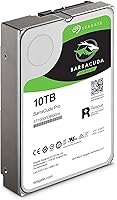
Specifications

  • Storage Capacity: This drive offers 10TB of formatted storage, suitable for large media libraries, project archives, and bulk backups.
  • Interface: It uses a SATA 6 Gb/s interface, which is backward compatible with SATA 3 Gb/s ports, though maximum throughput requires a 6 Gb/s-capable motherboard.
  • Form Factor: The 3.5-inch form factor is designed exclusively for internal desktop installation and will not fit laptop or slim-form enclosures.
  • Rotational Speed: The platters spin at 7200 RPM, delivering stronger sustained read/write performance than the 5400 RPM drives commonly found in budget or portable storage options.
  • Cache Buffer: A 256MB cache buffer helps manage data queuing during intensive workloads, reducing latency when handling large sequential file transfers.
  • Dimensions: The drive measures 5.79 x 4.01 x 1.03 inches, fitting standard 3.5-inch drive bays in full-tower, mid-tower, and many mini-tower desktop cases.
  • Weight: At 1.4 pounds, the drive is typical for a high-density 3.5-inch mechanical hard drive and requires standard drive bay mounting screws for secure installation.
  • Warranty: Seagate covers this drive with a five-year limited warranty, which is notably longer than the two- or three-year coverage offered by most competing consumer HDDs.
  • Data Recovery: A two-year Rescue Data Recovery Services subscription is included, giving buyers access to Seagate's professional recovery lab if the drive fails and data retrieval is needed.
  • Model Number: The official model number is ST10000DM0004, which should be referenced when checking firmware updates or filing warranty claims with Seagate.
  • Brand and Series: Manufactured by Seagate, this drive belongs to the BarraCuda Pro series, which sits above the standard BarraCuda line in terms of performance specifications and warranty coverage.
  • Installation Type: This is strictly an internal hard drive requiring physical mounting inside a desktop PC case and a direct SATA data and power cable connection to the motherboard and PSU.
  • Compatible Devices: The drive is designed for desktop PCs and is compatible with any system that provides a standard 3.5-inch drive bay and a SATA power connector.
  • Operating System: The drive is compatible with Windows, macOS, and Linux desktop operating systems, though formatting requirements vary by OS and intended use.
  • Manufacturer: Seagate Technology, headquartered in Fremont, California, has been producing hard disk drives for over two decades and remains one of the largest HDD manufacturers globally.

Related Reviews
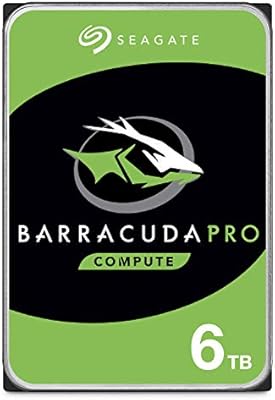
Seagate BarraCuda Pro 6TB Internal Hard Drive
87%
88%
Performance
95%
Storage Capacity
89%
Speed (7200 RPM)
85%
Reliability
91%
Ease of Setup
More
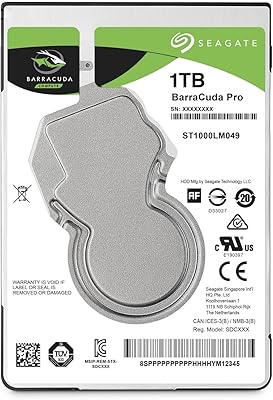
Seagate BarraCuda Pro 1TB 2.5-Inch HDD
81%
78%
Read/Write Speed
91%
Storage Capacity
81%
Build Quality
73%
Reliability
67%
Noise & Vibration
More
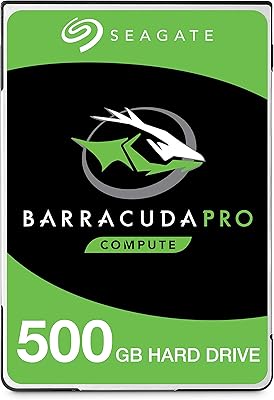
Seagate BarraCuda Pro 500GB Internal Hard Drive
75%
74%
Read/Write Performance
83%
Reliability & Longevity
67%
Value for Money
58%
Noise & Vibration
91%
Compatibility
More
Seagate BarraCuda ST8000DM004 8TB Internal Hard Drive
73%
93%
Storage Capacity Value
67%
Reliability & Longevity
61%
Read & Write Performance
89%
Installation & Compatibility
63%
Noise & Vibration
More
Seagate BarraCuda 4TB Internal Hard Drive
87%
86%
Performance
90%
Reliability
93%
Setup & Installation
95%
Storage Capacity
72%
Data Transfer Speed
More
Seagate BarraCuda 2TB Internal Hard Drive
79%
91%
Value for Money
74%
Transfer Speed
77%
Reliability & Longevity
93%
Installation Ease
79%
Noise Level
More
Seagate BarraCuda ST1000DM010 1TB Internal Hard Drive
77%
91%
Value for Money
74%
Reliability & Longevity
79%
Read & Write Performance
93%
Installation Ease
68%
Noise & Vibration
More
Seagate Barracuda 6TB Internal Hard Drive
77%
93%
Value for Money
91%
Storage Capacity
74%
Reliability & Longevity
89%
Installation Ease
61%
Read/Write Performance
More
Toshiba N300 PRO 10TB Internal Hard Drive
87%
92%
Reliability for 24/7 NAS Use
89%
Performance in RAID Setups
91%
Workload Capacity (300 TB/year)
85%
Data Transfer Speed
88%
Vibration Control with RV Sensors
More
Seagate Barracuda ST5000DM000 5TB Internal Hard Drive
67%
83%
Storage Capacity Value
44%
Write Performance
71%
Read Performance
41%
Long-Term Reliability
86%
Installation & Setup
More

FAQ

Technically yes, but it is not recommended. A mechanical spinning drive will make your system feel noticeably sluggish compared to an SSD for everyday tasks like booting, launching apps, or loading large software. The better approach is pairing this high-capacity desktop drive with a separate SSD as your boot drive and using the HDD purely for storage.

If your case has a standard 3.5-inch internal drive bay — which the vast majority of mid-tower and full-tower desktop cases do — then yes, it will fit. You will need two SATA cables: one data cable connected to your motherboard and one power cable from your power supply unit. Most cases include mounting screws or tool-free trays to secure it.

Yes. The SATA 6 Gb/s interface is a universal standard and works regardless of whether your system runs an Intel or AMD platform. Compatibility is determined by whether your motherboard has a SATA port available, not by your CPU brand.

It is not silent. Like all 7200 RPM mechanical drives, the BarraCuda Pro 10TB produces an audible hum during operation and a noticeable spin-up sound when first powered on. Some users also report vibration if the drive is not firmly secured in its bay. If you are building a quiet PC or recording audio nearby, this is worth factoring into your decision.

The two-year Rescue Data Recovery subscription gives you access to Seagate's data recovery lab if the drive physically fails and your data becomes inaccessible. It covers mechanical failures, not accidental deletion or software corruption. Think of it as a safety net rather than a substitute for regular backups — you should still back up critical data independently.

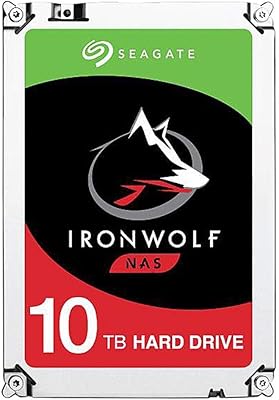
It can work in a NAS environment, but it is worth knowing that Seagate makes a dedicated IronWolf series specifically engineered for NAS multi-drive setups with features like vibration compensation and higher workload ratings. For a home NAS with light usage, this drive may perform adequately, but for a more demanding or always-on setup, a NAS-optimized drive would be a safer long-term choice.

RPM refers to how fast the drive's internal platters spin, which directly affects how quickly data can be read from or written to the disk. At 7200 RPM, you get meaningfully faster file transfers and shorter load times compared to 5400 RPM drives — particularly noticeable when moving large files like video projects or game folders. It is still slower than any SSD, but it is the faster end of what mechanical drives offer.

It is a legitimate concern and worth taking seriously. High-density mechanical drives, including this Seagate spinning drive, carry more mechanical complexity than lower-capacity alternatives, and a subset of buyers have reported failures within the first year. That said, many users run these drives for years without issue. The practical advice: keep regular backups regardless of which drive you buy, and take advantage of the included Rescue service and warranty if problems do arise.

No special drivers are required. Once physically installed and connected via SATA, modern versions of Windows, macOS, and Linux will detect it automatically. You may need to initialize and format the drive through your operating system's disk management tool before it appears as usable storage, but that process typically takes only a few minutes.

The standard BarraCuda drives are aimed at everyday desktop storage users and typically come with a two-year warranty. The Pro tier steps up with a higher cache buffer, a five-year warranty, and the bundled Rescue Data Recovery subscription — all of which matter if you are relying on the drive for critical or irreplaceable data. The Pro series also maintains 7200 RPM across all capacity options, whereas standard BarraCuda drives at higher capacities sometimes drop to slower spin speeds.