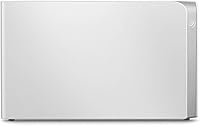
Overview

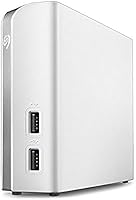
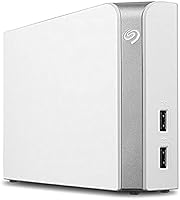
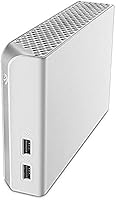
The Seagate Backup Plus Hub for Mac 8TB is a high-capacity external hard drive designed for users looking to store and back up large volumes of data. This drive offers 8TB of storage, making it ideal for hefty files, including videos and high-resolution images. With USB 3.0 connectivity, it provides fast data transfer speeds of up to 160MB/s. The added bonus of two extra USB 3.0 ports allows for convenient device management. Additionally, it comes bundled with a 2-month subscription to Adobe Creative Cloud, a great value for creative professionals.

Features & Benefits

This external hard drive offers a host of features that make it a versatile storage solution. The 8TB capacity ensures you have ample space for backups, large media files, and more. Its USB 3.0 interface provides speedy data transfer, while the two additional USB ports allow you to charge devices or transfer files from other peripherals. Setup is straightforward, with plug-and-play functionality for Mac users, and it even supports Windows after installing the HFS+ driver. This makes it a seamless choice for both Mac and PC users.

Best For

The Seagate Backup Plus Hub for Mac 8TB is best suited for Mac users who need large-scale, reliable storage. It's a solid choice for photographers and videographers who store high-resolution media, as well as professionals in need of secure, easily accessible backups. The drive's USB 3.0 ports and compatibility with both Mac and Windows systems make it ideal for users who work in mixed environments. Additionally, anyone who requires a combination of storage and device management in one hub will appreciate the convenience it offers.

User Feedback

Users consistently praise the Seagate Backup Plus Hub for Mac 8TB for its ease of use and quick setup, especially on Mac. Many appreciate the extra USB ports, which allow for easy file transfers and device charging. However, some find the drive a bit bulky for portable use, noting that it’s more suitable as a desktop storage solution. A few users also mentioned that the drive can be a little noisy under heavy use. Overall, it’s highly rated for its reliability and value for money, particularly with the inclusion of the Adobe subscription.

Pros

  • The 8TB storage capacity provides ample space for large file backups and high-resolution media storage.
  • Two additional USB 3.0 ports allow convenient device charging and file transfers directly from the drive.
  • Setup is incredibly simple with plug-and-play functionality, especially for Mac users who don’t need additional drivers.
  • The drive's compatibility with both Mac and Windows systems (via HFS+ driver) makes it versatile for different environments.
  • Users appreciate the included 2-month Adobe Creative Cloud Photography subscription, adding extra value.
  • It’s a reliable solution for photographers and videographers needing substantial storage for their media files.

Cons

  • The desktop form factor and weight (2.34 pounds) make it less ideal for portable use or travel.
  • Some users have noted that the drive can be bulky and takes up considerable desk space.
  • The power supply requirement means it's not as convenient as a bus-powered portable drive.
  • The transfer speed of 160MB/s may not meet the needs of users who require ultra-fast data transfers for large video files.
  • While compatible with both systems, setup on Windows requires the installation of an HFS+ driver, which can be an extra step.
  • It may not be the best option for users with limited desk space or those who prefer a more compact storage solution.

Ratings

After analyzing verified user feedback from various platforms worldwide, including multiple languages, we have gathered comprehensive insights into the Seagate Backup Plus Hub for Mac 8TB. Only high-quality reviews were considered, with spam, incentivized, and off-topic feedback filtered out. The scores reflect both the product's strengths and areas where it could improve, based on real-world user experiences and diverse perspectives.

Performance & Speed
88%
Many users highlight the solid performance of this device, particularly its fast data transfer speeds. With a maximum data transfer rate of 160MB/s, it's well-suited for large file backups and media storage, making it a reliable choice for users who need speed and efficiency.
While most users are satisfied with its speed, some have noted occasional delays when transferring very large files, especially when the device is used across multiple systems. For those looking for even faster speeds, there may be some limitations compared to SSD options.
Storage Capacity
94%
The 8TB storage capacity is one of the key selling points of this external hard drive. Users are impressed by how much space it offers, especially for photographers, videographers, and those with large backup needs. The ample storage allows users to keep a significant number of files in one place, reducing the need for multiple drives.
While the 8TB capacity is great for most users, some find that it’s more than they need for everyday use. Smaller external drives may be more suitable for people who don’t require such large storage or who need more portability.
Compatibility
85%
This external hard drive is highly praised for its seamless compatibility with both Mac and Windows, making it a versatile option for users with mixed environments. The built-in HFS+ driver ensures it works effortlessly with both systems, which is ideal for users who frequently switch between Mac and PC.
Some users have experienced minor compatibility issues when connecting the drive to older versions of Windows or Mac. While the HFS+ driver helps, it doesn’t completely eliminate potential challenges for users with legacy systems or those looking for a plug-and-play solution across all devices.
Ease of Setup
91%
The setup process is simple and intuitive. Many buyers have praised the plug-and-play functionality, especially for Mac users who appreciate not needing to install additional drivers. This makes it a hassle-free option for anyone seeking quick storage expansion without complex installations.
Some users have reported that the initial setup can take longer than expected if they are using it with Windows. The need to install drivers or deal with occasional software glitches could cause frustration for those who want a more streamlined experience.
Build Quality
87%
This device has a solid and sturdy build that users find reassuring. Its black desktop design feels durable, and the form factor is compact enough to fit in most workspaces. Many buyers appreciate the high-quality materials, which contribute to the drive's overall longevity.
While the build quality is solid, the larger desktop form factor can feel bulky for users seeking a more compact or portable solution. Some users have mentioned that it's not the most ideal drive for frequent travelers or those with limited space.
USB Port Functionality
89%
The inclusion of two additional USB 3.0 ports is a standout feature for many users. These extra ports allow for convenient device charging and file transfers without the need for extra hubs, streamlining the workflow and enhancing overall productivity.
However, some users have noted that these additional ports, while useful, can be a bit slower when used simultaneously for charging and data transfer. This may affect users who expect the same fast speeds from all connected devices.
Software & Extras
82%
18%
Many buyers appreciate the 2-month Adobe Creative Cloud Photography subscription that comes with the device. This adds significant value for users who are into photography and need access to editing tools, giving them a head start with Adobe's powerful software suite.
Despite the inclusion of the Adobe subscription, some users feel that the software package could be more relevant to the broader user base. Those who don’t use Adobe software might find this offering less useful and would prefer other types of bundled software or utilities.
Portability
60%
40%
While not marketed as a portable drive, this external hard drive offers a large amount of storage that is perfect for users who plan to keep it stationary at their desks. Its size ensures that it can house significant data and operate effectively in a home or office environment.
However, the 2.34-pound weight and bulky form factor make it less portable than other external drives. Users looking for a drive to carry around frequently for travel or mobile use may find this one cumbersome and inconvenient for on-the-go needs.
Reliability & Durability
90%
Reliability is one of the strongest points of this device. Users report that it performs consistently and without fail, even after prolonged use. The durability of the drive has earned high marks from many buyers, with few reporting issues after extended periods of operation.
A small number of users have reported some early signs of wear, such as occasional drive disconnections, though these appear to be rare. Overall, the reliability is considered strong, but occasional hiccups can be a concern for users who prioritize absolute consistency.
Value for Money
92%
Considering the storage capacity and added extras, many users feel this device offers excellent value for the price. The inclusion of the Adobe Creative Cloud Photography subscription further enhances its appeal, making it a great deal for those needing both storage and creative tools.
However, some users argue that the drive is slightly overpriced compared to other external hard drives without the added software. While the 8TB capacity is substantial, those who don't need as much space may feel the cost outweighs the benefits.
Customer Support
80%
20%
Several users have reported positive experiences with Seagate’s customer support, particularly when handling warranty claims or addressing setup concerns. The responsiveness and helpfulness of the support team make resolving issues relatively straightforward.
On the other hand, a few users have expressed frustration with slow response times or challenges in reaching customer service for more complex issues. These experiences suggest that there is room for improvement in Seagate's customer service efficiency.
Noise Level
72%
28%
Most users find the drive to be relatively quiet during operation, with minimal noise or vibrations. This makes it a good choice for use in quiet workspaces or home offices where noise might be an issue.
However, some users have mentioned that the drive can become noisy when transferring large files or running for extended periods. This noise may be noticeable in quieter environments, which could be a concern for users sensitive to sound.

Suitable for:

The Seagate Backup Plus Hub for Mac 8TB is ideal for users who require substantial storage capacity and easy file management. Photographers, videographers, and content creators who deal with large media files will appreciate the 8TB storage space for their projects. This external drive is also a great option for Mac users who need reliable, plug-and-play storage, as it offers seamless compatibility with both Mac and Windows systems. Additionally, the two extra USB 3.0 ports make it convenient for those who want to charge devices or transfer files from multiple sources at once, enhancing productivity. It's particularly well-suited for professionals looking for a desktop solution that offers ample space without the need for constant upgrades.

Not suitable for:

However, the Seagate Backup Plus Hub for Mac 8TB may not be the best choice for users looking for portability. Its bulky desktop design and 2.34-pound weight make it less convenient for frequent travelers or those needing on-the-go storage. Students or casual users who don't require 8TB of storage may find it unnecessarily large and expensive, especially if they only need to back up a small number of files. Additionally, those who need ultra-fast data transfer speeds for intensive tasks might prefer an SSD, as this external hard drive may show occasional delays when transferring extremely large files. Finally, the drive may not be ideal for users with limited desk space due to its relatively large footprint.

Specifications

  • Storage Capacity: The external hard drive provides 8TB of storage space, ideal for backing up large files, media libraries, and extensive data.
  • Interface: It features USB 3.0 connectivity for fast data transfer between the drive and your devices.
  • Compatibility: This device is fully compatible with Mac systems (OS X 10.9 or higher) and can also be used with Windows via an HFS+ driver.
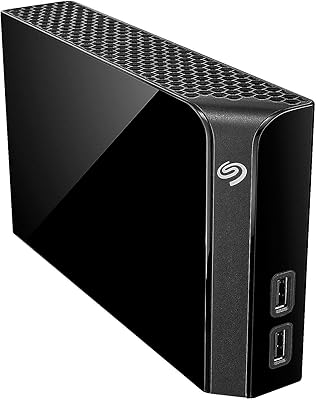
  • USB Ports: It includes two additional USB 3.0 ports for charging devices and transferring files to other connected devices.
  • Form Factor: This drive comes in a desktop form factor, designed for stationary use rather than portability.
  • Power Supply: The drive requires an AC adapter for power, ensuring stable performance with its large storage capacity.
  • Data Transfer Rate: It supports a maximum data transfer rate of 160MB/s, suitable for most general file transfers and backups.
  • Weight: The drive weighs approximately 2.34 pounds, which is typical for a desktop external hard drive of this size.
  • Dimensions: The external hard drive measures 4.65 x 1.61 x 7.8 inches, making it compact for its large storage capacity.
  • Plug-and-Play Setup: The device features plug-and-play functionality, meaning it requires no additional drivers for Mac users.
  • Included Software: It includes a 2-month Adobe Creative Cloud Photography subscription, providing access to apps like Lightroom and Photoshop.
  • Warranty: The external hard drive comes with a 2-year limited warranty, covering defects in materials and workmanship.
  • Operating Temperature: The device operates within a temperature range of 5°C to 35°C, suitable for normal desktop environments.
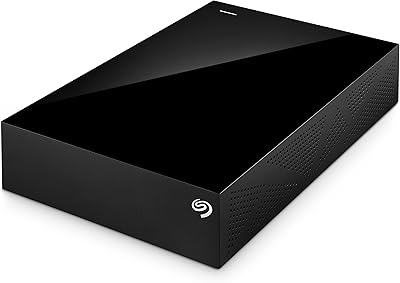
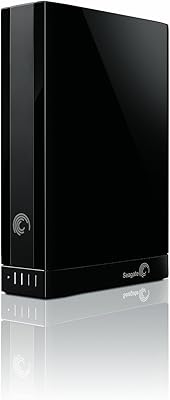
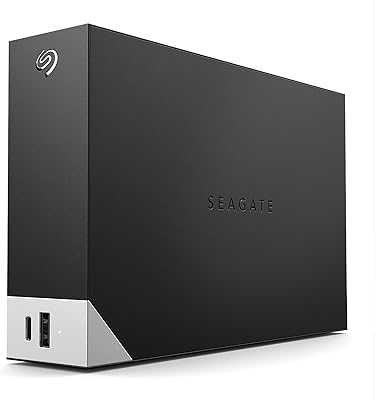
  • Color: The device is black, featuring a minimalist and professional design.
  • System Requirements: For Mac users, it requires OS X 10.9 or higher; for Windows, it works with an HFS+ driver for seamless compatibility.
  • Mounting: The device is designed to sit on a desk and does not offer mounting options for attaching to a wall or under a desk.

FAQ

Setting up the Seagate Backup Plus Hub for Mac 8TB is easy. Simply plug it into a power outlet and connect it to your Mac via the included USB 3.0 cable. The drive is plug-and-play, so no additional drivers are required for Mac users running OS X 10.9 or higher.

Yes, the Seagate Backup Plus Hub for Mac 8TB is designed for seamless use on both Mac and Windows systems. While it’s optimized for Mac, it can be used on Windows PCs with the installation of an HFS+ driver, allowing cross-platform compatibility.

The Seagate Backup Plus Hub for Mac offers a large 8TB of storage, which is ideal for backing up large files, media libraries, and other data-heavy applications. This capacity makes it perfect for photographers, video editors, or anyone needing significant file storage.

Yes, the Seagate Backup Plus Hub for Mac 8TB includes two additional USB 3.0 ports, which allow you to charge other devices or transfer files to and from other devices simultaneously. This feature is especially useful for managing multiple devices in one setup.

The Seagate Backup Plus Hub for Mac has a maximum data transfer rate of 160MB/s, which is suitable for most regular file transfers and backups. However, it may not be the fastest option for users needing ultra-high-speed data transfers for large video files or heavy workloads.

While the Seagate Backup Plus Hub for Mac 8TB is not specifically designed for portability, it is portable in the sense that it can be moved, but it is on the bulkier side. With a weight of 2.34 pounds and a desktop form factor, it’s better suited for home or office setups rather than frequent travel.

Yes, the Seagate Backup Plus Hub for Mac 8TB includes a 2-month Adobe Creative Cloud Photography subscription. This subscription provides access to tools like Adobe Photoshop and Lightroom, making it a great option for photographers and creatives looking for additional software to complement their storage.

The Seagate Backup Plus Hub for Mac requires an AC adapter to power the device, meaning it is not powered by the USB connection alone. This is typical for desktop external hard drives and ensures stable power for the large 8TB storage capacity.

Yes, while the Seagate Backup Plus Hub for Mac is optimized for Mac, it can also be used with Windows computers. You’ll need to install an HFS+ driver to ensure full functionality, but this extra step allows for seamless use across both platforms.

Absolutely. The large 8TB storage capacity, fast USB 3.0 connectivity, and compatibility with both Mac and Windows make the Seagate Backup Plus Hub for Mac an excellent choice for photographers and video editors. It provides ample space for high-resolution photos, videos, and other large media files.