Seagate Backup Plus 2TB Desktop External Hard Drive
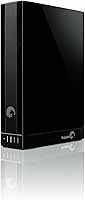
Seagate Backup Plus 2TB Desktop External Hard Drive — image 1
70%
30%

Overview

The Seagate Backup Plus 2TB Desktop External Hard Drive was built with one straightforward job in mind: give home users and small offices a reliable backup destination that sits quietly on a desk and does its work. It is a 3.5-inch mechanical drive, so it was never designed to travel with you — this is desk real estate, not bag space. Worth noting upfront: Seagate has discontinued this model, though units remain available through various sellers. That does not make it a bad buy, but it does mean you are purchasing established rather than current technology. For everyday backup needs, it still holds up as a solid mid-range option.

Features & Benefits

The most practical upgrade the Backup Plus 2TB brought was USB 3.0 connectivity, which made a real difference over older USB 2.0 drives when moving large batches of files. If you need even faster throughput, Thunderbolt or FireWire 800 support is available through separately purchased adapters — useful, but not included in the box. The pre-loaded NTFS driver is a genuine time-saver for Mac users, letting you plug in and go without reformatting. That said, the 5400 RPM spin speed is a real limitation if you are doing anything beyond background backups — transferring a 50GB video archive will test your patience. For archival work, it is fine. For active daily use, less so.

Best For

This desktop backup drive fits a specific type of buyer, and knowing whether you are that person matters. If you run a home office, maintain a growing photo or home video library, or just want an affordable 2TB landing zone for scheduled backups, it covers the basics without fuss. It is also a natural fit for mixed Mac and PC households where cross-platform compatibility matters — the pre-loaded driver handles that without setup friction. Speed-focused users or anyone planning to run software directly off the drive should look elsewhere. But for set-and-forget backup use, the Backup Plus 2TB delivers exactly what it promises without overcomplicating things.

User Feedback

With over 2,500 ratings averaging 4.4 out of 5, the general consensus on this Seagate drive leans positive — but not unconditionally so. Owners who rely on it for routine daily backups consistently report years of trouble-free performance, which is the core ask for a drive like this. Mac compatibility gets mentioned often in a favorable light. The recurring complaints, though, are worth taking seriously: transfer speeds feel sluggish when moving very large files, and a notable share of long-term users report failures after three to four years of regular use. The social media backup tools land differently depending on the reviewer — some find them handy, others barely touch them. Overall, a well-regarded drive with honest limitations.

Pros

  • 2TB of storage handles large photo libraries, video archives, and music collections without running out of room quickly.
  • USB 3.0 transfers are noticeably faster than older USB 2.0 drives for routine backup workloads.
  • The pre-loaded NTFS driver is a genuine convenience for Mac users who want to skip reformatting entirely.
  • Works across both Windows and Mac out of the box, which is a real plus in mixed-platform households.
  • Optional Thunderbolt and FireWire 800 adapter support gives more advanced users some flexibility in connectivity.
  • Over 2,500 Amazon ratings averaging 4.4 out of 5 reflects a strong track record for everyday backup reliability.
  • The desktop form factor keeps the drive stable and cool during long backup sessions compared to portable drives.
  • Simple plug-and-use setup means even less tech-savvy users can get it running without frustration.
  • Social media Save and Share features add a handy option for users who want to archive online content locally.

Cons

  • Discontinued by the manufacturer, meaning no official support, warranty coverage, or firmware updates going forward.
  • 5400 RPM spin speed makes large file transfers painfully slow — a 50GB folder can take a frustrating amount of time.
  • A notable share of long-term owners report drive failures after three to four years of regular use.
  • Thunderbolt and FireWire 800 connectivity require separately purchased adapters that are not included in the box.
  • Social media backup features feel half-baked to many users and do not work as smoothly as advertised.
  • Advanced Mac users who prefer APFS formatting will need to reformat the drive, making the pre-loaded NTFS driver irrelevant for them.
  • No SSD option in this product line means the drive is vulnerable to physical shock if bumped or knocked during operation.
  • Being a 2012-era product, the software bundled with the drive has not kept pace with modern operating system updates.

Ratings

Based on a rigorous AI-driven analysis of thousands of verified global buyer reviews for the Seagate Backup Plus 2TB Desktop External Hard Drive — with spam, bot submissions, and incentivized feedback actively filtered out — the scores below reflect an honest, balanced picture of where this drive genuinely delivers and where it falls short. Every category captures real-world usage patterns, from everyday home backup routines to long-term reliability observations, so you can make a fully informed decision before buying.

Storage Capacity
88%
Two terabytes is a genuinely comfortable amount of space for most home users — enough to store years of family photos, a substantial home video archive, and thousands of documents without ever feeling cramped. Buyers consistently mention that the capacity met or exceeded their expectations for personal backup use.
For professional video editors or users storing large RAW photo libraries alongside 4K footage, 2TB can fill up faster than expected, and there is no easy expansion path short of buying a second drive.
Transfer Speed
54%
46%
USB 3.0 connectivity gives this desktop backup drive a real edge over older USB 2.0 drives for routine backup jobs — moving a few gigabytes of documents or photos happens at a pace most home users find acceptable.
The 5400 RPM spin speed is a genuine weak point that surfaces quickly when transferring large batches of files. Multiple reviewers describe waiting uncomfortably long when copying hundreds of gigabytes, and anyone working with video files regularly will feel the friction.
Reliability
76%
24%
The majority of owners who use this Seagate drive for standard scheduled backups report years of consistent, trouble-free operation. For a mechanical drive handling light-to-moderate workloads like nightly document or photo backups, the track record is genuinely solid.
A meaningful subset of long-term users report drive failures surfacing in the three-to-four-year range, which is on the shorter end for a backup-primary device. It is not a dealbreaker, but it does underscore the importance of not treating this as your only copy of irreplaceable files.
Mac Compatibility
83%
The pre-loaded NTFS driver removes the usual frustration of plug-in-and-reformat that Mac users typically face with Windows-formatted drives. Reviewers in mixed Mac-and-PC households specifically call this out as one of the most practical things about the drive.
Advanced macOS users who want native APFS or HFS+ formatting will still need to reformat the drive themselves, which makes the pre-loaded driver a non-factor for that group. It is a convenience feature, not a universal solution.
Ease of Setup
91%
Nearly every reviewer notes that setup is refreshingly straightforward — plug in the USB cable, let the system recognize the drive, and you are done within a minute or two. No technical knowledge required, which makes it a strong pick for less tech-savvy family members.
The bundled software can feel slightly dated and the installation prompts are not particularly intuitive for first-time users, though the drive functions perfectly well without installing any software at all.
Cross-Platform Use
81%
19%
Switching this desktop backup drive between a Windows desktop and a Mac laptop in the same household works without reformatting in most setups, which is a practical advantage that genuinely simplifies shared storage in mixed-platform homes.
While day-to-day switching works, there are edge cases — particularly with newer versions of macOS — where permissions or read-write access can behave unexpectedly, requiring a quick settings adjustment to resolve.
Build Quality
72%
28%
The enclosure feels solid enough for a stationary desktop drive, with a no-fuss matte black finish that sits unobtrusively alongside other desk peripherals. It does not feel cheap or flimsy when handled.
The plastic casing shows scratches and scuffs relatively easily, and the drive produces an audible hum during operation that some users in quiet environments find distracting. It is not built to impress, just to function.
Software & Features
58%
42%
The Save and Share tools for social media content backup offer something genuinely different for users who want to archive their social feeds locally. A handful of reviewers find the one-click backup workflow a handy addition to their routine.
Real-world reception of the bundled software is decidedly mixed — many users describe the social media features as clunky or undercooked, and the software itself has not kept pace with modern operating system updates, leaving it feeling like an afterthought.
Value for Money
77%
23%
For buyers focused on raw capacity rather than speed, the Backup Plus 2TB offers a reasonable amount of storage relative to its price point, particularly for home backup scenarios where performance is not the priority.
Given that this is a discontinued 2012-era drive, the price-to-value equation has shifted. Newer drives at similar or lower prices now offer faster internals and active manufacturer support, which makes paying full price for this model harder to justify today.
Noise Level
67%
33%
During light backup activity, the drive is reasonably quiet — most users working in a normal home office environment will not notice it running in the background during routine scheduled backups.
Under heavier sustained transfers, the mechanical components produce an audible clicking and spinning sound that becomes noticeable in quiet rooms. Users who are sensitive to ambient noise, particularly in bedrooms or quiet studios, have flagged this as a persistent irritant.
Connectivity Options
74%
26%
Having the option to upgrade to Thunderbolt or FireWire 800 via adapters gives more experienced users some flexibility to push the drive harder than its default USB 3.0 setup allows, which is a thoughtful design choice for a desktop unit.
The fact that those adapters cost extra and are not included in the box frustrates buyers who assumed they were getting a multi-connection drive out of the package. The headline connectivity claims require additional spending to actually realize.
Long-Term Durability
61%
39%
For users who keep the drive in a stable, static location and run it through predictable backup cycles, it performs reliably for the first couple of years without any issues worth noting.
The long-term durability picture is less reassuring — a notable proportion of reviewers with four or more years of use report failures, and since the drive is discontinued, there is no manufacturer recourse when something does go wrong.
Portability
31%
69%
The compact-ish dimensions mean it does not dominate a desk, and the single USB cable connection keeps the setup tidy without requiring a separate power brick.
At 2.38 pounds and in a 3.5-inch desktop form factor, this drive was never designed to be carried anywhere, and it shows. Taking it between locations regularly is impractical, and any scenario involving movement risks damage to the mechanical internals.

Suitable for:

The Seagate Backup Plus 2TB Desktop External Hard Drive is a practical fit for anyone who needs a dependable, low-maintenance storage solution anchored to a desk rather than moving around with them. Home users who want to run scheduled backups of family photos, home videos, or years of documents will find 2TB of space more than sufficient for most personal libraries. It works especially well in households that run both Windows and Mac machines, since the pre-loaded NTFS driver removes the usual cross-platform headache. Small home office setups that need a simple archival drive — something to back up client files, project folders, or administrative records overnight — will also get solid value here. If your priority is capacity over speed and you are not pushing the drive with demanding real-time workloads, this desktop backup drive covers exactly what you need without unnecessary complexity.

Not suitable for:

The Seagate Backup Plus 2TB Desktop External Hard Drive is not the right call for buyers who need raw performance or modern longevity assurances. At 5400 RPM, moving very large files — think multi-gigabyte video projects or full system images — can feel frustratingly slow, and anyone working in video production or audio editing should be looking at faster NAS or SSD-based solutions instead. The drive is also discontinued, which means no manufacturer support, no warranty direct from Seagate on new purchases, and no path to firmware updates — something worth weighing seriously if long-term reliability is a priority. Power users running macOS who prefer native APFS formatting will likely want to reformat the drive anyway, making the pre-loaded NTFS driver less of an advantage for that group. And if portability matters even a little — if you ever need to grab the drive and take it to a colleague or a secondary location — the 3.5-inch desktop form factor simply was not built for that.

Specifications

  • Storage Capacity: The drive provides 2TB of total storage, suitable for large photo libraries, video archives, and extensive document collections.
  • Drive Type: This is a traditional mechanical hard disk drive (HDD), not a solid-state drive, which affects both speed and susceptibility to physical shock.
  • Rotational Speed: The internal platters spin at 5400 RPM, which is adequate for background backup tasks but slower than 7200 RPM alternatives.
  • Form Factor: Built around a 3.5-inch desktop form factor, this drive is designed to sit stationary on a desk rather than be carried in a bag.
  • Primary Interface: The drive connects via USB 3.0, offering meaningfully faster data transfer rates compared to older USB 2.0 connections.
  • Optional Connectivity: Thunderbolt and FireWire 800 connectivity are available through separately purchased adapters, which are not included in the box.
  • Platform Support: The drive is compatible with both Windows PCs and Mac computers out of the box, requiring no reformatting for standard use.
  • Mac NTFS Driver: A pre-loaded NTFS driver is included to enable read and write access on Mac systems without the need to reformat the drive.
  • Dimensions: The unit measures 6.22 x 4.88 x 1.73 inches, giving it a compact desktop footprint that fits easily alongside other peripherals.
  • Weight: The drive weighs 2.38 pounds, reflecting its desktop-class internal components and durable enclosure construction.
  • Color: The enclosure is finished in black, giving it a neutral appearance that suits most desk setups.
  • Installation Type: This is an external drive only and does not support internal mounting inside a desktop tower or laptop chassis.
  • Manufacturer Status: Seagate has officially discontinued this model, meaning no new units are produced and manufacturer support is no longer available.
  • Release Date: The drive was first made available in June 2012, making it an established product with a long real-world track record.
  • Amazon Rating: The drive holds a 4.4 out of 5 star rating based on over 2,500 customer ratings on Amazon.
  • Social Features: Bundled software includes Save and Share tools that allow users to back up and upload content from social media networks.
  • Power Source: The drive draws power through its USB connection and does not require a separate external power adapter for operation.

Related Reviews
Seagate Backup Plus 3TB Desktop External Hard Drive
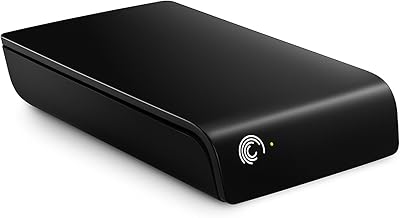
85%
87%
Performance & Speed
92%
Setup & Installation
89%
Value for Money
94%
Capacity & Storage
80%
Build Quality
More
Seagate Expansion 2TB External Hard Drive
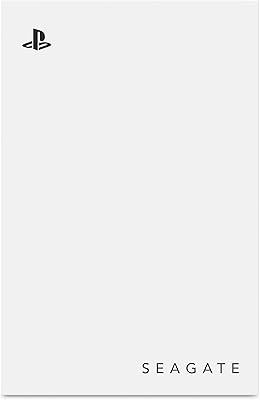
73%
94%
Ease of Setup
88%
Storage Capacity
47%
Transfer Speed
73%
Build Quality
71%
Reliability & Longevity
More
Seagate Game Drive for PlayStation 2TB
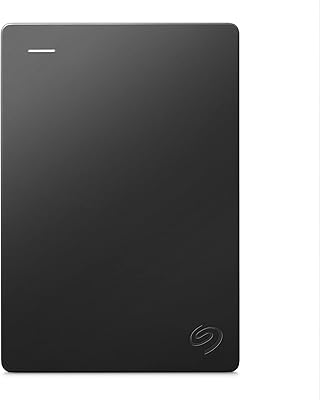
79%
94%
Ease of Setup
91%
Storage Capacity
93%
PS4 Compatibility
72%
PS5 Compatibility
74%
Transfer Speed
More
Seagate Portable 2TB (STGX2000400)
84%
93%
Value for Money
91%
Portability
94%
Setup Experience
88%
Operating Noise
67%
Cable Utility
More
Seagate Ultra Touch 2TB External Hard Drive
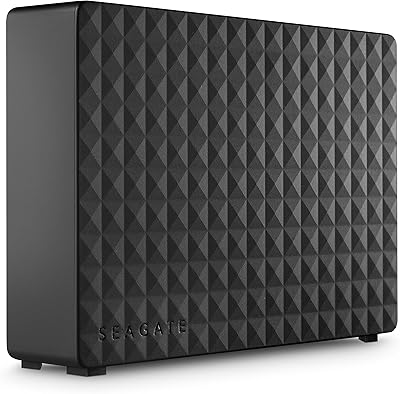
79%
93%
Portability
88%
Design & Aesthetics
91%
Storage Capacity
57%
Transfer Speed
89%
Plug-and-Play Setup
More
Seagate Expansion Desktop 16TB External Hard Drive
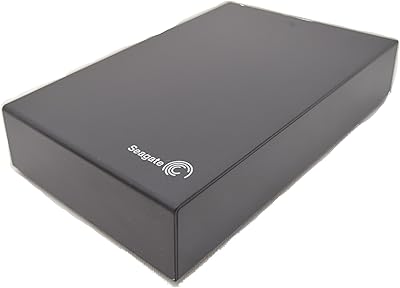
72%
96%
Storage Capacity
91%
Ease of Setup
68%
Transfer Speed
62%
Long-Term Reliability
74%
Build & Enclosure Quality
More
Seagate Expansion 5TB Desktop External Hard Drive
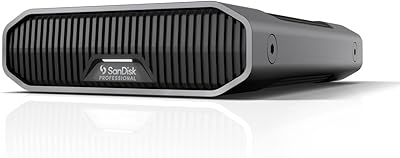
67%
91%
Storage Value
93%
Ease of Setup
58%
Long-Term Durability
72%
Transfer Speed
63%
Build Quality
More
SanDisk Professional 8TB G-Drive External Hard Drive
68%
83%
Transfer Speed
88%
Build Quality
58%
Reliability
91%
Mac Compatibility
41%
Windows Compatibility
More
SanDisk Professional G-Drive 22TB External Desktop Hard Drive
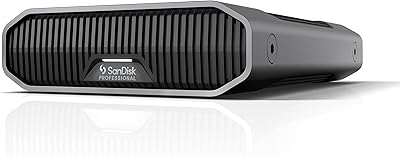
84%
89%
Performance
91%
Build Quality
96%
Capacity
72%
Ease of Setup
65%
Noise Level
More
G-Technology G-DRIVE Mobile USB-C 2TB Hard Drive
80%
89%
Build Quality
78%
Transfer Speed
71%
Durability & Reliability
91%
Portability
76%
Value for Money
More

FAQ

Yes, for most users it does. The Seagate Backup Plus 2TB Desktop External Hard Drive comes with a pre-loaded NTFS driver that lets Mac users read and write to the drive without reformatting. That said, if you want to use it exclusively with macOS and prefer native APFS or HFS+ formatting, you would need to reformat it yourself — which is a straightforward process but worth knowing upfront.

It connects via USB 3.0, which is significantly faster than older USB 2.0 drives for routine backup tasks. The mechanical drive inside spins at 5400 RPM though, so if you are moving a very large batch of files — say, several hundred gigabytes at once — expect the process to take a while. It is not a slow drive, but it is not a speed record-setter either.

Yes, and that is actually one of the more practical things about this drive. The pre-loaded NTFS driver handles cross-platform compatibility between Windows and Mac without you needing to reformat. It is a good fit for households or small offices running both operating systems.

That depends on what you need it for. If you want a reliable, no-frills backup drive for documents, photos, and home videos, remaining units are still functional and the 2TB capacity holds up well for personal use. The main trade-off is that there is no manufacturer support or warranty from Seagate on a new purchase at this point, so factor that risk into your decision.

No, the drive is bus-powered through its USB connection, so you just plug it into your computer and it draws what it needs. No wall adapter, no extra cables.

The bundled software includes Save and Share tools that let you back up content from social networks and upload multiple files at once. In practice, reactions from real users are pretty mixed — some find it handy, others ignore it entirely and just use the drive as straightforward storage. It is a nice extra if it fits your workflow, but it should not be a deciding factor in your purchase.

Most users report trouble-free operation for the first two to three years of regular backup use. A meaningful number of long-term owners do mention failures showing up in the three to four year range, so if you are relying on it as your only backup, it is wise to have a secondary copy of your most important files elsewhere. No mechanical hard drive lasts forever, and this one is no exception.

You can, but you will need to purchase a separate Thunderbolt adapter — it does not come in the box. The same applies to FireWire 800. If you only plan to use USB 3.0, which is the default, you are fully covered without buying anything additional.

Yes, USB 3.0 drives are backward compatible with USB 2.0 ports. You just will not get the faster USB 3.0 transfer speeds — the connection will default to the slower USB 2.0 rate. For occasional backups it is workable, but for large initial transfers you will notice the difference in time.

Not really. The 5400 RPM speed and mechanical design make it well-suited for backup and archival storage, but running applications or games directly from it would likely feel sluggish. For that kind of use, an SSD-based external drive would be a far better choice.