Overview

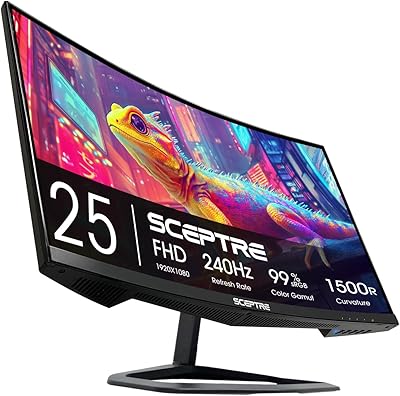
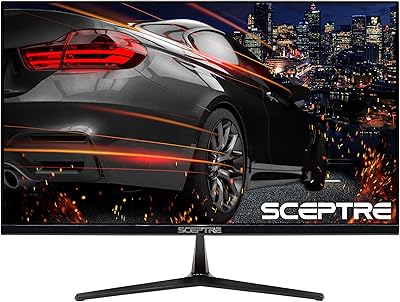
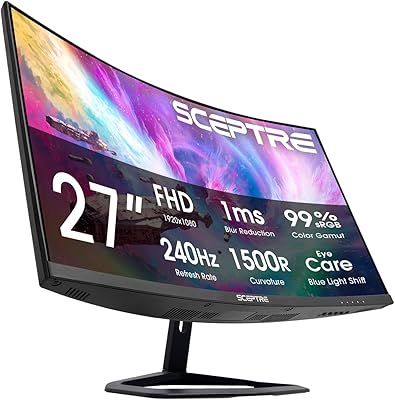
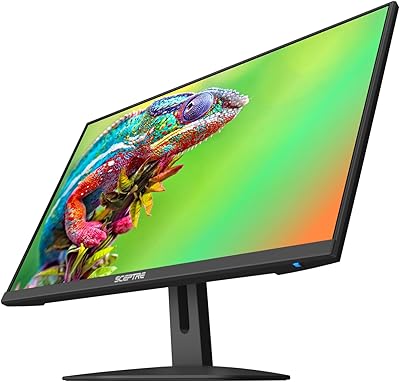
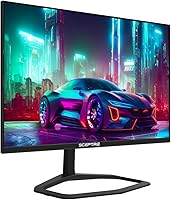
The Sceptre E255B 25-inch 240Hz Gaming Monitor sits in a comfortable spot for PC gamers who want high refresh rates without spending a fortune. At 25 inches, it fits most desk setups without overwhelming the space, and the 1080p resolution pairs well with mid-range GPUs that can actually push the frame rates needed to take advantage of 240Hz. Sceptre has been making budget displays for the U.S. market for decades — not a glamour brand, but a reliable one. This is not a panel for photographers or anyone chasing accurate color. It's built for speed, and for the price, it delivers.
Features & Benefits

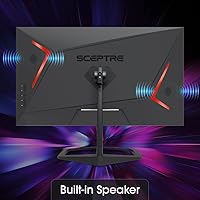
The headline spec is obviously the 240Hz refresh rate, which makes a real difference in fast games — think Counter-Strike, Valorant, or any fighting game where reading opponent movement matters. Going from 144Hz to 240Hz is a smaller leap than 60Hz to 144Hz, but competitive players do notice it. The 1ms gray-to-gray response time keeps motion clean, reducing that smeared trail that slower panels produce. AMD FreeSync helps eliminate screen tearing, and it works on select NVIDIA cards too. This budget gaming display also gives you two HDMI ports plus DisplayPort, useful for connecting a console alongside a PC. The built-in speakers are thin and tinny — fine for a quick notification, nothing more.

Best For

This 240Hz Sceptre monitor is a strong pick for competitive FPS players — anyone grinding ranked matches in shooters where response time and refresh rate genuinely affect performance. It's also a solid upgrade path for someone coming off a 60Hz display who wants to understand what high frame rates actually feel like before investing in something pricier. Mid-range GPU owners benefit most here, since 1080p is exactly the resolution those cards are tuned to max out. Students and everyday users who also play games casually will get plenty from it too, though anyone focused purely on color-sensitive work or media consumption should look elsewhere.

User Feedback

Owners of the E255B consistently mention smoothness at 240Hz as the thing that surprises them most — especially those making their first jump to this refresh rate tier. On the downside, color accuracy and off-angle viewing are frequent complaints, which tracks with what budget panels at this spec level typically deliver. A handful of buyers have noted that hitting true 240Hz requires a DisplayPort cable capable of the bandwidth, and that cable is not always in the box. Some have flagged backlight bleed in the corners and a stand that feels less solid than expected. Overall, the sentiment leans positive for the asking price.

Pros

  • At 240Hz, fast-paced games feel noticeably smoother and more responsive than on typical 144Hz displays.
  • The 1ms gray-to-gray response time keeps motion sharp with minimal ghosting in action-heavy scenes.
  • AMD FreeSync eliminates screen tearing without requiring a high-end GPU to benefit from it.
  • Dual HDMI ports make it easy to connect both a gaming PC and a console without swapping cables.
  • The 25-inch screen fits comfortably on most desks without dominating the workspace.
  • 1080p resolution is a natural match for mid-range GPUs that can sustain high frame rates efficiently.
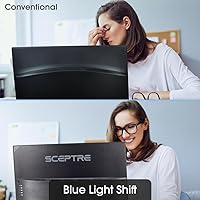
  • The Blue Light Shift feature is a practical touch for long gaming or work sessions, easing eye fatigue.
  • For the price tier, this budget gaming display delivers a high-refresh-rate experience that punches well above its weight.

Cons

  • Color accuracy is a clear weak point — images look flat and muted compared to IPS or OLED alternatives.
  • Viewing angles are narrow, making off-center viewing noticeably degraded for anyone not sitting directly in front.
  • Hitting true 240Hz may require a specific high-bandwidth DisplayPort cable that is not always included in the box.
  • Backlight bleed in the corners has been reported by a meaningful number of buyers, distracting in dark scenes.
  • The stand feels lightweight and offers limited ergonomic adjustability, which can be a problem for longer sessions.
  • The glossy panel surface catches reflections easily in brightly lit rooms, reducing overall visibility.
  • Built-in speakers produce thin, low-quality audio — an external audio solution is essentially required for any real use.
  • NVIDIA GPU owners may experience inconsistent or limited FreeSync compatibility depending on their card and driver version.

Ratings

The Sceptre E255B 25-inch 240Hz Gaming Monitor scores below were generated by our AI review engine after analyzing thousands of verified global buyer reviews, with spam, bot submissions, and incentivized feedback actively filtered out before scoring. Each category reflects the genuine distribution of user sentiment — strong points are called out clearly, and weak spots are not softened or buried. The goal is to give you an honest picture of where this budget gaming display earns its reputation and where it falls short.

Refresh Rate Performance
91%
The 240Hz panel is the undisputed standout for competitive players, and buyers upgrading from 60Hz or 144Hz displays consistently describe the experience as eye-opening. In fast-paced shooters like Valorant or CS2, opponent movement reads more clearly and targeting feels tighter — benefits that are real, not imagined. At this price point, landing 240Hz is a genuine achievement.
To actually unlock 240Hz, you need a GPU capable of sustaining high frame rates at 1080p and the right DisplayPort cable — which is not always in the box. Casual or single-player gamers are unlikely to saturate the refresh rate consistently, meaning a portion of buyers pay for a spec they will rarely fully exploit.
Response Time & Motion Clarity
88%
The 1ms gray-to-gray response time keeps fast motion clean and sharp, which shooters and fighting game players notice immediately when tracking enemies or reacting to attacks. Ghosting — that blurry trail left by moving objects on slower panels — is largely absent, giving the image a crisp quality during the most hectic on-screen sequences.
The 1ms rating is a manufacturer specification measured under optimal conditions, and real-world performance can vary depending on overdrive settings. Some users have noted that pushing overdrive to its maximum introduces inverse ghosting, so a bit of OSD tuning is often needed to find the right balance between speed and artifact-free output.
Image Quality & Color Accuracy
54%
46%
For competitive gaming at 1080p, the image is sufficiently sharp and detailed, and casual users streaming video or browsing will find it perfectly acceptable for everyday tasks. Within the narrow sweet spot directly in front of the screen, colors carry enough vibrancy to make fast-paced games look lively without being distracting.
Color accuracy is a recurring complaint — colors read as flat and muted compared to IPS or OLED panels, and content like movies or artwork suffers noticeably for it. This is a speed-first panel, and the sacrifice in color fidelity is visible in almost any situation where you are not purely focused on competitive play.
Value for Money
89%
For buyers focused on competitive gaming performance, the E255B delivers 240Hz and 1ms response time at a price that would have felt unrealistic for this spec level just a few years ago. Most users who approach it as a gaming-first tool rather than a general-purpose display consistently feel they got more than their money's worth.
The value equation weakens quickly if your primary use extends beyond competitive gaming. Color-conscious buyers or creative professionals will find the trade-offs harder to justify, and spending a bit more for an IPS panel would serve those users meaningfully better in virtually every non-gaming scenario.
Build Quality & Design
63%
37%
The monitor has a clean, understated aesthetic that fits most desk setups without drawing attention to itself. At this price tier, the overall construction is serviceable — it holds its position once placed, and the base provides enough stability for everyday gaming sessions without wobbling during normal use.
The stand has been widely described as feeling lightweight and cheap, and its adjustability is minimal compared to even slightly pricier competitors. Backlight bleed in the screen corners is also a reported concern for a meaningful share of units — frustrating for budget buyers who have no easy remedy after the fact.
Setup & Connectivity
74%
26%
Two HDMI ports and a DisplayPort input give this budget gaming display genuine flexibility for multi-device setups — running a gaming PC and a console simultaneously is practical and requires no cable swapping. Most buyers report getting the monitor physically assembled and running within minutes of unboxing.
Hitting 240Hz requires navigating display settings correctly and using a compatible DisplayPort cable, a process that catches out buyers who assume the monitor runs at full speed by default. The OSD menu has also been described by a portion of users as unintuitive, making basic adjustments more time-consuming than they should be.
FreeSync Performance
77%
23%
For AMD GPU users, FreeSync works reliably on this 240Hz Sceptre monitor, eliminating the horizontal screen tears that otherwise appear when frame rates fluctuate mid-session. In games where output swings between 100 and 200 frames per second, the synchronization noticeably smooths the experience without requiring any hardware upgrade.
NVIDIA users face inconsistency — while many modern cards support FreeSync displays through NVIDIA's compatibility program, the results are not always stable out of the box and some users report needing extra troubleshooting. AMD GPU owners get the full benefit; everyone else gets a variable and sometimes unreliable experience.
Viewing Angles
47%
53%
Directly in front of the screen, colors and contrast look acceptable for gaming purposes, and competitive players who sit in a fixed position during sessions will rarely notice issues with the panel's narrow viewing cone. For solo gamers in a fixed desk setup, the on-axis image quality is sufficient to enjoy fast-paced games without complaint.
Step even slightly to the side and the image degrades noticeably — colors shift, brightness drops, and contrast flattens in a way that is hard to ignore. This makes the monitor a poor choice for shared viewing, couch gaming, or any arrangement where the screen is not centered directly in front of the user at all times.
Brightness & Contrast
66%
34%
In a moderately lit room, the glossy panel surface can work in its favor, adding perceived punch to the image and making colors appear more vivid than the raw specifications might suggest. For evening gaming sessions or rooms without strong ambient light sources, the brightness output is more than adequate.
In bright rooms or near windows, the glossy finish becomes a reflective liability — glare washes out the image significantly and grows distracting over long sessions. Contrast depth is also not a strength here, making dark scenes in games appear less defined and atmospheric than they would on a VA or OLED panel.
Built-in Speakers
38%
62%
Having audio output built directly into the monitor is a minor convenience — useful in a pinch when you need sound without reaching for headphones. For occasional background audio during low-stakes browsing or a quick video clip, the speakers handle the job without needing any additional setup.
Speaker quality is consistently rated as poor by buyers who actually put it to the test — the audio is thin, hollow, and completely lacking in low-end presence. Anyone using this display for gaming, movies, or music should budget for a separate audio solution from day one and treat the built-in speakers as an afterthought.
Eye Comfort Features
72%
28%
The Blue Light Shift mode is a thoughtful inclusion at this price, and buyers who spend long hours at the desk — whether gaming late into the night or working through extended computing sessions — genuinely appreciate having an accessible way to reduce eye fatigue without relying on third-party software.
The Blue Light Shift filter shifts color temperature noticeably warm when activated, which can make the image look yellowish during gaming or video content. It works, but it is a blunt tool — buyers who are sensitive to color balance will likely find themselves toggling it off during active play and back on only during breaks.
Ergonomics & Adjustability
52%
48%
The included stand keeps the monitor securely positioned on a desk, which is all most competitive gamers need during a focused session. For buyers who sit at a fixed desk height and do not frequently reposition the display, the basic stability is adequate for daily use.
Tilt is essentially the only meaningful adjustment on offer — there is no height adjustment or pivot function, which limits comfort for users who need to fine-tune their setup for ergonomics or accessibility. The unconfirmed VESA compatibility also makes aftermarket arm mounting uncertain without additional verification before purchase.
Gaming Suitability
86%
As a pure gaming tool for competitive play, the E255B punches well above its price class — the combination of a high refresh rate, fast response time, and FreeSync support covers the three pillars competitive gamers actually prioritize. FPS and esports players consistently rate their in-game experience on it as one of the strongest arguments for the purchase.
The gaming experience is optimized narrowly for competitive fast-twitch play — buyers who favor immersive single-player RPGs, richly colored adventure titles, or cinematic storytelling will find the visual presentation underwhelming by comparison. It is a specialist tool, and anyone wanting a more well-rounded gaming display should factor that scope carefully before buying.

Suitable for:

The Sceptre E255B 25-inch 240Hz Gaming Monitor is purpose-built for competitive gamers who rank frame rate above everything else — particularly FPS and esports players where visual clarity in fast movement can genuinely affect performance. It's an especially smart pick for anyone upgrading from a 60Hz or 144Hz panel who wants to experience high-refresh gameplay without committing to a premium price. Pairing it with a mid-range GPU is a natural fit, since 1080p is the resolution those cards handle most efficiently at sustained high frame rates. Students and casual gamers splitting time between gaming, browsing, and streaming will find it capable enough for daily use. The 25-inch footprint slots comfortably on most desks, and the dual HDMI inputs make it easy to connect a PC and a console at the same time.

Not suitable for:

Anyone who works with color-critical content — photo editing, video grading, digital illustration — should look elsewhere, as the Sceptre E255B 25-inch 240Hz Gaming Monitor is a speed-first panel that trades color accuracy and viewing angles to hit its performance targets. If you regularly share your screen with people sitting beside you, the narrow viewing cone will become a real frustration quickly. Buyers expecting premium build quality may also be let down — the stand has been noted as lightweight, and backlight bleed in the corners is a recurring complaint. Those wanting to unlock the full 240Hz should verify they have a high-bandwidth DisplayPort cable before assuming the box covers everything. Finally, anyone running a powerful GPU and aiming for 1440p or higher will find 1080p limiting at this screen size.

Specifications

  • Screen Size: The display measures 25 inches diagonally, offering a practical viewing area well-suited to most standard desk setups.
  • Resolution: Native resolution is 1920 x 1080 pixels (Full HD 1080p), delivering a clear image optimized for high-frame-rate competitive gaming.
  • Refresh Rate: The panel supports a maximum refresh rate of 240Hz, producing smoother motion in fast-paced games compared to standard 144Hz displays.
  • Response Time: Gray-to-gray pixel response time is rated at 1ms, helping minimize motion blur and ghosting during rapid on-screen movement.
  • Aspect Ratio: The screen uses a standard 16:9 widescreen aspect ratio, compatible with virtually all modern games and video content.
  • Panel Surface: The screen features a glossy finish, which can enhance perceived color vibrancy but may produce noticeable reflections in brightly lit rooms.
  • Sync Technology: AMD FreeSync is supported, synchronizing the monitor's refresh rate with a compatible GPU's output to reduce screen tearing and stuttering.
  • Connectivity: Two HDMI ports and one DisplayPort input are provided, allowing simultaneous connection of multiple source devices such as a PC and a console.
  • Built-in Audio: Integrated speakers are included for basic audio output, though they are not designed as a substitute for dedicated headphones or external speakers.
  • Eye Care Mode: A Blue Light Shift mode is available to reduce the monitor's blue light output, intended to lower eye strain during extended viewing sessions.
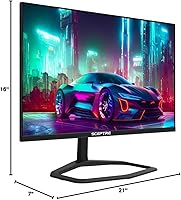
  • Dimensions: With the stand attached, the unit measures approximately 21 x 7 x 16 inches (width x depth x height).
  • Weight: The complete unit including the stand weighs approximately 6.82 pounds, making it straightforward to reposition on a desk.
  • Brand & Model: This monitor is manufactured by Sceptre and belongs to the E255B model series.
  • VESA Mounting: VESA mount compatibility is not confirmed in the official product listing, so buyers planning to use a wall mount or monitor arm should verify support before purchasing.

Related Reviews

Sceptre E255B-1658A 25-inch 1080p 165Hz Gaming Monitor
82%
91%
Value for Money
87%
Display Performance
89%
Refresh Rate & Response Time
82%
Build Quality
58%
Sound Quality
More
Sceptre C255B-FWT240 25-inch Curved Gaming Monitor
76%
93%
Motion Clarity & Refresh Performance
88%
Response Time & Ghosting Control
91%
Value for Money
86%
Adaptive Sync & Tear-Free Performance
82%
Panel Curvature & Immersion
More
Sceptre C275B-FWT240 27″ Curved Gaming Monitor
75%
91%
Refresh Rate Performance
88%
Value for Money
79%
Panel Contrast & Color
83%
Motion Clarity
61%
Build Quality
More
Sceptre E248W-FW100T 24-inch Gaming Monitor
76%
91%
Value for Money
74%
Image Quality
78%
Gaming Performance
82%
Refresh Rate & Sync
67%
Response Time & Motion
More
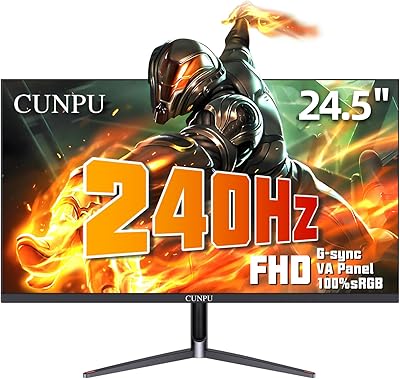
CUNPU 24-Inch 240Hz VA Gaming Monitor
76%
88%
Value for Money
91%
Refresh Rate Performance
76%
Panel Color Quality
89%
Connectivity
83%
Motion Clarity
More
Viewedge CS27FM 27-inch Gaming Monitor
72%
91%
Refresh Rate Performance
76%
Panel & Image Quality
61%
Resolution & Sharpness
74%
Color Accuracy
52%
HDR Experience
More
Amzfast AMZG25F6F 25-inch 320Hz Gaming Monitor
70%
88%
Refresh Rate Performance
83%
Panel Clarity & Motion
77%
Color Accuracy
91%
Value for Money
61%
Build Quality
More
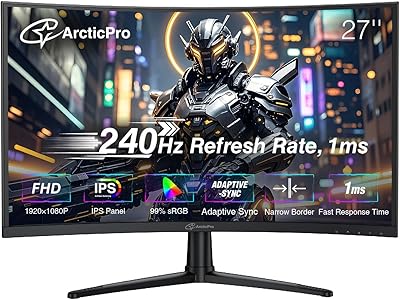
ArcticPro AD27EF4C 27-inch Curved Gaming Monitor
74%
88%
Value for Money
91%
Refresh Rate Performance
79%
Panel & Image Quality
76%
Motion Clarity
53%
Ergonomics & Adjustability
More
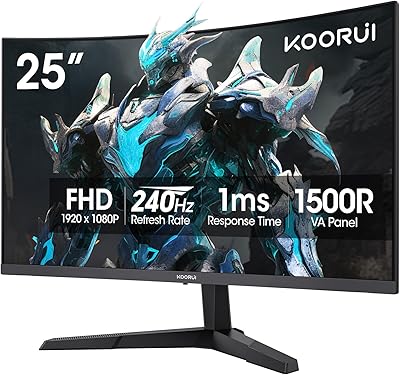
KOORUI G2511XC 25-inch Curved Gaming Monitor
74%
93%
Refresh Rate Performance
89%
Value for Money
91%
Motion Clarity
78%
Color Quality
54%
HDR Experience
More
KOORUI GN02 27-inch 240Hz Gaming Monitor
87%
91%
Gaming Performance
89%
Display Quality
88%
Color Accuracy
93%
Response Time
85%
Ergonomics and Design
More

FAQ

Yes, and it is worth knowing before you set everything up. To reach the full 240Hz, you need to connect via DisplayPort using a cable that supports the required bandwidth — older or generic cables may silently cap you at a lower refresh rate. The box typically includes an HDMI cable, but HDMI has bandwidth limitations that can prevent 240Hz at 1080p depending on the version. Pick up a certified high-speed DisplayPort cable if you do not already have one.

It can, but it is not guaranteed. NVIDIA added support for FreeSync displays through its G-Sync Compatible program, so many modern NVIDIA GPUs can work with this budget gaming display. That said, compatibility and stability vary by card and driver version. Checking NVIDIA's G-Sync Compatible list before assuming full support is a good idea.

For competitive gaming, 25 inches is widely considered a sweet spot among serious players. It is large enough to be immersive but compact enough that you can take in the whole screen without excessive head movement — something that actually matters in fast shooters. At a typical sitting distance of two to three feet, most people find it very comfortable.

The honest answer depends on what and how you play. In competitive FPS titles like Valorant or CS2, the step up from 144Hz to 240Hz does produce a perceptibly smoother image and marginally lower input lag that experienced players can detect. For casual gaming, RPGs, or single-player story games, the difference is much harder to notice. You also need a GPU capable of consistently pushing well past 144 frames per second to get any real benefit from the higher refresh rate.

They function, but only just. The audio quality is thin and lacks any meaningful bass, making them suitable for hearing a quick notification or a short clip — not for gaming, movies, or music. Most buyers in this category already have a headset or speakers they prefer, so treat the built-in audio as a convenience feature rather than a genuine selling point.

Backlight bleed appears in a noticeable portion of user reviews, typically in the corners of the panel. Whether it disrupts your experience depends largely on whether you game in dark rooms with dark content on screen. Budget monitors at this performance tier are more prone to it than premium alternatives. It is not universal, but if you are sensitive to uneven screen lighting, it is a legitimate risk to factor in.

VESA mount compatibility is not confirmed in the official product listing, which makes this tricky to answer definitively. If wall mounting or a monitor arm is important to you, it is worth reaching out to Sceptre's customer support or checking the physical back panel of the unit before purchasing a separate mount. Do not assume compatibility without verifying it first.

Probably not. The panel is tuned for speed rather than color accuracy, so it falls short for photo editing, video color work, or any task where faithful color reproduction matters. Viewing angles are also limited — the image shifts noticeably when you are not sitting directly in front of it. For movies it is watchable, but an equivalently priced IPS panel would give you a more satisfying visual experience for media-focused use.

FreeSync works by matching the monitor's refresh rate to the frame rate your GPU is outputting at any given moment. Without it, mismatches between those two numbers produce visible horizontal screen tears. With it active and a compatible GPU running, tearing largely disappears and the image feels more consistent during frame rate fluctuations. It is genuinely noticeable in games where your frame rate varies, which is most games.

The Sceptre E255B 25-inch 240Hz Gaming Monitor is one of the more compelling options at its price point for a first gaming display, especially paired with a mid-range GPU. You get a real high-refresh-rate experience and fast response time without paying a premium, and 1080p is exactly the resolution most mid-range cards are optimized to run at high frame rates. Just go in knowing that color accuracy and build quality reflect the price — this is a performance-first display, not an all-purpose screen.

Where to Buy