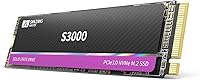
SAN ZANG MASTER S3000 2TB NVMe SSD

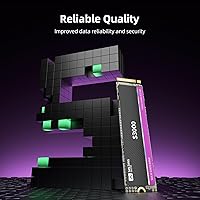
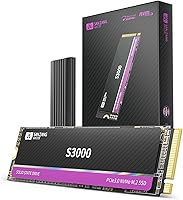
Overview
The SAN ZANG MASTER S3000 2TB NVMe SSD entered a crowded budget storage market in November 2024, and it has moved up quickly — sitting inside the top 600 best-selling internal SSDs on Amazon within just a few months of launch. That kind of traction is worth noting, even if it doesn't tell the whole reliability story. This is a PCIe Gen3x4 M.2 drive targeting people who want a meaningful speed upgrade from an old hard drive or SATA SSD without spending what established brands charge for comparable capacity. With a 4.5-star average across 139 ratings, early reception is encouraging, though the sample size and short track record call for measured expectations.
Features & Benefits
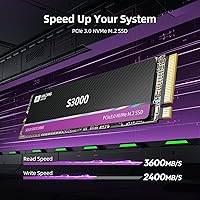
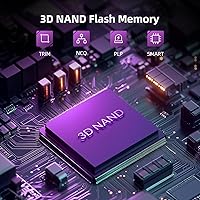
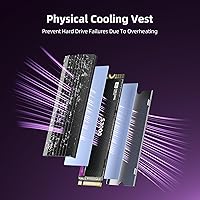
The S3000 SSD tops out at 3,600MB/s sequential reads over a PCIe Gen3x4 interface — genuinely fast for a Gen3 drive, though if your motherboard supports Gen4, you'd get more headroom elsewhere for a similar spend. The 3D NAND with SLC caching handles typical day-to-day tasks well: booting Windows, launching apps, loading game levels. However, once the SLC cache fills during large continuous writes, speeds will drop noticeably, so this isn't the right tool for moving massive video libraries regularly. The aluminum alloy heatspreader with dual silicone pads helps manage thermals during moderate workloads, and TRIM plus Native Command Queuing support keeps the drive running efficiently over time.
Best For
This 2TB Gen3 NVMe drive makes the most sense for budget-conscious upgraders still running a Gen3 motherboard — if your board doesn't support Gen4, there's no point paying the Gen4 premium. It's a practical fit for everyday computing: running an operating system, storing games, keeping media files accessible, or giving an aging laptop a noticeable performance kick. Linux users and those on older Windows builds will appreciate the broad OS compatibility. That said, content creators who routinely write large amounts of data — video editors, photographers doing bulk transfers — may find the SLC cache limitations a real constraint. For light-to-moderate workloads, it's a sensible, honest value proposition.
User Feedback
Early buyers of the S3000 SSD have responded positively, with the 4.5-star average reflecting genuine satisfaction rather than manufactured buzz. The most consistent praise centers on easy installation and the dramatic speed improvement over older spinning drives. Perceived value comes up frequently too — buyers feel they got solid capacity for the spend. The honest concern, though, is timing: this drive only hit the market in late 2024, so there's simply no long-term endurance data yet. A handful of reviewers flag uncertainty about the brand's track record, which is a fair point for anyone risk-averse. Real-world speeds appear to match everyday expectations, though sustained write performance hasn't been extensively stress-tested in public feedback.
Pros
- Delivers up to 3,600MB/s sequential reads, which is competitive at the top end of PCIe Gen3 drives.
- 2TB of capacity gives you serious room for an OS, games, and media without juggling multiple drives.
- The included aluminum heatspreader helps manage temperatures during moderate workloads.
- Broad OS support, including Ubuntu and older Windows versions, makes the S3000 SSD flexible for various setups.
- TRIM and NCQ support help maintain performance and longevity over the drive's lifespan.
- A 5-year warranty offers meaningful coverage that holds up well against many competitors in this price range.
- No moving parts means better shock resistance — a practical advantage for laptop use.
- Early buyers consistently praise how straightforward installation is, even for first-time upgraders.
- The speed jump over HDDs and SATA SSDs is immediately noticeable for everyday tasks like booting and app loading.
Cons
- The brand has no long-term reliability track record, which makes it hard to assess how the drive holds up after two or three years of heavy use.
- SLC cache saturation during large continuous writes causes a significant drop in sustained write speeds.
- Gen3 bandwidth means buyers with Gen4 motherboards are leaving real performance headroom unused.
- With only 139 ratings and a launch date of late 2024, there simply isn't enough user data to judge long-term durability confidently.
- Lifetime technical support sounds reassuring, but its real-world responsiveness from a lesser-known brand is unproven.
- Advertised peak speeds reflect ideal conditions; real-world performance under mixed workloads will typically fall below those figures.
- The brand's obscurity may complicate warranty claims or RMA processes compared to dealing with a major manufacturer.
- Not a suitable primary drive for anyone storing critical or irreplaceable data without a solid backup strategy in place.
Ratings
The scores below reflect an AI-driven analysis of verified global user reviews for the SAN ZANG MASTER S3000 2TB NVMe SSD, with spam, bot activity, and incentivized feedback actively filtered out to ensure only genuine buyer experiences shape each category. Ratings capture the full picture — where this drive genuinely delivers and where real-world limitations surface — so you can make a confident, informed decision rather than rely on marketing copy alone.
Value for Money
Read Performance
Write Performance
Thermal Management
Installation Ease
Build Quality
OS Compatibility
Long-Term Reliability
Warranty & Support
Sustained Workload Handling
Shock & Vibration Resistance
Brand Trust
Packaging & Accessories
Device Compatibility
Suitable for:
The SAN ZANG MASTER S3000 2TB NVMe SSD is a strong fit for everyday PC users and laptop upgraders who are still running older Gen3 hardware and want a meaningful storage boost without the premium price tag of established brands. If your machine has an M.2 PCIe slot but doesn't support Gen4, you're not leaving anything on the table by choosing a Gen3 drive — and 2TB of fast NVMe storage at this price point is genuinely hard to argue with. Students, home users, and casual gamers who need a reliable OS drive with plenty of room for applications, media, and game installs will find the S3000 SSD covers all those bases comfortably. It's also a practical pick for Linux hobbyists and dual-boot users, given its broad OS compatibility stretching from Ubuntu back through older Windows versions. Anyone replacing a spinning hard drive or a worn-out SATA SSD will notice an immediate, dramatic improvement in everyday responsiveness.
Not suitable for:
The SAN ZANG MASTER S3000 2TB NVMe SSD is not the right choice for users who put heavy, sustained demand on their storage. Video editors, photographers, or anyone who regularly moves large batches of files will likely bump into the SLC cache ceiling, at which point write speeds drop considerably and the drive can become a bottleneck in a professional workflow. Buyers with Gen4-capable motherboards who want to get the most out of their hardware should also look elsewhere, since this drive simply cannot take advantage of that bandwidth. Beyond performance ceilings, there is a more fundamental concern: this brand launched in late 2024 and has no meaningful long-term reliability track record yet, which is a real risk factor for anyone storing irreplaceable data. Risk-averse buyers — or those building systems where downtime or data loss would be seriously disruptive — would be better served by a drive from a manufacturer with years of proven endurance data behind it.
Specifications
- Capacity: The drive offers 2TB of raw storage, though formatted usable capacity will be slightly lower due to how operating systems calculate storage space.
- Interface: It connects via an M.2 PCIe Gen3x4 NVMe interface, requiring a motherboard or laptop with a compatible M.2 slot.
- Form Factor: The drive uses the standard 2280 form factor, measuring 80mm in length, which fits the vast majority of M.2 slots in modern laptops and desktops.
- Read Speed: Maximum sequential read speed is rated at up to 3,600MB/s under optimal conditions on a compatible Gen3 platform.
- NAND Type: Storage cells use 3D NAND technology with an SLC caching layer that accelerates burst writes during typical everyday workloads.
- Thermal Design: An aluminum alloy heatspreader with a notch design and two silicone thermal pads is included to help dissipate heat during sustained operation.
- OS Support: The drive is compatible with Windows 7, 8, 10, and 11, as well as Ubuntu and other Linux distributions.
- Device Support: It is designed to work with laptops, desktops, and all-in-one PCs that have an M.2 PCIe interface slot.
- Special Features: The drive supports TRIM for sustained long-term performance, Native Command Queuing for efficient request handling, and is built to resist everyday physical shocks.
- Warranty: Each unit comes with a 5-year limited warranty and lifetime technical support from the manufacturer.
- Weight: The drive weighs 2.08 ounces, making it light enough to be a practical fit in slim laptops and compact desktop builds.
- Package Size: The retail package measures 5.04 x 3.50 x 0.75 inches, containing the drive and its included thermal accessories.
- Model Number: The official model identifier is SANZANG-S3000-2TB-EP-US, which should be referenced when contacting support or verifying warranty status.
- Launch Date: This drive first became available in November 2024, making it a relatively recent entry into the consumer NVMe market.
- Installation Type: It is an internal storage drive that requires physical installation inside a compatible device; it is not a plug-and-play external solution.
- Moving Parts: Like all NVMe SSDs, this drive contains no moving mechanical components, which contributes to its shock resistance and silent operation.
Related Reviews
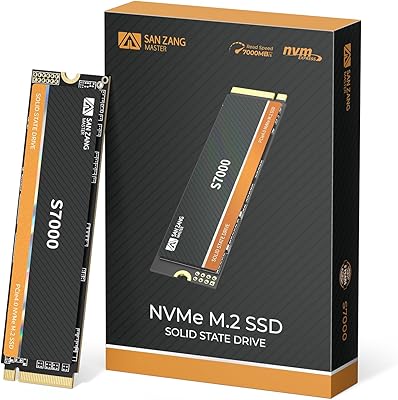
SAN ZANG MASTER S7000 2TB NVMe SSD
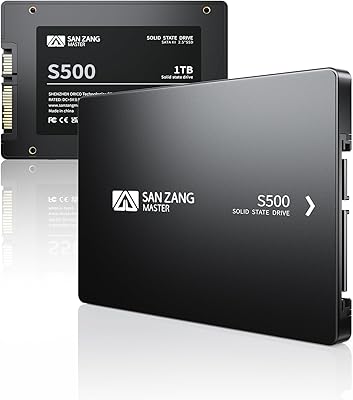
SAN ZANG MASTER S500 2TB SATA SSD
SAN ZANG MASTER S7000 1TB NVMe SSD
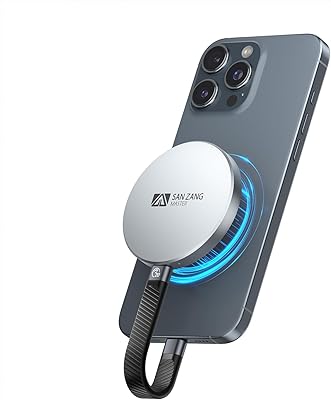
SAN ZANG MASTER SQ20 1TB Portable SSD

SanDisk 2TB SSD Plus M.2 NVMe SSD
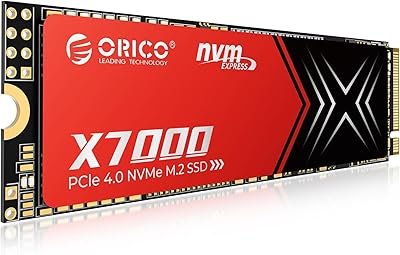
ORICO X7000 2TB NVMe SSD
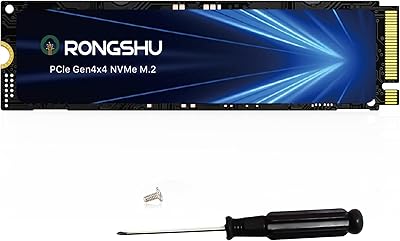
RONGSHU RP7000 2TB NVMe SSD
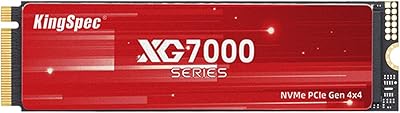
KingSpec XG7000 2TB NVMe M.2 SSD
GiGimundo G7400 2TB NVMe SSD
