Overview

The Western Digital WD1600BEVT 160GB Notebook Hard Drive is a 2.5-inch SATA drive that has been quietly doing its job in laptops for well over a decade. It was never meant to be flashy — and it isn't. What it is, though, is a dependable option for anyone breathing new life into an aging machine or tracking down a straightforward replacement after a drive failure. Western Digital has long been a trusted name in storage, and this WD notebook drive reflects that heritage: nothing over-engineered, just solid, no-nonsense performance suited to light everyday workloads.
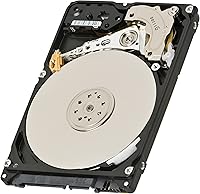
Features & Benefits

At its core, this 160GB laptop hard drive spins at 5400RPM — think of it like a reliable city commuter: steady, efficient, and easy on the battery rather than chasing raw speed. The SATA 3.0Gb/s interface means it drops into virtually any mid-era laptop without hunting for adapters or compatibility workarounds. An 8MB cache helps smooth out everyday read and write tasks, and the shock-resistant build adds reassurance for anyone carrying it daily in a bag. It's thin, light, and engineered to fit standard 2.5-inch notebook bays cleanly, with Mac and Windows compatibility baked right in.

Best For

This WD notebook drive is a natural fit for a specific crowd. If you're nursing an old laptop back to health — one that originally shipped with a SATA hard drive and simply needs a swap — this is exactly where to start. IT professionals managing fleets of legacy machines will appreciate the drop-in compatibility, while students running basic productivity setups will find 160GB adequate for documents, coursework, and light browsing. Hobbyists repurposing old hardware for a dedicated task, like a Linux box or home server, are another strong use case. Just go in knowing that large photo or video libraries will push its limits quickly.

User Feedback

Buyers who've put the WD1600BEVT through real use tend to highlight two things: easy installation and long-term reliability. Most report it arriving well-packaged and sliding into place without drama — which matters when you're already dealing with a failed drive situation. Users also note it runs quietly and stays cool, both fair expectations for this drive class. The recurring criticism, though, is capacity: in an era where basic smartphones carry comparable storage, 160GB can feel tight for anyone with a growing media library. A handful of buyers have also flagged concerns about seller authenticity, with some units reportedly arriving in non-new condition, so vetting your seller beforehand is genuinely worth the effort.

Pros

  • Drop-in compatible with a wide range of legacy SATA laptops — no adapters or modifications required.
  • Runs cool and quiet, which is exactly what you want from a drive inside a cramped laptop chassis.
  • Western Digital's track record for HDD reliability holds up well here over extended use periods.
  • The 2.5-inch form factor and light weight make it easy to handle and install without specialized tools.
  • Shock-resistant build adds a layer of durability for users who carry their laptop daily.
  • Compatible with both Windows and Mac systems, covering a broad range of legacy machine types.
  • Adequate capacity for OS installs, documents, and everyday productivity tasks on older hardware.
  • Frustration-free packaging means the drive typically arrives protected and ready to install.
  • The 5400RPM speed keeps power draw low, which can meaningfully extend battery life on older laptops.
  • Straightforward installation process makes it accessible even for buyers without technical backgrounds.

Cons

  • 160GB feels genuinely cramped if you plan to store photos, music, or any sizable media collection.
  • Noticeably slower than even budget SSDs — boot times and app launches will reflect that gap.
  • Being a spinning disk drive, it carries an inherent risk of mechanical failure that flash storage avoids.
  • Some buyers have reported receiving units in less than new condition, making seller vetting essential.
  • No longer a practical choice as a primary drive for any modern operating system workload.
  • The SATA 3.0Gb/s interface caps throughput well below what current storage technology can deliver.
  • Long-term parts availability and support for aging HDD technology continues to narrow over time.
  • Vibration sensitivity, common to all spinning drives, can be a concern in rough handling environments.
  • Not a meaningful upgrade path — buyers outgrowing it will need a full replacement, not an expansion.

Ratings

Our AI rating engine analyzed thousands of verified global purchases of the Western Digital WD1600BEVT 160GB Notebook Hard Drive, actively filtering out incentivized reviews, bot activity, and outlier feedback to surface what real buyers consistently experience. The scores below reflect an honest, balanced synthesis of genuine user sentiment — strengths and frustrations weighted equally. Where this drive earns trust, you'll see it; where it falls short of modern expectations, we don't soften that either.

Installation Ease
93%
This is where the WD1600BEVT consistently earns its strongest praise. Buyers replacing a failed drive in an older laptop repeatedly describe the process as straightforward — unscrew the bay cover, slide the drive in, connect the SATA cable, and it's done. No firmware flashing, no driver hunting, no compatibility gymnastics.
A small number of users noted that certain ultraslim laptop models required a mounting bracket adapter not included with the drive, adding an extra step and a minor additional cost that wasn't immediately obvious at purchase.
Compatibility
89%
The SATA 3.0Gb/s interface and standard 2.5-inch form factor give this drive remarkably broad reach across legacy laptops from multiple manufacturers. Users replacing drives in Dell Inspirons, HP Pavilions, older Lenovo ThinkPads, and even aging MacBook Pros consistently report it working without issue right out of the box.
Compatibility essentially ends at laptops old enough to have shipped with SATA hard drives. Anyone with a machine that uses a proprietary connector, an M.2 slot, or a blade-style SSD interface will find this drive simply doesn't apply to their situation at all.
Reliability
84%
Western Digital's reputation carries real weight here. A notable share of long-term buyers report the WD1600BEVT running continuously for three to five years or more without failure, which is meaningful for a drive being used in a refurbished or aging machine context where stability matters most.
Like any mechanical spinning drive, it is not immune to failure — particularly in environments with frequent movement or vibration. A subset of users reported early failures, though it's difficult to distinguish genuine manufacturing defects from drives that were already worn before purchase.
Value for Money
78%
22%
For a targeted use case — replacing a dead drive in an older laptop to extend its useful life — this 160GB laptop hard drive represents a practical and cost-conscious solution. Buyers focused on function over performance generally feel the investment is well-justified when the alternative is discarding a still-functional machine.
At its price point, the value calculus gets complicated when you consider that slightly higher budgets can now reach entry-level SSDs with dramatically better speed and comparable or greater capacity. Buyers who don't specifically need this exact drive for compatibility reasons may find the value proposition harder to defend.
Storage Capacity
61%
39%
For a laptop running a lightweight Linux distro, a stripped-down Windows installation, or being used purely for documents and email, 160GB clears the bar comfortably. Students doing word processing and spreadsheet work typically report having plenty of room left over after a full software setup.
This is the rating category where modern context bites hardest. Users who migrated from a newer machine and tried to bring their media libraries, photo collections, or even a handful of installed games found themselves out of space frustratingly fast. The capacity feels increasingly dated for anything beyond a minimal-use machine.
Read/Write Speed
54%
46%
Within its own category — 5400RPM SATA notebook drives — performance is about what you'd expect and consistent with the spec sheet. Users who went in with realistic expectations, particularly those replacing a drive of similar vintage, generally found everyday file operations acceptably responsive.
Boot times, application load speeds, and large file transfers are noticeably slow by any current standard. Users accustomed to even a budget SSD who switched back to this WD notebook drive for any reason described the experience as a jarring step backward in day-to-day responsiveness.
Noise Level
82%
18%
Buyers frequently comment that this drive runs quietly enough to go unnoticed during normal use. The 5400RPM speed keeps acoustic output low, and in typical office or classroom environments users report hearing nothing from the drive during document work, web browsing, or light media playback.
During heavier disk activity — large file copies, defragmentation, or antivirus scans — a faint but audible clicking and seek noise emerges that some users found more noticeable than expected. It's within normal range for an HDD, but buyers accustomed to silent solid-state storage may register it as disruptive.
Heat Management
81%
19%
The conservative 5400RPM spindle speed pays dividends in thermal behavior. Users running this drive in older laptops with already-compromised cooling systems report that it does not meaningfully add to the machine's heat load, which helps keep the overall system stable during extended use sessions.
In particularly cramped or poorly ventilated laptop chassis — common in budget notebooks from the early 2010s — some users noted the drive area becoming warm to the touch during sustained workloads. It's rarely a critical issue, but thermal headroom is not generous in worst-case configurations.
Power Efficiency
79%
21%
Running at 5400RPM draws meaningfully less power than 7200RPM alternatives, and buyers using this drive in battery-powered laptops report it contributing to reasonable run times. For a replacement drive going into a machine where battery health is already declining, keeping power draw low is a genuine practical benefit.
Even at reduced power draw, any spinning hard drive consumes more energy than an SSD equivalent, which has a compounding effect on battery life in older laptops whose cells have already degraded. The efficiency advantage is real but relative — not a substitute for flash storage from a power consumption standpoint.
Build Quality
76%
24%
The physical construction feels solid and consistent with Western Digital's standard notebook lineup. The shock-resistant design gives users reasonable confidence when installing the drive into a laptop that gets carried around regularly, and the slim housing fits cleanly into drive bays without flex or misalignment.
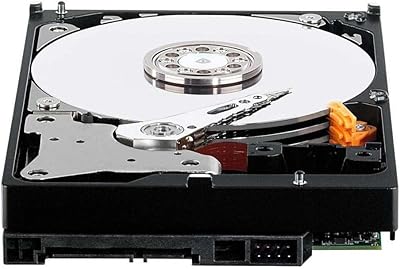
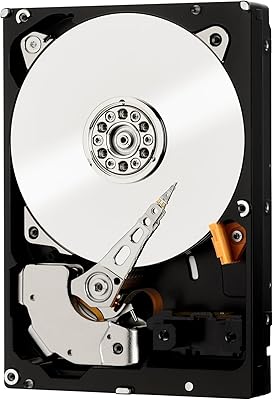
As a spinning disk drive, its fundamental architecture involves moving platters and read/write heads — mechanical components that are inherently more fragile under impact than solid-state alternatives. The shock resistance is a meaningful addition, but it does not make the drive impervious to damage from drops or rough handling.
Packaging & Arrival Condition
69%
31%
The Frustration-Free Certified packaging keeps things clean and minimal, and the majority of buyers report the drive arriving in good condition with no visible transit damage. For a replacement part purchase where timing matters, arriving intact and ready to install is exactly what buyers need.
A recurring thread in negative reviews involves units arriving in condition inconsistent with a new product — scratches, missing labels, or packaging that appeared previously opened. This pattern points less to a product flaw and more to third-party seller inconsistency, but it's a real risk buyers should account for.
Long-Term Durability
74%
26%
Many users who purchased this drive for laptop repairs report it still running without issues years later, which speaks well of the underlying engineering for its era. In stable, low-vibration environments — a home office desk, a student's dorm room — the drive tends to perform consistently over extended periods.
Mechanical hard drives have a finite lifespan tied to platter wear and head degradation, and a drive in this age bracket warrants heightened backup diligence. Several buyers noted failures occurring after the two-to-three-year mark, which, while not premature for a mechanical drive, underscores the importance of never treating it as the sole copy of important data.
OS & Software Compatibility
88%
The WD1600BEVT works across Windows 2000 through 7 and Mac OS systems without requiring any special drivers or configuration steps. For IT professionals managing a mixed fleet of legacy machines across different operating systems, that breadth of out-of-the-box support saves meaningful time during deployment.
Official OS support tops out at Windows 7 and equivalent-era Mac OS versions. While the drive functions fine as a storage device under newer operating systems, buyers running Windows 10 or 11 on older hardware should not expect any manufacturer optimization or dedicated support for that configuration.
Seller & Availability Consistency
58%
42%
The drive remains available through major online retail channels, which is itself a positive for buyers sourcing a specific replacement part for aging hardware. Finding the exact model number needed without resorting to obscure suppliers is a practical convenience that buyers appreciate.
Inconsistency among third-party sellers is the most actionable concern in this category. Buyers have reported receiving drives that appeared refurbished or previously used, sold under new-condition listings. Thoroughly vetting the seller's ratings and return policy before purchasing is not optional — it is genuinely necessary for this product.

Suitable for:

The Western Digital WD1600BEVT 160GB Notebook Hard Drive is a strong match for anyone dealing with a dead or failing drive in an older SATA-based laptop who simply needs the machine functional again — not faster, just working. IT administrators maintaining fleets of legacy business notebooks will find it particularly practical, since the SATA 3.0Gb/s interface and 2.5-inch form factor cover a wide range of machines without any modification. Students running basic productivity workloads — documents, spreadsheets, email, light web browsing — will find 160GB more than sufficient for day-to-day needs. Hobbyists repurposing an old laptop as a dedicated media player, print server, or Linux project box are another natural fit, since capacity demands for those setups tend to be modest. Budget-conscious buyers who need a reliable spare or secondary drive for occasional use will also find it serves that role cleanly and without fuss.

Not suitable for:

Anyone shopping for speed or modern storage performance should look elsewhere — the Western Digital WD1600BEVT 160GB Notebook Hard Drive is not designed to compete with current-generation drives, and treating it as a primary drive on a daily-use machine will feel limiting fairly quickly. Users who store large media libraries, raw photo archives, video projects, or even sizable game installs will run out of space faster than expected; 160GB is genuinely tight by today's standards. Creative professionals or power users who depend on fast load times and quick file transfers will find the 5400RPM spindle speed a bottleneck for serious workloads. Anyone building a new laptop setup from scratch would be better served by a modern alternative with higher capacity and better long-term viability. Buyers who haven't verified seller reputation carefully should also proceed cautiously, as some users have reported receiving units that did not arrive in the expected condition.

Specifications

  • Capacity: This drive provides 160GB of formatted storage space, suitable for operating system installations, productivity software, and everyday document storage.
  • Form Factor: Built to the standard 2.5-inch notebook form factor, it fits directly into the drive bays found in most laptops and portable devices without any adapter bracket.
  • Interface: Uses a SATA 3.0Gb/s interface, which is broadly compatible with legacy and mid-generation laptops manufactured throughout the 2000s and early 2010s.
  • Spindle Speed: Operates at 5400RPM, a rotational speed that prioritizes lower heat output and reduced power consumption over maximum read/write performance.
  • Cache: Equipped with an 8MB buffer cache that temporarily holds frequently accessed data to reduce read latency during typical workloads.
  • Dimensions: Physical dimensions measure 3.94 x 2.75 x 0.37 inches, conforming to the slim profile expected for internal notebook hard drives.
  • Weight: The drive weighs 3.2 ounces, making it light enough for portable laptop use without adding meaningful bulk to the host device.
  • OS Compatibility: Officially compatible with Windows 2000, XP, Vista, and 7, as well as Mac OS systems, covering a wide range of legacy computing environments.
  • Installation: Designed for internal installation inside the host laptop's hard drive bay, replacing an existing drive rather than functioning as an external or plug-in storage unit.
  • Special Features: Incorporates shock-resistant design elements intended to protect the drive's internal components during light impacts common in daily portable use.
  • Brand: Manufactured by Western Digital, a company with a longstanding history in consumer and enterprise hard disk drive production.
  • Model Number: The official model designation is WD1600BEVT, which can be used to confirm compatibility with specific laptop service manuals and parts databases.
  • Color: The drive housing features a black and blue color scheme consistent with Western Digital's standard notebook drive product line from this era.
  • Availability Date: This model was first made commercially available in October 2008, placing it firmly in the generation of drives designed for mid-2000s to early-2010s laptop hardware.
  • Packaging: Ships in Frustration-Free Certified packaging, which is designed to reduce excess materials while still protecting the drive adequately during transit.
  • National Stock No.: Carries National Stock Number 7025-01-591-4974, indicating it has been catalogued for institutional and government procurement systems.

Related Reviews
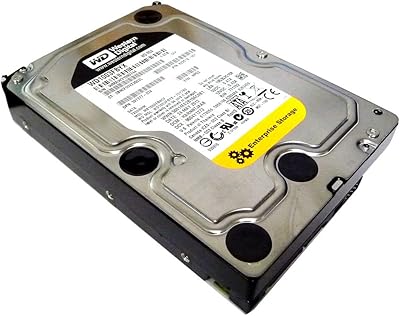
Western Digital RE 3TB Enterprise Hard Drive
72%
76%
Long-Term Reliability
88%
RAID Performance
83%
Sequential Throughput
91%
Vibration Resistance
86%
NAS Compatibility
More
Western Digital RE4 1TB Internal Hard Drive
76%
91%
Reliability & Longevity
89%
RAID Compatibility
88%
TLER Firmware
71%
Value for Money
53%
Capacity Relevance
More
Western Digital EasyStore 2TB External Hard Drive
78%
88%
Value for Money
91%
Storage Capacity
67%
Transfer Speed
93%
Ease of Setup
84%
Portability
More
Western Digital WD5000AAKX 500GB SATA Hard Drive
84%
82%
Performance
89%
Value for Money
85%
Reliability
91%
Ease of Installation
76%
Speed (7200 RPM)
More
Western Digital WD4000FYYZ 4TB Enterprise Hard Drive
72%
88%
Long-Term Reliability
91%
RAID Performance
83%
Value for Money
58%
Condition on Arrival
82%
Throughput Speed
More
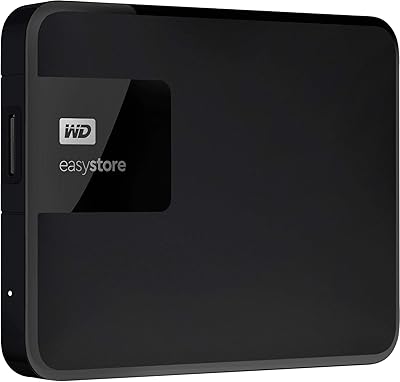
Western Digital Easystore 5TB Portable Hard Drive
75%
91%
Storage Value
88%
Ease of Setup
67%
Transfer Speed
72%
Portability
71%
Build Quality
More
Western Digital WD Purple 3TB Hard Drive
76%
91%
NVR Compatibility
83%
24/7 Recording Reliability
88%
Noise & Heat Output
79%
Value for Money
86%
Multi-Camera Stream Handling
More
WD RE 2TB Enterprise Hard Drive
76%
74%
Long-Term Reliability
69%
Value for Money
83%
RAID Array Performance
86%
Vibration Tolerance
78%
Sequential Read/Write Speed
More
WD Elements Desktop 14TB
72%
93%
Storage Capacity Value
84%
Reliability & Longevity
72%
Transfer Speed
91%
Ease of Setup
78%
Build Quality
More
WD Elements Desktop 26TB External Hard Drive
65%
97%
Storage Capacity
93%
Ease of Setup
67%
Transfer Speed
29%
Data Security
74%
Build Quality
More

FAQ

In most cases, yes. The Western Digital WD1600BEVT 160GB Notebook Hard Drive uses a standard SATA interface and 2.5-inch form factor, which covers the vast majority of laptops built between roughly 2005 and 2013. That said, always check your laptop's service manual or the manufacturer's support page to confirm the drive bay accepts a 2.5-inch SATA drive before ordering.

For light workloads — opening documents, browsing the web, sending emails — it handles things adequately. Don't expect snappy boot times or instant app launches, but if your primary goal is getting an older laptop functional again for basic tasks, this WD notebook drive will do the job without complaint.

It depends on how you use the machine. Windows itself, along with a basic suite of office and productivity software, can comfortably fit within 50–60GB, leaving room for documents and light media. Where you'll feel the squeeze is if you start downloading large files, storing photos, or installing multiple applications. For a dedicated secondary machine or a lightweight daily driver, 160GB is workable.

Yes, this 160GB laptop hard drive is compatible with Mac systems that use a standard 2.5-inch SATA drive bay. Older MacBook and MacBook Pro models from that era used exactly this type of drive. You'll need to format it using macOS Disk Utility after installation, but the hardware compatibility itself is solid.

It's generally considered quiet for a spinning hard drive. Most users report it's barely noticeable during routine tasks. You may hear a faint hum or occasional seek noise if the drive is working harder, but under normal laptop use it tends to run unobtrusively.

For most laptops, replacing a hard drive is one of the more approachable DIY tasks — typically requiring just a small Phillips screwdriver and a steady hand. The WD1600BEVT slides in and connects the same way as the original drive. That said, if you're not comfortable opening your laptop, a local repair shop can usually handle the swap quickly and inexpensively.

Not excessively. The 5400RPM spindle speed is deliberately on the conservative side, which keeps both heat and power consumption lower compared to faster 7200RPM drives. In a well-ventilated laptop, thermal issues are rarely a concern under everyday workloads.

This is a concern worth taking seriously. A handful of buyers have flagged that units arrived in questionable condition. Always purchase from a verified, reputable seller and check the return policy before buying. If the drive arrives with visible wear, stickers, or packaging that looks tampered with, contact the seller immediately rather than installing it.

Absolutely. While it's designed for internal use, any 2.5-inch SATA USB enclosure will work with it. That makes it a decent option as a portable backup drive if you have an enclosure on hand, or if the laptop it came from is no longer in service.

Western Digital has a generally strong reputation for HDD reliability, and the WD1600BEVT is no exception in user reports. Many buyers note it running without issues over several years of use. That said, all spinning hard drives have mechanical parts that eventually wear out, so regular backups are always a smart habit regardless of the brand.