Seagate ST2000LM007 2TB Internal Hard Drive
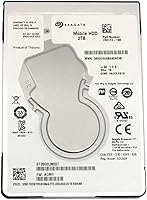
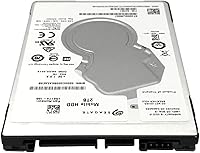
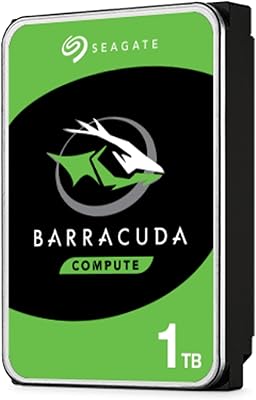
Seagate ST2000LM007 2TB Internal Hard Drive — image 1
Seagate ST2000LM007 2TB Internal Hard Drive — image 2
Seagate ST2000LM007 2TB Internal Hard Drive — image 3
Seagate ST2000LM007 2TB Internal Hard Drive — image 4
75%
25%

Overview

The Seagate ST2000LM007 2TB Internal Hard Drive has been a consistent performer in the storage market since its 2017 launch, and it remains a legitimate option for anyone who needs bulk capacity without spending SSD money. It belongs to the 2.5-inch form factor family — the same physical size as most laptop drives — which sets it apart from the larger 3.5-inch drives found in desktop towers. SATA 600 connectivity means compatibility is essentially universal across modern laptops and desktops. That said, this is a mechanical drive with spinning platters, so anyone expecting SSD-level responsiveness will need to adjust their expectations accordingly.

Features & Benefits

Fitting 2TB of storage into a 2.5-inch body is where this 2.5-inch internal HDD earns its keep. That is a meaningful amount of storage for a drive small enough to fit in a laptop bay or slip into a portable enclosure. The 5400 RPM spindle speed won't win benchmarks, but it draws less power than faster drives — a real advantage in battery-dependent setups or always-on systems like NAS boxes. A 32MB cache buffer helps manage data flow during large sequential transfers, smoothing out occasional bottlenecks. The SATA 600 interface keeps things simple: no proprietary connectors, no compatibility guesswork, just straightforward plug-and-play installation.

Best For

This Seagate 2TB laptop drive makes the most sense in a few specific situations. The most obvious is a laptop upgrade — if your machine has a vacant SATA bay or an aging smaller drive, swapping in 2TB of spinning storage costs far less than the SSD route for equivalent capacity. It also works well as a secondary desktop drive for storing media libraries, project archives, or system backups. NAS and home media server users will appreciate the low power draw and solid sequential throughput for streaming large files. Slip it into a USB enclosure and it doubles as a portable external drive. Not the right pick if speed is the priority, but for raw capacity at a sensible price, it fits the bill.

User Feedback

Across its review base, the ST2000LM007 earns consistent praise for easy installation and dependable everyday performance, with most buyers reporting the drive working right out of the box. Where feedback gets more nuanced is around acoustics — a handful of users note audible clicking or vibration during heavy sustained reads, which is typical for mechanical drives but worth flagging if your setup is noise-sensitive. Long-term reliability looks solid for the majority, though a small number of reviewers encountered early failures, a reality not uncommon in mass-market HDDs. Critical reviews tend to center on the SSD value comparison: buyers who needed speed felt the trade-off wasn't justified, while those focused purely on affordable high-capacity storage were largely satisfied.

Pros

  • Packs a full 2TB of storage into a compact 2.5-inch body — a lot of space for the size.
  • Broadly compatible with laptops and desktops via the standard SATA 600 interface.
  • Lower power consumption than 3.5-inch desktop drives makes it well-suited for NAS and portable use.
  • The 32MB cache keeps large sequential file transfers running smoothly without major hiccups.
  • Works inside a USB enclosure, effectively doubling as an external portable drive.
  • Installation is straightforward — most users report it working immediately with no configuration needed.
  • A strong option for secondary storage where you want capacity without paying SSD prices.
  • Seagate is a well-established manufacturer with broad driver support and firmware availability.
  • The ST2000LM007 has been on the market since 2017, meaning its quirks and failure patterns are well-documented.
  • Lightweight at under 6.5 ounces, adding negligible weight to a laptop or portable enclosure build.

Cons

  • 5400 RPM spinning speed makes it noticeably slower than even entry-level SSDs for OS or app use.
  • Audible clicking and vibration during sustained loads can be distracting in quiet environments.
  • Mechanical drives are inherently more vulnerable to physical shock and drops than solid-state alternatives.
  • A small but consistent number of buyers have reported dead-on-arrival units straight out of the box.
  • Not a realistic candidate for a primary system drive in any modern performance-oriented build.
  • Long boot and application load times are unavoidable if used as the sole drive in a laptop.
  • At 2TB capacity, the per-gigabyte value advantage over SSDs is narrowing as SSD prices drop.
  • No hardware encryption or advanced firmware features that some NAS setups or IT environments require.
  • Lifespan under heavy or continuous workloads is shorter than enterprise or surveillance-grade HDDs.
  • Warranty and RMA experiences with Seagate have been inconsistent based on longer-term buyer reports.

Ratings

Our AI has analyzed verified global buyer reviews for the Seagate ST2000LM007 2TB Internal Hard Drive, actively filtering out incentivized, bot-generated, and outlier feedback to surface patterns that reflect genuine ownership experiences. The scores below reflect both the real strengths that keep this drive popular years after its launch and the honest pain points that informed buyers deserve to know before purchasing. Nothing has been softened or inflated — what you see is what the data actually shows.

Storage Value
88%
Buyers consistently highlight how much usable space 2TB provides relative to the asking price, especially when compared to equivalent-capacity SSDs. For users archiving large photo collections, ripping Blu-ray libraries, or storing years of home video footage, the sheer room this drive offers at its price tier is a recurring source of satisfaction.
As SSD prices continue to fall, a growing segment of reviewers questions whether the per-gigabyte savings still justify the performance trade-off. A few buyers who purchased around the time of SSD price drops felt the value proposition had noticeably narrowed since the drive first launched.
Read/Write Speed
58%
42%
For sequential workloads — copying large video files, streaming locally stored media, or running incremental backups — the 5400 RPM platter speed is adequate and rarely produces complaints. Users running NAS boxes or media servers streaming over a local network reported that throughput met their day-to-day expectations without obvious bottlenecks.
Random read and write performance is where this 2.5-inch internal HDD falls noticeably short, and buyers who installed it as a primary OS drive frequently described sluggish boot times and slow application launches. Compared to even a budget SSD, the speed gap in everyday computing tasks is hard to ignore and is the single most common source of buyer disappointment.
Installation Ease
93%
An overwhelming majority of users — including self-described first-time upgraders — reported that dropping the ST2000LM007 into a laptop bay or desktop SATA port took under ten minutes with no complications. The drive is detected immediately by Windows and macOS without additional drivers, which buyers upgrading aging laptops found particularly reassuring.
A small number of desktop users noted that the 2.5-inch form factor requires a mounting bracket to sit securely in a standard 3.5-inch drive cage, which is not always included in the box. This is a minor inconvenience rather than a real flaw, but it caught a few buyers off guard.
Reliability
74%
26%
The majority of long-term owners report the drive running without issues for two to four years under normal archival and secondary-storage workloads. Users who deployed it in low-intensity always-on NAS setups and home media servers praised its consistency, with most drives quietly doing their job without any intervention required.
Dead-on-arrival reports appear with enough frequency across verified reviews to represent a pattern rather than isolated bad luck, pointing to quality control variability at the manufacturing level. A subset of buyers also reported early failures within the first six months, and Seagate's RMA process received mixed reviews regarding turnaround speed and communication.
Noise & Vibration
61%
39%
Under light usage — occasional file access, background syncing, or infrequent reads — the drive operates quietly enough that most users in a typical home or office environment will barely register its presence. Buyers using it inside a full desktop tower with other components running reported that ambient noise effectively masked the drive entirely.
During sustained transfers or long backup operations, a noticeable clicking and low-frequency vibration is a recurring complaint, particularly from users who installed the drive in slim laptops or lightweight external enclosures where there is little mass to dampen resonance. Noise-sensitive users working in quiet spaces or using the drive in a portable enclosure on a desk surface flagged this as a genuine drawback.
Compatibility
94%
The SATA 600 interface is about as universal as storage connectivity gets, and buyers across a wide range of laptops, desktops, and NAS enclosures reported zero compatibility issues out of the box. Whether dropping it into a decade-old laptop or a current-generation desktop board, the drive simply works without any firmware updates or special configuration.
A small number of users with ultra-thin laptops discovered their chassis was designed only for 5mm-height drives, making the standard 7mm thickness of this drive a non-starter without an adapter shim. This is a chassis limitation rather than a product defect, but it is an easy mistake to make without checking specs in advance.
Build Quality
69%
31%
The physical construction feels solid and consistent with what Seagate delivers across its consumer laptop drive lineup, and the drive handles the incidental vibrations of everyday laptop use without issue. Buyers who have owned multiple Seagate drives over the years reported that the ST2000LM007 feels on par with earlier BarraCuda-family products in terms of material quality.
As a consumer-tier mechanical drive, it is not built to absorb physical shocks or drops, and a few buyers who experienced accidental impacts reported immediate failure — a reminder that HDDs remain fundamentally fragile compared to solid-state alternatives. The enclosure also runs moderately warm under sustained workloads, which some users in enclosed spaces noted with concern.
Power Efficiency
82%
18%
Users who installed this Seagate 2TB laptop drive in always-on NAS enclosures or as a secondary drive in thin-and-light laptops appreciated the noticeably lower heat output and power draw compared to 3.5-inch alternatives. Several NAS builders specifically called out the drive's idle power behavior as a reason they chose it over desktop-class drives for a home server.
While it is efficient for a spinning HDD, it still draws meaningfully more power than any SSD at idle or under load, which is a real consideration for users who are battery-conscious on a laptop. A handful of buyers running it as the sole drive in an older laptop reported a modest but measurable reduction in battery runtime compared to their previous solid-state setup.
NAS Suitability
66%
34%
For light home media server duty — streaming locally stored movies, running occasional backups, serving files to a handful of devices — the ST2000LM007 performs adequately and buyers in these scenarios generally expressed satisfaction with throughput over a local network. The low power draw is a genuine plus in an always-on enclosure environment.
It was not designed for 24/7 continuous workloads, and buyers running it in more demanding NAS setups reported accelerated wear and a higher incidence of errors over time compared to purpose-built NAS drives. Seagate's own IronWolf line is a better fit for anything beyond casual home server use, and several experienced NAS users explicitly noted this in their reviews.
Long-Term Durability
71%
29%
When used as a secondary or archival drive in a stable, low-vibration environment, many buyers reported trouble-free operation well beyond the two-year warranty window. Users who treated it as a cold-storage archive drive — spinning up periodically rather than running continuously — reported the best long-term outcomes by a significant margin.
Buyers who pushed the drive harder — running it as a primary OS drive, keeping it active around the clock, or using it in a poorly ventilated enclosure — reported a shorter effective lifespan and a higher incidence of bad sectors developing over time. The two-year warranty is shorter than what some competing brands offer at similar price points, which a few buyers flagged as a confidence gap.
Packaging & Delivery
77%
23%
Most buyers reported the drive arriving well-protected with adequate anti-static and cushioning packaging, and the unboxing experience was described as clean and appropriately minimal for a component product. There were no widespread complaints about shipping damage causing cosmetic or functional issues.
A recurring minor frustration is that the packaging includes no accessories — no mounting screws, no bracket, and no SATA cable — which newer builders sometimes assume will be included. Given the price tier, this is not unreasonable, but it is worth flagging for first-time builders who may not have spare hardware on hand.
Warranty & Support
63%
37%
Seagate's two-year limited warranty covers manufacturing defects and the RMA process is at least accessible and documented, which gives buyers a basic safety net for early failures. Users who navigated successful warranty claims generally described the replacement process as functional, if not particularly fast.
The two-year warranty period is a sticking point for many buyers when competitors offer three years on comparable drives. Beyond the warranty length, user experiences with Seagate's support responsiveness were polarized — some found the process smooth, while others described long waits and unclear communication that left them frustrated.

Suitable for:

The Seagate ST2000LM007 2TB Internal Hard Drive is a practical choice for anyone who needs bulk storage capacity without the cost premium of a high-capacity SSD. Laptop owners with an open SATA bay — or those replacing an aging, smaller drive — will find the 2.5-inch form factor a natural, no-hassle fit. It also works well as a secondary drive in a desktop PC, handling the kind of archival workloads — photo libraries, video projects, local backups — where access speed matters less than sheer space. Home media server builders and NAS users running always-on setups will appreciate the lower power draw relative to full-sized 3.5-inch drives. And for DIY enthusiasts wanting to build a portable external drive on the cheap, dropping this into a USB enclosure is a perfectly sensible approach.

Not suitable for:

Anyone prioritizing system responsiveness or fast application load times should look elsewhere — the Seagate ST2000LM007 2TB Internal Hard Drive is a mechanical spinning drive, and no amount of cache or interface bandwidth changes that fundamental reality. If you are building or upgrading a primary OS drive, the sluggishness compared to even a budget SSD will be immediately noticeable in day-to-day use. This 2.5-inch internal HDD is also a poor fit for noise-sensitive environments, since sustained read and write cycles can produce audible clicking and vibration that solid-state alternatives simply do not. Professionals working with large video files who need fast sequential throughput — think 4K editing timelines — will hit the ceiling of what 5400 RPM can deliver pretty quickly. Finally, buyers expecting the same long-term durability as enterprise-grade drives should be aware that consumer-tier HDDs in this class are not built for continuous heavy workloads.

Specifications

  • Storage Capacity: The drive offers 2TB of total formatted storage capacity for files, media, applications, and backups.
  • Form Factor: Built in the standard 2.5-inch form factor, making it physically compatible with most laptop bays and portable enclosures.
  • Spindle Speed: Platters spin at 5400 RPM, a speed class that prioritizes energy efficiency over raw sequential performance.
  • Cache Buffer: A 32MB onboard cache buffer helps manage short bursts of data and smooths out sequential transfer operations.
  • Interface: Uses the SATA 600 (Serial ATA-600) interface, delivering up to 6 Gb/s theoretical bandwidth and near-universal system compatibility.
  • Drive Type: This is a traditional mechanical hard disk drive with spinning magnetic platters, not a solid-state device.
  • Installation: Designed for internal installation inside a PC, laptop, or NAS enclosure using a standard SATA data and power connection.
  • Compatible Platforms: Compatible with desktop PCs and laptops running Windows or Linux; also supported in most NAS enclosures that accept 2.5-inch SATA drives.
  • Item Weight: The drive weighs 6.4 ounces, keeping it light enough for portable enclosure use without adding meaningful bulk.
  • Manufacturer: Designed and manufactured by Seagate Technology, one of the longest-established hard drive companies in the industry.
  • Model Series: Part of the ST2000LM007 series, a BarraCuda-family laptop drive line first introduced to market in August 2017.
  • Dimensions: Physical dimensions follow the standard 2.5-inch HDD specification at approximately 100mm x 70mm x 7mm, fitting standard laptop drive bays.
  • Power Draw: Draws significantly less power during operation than full-sized 3.5-inch desktop HDDs, making it suitable for battery-powered and always-on environments.
  • Avg. Rating: Holds an average customer rating of 4.5 out of 5 stars based on verified purchase reviews on Amazon.
  • Market Rank: Ranked #1,194 in the Internal Hard Drives category on Amazon, reflecting consistent long-term sales volume since launch.

Related Reviews
Seagate BarraCuda 2TB Internal Hard Drive
79%
91%
Value for Money
74%
Transfer Speed
77%
Reliability & Longevity
93%
Installation Ease
79%
Noise Level
More
Seagate 2TB BarraCuda 2.5-Inch Internal Hard Drive
86%
89%
Performance
91%
Quiet Operation
88%
Energy Efficiency
93%
Installation Ease
90%
Reliability
More
Seagate Game Drive for PlayStation 2TB
79%
94%
Ease of Setup
91%
Storage Capacity
93%
PS4 Compatibility
72%
PS5 Compatibility
74%
Transfer Speed
More
Seagate Barracuda 6TB Internal Hard Drive
77%
93%
Value for Money
91%
Storage Capacity
74%
Reliability & Longevity
89%
Installation Ease
61%
Read/Write Performance
More
Seagate Exos 1TB Internal Hard Drive
80%
91%
Reliability & Uptime
67%
Value for Money
78%
Sequential Performance
88%
Noise Level
84%
Build & Durability
More
Seagate Portable 2TB (STGX2000400)
84%
93%
Value for Money
91%
Portability
94%
Setup Experience
88%
Operating Noise
67%
Cable Utility
More
Seagate BarraCuda ST8000DM004 8TB Internal Hard Drive
73%
93%
Storage Capacity Value
67%
Reliability & Longevity
61%
Read & Write Performance
89%
Installation & Compatibility
63%
Noise & Vibration
More
Seagate BarraCuda 4TB Internal Hard Drive
87%
86%
Performance
90%
Reliability
93%
Setup & Installation
95%
Storage Capacity
72%
Data Transfer Speed
More
Seagate BarraCuda ST1000DM010 1TB Internal Hard Drive
77%
91%
Value for Money
74%
Reliability & Longevity
79%
Read & Write Performance
93%
Installation Ease
68%
Noise & Vibration
More
Seagate IronWolf 16TB NAS Hard Drive
80%
91%
RAID Compatibility
88%
NAS Enclosure Compatibility
83%
Sustained Read/Write Performance
74%
Long-Term Reliability
86%
Noise & Vibration
More
Seagate Barracuda ST5000DM000 5TB Internal Hard Drive
83%
91%
Value for Money
94%
Storage Capacity
88%
Ease of Setup
85%
Performance for General Use
65%
Speed for Demanding Tasks
More

FAQ

It will fit in any laptop that has a standard 2.5-inch SATA drive bay. The drive is 7mm thick, which is the most common height for modern laptop bays. If your laptop has an ultra-thin bay designed only for 5mm drives, you may need a spacer or a different model, so it is worth double-checking your laptop's specs before buying.

Yes, absolutely. Slip the ST2000LM007 into any USB 3.0 2.5-inch enclosure — they are inexpensive and widely available — and it becomes a portable external drive. It draws enough power from the USB connection that you typically will not need a separate power cable, which keeps things clean and simple.

An SSD will outperform this 2.5-inch internal HDD significantly in terms of boot times, application load speeds, and random read/write performance. Where this drive wins is cost per gigabyte — 2TB of SSD storage still costs noticeably more. If you need a primary OS drive and speed matters, go SSD. If you need bulk storage for media or backups, the trade-off here is reasonable.

It is a mechanical drive, so some noise comes with the territory. Under light use you will likely not notice it much, but during sustained reads or writes — like copying large files or running a backup — you may hear a soft clicking or humming. It is not unusually loud for its class, but if you are building a silent workstation, a solid-state drive would be the better call.

Seagate covers the ST2000LM007 with a two-year limited warranty. If you experience a failure within that window, Seagate's RMA process handles replacements, though turnaround experiences vary by region. It is always a good idea to keep your data backed up separately regardless of the warranty coverage.

For a laptop swap, you typically just need a small Phillips-head screwdriver to remove the drive bay cover or bottom panel. No special software is required — your operating system will detect it automatically. If you are using it as a secondary drive, you will need to initialize and format it through Disk Management on Windows or Disk Utility on macOS before it shows up as usable storage.

It works in a NAS, but with a caveat. It is a consumer-grade desktop drive, not purpose-built for the continuous 24/7 workloads that NAS environments can generate. For light home media server use, it will handle the job fine. For a more demanding or always-on NAS, Seagate's IronWolf line is specifically designed for that use case and would be a more reliable long-term choice.

Yes, most desktop motherboards have standard SATA ports that accept both 2.5-inch and 3.5-inch drives. You may need a 2.5-inch to 3.5-inch mounting bracket to secure it in a full-size drive bay, but those are inexpensive and easy to find. It works perfectly as a secondary data drive alongside a primary SSD.

With normal use — storing files, occasional backups, media playback — a drive like this can realistically last five or more years. That said, all mechanical hard drives will eventually fail, and there are no guarantees. Drives used more intensively or in high-heat environments tend to have shorter lifespans. Keeping regular backups is always the smarter strategy regardless of how reliable the drive seems.

Seagate includes a download license for their SeaTools diagnostic utility, and some retail channels bundle access to Acronis True Image for data migration. Whether software is included depends on where you purchase the drive, so check the specific listing. Even without bundled software, free tools like Macrium Reflect handle drive cloning reliably.

Where to Buy