



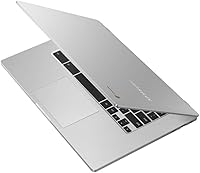
Overview
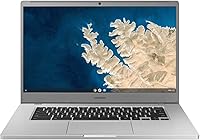
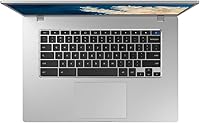
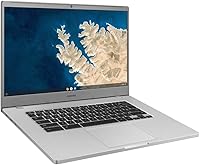
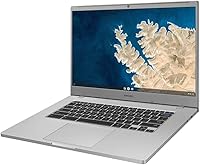
The Samsung Chromebook 4+ 15.6-inch Laptop is a straightforward, no-fuss machine built for people who want a large screen and reliable daily performance without spending a lot. At this price tier, a Full HD 15.6-inch display is genuinely rare — most budget laptops compromise on screen size or resolution, not both. Chrome OS keeps things light and secure by design: there's no antivirus software to manage, updates happen quietly in the background, and the whole experience centers on Google's ecosystem of apps and cloud tools. This isn't a device for video editing or heavy multitasking. Think of it as a well-built, capable daily driver for browsing, schoolwork, and streaming.
Features & Benefits
The 15.6-inch Full HD panel is the headline here — 1920x1080 resolution at this price delivers crisp, comfortable viewing for video calls, Netflix, and hours of reading. Under the hood, the Celeron N4000 paired with 4GB of RAM handles Chrome OS tasks without complaint: a dozen tabs, a Google Meet session, a YouTube video running in the background. Where you'll notice the limits is with 30-plus tabs open or Android apps running simultaneously — it slows. Storage is the real caveat: 32GB fills up fast, so leaning on Google Drive is less optional and more essential. On the upside, Gigabit Wi-Fi keeps everything moving quickly, and that 10.5-hour battery is not just marketing — it holds up in real use.
Best For
This Chromebook makes the most sense for students navigating Google Classroom, Docs, and video calls throughout a school day — the battery and screen size alone make it worth considering. Seniors or less tech-savvy users will appreciate how little Chrome OS asks of them: no Windows updates derailing productivity, no complex settings menus. Families looking for a low-maintenance shared device get an option that stays fast and secure over time. Remote workers already living in Google's suite of tools — Sheets, Meet, Drive — will feel right at home. Just be clear-eyed going in: if you need to run local software, edit large files, or work offline frequently, this 15.6-inch Chrome OS laptop will frustrate more than it helps.
User Feedback
People who buy the Samsung 4+ generally come away satisfied with one thing above all: the display. At this price, getting a sharp, roomy screen that doesn't strain your eyes during long sessions is a genuine win, and buyers say so consistently. Battery life is another recurring bright spot — most users report clearing a full day without hunting for an outlet. The frustrations are equally consistent: the 32GB of built-in storage feels tight quickly, and those without reliable internet lose much of the device's value since so much depends on the cloud. Heavy tab-openers will notice slowdowns. A handful of reviewers mention fan noise becoming noticeable during sustained use — minor for most, but worth knowing if silence matters to you.
Pros
- The 15.6-inch Full HD display is unusually large and sharp for this price tier.
- Battery life holds up well in real-world use, easily covering a full school or work day.
- Chrome OS stays fast, secure, and clutter-free without requiring ongoing maintenance.
- Gigabit Wi-Fi delivers noticeably quicker wireless speeds than many competing budget laptops.
- Military-grade durability certification adds real confidence for students carrying it daily.
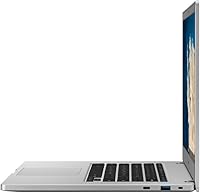
- The slim 0.65-inch profile keeps this Chromebook portable despite the larger screen size.
- Google Assistant integration makes hands-free tasks and quick searches genuinely convenient.
- Setup is fast and simple — ideal for less tech-savvy users who want to get going quickly.
- Two USB 3.0 ports cover most everyday connectivity needs without requiring a hub.
Cons
- 32GB of built-in storage fills up quickly and forces heavy reliance on Google Drive.
- The Celeron N4000 struggles noticeably when juggling many browser tabs or Android apps simultaneously.
- Offline usability is limited — much of the value disappears without a stable internet connection.
- Windows or Mac software cannot run on Chrome OS, which catches some first-time buyers off guard.
- The fan becomes audible under sustained load, which can be distracting in quiet environments.
- 4GB of RAM leaves little headroom for future Chrome OS updates that may demand more resources.
- No touchscreen option is available on this model, unlike some competitors at a similar price.
- The MIL-SPEC certification covers specific controlled tests, not everyday drops or liquid spills.
Ratings
The scores below reflect our AI-driven analysis of thousands of verified global user reviews for the Samsung Chromebook 4+ 15.6-inch Laptop, with spam, bot submissions, and incentivized feedback actively filtered out before scoring. Every category captures what real buyers consistently praised or struggled with — nothing is smoothed over or inflated to flatter the product. Both the genuine strengths and the honest frustrations are reflected exactly as the data tells them.
Display Quality
Battery Life
Performance
Storage & Expandability
Build Quality
Keyboard & Trackpad
Wi-Fi Performance
Portability
Chrome OS Experience
Fan & Noise Level
Value for Money
Setup & Ease of Use
Audio Quality
Long-term Reliability
Suitable for:
The Samsung Chromebook 4+ 15.6-inch Laptop is a genuinely solid fit for students who spend their days inside Google Classroom, Docs, and Meet — the large Full HD screen makes reading, writing, and video calls noticeably more comfortable than on a smaller 13-inch machine. Parents shopping for a first laptop for a middle or high schooler will appreciate how secure and low-maintenance Chrome OS is by design: no accidental malware installs, no slow Windows update cycles, just a fast and consistent experience. Seniors or casual users who primarily browse the web, watch streaming content, and manage email will find this Chromebook more than capable for everything they actually do day-to-day. Families who want a reliable shared device parked on the kitchen counter — ready for homework, recipes, or video calls — get a durable, long-lasting option that holds up well under light shared use. Remote workers already embedded in Google's ecosystem of tools will feel right at home here.
Not suitable for:
The Samsung Chromebook 4+ 15.6-inch Laptop is a poor match for anyone who needs to run Windows-based software, local desktop applications, or professional creative tools — Chrome OS simply does not support them, and no amount of workarounds fully bridges that gap. Power users who habitually keep 20 or more browser tabs open, run Android apps alongside streaming video, and multitask heavily will hit the ceiling of the Celeron N4000 and 4GB RAM combination faster than they expect. The 32GB of built-in storage is genuinely limiting for anyone who works offline frequently or needs to store large local files like videos, large datasets, or offline media libraries. Gamers, video editors, and developers who require dedicated graphics or significant processing headroom should look elsewhere entirely. If your work depends on reliable offline access to files and applications, the cloud-first nature of this Chromebook will cause more friction than convenience.
Specifications
- Screen Size: The display measures 15.6 inches diagonally, offering generous viewing space well-suited for reading, streaming, and productivity tasks.
- Resolution: The Full HD panel renders at 1920x1080 pixels, delivering sharp, clear visuals for everyday web browsing and video content.
- Processor: An Intel Celeron N4000 dual-core processor running at 1.1GHz handles Chrome OS tasks and light multitasking without significant strain.
- RAM: 4GB of DDR4 SDRAM at 2133MHz provides enough memory for smooth performance across standard browsing and cloud-based application use.
- Storage: 32GB of eMMC flash storage is built in, which is typical for Chrome OS devices that rely heavily on cloud storage for files.
- Operating System: Chrome OS comes pre-installed, offering a lightweight, secure, and automatically updated environment centered around Google's app ecosystem.
- Battery Life: Samsung rates the battery at up to 10.5 hours of continuous use, which covers most full school days or standard work sessions.
- Wi-Fi: 802.11ac Gigabit Wi-Fi is supported, enabling faster wireless throughput than the 802.11n standard found on many competing budget laptops.
- Dimensions: The laptop measures 14.16 x 9.64 x 0.65 inches, keeping its footprint slim despite the larger 15.6-inch screen.
- Weight: At 3.8 pounds, this Chromebook is reasonably portable for its screen size, though heavier than compact 13-inch alternatives.
- USB Ports: Two USB 3.0 Type-A ports are included, supporting fast data transfer and compatibility with a wide range of peripherals.
- Audio Output: One 3.5mm audio output port is provided for connecting wired headphones or external speakers.
- Graphics: Intel integrated graphics are built into the Celeron N4000 processor, sufficient for HD video playback and light visual tasks.
- Durability: This model has passed military-grade MIL-SPEC testing for resistance to specific stress conditions, including temperature variation and vibration.
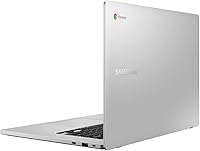
- Color: The chassis is finished in Silver, giving the device a clean, professional appearance consistent with Samsung's laptop lineup.
- Voice Assistant: Google Assistant is enabled, allowing hands-free voice commands for searches, reminders, and compatible smart device control.
- Power: The device is powered via a 5-volt USB-C style charger and includes one lithium-ion battery pack integrated into the chassis.
Related Reviews

Samsung Chromebook 2 XE500C12-K01US 11.6-inch Laptop
Samsung Chromebook 4+ 15.6″, Intel Celeron N4000, 4GB RAM, 64GB eMMC
Samsung Galaxy Book4 15.6″ Laptop
Samsung Galaxy Book4 Edge 15.6-inch Laptop, Snapdragon X Plus, 16GB RAM, 512GB SSD

HP 15.6-inch Laptop 15-ef0021nr, Ryzen 3 3200U, 8GB RAM, 256GB SSD

Dell Inspiron 3593 15.6-inch Laptop
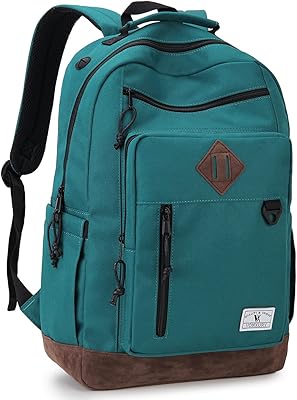
Vonxury 16L Water-Resistant Laptop Backpack
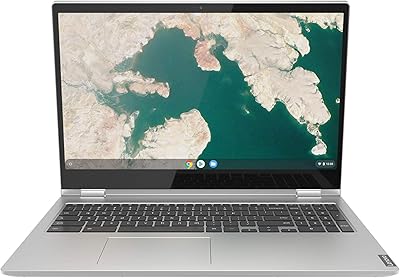
Lenovo Chromebook C340 15.6″ 2-in-1 Laptop
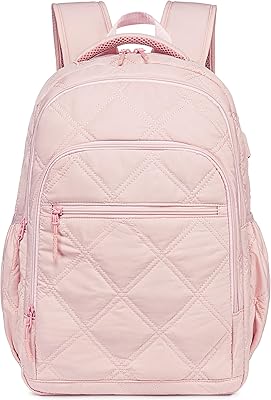
Bluboon 15.6-inch Women's Laptop Backpack
