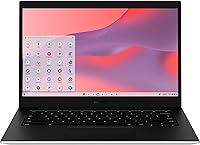
Samsung Galaxy Chromebook Go 14″ Laptop
Samsung Galaxy Chromebook Go 14″ Laptop — image 1
Samsung Galaxy Chromebook Go 14″ Laptop — image 2
Samsung Galaxy Chromebook Go 14″ Laptop — image 3

Samsung Galaxy Chromebook Go 14″ Laptop — image 4
Samsung Galaxy Chromebook Go 14″ Laptop — image 5
Samsung Galaxy Chromebook Go 14″ Laptop — image 6
Samsung Galaxy Chromebook Go 14″ Laptop — image 7
Samsung Galaxy Chromebook Go 14″ Laptop — image 8
Samsung Galaxy Chromebook Go 14″ Laptop — image 9
Samsung Galaxy Chromebook Go 14″ Laptop — image 10
Samsung Galaxy Chromebook Go 14″ Laptop — image 11
74%
26%

Overview

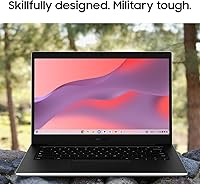
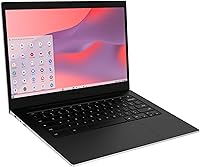
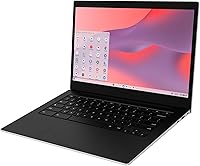
The Samsung Galaxy Chromebook Go 14″ Laptop is Samsung's answer to the growing demand for affordable, school-ready computing that doesn't feel cheap. At just 3.2 pounds and 0.63 inches thin, this Chromebook slips into a backpack without a second thought. ChromeOS sets it apart from Windows machines — it boots in seconds, stays virus-resistant, and keeps everything synced through Google's ecosystem, which can feel like a revelation for anyone switching from a traditional laptop. Samsung also built it to military-grade durability standards, which matters a lot to parents buying for younger students. This is an honest everyday machine — capable and reliable, but not designed for demanding workloads.

Features & Benefits

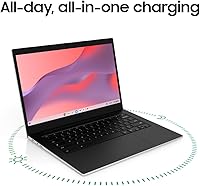
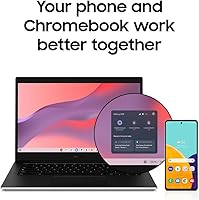
The Intel Celeron N4500 is an entry-level chip, full stop — but within ChromeOS it handles web browsing, Google Docs, and video calls without breaking a sweat. Pair it with 4GB of LPDDR4X RAM and things stay smooth for typical student use, though opening 15-plus browser tabs will push its limits. The 64GB SSD sounds tight, but ChromeOS leans heavily on Google Drive, so local storage rarely becomes a crisis. Battery life is a genuine highlight, with the claimed 12-hour runtime holding up well in mixed daily use. Wi-Fi 6 support is a meaningful upgrade over older Chromebooks, and Android phone integration lets you transfer files or mirror your phone directly from the laptop.

Best For

The Galaxy Chromebook Go is built with students squarely in mind — specifically those living in Google Workspace, whether that's Docs, Slides, Classroom, or Gmail. K-12 and college users who spend their day in a browser will find this a natural fit. Families seeking a durable, low-cost secondary laptop should also take notice; the rugged construction means it can handle the occasional bump without drama. Seniors and light remote workers who want something simple, secure, and quick to start will feel right at home on ChromeOS. If you need to run Windows software or heavy creative apps, look elsewhere — but for everyday browser-based tasks, it consistently delivers.

User Feedback

Verified buyers consistently praise build quality and battery endurance as standout strengths — the laptop feels sturdier than its price tier suggests, and most users report comfortably clearing a full school day on a single charge. The keyboard earns solid marks for comfort during extended typing sessions. That said, two criticisms surface repeatedly: the 1366x768 resolution looks noticeably soft on a 14-inch panel, especially for anyone accustomed to sharper displays, and the single USB port frustrates users needing to connect multiple peripherals simultaneously. A handful of long-term owners have also raised questions about hinge durability over time. Overall, feedback paints a picture of a solid budget option with honest trade-offs rather than any hidden flaws.

Pros

  • Military-grade durability means it can handle the daily abuse of a student backpack better than most budget laptops.
  • At 3.2 pounds and under an inch thin, this Chromebook is genuinely easy to carry around all day.
  • Claimed 12-hour battery life holds up well in real use, covering a full school day on a single charge.
  • ChromeOS boots in seconds and stays fast over time without the slowdowns that plague budget Windows machines.
  • Wi-Fi 6 support gives it noticeably stronger wireless performance than older entry-level Chromebooks.
  • Android phone integration is a practical bonus, letting users transfer files and control their phone from the laptop.
  • The keyboard is comfortable enough for extended writing sessions, which students will appreciate during long study blocks.
  • Samsung's brand backing and ChromeOS automatic updates provide a level of reliability that cheaper no-name Chromebooks cannot match.
  • The Google Drive ecosystem effectively extends usable storage well beyond the 64GB onboard SSD for most workflows.

Cons

  • The 1366x768 screen resolution looks soft and dated on a 14-inch panel — a full HD display would make a meaningful difference.
  • Only one USB 3.0 port severely limits connectivity if you need to plug in more than one peripheral at a time.
  • 4GB of RAM starts to show its limits when running more than eight to ten browser tabs simultaneously.
  • The Celeron N4500 processor is strictly entry-level; any task beyond basic browsing and document work will feel sluggish.
  • Long-term hinge durability has raised questions among some verified buyers after extended daily use.
  • No HDMI port is listed, making it less convenient to connect to an external monitor or projector without an adapter.
  • Heavy reliance on cloud storage means offline functionality is limited and a weak internet connection hurts usability noticeably.
  • 64GB of local storage fills up quickly if users download apps, files, or media without actively managing space.

Ratings

The Samsung Galaxy Chromebook Go 14″ Laptop has been scored by our AI rating engine after processing thousands of verified global buyer reviews, with spam, bot activity, and incentivized feedback actively filtered out before scoring. The result is an honest, balanced scorecard that captures what real students, parents, and everyday users genuinely experienced — strengths and frustrations alike. Every category below reflects patterns found across verified purchases, not manufacturer claims.

Build Quality
83%
Users consistently describe the chassis as surprisingly solid for a budget device. The military-grade durability rating gives parents real confidence, and a meaningful number of verified buyers mentioned that the laptop survived drops and knocks that would have damaged cheaper machines without showing serious damage.
Some long-term owners flagged concerns about hinge stiffness developing after several months of heavy daily use. A few buyers also noted minor flex in the keyboard deck under firm pressure, which is common at this price tier but worth acknowledging.
Battery Life
88%
This is one of the Galaxy Chromebook Go's clearest wins. Most students report easily lasting a full school day — six to eight hours of active use — with charge to spare. ChromeOS's efficient power management genuinely helps the battery punch above its weight compared to budget Windows alternatives.
Heavier use cases like sustained video streaming or screen brightness cranked to maximum can bring real-world runtime closer to eight or nine hours rather than the claimed twelve. That is still strong, but buyers expecting twelve hours of intensive use may be slightly disappointed.
Display Quality
54%
46%
The 14-inch screen size itself is well-received — it gives enough room for comfortable document editing and video calls without making the laptop feel bulky. Brightness is adequate for indoor use, and color rendering is passable for everyday content consumption.
The 1366x768 resolution is the most consistently criticized aspect of this Chromebook. On a 14-inch panel, text and images look noticeably soft compared to full HD screens, which are now available on competing devices at similar price points. Users coming from modern smartphones find the difference jarring.
Performance
67%
33%
Within its intended scope — web browsing, Google Docs, video calls, and Google Classroom — the Celeron N4500 keeps up without stuttering. ChromeOS is lean enough that the processor rarely feels overwhelmed during typical student workflows, and boot times stay fast throughout the device's life.
Push it beyond casual use and the limitations become clear. Opening more than ten browser tabs simultaneously slows things down noticeably, and any task involving local media editing or heavy multitasking exposes the gap between this chip and more capable mid-range processors.
RAM & Multitasking
59%
41%
For light, focused use — one task at a time, a handful of tabs, a video call — 4GB of LPDDR4X RAM keeps ChromeOS running smoothly. Users who stick to a single Google app at a time rarely encounter slowdowns in normal day-to-day school use.
This is the spec that draws the most complaints from students who multitask. Running a video lecture, Google Docs, a research tab, and a chat app simultaneously is enough to produce noticeable lag. The RAM is not upgradeable, so there is no hardware fix available down the line.
Storage
63%
37%
The 64GB SSD keeps the operating system snappy and app installs fast. For users who embrace Google Drive and keep most of their files in the cloud, the local storage constraint rarely becomes a day-to-day problem, and the SSD speed itself is a genuine advantage over older eMMC-based Chromebooks.
Local storage fills up faster than expected once Android apps, offline files, and cached data accumulate. Users who work offline regularly, download media, or install many Android apps will hit the ceiling fairly quickly, and there is no microSD card slot on this model to expand it cheaply.
Keyboard & Typing
78%
22%
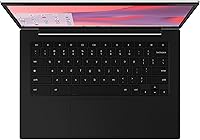
The keyboard earned notably positive feedback from students and writers who use it for extended sessions. Key travel feels comfortable, the layout is standard and easy to adapt to, and most users found they could type for hours without hand fatigue — a meaningful quality-of-life win for a school laptop.
The keyboard is not backlit, which limits usability in low-light environments like evening study sessions or dimly lit classrooms. Some users with larger hands also noted the key spacing feels slightly compact compared to full-size laptop keyboards.
Portability
91%
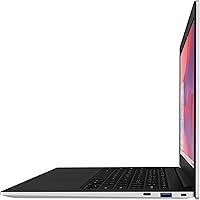
At 3.2 pounds and 0.63 inches thin, this Chromebook is one of the easier laptops to live with daily. Students who commute, carry bags all day, or move between classrooms frequently find it genuinely comfortable to transport, and it fits into standard backpack sleeves without issue.
The slim profile does limit port options significantly. The single USB 3.0 port is a direct trade-off of the thin chassis design, and buyers who need to regularly connect external drives, displays, or peripherals will need to budget for a hub or adapter.
Connectivity
57%
43%
Wi-Fi 6 support is a strong addition at this price point, delivering faster and more reliable wireless connections than older Chromebooks. Bluetooth works dependably for wireless headphones, mice, and keyboards, and Android phone integration is a practical bonus for users in the Google ecosystem.
The single USB 3.0 port is a genuine daily frustration for many buyers, particularly those who need to connect a USB drive and a mouse simultaneously. The absence of an HDMI port also means connecting to an external display requires an adapter that does not come in the box.
Value for Money
82%
18%
Considering the brand credibility, military-grade build, Wi-Fi 6, and all-day battery in a lightweight package, the Galaxy Chromebook Go delivers solid value for its price tier. For students or families who specifically need a ChromeOS device, the package is genuinely competitive against lesser-known alternatives.
If a buyer compares it against the broader budget laptop market — including Windows machines and other Chromebooks with full HD screens — the dated resolution and limited RAM make the value case feel less clear-cut. For buyers who do not specifically need ChromeOS, there are competing options worth evaluating.
Ease of Use
89%
ChromeOS is widely praised for being simple to pick up, especially for users already inside the Google ecosystem. Setup takes minutes, automatic updates run silently in the background, and day-to-day maintenance is minimal — a genuinely appreciated quality for students and less technical users.
Users coming from Windows or macOS occasionally find ChromeOS limiting, particularly when they discover that certain software or file formats behave differently. The adjustment period is usually short, but expectations should be set clearly for buyers making the switch from a traditional operating system.
Durability Long-Term
71%
29%
The military-grade certification and Samsung's manufacturing standards give this Chromebook a solid foundation. Many buyers report the device holding up well through a full academic year of regular use, which is meaningful at a budget price point where build corners are often cut more aggressively.
A pattern of mixed long-term feedback around hinge durability pulls the score down slightly. A subset of verified buyers reported hinge stiffness or looseness developing after sustained use, which affects the overall confidence in how the device ages across two or three years of ownership.
Screen Size & Ergonomics
76%
24%
The 14-inch footprint hits a practical sweet spot for students — large enough to work comfortably on documents and split-screen tasks, while staying compact enough not to dominate a desk or feel bulky in a bag. Viewing angles are acceptable for solo use in classroom or study settings.
The screen does not tilt flat, and the hinge range, while functional, is not as flexible as some competing Chromebooks that support wider angle adjustment. Users who like to prop a laptop at unconventional angles for reading or presentations may find the range slightly restrictive.

Suitable for:

The Samsung Galaxy Chromebook Go 14″ Laptop is purpose-built for students and light everyday users who spend the bulk of their time inside a browser or Google Workspace apps. K-12 students are probably the strongest fit — ChromeOS is easy to manage, resistant to malware, and works hand-in-hand with Google Classroom, making it a natural choice for schools and parents alike. College students who draft papers, attend video lectures, and collaborate on shared documents will find it handles those tasks without friction. Families looking for a reliable, low-maintenance second laptop that can take a few knocks without falling apart will appreciate the military-grade build and the relatively low financial risk. Android users get extra value from the phone integration features, which allow seamless file transfers and remote phone control directly from the laptop. Seniors or non-technical users who simply want something fast to boot, easy to maintain, and secure to browse on will also find ChromeOS a refreshingly uncomplicated experience.

Not suitable for:

The Samsung Galaxy Chromebook Go 14″ Laptop is not the right tool for buyers who need Windows-native software, whether that means Microsoft Office desktop apps, Adobe Creative Suite, or industry-specific programs that simply do not run on ChromeOS. The 1366x768 display resolution is a genuine sticking point for anyone who values screen clarity — on a 14-inch panel, text and images look noticeably softer than on competing laptops in a similar price range with full HD screens. The 4GB of RAM, while adequate for casual use, will frustrate anyone who routinely juggles a heavy browser tab load alongside streaming or video calls. Buyers who work offline frequently should also think carefully, since ChromeOS is designed around cloud connectivity and local storage at 64GB fills up faster than expected without a reliable internet connection. Creative professionals, light gamers, or anyone running locally intensive workloads will hit the ceiling of the Celeron N4500 processor quickly and should look at more capable hardware instead.

Specifications

  • Display Size: The screen measures 14 inches diagonally, offering a comfortable viewing area for documents, video calls, and web browsing.
  • Resolution: The display runs at 1366x768 pixels, which is HD-ready but not full HD, and may appear softer than premium laptop screens at this size.
  • Processor: An Intel Celeron N4500 dual-core processor running at a 1.1 GHz base clock handles everyday computing tasks within ChromeOS efficiently.
  • RAM: The laptop includes 4GB of LPDDR4X memory, adequate for standard student workflows but limiting when many browser tabs are open simultaneously.
  • Storage: A 64GB SSD provides local storage, supplemented in practice by Google Drive cloud storage for most ChromeOS users.
  • Operating System: The device ships with ChromeOS, Google's browser-centric operating system that receives automatic updates and is designed around web apps and Google services.
  • Battery Life: Samsung rates battery endurance at up to 12 hours, which is sufficient to cover a typical full school or work day on a single charge.
  • Wireless: Wi-Fi 6 support is included, delivering significantly faster and more stable wireless connectivity compared to previous Wi-Fi 5 Chromebook models.
  • Bluetooth: Bluetooth is built in, enabling wireless connections to headphones, mice, keyboards, and other compatible peripherals.
  • USB Ports: The laptop includes one USB 3.0 port, which limits simultaneous wired peripheral connections without the use of a hub or adapter.
  • Graphics: Integrated Intel graphics are handled by the Celeron N4500 chip itself, suitable for video playback and standard visual tasks but not gaming or rendering.
  • Weight: At 3.2 pounds, this Chromebook is light enough to carry comfortably in a bag throughout a full school or commute day.
  • Dimensions: The chassis measures 12.88 x 8.8 x 0.63 inches, keeping the profile slim and easy to fit into standard laptop sleeves and backpacks.
  • Build Standard: The chassis is built to military-grade durability standards, offering resistance to drops and everyday physical stress beyond typical budget laptops.
  • Optical Drive: No optical drive is included, which is standard for modern slim laptops and consistent with ChromeOS being a cloud-first platform.
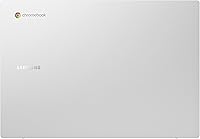
  • Color: The device is available in Silver, giving it a clean, professional appearance appropriate for school or office settings.
  • Power: The laptop charges via a 5-volt connection and ships with a lithium-ion battery pack included in the box.
  • Phone Integration: Built-in Android phone integration allows users to transfer files between devices and remotely control their Android smartphone from the laptop.

Related Reviews
Samsung Galaxy Chromebook Go 14″ 128GB
85%
78%
Performance
82%
Display Quality
94%
Portability
88%
Battery Life
81%
Build Quality
More
Samsung Galaxy Book4 Pro 14″ Laptop, Intel Core i7, 512GB SSD, 16GB RAM
87%
89%
Performance
94%
Display Quality
93%
Portability
87%
Battery Life
88%
Build Quality
More
SAMSUNG Galaxy Book3 Pro 14-inch Laptop, Intel Core i7-1360P, 16GB RAM, 512GB SSD
85%
90%
Performance
94%
Display Quality
85%
Battery Life
92%
Portability
88%
Build Quality
More
ASUS Chromebook CM14 (CM1402CM2A-DS44)
72%
83%
Value for Money
88%
Build Quality & Durability
74%
Performance & Speed
58%
Display Quality
84%
Battery Life
More
ASUS Chromebook Flip CX1 14″ 8GB/128GB

73%
84%
Value for Money
78%
Build Quality & Durability
71%
Display Quality
67%
Performance & Everyday Speed
54%
Storage & Local Capacity
More
HP Chromebook 14a-nf0009nr 14-inch Laptop
82%
91%
Battery Life
88%
Portability & Weight
92%
Value for Money
80%
Performance for Everyday Tasks
85%
Display Quality
More
Acer Swift Go 14 Intel Evo Laptop
86%
89%
Performance
94%
Display Quality
92%
Portability
75%
Battery Life
88%
Build Quality
More
Samsung Chromebook 2 XE500C12-K01US 11.6-inch Laptop
81%
89%
Value for Money
85%
Battery Life
93%
Portability & Weight
80%
Build Quality
78%
Display Quality
More
Samsung Chromebook Plus V2 64GB
74%
88%
Portability & Build Quality
83%
Display Quality
91%
Built-in Stylus
67%
Performance for Everyday Tasks
74%
Chrome OS Experience
More
HP Chromebook 14 AMD A4 Laptop
75%
83%
Value for Money
71%
Performance
67%
Display Quality
74%
Build Quality
88%
Portability
More

FAQ

Not the traditional desktop versions, no. ChromeOS does not run Windows software. However, you can use Microsoft 365 through a web browser or install the Android versions of Word and Excel from the Google Play Store, which work well for most student and light professional tasks.

For most ChromeOS users, yes — but it depends on how you work. ChromeOS is designed around cloud storage, and Google Drive gives you 15GB free to start, with affordable upgrade options. If you store most of your files in the cloud and avoid large local downloads, 64GB holds up fine. Heavy offline media storage would be the one scenario where it gets tight.

The rated 12 hours is fairly realistic under typical conditions like web browsing, Google Docs, and video calls at moderate brightness. Streaming video or running the screen at maximum brightness will shorten that. Most students report comfortably getting through a school day without needing to plug in.

It is serviceable but not impressive. The 1366x768 resolution is below full HD, so video looks a little soft compared to sharper displays. For Google Meet or Zoom calls, class videos, and casual YouTube watching, it gets the job done. If screen quality is a priority for you, it is worth comparing against full HD alternatives in the same price range.

The Samsung Galaxy Chromebook Go 14″ Laptop was essentially made for this use case. ChromeOS and Google Classroom are tightly integrated, and the laptop handles assignments, video meetings, and document sharing without any issues. The durable build is also reassuring for younger students.

No, unfortunately. The RAM is soldered to the motherboard and cannot be upgraded, and there is no accessible slot for additional storage. What you get at purchase is what you have for the life of the device, so factor that into your buying decision.

Yes, both wired and wireless options work. You can connect a USB mouse or keyboard through the single USB 3.0 port, or pair Bluetooth accessories wirelessly. If you want to connect multiple USB devices at once, a USB hub is a practical and inexpensive addition.

Better than you might expect at this price point. Most users find it comfortable for extended writing, and the key travel and layout are well-suited for students doing homework or note-taking. It is not a premium typing experience, but it is far from frustrating.

Google provides software update support for Chromebooks for a set number of years from the platform's release date. Once that window closes, the device still works but no longer receives security patches, which is a legitimate long-term consideration. It is worth checking Google's Auto Update Expiration date for this specific model before purchasing.

It can be a great introduction, especially for anyone already using Gmail, Google Drive, or YouTube. ChromeOS is simple and fast to learn. The main adjustment is accepting that traditional desktop software does not run on it — everything happens through the browser or Android apps. For straightforward tasks like browsing, writing, and video calls, the learning curve is minimal.

Where to Buy