
Overview

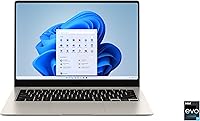
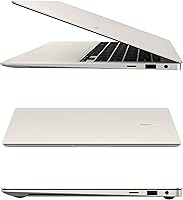
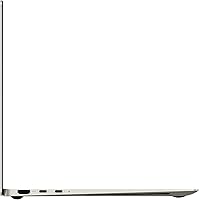
The Samsung Galaxy Book3 Pro 14-inch Laptop is Samsung's answer to the growing demand for ultrabooks that don't ask you to choose between portability and a premium experience. Released in 2023, it sits near the top of Samsung's laptop lineup — a thin, polished machine that weighs just 2.58 lbs and measures a mere 0.44 inches thick. The headline feature is undeniably the AMOLED display, which sets this Galaxy Book3 Pro apart from most Windows competitors in its class. That said, with Intel Iris Xe integrated graphics onboard, this is a productivity-first machine — anyone expecting to run demanding games or GPU-heavy workloads should look elsewhere.

Features & Benefits

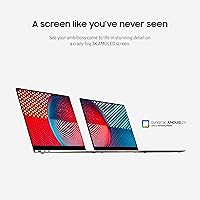
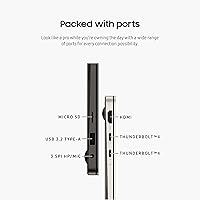
The 3K AMOLED panel running at 120Hz with a 16:10 aspect ratio is genuinely impressive in daily use — text is sharp, colors are rich without looking oversaturated, and the taller screen gives you noticeably more vertical space for documents and spreadsheets. The 13th Gen Intel Core i7-1360P handles multitasking and light creative work without breaking a sweat. 16GB of RAM and a 512GB SSD round out a capable baseline configuration, though the storage isn't user-upgradeable, so plan accordingly. The port layout — Thunderbolt 4, USB-C, and a microSD slot — covers most travel scenarios, and the FHD webcam paired with quad AKG speakers makes video calls genuinely better than average.

Best For

This Samsung ultrabook is a natural fit for business professionals and frequent travelers who need a reliable, light machine they can actually carry without thinking about it. Design students and media-focused users will appreciate the display quality for presentations and visual work — it's a meaningful step up from standard IPS panels. Users already invested in the Samsung ecosystem will find the cross-device features genuinely useful for day-to-day productivity. It's also a solid pick for content consumers who spend hours watching or reading and want a screen worth looking at. One group that should look elsewhere: anyone who needs a dedicated GPU for video editing or 3D work.

User Feedback

Owners of the Book3 Pro 14 consistently point to the display and build quality as the strongest reasons to recommend it — the thinness and weight in particular earn repeated praise. The complaints, where they exist, center on a few familiar tension points: the port selection feels limited to users coming from more port-rich machines, and the integrated-only graphics are a genuine sticking point for anyone hoping to do heavier creative work. Battery life is where expectations need managing — real-world results typically fall short of the 16-hour rated figure, especially under heavier workloads. Some users also report fan noise kicking in during sustained CPU tasks, which is worth knowing if you work in quiet environments.

Pros

  • The 3K AMOLED display at 120Hz is noticeably sharper and more vibrant than most IPS panels found on competing ultrabooks.
  • At 2.58 lbs and 0.44 inches thin, this Samsung ultrabook is genuinely easy to carry without thinking about it.
  • The 16:10 aspect ratio gives more usable vertical screen space, which makes a real difference for documents and spreadsheets.
  • The Thunderbolt 4 port supports fast data transfer and high-resolution external display connections out of the box.
  • The fingerprint reader is responsive and makes login fast and secure, which matters for professionals working in shared spaces.
  • The FHD webcam and quad AKG speakers produce noticeably better video call quality than most built-in laptop hardware.
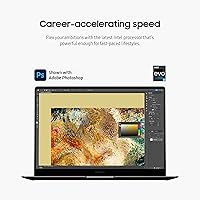
  • The 13th Gen Intel Core i7-1360P handles multitasking and everyday professional workloads without thermal throttling under normal conditions.
  • The microSD card slot adds practical expandable storage for photographers and content creators who work with media files.
  • Build quality feels premium and intentional — the chassis does not flex or creak under normal handling.
  • Windows 11 Home comes pre-installed with Samsung's added security layer, which is a practical bonus for remote workers handling sensitive data.

Cons

  • Integrated Intel Iris Xe graphics cap out quickly under any GPU-intensive workload, making this a poor fit for serious creative or gaming use.
  • Real-world battery life under mixed workloads often falls well short of the 16-hour rated figure — plan to carry a charger.
  • The 512GB SSD is not easily user-upgradeable, which limits long-term storage flexibility as file libraries grow.
  • The port layout lacks a full-size USB-A port and built-in HDMI, which may require adapters for users with older peripherals.
  • Fan noise becomes audible under sustained CPU load, which can be distracting in quiet office or library environments.
  • The premium price puts pressure on the value proposition, especially when comparable ultrabooks offer more ports or dedicated graphics at a similar cost.
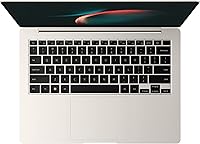
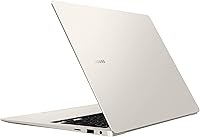
  • The beige colorway, while stylish, may show smudges and wear more visibly than darker chassis options over time.
  • 16GB of RAM cannot be upgraded after purchase, which could feel limiting for users who run virtual machines or heavy browser workloads.

Ratings

The Samsung Galaxy Book3 Pro 14-inch Laptop earns a nuanced set of scores built from AI analysis of verified global buyer reviews, with spam, bot-generated, and incentivized submissions actively filtered out before scoring. Across thousands of real-world impressions, this Samsung ultrabook shows clear strengths in display quality and portability, alongside honest weaknesses that matter depending on your use case. Both the highs and the friction points are reflected transparently in the scores below.

Display Quality
93%
The 3K AMOLED panel is the single most praised feature across verified buyer feedback worldwide. Users consistently describe text as razor-sharp, colors as vivid without looking artificial, and the 120Hz refresh rate as making everyday scrolling and navigation feel noticeably smoother than competing IPS ultrabooks.
A small number of users have noted mild reflectivity in bright outdoor environments, which is a common AMOLED trade-off. A few also reported that the glossy surface picks up fingerprints quickly, requiring regular wiping to maintain that premium look.
Portability
91%
At 2.58 lbs and just 0.44 inches thick, this Galaxy Book3 Pro earns consistent praise from frequent travelers and daily commuters who appreciate not feeling weighed down. Multiple users specifically noted that it fits easily into slim bags and does not cause fatigue during long transit days.
The compact chassis means thermal headroom is limited, and under heavy load the bottom of the unit can get noticeably warm. A handful of buyers who upgraded from thicker laptops also found the reduced key travel needed a short adjustment period.
Build Quality
88%
The chassis feels solid and premium in hand, with no flex or creaking reported under normal handling. Users appreciate the clean aesthetic and the fact that the build does not feel like a cost-cutting exercise despite the slim profile.
The beige finish, while distinctive, shows smudges and light scuffs more readily than darker colorways. A few users also noted that the lid, while sturdy, does not lock completely flat when closed under pressure — a minor but recurring observation.
Performance
79%
21%
For everyday professional tasks — running multiple browser tabs, video conferencing, document editing, and light data work — the 13th Gen i7-1360P handles things confidently. Users in business and academic settings report no meaningful slowdowns during typical workday usage.
Sustained heavy workloads expose the limits of the integrated-only graphics setup, with some users reporting noticeable slowdowns during large file exports or prolonged CPU-intensive tasks. Thermal throttling under extended load is a recurring theme, particularly in warmer environments.
Battery Life
67%
33%
Under light use — writing, browsing, and video calls at moderate brightness — a meaningful portion of users report getting through a full workday without reaching for a charger. The hardware efficiency of the i7-1360P helps keep idle consumption low.
The rated 16-hour figure does not reflect real-world mixed usage for most buyers. Users doing video calls, running multiple apps, or working at higher screen brightness consistently report figures closer to 7 to 10 hours, which undercuts the all-day portability promise.
Keyboard & Trackpad
81%
19%
The keyboard draws positive feedback for its comfortable layout and adequate key travel given how thin the chassis is. The large, smooth trackpad with Windows Precision support earns particular praise from users who do a lot of navigation without a mouse.
Writers transitioning from thicker laptops sometimes find the shallower key travel less satisfying over long sessions. A few users also noted that the keyboard backlight has limited brightness adjustment, making it less useful in very bright environments.
Webcam & Audio
84%
The 1080p FHD webcam produces noticeably cleaner video than the 720p cameras still found on many competing ultrabooks, and remote workers frequently highlight it as a strong point for daily video meetings. The quad AKG speakers deliver fuller sound than expected from a chassis this thin.
In challenging lighting conditions, the webcam image quality drops more than some users expected from a premium machine, with noise becoming visible in low-light video calls. The microphone, while decent, captures background noise more readily than dedicated external mics.
Port Selection
58%
42%
The inclusion of Thunderbolt 4 is a genuine strength for users who need fast data transfer or want to drive a high-resolution external monitor — it handles both tasks well. The microSD slot is a practical bonus for photographers and content creators who regularly move media files.
The absence of any full-size USB-A port or built-in HDMI is a recurring complaint, particularly from users with older peripherals or who connect to projectors frequently. Most buyers with a desk setup end up purchasing a hub or dock, which adds both cost and a cable to manage.
Value for Money
69%
31%
For buyers who place the display and build at the center of their decision, the premium feels earned — there are few Windows ultrabooks at this weight with a comparable AMOLED panel. Samsung ecosystem users also get meaningful added value through cross-device features at no extra cost.
Buyers comparing raw hardware specs against similarly priced competitors like the LG Gram or Dell XPS 13 often find the integrated-only graphics harder to justify at this price point. The non-upgradeable RAM and limited port layout make the value proposition thinner for power-focused buyers.
Thermal Management
63%
37%
During light and moderate workloads, the cooling system stays largely unnoticed — the fan noise is minimal and the surface temperature stays comfortable. For users working on basic productivity tasks in typical office conditions, the thermals are a non-issue.
Under sustained CPU pressure the fans become clearly audible, and the bottom surface gets warm enough to be uncomfortable on a lap. Several users noted that the laptop hits its thermal ceiling relatively quickly, which contributes to the performance dips mentioned in real-world editing and export tasks.
Software & Ecosystem
82%
18%
Samsung's Galaxy ecosystem integration is a genuine differentiator for users already on Android — phone mirroring, clipboard sharing, and cross-device file transfers work reliably without third-party software. Windows 11 Home runs cleanly, and Samsung's added security layer is a practical bonus for business users.
Users outside the Samsung ecosystem get no benefit from the cross-device features, which removes a meaningful chunk of the software value proposition. Some users also reported that Samsung-bundled apps added at setup were not all easy to identify or remove cleanly.
Security Features
86%
The fingerprint reader embedded in the power button is consistently praised for being fast and reliable — users report almost no failed reads under normal conditions. Combined with Samsung's security software, the setup is well-suited to professionals handling sensitive files or working from public locations.
There is no IR face recognition option, which some users at this price point expected as a second biometric method. A few buyers also noted the fingerprint sensor can occasionally struggle to read accurately when fingers are slightly damp or cold.
Display Ergonomics
77%
23%
The 16:10 aspect ratio earns specific praise from users who work with long documents, spreadsheets, or vertically oriented content — the extra screen height genuinely reduces scrolling. The 120Hz refresh rate also makes extended sessions feel less fatiguing than lower-refresh alternatives.
The glossy display surface can cause eye strain in environments with strong overhead or window lighting behind the user. Some buyers also wished for a wider range of display calibration options out of the box, as the default color profile leans saturated for color-accurate work.
Setup Experience
85%
Out of the box, the setup process is clean and relatively fast compared to some Windows laptops that ship with heavy bloatware. Users appreciate that the machine feels ready to use quickly, with Windows 11 pre-activated and the core Samsung software pre-configured.
A handful of users reported that initial driver and firmware updates took longer than expected on first boot. Some also found the Samsung account integration prompts during setup slightly pushy, particularly for buyers who do not use the Samsung ecosystem.

Suitable for:

The Samsung Galaxy Book3 Pro 14-inch Laptop is built for a specific kind of buyer, and for the right person, it delivers convincingly. Business professionals who spend time in airports, coffee shops, and client meetings will find the sub-3-lb weight genuinely liberating — this is a machine you stop noticing in your bag. The 3K AMOLED display makes it a strong companion for anyone who works with visual content, whether that means reviewing design mockups, editing photos at a basic level, or simply spending long hours reading documents without eye fatigue. Students in media, architecture, or communications programs will appreciate having a screen that actually does justice to their work during presentations. Samsung ecosystem users get an added layer of value through cross-device features that make switching between a Galaxy phone and this ultrabook feel cohesive. If your priority is a well-built, portable Windows laptop with a display that outclasses most of the competition in its weight class, this Galaxy Book3 Pro makes a strong case.

Not suitable for:

The Samsung Galaxy Book3 Pro 14-inch Laptop is not the right tool for everyone, and it is worth being direct about where it falls short. Anyone who needs a discrete GPU for video editing, 3D rendering, motion graphics, or gaming should stop here — the integrated Intel Iris Xe graphics are capable enough for everyday tasks but will hit a ceiling quickly under sustained creative workloads. Users who rely on a wide array of peripherals simultaneously may find the port selection limiting, particularly if they are coming from machines with full-size USB-A ports or HDMI built in. The 512GB SSD is adequate for most, but with limited upgrade options, users who hoard large local libraries of video, audio, or RAW photo files may find themselves managing storage constantly. Battery life, while rated at 16 hours, can vary significantly in real-world mixed use, making it less reliable for truly all-day untethered work without a charger nearby. Finally, buyers on a tighter budget comparing raw specs per dollar against alternatives like the LG Gram or a mid-range Dell XPS may feel the premium pricing demands more performance than integrated graphics can offer.

Specifications

  • Display: 14-inch 3K AMOLED panel with a 120Hz refresh rate and a 16:10 aspect ratio for taller, more productive viewing.
  • Resolution: The display outputs at 2880x1800 pixels, delivering sharp, detailed visuals well above standard 1080p laptop screens.
  • Processor: Powered by a 13th Gen Intel Core i7-1360P, a 12-core hybrid chip designed for efficient multitasking and sustained productivity workloads.
  • RAM: 16GB of LPDDR5 system memory is soldered to the motherboard and cannot be upgraded after purchase.
  • Storage: 512GB NVMe SSD provides fast read and write speeds for everyday tasks, application launches, and file transfers.
  • Graphics: Intel Iris Xe integrated graphics handle everyday display output and light visual tasks, with no discrete GPU option available.
  • Battery: The built-in lithium-ion battery is rated for up to 16 hours of use, though real-world results will vary by workload.
  • Weight: The chassis weighs 2.58 lbs, making it one of the lighter 14-inch Windows laptops available in its performance class.
  • Dimensions: The laptop measures 12.29 x 8.81 x 0.44 inches, placing it among the slimmest ultrabooks in its category.
  • Webcam: A 1080p FHD webcam is built into the display bezel, providing clear video quality for professional video calls.
  • Audio: Four AKG-tuned speakers are integrated into the chassis, offering a noticeably fuller sound profile than typical dual-speaker laptop setups.
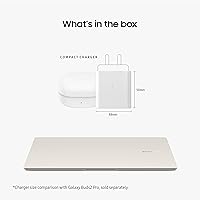
  • Ports: Connectivity includes one Thunderbolt 4 port, one USB-C port, and one microSD card slot; there is no full-size USB-A or built-in HDMI.
  • Operating System: Windows 11 Home comes pre-installed, paired with Samsung's proprietary security software layer for added protection.
  • Security: A fingerprint reader is embedded into the power button, enabling fast and secure biometric login without a separate peripheral.
  • Expandable Storage: The microSD card slot supports up to 2TB of additional storage via a compatible microSD card, sold separately.
  • Color: This configuration is offered in Beige, a warm neutral tone that gives the chassis a distinctive, non-standard look for a business laptop.
  • Model Number: The official Samsung model identifier for this configuration is NP940XFG-KA2US.
  • Warranty: Samsung includes a standard one-year limited manufacturer warranty covering defects in materials and workmanship from the date of purchase.

Related Reviews
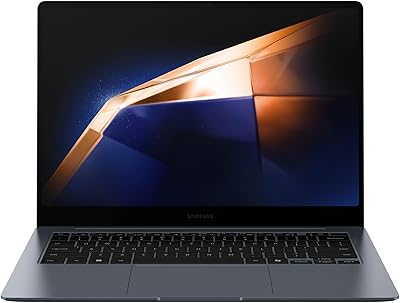
Samsung Galaxy Book4 Pro 14-Inch Laptop
74%
94%
Display Quality
91%
Portability
88%
Build Quality
83%
Performance
67%
Battery Life
More
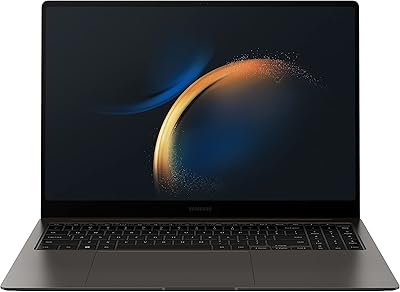
Samsung Galaxy Book3 Pro 16″ 1TB Laptop
75%
93%
Display Quality
88%
Portability
84%
Processing Performance
47%
Graphics Capability
91%
Multitasking & RAM
More
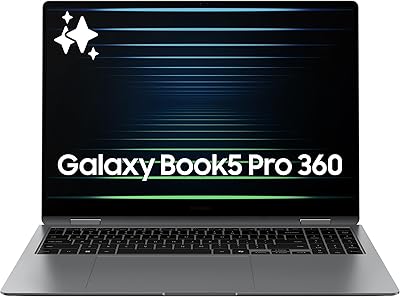
Samsung Galaxy Book5 Pro 360 16″ Laptop
79%
94%
Display Quality
91%
Build Quality & Design
89%
Portability
74%
Battery Life
83%
Performance (CPU & AI Tasks)
More
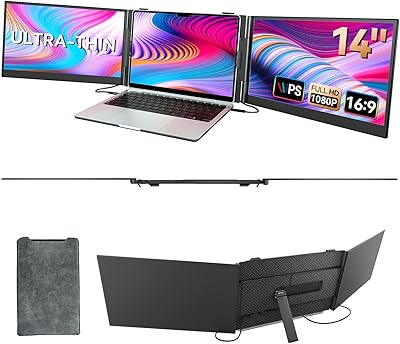
BOSII S8 Pro 14-inch Portable Triple Monitor
76%
92%
Ease of Setup
89%
Portability & Weight
81%
Screen Clarity
67%
Build Quality
61%
Brightness & Visibility
More
HP 2025 14-inch Laptop - 16GB RAM, 128GB UFS, 256GB MSD, Windows 11 Pro
82%
89%
Value for Money
92%
Battery Life
85%
Performance
90%
Portability
81%
Build Quality
More
Samsung Galaxy Book4 15.6″ Laptop
78%
88%
Build Quality
91%
Portability
94%
Storage Capacity
83%
Processing Performance
76%
Display Quality
More
Samsung Galaxy Book4 Edge 15.6-inch Laptop, Snapdragon X Plus, 16GB RAM, 512GB SSD
85%
93%
Battery Life
86%
Performance
84%
Display Quality
90%
Portability
91%
Charging Speed
More
Samsung Galaxy Book3 15.6-inch Laptop

74%
84%
Everyday Performance
81%
Build Quality
76%
Display Quality
78%
Battery Life
91%
Port Selection
More
HP 14-dq0020nr 14-Inch Laptop

69%
83%
Value for Money
58%
Performance
88%
Portability
71%
Battery Life
86%
Software & Value Bundle
More
Apple MacBook Pro 14-inch M1 Pro Laptop
84%
96%
Raw Performance
88%
Battery Life
94%
Display Quality
91%
Thermal Management
93%
Build Quality
More

FAQ

Unfortunately, no. The 16GB of RAM is soldered directly to the motherboard, so it cannot be replaced or expanded. The SSD situation is slightly more nuanced — while some users have reported accessing it, Samsung does not officially support user upgrades and doing so may void your warranty. If 512GB feels tight for your needs, it is worth factoring that in before purchasing.

Yes, and it handles it well. The Thunderbolt 4 port supports high-resolution external displays, including 4K monitors, so connecting a larger screen for desk work is straightforward. Just keep in mind you will need a USB-C or Thunderbolt-compatible monitor cable or adapter, as there is no built-in HDMI port.

Realistically, expect somewhere between 8 and 12 hours depending on what you are doing. Light tasks like writing, browsing, and video calls are much easier on the battery than running multiple apps or streaming video at full brightness. The rated 16-hour figure reflects best-case, low-load conditions — it is not what most working professionals will see day to day.

For light work — basic Lightroom adjustments, trimming video clips in Premiere, or working with moderate-resolution files — this Samsung ultrabook handles it acceptably. Where it struggles is with more intensive tasks like exporting long 4K timelines or running heavy filters in real time, since there is no discrete GPU to offload that processing. If editing is a significant part of your workflow, a laptop with dedicated graphics will serve you better.

Not really. The integrated Intel Iris Xe graphics can run older or less demanding titles at lower settings, but this machine was not designed with gaming in mind. Anyone expecting to play modern AAA games or anything GPU-intensive will find it falls short quickly.

The keyboard has a comfortable key travel for an ultrabook this thin, and most users adapt to it quickly for extended typing sessions. The trackpad is large and responsive with Windows Precision drivers, which means gestures work reliably. Overall it is a solid setup for productivity-focused users who spend a lot of time writing or navigating.

Under light to moderate loads it stays quiet and cool, which covers most everyday use. Push it with sustained CPU-heavy tasks — large file exports, extended video calls while running other apps — and the fans do spin up noticeably. It is not unusually loud, but if you work in very quiet environments it is worth being aware of.

The AMOLED panel is genuinely easy to work on for extended sessions, with deep blacks and accurate colors that make text and images look crisp without feeling harsh. The 120Hz refresh rate also makes scrolling feel smooth in a way that IPS displays at 60Hz simply do not match. That said, AMOLED panels can show slight image persistence in extreme cases, though this is rarely an issue with normal laptop use.

Yes, Samsung's cross-device features work well here if you are already in the Galaxy ecosystem. You can mirror your phone screen on the laptop, share a clipboard, transfer files, and answer calls directly — all without extra software installs. If you use a non-Samsung Android phone or an iPhone, these features do not apply.

For most desk setups, yes. The Book3 Pro 14 has only two USB-C type ports and a microSD slot, with no full-size USB-A or HDMI, so a compact Thunderbolt dock or USB-C hub makes it much more practical as a primary workstation. On the road the port selection is fine for most scenarios, but at a desk with peripherals it will feel limiting without one.