Overview

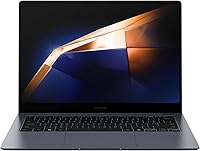
The Samsung Galaxy Book4 Pro 14-Inch Laptop is Samsung's clearest statement yet that you don't have to choose between portability and performance. At just 2.71 lbs and 0.46 inches thick, this is genuinely pocketable premium hardware — not a compromised thin-and-light. What sets it apart from the crowded ultrabook field is its 3K AMOLED display, which delivers color depth and contrast that standard IPS panels simply can't match. Paired with Intel's Core Ultra 7 processor, it handles serious workloads with headroom to spare. That said, this isn't a machine for 3D rendering or gaming — think of it as a productivity powerhouse built for people who spend their days in browsers, docs, and creative apps.
Features & Benefits

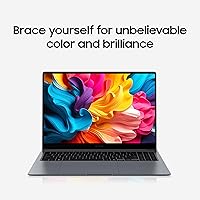
The 3K AMOLED 2X panel is the headline spec here, and it earns the attention — colors are rich and accurate, blacks are genuinely deep, and the 120Hz adaptive refresh keeps motion crisp whether you're scrolling a spreadsheet or watching video. The Intel Core Ultra 7 155H handles multitasking well and supports AI-assisted features baked into Windows 11. The 16GB of RAM covers most professional workloads, though it's worth knowing the configuration isn't user-upgradeable. The 512GB SSD is fast but fills up faster than you'd expect if you work with media files. Battery life is rated at 17 hours, though real-world usage lands closer to 10–12 hours under typical workloads — still solid, but don't retire your charger. The AKG quad speakers with Dolby Atmos are genuinely good for a machine this slim.

Best For

This Samsung ultrabook is a natural fit for remote professionals and frequent travelers who log long hours away from a desk and can't afford to lug something heavy. The AMOLED display makes a real difference for anyone doing color-sensitive work like photo editing or polished presentations. Samsung ecosystem users get extra mileage here — phone link features and cross-device continuity with Galaxy devices work well in practice. Students who need a dependable, lightweight machine for back-to-back classes will also appreciate the form factor. Where it's less suited: users who push GPU-intensive applications or need more than 512GB of local storage without relying on cloud backup solutions.

User Feedback

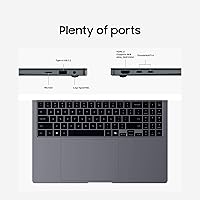
Buyers consistently praise the build quality and display — most agree the screen alone justifies serious consideration at this price point. The weight gets frequent mentions too; people are often surprised how light it feels in a bag day after day. On the critical side, the port selection draws complaints — a single USB 3.0 feels thin for a laptop at this tier, and a hub becomes an immediate purchase for many. Fan noise under sustained load is noticeable. Several owners also flag that 512GB fills quickly, especially for anyone working with video or large project files. Battery life, while respectable, rarely hits the advertised ceiling. Against rivals like the LG Gram 14 or Dell XPS 13, most buyers rate this Samsung's display as the clear advantage.

Pros

  • The 3K AMOLED display is one of the sharpest and most color-accurate screens available in a 14-inch ultrabook.
  • At 2.71 lbs, this slim Samsung laptop is light enough to carry all day without noticing it.
  • The Intel Core Ultra 7 155H handles demanding multitasking and professional workloads without breaking a sweat.
  • 120Hz adaptive refresh keeps scrolling and on-screen motion feeling crisp and responsive.
  • AKG quad speakers with Dolby Atmos deliver audio quality that's genuinely above average for this form factor.
  • Knox security and Secured Core PC certification make it a credible option for business and enterprise environments.
  • Samsung ecosystem integration with Galaxy phones and tablets adds real, practical cross-device functionality.
  • The build quality feels premium and durable — this is not a plastic-chassis machine that flexes under pressure.
  • Windows 11 Home comes pre-installed with AI-assisted features that pair well with the Core Ultra 7 architecture.
  • The 65W adapter keeps charging fast and the compact adapter is travel-friendly.

Cons

  • Real-world battery life lands closer to 10 to 12 hours under typical use — well short of the 17-hour rated figure.
  • RAM is soldered and non-upgradeable, locking you into 16GB for the life of the machine.
  • 512GB of storage fills up quickly for anyone working with video, large photo libraries, or complex project files.
  • Port selection is limited to a single USB 3.0, making a hub an almost mandatory additional purchase.
  • The fan becomes audible under sustained processor load, which may be distracting in quiet environments.
  • Integrated Intel Arc graphics cap out quickly on GPU-intensive tasks like 3D rendering or video encoding.
  • The 2MP webcam is functional but unremarkable — video call quality is average at best.
  • No built-in cellular connectivity option for buyers who need mobile broadband without a hotspot.
  • The premium price point is hard to justify for buyers who won't actively use or benefit from the AMOLED display.
  • No SD card slot, which is a meaningful omission for photographers and content creators.

Ratings

The Samsung Galaxy Book4 Pro 14-Inch Laptop earns strong marks in several key areas, but our AI-generated scores reflect the full picture — synthesized from thousands of verified global user reviews with spam, bot activity, and incentivized feedback actively filtered out. This slim Samsung laptop consistently draws praise for its display and portability, while real buyer frustration around port selection, storage limits, and battery honesty keeps certain scores grounded. The ratings below transparently capture both what users love and where this machine falls short.

Display Quality
94%
The 3K AMOLED panel is the single most praised feature across user reviews worldwide. Photographers, designers, and everyday users consistently note how vivid and accurate colors appear — especially compared to IPS screens they've owned before. At 120Hz with adaptive refresh, scrolling and motion feel sharp and fluid during long working sessions.
A small but consistent group of users reports that peak brightness outdoors can be limiting on very sunny days, and the glossy finish picks up reflections in bright environments. A matte display option would satisfy those who work frequently near windows or in open offices.
Portability
91%
At 2.71 lbs and just under half an inch thick, this machine disappears into bags in a way that heavier 14-inch laptops simply don't. Business travelers and commuters frequently mention forgetting it's in their bag — which, for a daily carry laptop, is about the highest compliment you can give.
The slim chassis does mean some thermal compromise under sustained load, and a small number of users note the machine can get warm on the underside during extended sessions. It's not a dealbreaker, but worth knowing if you plan to use it on your lap for long stretches.
Build Quality
88%
The all-aluminum construction feels premium and deliberate — users consistently describe it as solid without being rigid or cold. The keyboard flex is minimal, the hinge feels well-engineered, and the Moonstone Gray finish holds up well to everyday handling without showing scratches easily.
A handful of reviewers note the chassis shows smudges and fingerprints more than expected given the matte finish, particularly around the trackpad area. A few users also mention slight flex near the display corners when applying pressure, though this is minor given the chassis thickness.
Performance
83%
The Intel Core Ultra 7 155H handles heavy browser sessions, large spreadsheets, Lightroom edits, and video calls simultaneously without visible slowdown. Users in professional settings — finance, design, education — report it keeps pace comfortably with daily workloads and rarely feels like the bottleneck.
Under sustained CPU load, the fan ramps up noticeably and thermal throttling can occur during prolonged tasks like video exports or large file compressions. The integrated Intel Arc graphics also show their limits quickly when users attempt anything GPU-demanding beyond basic creative tasks.
Battery Life
67%
33%
Most users report comfortably getting through a full workday — roughly 9 to 12 hours — under mixed use with screen brightness set to moderate levels. For a machine with a display this bright and a processor this powerful, that result is genuinely respectable in real-world terms.
The 17-hour manufacturer claim creates expectations that the actual hardware rarely meets, which frustrates buyers who planned their workflow around that number. Heavy users running multiple apps at full brightness can see battery drain significantly faster, and several reviews flag disappointment specifically around this gap between rated and real-world performance.
Keyboard & Trackpad
82%
18%
The keyboard offers a well-spaced layout with satisfying key travel for a laptop this thin, and touch typists working long documents report low fatigue over extended sessions. The trackpad is large, smooth, and responsive with good palm rejection during fast typing.
Backlighting adjustment controls aren't immediately intuitive for new users, and a few reviewers note the function row keys are smaller than they'd prefer. The trackpad, while accurate, can occasionally register unintended inputs during aggressive multi-finger gestures.
Port Selection
41%
59%
The available USB-C ports support fast data transfer and display output, which covers the essential bases for users who have already built their workflow around USB-C peripherals and modern docking stations.
One USB 3.0 port is widely criticized as inadequate for a laptop at this price point — users consistently mention buying a hub within the first week. The absence of an SD card slot is a recurring frustration for photographers and content creators who expected more from a premium-tier machine.
Storage Adequacy
61%
39%
The 512GB NVMe SSD is fast and responsive, and for users who lean on cloud storage or work primarily with documents and light media, it covers day-to-day needs without constant management.
Media professionals, developers, and heavy users regularly report feeling storage-constrained within months of purchase. The inability to upgrade internal storage after purchase compounds the issue, making external drives or cloud subscriptions a near-mandatory additional expense for a significant portion of buyers.
Audio Quality
79%
21%
The AKG quad-speaker setup with Dolby Atmos tuning consistently surprises users who expect thin-laptop audio to be tinny and forgettable. Music, video calls, and streaming content all benefit from noticeably better stereo separation and bass presence than competitors in this weight class.
At maximum volume, some users detect slight distortion in bass-heavy audio, and the speakers lack the low-end depth that external speakers or headphones deliver easily. For serious content consumption, the audio is solid — but audiophiles will still reach for headphones.
Webcam Quality
53%
47%
The 2MP webcam produces adequate image quality for standard video calls in well-lit environments, and the dual-array microphone picks up voice clearly enough that call participants rarely complain about audio clarity.
In anything less than ideal lighting, the webcam output looks grainy and flat — a noticeable step behind competitors that ship 1080p cameras at similar price points. For professionals who video call frequently, this remains one of the more disappointing omissions in an otherwise premium package.
Software & Ecosystem
81%
19%
Samsung's Galaxy ecosystem integration genuinely delivers value for users already on Android — phone mirroring, file sharing, and cross-device clipboard sync work reliably in practice. Windows 11 Home runs cleanly with minimal pre-installed bloatware compared to some rival OEM configurations.
Samsung's pre-installed apps add some redundancy to Windows 11's native tools, and a handful of users find the Galaxy software suite occasionally pushes update notifications that feel intrusive. Users outside the Samsung ecosystem gain little from these software extras.
Security Features
87%
Knox-based security and Secured Core PC certification are meaningful differentiators for enterprise buyers and IT-managed environments where hardware-level trust is a compliance requirement. Several business users specifically cited these credentials as a deciding factor in purchasing this machine over consumer alternatives.
For individual consumers without enterprise security requirements, these features add no visible day-to-day value and don't justify a premium on their own. The features are robust but largely invisible to the average buyer who won't engage with them directly.
Value for Money
69%
31%
For users who genuinely need and use the AMOLED display — photographers, creative professionals, anyone who spends hours staring at a screen — the premium feels justified when compared to IPS alternatives that trail significantly in visual quality. The build and portability further reinforce the case for buyers who prioritize those traits.
Buyers who don't specifically need the AMOLED panel will find the price hard to rationalize given the port limitations, non-upgradeable RAM, and 512GB storage ceiling. Against competitors like the LG Gram 14 that offer more connectivity at lower cost, the value proposition becomes much narrower.
Thermal Management
63%
37%
Under light to moderate workloads — the daily reality for most of the target audience — the machine stays quiet and surface temperatures remain comfortable. The thin chassis manages passive cooling surprisingly well for casual use patterns.
Sustained CPU tasks push temperatures and fan noise to levels that are noticeable in quiet settings, and a few users report performance throttling during extended video processing sessions. The slim design creates inherent thermal headroom limits that Samsung has not fully engineered around.

Suitable for:

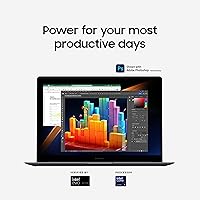
The Samsung Galaxy Book4 Pro 14-Inch Laptop is purpose-built for professionals who need a capable daily driver that won't weigh them down — literally or figuratively. At 2.71 lbs with a sub-half-inch profile, it's the kind of machine that disappears into a bag and reappears ready to work, which makes it a strong match for frequent travelers, consultants, and remote workers who bounce between locations. The 3K AMOLED display is a genuine asset for anyone who spends meaningful time on visual work — photo editing, client presentations, or detailed design reviews all benefit from the color accuracy and contrast this panel offers. Samsung ecosystem users get an added layer of value through cross-device features that actually function well in practice when paired with a Galaxy phone or tablet. Students in demanding fields like architecture, business, or media who need a reliable, lightweight machine for full days on campus will also find this slim Samsung laptop punches well above its weight class.
Not suitable for:

The Samsung Galaxy Book4 Pro 14-Inch Laptop is a poor fit for buyers who need serious GPU muscle — the integrated Intel Arc graphics handle light creative tasks and video playback comfortably, but 3D rendering, video encoding at scale, and any real gaming will hit a hard ceiling fast. The non-upgradeable RAM means that if 16GB feels tight for your workload today, it won't get better down the road, which is a real concern for developers or heavy multitaskers running virtual machines or large datasets. The 512GB SSD is another constraint worth taking seriously — anyone working with raw video files, large photo libraries, or bulky project archives will find themselves managing storage constantly or relying heavily on external drives and cloud storage. Port selection is genuinely sparse for a laptop at this price point, so users who regularly connect multiple peripherals will need to budget for a quality USB-C hub from day one. If you're primarily buying on value-per-dollar and the AMOLED display isn't a priority, there are competing ultrabooks at lower price points — like the LG Gram 14 — that offer comparable performance without the premium display tax.
Specifications

  • Display: 14-inch 3K Dynamic AMOLED 2X touchscreen with a 2880 x 1800 pixel resolution and 120Hz adaptive refresh rate.
  • Processor: Intel Core Ultra 7 155H, a hybrid-architecture chip with dedicated AI processing capabilities and Intel Arc integrated graphics.
  • RAM: 16GB of system memory, soldered to the motherboard and not user-upgradeable after purchase.
  • Storage: 512GB NVMe SSD offering fast read and write speeds suitable for most professional workloads.
  • Graphics: Intel Arc integrated graphics, capable of light creative tasks and video playback but not designed for GPU-intensive workloads.
  • Battery: 63Wh lithium-ion battery with a manufacturer-rated life of up to 17 hours, paired with a 65W charging adapter.
  • Weight: 2.71 lbs, making it one of the lighter 14-inch premium ultrabooks in its class.
  • Dimensions: 12.3 x 8.81 x 0.46 inches, with a chassis thickness of 11.6mm.
  • Operating System: Windows 11 Home comes pre-installed, with AI-enhanced features supported by the Core Ultra 7 architecture.
  • Audio: AKG quad-speaker system with Dolby Atmos support and a dual-array digital microphone for voice capture.
  • Camera: 2MP front-facing webcam suitable for standard video calls and conferencing applications.
  • Security: Samsung Knox security framework combined with Secured Core PC certification for enterprise-grade hardware-level protection.
  • Connectivity: Bluetooth wireless connectivity and one USB 3.0 port; additional ports available via USB-C.
  • Color: Available in Moonstone Gray, a neutral matte finish that resists fingerprints reasonably well in daily use.
  • Speakers: Four-speaker AKG array with Dolby Atmos tuning delivers above-average audio fidelity for a laptop this thin.
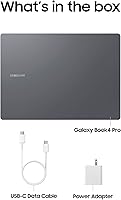
  • Adapter: 65W USB-C power adapter included, compact enough for travel and capable of fast recharging.
  • Model Number: NP940XGK-KG1US is the official Samsung model identifier for the 14-inch 512GB Moonstone Gray configuration.
  • Warranty: Samsung includes a standard one-year limited manufacturer warranty covering hardware defects under normal use conditions.

Related Reviews
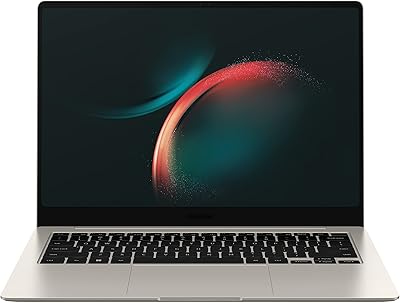
Samsung Galaxy Book3 Pro 14-inch Laptop
79%
93%
Display Quality
91%
Portability
88%
Build Quality
79%
Performance
67%
Battery Life
More
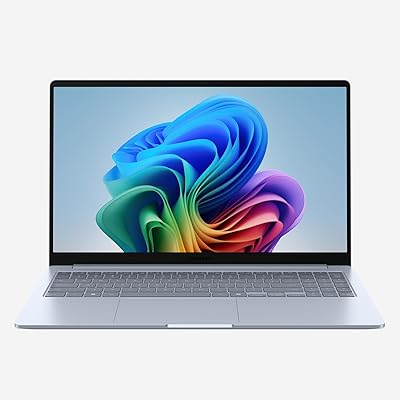
Samsung Galaxy Book4 15.6″ Laptop
78%
88%
Build Quality
91%
Portability
94%
Storage Capacity
83%
Processing Performance
76%
Display Quality
More
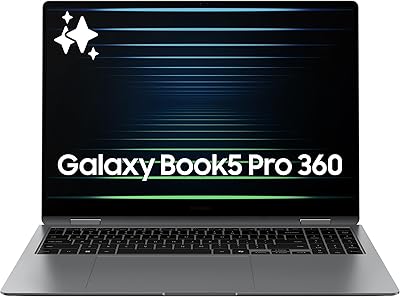
Samsung Galaxy Book4 Edge 15.6-inch Laptop, Snapdragon X Plus, 16GB RAM, 512GB SSD
85%
93%
Battery Life
86%
Performance
84%
Display Quality
90%
Portability
91%
Charging Speed
More
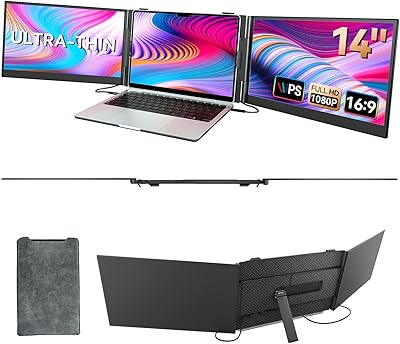
Samsung Galaxy Book5 Pro 360 16″ Laptop
79%
94%
Display Quality
91%
Build Quality & Design
89%
Portability
74%
Battery Life
83%
Performance (CPU & AI Tasks)
More
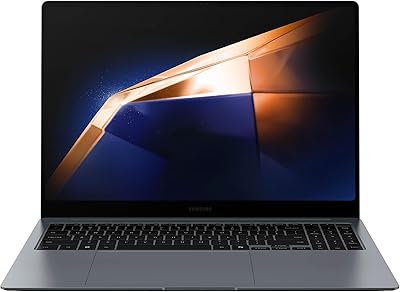
BOSII S8 Pro 14-inch Portable Triple Monitor
76%
92%
Ease of Setup
89%
Portability & Weight
81%
Screen Clarity
67%
Build Quality
61%
Brightness & Visibility
More
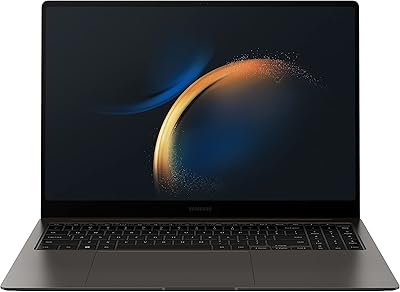
Samsung Galaxy Book4 Pro 16″ i7-1360P 1TB SSD 16GB RAM
85%
94%
Display Quality
91%
Performance for Multitasking
89%
Portability & Design
74%
Battery Life
90%
Build Quality
More
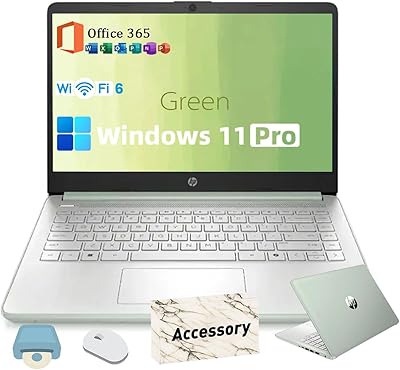
HP 2025 14-inch Laptop - 16GB RAM, 128GB UFS, 256GB MSD, Windows 11 Pro
82%
89%
Value for Money
92%
Battery Life
85%
Performance
90%
Portability
81%
Build Quality
More
Samsung Galaxy Book3 Pro 16″ 1TB Laptop
75%
93%
Display Quality
88%
Portability
84%
Processing Performance
47%
Graphics Capability
91%
Multitasking & RAM
More
HP 14-dq0020nr 14-Inch Laptop
69%
83%
Value for Money
58%
Performance
88%
Portability
71%
Battery Life
86%
Software & Value Bundle
More
Apple MacBook Pro 14-inch M1 Pro Laptop
84%
96%
Raw Performance
88%
Battery Life
94%
Display Quality
91%
Thermal Management
93%
Build Quality
More

FAQ

Unfortunately, no. The 16GB of RAM in this machine is soldered directly to the motherboard, which means you cannot upgrade it later. If you think you might need more than 16GB for your workload — say, for running virtual machines or heavy development environments — that decision needs to be made before you buy.

Samsung rates it at up to 17 hours, but real-world usage typically lands in the 10 to 12 hour range under normal workloads like browsing, document editing, and video calls. That's still a solid result for a machine this thin, but plan to bring the charger if you have a particularly long day ahead.

For a lot of professionals, yes — but it depends heavily on what you do. If your work involves large video files, RAW photo libraries, or big development projects, you'll feel the ceiling fairly quickly. Cloud storage or an external SSD becomes a practical necessity for media-heavy users.

It's a meaningful difference, not just a spec sheet upgrade. AMOLED panels produce true blacks, much higher contrast, and more vivid color accuracy than standard IPS displays. For anyone doing color-sensitive work or who simply watches a lot of video, the difference is noticeable from day one.

Not really, and it's not designed to. The integrated Intel Arc graphics can handle casual or older titles at modest settings, but don't expect smooth performance in modern, demanding games. If gaming is a priority, a dedicated GPU is what you need, and this machine doesn't have one.

Port selection is one of the more common complaints about the Galaxy Book4 Pro 14-inch. There's one USB 3.0 port, plus USB-C connections, but if you regularly plug in multiple peripherals — external monitors, drives, SD cards — a USB-C hub is a near-mandatory accessory. Budget for one upfront.

Yes, and that's one of the more practical selling points of this slim Samsung laptop. Samsung's Link to Windows and cross-device features work well in practice — you can mirror your phone screen, transfer files, and even make calls directly from the laptop. It's genuinely useful, not just a marketing bullet point.

It's noticeable. During sustained tasks like video exports, large file transfers, or extended browser sessions with many tabs, the fan ramps up to an audible level. It's not disruptive in most environments, but in a quiet library or meeting room, you'll hear it.

Yes, comfortably. Lightroom, Premiere Pro for shorter timelines, Photoshop, and similar creative tools run well on the Core Ultra 7 with 16GB of RAM. Where you'll hit limits is on longer 4K exports or complex effects-heavy timelines — those will slow things down and spin the fan up.

All three are strong ultrabooks, but they make different trade-offs. The LG Gram 14 edges this machine on weight and port variety. The Dell XPS 13 is more compact but has an even smaller display. Where the Galaxy Book4 Pro pulls ahead is the AMOLED screen — neither rival offers a panel that competes with it at this size, which is really the deciding factor for most buyers choosing between them.

Where to Buy