
Overview

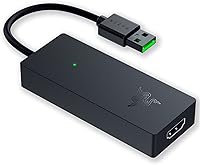
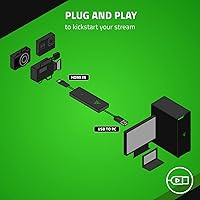
The Razer Ripsaw X USB Capture Card sits comfortably in Razer's mid-to-premium lineup, targeting creators who've outgrown basic webcam setups and want to pipe a proper camera signal into their stream. What sets the Ripsaw X apart from the typical game-capture crowd is its DSLR and mirrorless compatibility — plug in a decent camera over HDMI and you immediately have a far cleaner video source than most USB webcams can offer. It's built around plug-and-play simplicity: no driver installs, no software dongles, just connect and go. It holds a 4.2-star rating across 81 Amazon reviews and ranks #159 in its category — respectable, though not yet a widely tested staple.

Features & Benefits

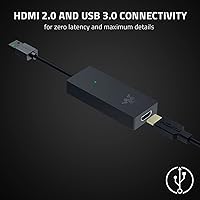
The headline spec here is 4K capture at 30fps, delivered via an HDMI 2.0 input — but it's worth being clear about what that actually means in practice. If you're streaming gameplay, you'll more likely run 1080p at 60fps, which keeps motion smooth and responsive. The 4K ceiling is more relevant when connecting a mirrorless or DSLR camera where image detail matters more than frame rate. USB 3.0 handles data transfer, giving this Razer capture card enough headroom to push high-bitrate footage without dropping frames mid-stream. The software situation is open: OBS, XSplit, and most major platforms recognize it without any fuss. At under 4 ounces, it also travels easily for location-based streaming.

Best For

The Ripsaw X really clicks for streamers who've already invested in a decent DSLR or mirrorless camera and want that image quality to actually show up on stream. Podcasters and interview creators benefit too — a stable, low-latency camera feed matters far more in that context than raw frame rate. If your setup is minimal or you move between locations, the compact form factor is a genuine practical advantage. That said, be honest before buying: if you're expecting 4K at 60fps, this streaming capture device won't deliver, and the spec sheet is clear about that. It's also Windows-first, so Mac users should double-check compatibility before committing.

User Feedback

With 81 ratings and a 4.2-star average, buyer sentiment leans positive but it's still a relatively thin sample to draw firm conclusions from. Ease of setup comes up consistently in positive reviews — most users report being up and running with OBS in under five minutes, which is a real mark in this card's favor. The criticisms are worth noting too: some buyers ran into issues with specific camera models not being recognized, and Windows-only support has frustrated a handful of Mac-leaning creators. A pattern in the middle-range reviews suggests some buyers expected 4K at 60fps and felt the card underdelivered — a misread of the specs, but a recurring one. Overall, real-world satisfaction looks solid, with the caveats tied mostly to expectation mismatches.

Pros

  • Plug-and-play setup means most users are live in OBS within minutes, no driver headaches involved.
  • HDMI 2.0 input lets you connect a DSLR or mirrorless camera for a far cleaner image than any standard webcam.
  • 1080p at 60fps capture keeps streams smooth and sharp for the vast majority of everyday content creators.
  • USB 3.0 connection provides enough bandwidth to handle high-bitrate footage without dropped frames mid-stream.
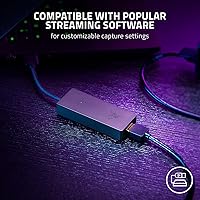
  • Compatible with OBS, XSplit, and other major platforms without being locked into proprietary Razer software.
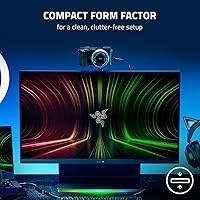
  • The compact form factor makes it genuinely portable — easy to throw in a bag for on-location streaming.
  • Ultra-low latency design keeps audio and video reliably in sync during live monitoring.
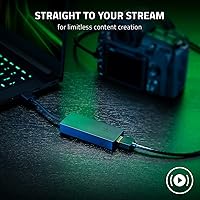
  • Footage can be routed directly to stream or saved to a local drive, giving creators real workflow flexibility.
  • The Ripsaw X holds a respectable 4.2-star rating, with setup simplicity consistently praised by buyers.

Cons

  • Hard capped at 4K 30fps — there is no path to 4K 60fps, which frustrates buyers who misread the specs.
  • Windows-only support is a real barrier; Mac users have no official compatibility to rely on.
  • Only 81 ratings on Amazon means long-term reliability data is still thin compared to more established competitors.
  • Some users have reported that specific camera models are not recognized reliably, requiring workarounds.
  • No analog or SDI input means this streaming capture device is limited to HDMI sources only.
  • A single HDMI input restricts multi-camera setups without adding a separate switcher to your rig.
  • Mid-to-premium pricing puts it in a competitive bracket where rivals with more features exist.
  • No bundled streaming software or capture software of its own — entirely dependent on third-party apps.
  • USB bus conflicts on older or lower-powered machines can occasionally affect capture stability.

Ratings

The scores below reflect our AI-powered analysis of verified global user reviews for the Razer Ripsaw X USB Capture Card, with spam, bot activity, and incentivized feedback actively filtered out before any scoring was applied. Each category is rated based on patterns drawn from real buyer experiences across a range of creator setups and use cases — strengths and frustrations alike are represented without softening either side.

Ease of Setup
92%
Plug-and-play functionality is where the Ripsaw X genuinely earns its reputation — the vast majority of users report being fully operational in OBS or XSplit within minutes of unboxing, with zero driver installation required. For creators who stream regularly and can't afford to troubleshoot hardware on a tight schedule, this kind of friction-free setup is a real practical advantage.
A small number of users on older Windows builds encountered device recognition delays, requiring a USB port swap or system restart before the card was detected properly. These cases appear to be edge scenarios rather than a systemic issue, but they're worth noting for anyone on aging hardware.
Video Capture Quality
78%
22%
When paired with a quality DSLR or mirrorless camera outputting a clean HDMI signal, the Ripsaw X delivers noticeably better image fidelity than any consumer webcam in the same price range. Streamers running 1080p at 60fps consistently praised the sharpness and color accuracy of their captured footage across a variety of lighting conditions.
The 4K 30fps ceiling is a genuine limitation for creators whose workflows demand higher frame rates at full resolution — and it has tripped up a meaningful number of buyers who misread the spec sheet. At this price tier, some users reasonably expected closer parity with competing cards that offer more flexible resolution-to-framerate combinations.
Software Compatibility
88%
Compatibility with OBS Studio, XSplit, and most UVC-compliant applications is broad and reliable, which removes a significant headache for creators who have already built workflows around their preferred software. Not being locked into a proprietary Razer app is a genuine plus — users can switch tools without replacing hardware.
A handful of users noted inconsistent behavior with less common streaming tools or older software versions, requiring manual resolution selection to stabilize the output. These are minor friction points rather than dealbreakers, but they do mean the experience isn't universally plug-and-play across every software environment.
Latency Performance
83%
For live streaming and real-time monitoring, the low-latency signal handling keeps audio and video reliably in sync — a detail that matters enormously for interview-format creators and podcasters who need their footage to feel live rather than slightly off. Most users reported no perceptible delay during active streaming sessions.
A small segment of users working with certain camera models or on USB-heavy systems reported occasional sync drift during extended recording sessions. This appears to correlate more with host system load than with the card itself, but it can be frustrating when it appears mid-stream without an obvious fix.
Build Quality
74%
26%
The matte black finish feels consistent with Razer's peripheral aesthetic and holds up well to daily desk use and regular packing into a travel bag. The housing feels solid given the device's minimal footprint — there is no flex or obvious weak point in the construction.
At its price point, some buyers expected a more premium tactile feel to the enclosure materials, noting that it feels more like durable plastic than anything approaching metal-grade build quality. For a mid-to-premium product, the perceived quality gap relative to cost is a recurring minor complaint.
Portability
91%
Weighing just 3.88 ounces and barely larger than a USB thumb drive in one dimension, this streaming capture device is genuinely pocket-friendly — creators who stream at events, conferences, or off-site locations consistently praised how little space it takes up in a bag or kit.
The compact size means there is only a single HDMI input, which limits multi-source setups without adding an external switcher. Creators who need to swap between multiple camera inputs during a stream will hit this constraint quickly.
4K Capability
57%
43%
For creators whose primary need is clean 4K capture from a DSLR or mirrorless camera at 30fps — think interview footage, talking-head content, or slow-paced documentary-style streams — the Ripsaw X delivers a credible 4K signal that improves meaningfully on what budget alternatives can produce.
The hard cap at 4K 30fps is a significant limitation relative to competing hardware at similar price points, and it has generated consistent disappointment among buyers who expected 4K 60fps capability. This single spec gap is responsible for a disproportionate share of the lower ratings this card has received.
OS Compatibility
52%
48%
On supported Windows systems, driver-free operation is smooth and consistent, and the card behaves as a standard UVC device that most modern Windows builds recognize immediately without any configuration.
The Windows-only official support is a hard wall for Mac users, and Razer provides no workaround or alternative guidance for macOS environments. For a card at this price tier competing in 2024, the absence of official Mac compatibility feels increasingly out of step with the broader creator hardware market.
Value for Money
69%
31%
For creators who specifically need DSLR-to-stream capability with plug-and-play simplicity on Windows, the Ripsaw X offers a reliable and polished experience that cheaper alternatives often fail to match in terms of consistency and software compatibility breadth.
The value proposition weakens considerably if you do not need DSLR support — at this price, competing cards offer 4K 60fps capture or broader OS support, making it harder to recommend the Ripsaw X as the default choice for every creator type. Buyers who discover the 4K 30fps limitation post-purchase tend to feel the price premium was not justified.
Camera Compatibility
76%
24%
Compatibility across a wide range of DSLRs and mirrorless cameras with clean HDMI output is a genuine strength — users pairing it with popular Canon, Sony, and Fujifilm bodies generally report smooth signal recognition and stable capture without camera-specific configuration.
Some niche or older camera models that output non-standard HDMI signals were not reliably recognized, leaving users without a software-side workaround. This is not a widespread issue, but it is unpredictable enough that testing compatibility before fully committing to a streaming setup is advisable.
Streaming Workflow
84%
The flexibility to route footage directly to a streaming platform or save it locally to a hard drive within the same session is a practical workflow advantage that more streamlined creators genuinely appreciate. It removes the need for additional recording hardware in most standard streaming setups.
There is no onboard hardware encoding, meaning the host PC handles all processing load — on lower-spec machines, this can contribute to overall system strain during simultaneous streaming and recording, particularly at higher resolutions.
Long-term Reliability
66%
34%
Among users who have owned the Ripsaw X for six months or more, the majority report no meaningful degradation in capture quality or connectivity stability, which is a positive signal for a device in this category.
With only 81 ratings in the pool, the long-term reliability picture is still genuinely incomplete — there simply are not enough extended-use reports to draw confident conclusions about how the hardware performs over years of regular streaming use. This is a watch-and-wait situation rather than a red flag.
Physical Footprint
89%
Creators with minimal desk setups or those running a clean cable-managed streaming rig consistently praised how little visual and physical space the Ripsaw X occupies — it blends into a setup rather than dominating it, which matters when cameras and lighting are already competing for space.
The slim form factor does limit heat dissipation options during extended capture sessions, and a handful of users noted the device becoming warm to the touch after several hours of continuous use, though no thermal-related performance issues were widely reported.

Suitable for:

The Razer Ripsaw X USB Capture Card is a strong fit for content creators who already own a DSLR or mirrorless camera and want to use it as a proper streaming source rather than settling for a mediocre webcam feed. If you run OBS or XSplit and want a capture device that just works without a lengthy driver installation ritual, the Ripsaw X is genuinely hard to argue against at its price tier. Podcasters and interview-format creators will appreciate the low-latency signal that keeps audio and video in sync during live recordings. It also suits anyone with a minimal desk setup or a habit of streaming from different locations — at under 4 ounces and barely larger than a thumb drive, it fits in any bag without a second thought. Streamers who prioritize image quality at 1080p 60fps or cinematic detail at 4K 30fps through a real camera lens will get noticeably better results than any consumer webcam can match.

Not suitable for:

The Razer Ripsaw X USB Capture Card will disappoint buyers who walk in expecting 4K footage at 60fps — that combination simply is not on the table here, and no firmware update will change that. If you are a competitive gamer who needs ultra-smooth 4K 60fps passthrough for console streaming, you should be looking at higher-tier capture hardware designed specifically for that workload. Mac users face a real compatibility wall since the device is officially Windows-only, and while some workarounds exist, relying on unofficial fixes for a mid-to-premium purchase is not a great position to be in. Professional broadcasters or videographers who need broadcast-grade signal fidelity, SDI connectivity, or advanced color controls will find this streaming capture device too basic for their workflows. Finally, anyone hoping to build a serious capture-to-archive setup with multiple camera inputs or high-end monitoring capabilities will quickly hit the ceiling of what this card was designed to do.

Specifications

  • Brand: Manufactured by Razer Inc., a brand well-known for gaming and streaming peripherals.
  • Model Number: The official model identifier is RZ20-04140100-R3M1, part of the Ripsaw X series.
  • Max Capture: Supports video capture at up to 4K resolution at 30fps via HDMI 2.0 input.
  • 1080p Capture: Also supports 1080p capture at 60fps, which is the more practical setting for most live streaming scenarios.
  • Video Input: Uses an HDMI 2.0 input port, compatible with DSLRs, mirrorless cameras, and handheld camcorders.
  • PC Connection: Connects to a host computer via USB 3.0, providing sufficient bandwidth for high-bitrate video capture without frame drops.
  • Latency: Designed for ultra-low latency signal passthrough, allowing real-time monitoring during live streams without noticeable delay.
  • Dimensions: Measures 3.46 x 0.59 x 1.38 inches, making it one of the more compact USB capture cards in its class.
  • Weight: Weighs just 3.88 ounces, light enough to carry in a laptop bag or camera kit without adding meaningful bulk.
  • OS Support: Officially compatible with Windows operating systems; Mac OS compatibility is not officially supported by Razer.
  • Driver Requirement: Plug-and-play design requires no additional driver installation on supported Windows systems.
  • Software Support: Works with major streaming and recording platforms including OBS Studio, XSplit, and other UVC-compliant applications.
  • Recording Mode: Footage can be directed either to popular streaming platforms or saved directly to a local hard drive for offline editing.
  • Form Factor: Compact stick-style form factor designed to fit into a clean, clutter-free desk or travel setup.
  • Color: Available in matte black, consistent with Razer's standard peripheral aesthetic.
  • Camera Compat.: Supports DSLRs, mirrorless cameras, and handheld video cameras that output a clean HDMI signal.
  • Input Ports: Features a single HDMI 2.0 input, limiting simultaneous source connections to one device at a time.
  • Release Date: First made available on Amazon on September 30, 2021, placing it in Razer's second-generation capture card lineup.

Related Reviews
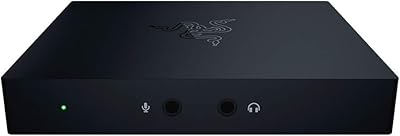
Razer Ripsaw HD Game Streaming Capture Card
84%
88%
Performance
92%
Setup & Installation
89%
Latency
91%
Video Quality
77%
Audio Mixing Features
More
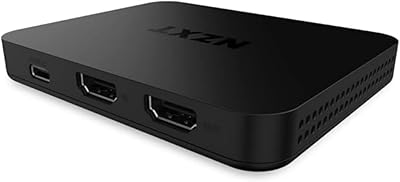
NZXT Signal HD60
NZXT Signal HD60
86%
94%
Setup Simplicity
83%
Recording Performance
91%
Passthrough Quality
88%
Build Quality
89%
Thermal Management
More
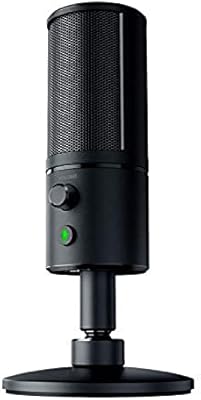
Razer Seiren X USB Streaming Microphone
87%
88%
Sound Quality
90%
Noise Reduction
95%
Ease of Setup
85%
Build Quality
78%
Microphone Sensitivity
More
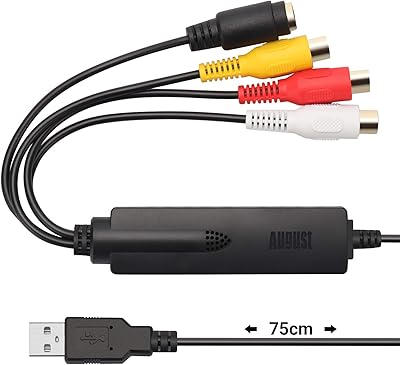
August VGB350 USB Video Capture Card
67%
83%
Ease of Setup
58%
Video Capture Quality
54%
Software Quality
72%
Compatibility Range
69%
Value for Money
More
Razer Seiren V2 X
Razer Seiren V2 X
79%
88%
Voice Clarity
84%
Background Noise Rejection
93%
Ease of Setup
86%
Clipping & Distortion Control
67%
Build Quality
More
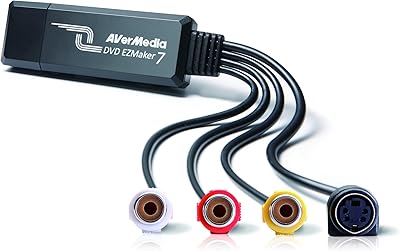
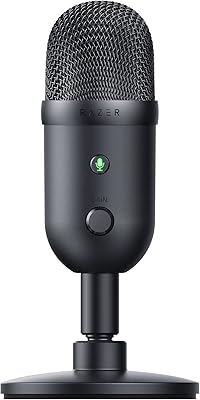
AVerMedia EZMaker 7 USB Video Capture Card
81%
88%
Ease of Use
91%
Value for Money
75%
Video Quality
90%
Setup & Installation
82%
Software Experience
More
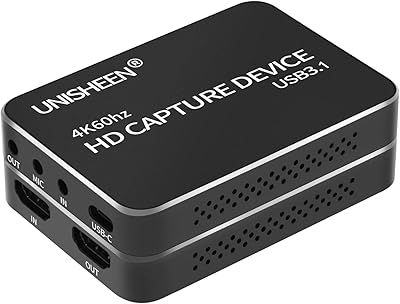
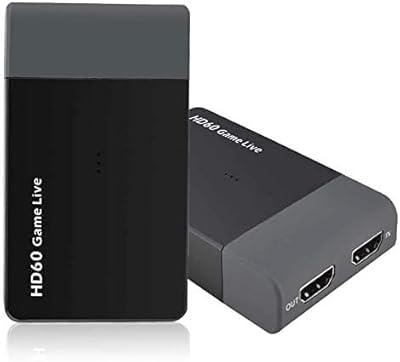
UNISHEEN UC2500H USB 3.0 Game Capture Card
86%
91%
Video Capture Quality
88%
Ease of Setup
85%
Compatibility with Platforms
93%
HDMI Loop-Through Performance
80%
Software Integration
More
Y&H ezcap261 USB 3.0 HDMI Capture Card
73%
88%
Ease of Setup
82%
1080p Streaming Performance
41%
4K Capture Viability
76%
Pass-Through Quality
53%
Build Quality
More
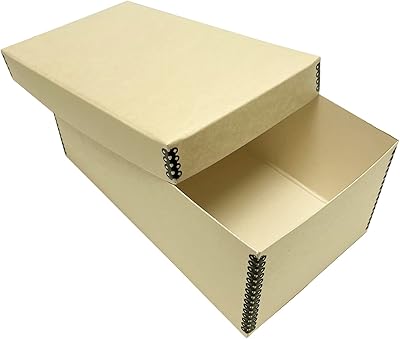
Lineco 4x6 Archival Photo Card Storage Box

80%
91%
Build Quality
93%
Archival Protection
58%
Ease of Assembly
74%
Lid Functionality
77%
Value for Money
More
XIIXMASK MS2131 Video Capture Card
85%
92%
Chassis Build Quality
88%
Thermal Management
87%
1080p Stream Stability
93%
Value for Money
84%
Plug-and-Play Simplicity
More

FAQ

Yes, it does. The Ripsaw X is recognized by OBS Studio as a standard video capture device the moment you plug it in on a Windows machine. You just select it as your video source in OBS and you are ready to go — no additional configuration steps are required in most cases.

Officially, no. Razer lists Windows as the supported operating system for this streaming capture device. Some users have reported getting it to work on macOS through UVC compatibility, but that is not guaranteed and Razer does not offer support for Mac setups. If you are primarily a Mac user, it is worth researching alternatives that explicitly support macOS before purchasing.

No, and this is probably the most important thing to understand before buying. The Razer Ripsaw X USB Capture Card tops out at 4K 30fps — not 4K 60fps. If smooth 4K motion is important to your content, you will want to look at higher-end capture hardware. For most streamers, 1080p at 60fps is actually the more practical and widely used setting anyway.

You will need a standard HDMI cable, and your camera must output a clean HDMI signal — meaning no on-screen overlays or menus visible in the output. Most modern DSLRs and mirrorless cameras support clean HDMI output, but it is worth checking your specific camera model before assuming it will work without any additional settings changes.

Both options are available. The Ripsaw X lets you record footage directly to your hard drive through compatible software like OBS, or stream live to platforms like Twitch or YouTube simultaneously. There is no onboard storage, so your computer handles the recording destination.

For live monitoring purposes, the latency is low enough that most users will not notice a meaningful delay during normal streaming or recording sessions. It is not a zero-latency passthrough in the traditional hardware sense, but in practice it performs well for the intended use case of real-time streaming content creation.

Yes, as long as your console outputs via HDMI, the Ripsaw X can capture that signal. Just connect your console's HDMI output to the card's HDMI input and route it through OBS or your preferred software. Keep in mind the 4K 30fps ceiling — if your console is pushing 4K 60fps, you will be capturing at a reduced frame rate.

No software is bundled in the box. The card is designed to work with software you already use or download separately, such as OBS Studio, which is free. This is actually a positive for most creators since it means you are not locked into a proprietary app with limited features.

Yes, it will likely cause issues. The Ripsaw X is built around USB 3.0, and connecting it to a USB 2.0 port does not provide enough bandwidth to handle the data rate required for clean, stable capture. You would almost certainly see dropped frames or degraded quality. A USB 3.0 port or a compatible hub is effectively a requirement.

At its price point, the Ripsaw X competes on build quality, brand reliability, and the breadth of camera compatibility rather than raw specs alone. Budget capture cards often struggle with inconsistent driver support, limited software compatibility, or unreliable HDMI handling. The Ripsaw X tends to deliver a more dependable plug-and-play experience, which is worth something if your time has value and you do not want to troubleshoot hardware on stream day.

Where to Buy