
Overview

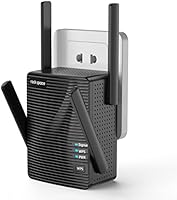
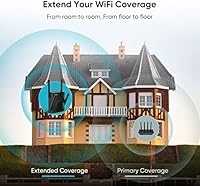
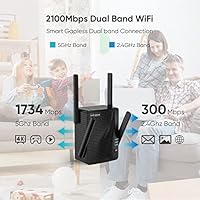
The rockspace AC2100 Dual Band WiFi Extender sits squarely in the budget end of the repeater market, aimed at renters and homeowners who just want their signal to reach the back bedroom or upstairs office without spending much. Its AC2100 rating breaks down into 300 Mbps on 2.4 GHz and 1734 Mbps on 5 GHz — numbers that sound impressive but represent theoretical peaks, not everyday reality. Think of its 1292 sq ft coverage as roughly the footprint of a two-bedroom apartment or a compact single-story house. This Wi-Fi extender competes in a crowded entry-level space where setup simplicity and consistent reliability tend to matter far more than headline specs.

Features & Benefits

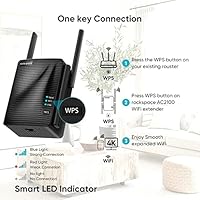
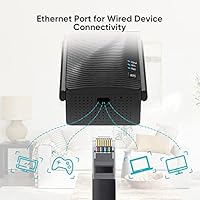
What makes this dual-band booster worth a closer look is the combination of practical features you do not always find at this price point. The Gigabit Ethernet port is a genuine win — plug in a gaming console or smart TV and you get a stable wired connection without running cable across the house. The MU-MIMO antenna array lets multiple devices pull data simultaneously without everything grinding to a halt. Setup is refreshingly simple: press the WPS button on your router, wait for confirmation, and you are done. The LED placement guide — blue for strong signal, red for weak — takes the guesswork out of finding the right spot on the wall.

Best For

This Wi-Fi extender is a strong fit for anyone dealing with spotty dead zones in a mid-sized home — think a 1,200 sq ft apartment where the far bedroom barely gets a signal, or a two-story house where the upstairs hallway drops out. Remote workers who need reliable video calls without investing in a full mesh system will find it holds up fine. It also suits households running a handful of IoT gadgets — smart bulbs, thermostats, cameras — spread across one floor. That said, if you are a heavy gamer or regularly transferring large files, this rockspace repeater is not built for that level of demand. It is an everyday connectivity fix, not a performance upgrade.

User Feedback

Buyer reactions to this dual-band booster break pretty predictably along expectation lines. On the positive side, many users highlight how easy to set up it is and report a genuine improvement in coverage in rooms that previously had little to no signal. The WPS process and LED indicator get particular praise from less tech-savvy buyers. On the flip side, a recurring frustration is that real-world speeds fall noticeably short of advertised figures — which, honestly, is typical across nearly every extender in this price range. Some buyers have flagged long-term reliability concerns after several months, and a handful mention difficulty reaching customer support. Overall, it delivers on its core promise for basic use, but shows its limits when pushed harder.

Pros

  • Dead zone coverage in apartments and mid-sized homes improves noticeably right out of the box.
  • The Gigabit Ethernet port is a rare and genuinely useful addition at this price point.
  • WPS setup takes only a minute or two — no app, no account, no technical knowledge required.
  • The LED signal indicator takes the guesswork out of finding the right placement spot.
  • Dual-band support means you can offload bandwidth-hungry devices to the 5 GHz channel.
  • Access Point mode gives the unit a second life if your networking needs change later.
  • MU-MIMO technology keeps multiple devices connected simultaneously without a major performance hit.
  • Compact and unobtrusive design fits into most rooms without looking out of place.
  • Compatible with virtually any router brand or ISP gateway without extra configuration.
  • Offers solid value for buyers who just need basic dead zone coverage without a large investment.

Cons

  • Real-world speeds fall well short of the advertised 2100 Mbps figure in typical home conditions.
  • No dedicated backhaul channel means the repeater and your devices share the same bandwidth.
  • Long-term reliability has drawn concern from some buyers after several months of continuous use.
  • Customer support responsiveness is inconsistent, making warranty claims harder than they should be.
  • Only one Ethernet port limits wired connectivity to a single device at a time.
  • Firmware updates are infrequent, which raises questions about ongoing security and performance patches.
  • The rockspace repeater does not support seamless band steering or automatic device roaming.
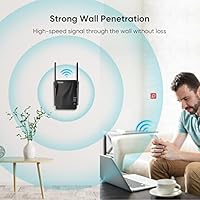
  • Coverage can be inconsistent through multiple thick walls despite the strong wall penetration claims.
  • No dedicated mobile app makes advanced configuration less accessible for everyday users.
  • The 802.11a/g/n standard lags behind Wi-Fi 5 or Wi-Fi 6 extenders now available at similar prices.

Ratings

Our AI rating engine analyzed thousands of verified global reviews for the rockspace AC2100 Dual Band WiFi Extender, actively filtering out incentivized, duplicate, and bot-generated submissions to surface what real buyers actually experienced. The scores below reflect an honest composite — where this dual-band booster genuinely delivers and where it falls short — so you can make a purchase decision with a clear, unbiased picture.

Ease of Setup
88%
The vast majority of buyers — even those who describe themselves as not tech-savvy — report being connected within five minutes using WPS pairing. The LED indicator removes almost all guesswork from placement, which is the step where most extender setups stall.
A small but notable portion of users found the web browser setup interface confusing, particularly when their router did not support WPS. Instructions in the manual have been flagged as sparse, leaving some buyers relying on third-party tutorial videos.
Dead Zone Coverage
74%
26%
In apartments and single-story homes under 1,100 sq ft, buyers consistently report meaningful improvement in previously weak or dead areas. Back bedrooms, garages, and basement offices that could barely load a webpage often see a reliable enough connection for browsing and video calls.
Multi-story homes and spaces with brick, concrete, or plaster walls tend to expose the unit's range limitations quickly. Several buyers noted that the 1292 sq ft coverage claim holds up only in open-plan layouts, not real-world homes with multiple physical barriers.
Real-World Speed
61%
39%
For light tasks — checking email, streaming music, joining a Zoom call, or controlling smart home devices — the throughput is sufficient and rarely causes visible lag. Users with modest internet plans (under 100 Mbps from their ISP) report that the extender rarely feels like the bottleneck.
Buyers on faster ISP plans quickly notice that the repeater introduces a meaningful speed reduction compared to a direct router connection. The 2100 Mbps headline figure bears little resemblance to everyday throughput, and heavy streamers or remote workers handling large uploads have expressed frustration.
Long-Term Reliability
58%
42%
Many users report months of stable, uninterrupted operation when the unit is placed in a well-ventilated spot with a strong host signal. For households that just need a set-and-forget solution without frequent tinkering, the rockspace repeater often delivers that during its first several months of use.
A recurring pattern in longer-term reviews involves units requiring periodic reboots or dropping connection unexpectedly after three to six months of continuous use. Some buyers link this to the lack of meaningful firmware updates, which leaves underlying stability issues unaddressed over time.
Value for Money
82%
18%
Relative to what you get — dual-band support, a Gigabit Ethernet port, and MU-MIMO technology — the price sits in a range that is hard to argue with for basic dead zone coverage. Buyers who compare it directly to single-band options at similar prices consistently rate it as the smarter spend.
The calculus shifts if you factor in potential reliability issues after the six-month mark or if you need consistent performance for work-from-home demands. A slightly higher investment in an entry-level mesh node would serve demanding users considerably better in the long run.
Ethernet Port Utility
83%
The inclusion of a Gigabit Ethernet port stands out as one of the most praised practical features, allowing users to wire in a smart TV or gaming console in a room that previously had no wired option. Buyers who take advantage of this report noticeably more stable connections for those devices than they get over Wi-Fi.
The limitation of a single port frustrates users who want to connect more than one wired device — a common scenario in living rooms with both a TV and a streaming box. There is no workaround beyond adding a separate switch, which adds cost and complexity.
Multi-Device Performance
67%
33%
The MU-MIMO antenna configuration handles households with four to six connected devices reasonably well, keeping smart bulbs, phones, and a laptop running simultaneously without obvious slowdowns during light usage periods.
Once the connected device count climbs above six or seven — common in modern smart homes — performance begins to degrade more noticeably. Power users with dense IoT setups or multiple streaming devices active at the same time report visible congestion during peak household hours.
Build & Design
71%
29%
The compact plug-in form factor keeps the unit unobtrusive and takes up only the outlet itself without blocking adjacent sockets in most wall plates. The matte plastic finish looks clean and inoffensive in most home environments.
The housing feels lightweight in a way that reads as budget-grade rather than durable to some buyers, and a few users have reported the plug fitting loosely in older wall outlets. Ventilation around the unit is limited, and warm operating temperatures have been noted in enclosed spaces.
Band Steering & Roaming
44%
56%
Users who manually configure their devices to connect to the 5 GHz extended network when in range report a noticeably steadier experience than sticking to the 2.4 GHz band, making the dual-band capability meaningful when managed deliberately.
This Wi-Fi extender does not support automatic band steering or seamless roaming, meaning devices do not intelligently hand off between the router and the extender as you move through your home. Buyers accustomed to mesh systems find this particularly frustrating, often needing to manually disconnect and reconnect.
Customer Support
49%
51%
Some buyers report that initial inquiries to rockspace support — particularly pre-sales questions about compatibility — received reasonably prompt replies. The brand does have a presence on its Amazon listing that occasionally responds to public questions.
Post-purchase technical support is where the experience deteriorates. Multiple reviewers describe slow response times, generic troubleshooting scripts, and difficulty escalating hardware issues beyond the initial contact. For buyers who encounter problems outside the Amazon return window, this is a real risk.
Firmware & Software
52%
48%
The web-based admin panel is functional and covers the basics — network name configuration, password changes, and mode switching — without unnecessary complexity that would confuse a non-technical user.
Firmware update frequency is low, and some buyers note their units have not received any updates since purchase. This raises valid concerns about long-term security and the resolution of known performance bugs that more actively maintained networking brands would patch.
Compatibility
86%
Buyers across a wide range of ISPs and router brands — including common ISP-issued gateways — report no compatibility issues during pairing. The standard 802.11ac protocol ensures this dual-band booster works with essentially any home networking equipment made in the last decade.
A handful of users on newer Wi-Fi 6 routers note that the extender becomes an obvious bottleneck, since it cannot take advantage of the router's faster capabilities. It is a capable companion for older or mid-range routers but falls behind when paired with premium modern hardware.
Placement Guidance
79%
21%
The two-color LED indicator is genuinely practical — buyers appreciate having a clear, immediate visual cue that tells them whether the current outlet location is working without logging into any interface. It removes the most common frustration point in extender setup.
The indicator only signals strong or weak — it offers no granularity about signal quality in between, which can leave users wondering whether a borderline blue reading will hold up under actual device load. A more nuanced signal meter would improve placement confidence considerably.

Suitable for:

The rockspace AC2100 Dual Band WiFi Extender is a practical pick for renters and homeowners who have a single router that simply does not reach every corner of their living space. If you are dealing with a dead zone in a back bedroom, a basement, or an upstairs hallway in a home up to roughly 1,200 square feet, this dual-band booster is built precisely for that problem. Remote workers who need a reliable enough connection for video calls and email — but do not want to spend serious money on a full mesh system — will find it hits a reasonable sweet spot. It also works well for households running smart home gadgets like bulbs, cameras, and thermostats scattered across one or two floors, where those devices just need a steady signal rather than blistering speeds. Non-technical buyers will appreciate that setup rarely takes more than a few minutes, and the LED indicator removes any confusion about where to physically place the unit.

Not suitable for:

If you are a competitive gamer, a 4K streamer, or someone who regularly moves large files across your home network, the rockspace AC2100 Dual Band WiFi Extender will likely leave you frustrated. The AC2100 label reflects combined theoretical throughput — real-world speeds through a repeater are always lower, and in a demanding household that gap becomes very noticeable very quickly. Buyers expecting mesh-like performance or seamless roaming between the router and extender should look elsewhere, since traditional repeaters like this one do not handle handoffs as smoothly as dedicated mesh systems. Large homes exceeding 1,500 square feet with thick concrete or brick walls will also push this unit past its limits. Anyone who has had bad experiences with budget networking gear and values responsive manufacturer support should factor in that rockspace is not known for standout customer service, which can be a real issue if something goes wrong after a few months of use.

Specifications

  • Max Speed: Combined theoretical throughput reaches 2100 Mbps across both bands (AC2100 classification).
  • 2.4 GHz Band: The 2.4 GHz band delivers up to 300 Mbps, suitable for lower-demand devices and wider range coverage.
  • 5 GHz Band: The 5 GHz band supports up to 1734 Mbps, prioritized for faster, shorter-range connections with better wall penetration.
  • Coverage Area: Rated to extend Wi-Fi coverage across up to 1292 sq ft under ideal open-space conditions.
  • Wireless Standard: Operates on 802.11a/g/n/ac (Wi-Fi 4/AC), compatible with the vast majority of consumer routers and gateways.
  • MIMO Technology: Equipped with MU-MIMO 4T4R antenna configuration to handle multiple simultaneous device connections with reduced interference.
  • Antenna Type: Uses internal dual-band PCB antennas in a 4-transmit, 4-receive configuration for balanced signal distribution.
  • Ethernet Port: Includes one Gigabit Ethernet (RJ-45) port for connecting a single wired device directly to the extended network.
  • Operating Modes: Supports two modes: Repeater (extends existing Wi-Fi) and Access Point (converts wired connection to wireless).
  • Setup Methods: Can be configured via WPS one-button pairing or through a web browser interface at a local admin address.
  • LED Indicator: A single LED signals connection quality — blue indicates a strong link to the host router, red indicates a weak or poor signal.
  • Dimensions: Package dimensions measure 5.87 x 4.69 x 4.29 inches, with a compact plug-in form factor for wall outlet installation.
  • Weight: The unit weighs 13.1 ounces, consistent with a standard plug-in range extender.
  • Frequency Bands: Dual-band operation covers both 2.4 GHz and 5 GHz simultaneously, allowing devices to connect on the most appropriate channel.
  • Brand: Manufactured and sold by rockspace, a consumer networking brand specializing in budget-tier Wi-Fi range extension products.
  • Availability: First made available on Amazon in March 2023, with a current Best Sellers Rank of approximately #622 in the Repeaters category.
  • Power Source: Powered directly via wall outlet plug-in — no external power adapter or USB cable is required for operation.
  • Compatibility: Compatible with any standard wireless router, ISP gateway, or access point regardless of brand or ISP.

Related Reviews
Vonets VAP11AC AC1200 Dual Band WiFi Bridge
65%
74%
WiFi-to-Ethernet Bridging Performance
71%
Dual-Band Radio Coverage
78%
Thermal Management & Reliability
44%
Setup & Configuration Experience
81%
Operating Mode Versatility
More
Linksys RE6350 AC1200 Dual-Band WiFi Extender
86%
91%
Setup & Installation
88%
Wi-Fi Performance
89%
Coverage Area
85%
Dual-Band Performance
84%
Streaming & Gaming
More
FjUoLzgK M-97G WiFi Extender
74%
91%
Ease of Setup
67%
Signal Coverage
62%
5GHz Band Performance
78%
2.4GHz Band Reliability
83%
Ethernet Port Utility
More
Rockspace AC2100 Wi-Fi Router
74%
83%
Value for Money
63%
Wi-Fi Range & Coverage
78%
Multi-Device Performance
88%
Setup & Ease of Use
86%
Wired Connection Quality
More
HMTYQNB M-A27 AC2100 Dual-Band WiFi Extender
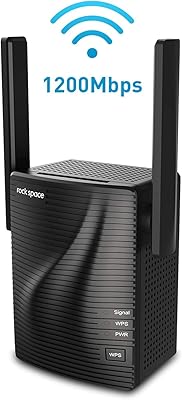
73%
88%
Ease of Setup
74%
WiFi Coverage
71%
Signal Stability
91%
Gigabit Ethernet Port
63%
Real-World Speeds
More
rockspace AC1200 WiFi Range Extender
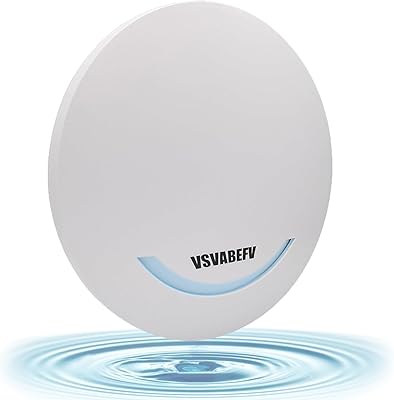
83%
85%
Performance
92%
Ease of Setup
88%
Range Coverage
75%
Signal Stability
83%
Ethernet Port Functionality
More
VSVABEFV AP240 Dual-Band WiFi Access Point
85%
88%
Performance
91%
Ease of Setup
85%
Coverage & Range
83%
Reliability
80%
Build Quality
More
NETGEAR WAX202 WiFi 6 Dual-Band Router
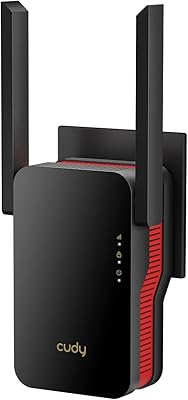
84%
88%
WiFi Performance
93%
Setup & Installation
85%
App Usability
89%
Speed & Coverage
90%
Device Connectivity
More
ASUS RT-AX1800S
ASUS RT-AX1800S
79%
88%
Value for Money
79%
WiFi Speed & Performance
74%
Coverage & Range
83%
Setup & Ease of Use
67%
Router App Experience
More
ASUS RT-AX5400 WiFi 6 Dual-Band Router
80%
84%
WiFi Speed & Throughput
71%
Coverage & Range
88%
Setup & Ease of Use
91%
Built-in Security (AiProtection)
83%
Parental Controls
More

FAQ

It works with any standard router or gateway, regardless of brand — Netgear, TP-Link, ASUS, ISP-issued modems, you name it. The rockspace repeater connects to your existing network the same way any other Wi-Fi device would. You do not need any rockspace-branded equipment on your end.

Setup is about as simple as it gets. Plug it into a wall outlet, press the WPS button on your router, then press the WPS button on the extender and wait about 30 seconds for it to pair. If your router does not support WPS, you can log in through a web browser using the admin address listed in the manual and configure it manually. Most people are up and running in under five minutes.

The LED indicator on the unit does most of the work for you — blue means it is getting a solid signal from your router, red means you need to move it closer. A good rule of thumb is to place it roughly halfway between your router and the dead zone, ideally without thick concrete walls or large metal appliances in between. Avoid tucking it behind furniture or inside cabinets.

The rockspace AC2100 Dual Band WiFi Extender creates a separate extended network name (SSID), so by default your devices will not automatically hand off from the router to the extender the way a mesh system would. You can either manually connect to the extended network when you move to the covered area, or set the extender to broadcast the same network name as your router — though seamless automatic roaming is not guaranteed with a traditional repeater setup.

Yes, there is a Gigabit Ethernet port on the unit, which is a genuinely useful feature at this price. You can plug in one wired device — a smart TV, a gaming console, a desktop PC — and it will connect through the extender to your network. Just keep in mind there is only one port, so you cannot wire up multiple devices simultaneously.

The 2100 Mbps figure is a combined theoretical maximum across both bands under perfect lab conditions — it is not what you will see day to day. In a real home environment with walls, interference, and distance involved, expect noticeably lower speeds. For most browsing, video calls, and streaming up to 1080p, this dual-band booster performs adequately, but demanding tasks like 4K streaming or large file transfers may feel sluggish compared to a direct router connection.

Yes, Access Point mode is supported. In this mode, you connect the unit to your router via an Ethernet cable and it broadcasts a wireless signal from that wired connection rather than repeating an existing Wi-Fi signal. This setup tends to be more stable and delivers better speeds than repeater mode, so if you have the option to run a cable, it is worth considering.

The 1292 sq ft coverage rating is a best-case figure measured in open space. If your home is around that size with standard drywall construction, you will likely see meaningful improvement throughout most of it. Larger homes, split-level layouts, or spaces with thick brick or concrete walls will reduce the effective range. For homes over 1,500 sq ft or with difficult construction materials, a mesh Wi-Fi system would be a more reliable investment.

Firmware updates are available through the web-based admin interface, but they are not released frequently. It is worth checking after initial setup to make sure you are on the latest version. Some buyers have noted that update availability can be inconsistent, so do not expect the same regular cadence you might get from a premium networking brand.

rockspace does offer customer support, but feedback from buyers on response times and resolution quality has been mixed. Before reaching out, try a factory reset by holding the reset button for about 10 seconds — this clears most configuration issues. If you purchased through Amazon, their return and warranty process can sometimes be a more reliable route for resolving hardware problems within the return window.