Overview

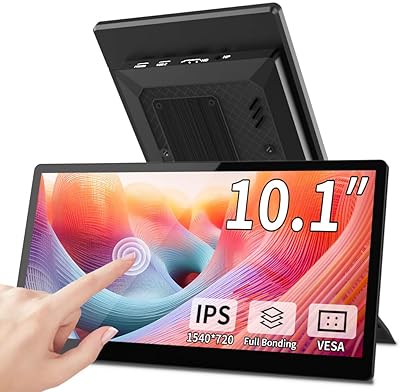
The ROADOM 10.1-inch Raspberry Pi Touchscreen Monitor stands out from the crowd of bare-panel displays by arriving as a fully enclosed unit — circuit board tucked away, case already on, ready to use. That might sound minor, but anyone who has wrestled with exposed PCBs and tangled ribbon cables knows how much it matters. At its price point, you are paying for a finished product rather than a kit that needs babysitting. Setup is genuinely straightforward: connect HDMI and USB, power it on, and the display is recognized without any drivers. It is built for tinkerers who want to spend time on their actual project, not on getting the display to cooperate.
Features & Benefits

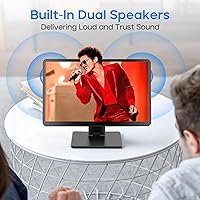
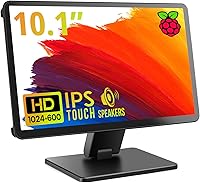
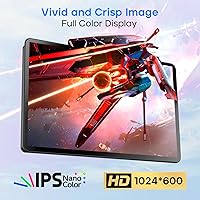
The IPS panel runs at 1024×600 natively — honest but not remarkable by today's standards. It is a meaningful step up from the 800×480 screens common on budget Raspberry Pi displays, offering noticeably better color accuracy and a wide 178° viewing angle that holds when the screen is mounted at awkward angles. Touch response sits around 3–5 ms, and 5-point capacitive touch covers tapping, zooming, and scrolling comfortably without needing extra drivers. The dual built-in speakers are a practical bonus for media builds. The matte surface handles reflections reasonably well at 300 cd/m², though bright ambient light will test it. One thing to know upfront: iOS touch support is not available — Raspbian, Ubuntu, Windows, Kodi, and Debian all work fine.

Best For

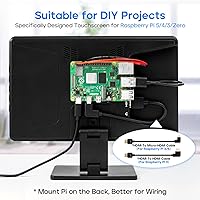
This Raspberry Pi touchscreen is an especially strong fit for hobbyists building kiosk-style dashboards, retro game consoles with RetroPie, or Kodi media centers where built-in audio removes the need for external speakers. The rear-mount system for the Pi and the included stand make it practical for home automation panels or small information displays that need to sit cleanly on a desk or shelf. Educators and students setting up portable Linux workstations will appreciate the all-in-one form factor. It is less suited to users who need sharp text rendering for extended reading or coding sessions — the resolution, while adequate for most Pi tasks, shows its limits on dense interfaces. Think of it as a project-ready display, not a desktop productivity screen.

User Feedback

Buyers consistently call out how painless the initial setup is — plug in HDMI and USB, and the display just works. The enclosed case design earns genuine praise from people who have dealt with fragile bare-board alternatives; it feels like a real product rather than a hobbyist kit. Touch accuracy also gets positive marks, with most users finding gestures reliable for everyday Pi use. On the critical side, a handful of buyers note that the native resolution is underwhelming if you are coming from a sharper screen — text can look soft. Speaker quality is described as adequate rather than impressive, with noticeable distortion at higher volumes. A few users also mention that the stand wobbles slightly under repeated touch input, which is worth considering for touch-heavy setups.

Pros

  • Arrives fully enclosed in a protective case — no exposed circuit board, no extra assembly required.
  • Driver-free plug-and-play setup works reliably across Raspbian, Ubuntu, Windows, Kodi, and more.
  • IPS panel delivers noticeably better color and viewing angles than typical 800×480 budget alternatives.
  • 5-point capacitive touch responds accurately to taps, swipes, and pinch-to-zoom gestures.
  • Built-in dual speakers are genuinely useful for media centers and emulation builds.
  • Raspberry Pi mounts directly on the back, keeping cables tidy and the setup compact.
  • Adjustable stand supports both height and tilt, giving flexibility for different desk setups.
  • Matte screen surface reduces glare in moderately lit environments without adding much haze.
  • Lightweight at just over a pound — easy to reposition or incorporate into portable builds.
  • Includes all necessary cables in the box, so there are no surprise accessory purchases.

Cons

  • Native 1024×600 resolution looks soft; small text and detailed interfaces are noticeably less sharp.
  • Touch functionality does not work on iOS devices — a hard limit, not a configuration issue.
  • Built-in speakers distort at higher volume levels, making them unreliable for anything beyond background audio.
  • The stand can wobble under repeated touch input, which gets frustrating in touch-heavy applications.
  • 300 cd/m² brightness struggles in brightly lit rooms or near windows.
  • Only one USB port limits connectivity options without adding a hub.
  • The pre-installed screen protector can reduce touch responsiveness and should be removed for best results.
  • Not a practical choice as a general-purpose desktop monitor — the size and resolution cap its versatility.

Ratings

The ROADOM 10.1-inch Raspberry Pi Touchscreen Monitor has been scored by our AI system after analyzing thousands of verified global user reviews, with spam, bot-generated, and incentivized submissions actively filtered out. The ratings below reflect an honest picture — genuine strengths and recurring frustrations weighted equally — so you can make a confident buying decision rather than rely on inflated averages.
Ease of Setup
91%
Plug in HDMI for video and USB for touch, and the display is recognized instantly — no driver hunting, no terminal commands, no configuration files. Makers setting up a fresh Raspbian install consistently report having the screen running within minutes, which is a meaningful advantage when you just want to get to the actual project.
A small number of users found that the USB touch connection was not recognized on the first attempt and required a reboot or cable swap to initialize properly. This is rare, but worth knowing if you are working in a time-sensitive environment.
Touch Responsiveness
83%
For typical Pi interactions — tapping menu items, dragging windows, pinching to zoom in a browser — the 5-point capacitive touch feels accurate and immediate. Users building kiosk or dashboard interfaces particularly praise how reliably it handles deliberate, targeted taps without ghost inputs or drift.
Rapid multi-finger gestures and fast swipes occasionally miss registration, especially near the screen edges. A few users also noted that leaving the factory screen protector on degrades responsiveness noticeably, which the manufacturer acknowledges but does not flag prominently enough during unboxing.
Display Quality
72%
28%
The IPS panel is a genuine step up from the 800×480 bare modules that dominate the budget end of this market. Colors are reasonably accurate, the 178° viewing angle holds well when the screen is mounted at an angle on a shelf or kiosk stand, and the matte surface keeps glare manageable in most indoor environments.
At 1024×600 native resolution, text rendering is noticeably soft — small fonts in desktop environments can feel slightly blurry, and anyone coming from a modern HD laptop screen will feel the difference immediately. The display is functional for Pi projects, but it is not a panel you would choose for reading or detailed visual work.
Build & Enclosure
88%
The fully enclosed design is the single biggest practical differentiator from cheaper alternatives. There are no exposed ribbon cables, no vulnerable bare circuit boards, and nothing that feels temporary or kit-like. Users building home automation panels or classroom Pi setups frequently comment that it looks and feels like a finished product rather than a hobbyist prototype.
The enclosure plastic, while protective, has a slightly hollow feel when pressed firmly, and a handful of users noted minor flexing around the rear panel when mounting the Pi board. It holds up fine under normal use, but it would not survive a significant drop.
Speaker Quality
59%
41%
Having any audio output built directly into the display is a practical win for RetroPie and Kodi builds where adding external speakers would require extra wiring and space. At moderate listening volumes the speakers are clear enough for game sound effects, menu audio, and casual video playback in a quiet room.
Volume headroom is limited, and distortion becomes obvious once you push past about two-thirds of the maximum level. The low-frequency response is thin, which makes music and movie soundtracks sound hollow. These are usable speakers for convenience, not quality.
Stand Stability
63%
37%
The adjustable stand covers a useful range of tilt and height positions, and for passive viewing or light touch use it holds position reliably. Users setting up a stationary dashboard or media display generally find it holds their preferred angle without creeping.
Under repeated touch input — especially firm taps near the upper portion of the screen — the stand wobbles noticeably. For any project involving frequent interaction rather than occasional tapping, the stand becomes a real annoyance, and some users resorted to adding non-slip pads or mounting the unit to a fixed surface instead.
OS Compatibility
84%
The range of supported operating systems is broad and genuinely useful — Raspbian, Ubuntu, Kodi, Noobs, Debian, and Windows all work without any setup overhead. This makes the ROADOM 10.1-inch monitor a flexible choice that can be repurposed across different Pi projects without needing to reconfigure the display.
Touch input is completely non-functional on iOS, which is a hard technical limitation rather than a configuration gap. Users who discovered this after purchasing for use with an iPad or iPhone via HDMI adapter were understandably frustrated, as this restriction is not prominently communicated before purchase.
Value for Money
77%
23%
Compared to piecing together a bare display module, a separate enclosure, and audio hardware, this compact touch display offers a genuinely competitive all-in cost for the feature set. The included cables and stand mean there are no surprise add-on purchases, which buyers on a project budget appreciate.
At its price point, the 1024×600 resolution becomes harder to justify against some newer competitors that offer 1280×800 panels at a similar cost. If image sharpness matters for your use case, the value calculation shifts and the pricing feels less compelling.
Cable Management
82%
18%
The rear-mount system for the Pi board is one of the most practical aspects of the physical design — when the Pi sits flush on the back and cables run a short distance to the ports, the overall setup looks organized and intentional rather than improvised. Users building visible installations or classroom demos specifically highlight this as a win.
Depending on which Pi model is installed and which GPIO accessories are attached, the cable routing can still get crowded around the rear panel. The single USB port also means touch functionality takes up the one available slot, leaving no room for additional USB peripherals without adding a hub.
Brightness & Visibility
67%
33%
In a typical indoor environment — home office, bedroom workshop, or classroom — the 300 cd/m² brightness is adequate for comfortable viewing. The matte surface does a reasonable job of diffusing overhead lighting without adding the haze that some matte coatings introduce.
Place this display near a window or under strong directional lighting and the image washes out meaningfully. Users who tried to use the screen in bright kitchens or sunlit workspaces reported having to reposition significantly to maintain a usable image, which limits flexibility for outdoor or high-ambient-light projects.
Pi Board Compatibility
89%
Broad support across Pi 5, 4, 3, and Zero models is confirmed by a wide range of users across different project types. The display works with the latest Pi 5 hardware without any compatibility issues, which matters given that many older Pi peripherals struggled with the updated architecture.
The rear mount is physically designed around Raspberry Pi form factors, so users pairing this with other SBCs like Orange Pi or Banana Pi cannot use the integrated mount and must find an alternative way to secure their board. The display itself still works via HDMI, but the clean integrated look is lost.
Unboxing & Accessories
81%
19%
The packaging is complete — cables, stand, and display arrive together without any obvious omissions. Users consistently note that they did not need to make any additional purchases just to get the screen running with their Pi, which sets a good first impression and removes friction from the initial experience.
The included documentation is minimal, which is fine for experienced Pi users but can leave beginners uncertain about optimal configuration settings or how to adjust the display resolution output. A more detailed quick-start guide would improve the experience for newcomers.
Thermal Management
74%
26%
Under typical operating loads — media playback, kiosk dashboards, light desktop use — the unit stays cool to the touch with no perceptible heat buildup from the display electronics. The enclosed design does not appear to trap heat in a way that causes throttling or instability during normal sessions.
Extended high-load use, such as long gaming sessions with a Pi 4 or Pi 5 running demanding emulation, can cause warmth to build up in the rear enclosure near the Pi board. Passive ventilation is limited by the enclosed form factor, and a few users noted stability concerns during prolonged intensive use without additional airflow.

Suitable for:

The ROADOM 10.1-inch Raspberry Pi Touchscreen Monitor is a strong match for hobbyists and makers who want a display that feels finished rather than assembled — especially those building kiosks, retro gaming consoles, or home automation panels where a bare circuit board simply is not an option. RetroPie and Kodi enthusiasts in particular will appreciate the built-in speakers, since it removes the need to wire up external audio just to get sound from a media build. Students and educators putting together portable Linux workstations will find the driver-free setup a genuine time-saver, particularly in classroom or workshop settings where simplicity matters. If your project lives on a desk or shelf and benefits from a tidy rear-mounted Pi with managed cables, this compact touch display handles that scenario better than most alternatives at its price tier.
Not suitable for:

The ROADOM 10.1-inch Raspberry Pi Touchscreen Monitor is not the right tool if you need sharp, detailed visuals for reading code, working with small fonts, or running a desktop environment for extended periods — the 1024×600 native resolution is functional for Pi projects but noticeably soft compared to modern screens. Users expecting full 1080p output will be disappointed; the panel can upscale, but the physical pixel density simply cannot deliver crisp text at that level. If you plan to use this with an iOS device and need touch input to work, look elsewhere — touch is not supported on Apple systems, which is a hard limitation rather than a minor quirk. Anyone needing loud, high-quality audio from the built-in speakers for a shared room or presentation setting will likely find the output thin and distorted at higher volumes. Finally, touch-heavy applications requiring a rock-solid stand may run into wobble issues that disrupt the experience.
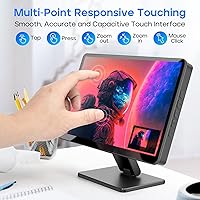
Specifications

  • Screen Size: The display measures 10.1 inches diagonally, providing a practical viewing area for Pi-based projects, kiosks, and media builds.
  • Resolution: Native resolution is 1024×600 pixels, with support for upscaling to 1920×1080 via HDMI signal input.
  • Panel Type: Uses an IPS (In-Plane Switching) panel for consistent, accurate color reproduction across a wide 178° horizontal and vertical viewing angle.
  • Brightness: Peak brightness is rated at 300 cd/m², suitable for indoor use in controlled or moderately lit environments.
  • Screen Surface: The display uses a matte finish that reduces specular reflections under ambient lighting conditions.
  • Touch Technology: 5-point capacitive touch panel supports tap, drag, pinch-to-zoom, and multi-finger gestures with a reported response time of 3–5 ms.
  • Audio: Two built-in speakers are integrated directly into the enclosure, providing stereo audio output without requiring external hardware.
  • Video Input: One full-size HDMI input handles both video signal and resolution scaling from any compatible source device.
  • USB Ports: One USB port is provided, used primarily to enable touch functionality when connected to the host device.
  • Aspect Ratio: The screen maintains a standard 16:9 widescreen aspect ratio suited to video playback and most Pi desktop environments.
  • OS Compatibility: Touch input is fully supported on Raspbian, Ubuntu, Noobs, Debian, Windows, and Kodi; touch functionality is not available on iOS.
  • Pi Compatibility: The rear-mount system physically accommodates Raspberry Pi 5, 4, 3, and Zero boards directly on the back of the unit.
  • Driver Requirement: No additional drivers are needed; the display and touch input are recognized automatically upon connection on all supported operating systems.
  • Enclosure: The circuit board, screen, and casing are fully integrated, eliminating exposed components and providing all-around physical protection.
  • Stand: An adjustable stand is included that supports both height positioning and tilt angle adjustment for flexible desk placement.
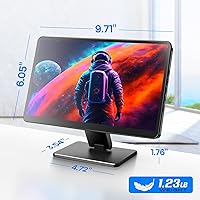
  • Dimensions: The unit measures 5 × 5.6 × 0.5 inches, keeping the overall footprint compact for tight project spaces.
  • Weight: The complete unit weighs 1.23 pounds, making it light enough to reposition or integrate into portable enclosures.
  • In the Box: Package includes the monitor, adjustable stand, and all essential cables needed to connect to a Raspberry Pi out of the box.

Related Reviews
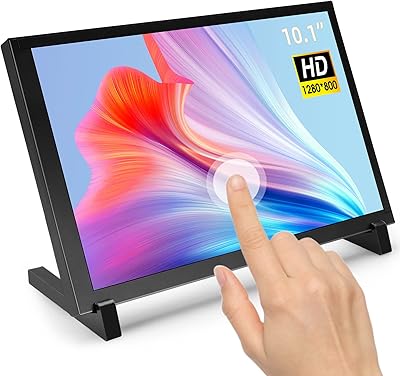
ELECROW 10.1 Inch Touchscreen Monitor
86%
88%
Display Quality
80%
Touchscreen Responsiveness
94%
Portability
92%
Ease of Setup
85%
Build Quality
More
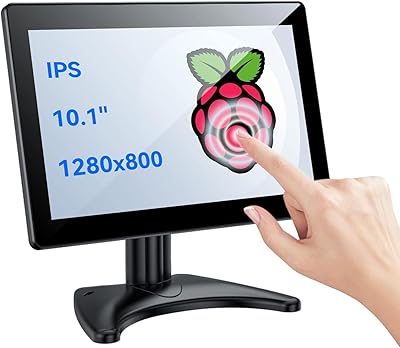
Magedok T101F 10.1-inch Portable Touchscreen Monitor
72%
88%
USB-C Connectivity
63%
Touch Accuracy
79%
Display Quality
84%
Aspect Ratio Fit
76%
Setup Experience
More
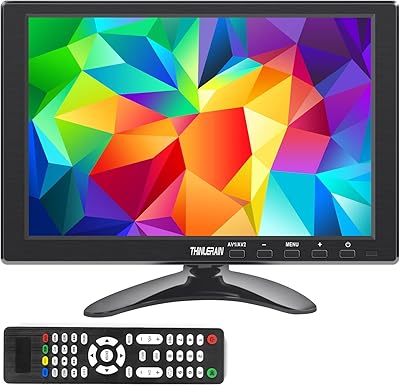
Eyoyo EM101T 10-inch Touchscreen Monitor
75%
83%
Touch Responsiveness
78%
Image Quality
91%
Ease of Setup
76%
Build Quality
87%
Input Versatility
More
Haiway SM10.1 10.1-inch Security Monitor
72%
88%
Ease of Setup
91%
Input Connectivity
67%
Display Clarity
49%
Glare & Screen Surface
72%
Build Quality
More
Thinlerain 10.1 Inch FHD Monitor
83%
85%
Display Quality
91%
Portability
88%
Setup & Installation
80%
Build Quality
92%
Connectivity Options
More
AISHICHEN 10.1-Inch IPS Mini Monitor

70%
78%
Value for Money
86%
Connectivity & Inputs
89%
Raspberry Pi Compatibility
73%
Display Clarity
61%
Build Quality
More
RCA Cambio 10.1-inch 2-in-1 Tablet PC
79%
92%
Value for Money
88%
Portability
85%
Ease of Use
78%
Display Quality
82%
Keyboard Usability
More
ITMEIPC T-10 Android Tablet 10.1-inch, 6GB RAM, 64GB Storage
80%
91%
Value for Money
85%
Display Quality
74%
Battery Life
78%
Build Quality
88%
Performance for Light Use
More
podofo 10.1-inch Portable TFT LCD Monitor
72%
83%
Value for Money
61%
Image Quality
88%
Ease of Setup
91%
Input Versatility
54%
Build Quality
More
Prechen 24-Inch Touchscreen Monitor
83%
92%
Value for Money
88%
Display Quality
90%
Touchscreen Responsiveness
84%
Build Quality
80%
Gaming Performance
More

FAQ

Yes, on supported operating systems it does. Connect the HDMI cable for video and the USB cable for touch, and both functions are recognized automatically. You do not need to download or configure anything on Raspbian, Ubuntu, Windows, or Kodi.

The display itself will output an image from an iOS device if you use an appropriate HDMI adapter, but touch input is not supported on iOS. If touch control is important to your use case, this is a hard limitation worth knowing before purchasing.

Yes, the rear of the unit has a mount designed to hold a Raspberry Pi board directly against the back of the display. This keeps everything self-contained and helps manage cables cleanly, which is one of the more practical aspects of the design.

It depends on what you are doing. For dashboards, media playback, kiosk interfaces, and retro games, it is perfectly adequate. If you are planning to read code, work with dense text, or run a full desktop for extended sessions, the pixel density will feel limiting compared to modern screens.

They are genuinely useful for light use — background audio, game sound effects, or Kodi playback at moderate volume. At higher volume levels, distortion becomes noticeable. Think of them as a convenient built-in option rather than a substitute for dedicated speakers.

The stand works fine for light touch interactions, but some users report minor wobble during more forceful or repeated tapping. If your project involves constant heavy touch use, you may want to consider anchoring the unit more securely or mounting it on a surface.

ROADOM actually recommends removing it for best results. The factory-applied protector can slightly reduce touch sensitivity and affect image clarity. Peeling it off takes a few seconds and generally improves both responsiveness and visual quality noticeably.

Yes, it is compatible with Banana Pi, Orange Pi, and other SBCs that output HDMI video. It also works with game consoles like the PS4, PS5, and Xbox via HDMI, and with Windows PCs. The rear mount is specifically sized for Raspberry Pi boards, but the display itself is broadly compatible.

The package includes the essential cables needed to connect the display to a Raspberry Pi, covering both the HDMI video connection and the USB touch connection. You should not need to hunt for additional accessories to get it running.

The main difference is build quality and convenience. Budget bare-panel options often leave the circuit board exposed and require additional steps to secure or protect the hardware. This compact touch display arrives fully enclosed, which reduces setup friction and makes it a better fit for any project where the display will be seen or handled regularly.