
Overview
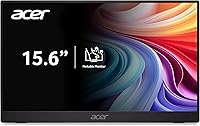
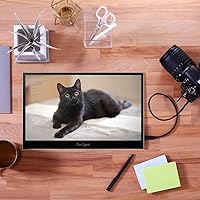
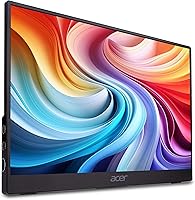
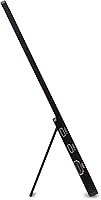
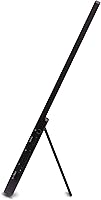
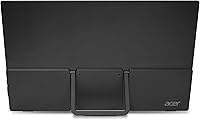
The Acer PM161Q 15.6-inch Portable Monitor is built for people who spend their days moving between coffee shops, client offices, and cramped hotel desks — and who refuse to work off a single screen while doing it. At 0.41 inches thin and weighing just 1.52 lbs for the panel itself, it slides into a laptop bag without much protest. Build quality feels appropriate for the price tier: solid enough for daily travel, though not premium in the hand. Out of the box, setup is quick. Just know going in that this is a convenience tool, not a color-critical display — and at this price, that is perfectly fine.
Features & Benefits
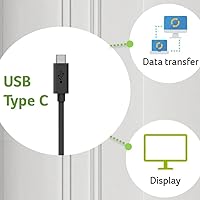
The IPS panel delivers decent color accuracy and wide viewing angles — better than what you get from a typical TN laptop screen, though still not calibrated for professional photo work. In practice, spreadsheets, browser tabs, and video calls look sharp and clean at 1080p. Connectivity is where this travel monitor genuinely shines: two USB-C ports and an HDMI 1.4 input mean you are rarely stuck hunting for adapters. The single-cable USB-C setup handles both video signal and power delivery at once, which is genuinely convenient on a crowded desk. Adaptive-Sync keeps casual gaming smooth and tear-free. Note that your laptop must support USB-C video output for this to work properly.
Best For
This portable display is a strong fit for remote workers and students who need a second screen without lugging around a full-sized monitor. If you present from a laptop in meetings or classrooms, the built-in kickstand and HDMI input make setup quick and unobtrusive. Casual gamers who want a travel-friendly screen will appreciate the Adaptive-Sync support, even if peak brightness limits outdoor use. MacBook and Windows laptop users will find compatibility straightforward, provided their device supports USB-C video output. It is less suited for photographers or video editors who need accurate color reproduction — for that, you would want something purpose-built.
User Feedback
Across 236 ratings, the Acer PM161Q holds a 4.1 out of 5, which is respectable for a mid-range travel display. Buyers consistently praise easy setup and the slim profile that fits neatly into laptop sleeves. Color reproduction gets positive mentions from office users, though expectations vary. On the critical side, the glossy panel is a real drawback in bright rooms or near windows — glare is noticeable and there is no matte option. A handful of reviewers flag USB-C compatibility issues with older laptops. The kickstand stability also draws complaints on soft or uneven surfaces. Work-oriented buyers rate it higher on average than those testing it primarily for gaming.
Pros
- Slides into a standard laptop sleeve without adding noticeable bulk to your bag.
- The single USB-C cable handles both video and power delivery, cutting down on cord clutter significantly.
- IPS panel delivers wide viewing angles, making side-by-side collaboration much more comfortable than a typical laptop screen.
- Dual USB-C ports plus HDMI 1.4 mean you are covered for most devices without carrying extra adapters.
- Adaptive-Sync keeps video and casual gaming visuals smooth without requiring any setup.
- Out-of-the-box setup is genuinely fast — most users are up and running within a couple of minutes.
- Full HD 1080p resolution keeps text sharp and readable across spreadsheets, documents, and browser tabs.
- The built-in kickstand means no separate stand to pack or forget.
- At this price point, the overall connectivity package is hard to beat in the portable monitor category.
- A 4.1-star rating across a meaningful number of buyers signals consistent real-world satisfaction for everyday use.
Cons
- The glossy panel creates distracting glare near windows or under strong overhead lighting.
- Kickstand stability is limited on soft surfaces like beds, couches, or uneven café tables.
- Not all laptops support USB-C video output, which can catch buyers off guard after purchase.
- The 1.52 lb figure refers to the monitor body alone — factor in the cable and cover for your actual bag weight.
- Brightness levels may feel underwhelming in well-lit rooms, even indoors.
- USB-C compatibility issues have been reported with certain older host devices, requiring troubleshooting.
- No matte screen option is available for buyers sensitive to reflections.
- Angle adjustment is limited to what the kickstand allows, which may not suit every desk or lap position.
- Gamers with competitive or fast-paced titles may find the display's response time limiting beyond casual play.
- Color accuracy is adequate for general use but drifts noticeably compared to calibrated displays in color-sensitive tasks.
Ratings
The scores below reflect our AI-powered analysis of verified global buyer reviews for the Acer PM161Q 15.6-inch Portable Monitor, with spam, bot-submitted, and incentivized feedback actively filtered out before scoring. Each category is evaluated against real-world usage patterns reported by remote workers, students, presenters, and casual gamers who purchased and used this travel monitor. Both the strengths and the genuine frustrations are represented honestly — nothing is glossed over.
Portability
Display Clarity
Glare & Screen Surface
Connectivity
Setup Experience
USB-C Compatibility
Kickstand Stability
Color Accuracy
Adaptive-Sync Performance
Build Quality
Value for Money
Speaker & Audio
Brightness
Packaging & Accessories
Suitable for:
The Acer PM161Q 15.6-inch Portable Monitor is a smart pick for anyone who regularly works or studies outside a fixed desk setup and refuses to compromise on screen space. Remote workers and digital nomads will appreciate how effortlessly it tucks into a laptop bag and deploys in a hotel room or co-working space with minimal fuss. Students juggling coursework across multiple applications will find the jump from one screen to two genuinely changes how efficiently they work. Presenters who need to share slides or demo software in client meetings will find the HDMI and USB-C input options handle most room setups without hunting for dongles. Even casual gamers traveling with a gaming laptop will get noticeably smoother playback thanks to Adaptive-Sync support.
Not suitable for:
The Acer PM161Q 15.6-inch Portable Monitor is not the right tool for anyone who needs accurate color reproduction for professional photo editing, video grading, or graphic design work — the IPS panel is competent for everyday tasks but not calibrated for color-critical workflows. The glossy screen surface is a genuine problem if you frequently work near windows or in brightly lit environments, as glare becomes a constant distraction. Buyers with older laptops that lack USB-C video output will need to rely on HDMI, which means carrying an extra cable and potentially losing the single-cable convenience the display is built around. Those looking for a primary desktop replacement monitor will also find the 15.6-inch size and the kickstand's limited angle adjustability more restrictive than a proper adjustable-arm setup. If peak brightness, wide color gamut, or a matte anti-glare coating are non-negotiable for your work, you should budget for a more specialized display.
Specifications
- Screen Size: The display measures 15.6 inches diagonally, offering a practical balance between portability and usable screen real estate.
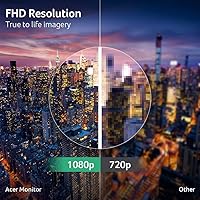
- Resolution: Native resolution is 1920 x 1080 Full HD, delivering sharp text and clear detail across documents, video, and casual gaming.
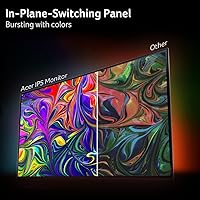
- Panel Type: An IPS panel is used, providing wider viewing angles and more consistent color reproduction compared to TN alternatives at this price tier.
- Aspect Ratio: The display uses a standard 16:9 widescreen aspect ratio, compatible with virtually all modern video content and operating system layouts.
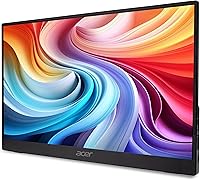
- Screen Surface: The panel has a glossy finish, which enhances color vibrancy indoors but can produce noticeable reflections in bright or window-adjacent environments.
- Dimensions: The monitor body measures 13.99 x 8.7 x 0.41 inches (L x W x H), making it slim enough to slip into most standard laptop sleeves.
- Weight: The monitor panel itself is listed at 1.52 lbs, though buyers should account for accessories such as the USB-C cable when estimating total carry weight.
- Connectivity: Ports include two USB 3.1 Type-C inputs, one HDMI 1.4 port, and a 3.5mm audio output jack for headphones or external speakers.
- USB-C Function: A single USB-C cable can carry both the video signal and power delivery simultaneously, eliminating the need for a separate power adapter when connected to a compatible host device.
- Adaptive-Sync: The display supports Adaptive-Sync technology, which is FreeSync compatible, synchronizing the monitor refresh rate with the GPU output to reduce screen tearing during video and gaming.
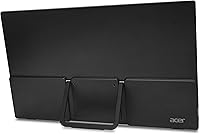
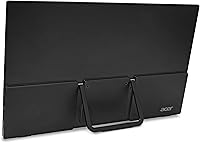
- Stand Type: A built-in kickstand is integrated into the back of the display, allowing the monitor to stand independently without a separate base or external stand accessory.
- Color: The chassis is finished in black, with a slim-bezel design that keeps the overall footprint compact.
- Brand & Model: Manufactured by Acer, this unit carries the model designation PM161Q B1bmiuux within the PM1 Series of portable displays.
- Market Ranking: At the time of listing, this monitor ranked #503 in the Computer Monitors category and #17,104 overall in the Amazon Electronics store.
- User Rating: The display holds an average rating of 4.1 out of 5 stars based on 236 customer ratings on Amazon.
- Date Available: This product became available for purchase on Amazon starting May 20, 2025.
Related Reviews

Topmonitor P15.6/2.5K 15.6-inch Portable Monitor

HotYeah 15.6-inch 1080P Portable Monitor

LUMIPIX Magic-001 15.6-inch Portable Monitor

CAPERAVE CF15 15.6-inch Portable Monitor

VILVA V156F1 15.6-inch Portable Monitor

Westinghouse 15.6 Inch Portable Monitor

InnoView INVPM406 15.6-inch Portable Monitor

Anyuse PM1561P 15.6-inch Portable Monitor
ViewSonic TD1655 15.6-inch Portable Touchscreen Monitor