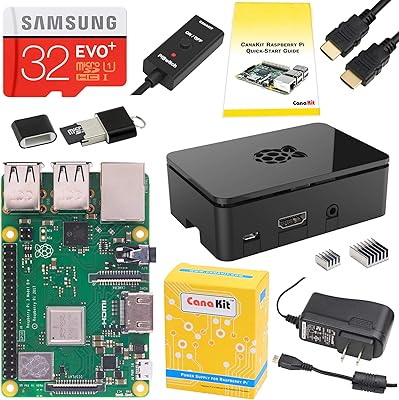
Raspberry Pi 2 Model B Single-Board Computer
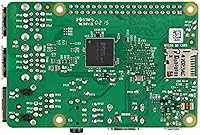
Overview
The Raspberry Pi 2 Model B Single-Board Computer arrived as a genuine turning point for the hobbyist computing world, pairing a quad-core processor with 1 GB of RAM in a package no bigger than a credit card. Before it, single-board options felt underpowered for anything beyond basic scripts. This little board changed that equation without demanding much power from the wall. The Linux ecosystem behind it — spanning Raspberry Pi OS, Ubuntu, and dozens of community distros — means you're never short of software support or troubleshooting guides. Years after launch, it remains a go-to starting point precisely because the community support around it is so well-established.
Features & Benefits
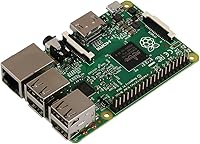
The jump to a quad-core ARM Cortex-A7 at 900 MHz is what makes the Pi 2 Model B feel like a real computer rather than a toy. You can browse the web, run Python scripts, and keep a file manager open simultaneously without the whole thing grinding to a halt — something the original single-core Pi struggled with badly. Four USB 2.0 ports mean you can plug in a keyboard, mouse, and a flash drive without hunting for a hub. Swap a microSD card and you instantly boot a different OS or project environment. Wired Ethernet handles local server tasks reliably, and the 3.5mm audio jack is handy for audio alerts in automation setups.
Best For
This single-board computer hits a sweet spot for people who want hands-on Linux experience without risking expensive hardware. Students picking up Python for the first time will find it forgiving — mistakes cost nothing more than a reflash of the microSD card. Hobbyists building a retro gaming console, a home media server, or a basic home automation hub will find the hardware capable enough for all three. Educators love it for setting up low-cost coding labs where every student gets their own machine. If you're a developer wanting to prototype an IoT device before committing to purpose-built hardware, this little board is a practical, low-stakes testbed that punches well above its footprint.
User Feedback
Across thousands of ratings, the consensus around the Pi 2 Model B is remarkably consistent: buyers are happy, and most keep coming back to it. Long-term owners frequently note they're still running their boards years after purchase — often as always-on servers or dedicated automation controllers. The performance jump over the original Pi gets mentioned often, and build quality earns consistent praise. That said, beginners regularly flag the initial setup as steep — configuring GPIO pins, choosing the right Linux distro, and troubleshooting boot issues can frustrate newcomers. The most common gripe is the absence of built-in Wi-Fi and Bluetooth, which forces users to buy a USB dongle for wireless projects. A fair criticism, but one most buyers accept as part of the trade-off.
Pros
- The quad-core ARM processor handles multitasking far better than the original single-core Pi ever could.
- Four USB 2.0 ports let you connect keyboard, mouse, and storage simultaneously without needing a hub.
- Swapping microSD cards makes it trivially easy to switch between projects or OS environments.
- A massive, active community means answers to almost any problem are only a quick search away.
- Runs a wide range of Linux distros, giving users genuine flexibility in their software environment.
- Wired Ethernet provides reliable, stable connectivity for server and network projects.
- Extremely low power draw makes it practical to run continuously without worrying about energy costs.
- The 40-pin GPIO header opens the door to a huge range of physical computing and electronics projects.
- Thousands of long-term owners still rely on this little board daily, which says a lot about its durability.
- Compact credit-card size fits into enclosures, embedded projects, and tight spaces with ease.
Cons
- No built-in Wi-Fi or Bluetooth means wireless projects require an extra USB dongle.
- Using a dongle for wireless connectivity eats into the already finite USB port count.
- Initial OS setup and GPIO configuration can be a steep, frustrating experience for true beginners.
- The ARMv7 architecture is no longer supported by some modern software packages and repositories.
- No onboard storage — you must source, prepare, and maintain your own microSD card separately.
- HDMI output lacks audio return channel support, limiting certain home media setups.
- Only 10/100 Mbps Ethernet; no gigabit option, which can bottleneck network-heavy applications.
- The board ships as bare hardware with no case, power supply, or cables included, adding to the real total cost.
Ratings
The scores below are generated by AI after analyzing thousands of verified global user reviews for the Raspberry Pi 2 Model B Single-Board Computer, with spam, bot-submitted, and incentivized feedback actively filtered out. The result is an honest, balanced picture that reflects what real buyers consistently praise and where they consistently run into friction. Both the strengths and the genuine pain points are represented transparently so you can make a well-informed decision.
Value for Money
Performance
Build Quality
Community & Support
Ease of Setup
Connectivity
GPIO & Expandability
Power Efficiency
Software Compatibility
Portability & Form Factor
Media Playback
Documentation
Long-term Durability
Suitable for:
The Raspberry Pi 2 Model B Single-Board Computer is a near-perfect fit for students, hobbyists, and educators who want a real, capable Linux machine without spending a lot. If you're learning Python or experimenting with basic electronics for the first time, the low cost means a mistake is a learning experience rather than a financial disaster. Makers building home automation systems, always-on local servers, or retro gaming consoles will find the quad-core processor and 1 GB of RAM more than adequate for those focused tasks. Educators setting up classroom coding labs will appreciate that each board runs a full Linux environment independently, giving every student hands-on access without shared-resource bottlenecks. Developers who want a cheap, physical testbed for prototyping IoT or network tools before committing to custom hardware will also get genuine value here.
Not suitable for:
Anyone expecting the Raspberry Pi 2 Model B Single-Board Computer to replace a modern desktop or handle demanding workloads will be disappointed — this board was never designed for that, and its age makes the gap even wider today. If you need built-in Wi-Fi or Bluetooth, you will have to budget for a USB dongle, which adds friction and occupies one of your USB ports. Users who want to run modern, resource-heavy software, stream high-resolution video, or compile large codebases will hit the hardware ceiling quickly. Complete beginners with no patience for command-line troubleshooting or OS configuration may find the initial setup frustrating without guidance. If your project demands the latest processing headroom, newer Pi generations offer meaningfully better specs and are worth the additional cost.
Specifications
- CPU: The board is powered by a quad-core ARM Cortex-A7 processor running at 900 MHz, delivering a substantial performance improvement over single-core predecessors.
- RAM: 1 GB of SDRAM provides enough memory to run lightweight desktop environments, multitask between applications, and handle moderately complex scripts without constant swapping.
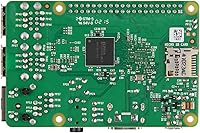
- Storage: A microSD card slot serves as the primary storage interface for the operating system and user data, with no onboard flash storage included.
- USB Ports: Four USB 2.0 ports allow simultaneous connection of a keyboard, mouse, and additional peripherals without requiring an external hub.
- Networking: A 10/100 Mbps Ethernet port provides wired network connectivity suitable for local servers, file sharing, and network-based projects.
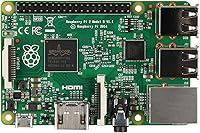
- Display Output: A full-size HDMI port outputs video to monitors and TVs, supporting a range of resolutions for desktop use or media playback.
- Audio Output: A 3.5mm stereo headphone jack provides analog audio output for speakers, headphones, or audio-based automation alerts.
- GPIO: A 40-pin general-purpose input/output header enables direct interfacing with sensors, LEDs, motors, and a wide range of electronic components.
- Power Input: The board is powered via a Micro USB connector requiring a 5V DC supply at a minimum of 800mA, similar to a standard smartphone charger.
- Operating System: The Pi 2 Model B runs Linux-based operating systems, with Raspberry Pi OS being the most common choice alongside Ubuntu, Kali Linux, and other ARMv7-compatible distros.
- Processor Arch: The ARMv7 architecture underpins the Cortex-A7 core, determining software compatibility with Linux packages and repositories.
- CPU Cores: The processor contains four physical cores, allowing the system to distribute workload across multiple threads for improved responsiveness.
- Dimensions: The board measures approximately 85mm x 56mm, roughly the size of a credit card, making it suitable for compact enclosures and embedded installations.
- Weight: At approximately 1.45 ounces, the bare board is light enough to mount in almost any orientation without structural concerns.
- Wireless: The Pi 2 Model B has no built-in Wi-Fi or Bluetooth; wireless connectivity requires a compatible USB dongle purchased separately.
- Video Input: There is a dedicated CSI camera connector on the board for attaching the official Raspberry Pi Camera Module directly.
- Display Port: A DSI display connector allows connection of the official Raspberry Pi touchscreen display without using the HDMI port.
- Voltage: The board operates at 5V and is sensitive to power supply quality; an underpowered or unstable supply is a common cause of instability.
- CPU Speed: Memory speed is rated at 900 MHz, matching the processor clock and keeping data throughput aligned with the CPU's operational pace.
- Amazon Rating: The product holds a 4.6 out of 5 star average across more than 4,500 customer ratings on Amazon, reflecting consistently strong long-term buyer satisfaction.
Related Reviews
Raspberry Pi 3 Model B+
Raspberry Pi 4 Model B 1GB Computer
Raspberry Pi 4 Model B 8GB
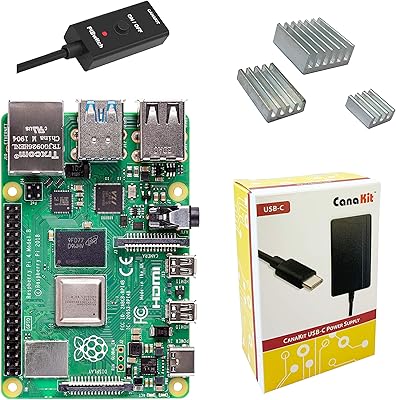
CanaKit Raspberry Pi 4 4GB Basic Kit
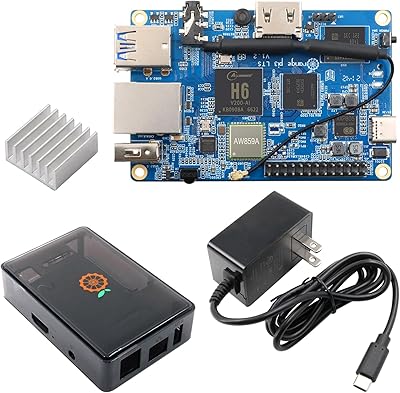
Orange Pi 3 LTS Single-Board Computer
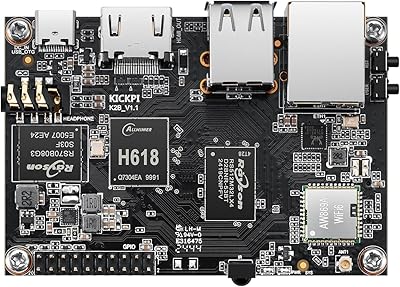
KICKPI K2B Single Board Computer
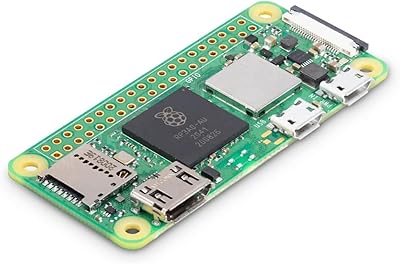
Raspberry Pi Zero 2 W
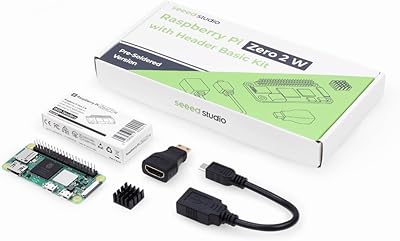
Raspberry Pi Zero 2 WH Kit
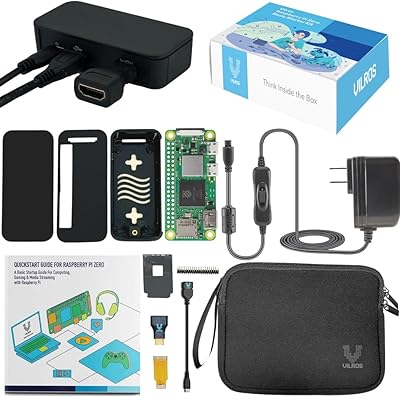
Vilros Pi Zero 2 W Starter Kit