Overview

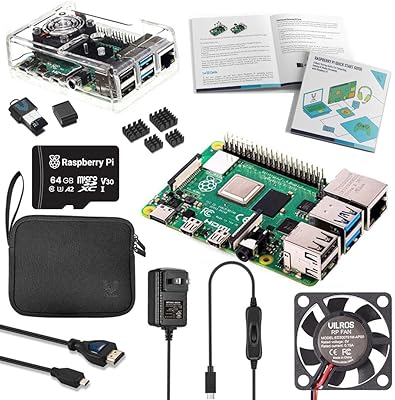
The CanaKit Raspberry Pi 4 4GB Basic Kit is one of the more sensible ways to get started with single-board computing without spending an afternoon hunting down compatible accessories. CanaKit has built a solid reputation among Pi enthusiasts for pairing quality components with the board itself, and this bundle reflects that. The 4GB RAM variant hits a practical middle ground — enough headroom for running a lightweight desktop, a media server, or several background services at once, without paying a premium for capacity most hobbyists won't fully use. Worth noting upfront: this is a starter kit, not a fully equipped workstation. A case, microSD card, and HDMI cable are still on your shopping list.
Features & Benefits

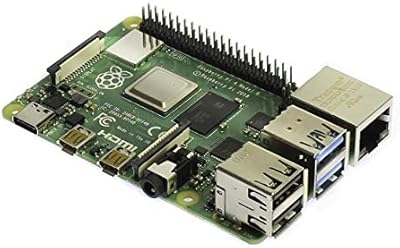
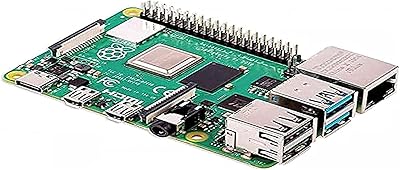
At its core, this single-board computer kit is built around the Pi 4 Model B — a quad-core ARM Cortex-A72 running at 1.5GHz paired with 4GB of LPDDR4 RAM. The bundled 3.5A USB-C power supply is genuinely well-made: UL Listed, noise-filtered, and long enough at five feet to actually reach a shelf without extensions. Then there's the USB-C PiSwitch, which lets you cut and restore power cleanly without yanking the cable — a small thing that matters a lot during late-night tinkering sessions. Three aluminum heat sinks handle thermals for sustained use, and onboard dual-band Wi-Fi plus Bluetooth 5.0 means you won't need a USB dongle for basic wireless connectivity.

Best For

This Pi 4 starter kit makes the most sense for people who are just entering the world of single-board computers and don't want to source accessories piecemeal. Students and hobbyists will find the included power solution alone worth the price of the bundle. It's equally well-suited for retro gaming builds, lightweight NAS setups, and home media center projects where the 4GB RAM gives comfortable breathing room. Educators running workshops benefit from the hardware consistency — every student gets the same kit, fewer headaches. Developers who want a low-power Linux testbed or a quiet headless server will also find this a capable starting point, especially those upgrading from a Pi 3 who want noticeably more performance.

User Feedback

Across a large pool of verified buyers, the CanaKit bundle earns consistently strong marks — most frustrations have nothing to do with the included hardware itself. The PiSwitch earns praise as a detail that other basic kits skip entirely, and the power supply wins points for eliminating the undervoltage warnings that plague cheaper alternatives. On the other side, quite a few buyers discovered after unboxing that there's no case, no microSD card, and no HDMI cable in the box — items worth adding to your order ahead of time. A handful of users also note that applying the heat sinks takes a careful hand. Still, at a 4.8-star average from over 2,300 ratings, the satisfaction rate speaks for itself.

Pros

  • The bundled 3.5A USB-C power supply is genuinely high quality and eliminates the undervoltage issues that plague cheaper third-party chargers.
  • The included PiSwitch lets you cycle power cleanly without yanking the USB-C cable, which reduces port wear over time.
  • 4GB of LPDDR4 RAM handles multitasking, lightweight servers, and desktop sessions without constant resource pressure.
  • Onboard dual-band Wi-Fi and Bluetooth 5.0 mean you can go wireless immediately without spending on a USB dongle.
  • Gigabit Ethernet makes this single-board computer kit a solid choice for wired NAS or home server builds.
  • The aluminum heat sinks manage thermals well under typical hobbyist workloads, keeping the board stable without a noisy fan.
  • Dual micro-HDMI outputs supporting up to 4K give this kit genuine versatility for dual-display desktop experiments.
  • CanaKit's reputation for component consistency makes it a reliable bulk purchase for educators and workshop organizers.
  • The broader Raspberry Pi ecosystem means finding project guides, community help, and compatible accessories is rarely more than a quick search away.

Cons

  • No microSD card is included, so the board cannot actually run anything straight out of the box.
  • A case is not provided, leaving the PCB exposed to static and accidental damage during initial setup.
  • No micro-HDMI cable or adapter is in the box, which surprises buyers expecting a standard HDMI connection.
  • The power supply ships with a US plug only, requiring an adapter for buyers outside North America.
  • Heat sink adhesive is unforgiving — misalignment on the first attempt usually means starting over with a replacement.
  • Passive cooling alone may not be sufficient for sustained heavy workloads like continuous video transcoding or dense compilation tasks.
  • The ARM architecture blocks compatibility with x86-only software, which catches newer Linux users off guard.
  • No printed quick-start guide is included, pushing complete beginners to online resources before they can make any real progress.
  • Buyers who already own a compatible power supply are effectively paying for a component they do not need.
  • Total cost of ownership is higher than the kit price suggests once a case, storage, and cables are factored in.

Ratings

The CanaKit Raspberry Pi 4 4GB Basic Kit has been evaluated by our AI rating system after processing thousands of verified global buyer reviews, with spam, bot-generated feedback, and incentivized posts actively filtered out before scoring. The result is a balanced snapshot that captures what real users genuinely love about this single-board computer kit — and where it leaves them wanting more. Strengths and friction points are weighted equally, so you can make an informed decision before buying.

Value for Money
83%
Most buyers feel the bundle justifies its price simply by including a quality power supply and the PiSwitch — two components that would cost nearly as much if sourced separately. For first-timers who would otherwise buy incompatible accessories by mistake, the curated kit saves both money and frustration.
A few experienced buyers who already own compatible power supplies feel they are paying for components they do not need. The absence of a microSD card and case means additional spending is unavoidable before the board is actually usable.
Power Supply Quality
92%
The 3.5A USB-C supply with its built-in noise filter is consistently flagged as one of the best bundled chargers in the Pi ecosystem. Users specifically mention that it eliminates the undervoltage lightning bolt warning that haunts cheaper third-party alternatives, which can cause throttling and instability.
A small number of international buyers noted that the supply ships as a US-plug configuration, requiring an adapter for use outside North America. The five-foot cable, while generous indoors, can feel limiting for rack or wall-mounted setups.
PiSwitch Convenience
91%
The USB-C PiSwitch is repeatedly called out as the most practical inclusion in the kit. Being able to cut power cleanly without pulling the cable reduces wear on the USB-C port and makes rebooting a headless server or media box far less annoying during iterative tinkering.
The switch adds a short inline connector to the power cable, which some users find slightly awkward in tight enclosures or when routing cables behind furniture. It is a minor physical compromise for what is otherwise a very useful addition.
Thermal Management
74%
26%
The three aluminum heat sinks cover the main processor, RAM, and USB controller — the three components most likely to generate heat under sustained load. Users running Pi-hole, Kodi, or lightweight game emulation report stable temperatures without needing an active cooling fan.
Heat sink application requires precise alignment, and several buyers report that the adhesive strips are unforgiving if you misplace them on the first try. Under heavy continuous workloads — like video transcoding or compiling code — passive cooling alone may not be sufficient without additional airflow.
Board Performance
79%
21%
The quad-core ARM Cortex-A72 at 1.5GHz handles everyday Pi tasks with noticeable headroom compared to older generations. Web browsing in a desktop session, running Docker containers, or serving a small personal website all feel responsive with 4GB of LPDDR4 backing the CPU.
This is still a hobbyist-class board, not a workstation replacement. Users expecting smooth 1080p YouTube playback or fast compilation times may be disappointed. The CPU architecture also limits compatibility with some x86-only software, which catches newer users off guard.
Wireless Connectivity
81%
19%
Dual-band 802.11ac Wi-Fi performs reliably for most home network tasks, and Bluetooth 5.0 makes pairing keyboards, mice, and controllers straightforward without consuming a USB port. Users building wireless retro gaming consoles or remote monitoring nodes appreciate not needing a dongle.
Wi-Fi range and throughput are adequate for home use but fall short of a dedicated wireless adapter for bandwidth-intensive applications. Users in multi-floor homes or offices with thick walls report inconsistent signal compared to wired Gigabit Ethernet, which remains the stronger option.
Build & Hardware Quality
88%
The Pi 4 board itself is well-regarded for its build consistency, and CanaKit's accessory quality matches that standard. The power supply housing feels solid, connectors are snug, and the heat sinks — once applied correctly — stay firmly in place over time.
The board ships without any form of physical protection, and the kit does not include a case, leaving the PCB exposed during setup. Users who are not careful during assembly risk static discharge or accidental shorts before the board ever powers on.
Ease of Setup
77%
23%
For buyers with any prior experience flashing microSD cards and installing Raspberry Pi OS, the kit gets up and running quickly. The included components are clearly purpose-matched, and CanaKit's documentation and community support reduce the learning curve for determined beginners.
Complete newcomers will quickly discover that no microSD card, no HDMI cable, and no step-by-step printed guide are included in the box. The first-time setup still requires external research, and that gap between expectation and reality generates a consistent stream of one-star reviews from frustrated first-timers.
Port Selection & Expandability
86%
Two USB 3.0 ports alongside two USB 2.0 ports cover most peripheral needs, and Gigabit Ethernet provides a fast, stable wired connection for NAS builds or local servers. The dual micro-HDMI outputs supporting up to 4K resolution add genuine versatility for dual-monitor desktop setups.
The micro-HDMI port format trips up users who assume standard full-size HDMI cables will work. Adapters or dedicated micro-HDMI cables are needed, and neither is included. For a kit marketed to beginners, this is a predictable point of confusion.
Kit Completeness
62%
38%
Within its stated scope, the CanaKit bundle delivers exactly what it promises — board, power supply, switch, and heat sinks. Buyers who read the product listing carefully appreciate the honesty of calling it a basic kit rather than overpromising.
The gap between what most buyers expect and what is actually in the box is the single biggest source of negative feedback. No case, no microSD card, no HDMI adapter, and no storage means the total out-of-pocket cost is meaningfully higher than the kit price suggests.
Packaging & Unboxing
78%
22%
Components arrive well-organized and protected, and the box is compact enough that it does not feel wasteful. Educators buying in bulk for classrooms note that the consistent packaging makes inventory and distribution straightforward.
The packaging provides minimal labeling or instruction for absolute beginners. There is no quick-start card pointing new users toward setup guides, which means the first fifteen minutes for a newcomer often involve searching online rather than making progress.
Long-Term Reliability
84%
Users running the board continuously for months — as a home server, a Pi-hole DNS filter, or a smart home hub — frequently report zero hardware failures. The quality power supply in particular is credited with preventing the kind of filesystem corruption that results from underpowered boards.
A small percentage of buyers report component issues after extended use, particularly with the USB-C port showing wear over time. The lack of a protective case accelerates physical wear, and boards used in dusty environments without enclosures show accelerated degradation.
Community & Ecosystem Support
93%
The Raspberry Pi ecosystem is one of the most active in hobbyist computing, with years of community tutorials, forums, and project documentation available. Buyers consistently note that finding help for nearly any use case takes minutes rather than hours, which lowers the real barrier to entry considerably.
The wealth of documentation can itself be overwhelming for absolute beginners, with outdated tutorials for older Pi models still ranking highly in search results. Distinguishing Pi 4-specific advice from generic or outdated guides adds a frustrating layer of research for newcomers.
Noise Level
94%
With no active cooling fan in this kit, the board runs completely silently under light to moderate workloads. This makes it an attractive option for bedroom media centers, quiet home office servers, or any environment where fan noise would be noticeable.
Silent operation comes at the cost of thermal headroom. In warmer ambient environments or during extended processing tasks, the passive heat sinks alone may allow temperatures to creep high enough to trigger thermal throttling, at which point users often need to add a fan separately.
Upgrade Path & Future-Proofing
71%
29%
The 4GB RAM variant sits comfortably between the entry-level 2GB and the overkill 8GB option for most hobbyist workloads. Users who outgrow basic projects can expand storage via microSD or USB, connect external drives, and run more demanding software without immediately needing new hardware.
The ARM architecture and fixed RAM mean there is an eventual ceiling that more ambitious projects will hit. Users who start with lightweight tasks and gradually want to run heavier workloads — like machine learning inference or dense containerized services — may find themselves shopping for a more capable board sooner than expected.

Suitable for:

The CanaKit Raspberry Pi 4 4GB Basic Kit is an excellent starting point for students, hobbyists, and curious beginners who want to get into single-board computing without the headache of sourcing compatible accessories one by one. If you are setting up a retro gaming console, a home media center, a Pi-hole ad blocker, or a lightweight personal server, the 4GB RAM variant gives you enough headroom to actually enjoy those projects rather than fight the hardware. Educators running classroom workshops will appreciate the consistency — every student gets the same tested configuration, which eliminates a whole category of troubleshooting. Developers looking for a low-power Linux environment to test scripts, host a small site, or run a headless remote node will find this a capable and affordable option. Anyone upgrading from a Pi 3 or older will notice a meaningful jump in responsiveness, especially when multitasking or running a graphical desktop session.

Not suitable for:

The CanaKit Raspberry Pi 4 4GB Basic Kit is not the right choice if you are expecting a plug-and-play experience straight out of the box — you will still need to buy a microSD card, an HDMI cable or micro-HDMI adapter, and a case before you can do much of anything. Buyers who already own a quality USB-C power supply may find the bundle less compelling, since a meaningful portion of the value is tied to accessories they do not need. If your project demands x86 software compatibility, heavy video transcoding, or anything approaching desktop-class performance, this board will hit its limits faster than you might hope. Users in environments outside North America should also note that the power supply ships with a US plug, meaning an adapter is an additional purchase. Finally, anyone hoping for a fully guided beginner experience with printed documentation or a protective case included will need to look at more comprehensive kits or factor in those extras separately.

Specifications

  • CPU: The board is powered by a Broadcom BCM2711 quad-core ARM Cortex-A72 processor clocked at 1.5GHz, delivering noticeably faster performance than previous Pi generations.
  • RAM: 4GB of LPDDR4 SDRAM is soldered onboard, providing enough memory headroom for multitasking, lightweight desktop sessions, and running multiple background services simultaneously.
  • Power Supply: The included CanaKit 3.5A USB-C power supply is UL Listed and features a built-in noise filter to ensure stable, clean power delivery to the board.
  • Cable Length: The power supply ships with a 5-foot USB-C cable, giving more placement flexibility than the shorter cables common in competing bundles.
  • Power Switch: A USB-C PiSwitch inline power switch is included, allowing the board to be turned on and off without disconnecting the power cable from the port.
  • Heat Sinks: Three aluminum heat sinks sized for the Pi 4 chipset are included and use pre-applied adhesive tape for attachment to the processor, RAM chip, and USB controller.
  • Wireless: The board includes dual-band 802.11ac Wi-Fi (2.4GHz and 5GHz) and Bluetooth 5.0, both integrated directly on the BCM2711 SoC.
  • Networking: A native Gigabit Ethernet port provides full-speed wired connectivity without sharing bandwidth with the USB bus, unlike on older Pi models.
  • Video Output: Two micro-HDMI ports support simultaneous dual-display output at resolutions up to 4K at 30fps or 1080p at 60fps per display.
  • USB Ports: The board provides two USB 3.0 ports and two USB 2.0 ports, enabling fast external storage alongside standard peripheral connections.
  • Storage Interface: A microSD card slot serves as the primary bootable storage interface; no microSD card is included in this kit.
  • Operating System: The board is fully compatible with Raspberry Pi OS (formerly Raspbian) and supports a wide range of community-maintained Linux distributions.
  • GPIO: A standard 40-pin GPIO header is present on the board, maintaining backward compatibility with HATs and expansion boards designed for earlier Pi models.
  • Package Dimensions: The retail package measures 7.13 x 4.84 x 2.28 inches, making it compact enough for classroom distribution or organized storage in a workshop.
  • Board Weight: The Raspberry Pi 4 Model B board itself weighs approximately 46 grams, making the overall kit extremely lightweight for shipping and portable projects.
  • Processor Brand: The processor is designed by ARM Holdings and manufactured under license by Broadcom as part of the BCM2711 system-on-chip.
  • Camera & Display: The board includes a dedicated CSI camera port and a DSI display port, enabling connection of the official Raspberry Pi Camera Module and touchscreen display accessories.
  • Audio Output: A 3.5mm analog audio and composite video jack is present on the board for direct connection to speakers or legacy displays without HDMI.

Related Reviews
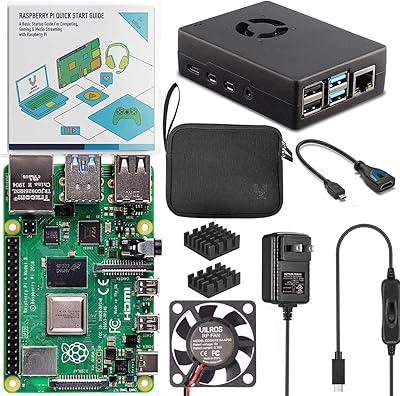
Vilros Raspberry Pi 4 4GB Starter Kit
81%
91%
Build Quality
88%
Thermal Management
84%
Ease of Setup
86%
Performance
89%
Power Supply Quality
More
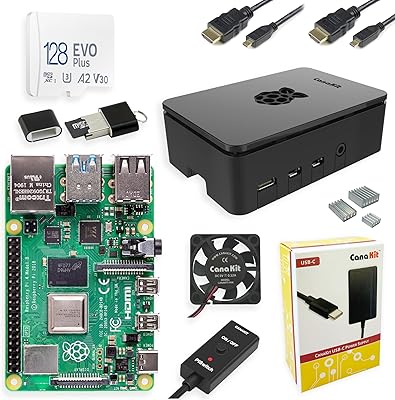
CanaKit Raspberry Pi 4 8GB Extreme Kit 128GB
84%
94%
Kit Completeness
91%
Thermal Management
93%
RAM & Multitasking Performance
71%
Storage — microSD Speed & Reliability
89%
Power Supply Quality
More
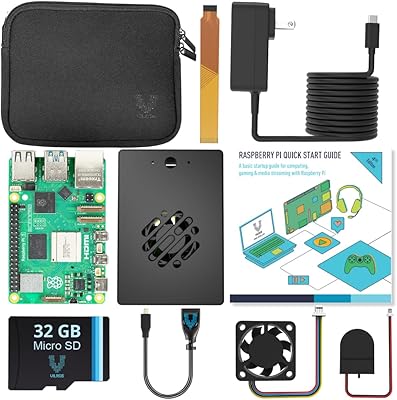
Vilros Raspberry Pi 5 Starter Kit 4GB
86%
94%
Build Quality
91%
Cooling Performance
88%
Ease of Setup
90%
Included Accessories
85%
Performance under Load
More
Vilros Raspberry Pi 4 Starter Kit 8GB
82%
93%
Out-of-Box Readiness
88%
Value for Money
84%
Thermal Management
86%
Accessory Completeness
89%
Power Supply Quality
More
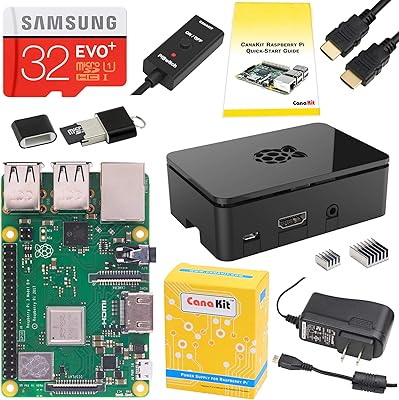
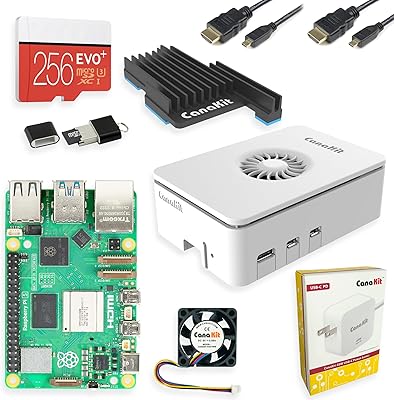
CanaKit Raspberry Pi 3 B+ Starter Kit 32GB EVO+ Edition
85%
92%
Value for Money
91%
Ease of Setup
72%
Wi-Fi Connectivity
85%
Build Quality
86%
Performance
More
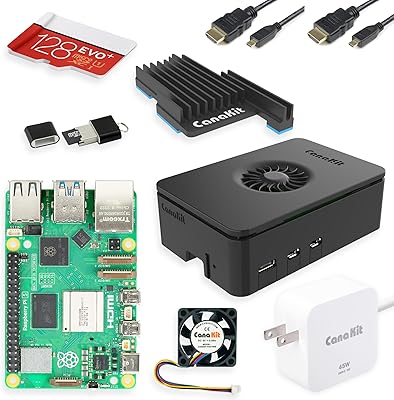
CanaKit Raspberry Pi 5 Starter Kit MAX 16GB 256GB
83%
93%
Bundle Completeness
78%
Value for Money
81%
Thermal Management
67%
Storage Performance
94%
Power Supply Quality
More
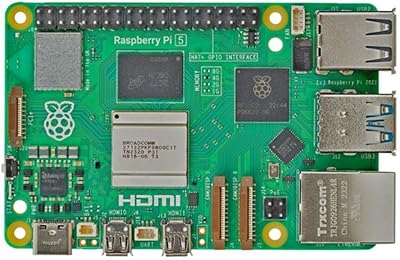
CanaKit Raspberry Pi 5 Starter Kit PRO (8GB RAM, 128GB)
87%
94%
Ease of Assembly
91%
Cooling Performance
93%
Processing Power & Speed
78%
Value for Money
96%
Multitasking Capability
More
Raspberry Pi 5 4GB
Raspberry Pi 5 4GB
82%
93%
CPU Performance
91%
Storage & Boot Speed
78%
Value for Money
67%
Thermal Management
74%
GPU & Graphics Capability
More
Raspberry Pi 4 Model B 1GB
87%
92%
Value for Money
85%
Performance
89%
Build Quality
88%
Ease of Use
90%
Connectivity
More
SunFounder Raspberry Pi Pico Starter Kit
88%
88%
Build Quality
94%
Component Variety
90%
Ease of Setup
92%
Instruction Clarity
89%
Programming Language Support
More

FAQ

The kit includes the Raspberry Pi 4 Model B (4GB), a 3.5A USB-C power supply with a 5-foot cable, a USB-C PiSwitch, and three aluminum heat sinks. It does not include a microSD card, a case, or an HDMI cable. You will need a micro-HDMI to HDMI cable or adapter, a microSD card of at least 16GB, and ideally a case before you can get started.

Almost any microSD card will work, but a Class 10 or UHS-I rated card is strongly recommended for acceptable read and write speeds. Cards slower than that will make the operating system feel sluggish. A 32GB card is a practical starting size for most projects, though 64GB gives you more room to grow.

It is a solid choice for beginners, primarily because the bundled power supply is properly rated for the Pi 4 and the PiSwitch removes a common source of frustration during early tinkering. That said, you should be prepared to do some reading online before your first boot — there is no printed quick-start guide included, and the setup process requires flashing an OS to your microSD card using a second computer.

The Pi 4 uses micro-HDMI ports, not the standard full-size HDMI ports found on most TVs and monitors. A regular HDMI cable will not fit directly. You will need either a micro-HDMI to HDMI cable or a micro-HDMI adapter — neither of which is included in this kit.

It can handle light desktop use — browsing simple websites, editing text documents, and watching lower-resolution video is generally workable. Heavier tasks like streaming 4K video, running multiple browser tabs simultaneously, or using demanding web apps will feel sluggish compared to a modern laptop or desktop. Think of it as a capable hobbyist board rather than a PC replacement.

The heat sinks use adhesive pads and are straightforward to apply, but the positioning does require attention — once placed, they are difficult to reposition cleanly. For light workloads they are optional, but for anything sustained like a media server or continuous background service, they help keep temperatures in a stable range and are worth applying before first use.

Both, really. It protects the USB-C port from repeated plug-and-unplug stress, which is a real concern over time. It also protects the board from the filesystem corruption that can happen when power is cut abruptly mid-operation. Doing a proper software shutdown followed by flipping the switch is the safest way to power down.

The Pi 4 board itself works globally, but the included power supply ships with a US plug. If you are outside North America, you will need a plug adapter or a locally sourced USB-C power supply rated at 3A or higher. The power supply does support a wide input voltage range, so a simple physical adapter is typically sufficient rather than a full voltage converter.

For most hobbyist projects — retro gaming, Pi-hole, a basic file server, or experimenting with the desktop — the 2GB version handles things adequately. The 4GB version starts to earn its premium if you plan to run a desktop environment regularly, use Docker containers, or want your setup to remain capable as your projects get more ambitious. If you are unsure, the 4GB is the safer long-term choice.

CanaKit products sold through authorized retailers typically carry a limited manufacturer warranty, and Amazon purchases are covered by standard return and replacement policies. If the board or power supply arrives damaged or fails early, contacting the seller directly is usually the fastest path to a replacement. The Pi 4 board itself is manufactured by the Raspberry Pi Foundation, and hardware defects on arrival are uncommon but handled through the point of purchase.