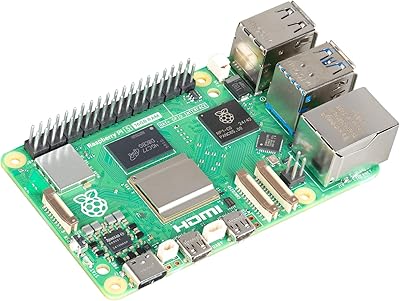
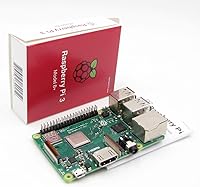
Raspberry Pi 3 Model B+


Overview
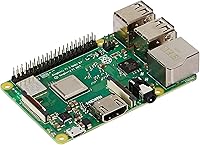
The Raspberry Pi 3 Model B+ is one of those boards that quietly earned a permanent spot on workshop benches around the world. Sitting between the Pi 2 and the more powerful Pi 4 in the Foundation's lineup, the 3B+ hit a sweet spot that kept it relevant long after newer hardware arrived. At its core, you get a quad-core ARM Cortex-A53 processor running at 1.4GHz paired with 1GB of LPDDR2 RAM — enough headroom for most hobby and utility tasks, though not a machine you would use as a daily driver. Think of this Pi board as a capable, well-supported platform for building things, not browsing the web all day.
Features & Benefits
The jump to 1.4GHz quad-core processing over the previous generation makes a noticeable difference in responsiveness during real workloads. Dual-band 802.11ac Wi-Fi and Bluetooth 4.2 with BLE are baked right in, so you won't be hunting for USB dongles. One thing worth knowing upfront: the Ethernet port is labeled Gigabit, but it routes through a USB 2.0 bridge internally, which caps real-world throughput well below true Gigabit speeds — a detail that trips up buyers expecting full wire speed. Four USB 2.0 ports, a full-size HDMI output, a 40-pin GPIO header, and optional Power-over-Ethernet support via a HAT add-on round out a remarkably flexible I/O package for a board this size.
Best For
This single-board computer hits its stride in specific scenarios rather than general-purpose computing. It's a natural fit for IoT and home automation projects, retro gaming emulators, and lightweight media centers running software like Kodi. Network utility builds — Pi-hole for ad blocking, WireGuard for a home VPN — run reliably and can be left headless for months. Students and educators will find the ecosystem genuinely approachable, with deep documentation and an active community ready to help. If you're prototyping an embedded system before committing to custom hardware, the 3B+ offers a stable, well-documented base. Where it struggles is browser-heavy desktop use or anything needing 4K output — for those tasks, the Pi 4 is the smarter pick.
User Feedback
Among verified buyers, consistent praise lands on reliable wireless performance and broad OS compatibility — people appreciate running everything from Raspberry Pi OS to Ubuntu without friction. Headless server builds in particular earn strong marks for long-term stability. On the flip side, the 1GB RAM ceiling becomes a real constraint when stacking multiple services, and some buyers were genuinely surprised by the Ethernet throughput cap once they ran network benchmarks. Heat is worth watching under sustained loads — a basic heatsink makes a meaningful difference. Overall, sentiment skews firmly positive, with most owners treating this Pi board as a proven, dependable platform they reach for project after project.
Pros
- Built-in dual-band Wi-Fi and Bluetooth 4.2 eliminate the need for any external dongles.
- The 40-pin GPIO header supports a vast ecosystem of HATs, sensors, and custom hardware add-ons.
- Runs a wide range of operating systems including Raspberry Pi OS, Ubuntu Server, and RetroPie.
- Exceptional community support means almost every problem you encounter already has a documented solution.
- Handles headless server workloads like Pi-hole and home VPN reliably for months without intervention.
- Compact 85mm x 56mm footprint fits easily into project enclosures, cases, and embedded builds.
- PoE support via an optional HAT keeps cable runs clean in network deployments.
- The 3B+ is well-documented, widely understood, and a trusted platform for teaching physical computing.
- Low idle power draw makes it cost-effective to leave running continuously as a home server.
- Broad HAT and accessory compatibility means hardware expansion options are plentiful and affordable.
Cons
- 1GB of RAM becomes a real constraint when running multiple services or a full desktop environment simultaneously.
- The Ethernet port is labeled Gigabit but is bottlenecked by an internal USB 2.0 bridge, capping real throughput.
- No case, power supply, or microSD card included — total setup cost is notably higher than the board price alone.
- The micro-USB power connector is fragile and prone to wear under frequent plug cycles or high-current draws.
- Sustained workloads cause significant heat buildup; a heatsink or ventilated case is practically mandatory, not optional.
- Cheap or standard microSD cards degrade quickly under constant read/write cycles in long-running server setups.
- 4K video output is completely unsupported, making it a poor choice for modern television setups.
- USB 2.0 only across all four ports limits transfer speeds for external drives and high-bandwidth peripherals.
- GPIO pins run at 3.3V logic only, requiring level shifters when working with common 5V components.
- Newer Pi generations offer significantly better performance per dollar, making the value case harder to justify for new buyers.
Ratings
Our AI-generated scores for the Raspberry Pi 3 Model B+ are based on a systematic analysis of verified global user reviews, with spam, bot-submitted, and incentivized feedback actively filtered out before scoring. The result is a balanced picture that honestly reflects where this Pi board excels and where real buyers have run into friction. Both the standout strengths and the recurring pain points are captured transparently across every category below.
Processing Performance
RAM & Multitasking
Wireless Connectivity
Ethernet Performance
GPIO & Hardware Expandability
Thermal Management
OS & Software Compatibility
Build Quality & Form Factor
Power Stability
Community & Documentation
Value for Money
Media Center Capability
Retro Gaming Performance
Setup & Ease of Use
Headless Server Reliability
Suitable for:
The Raspberry Pi 3 Model B+ is a near-perfect fit for curious makers, students, and hobbyists who want a real, functional computer they can actually build something with. If your project involves running Pi-hole on your home network, setting up a lightweight VPN server, automating a few smart home sensors, or emulating classic consoles from the 8-bit and 16-bit era, this Pi board delivers without overcomplicating things. Educators and self-taught programmers will find it an excellent hands-on introduction to Linux, Python, and physical computing — the 40-pin GPIO header alone opens up an enormous range of hardware experiments. Buyers who want a dedicated, always-on headless server that sips power and runs quietly for months at a stretch will find the 3B+ particularly well suited to that role. The staggering depth of community documentation, tutorials, and compatible HAT accessories means you are rarely stuck without a solution, which genuinely lowers the barrier for first-time tinkerers.
Not suitable for:
Anyone expecting a capable everyday desktop computer should look elsewhere — the Raspberry Pi 3 Model B+ was never designed for that role and the 1GB RAM ceiling makes browser-heavy workflows, video calls, or running multiple GUI applications simultaneously a frustrating experience. If your use case involves 4K video output, USB 3.0 transfer speeds, or true Gigabit network throughput, this single-board computer cannot deliver on any of those fronts — the Pi 4 addresses all three. Power users planning to run several Docker containers or stack multiple networked services on one board will bump into memory limits sooner than they expect. Buyers who need a polished, ready-to-use product out of the box should also reconsider — the bare board ships without a case, power supply, or storage, so the real cost and effort involved is higher than the sticker price alone suggests. If you are comparing this board purely on raw performance per dollar against current-generation alternatives, it is harder to justify than it was a few years ago.
Specifications
- Processor: The board runs on a Broadcom BCM2837B0 quad-core ARM Cortex-A53 64-bit processor clocked at 1.4GHz.
- RAM: 1GB of LPDDR2 RAM is soldered directly to the board and cannot be upgraded after purchase.
- Wi-Fi: Dual-band 802.11b/g/n/ac wireless is built in, supporting both 2.4GHz and 5GHz networks without any adapter.
- Bluetooth: Bluetooth 4.2 with Bluetooth Low Energy (BLE) is integrated, suitable for peripheral pairing and IoT sensor communication.
- Ethernet: A physical Gigabit Ethernet port is present, though real-world throughput is capped by an internal USB 2.0 bridge to approximately 300Mbps.
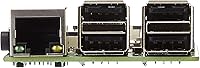
- USB Ports: Four USB 2.0 Type-A ports are available for keyboards, mice, storage devices, and other peripherals.
- Video Output: A single full-size HDMI port supports video output at up to 1080p resolution.
- Audio: A 3.5mm combination audio and composite video jack provides analog audio output alongside the HDMI port.
- GPIO: A 40-pin general-purpose input/output header enables direct hardware interfacing with sensors, displays, motors, and HAT expansion boards.
- Storage: A microSD card slot serves as the primary boot and storage medium; no internal storage is included.
- Power Input: The board is powered via a micro-USB connector and requires a 5V/2.5A supply for stable operation under load.
- PoE Support: Power-over-Ethernet is supported through the official PoE HAT add-on board, which connects to dedicated header pins on the board.
- Camera Interface: A CSI (Camera Serial Interface) port allows connection of the official Raspberry Pi Camera Module.
- Display Interface: A DSI (Display Serial Interface) port supports the official Raspberry Pi touchscreen display.
- Form Factor: The board measures 85mm x 56mm x 17mm, following the standard Raspberry Pi form factor compatible with a wide range of enclosures.
- Weight: The bare board weighs approximately 2.46 ounces (70g) without a case, heatsink, or accessories.
- OS Support: Compatible operating systems include Raspberry Pi OS (32-bit and 64-bit), Ubuntu Server, LibreELEC, RetroPie, and numerous community-maintained distributions.
- Processor Cores: The ARM Cortex-A53 architecture provides four independent processing cores, enabling basic parallel task handling across services.
Related Reviews
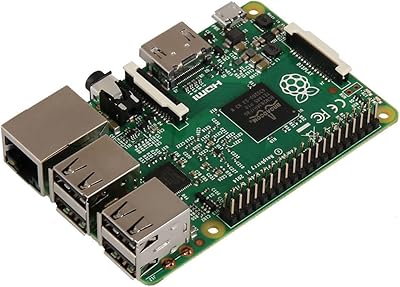
Raspberry Pi 2 Model B Single-Board Computer
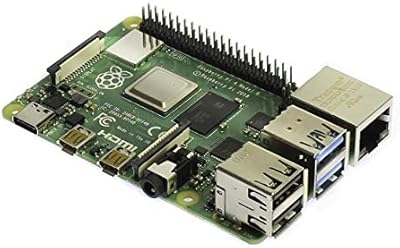
Raspberry Pi 4 Model B 1GB Computer
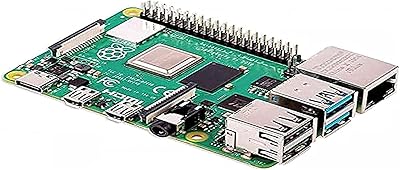
Raspberry Pi 4 Model B 8GB
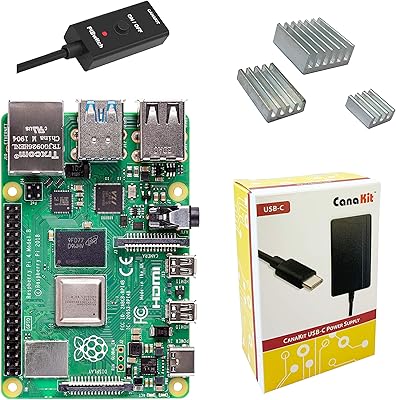
CanaKit Raspberry Pi 4 4GB Basic Kit
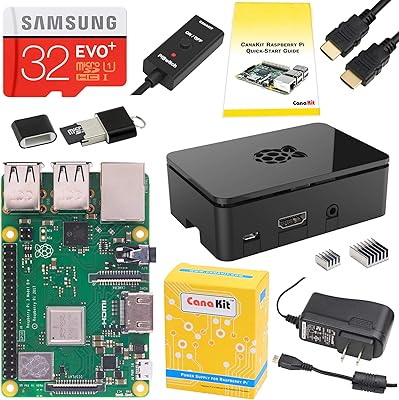
CanaKit Raspberry Pi 3 B+ Starter Kit

Givenchy PI Eau De Toilette Spray 3.3 oz for Men
ICY DOCK flexiDOCK MB830SP-B 3-Bay 3.5 Inch SATA/SAS HDD Docking Enclosure
Raspberry Pi 400 All-in-One Keyboard Computer
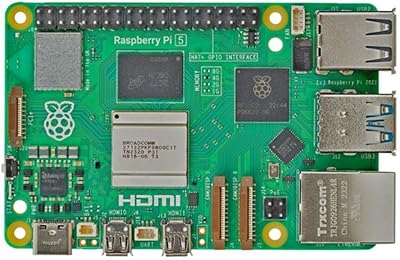
Raspberry Pi 5 4GB