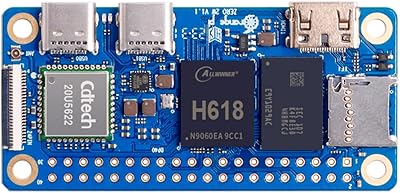
Raspberry Pi Zero 2 W


Overview
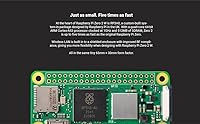
The Raspberry Pi Zero 2 W arrived in 2021 as a meaningful step up from its single-core predecessor, swapping that aging chip for a quad-core Arm Cortex-A53 processor that handles multitasking without breaking a sweat. It sits at the compact, budget-friendly end of the Raspberry Pi family — think Pi 3 performance squeezed into a board barely larger than a stick of gum. That tiny footprint, around 65mm by 30mm, makes it genuinely useful for projects where a full-size board simply won't fit. For hobbyists who want capable, wireless-ready Linux hardware without spending much, this compact Pi board hits a value point that is hard to argue with.
Features & Benefits
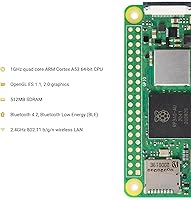
The heart of the Zero 2 W is its Broadcom BCM2710A1 chip, a quad-core processor running at 1GHz that dramatically outpaces the original Zero W in real workloads — compiling Python scripts, running lightweight servers, or emulating older game consoles all feel noticeably snappier. Paired with 512MB of LPDDR2 RAM, it handles typical IoT and automation tasks well, though desktop browsing remains sluggish by design. Built-in 2.4GHz Wi-Fi and Bluetooth 4.2 mean no adapters are needed. The 40-pin GPIO header is fully compatible with existing Pi HATs and accessories, and the mini-HDMI plus micro-USB OTG ports give you display and peripheral options in a package that weighs under 10 grams.
Best For
This mini single-board computer shines in scenarios where size and power consumption matter more than raw performance. It is a natural fit for wearables and badge projects, portable retro gaming handhelds, or any embedded build that needs to hide inside a tight enclosure. Home automation enthusiasts use it as a low-power sensor node or Pi-hole DNS filter — tasks where a full Pi 4 would be expensive overkill. Students picking up Linux and Python for the first time will find the low barrier to entry refreshing. Anyone still running the original Zero W on a multi-threaded project will notice a genuine, meaningful performance improvement that makes the upgrade worthwhile.
User Feedback
Experienced makers consistently highlight the speed boost over the original as the standout win — tasks that used to stutter now run cleanly. HAT and GPIO accessory compatibility also draws praise, since existing project hardware carries over without modification. That said, a few recurring frustrations are worth flagging. The board ships without soldered headers, which is standard in the Pi world but can trip up beginners who are not expecting to break out a soldering iron. The single micro-USB port and absence of onboard Ethernet are real constraints for certain builds. Availability from authorized sellers has also been inconsistent at times. Overall, buyer sentiment skews strongly positive, particularly among those who know what they are getting into.
Pros
- Quad-core processor delivers a genuine, noticeable speed boost over the original Zero W in real workloads.
- Built-in Wi-Fi and Bluetooth 4.2 keep builds clean without consuming the only USB port.
- Fully pin-compatible 40-pin GPIO header means existing HATs and accessories carry over without modification.
- Weighing under 10 grams, the Zero 2 W fits inside enclosures where no other capable Linux board will.
- Raspberry Pi OS is actively maintained and optimized specifically for this hardware architecture.
- Backed by one of the largest maker communities available, with tutorials, cases, and forum support in abundance.
- Low power draw makes it practical for battery-powered and solar-supplemented field deployments.
- Strong value proposition when purchased through authorized resellers at the official retail price.
- Supports USB hub expansion through the OTG port, partially offsetting the single-port limitation.
- MicroSD storage is swappable, making it easy to maintain multiple project images on separate cards.
Cons
- Ships without soldered headers — beginners who have never picked up a soldering iron will hit an immediate barrier.
- A single micro-USB port means peripherals and power sometimes require an adapter or hub just to get started.
- No onboard Ethernet forces full reliance on 2.4GHz Wi-Fi, which struggles in congested wireless environments.
- Third-party sellers on marketplaces regularly list this compact Pi board well above its official retail price.
- Sustained heavy CPU load in a sealed enclosure leads to thermal throttling without planned airflow.
- Some community guides and tutorials reference outdated OS versions, sending beginners down dead ends.
- Mini-HDMI and micro-USB connectors require specific adapters that are not included and are easy to misplace.
- Stock inconsistencies from unauthorized sellers make pricing unpredictable during periods of supply tightness.
Ratings
The Raspberry Pi Zero 2 W earns consistently strong praise across thousands of verified global reviews, and the scores below reflect an AI-driven analysis that filters out incentivized, bot-generated, and duplicate feedback to surface what real buyers actually experience. Strengths like processing performance and ecosystem compatibility come through clearly, but genuine pain points around connectivity limitations and beginner accessibility are reflected just as transparently.
Processing Performance
Value for Money
RAM & Memory Adequacy
Wireless Connectivity
GPIO & Ecosystem Compatibility
Form Factor & Build
Ease of Setup
Port & I/O Selection
Power Efficiency
Software & OS Support
Community & Support Resources
Thermal Management
Availability & Purchasing Experience
Documentation & Getting Started
Suitable for:
The Raspberry Pi Zero 2 W is the right pick for makers, hobbyists, and technically curious students who want real Linux computing power in the smallest possible package. If you are building a wearable, a custom badge, a portable retro gaming handheld, or hiding a computer inside a prop or enclosure where nothing larger would physically fit, this compact Pi board is purpose-built for exactly that kind of project. Home automation enthusiasts who want a dedicated, low-power node for running Pi-hole, MQTT brokers, or lightweight sensor hubs will find the quad-core processor handles those workloads without the overhead costs of a full-size board. Students picking up Python, Linux shell scripting, or GPIO electronics for the first time get an affordable entry point backed by one of the largest and most welcoming hardware communities in the world. Anyone still running the original Zero W on a project that has grown more demanding — more threads, more processes, more simultaneous connections — will find the upgrade noticeably worthwhile without needing to redesign their enclosure or swap out their HATs.
Not suitable for:
The Raspberry Pi Zero 2 W is a poor fit for anyone expecting a general-purpose desktop replacement or a plug-and-play experience straight out of the box. The 512MB RAM ceiling becomes a real frustration the moment you open a modern browser or try to run more than a couple of graphically demanding processes simultaneously, and no amount of tuning changes that hard limit. Complete beginners who have never soldered before may be caught off guard by the unpopulated GPIO header — connecting anything to those pins requires either soldering skills or purchasing a pre-soldered variant, and that is an extra step that is easy to miss until the board is already in hand. Users who need wired Ethernet or multiple USB devices connected at once will find the single micro-USB port and Wi-Fi-only networking a genuine constraint rather than a minor inconvenience. If your project demands sustained heavy CPU load in a sealed enclosure with no airflow, thermal throttling will be a recurring obstacle. And if you are shopping casually without checking the seller carefully, third-party pricing on marketplaces can quietly erase the value advantage that makes this board appealing in the first place.
Specifications
- Processor: Powered by a Broadcom BCM2710A1 quad-core 64-bit Arm Cortex-A53 SoC running at 1GHz, with some listings citing 1.1GHz.
- RAM: 512MB of LPDDR2 SDRAM is soldered directly to the board and cannot be expanded.
- Storage: Uses a microSD card slot for all operating system and user storage; no internal flash memory is included.
- Wireless: Integrated 2.4GHz 802.11 b/g/n Wi-Fi provides wireless networking without any external adapter.
- Bluetooth: Bluetooth 4.2 with BLE support is built in, enabling connection to controllers, keyboards, and BLE sensors.
- GPIO Header: A 40-pin GPIO header in the standard Raspberry Pi footprint is present but ships unpopulated, meaning no pins are pre-soldered.
- USB Port: One micro-USB 2.0 OTG port handles both power input and peripheral connectivity when used with an appropriate adapter.
- Video Output: A single mini-HDMI port supports video output; a mini-HDMI to standard HDMI adapter is required for most displays.
- Power Input: Powered via a dedicated micro-USB port at 5V; a stable 2.5A supply is recommended for reliable operation.
- Dimensions: The board measures 65mm x 30mm x 5mm, matching the original Pi Zero footprint exactly.
- Weight: The board weighs approximately 9 grams (0.317 oz), making it suitable for weight-sensitive wearable and portable builds.
- Operating System: Runs Linux-based operating systems, with Raspberry Pi OS (32-bit and 64-bit) being the officially supported and recommended choice.
- Architecture: The 64-bit Arm Cortex-A53 architecture is supported by the 64-bit build of Raspberry Pi OS for improved multi-threading performance.
- Camera Connector: A CSI-2 camera connector is present on the board, compatible with the Raspberry Pi Camera Module v2 and v3 using a specific Zero ribbon cable.
- Form Factor: Follows the established Pi Zero credit-card-style SBC footprint, ensuring compatibility with the wide ecosystem of Zero-specific cases and HATs.
- Chipset Brand: The SoC is designed by Broadcom and built on an Arm architecture licensed core, consistent across the Raspberry Pi product line.
- Wireless Compliance: The onboard wireless module is FCC, CE, and TELEC certified, making the board legally deployable in consumer products across major markets.
- Model Number: The official product model number is SC0510, as assigned by Raspberry Pi Ltd for procurement and compliance purposes.
Related Reviews
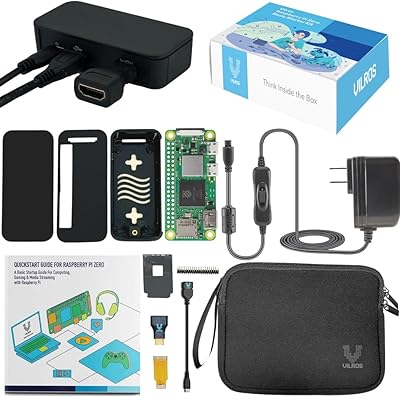
Vilros Pi Zero 2 W Starter Kit
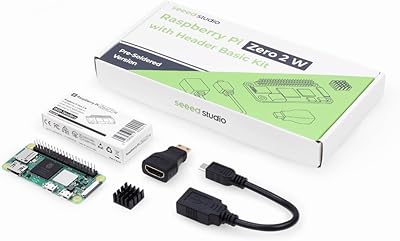
Raspberry Pi Zero 2 WH Kit
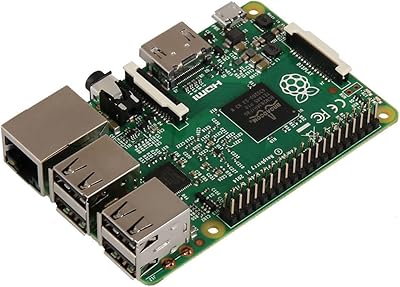
Raspberry Pi 2 Model B Single-Board Computer
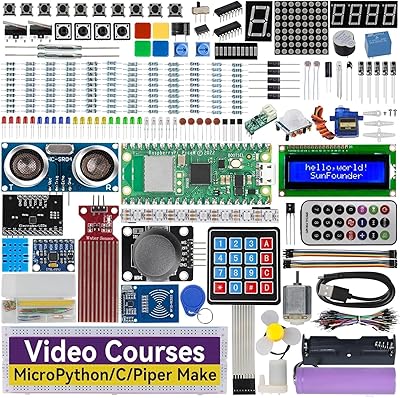
SunFounder Raspberry Pi Pico W Ultimate Starter Kit
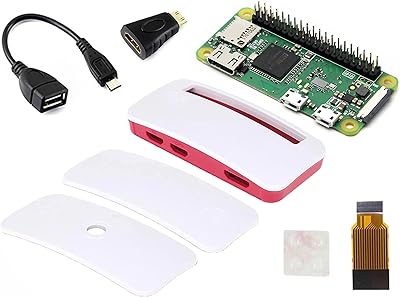
Waveshare Raspberry Pi Zero WH with Pre-Soldered GPIO Headers

Zero Shine SMP Matte 2.0 Anti-Shine Scalp Lotion 2.6oz
Raspberry Pi 400 All-in-One Keyboard Computer
Raspberry Pi 5 (16GB)
Raspberry Pi 5 4GB