Overview

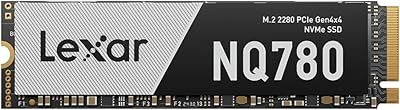
The Lexar NQ780 2TB NVMe SSD arrived in April 2025 and quickly carved out a strong position in the crowded mid-range Gen4 market. With 2TB of storage, it addresses the reality that modern game installs and creative project files eat through space fast. It landed at #23 in Internal SSDs shortly after launch — not a bad debut. The PS5 compatibility angle is a genuine plus, extending its reach beyond desktop PC builders. Just keep expectations grounded: peak sequential speeds are impressive on paper, but real-world transfers during mixed workloads will land somewhat lower than the advertised ceiling.
Features & Benefits

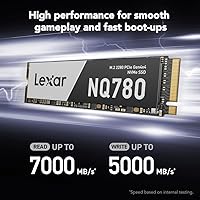
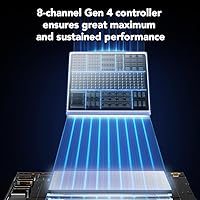
The NQ780 2TB runs on a PCIe Gen4 x4 interface, which translates to read speeds up to 7,000 MB/s — fast enough to make large file transfers feel genuinely quick and game load times noticeably shorter compared to older Gen3 drives. The 8-channel controller helps maintain strong write speeds even during sustained workloads, which matters when you are exporting video or moving large batches of RAW photos. The HMB and SLC cache combination keeps everyday latency low without requiring a full DRAM chip, a reasonable trade-off at this price tier. Being single-sided is a quiet but practical win — it fits slim laptops and slots cleanly into the PS5 without clearance issues.

Best For

This Lexar Gen4 drive makes the most sense for a few specific types of buyers. PS5 owners who want more storage but do not want to pay extra for a pre-attached heatsink will find it a practical pick — just note a heatsink is still worth adding separately for better thermal headroom. PC gamers building or upgrading a rig on a budget will appreciate the Gen4 speeds without the flagship pricing. Content creators working with video or photography benefit from the 2TB capacity and fast sustained writes. If your laptop supports M.2 2280, the single-sided design means installation is usually straightforward with no compatibility surprises.

User Feedback

Early buyers have responded warmly to this NVMe SSD, with a 4.8-star average across over 2,300 ratings — an unusually strong score for a drive that has only been available since early 2025. Recurring positives include easy installation, a noticeable speed bump over Gen3 drives, and solid PS5 performance. On the critical side, a handful of users have flagged thermal throttling during extended write sessions, worth monitoring in enclosed cases without airflow. The DiskMaster software gets mixed reactions — useful for checking drive health, but not something most people open regularly. The 5-year warranty is frequently cited as a key trust factor for buyers committing to a 2TB drive long-term.

Pros

  • Gen4 read speeds up to 7,000 MB/s make a real, noticeable difference in large file transfers and boot times.
  • 2TB of storage comfortably handles large game libraries, 4K footage, and RAW photo archives without juggling files.
  • Single-sided M.2 2280 design fits slim laptops and the PS5 expansion slot without compatibility headaches.
  • The 8-channel controller keeps sustained write speeds stable during prolonged workloads like video exports.
  • HMB and SLC cache reduce everyday latency, keeping the drive feeling responsive during typical mixed-use.
  • Backed by a 5-year limited warranty, which is reassuring for a drive holding large amounts of irreplaceable data.
  • Early user ratings are exceptionally strong for such a recently released drive, suggesting consistent quality control.
  • Intelligent Power Control helps preserve battery life on laptops, a detail most storage brands overlook.
  • Dust, shock, and vibration resistance add a layer of durability confidence for mobile and desktop use alike.
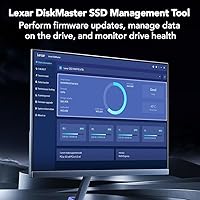
  • The Lexar DiskMaster tool provides a straightforward way to monitor drive health and apply firmware updates.

Cons

  • No onboard DRAM cache means sustained performance under heavy mixed workloads can trail true DRAM-equipped rivals.
  • Thermal throttling has been reported by some users during extended write sessions in tight, low-airflow enclosures.
  • A heatsink is not included, so PS5 users need to budget extra for one to keep temperatures in check.
  • The DiskMaster management software feels undercooked compared to utilities offered by competing brands.
  • Being a relatively new release, long-term reliability data is still limited — the strong ratings are promising but early.
  • Peak sequential specs are best-case figures; real-world mixed workloads will produce more modest, everyday numbers.
  • No RGB or heatsink option in the box may disappoint builders who want an aesthetically complete drive out of the package.
  • Buyers needing only 1TB capacity may find the pricing less competitive when compared to similarly specced alternatives at that tier.

Ratings

Scores for the Lexar NQ780 2TB NVMe SSD were generated by AI after analyzing thousands of verified global user reviews, with active filtering applied to remove incentivized, duplicate, and bot-generated submissions. The ratings reflect genuine ownership experiences across gaming PCs, PS5 consoles, and creative workstations, transparently capturing both where this Lexar Gen4 drive earns its strong reception and where real buyer frustrations exist.
Sequential Read Speed
91%
Buyers consistently report a tangible improvement when moving large files or loading open-world games — transfers that used to take noticeable time now complete in seconds. The jump over Gen3 drives is felt in daily use rather than just measured in benchmarks, which is exactly what most buyers were hoping for.
Peak sequential speeds are achievable only under ideal, single-threaded queue conditions. In real desktop environments with mixed background activity, throughput drops meaningfully, and a small number of users were surprised when their benchmarks fell short of the 7,000 MB/s headline figure.
Sequential Write Speed
86%
The 5,000 MB/s write ceiling holds up well during large sequential operations like copying 4K footage, cloning drives, or installing multi-gigabyte game updates. Users doing creative work routinely noted that export times felt consistently faster than with their previous Gen3 or SATA drives.
Write speeds can taper once the SLC cache fills, particularly during sustained back-to-back writes of very large data sets. A subset of reviewers noticed the drive slowing during extended game installs or backup jobs that ran continuously for several minutes without pause.
Sustained Write Performance
73%
27%
The 8-channel controller does a reasonable job spreading write operations across the drive, helping the NQ780 2TB outperform single-channel DRAM-less alternatives during longer workloads. Photographers importing large RAW batches and gamers downloading and patching simultaneously generally reported acceptable throughput without jarring pauses.
Without dedicated onboard DRAM, the drive relies on HMB and SLC cache, meaning sustained write performance under heavy, continuous loads can drop noticeably once the cache is exhausted. Users importing very large video archives or running prolonged disk-to-disk copy operations reported the most significant slowdowns.
Random Read/Write
78%
22%
For everyday desktop tasks — launching applications, switching between open files, and loading game assets during active play — the HMB and SLC cache combination keeps random access latency low enough that the drive feels responsive and quick in typical mixed-use patterns.
Random performance in high-queue-depth workloads, such as database operations or heavy simultaneous multitasking, is constrained by the absence of a dedicated DRAM cache. Power users running multiple storage-intensive applications at once may notice the drive struggling compared to DRAM-equipped competitors.
Thermal Management
67%
33%
In well-ventilated desktop builds with active airflow or a motherboard heatsink in place, the drive operates within acceptable temperature ranges during typical mixed workloads. Many users in standard mid-tower cases reported no performance-related thermal issues during everyday gaming sessions lasting one to two hours.
Thermal throttling is the most frequently raised concern in critical reviews, particularly from users in compact ITX builds or those who installed in a PS5 without a heatsink. During prolonged write-heavy operations in warm environments, temperatures rise enough to trigger speed reductions that are clearly visible in benchmarks and file transfer timers.
PS5 Compatibility
86%
PS5 owners consistently praised how straightforward the expansion process was — the single-sided form factor slots in without needing to remove extra components or worry about PCB clearance. Game load times improved noticeably compared to the console's built-in storage, especially in open-world titles with heavy streaming assets.
No heatsink is included, which means PS5 users must source one separately before installation — Sony officially recommends this, and skipping it carries real thermal risk. A few users also noted that a PS5 firmware update is required before the console recognizes a Gen4 drive, which caught some buyers off guard during setup.
Laptop Compatibility
89%
The single-sided PCB design cleared compatibility hurdles in a wide range of slim laptops and ultrabooks where double-sided drives simply do not fit. Users upgrading thin business laptops and gaming notebooks reported clean, straightforward installs with no bracket clearance or mounting issues.
Compatibility depends entirely on the specific laptop model — not every thin-and-light machine supports M.2 2280, with some using shorter 2242 slots that this drive will not fit. Buyers should verify their exact M.2 slot type and size before ordering to avoid a frustrating return.
Value for Money
84%
At its launch price, the NQ780 2TB sits in a competitive position for a Gen4 NVMe drive — buyers comparing it to similarly priced options frequently found it offered more storage and speed per dollar than established alternatives. Gamers and creators on a tight budget found the 2TB Gen4 combination hard to beat at this price tier.
Buyers stepping up to DRAM-equipped Gen4 flagships will find the performance gap narrows the value argument under demanding workloads. And if your workload never pushes past light gaming or basic file storage, a cheaper Gen3 drive would deliver similar real-world results at meaningfully lower cost.
Installation Ease
93%
Easy installation is one of the most praised aspects across all reviews — buyers from every experience level, including first-time PC builders, PS5 owners doing their first storage expansion, and laptop upgraders, noted the process was quicker and less complicated than expected. On modern Windows systems, no driver installation is needed; the OS detects the drive instantly.
PS5 users face the extra step of formatting the drive through the console's storage menu before it becomes usable, which a small number of first-time installers found confusing without a guide. Laptop installs may also require a specific screwdriver and careful handling if the chassis offers limited access to the M.2 slot.
Software & Management
61%
39%
The Lexar DiskMaster utility does its core job reliably — users who monitored drive health and applied firmware updates found the process straightforward, with no reported issues from the update mechanism itself. For buyers wanting basic peace-of-mind monitoring without installing third-party tools, it covers the essentials adequately.
The general consensus among users who tried DiskMaster was that the interface feels dated and lacks the depth offered by competing tools from Samsung or Western Digital. Several users reverted to third-party utilities like CrystalDiskInfo for detailed diagnostics, treating the Lexar software as largely redundant after the initial setup.
Build Quality
83%
Users who handled the drive noted it felt solid and well-assembled for a consumer NVMe SSD, with dust, shock, and vibration resistance ratings that offer real reassurance for laptop users who move their machines regularly. No pattern of DOA units or early physical failures emerged from the review pool.
The drive ships without a heatsink or thermal pad, which affects perceived completeness compared to some competitors who bundle one in. Long-term durability data is limited given the April 2025 launch date, and it is simply too early to draw firm conclusions about wear behavior under multi-year heavy use.
Power Efficiency
77%
23%
Laptop users specifically called out Intelligent Power Control as a meaningful plus — several noted that idle power draw felt lower than with their previous Gen4 drive, and battery life during light work sessions improved slightly after the upgrade. For a storage drive, this kind of attention to power management is not always guaranteed.
Under sustained load, Gen4 drives consume more power than Gen3 alternatives, and this drive is no exception — users in power-constrained ultrabooks noticed increased fan activity during intensive tasks. The efficiency gains are most apparent at idle, with the benefits diminishing noticeably once active workloads kick in.
Warranty & Support
88%
The 5-year limited warranty is regularly cited as one of the most reassuring purchase factors, especially for users storing irreplaceable creative projects or large game libraries. Buyers who went through the RMA process for replacements generally described the experience as efficient and hassle-free compared to smaller storage brands.
The warranty covers manufacturing defects but does not extend to data recovery, leaving buyers fully responsible for their own backup strategy. A few users noted that reaching Lexar support for non-RMA technical questions required more patience than expected before receiving a genuinely useful response.
Real-World Gaming
82%
18%
PC and PS5 gamers were among the most satisfied buyer groups, reporting faster level loads, quicker texture streaming in open-world titles, and snappier boot times into game launchers. The 2TB capacity also meant the frustrating habit of uninstalling games to free space largely disappeared for users with medium-to-large libraries.
For competitive multiplayer titles where loading is already fast on any modern SSD, the Gen4 speed advantage over Gen3 is minimal and unlikely to matter in practice. Users expecting dramatic differences in frame rates or in-game performance were disappointed — the drive affects load times, not rendering.
Long-Term Reliability
74%
26%
Early buyers have been positive about reliability, with no significant spike in failure reports in the months since launch and a high average rating maintained across a large review pool. The 5-year warranty provides a meaningful backstop that gives most users confidence in committing to this drive for an extended period.
The NQ780 2TB has been on the market only since April 2025, which means there is simply not enough field data to make confident statements about long-term endurance under heavy daily use. Buyers planning to write terabytes of data each month should verify the TBW rating carefully before committing to this drive.

Suitable for:

The Lexar NQ780 2TB NVMe SSD is a strong fit for anyone who needs fast, high-capacity storage without stretching into premium flagship territory. PS5 owners upgrading their console storage will appreciate the single-sided M.2 2280 form factor, which slots in cleanly — though buying a heatsink separately is still a smart move for thermal management. PC gamers tired of juggling which titles to keep installed will find 2TB genuinely comfortable for large modern libraries, and the Gen4 interface means load times feel noticeably snappier than older Gen3 drives. Content creators working with 4K video, large RAW photo batches, or audio projects will benefit from the sustained write performance during long export sessions. Laptop users in particular will value the single-sided design, which fits slim chassis and ultrabooks that cannot accommodate double-sided drives. For anyone stepping up from an aging SATA or Gen3 NVMe drive, this Lexar Gen4 drive offers a meaningful real-world upgrade at a price point that does not require much justification.
Not suitable for:

The Lexar NQ780 2TB NVMe SSD is not the right call for every buyer, and it is worth being honest about where it falls short. Enthusiasts chasing absolute peak performance for demanding workstation tasks — think sustained 4K video editing with simultaneous read and write streams, or intensive data science pipelines — will find that DRAM-equipped flagship drives hold a more consistent edge under pressure, since the NQ780 2TB relies on HMB and SLC cache rather than dedicated onboard DRAM. Users in compact, poorly ventilated cases should also be cautious: some early buyers have noted throttling during extended write sessions, which can bring sustained speeds down noticeably. If you only need 500GB or 1TB, the 2TB capacity may feel like overpaying for headroom you will never use. And if you are building a NAS, a RAID array, or any workload that demands enterprise-grade endurance ratings, this NVMe SSD is simply not designed for that kind of continuous duty cycle.
Specifications

  • Capacity: The drive offers 2TB of usable storage, suitable for large game libraries, video projects, and media archives.
  • Interface: It uses a PCIe Gen4 x4 interface, delivering significantly higher bandwidth than the previous Gen3 standard.
  • Form Factor: The M.2 2280 form factor is the most widely supported size across modern desktops, laptops, and the PS5 expansion slot.
  • Sequential Read: Peak sequential read speed is rated at up to 7,000 MB/s under optimal, single-queue conditions.
  • Sequential Write: Peak sequential write speed reaches up to 5,000 MB/s, supporting fast data ingestion and large file saves.
  • Controller: An 8-channel Gen4 controller manages data flow and helps sustain write performance during extended workloads.
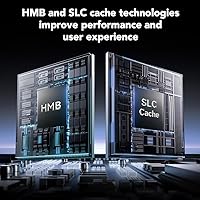
  • Cache: The drive uses a combination of Host Memory Buffer (HMB) and SLC cache to reduce latency and accelerate common operations without dedicated DRAM.
  • PCB Design: The single-sided layout means all components are mounted on one face of the board, enabling compatibility with slim laptops and the PS5 bay.
  • Power Control: Intelligent Power Control technology adjusts energy consumption dynamically, which helps reduce battery drain on laptops during light workloads.
  • Compatibility: Officially compatible with desktop PCs, the PS5 internal expansion slot, and laptops that support the M.2 2280 standard.
  • Installation: Designed for internal installation and requires no external power connector — just a compatible M.2 slot on the motherboard or console.
  • Warranty: Lexar covers this drive with a 5-year limited warranty, which is standard for mid-range to premium consumer NVMe SSDs.
  • Software: The Lexar DiskMaster utility is available for Windows and allows users to monitor drive health, apply firmware updates, and manage data.
  • Durability: The drive carries dust resistance, shock resistance, and vibration resistance ratings, providing baseline protection against common physical hazards.
  • Weight: At 1.34 oz, the drive adds negligible weight to any system and is well within typical M.2 SSD weight expectations.
  • Release Date: The NQ780 2TB became available in April 2025, making it a recently launched product with limited long-term field data at time of review.

Related Reviews

SanDisk 2TB SSD Plus M.2 NVMe SSD
86%
89%
Performance
92%
Ease of Installation
88%
Reliability
91%
Value for Money
90%
Capacity
More
Lexar NM790 2TB M.2 NVMe SSD
81%
91%
Read/Write Performance
93%
PS5 Compatibility
78%
Thermal Management
84%
Build Quality
67%
Value for Money
More
Lexar 2TB NM710 SSD
Lexar 2TB NM710 SSD
88%
94%
Performance
92%
Speed (Read/Write)
88%
Reliability & Durability
81%
Installation & Setup
90%
Value for Money
More
Lexar NQ780 1TB NVMe M.2 SSD
80%
91%
Read Performance
73%
Write Performance
88%
PS5 Compatibility
86%
Value for Money
93%
Installation Ease
More
TEAMGROUP MP44L 2TB NVMe M.2 SSD
79%
88%
Sequential Read Performance
83%
Sequential Write Performance
74%
Thermal Management
91%
Installation Experience
89%
Value for Money
More
ORICO e7400 2TB M.2 NVMe SSD
81%
91%
Sequential Speed
78%
Random Read/Write
86%
Thermal Management
83%
PS5 Compatibility
88%
Value for Money
More
ORICO X7000 2TB NVMe SSD
79%
88%
Read & Write Performance
84%
PS5 Compatibility
91%
Thermal Management
93%
Installation Ease
82%
Value for Money
More
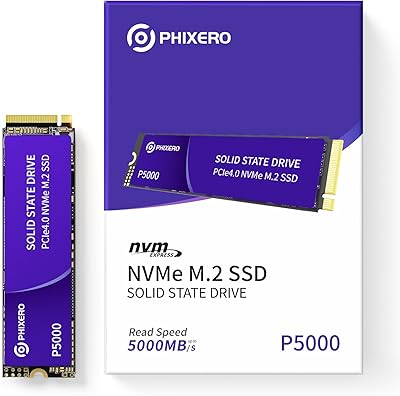
PHIXERO P5000 2TB NVMe SSD
88%
93%
Performance (Speed)
88%
Build Quality
90%
Heat Management
85%
Ease of Installation
92%
Compatibility
More
GiGimundo G7400 2TB NVMe SSD
76%
88%
Read Speed Performance
54%
Sustained Write Speed
91%
Gaming Load Times
83%
Value for Money
67%
Thermal Management
More
RONGSHU RP7000 2TB NVMe SSD
78%
88%
Read/Write Performance
91%
Value for Money
93%
PS5 Compatibility
74%
Thermal Management
67%
Endurance & Longevity
More

FAQ

Yes, the Lexar NQ780 2TB NVMe SSD is compatible with the PS5 internal expansion slot. It meets Sony's minimum speed requirements for PS5 storage expansion, and the single-sided M.2 2280 form factor fits the bay without clearance issues. That said, Sony recommends using a heatsink, which is not included, so plan to purchase one separately before installation.

Sony officially recommends one, and for good reason — the PS5 bay is a relatively enclosed space and NVMe drives can get warm under sustained load. You can technically install without a heatsink, but adding a low-profile one is inexpensive and reduces the risk of thermal throttling during long gaming sessions. It is a small investment worth making.

If your laptop has an M.2 2280 slot, there is a good chance it will work. The single-sided design is specifically an advantage here — many ultrabooks and thin-and-light laptops cannot accommodate double-sided drives due to bracket or chassis clearance. Check your laptop's service manual or manufacturer specs to confirm M.2 2280 support before ordering.

For large sequential transfers — moving big video files, installing games, or loading large project folders — the jump from Gen3 to Gen4 is genuinely noticeable. Game load times improve modestly in most titles, though the difference is more dramatic for open-world games with heavy streaming assets. For everyday tasks like opening apps or browsing files, the practical gap is smaller than the raw spec numbers suggest.

HMB stands for Host Memory Buffer — it allows the drive to borrow a small slice of your system RAM to use as a cache index instead of having dedicated DRAM on the drive itself. In practice, it keeps the drive responsive during typical daily tasks like opening files, launching games, and switching between apps. Where it shows its limits is under very heavy, sustained mixed workloads, where a dedicated DRAM cache has a clear edge.

For most gamers, yes — 2TB comfortably holds 20 to 40 modern titles depending on game sizes, plus your operating system and other software. If you routinely install every major release and rarely delete anything, you may eventually feel the squeeze, but the majority of users will find 2TB a practical and spacious baseline for years of use.

It handles typical creative workflows well — editing 1080p and standard 4K footage, managing large RAW photo libraries, or working on audio projects should all feel fluid. The 5,000 MB/s write speed and 8-channel controller help maintain steady throughput during exports. For high-frame-rate 4K or 8K workflows with simultaneous read and write demands, a DRAM-equipped drive will edge it out under sustained pressure.

It is a drive management utility that lets you check the health status of the NQ780 2TB, update the firmware, and view usage statistics. It is genuinely useful for monitoring drive health over time and catching early warning signs of wear. That said, it is not a tool most people will open daily — think of it as a periodic check-up tool rather than something you run constantly.

The drive comes with a 5-year limited warranty from Lexar, which covers manufacturing defects and premature failure under normal use conditions. It does not cover physical damage, data loss, or failure from misuse. Five years is a solid coverage period and reflects confidence in the product's expected lifespan for consumer workloads.

In a well-ventilated mid-tower or full-tower case with decent airflow, heat is generally not a concern during everyday use. Some users in smaller, poorly ventilated cases — or those running sustained heavy write workloads — have reported throttling. If your build runs warm already, adding an M.2 heatsink or ensuring your motherboard's M.2 slot has a cover with thermal pad is a reasonable precaution.