Overview

The Dell AB292881 512GB M.2 2230 NVMe SSD is a Dell OEM storage drive built primarily for owners of specific Dell laptops and mini PCs that require the shorter 2230 form factor. Unlike the more common 2280 drives found in most consumer systems, the 2230 is physically smaller — a critical distinction if your machine only has room for the compact size. Running on a PCIe Gen 3x4 interface with the NVMe protocol, it delivers read and write speeds well ahead of any SATA drive, though it is not chasing the top-tier numbers of newer Gen 4 hardware. This is a mid-range upgrade aimed squarely at practical users who need compatibility, reliability, and a real performance boost.
Features & Benefits

The M.2 2230 form factor is arguably the most defining characteristic of this M.2 2230 SSD — it is physically shorter than the standard 2280 stick, making it the only viable option for compact Dell builds where longer drives simply do not fit. The NAND flash construction means no spinning platters or read heads, which translates to quieter operation and better resilience against knocks and drops. With 512GB on board, there is comfortable room for a Windows installation, core applications, and a decent chunk of personal files. The Dell OEM firmware is worth noting too — tuned for compatibility with supported platforms, it can matter for system stability and driver recognition in ways a generic third-party drive might not guarantee.

Best For

This Dell NVMe drive makes the most sense for a fairly specific audience. If you own a Dell laptop or OptiPlex mini PC that uses a 2230 slot, it is one of the more reliable upgrade paths available — especially when replacing an original HDD or a sluggish SATA SSD. IT technicians refurbishing Dell machines will appreciate the OEM-grade compatibility and the confidence that comes with a brand-matched component. It is also a solid pick for budget-focused buyers who do not need the raw throughput of a Gen 4 drive. If your device uses the standard 2280 slot, though, check your specs first — this drive will not physically fit, and that is a hard stop.

User Feedback

With around 55 ratings and a 4.4-star average, the AB292881 has a small but fairly encouraging track record. Buyers who installed it as a direct upgrade in compatible Dell systems consistently mention noticeable speed improvements and a straightforward installation process. A few users note that sourcing a 2230-specific drive took more effort than expected, since most retail options default to the longer 2280. On the critical side, some buyers raise questions about warranty coverage given the OEM nature of the drive, and a handful feel 512GB runs tight once larger applications enter the picture. Given the modest sample size, sweeping conclusions are hard to draw, but the overall tone among verified buyers is clearly positive for its intended purpose.

Pros

  • OEM Dell firmware means plug-and-play compatibility with supported Dell systems, no driver headaches.
  • The M.2 2230 form factor fills a real gap — finding a reliable 2230 drive is harder than it should be.
  • PCIe Gen 3x4 NVMe speeds are a substantial upgrade over any SATA or HDD-based storage.
  • NAND flash construction means no moving parts, so the drive handles knocks and vibration without concern.
  • At 512GB, there is enough room for a full OS, core apps, and everyday files without feeling cramped immediately.
  • Lightweight and compact enough that it adds virtually nothing to a laptop or mini PC build.
  • Dell OEM sourcing gives IT professionals confidence when standardizing hardware across a fleet of Dell machines.
  • Quiet operation is a genuine benefit for users who previously dealt with noisy mechanical drives.

Cons

  • Strictly limited to systems with an M.2 2230 slot — incompatible with the far more common 2280 form factor.
  • PCIe Gen 3 throughput lags noticeably behind Gen 4 drives for intensive read and write workloads.
  • OEM warranty terms can be murky for individual buyers, unlike boxed consumer SSDs with clear retail warranties.
  • 512GB fills up faster than expected once larger games or media projects enter the picture.
  • With only around 55 ratings, the long-term reliability track record is still relatively thin.
  • Availability can be inconsistent; sourcing a 2230-specific drive at a fair price takes more effort than buying a standard 2280.
  • Not marketed or packaged for retail, so buyers used to unboxing a consumer product may find the experience barebones.
  • No publicly detailed endurance or TBW rating makes it harder to assess lifespan compared to consumer-grade alternatives.

Ratings

The scores below reflect our AI-driven analysis of verified global buyer reviews for the Dell AB292881 512GB M.2 2230 NVMe SSD, with spam, bot activity, and incentivized feedback actively filtered out before scoring. Each category captures both what users genuinely praised and where real frustrations surfaced, giving you an honest picture of how this drive performs in the hands of actual owners. No category has been softened — the strengths and the limitations are reflected as-is.

System Compatibility
83%
For Dell laptop and mini PC owners with a confirmed 2230 slot, compatibility is nearly plug-and-play. Buyers regularly report that the drive is recognized immediately on boot without any additional driver installation, which makes the upgrade experience refreshingly straightforward.
The 2230 form factor is a hard constraint — it physically cannot seat in standard 2280 slots, and several buyers discovered this only after purchase. Compatibility outside of Dell's supported device list is untested and inconsistent, which creates real risk for anyone who does not verify their exact model first.
Read/Write Performance
74%
26%
Users upgrading from a SATA SSD or spinning hard drive describe the speed difference as immediately obvious — Windows boots faster, applications open with less hesitation, and file transfers feel snappier in daily use. For general productivity workloads, PCIe Gen 3x4 throughput is more than capable.
Against modern Gen 4 NVMe drives, the performance gap is real and measurable. Buyers who have used newer drives in other machines occasionally express mild disappointment, and sustained write speeds under heavy load can taper off more than the specs might suggest.
Installation Experience
88%
The physical installation process draws consistent praise — the drive seats cleanly into the M.2 slot, requires only one small screw, and adds no complexity beyond opening the system panel. Users with even basic DIY hardware experience describe it as a quick and low-stress job.
There are no bundled accessories — no mounting screw, no installation guide, and no cloning software — which catches some buyers off guard. First-timers who are not already familiar with their specific Dell model may need to consult service documentation before starting.
Value for Money
71%
29%
For a buyer who specifically needs a 2230-form-factor drive from a known brand, this Dell NVMe drive offers reasonable value given how difficult OEM-compatible 2230 options can be to find at retail. Users who upgrade from HDDs find the performance-per-dollar trade-off very convincing.
Compared to equivalently priced consumer-packaged 2280 NVMe drives from brands like Samsung or WD, the price-to-performance ratio looks less compelling on paper. Buyers who do not strictly need the 2230 form factor can get more storage or faster Gen 4 speeds for similar money elsewhere.
OEM Firmware & Platform Tuning
79%
21%
The OEM origin is a genuine advantage for buyers staying within the Dell ecosystem. Dell-tuned firmware tends to integrate cleanly with supported BIOS versions, and IT professionals managing fleets of Dell machines specifically call out the reduced friction during deployment and imaging.
Outside of supported Dell models, the OEM firmware becomes a liability rather than an asset — behavior is unpredictable and warranty coverage is unclear. For individual consumers unfamiliar with OEM product sourcing, the lack of a standard retail warranty card creates understandable uncertainty.
Storage Capacity
68%
32%
For users building a clean Windows environment with standard productivity software, 512GB provides enough breathing room to work comfortably for a year or two without feeling cramped. Buyers using the drive as a primary OS and apps disk generally report no immediate capacity concerns.
Power users, gamers, and creative professionals find 512GB fills up faster than expected — especially once larger applications, game installs, or project files accumulate. A handful of reviewers mention having to offload files to external drives sooner than anticipated.
Build & Physical Durability
82%
18%
The NAND flash architecture inherently removes the fragility associated with spinning drives, and users who have dropped or bumped their laptops report no storage-related issues afterward. The compact 2230 size also makes it easier to seat securely within tightly engineered chassis.
There is no published endurance rating or TBW (terabytes written) specification available for this OEM drive, which makes it harder to assess long-term wear compared to consumer SSDs that list these figures explicitly. That ambiguity is a minor but real concern for users planning heavy daily write workloads.
Noise & Heat
91%
Being a fully solid-state device, this M.2 2230 SSD produces zero audible noise under any workload. Users who previously dealt with the hum or clicking of mechanical drives comment on how much quieter their systems feel after the swap, even in otherwise quiet environments.
Under sustained heavy read or write operations, the drive can generate modest warmth, which in thermally constrained mini PC enclosures may be worth monitoring. This is not unique to this drive, but compact systems with limited airflow should be considered.
Availability & Sourcing
58%
42%
When it is in stock, buyers appreciate having access to a brand-matched OEM option rather than gambling on generic 2230 drives of uncertain origin. IT procurement teams especially value being able to source a known Dell part number directly.
Stock levels for this specific drive fluctuate noticeably, and several buyers mention difficulty finding it reliably at a fair price point. The niche 2230 market is smaller than 2280, which limits supply options and occasionally pushes prices higher than they should be.
Packaging & Presentation
47%
53%
The bare-bones OEM packaging is not a concern for IT buyers or experienced upgraders who simply want the drive itself with no extras. For that audience, straightforward delivery without unnecessary retail packaging is perfectly acceptable.
Consumer-oriented buyers expecting a retail unboxing experience — documentation, software, or at minimum a protective anti-static bag — frequently mention disappointment. The presentation does nothing to build confidence for less experienced buyers handling their first SSD installation.
Boot & Load Times
86%
Users consistently report that Windows 10 and 11 boot times drop dramatically after switching from a hard drive to this Dell NVMe drive, with several describing cold boot to desktop in under 15 seconds. Application launch times for browsers, Office, and creative tools see equally meaningful improvements.
The improvement plateau becomes apparent when users compare it against higher-class NVMe drives — sequential performance is solid but not exceptional, and very large file operations reveal the limits of Gen 3 throughput in ways that daily light use does not.
Long-Term Reliability
63%
37%
The relatively positive short-term reliability record among the buyer pool is encouraging — no widespread reports of early failures, sudden disconnections, or data corruption surface in the feedback available. OEM production standards at Dell are generally consistent.
With fewer than 60 ratings total, the long-term reliability picture is genuinely incomplete. There is not yet enough ownership data spanning two or three years to draw confident conclusions, and the absence of a published TBW rating makes proactive assessment difficult.
Driver & Software Support
76%
24%
Within supported Dell systems, the drive requires no additional driver installation — modern Windows versions recognize it natively through the NVMe inbox driver, which keeps the setup process clean and uncomplicated for most users.
Dell does not bundle any SSD management or health monitoring utility with this OEM drive, unlike some retail competitors that include toolbox software. Users who want to track drive health, check wear indicators, or run diagnostics need to source third-party tools independently.

Suitable for:

The Dell AB292881 512GB M.2 2230 NVMe SSD was built with a specific buyer in mind, and for that buyer it is a genuinely strong option. If you own a Dell laptop, OptiPlex micro desktop, or similar compact Dell system that requires the shorter 2230 form factor, this drive removes the guesswork around compatibility that comes with sourcing a generic third-party alternative. IT technicians handling Dell refurbishment projects will find the OEM origin particularly reassuring, since the firmware is tuned for Dell platforms rather than designed to work across every possible machine. Users still running an old spinning hard drive or an entry-level SATA SSD will notice a real, tangible difference in boot times and application loading after swapping in this M.2 2230 SSD. The 512GB capacity also hits a practical sweet spot for anyone running a standard Windows setup with productivity software and moderate personal storage needs.
Not suitable for:

The Dell AB292881 512GB M.2 2230 NVMe SSD has clear limitations that make it the wrong call for a meaningful portion of shoppers. If your system uses the standard M.2 2280 slot — which is the case for most consumer laptops and desktops — this drive will not physically fit, full stop. Power users or content creators who routinely handle large video files, RAW photo libraries, or heavy game installs will likely find 512GB uncomfortably tight within a few months. Anyone chasing top-tier storage performance should also look elsewhere; this runs on PCIe Gen 3, and current Gen 4 drives offer substantially higher throughput for workloads that actually demand it. Finally, buyers looking for a brand-agnostic upgrade with straightforward retail warranty support may find the OEM nature of this drive less convenient than a standard consumer-packaged SSD.

Specifications

  • Capacity: The drive offers 512GB of NAND flash storage, suitable for an operating system, core applications, and moderate personal files.
  • Form Factor: Uses the M.2 2230 format, meaning the PCB measures 22mm wide by 30mm long — noticeably shorter than the standard 2280 found in most consumer laptops.
  • Interface: Connects via a PCIe Gen 3x4 lane interface, providing four lanes of third-generation PCI Express bandwidth for the drive.
  • Protocol: Operates using the NVMe (Non-Volatile Memory Express) protocol, which is designed specifically for flash storage and delivers lower latency than older AHCI-based drives.
  • Drive Class: Rated as a Class 35 drive, which reflects its mid-range performance tier within Dell's OEM SSD lineup.
  • Brand & Origin: Manufactured and sold by Dell as an OEM component, meaning it is sourced and firmware-configured specifically for use in Dell systems.
  • Model Number: The official Dell part number and model identifier for this drive is AB292881.
  • Installation: Designed for internal installation only, seated directly into a compatible M.2 2230 slot on the host system's motherboard.
  • Compatible Platform: Intended for use in Dell PC systems that include a supported M.2 2230 slot, including select Dell laptops and compact desktop models.
  • Storage Design: Built on a non-mechanical NAND flash architecture, meaning there are no spinning platters or moving read/write heads inside the drive.
  • Shock Resistance: The solid-state, non-mechanical design provides inherent resistance to physical shocks and vibrations compared to traditional hard disk drives.
  • Weight: The drive weighs approximately 0.035 oz, making it essentially negligible in terms of contribution to system weight.
  • Noise Level: Operates silently under all workloads, as the absence of mechanical components eliminates the noise produced by conventional spinning drives.
  • Availability Date: This drive was first made available for purchase in February 2021.
  • BSR Ranking: Holds a Best Sellers Rank of approximately #962 in the Internal Solid State Drives category on Amazon at the time of evaluation.
  • User Rating: Carries an average customer rating of 4.4 out of 5 stars based on approximately 55 verified ratings on Amazon.

Related Reviews
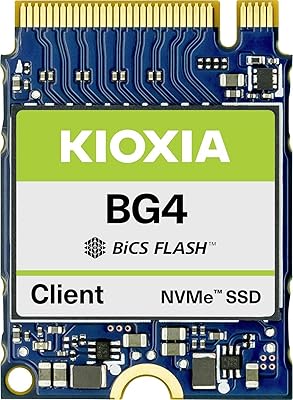
Kioxia BG4 512GB M.2 2230 NVMe SSD
87%
91%
Performance Speed
87%
Compatibility with Devices
88%
Build Quality & Durability
85%
Ease of Installation
93%
Size & Form Factor
More
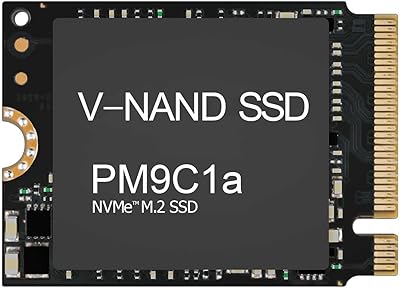
Samsung PM9C1A 512GB M.2 2230 NVMe SSD
87%
94%
Performance
92%
Speed
89%
Value for Money
88%
Ease of Installation
90%
Compatibility
More
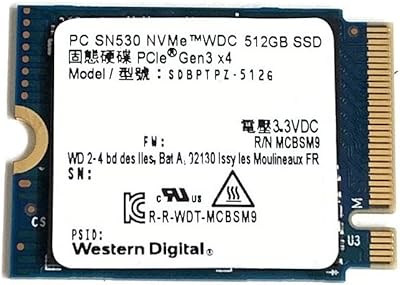
Western Digital SN530 512GB 2230 NVMe SSD
81%
96%
Form Factor Compatibility
93%
Installation Ease
71%
Read/Write Performance
78%
Real-World Speed Consistency
88%
Boot & App Load Times
More
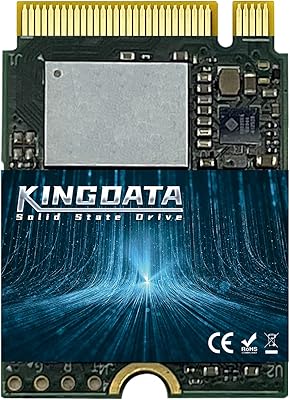
KINGDATA M.2 2230 NVMe PCIe 4.0 512GB SSD
89%
95%
Read Speed
92%
Write Speed
89%
Installation Ease
87%
Durability
86%
Temperature Management
More
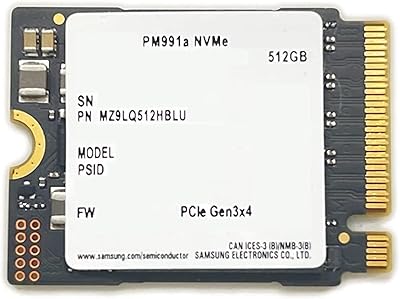
Samsung PM991a 512GB M.2 2230 NVMe SSD
84%
88%
Read Performance
79%
Write Performance
96%
Form Factor Fit
93%
Installation Ease
71%
Thermal Management
More
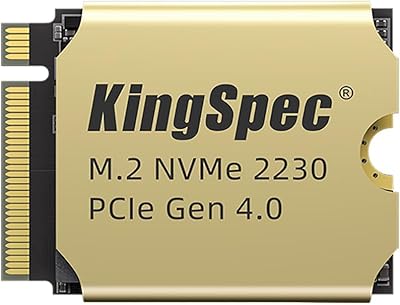
KingSpec XF-2230 512GB M.2 2230 SSD PCIe 4.0
87%
92%
Performance
89%
Cooling Efficiency
74%
Installation Ease
88%
Value for Money
90%
Build Quality
More
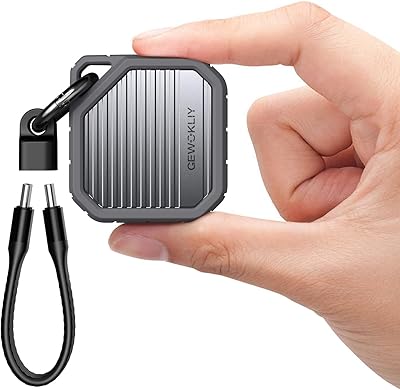
GEWOKLIY 2230 M.2 NVMe SSD Enclosure
86%
88%
Performance & Speed
90%
Build Quality & Durability
93%
Portability & Design
91%
Setup & Ease of Use
85%
Compatibility with Devices
More
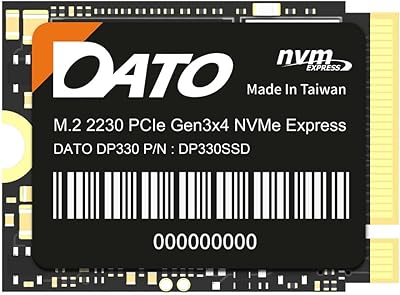
DATO DP330 512GB M.2 2230 NVMe SSD
79%
78%
Read/Write Speed
94%
Form Factor Fit
88%
Installation Ease
83%
Value for Money
53%
Thermal Management
More
Vansuny X15 512GB NVMe M.2 SSD
75%
88%
Value for Money
74%
Read/Write Performance
91%
Installation Ease
69%
Build Quality
62%
Long-Term Reliability
More
KINGDATA M.2 2230 2TB NVMe SSD
88%
91%
Performance
93%
Read Speed
89%
Write Speed
85%
Durability
88%
Temperature Management
More

FAQ

Only if your laptop has an M.2 2230 slot. The 2230 form factor is shorter than the 2280 size found in most consumer laptops, so the two are not interchangeable. Check your laptop's service manual or the Dell parts compatibility page before purchasing to confirm which form factor your system supports.

Technically, it may work in any system with an M.2 2230 PCIe NVMe slot, since the physical and electrical standards are universal. That said, this is an OEM Dell drive, so firmware behavior outside of Dell systems is untested and not guaranteed. For non-Dell builds, a standard consumer-packaged NVMe drive with full retail support is a safer bet.

NVMe drives like this one communicate over PCIe rather than the older SATA interface, which means significantly faster sequential read and write speeds in practice. For everyday tasks like booting Windows, launching applications, and loading files, the difference is noticeable and consistent. SATA SSDs are still faster than hard drives, but NVMe is the clear step up.

For a lot of people, yes — a Windows installation, Microsoft Office or similar productivity software, a browser, and a moderate photo or document library will fit comfortably within 512GB. Where it gets tight is if you store large video files, a library of AAA games, or work with bulky creative project files regularly. In those cases, external storage or a higher-capacity drive would be worth considering.

OEM stands for Original Equipment Manufacturer, meaning this drive was produced by Dell for use inside their own systems rather than sold as a standalone retail product. In practice, it means the firmware is optimized for Dell platforms, but it also means the warranty situation is less straightforward than buying a boxed consumer SSD from Samsung or Western Digital. Individual buyers should verify warranty coverage directly with Dell or the seller before purchasing.

Most buyers with basic hardware comfort find the installation straightforward. You remove the back panel of your Dell system, locate the M.2 slot, insert the drive at an angle, and secure it with a single small screw. The trickiest part is usually getting the back panel off cleanly. Dell's service manuals for most supported models are available online and walk through the process step by step.

On PCIe Gen 3x4, you can expect sequential read speeds in the range of 2,000 to 2,400 MB/s under ideal conditions, which is several times faster than a SATA SSD. For everyday computing — boot times, app launches, file transfers — the performance difference is clearly felt. If you are running intensive storage workloads like 4K video editing or large database operations, a Gen 4 NVMe drive would offer noticeably higher throughput.

Yes, as long as the laptop has a compatible M.2 2230 NVMe slot. Older Dell laptops that originally shipped with a 2.5-inch hard drive typically do not have an M.2 slot at all, so that replacement would not be possible without an adapter. Newer Dell models that shipped with a 2230 NVMe slot are the ideal candidates for this upgrade.

As an OEM part, this M.2 2230 SSD does not come bundled with retail accessories like cloning software, a USB enclosure, or installation hardware. You will need to source a mounting screw separately if your system does not have one already, and you will want to arrange your own data migration solution, such as free tools like Macrium Reflect, if you plan to clone your existing drive.

Solid-state drives are inherently more durable than hard drives for mobile use since there are no moving parts to damage from bumps or drops. This Dell NVMe drive also carries a shock-resistant designation, reinforcing its suitability for portable systems. That said, like any flash storage, it should still be treated with reasonable care, and keeping a backup of important data is always good practice regardless of the drive type.

Where to Buy

DriveSolutions.com
In stock $185.00