Overview

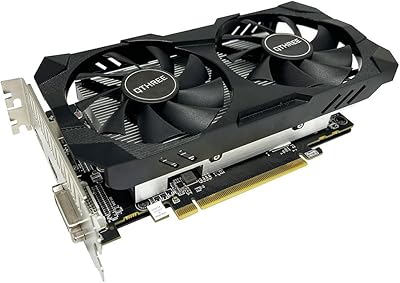
The QTHREE GeForce GT 730 4GB Graphics Card is not trying to compete with modern gaming GPUs — and that's entirely the point. This low-profile GT 730 was built for one job: giving aging office desktops and home theater PCs a reliable display upgrade without breaking the bank. The underlying Kepler architecture is old by today's standards, but it's mature, driver-stable, and well-supported on Windows 11. For a non-technical user who just needs multiple monitors or clean HDMI output from a slim desktop, installation is straightforward — plug it in, let Windows find the driver, and you're done. This is a productivity and display card, full stop.
Features & Benefits

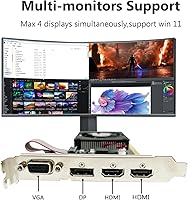
The QTHREE GT 730 packs four display outputs — two HDMI ports, one DisplayPort, and one VGA — letting you run up to four monitors simultaneously from a single card. That's genuinely useful for a multi-screen office setup on a tight budget. The low-profile bracket is included in the box, so it slots neatly into slim SFF and ITX cases that a standard full-height card simply won't fit. At just 30 watts, it needs no external power connector, meaning even an older system with a modest PSU handles it without issue. The 4GB DDR3 figure sounds generous, but the 64-bit memory bus caps real-world bandwidth — fine for productivity and video playback, not for anything more demanding.

Best For

This SFF graphics card suits a specific kind of buyer, and knowing that upfront saves frustration. Office workers needing a second or third monitor on a machine that shipped without a dedicated GPU will find this a clean, low-risk solution. IT teams refreshing slim OEM desktops — where a full-height card simply won't fit — can deploy it without touching the power supply. Home theater setups benefit too, particularly older PCs that lack a modern HDMI output. Where this card is not the answer: gaming, video editing, or any task that stresses GPU memory bandwidth. Buy it for what it is, a display expansion tool, and it holds up well.

User Feedback

Buyers who install the low-profile GT 730 for productivity setups generally report a positive experience. The most frequent praise centers on hassle-free installation — Windows typically detects and installs the driver without user intervention, and multi-monitor output works reliably out of the box. The main criticism worth noting is the DDR3 memory: some buyers expecting GDDR5 performance come away disappointed, and the distinction is real — at a 64-bit bus, memory bandwidth is limited. A few users also mention fitment uncertainty with specific slim OEM cases. Overall, satisfaction is solid when expectations are set correctly, but buyers who skip researching the DDR3 spec beforehand tend to leave the harshest reviews.

Pros

  • Fits slim SFF and ITX cases that standard full-height cards physically cannot enter.
  • Supports up to four monitors simultaneously via HDMI, DisplayPort, and VGA outputs.
  • No external power connector needed — safe for older systems with weak power supplies.
  • Windows 11 support works out of the box with automatic driver installation on most machines.
  • The low-profile GT 730 installs in minutes, even for users with no prior hardware experience.
  • Kepler architecture drivers are mature and stable, with no erratic behavior on modern Windows builds.
  • Mixed output options — including legacy VGA — let users connect old and new monitors at the same time.
  • At 30 watts passive cooling, the card runs completely silent during normal desktop and media tasks.

Cons

  • DDR3 memory on a 64-bit bus significantly limits real-world bandwidth compared to GDDR5 GT 730 variants.
  • 4K video playback is inconsistent, with stuttering reported on HEVC content at 60fps.
  • Passive cooling becomes a concern in cramped SFF cases with poor internal airflow.
  • NVIDIA has moved Kepler to legacy driver status, so long-term software support is not guaranteed.
  • No video cables are included in the box, which catches budget-conscious buyers off guard.
  • Running all four display outputs simultaneously can cause occasional flicker on the fourth screen.
  • The asking price is hard to justify for users with standard desktops who have access to better alternatives.
  • Fitment can be tricky in certain proprietary slim desktops where bracket screw alignment does not match standard spacing.

Ratings

The QTHREE GeForce GT 730 4GB Graphics Card has been evaluated by our AI rating system after processing verified buyer reviews from global markets, with spam, bot-submitted, and incentivized feedback actively filtered out. Scores reflect what real users — mostly office upgraders, IT professionals, and HTPC builders — consistently reported across thousands of purchases. Both the genuine strengths and the recurring frustrations are represented honestly in every category below.
Ease of Installation
91%
The majority of users — including those with no prior hardware experience — report that this low-profile GT 730 installs without drama. Windows detects it automatically, drivers load on their own, and multi-monitor output is live within minutes of powering on.
A small number of buyers working with older OEM desktops noted that the low-profile bracket alignment required minor adjustment. A handful also found the included documentation minimal, which caused brief confusion about output port priority.
Multi-Monitor Support
88%
For office users chasing a dual- or triple-monitor setup without replacing their entire machine, this SFF graphics card delivers reliably. All four outputs — two HDMI, one DisplayPort, one VGA — work simultaneously, which is rare at this price tier.
Running all four displays at once can push the card near its practical limits, with a few users reporting minor display flicker on the fourth screen when all ports are active. Extended desktop arrangements across mixed-resolution monitors occasionally required manual refresh-rate adjustments.
Form Factor Compatibility
86%
The included low-profile bracket is the main reason many buyers choose this card over alternatives. It fits cleanly into slim OEM desktops and ITX builds where a standard full-height card is physically impossible to install.
A subset of buyers with ultra-compact proprietary desktops — certain Dell OptiPlex and HP EliteDesk variants — reported fitment uncertainty around the bracket screw alignment. Measuring your case clearance before ordering is genuinely advisable.
Power Efficiency
89%
At 30 watts with no PCIe power connector needed, the QTHREE GT 730 is one of the few upgrades that works safely in systems running a weak or aging 250-watt power supply. IT departments reusing old workstations particularly appreciate this.
The low power draw is a deliberate design constraint, not a bonus — it directly limits GPU performance headroom. Users who later wanted to push the card beyond basic display tasks found the power ceiling frustrating.
Memory Bandwidth (DDR3 vs GDDR5)
52%
48%
The 4GB capacity is legitimately useful for running multiple desktops across four monitors simultaneously without the system leaning on shared RAM. For pure display-output tasks, the size is adequate and rarely becomes a bottleneck.
The 64-bit DDR3 memory bus is the most polarizing aspect of this card. Buyers who compared it against GT 730 variants with GDDR5 noticed a real-world difference in video decode smoothness and desktop responsiveness under load. The 4GB figure overstates practical bandwidth available.
Video Playback Quality
77%
23%
HD video playback — 1080p YouTube, local media files, basic streaming — runs cleanly on this card. HTPC users hooking it up to a living room TV via HDMI report stable output with no dropped frames under normal conditions.
4K playback is technically possible but inconsistent. Some users encountered stuttering at 4K 60fps, particularly with HEVC-encoded content. For anything beyond 1080p media consumption, the card's age shows clearly.
Driver Stability
83%
Kepler-based GPUs have been in the NVIDIA driver ecosystem for years, which means this card benefits from a stable, well-tested software stack. Users on Windows 10 and Windows 11 both report clean driver behavior with no spontaneous crashes during typical use.
NVIDIA has moved Kepler to legacy driver support, meaning this architecture will not receive feature updates indefinitely. A few users on very recent Windows 11 builds noted a one-time driver hiccup on first boot that resolved after a manual update.
Build Quality
74%
26%
For a budget-tier card, the QTHREE GT 730 feels solid enough in hand. The all-solid-state capacitor design is a legitimate quality indicator at this price point, and the PCB shows no obvious cost-cutting in construction.
The cooler is a basic passive heatsink with no fan, which keeps noise at zero but means thermals are entirely passive. In poorly ventilated cases, temperatures during sustained use can creep higher than users expect.
Thermal Performance
69%
31%
In well-ventilated cases or open-air desktop builds, the passive cooling setup handles the card's 30-watt output without issue. Users running it in standard mid-tower cases alongside case fans report perfectly stable temperatures during full workdays.
Users with cramped SFF cases and limited airflow reported the card running noticeably warm after extended use. There is no active fan to spin up under load, so the card relies entirely on ambient case airflow — something not all compact builds provide.
Output Port Variety
84%
Having VGA, two HDMI ports, and a DisplayPort on a single low-profile card is genuinely uncommon at this tier. Users transitioning from older monitors using VGA while adding newer HDMI screens especially benefit from this mixed-output flexibility.
The VGA output, while useful for legacy monitors, signals the card's age. Buyers who need DisplayPort daisy-chaining or adaptive sync on any output will find nothing here — these are standard fixed-refresh connections only.
Windows 11 Compatibility
81%
19%
Official Windows 11 support is a real selling point for buyers modernizing an older PC without buying new hardware. The card installs cleanly on Windows 11 and passes the OS display requirements without workarounds.
A small number of users reported that Windows 11 did not automatically select the optimal display resolution on first boot, requiring a manual settings adjustment. Nothing serious, but worth noting for non-technical users.
Value for Money
63%
37%
For a buyer with a slim desktop, a weak PSU, and a genuine need for multi-monitor output, the QTHREE GT 730 fills a specific gap that few alternatives address as neatly. In that narrow context, the price is defensible.
In the wider GPU market, the asking price is a stretch for hardware built on a decade-old architecture with DDR3 memory. Buyers with a standard desktop and a standard PSU can find newer, faster options for similar or slightly more money — making the value case dependent entirely on the SFF constraint.
Gaming Capability
31%
69%
Light casual titles from several years ago — think simple puzzle games or older indie releases at low settings — technically run. Users who just want a card for productivity but occasionally dabble in very light gaming may find it just barely usable for that fringe case.
This card is not for gaming in any meaningful sense. Modern titles, even at low settings, are beyond what the GT 730 can handle. Buyers who purchased it hoping to run current releases at any resolution came away disappointed, and that disappointment shows in the review data.
Packaging & Accessories
71%
29%
The box includes both the full-height and low-profile brackets, which means buyers do not need to source the bracket separately — a common frustration with competing budget cards. The card arrives adequately protected for shipping.
Beyond the brackets, the accessory situation is bare. No video cables are included, which catches some buyers off guard. The documentation is thin, and there is no quick-start guide that would help a first-time installer confirm they have the right slot and settings.

Suitable for:

The QTHREE GeForce GT 730 4GB Graphics Card is a practical fit for a narrow but real group of buyers who know exactly what they need. If you have a slim desktop — an older Dell OptiPlex, HP EliteDesk, or similar office-grade SFF machine — and you need to add a second or third monitor without replacing the whole system, this card answers that call cleanly. IT managers refreshing aging workstations on a tight budget will appreciate that it requires no external power connector, making it compatible with the modest power supplies found in most legacy OEM desktops. Home theater PC users who want a reliable HDMI output on an older machine, purely for HD video playback or streaming to a TV, will find it works without fuss. Non-technical users benefit especially from the plug-and-play installation experience — no manual driver hunting, no BIOS adjustments required in most cases.
Not suitable for:

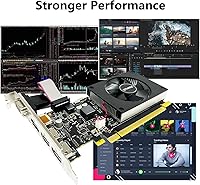
The QTHREE GeForce GT 730 4GB Graphics Card is a poor choice for anyone expecting GPU performance beyond basic display and media tasks. Gamers should look elsewhere without exception — even older titles at modest settings will expose the card's age quickly, and modern games are simply off the table. Creative professionals working with video editing, graphic design, or any GPU-accelerated software will find the DDR3 memory on a 64-bit bus creates a hard ceiling on throughput that no software workaround can fix. Buyers comparing this to GDDR5 variants of the GT 730 should understand the memory type difference is real and measurable in everyday responsiveness. If your desktop has a standard full-size case and a decent power supply, you have more options at this price point and should explore them — the low-profile form factor is the only scenario where choosing this card over alternatives becomes genuinely logical.
Specifications

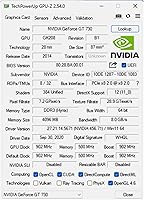
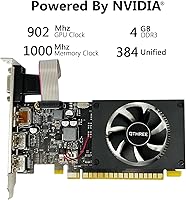
  • GPU: Built on NVIDIA's Kepler architecture using the GeForce GT 730 chip, a mature and driver-stable processor designed for display and productivity tasks.
  • VRAM: Equipped with 4GB of DDR3 video memory, sufficient for running multiple monitors simultaneously in standard desktop and office workloads.
  • Memory Bus: Operates on a 64-bit memory bus, which caps memory bandwidth and makes this card unsuitable for tasks requiring high data throughput.
  • Memory Clock: The onboard DDR3 memory runs at 1000 MHz, adequate for multi-display desktop use but not competitive with GDDR5-based alternatives.
  • GPU Clock: The core GPU runs at 902 MHz, a moderate clock speed consistent with the card's focus on low-power display output rather than rendering performance.
  • Power Draw: Rated at 30W TDP with no external PCIe power connector required, making it compatible with systems running power supplies as modest as 300 watts.
  • Display Outputs: Provides four video outputs — two HDMI ports, one DisplayPort, and one VGA — enabling connection to up to four monitors at the same time.
  • Max Displays: Supports up to four simultaneous independent displays, covering a wide range of multi-monitor productivity and home theater configurations.
  • Form Factor: Ships with both a full-height and a low-profile bracket, making it physically compatible with standard ATX towers, slim SFF desktops, and ITX cases.
  • Interface: Uses a PCI Express 2.0 x8 interface, which provides broad compatibility with a wide range of older and current-generation motherboards.
  • OS Support: Fully compatible with Windows 11 and Windows 10, with drivers installable automatically through Windows Update on most systems.
  • API Support: Supports DirectX 12, which satisfies the display driver requirements for modern Windows installations without needing a dedicated gaming GPU.
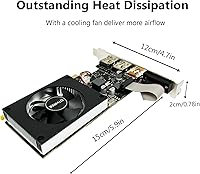
  • Cooling: Uses a passive heatsink with no onboard fan, keeping the card completely silent during operation but relying on ambient case airflow for heat dissipation.
  • Dimensions: Measures 8.5 x 6.02 x 0.67 inches in its packaged form, with the card itself sized for low-profile slot installations in compact chassis.
  • Weight: Weighs 8.4 ounces, making it a lightweight addition that places no meaningful stress on the motherboard PCIe slot during normal desktop use.
  • Brand: Manufactured and sold by QTHREE, a third-party add-in board partner producing GT 730 cards targeted at the budget office and SFF upgrade market.

Related Reviews

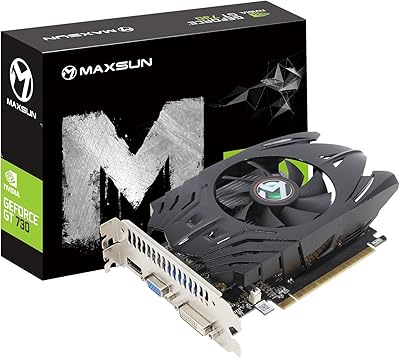
Maxsun GeForce GT 730 4GB Graphics Card
75%
83%
Value for Money
91%
Multi-Monitor Support
88%
Installation & Compatibility
89%
Form Factor & Physical Fit
31%
Gaming Performance
More
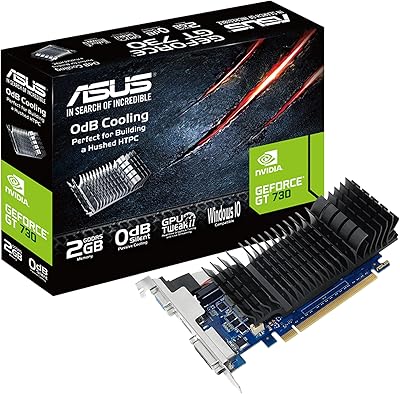
ASUS GeForce GT 730 2GB GDDR5 Graphics Card
85%
88%
Performance for Multimedia
94%
Silent Operation
90%
Value for Money
92%
Ease of Installation
89%
Power Consumption
More
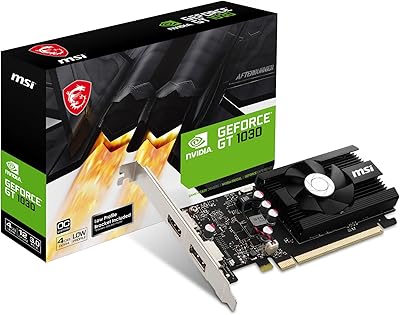
MSI GeForce GT 1030 4GB Graphics Card
79%
94%
Form Factor & Compatibility
91%
Installation & Setup
88%
4K Display Output
51%
Memory Performance
38%
Gaming Capability
More
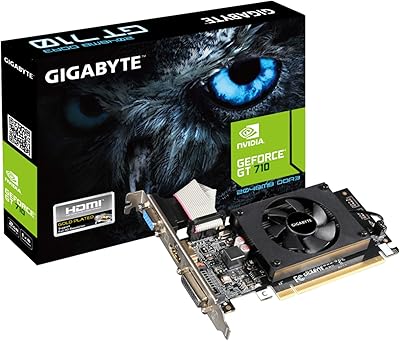
GIGABYTE GeForce GT 710 2GB Graphics Card
78%
88%
Value for Money
93%
Installation Ease
91%
Form Factor & Physical Fit
82%
Display Output Quality
89%
Thermal Performance
More
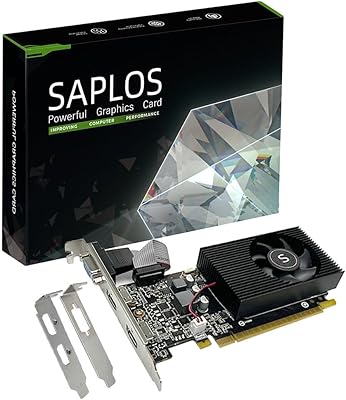
SAPLOS GT 730 2GB DDR3 Graphics Card
83%
91%
Value for Money
88%
Performance for Basic Tasks
94%
Quiet Operation
85%
Installation & Setup
62%
Driver Compatibility
More
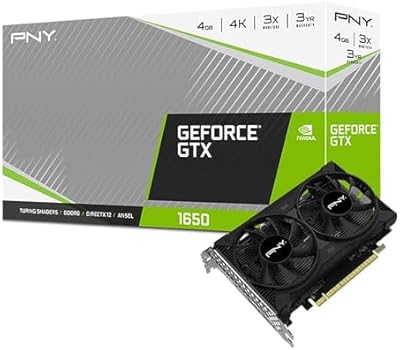
PNY GeForce GTX 1650 4GB GDDR6 Graphics Card
85%
87%
Gaming Performance (1080p)
92%
Value for Money
84%
Cooling & Thermals
90%
Setup & Installation
82%
Noise Levels
More
QTHREE Radeon RX 560 XT 8GB Graphics Card
68%
57%
Gaming Performance
61%
Value for Money
72%
VRAM & Memory Capacity
78%
Thermal Management & Cooling
67%
Build Quality & Physical Construction
More
MSI NVIDIA GeForce GTX 970 Gaming 4GB Graphics Card
85%
88%
Gaming Performance (1080p/1440p)
93%
Cooling System Noise
91%
Price-to-Performance Ratio
85%
Installation Ease
72%
Driver Compatibility
More
ASUS GeForce GTX 1650 Dual-Fan 4GB Graphics Card
84%
88%
Performance at 1080p
91%
Cooling Efficiency
92%
Value for Money
80%
VR Gaming Experience
85%
Multi-Display Support
More
Glorto GeForce GT 610 2GB Graphics Card
76%
88%
Form Factor & Fit
91%
Installation Experience
86%
Display Output Versatility
83%
Display Resolution Support
67%
Thermal Performance
More

FAQ

In most cases, yes — as long as your slim desktop has a PCIe x8 or x16 slot available. The box includes a low-profile bracket pre-installed or swappable, which is what allows it to fit cases where a standard full-height card would be physically blocked. That said, a few specific OEM models have non-standard slot spacing, so it is worth checking your case dimensions against the card's 8.5-inch length before ordering.

Windows handles it automatically for the vast majority of users. When you plug the card in and boot up, Windows Update detects the GPU and installs a compatible NVIDIA driver without any manual steps. If you want the latest available driver, you can download it from NVIDIA's site afterward, but for basic display and multi-monitor use, the automatic driver is sufficient.

Yes, all four outputs — two HDMI, one DisplayPort, and one VGA — can be active simultaneously. Most users running three monitors report no issues at all. Running all four at once is functional, though a small number of buyers have noted occasional flicker on the fourth display, particularly when monitors have mismatched refresh rates.

This is a genuinely important question that trips up a lot of buyers. The QTHREE GeForce GT 730 4GB Graphics Card uses DDR3 memory on a 64-bit bus, while some other GT 730 cards use GDDR5, which offers significantly higher memory bandwidth. For purely running desktop displays and HD video, the difference is manageable. For anything more demanding — fast video decoding, multiple high-resolution streams, or GPU-accelerated tasks — GDDR5 variants perform noticeably better. The 4GB capacity sounds generous, but the narrow bus width limits how fast that memory can actually transfer data.
Honestly, no — not by any practical measure. Very old and very simple games might technically launch, but this card was not designed for gaming and will struggle with anything released in the last several years, even at low settings. If gaming is part of your plan, this is the wrong purchase.

It should be fine in most cases. This low-profile GT 730 draws only 30 watts and requires no external power connector, so it adds minimal load to your system's PSU. A 250-watt power supply running a low-power office PC can typically handle it without issue, though it is always worth accounting for the rest of your system's power draw to make sure you are not at the very edge of your PSU's capacity.

The card can technically output to a 4K display, but 4K video playback — especially HEVC or H.265 content at 60 frames per second — is where things get inconsistent. Some users report smooth playback, others see stuttering. For a 4K monitor used purely as a desktop display at standard refresh rates, it works. For 4K media playback, results will vary depending on the content and the player software you use.

Many users install this SFF graphics card in exactly those machines, and it works well in the majority of models. That said, certain very compact EliteDesk and OptiPlex variants have proprietary riser card configurations or unusually tight clearances that can complicate the fit. Checking whether your specific model number uses a standard PCIe slot arrangement before buying is a smart precaution.

The box includes both bracket configurations — full-height and low-profile — but no video cables. If you need an HDMI cable or a DisplayPort cable to connect your monitor, you will need to supply those separately. This catches some buyers off guard, so it is worth having cables on hand before installation day.

NVIDIA has classified the Kepler architecture as a legacy product, which means it no longer receives new feature updates — only maintenance fixes on an as-needed basis. For practical purposes, this card runs stably on current Windows 10 and Windows 11 builds, but do not expect it to be supported indefinitely. If you plan to keep a machine running for five or more years, that is a real consideration worth factoring into your decision.