Overview

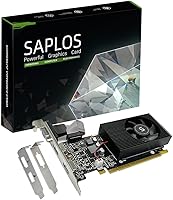
The SAPLOS GT 730 2GB DDR3 Low Profile Graphics Card is a very specific tool built for a very specific job — and understanding that upfront will save you a lot of frustration. Built on NVIDIA's older Fermi architecture, this budget GPU exists to solve one common problem: older desktops that lack adequate video outputs or have no dedicated graphics at all. Before anything else, you need to know about the Windows compatibility limit. This card does not support Windows 10 64-bit or Windows 11 — it works with Windows 7, 8, and 10 32-bit only. If your system runs anything else, stop here. For those who do match that requirement, it is a capable display card for productivity and media work, just don't expect anything more demanding.
Features & Benefits

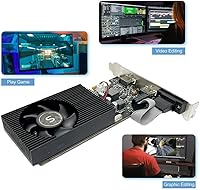
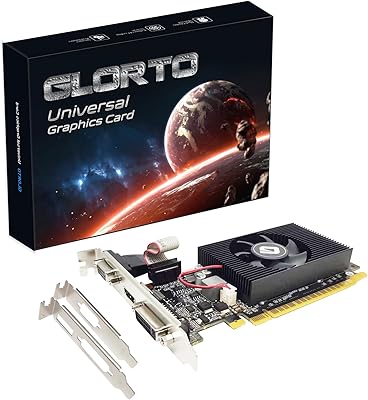
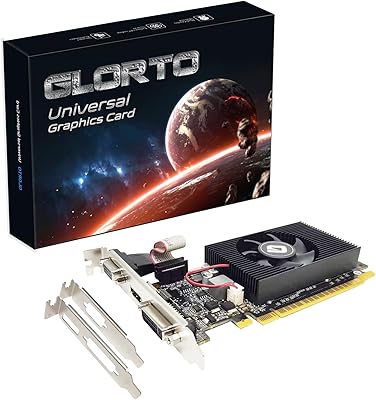
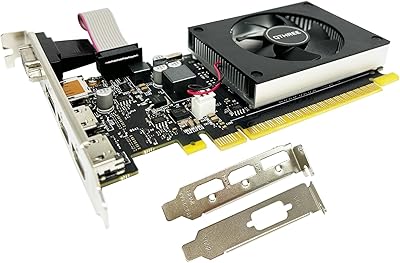
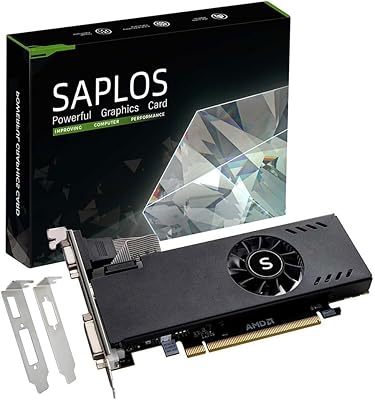
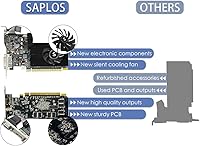
The most practical feature here is dual HDMI output — two full HDMI ports, meaning a genuine two-monitor setup without adapters or splitters. For anyone juggling spreadsheets, browser tabs, or trading dashboards across screens, that alone justifies the purchase. The low-profile design comes with a swappable bracket, so it fits both standard ATX towers and compact mini-ITX cases. At just 30 watts, the SAPLOS card draws power directly from the PCIe slot — no power cable required, a real advantage in older systems with aging power supplies. The cooling fan runs quietly enough that you won't notice it in a typical office setting, and PCI Express x16 compatibility makes it a straightforward drop-in for most legacy motherboards.

Best For

This low-profile GT 730 has a clear target audience: people running older Windows installs who need to add a second monitor to a workstation that never had one. Think office PCs, repurposed business desktops, or home systems still on Windows 7 or 10 in 32-bit mode. Stock traders and analysts wanting a simple dual-display setup on a legacy machine will find this a practical, low-fuss option. It also suits mini-ITX or compact cases where most cards simply don't fit. If your goal is basic media streaming, web browsing, or productivity across two screens — and your OS qualifies — this budget GPU handles those tasks without complaint. It is emphatically not a card for gaming or 3D work.

User Feedback

Buyers who purchased this card for the right reasons tend to leave positive notes — easy installation, no power cable to wrestle with, and a quiet, compact build that fits where other cards don't. The frustration, however, is real and consistent: a significant share of negative reviews come from people who bought the SAPLOS card without realizing it won't run on Windows 10 64-bit or Windows 11. Driver setup can also trip people up, since the required version dates back to 2018 and won't appear through Windows Update automatically. Those who matched their OS correctly and had modest expectations generally rate it well; those who didn't are understandably disappointed. Check compatibility carefully before buying.

Pros

  • Dual HDMI ports allow a true two-monitor setup with no adapters or splitters needed.
  • Draws only 30 watts, so no external power connector is required — great for older PSUs.
  • The swappable low-profile bracket makes it compatible with both slim and standard cases.
  • Runs quietly enough that it adds no noticeable noise to a typical office environment.
  • PCI Express x16 interface means broad compatibility with most legacy motherboards.
  • Installation is straightforward for users who source the correct driver beforehand.
  • Compact physical footprint works well in mini-ITX and small-form-factor builds.
  • A reliable, no-nonsense option for adding dual display output to a system that has none.

Cons

  • Does not support Windows 10 64-bit or Windows 11 — this is a hard, unavoidable limitation.
  • The required driver is from 2018 and must be manually downloaded and installed; Windows Update will not find it.
  • DDR3 memory is significantly dated compared to current entry-level cards, limiting headroom for any graphics task.
  • Only 96 CUDA cores make this budget GPU unsuitable for any compute-intensive workload.
  • VGA output is capped at a lower maximum resolution than the HDMI ports, limiting monitor options on that port.
  • No DisplayPort output means users with newer monitors may face connection compatibility issues.
  • Buyers who overlook the OS requirements often leave disappointed reviews, suggesting the listing could communicate this more clearly.
  • At its price point, newer used or refurbished cards with broader OS support are sometimes available, making the value case situational.

Ratings

Our AI rating engine analyzed verified global buyer reviews for the SAPLOS GT 730 2GB DDR3 Low Profile Graphics Card, actively filtering out incentivized, duplicate, and bot-generated submissions to surface what real users actually experienced. Scores reflect an honest cross-section of feedback — where this low-profile GT 730 genuinely delivers and where it falls short — so you can make a confident, informed decision before buying.

OS Compatibility Clarity
41%
59%
Buyers who researched their OS version ahead of time report a completely smooth experience — the card works exactly as advertised on Windows 7, 8, and 10 32-bit systems, with no surprises after installation. For those legacy setups, compatibility is rock-solid.
This is the single biggest source of negative reviews. A significant share of buyers assumed it would work on Windows 10 64-bit or Windows 11 and were left with a non-functional card. The listing communicates the restriction, but clearly not prominently enough to prevent widespread disappointment.
Driver Installation
53%
47%
Once buyers locate the correct legacy driver — version 391.35 from NVIDIA's archive — the installation itself is described as painless. Tech-comfortable users who know where to look get through the setup quickly and without issues.
Many buyers expect Windows Update or NVIDIA's standard installer to handle everything automatically, and that simply does not happen here. Hunting down a 2018 driver from an archive page is a confusing extra step that trips up less experienced users and has generated consistent complaints.
Dual Monitor Setup
84%
Two full HDMI ports working simultaneously is the card's headline feature, and buyers consistently confirm it delivers. Office workers running a productivity app on one screen and a browser or communication tool on the other report the setup works reliably day after day without configuration headaches.
You are limited to two active displays regardless of the three physical outputs, which catches some buyers off guard. VGA output resolution is also noticeably lower than HDMI, making monitor choice matter more than users might expect.
Installation Ease
79%
21%
Hardware installation is one of the most consistently praised aspects across buyer reviews. No power cable to route, no secondary connector to locate — you slot the SAPLOS card into a PCIe x16 port, screw in the bracket, and the physical side of the job is done in minutes.
The driver hurdle somewhat undermines an otherwise clean installation story. Buyers who expected a fully automatic setup feel the experience is incomplete once they realize they need to manually source the software before the card does anything useful.
Form Factor Versatility
82%
18%
The included half-height bracket genuinely expands where this budget GPU can go. Buyers fitting it into slim office desktops, compact home theater PCs, and mini-ITX builds consistently note it slid in without clearance issues, which is not something every low-profile card can claim.
Swapping the bracket requires a small screwdriver and a steady hand, and a handful of buyers found the process fiddlier than expected. The card is also a single-slot design, which is good for space but means the fan is smaller and positioned close to neighboring components in very tight builds.
Power Efficiency
88%
At 30 watts, this low-profile GT 730 is remarkably kind to older, lower-rated power supplies. Buyers repurposing decade-old office desktops — machines with 250W or 300W PSUs — report no instability or power-related issues whatsoever, which was a genuine concern for many of them before purchase.
The low power draw is a direct result of the card's limited performance headroom, so it is not purely a virtue. Buyers who later wanted to push the card harder found that performance ceilings arrived well before power consumption became a concern.
Noise Level
83%
The single cooling fan is consistently described as quiet in real-world use. In a typical office or home setting running productivity apps and streaming video, buyers report the card contributes no perceptible noise — an important quality for shared workspaces.
A small number of buyers received units where the fan produced a faint but persistent hum, suggesting minor unit-to-unit variance in fan quality. This appears to be uncommon, but it is worth noting for noise-sensitive environments.
Thermal Management
76%
24%
For the workloads this card is actually designed for — dual display output, web browsing, office software, and standard-definition to 1080p video — it stays cool without effort. Buyers running it in always-on workstations report stable temperatures over long sessions.
The cooling solution is minimal by design, and buyers who pushed the card into tasks outside its comfort zone reported warmth transferring to neighboring components in cramped cases. Airflow in the host system matters more with a card this compact.
Display Output Quality
71%
29%
For standard office monitors and everyday displays, the image quality over HDMI is clean and stable. Buyers using it for spreadsheet work, stock dashboards, or general web use report sharp, flicker-free output that does exactly what a productivity display needs to do.
Buyers connecting high-resolution or wide-format monitors found the card underwhelming — the memory bandwidth simply cannot push demanding resolutions smoothly. The VGA port's lower resolution ceiling also limits monitor pairing options for anyone with a mixed display setup.
Value for Money
62%
38%
For buyers who verified OS compatibility first and needed exactly what this card offers — dual HDMI in a low-profile shell with no external power — the price-to-function ratio is considered fair. It solves a specific problem cleanly when the fit is right.
Buyers who did not match the use case feel the value is poor, and even some satisfied users acknowledge that lightly used previous-generation cards with broader OS support occasionally surface at similar prices. The value case depends almost entirely on how precisely your situation matches the card's narrow sweet spot.
Legacy System Compatibility
81%
19%
On the hardware side, the PCIe x16 interface and modest power requirements make this budget GPU broadly compatible with older platforms. Buyers dropping it into systems from the late 2000s and early 2010s consistently report it seats and runs without issue.
Hardware compatibility is strong, but software compatibility is where things narrow sharply. The OS restriction effectively disqualifies a large proportion of machines that might otherwise be perfect candidates on the hardware side alone.
Media Playback Performance
74%
26%
Standard and high-definition streaming on platforms like YouTube or local video players runs smoothly on this low-profile GT 730. Buyers repurposing old desktops as media or living-room PCs on supported Windows versions find it handles 1080p content without stuttering.
4K video playback is inconsistent at best, and buyers who tried to use the card for high-bitrate content or hardware-accelerated decoding on modern streaming platforms hit walls quickly. The Fermi architecture predates many modern video decode acceleration standards.
Build & Component Quality
69%
31%
The all-solid-state capacitor design is a genuine quality signal at this price tier, and buyers who have owned the card for an extended period report no component failures or degradation. It feels solid in the hand and installs without flexing excessively.
The overall build is functional but not premium — the plastic shroud and fan housing feel budget-grade, which is expected at this price but worth noting for buyers accustomed to more substantial mid-range hardware. A small number of users reported fan bearing noise after several months of continuous use.
Gaming Capability
22%
78%
Very light retro gaming on titles from the early 2010s or older is technically possible, and a handful of buyers with minimal expectations report running older casual games at low settings without issue.
This is not a gaming card in any meaningful modern sense. With 96 CUDA cores and 2GB of DDR3 memory, it cannot handle the demands of contemporary titles or even many mid-decade releases. Buyers who purchased it hoping for even modest gaming performance were universally disappointed.
Documentation & Support
47%
53%
The physical packaging includes basic setup guidance that covers the bracket swap and hardware installation adequately. Buyers who follow the included steps for the hardware portion report no confusion on that front.
Software documentation is sparse and does not walk users through sourcing the legacy driver — which is the step that most commonly causes problems. There is no clear reference card or QR code pointing buyers to the correct NVIDIA archive page, which would resolve the majority of post-purchase support issues in a single step.

Suitable for:

The SAPLOS GT 730 2GB DDR3 Low Profile Graphics Card is genuinely well-matched for a narrow but real group of buyers: people working with older desktop systems that still run Windows 7, Windows 8, or Windows 10 in 32-bit mode and need to add or expand display output without replacing the whole machine. Office workers who want a second monitor for productivity — spreadsheets open on one screen, a browser or communication tool on the other — will find this low-profile GT 730 handles that job without fuss. It is equally practical for stock traders or data analysts running legacy workstations where dual HDMI outputs are the main requirement and graphics horsepower is irrelevant. Anyone building or repurposing a compact mini-ITX or slim-form-factor PC will appreciate that the swappable bracket and 30-watt power draw make installation straightforward, even in cases with tight clearances and modest power supplies. If your expectations are anchored to basic display tasks — media streaming, web browsing, office software — and your OS qualifies, the SAPLOS card delivers exactly what it promises.
Not suitable for:

The SAPLOS GT 730 2GB DDR3 Low Profile Graphics Card has one dealbreaker that disqualifies a large portion of potential buyers immediately: it does not work with Windows 10 64-bit or Windows 11, full stop. If your machine runs either of those — which covers the vast majority of PCs sold in the last several years — this card will not function correctly, and no workaround will fix that. Beyond the OS wall, this budget GPU is not built for gaming of any kind; even older titles from the mid-2010s will struggle, and anything modern is simply out of the question. Content creators, video editors, and anyone who needs hardware-accelerated rendering or multi-display 4K output should look elsewhere entirely. The driver situation is also worth flagging: the required version dates back to 2018, meaning it needs to be sourced and installed manually, which can be confusing for less experienced users. Anyone expecting a plug-in-and-Windows-Update experience may run into unnecessary friction.
Specifications

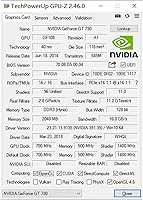
  • GPU Chip: Powered by the NVIDIA GeForce GT 730 processor built on the older Fermi architecture, designed for light display and productivity workloads.
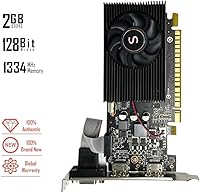
  • Video Memory: Equipped with 2GB of DDR3 VRAM running across a 128-bit memory bus at an effective speed of 1334 MHz.
  • Core Clock: The GPU core runs at 700 MHz with a boost and shader clock of 1400 MHz, suitable for basic display rendering tasks.
  • CUDA Cores: Contains 96 CUDA cores, which support light parallel compute tasks via CUDA and OpenCL but are not intended for intensive workloads.
  • Display Outputs: Provides two full-size HDMI ports and one VGA port, supporting up to two displays simultaneously.
  • Max Resolution: HDMI outputs support up to 2560x1600 pixels, while the VGA port is limited to a maximum of 2048x1536 pixels.
  • Power Draw: Rated at just 30W TDP, this card draws all necessary power directly from the PCIe slot with no external power connector required.
  • Recommended PSU: A system power supply of at least 300W is recommended to ensure stable operation alongside other components.
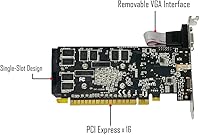
  • Interface: Uses a PCI Express x16 interface, ensuring compatibility with the vast majority of desktop motherboards produced over the past 15 years.
  • Form Factor: Ships with a standard full-height bracket installed and includes a half-height bracket for fitting into low-profile and slim desktop cases.
  • Cooling: A single active cooling fan handles thermal management, keeping the card quiet and within safe operating temperatures during typical workloads.
  • DirectX Support: Supports DirectX 11, which covers the requirements for basic display tasks, older software, and Windows Aero desktop rendering.
  • API Support: Compatible with OpenGL 4.6, OpenCL, CUDA, DirectCompute, and DirectML for broad software and driver ecosystem coverage.
  • OS Compatibility: Officially supported on Windows 7, Windows 8, and Windows 10 in 32-bit mode only; Windows 10 64-bit and Windows 11 are not supported.
  • Driver Version: Requires NVIDIA driver version 391.35, released in March 2018, which must be downloaded and installed manually from NVIDIA's legacy driver archive.
  • Card Dimensions: Measures approximately 6.3 x 4.7 inches, making it a compact single-slot card well suited to space-constrained builds.
  • Card Weight: Weighs approximately 10.2 ounces, light enough to avoid stressing older motherboard PCIe slots during normal use.
  • Manufacturer: Designed and sold by SAPLOS, a brand focused on entry-level and legacy-compatible graphics solutions for office and productivity use.

Related Reviews

Glorto GeForce GT 610 2GB Graphics Card
76%
88%
Form Factor & Fit
91%
Installation Experience
86%
Display Output Versatility
83%
Display Resolution Support
67%
Thermal Performance
More
Glorto GeForce GT 210 1GB Graphics Card
76%
91%
Ease of Installation
88%
Low-Profile Compatibility
86%
Display Output Versatility
83%
Value for Money
31%
Raw GPU Performance
More
QTHREE GeForce GT 730 4GB Graphics Card
74%
91%
Ease of Installation
88%
Multi-Monitor Support
86%
Form Factor Compatibility
89%
Power Efficiency
52%
Memory Bandwidth (DDR3 vs GDDR5)
More
ASUS GeForce GT 730 2GB GDDR5 Graphics Card
85%
88%
Performance for Multimedia
94%
Silent Operation
90%
Value for Money
92%
Ease of Installation
89%
Power Consumption
More
SAPLOS Radeon RX 550 4GB Graphics Card
81%
91%
Ease of Installation
88%
Compatibility
86%
Multi-Monitor Support
74%
Value for Money
58%
Gaming Performance
More
PowerColor AMD Radeon RX 550 2GB GDDR5 Low Profile Graphics Card
83%
91%
Value for Money
85%
Performance for Basic Gaming
96%
Low-Profile Design for Compact Builds
89%
Ease of Installation
92%
Power Efficiency
More
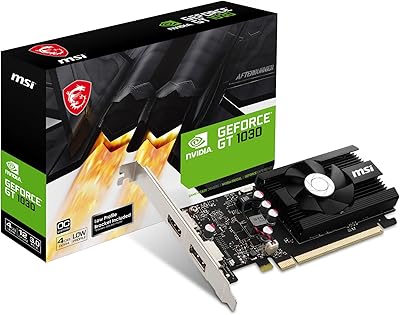
MSI GeForce GT 1030 4GB Graphics Card
79%
94%
Form Factor & Compatibility
91%
Installation & Setup
88%
4K Display Output
51%
Memory Performance
38%
Gaming Capability
More
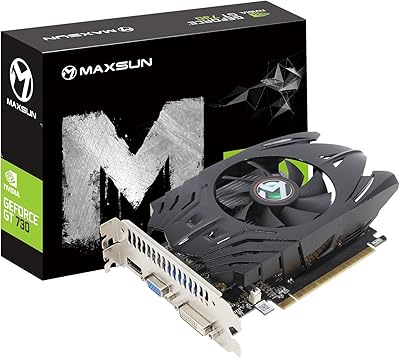
Maxsun GeForce GT 730 4GB Graphics Card
75%
83%
Value for Money
91%
Multi-Monitor Support
88%
Installation & Compatibility
89%
Form Factor & Physical Fit
31%
Gaming Performance
More
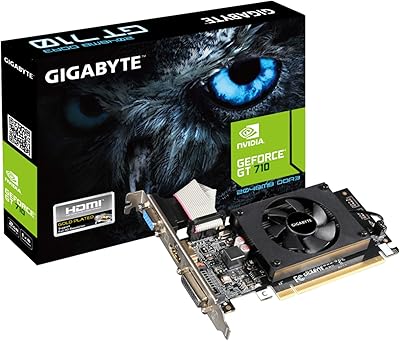
GIGABYTE GeForce GT 710 2GB Graphics Card
78%
88%
Value for Money
93%
Installation Ease
91%
Form Factor & Physical Fit
82%
Display Output Quality
89%
Thermal Performance
More
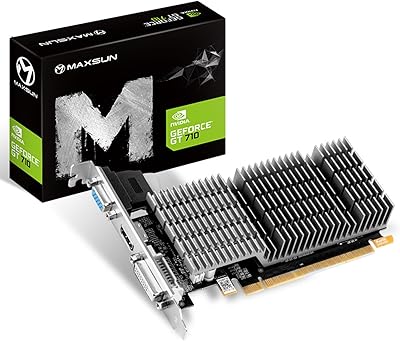
Maxsun GeForce GT 710 2GB Low Profile GPU
84%
88%
Performance for Basic Tasks
95%
Noise and Cooling
90%
Ease of Installation
92%
Value for Money
60%
Gaming Performance
More

FAQ

No, it will not. The SAPLOS GT 730 2GB DDR3 Low Profile Graphics Card is only compatible with Windows 7, Windows 8, and Windows 10 in 32-bit mode. This is the single most important thing to verify before purchasing, as the required driver simply does not support 64-bit Windows 10 or Windows 11 in any capacity.
No external power cable is needed at all. The card draws everything it requires — just 30 watts — directly through the PCIe slot on your motherboard. As long as your system has a power supply rated at 300W or above, you are fine.

This card requires NVIDIA driver version 391.35, which was released in March 2018 and is the last driver that officially supports the GT 730 Fermi architecture. Windows Update will not find it automatically, so you need to download it manually from NVIDIA's legacy driver archive page. The installation itself is straightforward once you have the right file — just run the installer and follow the prompts.

Yes, the card has two HDMI ports that support simultaneous dual-monitor output. You can run two separate displays independently, which is the primary reason most buyers choose this low-profile GT 730. The VGA port is a third output, but only two displays can be active at once.

It likely will, yes. The card ships with a standard full-height bracket installed, but a half-height bracket is included in the box, which allows it to fit into slim and low-profile cases. Just confirm your case has a PCIe x16 slot and enough clearance for the fan — the card itself is quite compact.

Honestly, no. The SAPLOS card is not a gaming GPU by any reasonable definition. It has 96 CUDA cores, 2GB of older DDR3 memory, and a core clock of 700 MHz — it will struggle with most games from the mid-2010s onward. If gaming is your goal, even a budget used card from a more recent generation will serve you far better.

Integrated graphics on older CPUs often lack HDMI outputs entirely, or may only have one. This budget GPU adds two HDMI ports to any system with a spare PCIe slot, giving you a straightforward path to a dual-monitor setup without replacing your machine. It is also useful if your integrated graphics are failing or underperforming for even basic display tasks.

Buyers consistently describe the fan as quiet in regular office conditions. Since the card only draws 30 watts, it never runs hot enough to push the fan hard. For a typical workday of web browsing, office software, and video streaming, you are unlikely to notice it at all.

Each HDMI port supports up to 2560x1600 pixels, which covers most standard and wide monitors at full resolution. If you are connecting via VGA instead, that port tops out at 2048x1536 pixels, so a high-resolution monitor would be better served by one of the HDMI connections.

In most cases, yes. The card uses a standard PCIe x16 interface, which has been consistent across desktop motherboards for well over a decade. As long as your system has a PCIe x16 slot and a 300W or better power supply, compatibility should not be an issue on the hardware side. The key variable, as always, is the operating system — double-check that you are on a supported Windows version before buying.