Overview

The GIGABYTE GeForce GT 710 2GB Graphics Card is about as no-nonsense as GPUs get — and that's precisely the point. This isn't a card you buy to run games or push pixels in creative software. It's a practical display solution for situations where you simply need a working video output and nothing more. Built around NVIDIA's GT 710 chipset with DDR3 memory, it sits firmly at the entry level of the market. What's notable is how long it has held a top spot in bestseller rankings — that kind of sustained popularity among thousands of buyers says something real about its reliability and fit for purpose.
Features & Benefits

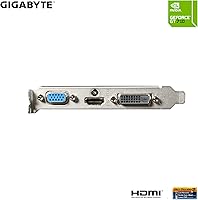
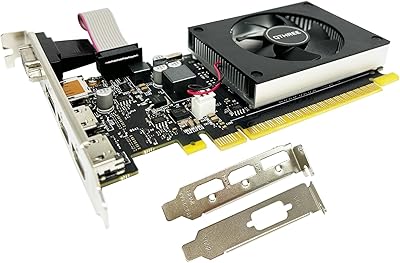
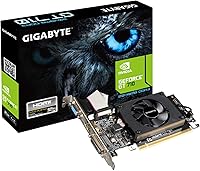
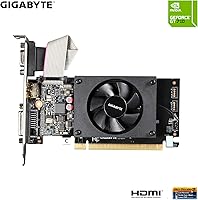
The low-profile bracket design is the standout feature here, and it genuinely matters. Standard full-height cards simply won't fit in slim desktops, mini-ITX builds, or living room HTPCs — this one will. It handles up to 4K resolution output across three connection types: HDMI, DVI-D, and D-Sub, which covers most modern and legacy monitors without an adapter scramble. The GIGABYTE GT 710 draws so little power that no external PCIe connector is needed, meaning you can drop it into almost any system without worrying about the power supply. Cooling is passive or near-silent, keeping things quiet in office or home theater environments where noise matters.

Best For

This budget graphics card makes the most sense for a fairly specific group of buyers. If you're building a home theater PC and need a compact card with clean HDMI output, it's an obvious fit. Same goes for office setups where someone needs to add a second monitor to a slim desktop that has no spare display output. IT professionals and system builders often keep a few of these on hand for quick fixes when integrated graphics fail. It also works well for reviving older machines — ones that pre-date modern display outputs — without committing to a full system upgrade. Not for gamers, and not for content creators.

User Feedback

Across more than 1,300 ratings at 4.5 stars, the pattern is clear: buyers who pick this low-profile GT 710 for the right reasons tend to walk away satisfied. Easy installation and the absence of any external power requirement come up constantly as positives. People also appreciate that it runs cool and quiet — exactly what you want in a shared workspace or living room setup. On the flip side, buyers who compared it to DDR5 variants of the same chip noted a noticeable gap in responsiveness. A small number of users ran into driver hiccups on older Windows installations. Expectations matter here — this card delivers exactly what it promises, nothing more.

Pros

  • Fits slim desktops and HTPCs where full-height cards are physically impossible to install.
  • No external PCIe power connector needed — works in almost any system without power supply concerns.
  • Supports up to 4K output via HDMI, DVI-D, and D-Sub, covering a wide range of monitors and TVs.
  • Near-silent operation makes it a natural fit for living room and quiet office environments.
  • Installation is straightforward — most users are up and running within minutes on modern systems.
  • The GIGABYTE GT 710 runs cool under typical desktop and media workloads with no active cooling required.
  • Over 1,375 verified ratings at 4.5 stars reflects consistent real-world reliability across diverse setups.
  • Compatible with both legacy and current systems, making it a practical rescue card for aging hardware.
  • Single-slot design leaves adjacent expansion slots free in tight builds with limited internal space.

Cons

  • DDR3 memory delivers noticeably less bandwidth than the DDR5 variant of the same chip — a real trade-off.
  • Driver installation on Windows 7 and older Linux builds can require manual sourcing and troubleshooting.
  • Running all three display outputs simultaneously at higher resolutions can produce signal instability.
  • No support for modern hardware-accelerated codec decoding, which can cause stuttering on high-bitrate 4K streams with weaker host CPUs.
  • Documentation in the box is minimal, leaving first-time builders without clear guidance on bracket swapping or port selection.
  • Multitasking with browser-heavy workflows can feel sluggish in a way that a DDR5 alternative would largely avoid.
  • Some users report the PCB and connector finish feel lightweight, raising minor concerns about long-term physical durability.
  • Very old motherboards may require a BIOS update before the card is properly recognized at boot.

Ratings

The GIGABYTE GeForce GT 710 2GB Graphics Card has been put through its paces by our AI rating engine, which analyzed thousands of verified global buyer reviews while actively filtering out incentivized, bot-generated, and duplicate submissions. What emerged is a clear picture of a card that excels in a narrow but genuinely useful role — and falls short the moment you ask it to go beyond that. Both the strengths and the honest limitations are reflected in the scores below.
Value for Money
88%
For buyers who need a basic display output in a slim machine, the price-to-utility ratio is hard to argue with. IT departments stocking spares and home users reviving older desktops consistently note they got exactly what they paid for without overspending.
Buyers who stretch the budget slightly toward a DDR5 variant of the same chip often feel they made the smarter call. For anyone expecting more than a desktop display card, the value perception drops quickly once real-world limitations surface.
Installation Ease
93%
The absence of an external power connector means you literally slot it in and connect a monitor — no cable management, no power supply concerns. Users across skill levels, from first-time builders to seasoned IT pros, consistently report a clean, frustration-free setup experience.
A small but recurring subset of reviewers encountered driver installation friction on older Windows versions, particularly pre-Windows 10 systems. In those cases, manual driver sourcing added unexpected time to what should have been a five-minute job.
Form Factor & Physical Fit
91%
The low-profile bracket is genuinely the reason many buyers choose this card over anything else. Slim desktops, mini-tower office machines, and HTPC enclosures that physically cannot accept a full-height card have essentially one practical option in this tier — and this is it.
The card ships with the low-profile bracket pre-installed in most configurations, but a handful of buyers noted confusion around bracket compatibility when building into non-standard cases. Documentation could be clearer on which bracket variant is included.
Display Output Quality
82%
18%
Supporting up to 4K resolution across HDMI, DVI-D, and D-Sub simultaneously covers a wide range of monitor and TV combinations without adapters. HTPC users piping content to a 4K television report clean, stable output with no signal issues during extended sessions.
While the maximum resolution spec looks impressive on paper, the DDR3 memory and modest core clock mean 4K output is best suited to static desktop use or video playback — not anything compute-intensive. Users expecting smooth 4K content processing will notice the ceiling quickly.
Thermal Performance
89%
Running cool and quiet is one of this budget graphics card's genuine strengths. Living room HTPC builders and open-plan office users specifically call out the near-silent operation as a deciding factor, particularly in environments where fan noise would be disruptive.
Because thermal feedback is passive or near-passive, there is limited user-reported data on sustained load behavior over long sessions. A small number of users in poorly ventilated cases mentioned the card running warmer than expected, though thermal shutdown reports are rare.
Raw Graphics Performance
41%
59%
For the tasks this card is actually designed for — running a desktop, streaming video, and powering basic productivity applications — the 954 MHz core clock and 2 GB of VRAM are adequate. Users who set expectations correctly report no lag or stutter in day-to-day office use.
Any attempt to use this low-profile GT 710 for gaming, even older or lightweight titles, results in a poor experience. The DDR3 memory and entry-level GPU architecture place a hard ceiling on graphical output that no driver update or setting tweak can meaningfully overcome.
Memory Specification
53%
47%
Two gigabytes of VRAM is sufficient for driving a standard desktop environment and handling 1080p media playback without issue. For the core use case — replacing dead integrated graphics or adding a second monitor — the memory spec does its job.
DDR3 is the weak link here. Buyers who researched the DDR5 version of the GT 710 and settled for this one to save a few dollars sometimes regret the trade-off, particularly when multitasking with browser-heavy workflows or light image editing feels noticeably sluggish.
Driver & Software Stability
74%
26%
On Windows 10 and Windows 11 systems, the GIGABYTE GT 710 is largely plug-and-play with automatic driver detection. The majority of users report no manual intervention needed, with the system recognizing the card and loading appropriate drivers on first boot.
Legacy system users — particularly those on Windows 7 or running Linux distributions — report a more inconsistent experience. Driver conflicts and the need to manually locate and install older NVIDIA packages created friction for a noticeable minority of reviewers in this group.
Multi-Monitor Support
78%
22%
Having three output types on a single low-profile card is a practical advantage for office environments needing dual-display setups. Users who paired HDMI and DVI-D outputs for a two-monitor productivity arrangement found it worked reliably without additional hardware.
While three outputs exist, running all three simultaneously is not always stable at higher resolutions according to some users. Those pushing dual 1080p monitors alongside a third display occasionally reported signal inconsistencies that required reverting to a two-output configuration.
Build & Component Quality
77%
23%
GIGABYTE's build reputation lends some confidence here. The card feels solid for its weight class, and buyers using it in long-term, always-on office setups report consistent performance over months of daily use without degradation or physical issues.
At 6.7 ounces and with budget-tier component costs, this is not a card built to premium tolerances. A few users noted the PCB feels lightweight, and the connector port finish on some units prompted minor concerns about long-term wear, though outright failures were rarely mentioned.
Power Efficiency
92%
No external PCIe power connector required is a significant practical benefit, especially in older or compact systems with modest power supplies. Users upgrading aging office desktops specifically cite the low power draw as a reason this card works where others would not.
The low power consumption is directly tied to the limited performance ceiling — there is no decoupling the two. Users who wanted slightly more capability while staying power-efficient found the gap between this card and the next meaningful tier to be larger than expected.
Compatibility with Legacy Systems
84%
This is one of the more versatile cards in its class for older hardware. Users slotting it into decade-old desktops with PCIe x16 slots report clean compatibility, giving machines with failed integrated graphics a new lease on life without a full rebuild.
BIOS-level compatibility on very old motherboards can be unpredictable. A handful of users with pre-2010 systems encountered boot display issues that required BIOS updates or settings adjustments before the card was properly recognized, adding complexity to an otherwise simple upgrade.
Media Playback Capability
81%
19%
For streaming services, local video files, and general media consumption on a connected TV or monitor, the GIGABYTE GT 710 handles itself well. HTPC users report smooth 1080p and stable 4K playback in applications like VLC and Kodi without dropped frames.
Hardware-accelerated decoding for newer codecs like AV1 is not supported at this GPU generation, which means some modern streaming content falls back to software decoding. On lower-end host CPUs, this can occasionally produce stuttering during high-bitrate 4K playback.
Package & Out-of-Box Experience
69%
31%
The card arrives ready to install with the low-profile bracket attached, and most buyers describe the unboxing as straightforward. No unnecessary accessories inflate the package, which suits the no-frills nature of the product and keeps things simple.
Documentation is minimal, which trips up first-time builders unfamiliar with bracket swapping or display output selection. A printed quick-start guide or clearer labeling of output ports would reduce the small but recurring stream of setup confusion reported in lower-star reviews.

Suitable for:

The GIGABYTE GeForce GT 710 2GB Graphics Card is the right call for a specific but surprisingly common set of buyers — people who need a working display output and nothing more. If you are building or upgrading a home theater PC inside a slim enclosure, this low-profile card slots in where full-height alternatives physically cannot, and it delivers clean HDMI output to a 4K TV without breaking a sweat on media playback. Office administrators and IT professionals who need to quickly restore display functionality to a desktop with failed integrated graphics will appreciate how fast and uncomplicated the installation is — no power connectors, no compatibility drama on most modern systems. Small business owners adding a second monitor to a compact office desktop will find it handles dual-display productivity tasks reliably day after day. It also makes genuine sense for anyone reviving an older PC that lacks modern video outputs, extending the useful life of hardware that would otherwise require a full replacement.
Not suitable for:

The GIGABYTE GeForce GT 710 2GB Graphics Card is the wrong purchase for anyone expecting graphical muscle beyond basic desktop and media duties. Gamers should look elsewhere entirely — even older or lightweight game titles will expose the hard performance ceiling of the GT 710 chipset and DDR3 memory combination, resulting in a frustrating experience regardless of settings. Content creators working with video editing, 3D rendering, or even moderately demanding image processing will hit memory and compute limitations almost immediately. Buyers who are aware of the DDR5 variant of the same GPU should think carefully before choosing this version to save a small amount — the memory bandwidth gap is real and noticeable under multitasking loads. Users on very old operating systems, particularly pre-Windows 10 environments, may also encounter driver installation friction that undermines the otherwise simple setup experience. If your use case involves anything beyond display output and light productivity, this budget graphics card is not the right tool.
Specifications

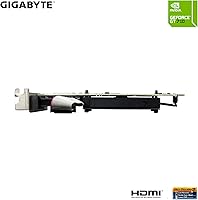
  • GPU Chip: Powered by the NVIDIA GeForce GT 710 chipset, an entry-level GPU designed for basic display output and desktop productivity tasks.
  • VRAM: Equipped with 2 GB of DDR3 video memory running at 1600 MHz, sufficient for desktop use and standard media playback.
  • Core Clock: The GPU core runs at 954 MHz, providing stable performance for light workloads while keeping power consumption very low.
  • Max Resolution: Supports a maximum output resolution of 4096x2160 pixels, enabling 4K display connectivity over compatible outputs.
  • Display Outputs: Provides three video outputs — Dual-link DVI-D, HDMI, and D-Sub (VGA) — covering a broad range of modern and legacy monitors.
  • Form Factor: Built to a low-profile specification, measuring 5.7 x 2.7 inches, making it compatible with slim desktops and small form factor cases.
  • Slot Width: Single-slot card design preserves adjacent PCIe expansion slots in compact or crowded motherboard configurations.
  • Power Connector: Requires no external PCIe power connector, drawing all necessary power directly from the motherboard slot.
  • Estimated TDP: Operates at a very low thermal design power, typically around 19W, making it suitable for systems with modest or aging power supplies.
  • Cooling System: Uses a passive or near-passive cooling solution that produces minimal fan noise, well suited to quiet office and living room environments.
  • Card Weight: Weighs approximately 6.7 ounces, reflecting its compact, single-slot low-profile construction.
  • USB 2.0 Port: Includes one USB 2.0 port onboard, adding a basic peripheral connection option directly from the card.
  • Chipset Brand: The GPU is manufactured on NVIDIA silicon, ensuring broad driver support through the standard NVIDIA GeForce driver package.
  • Manufacturer: Designed and produced by GIGABYTE, a Taiwanese hardware manufacturer with a long track record in graphics card production.
  • Model Number: Officially designated as the GV-N710D3-2GL REV2.0, identifying this as the second hardware revision of the DDR3 variant.
  • OS Compatibility: Compatible with Windows 10 and Windows 11 out of the box, with driver support also available for select earlier Windows versions.
  • PCIe Interface: Connects via a standard PCIe x16 slot and is backward compatible with PCIe x8 and x4 slots for use in older motherboards.
  • Card Color: Finished in black across the PCB and cooler shroud, giving it a neutral appearance that blends into most system builds.

Related Reviews
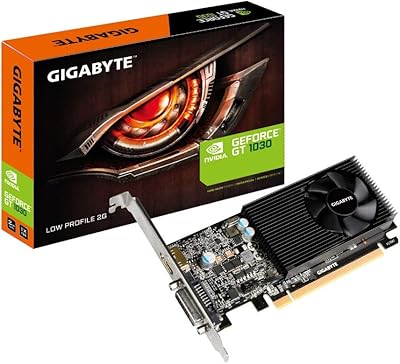
GIGABYTE GeForce GT 1030 2GB Graphics Card
71%
93%
Ease of Installation
91%
Form Factor & Fit
41%
Memory Performance
34%
Gaming Capability
84%
Multimedia & Video Playback
More
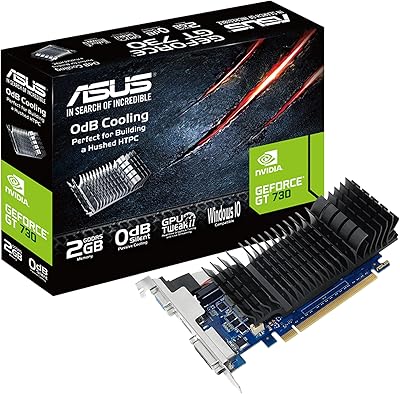
ASUS GeForce GT 730 2GB GDDR5 Graphics Card
85%
88%
Performance for Multimedia
94%
Silent Operation
90%
Value for Money
92%
Ease of Installation
89%
Power Consumption
More
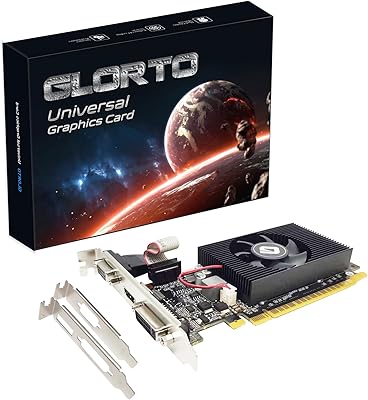
Glorto GeForce GT 610 2GB Graphics Card
76%
88%
Form Factor & Fit
91%
Installation Experience
86%
Display Output Versatility
83%
Display Resolution Support
67%
Thermal Performance
More
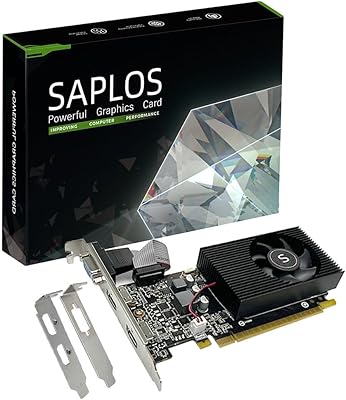
SAPLOS GT 730 2GB DDR3 Graphics Card
83%
91%
Value for Money
88%
Performance for Basic Tasks
94%
Quiet Operation
85%
Installation & Setup
62%
Driver Compatibility
More
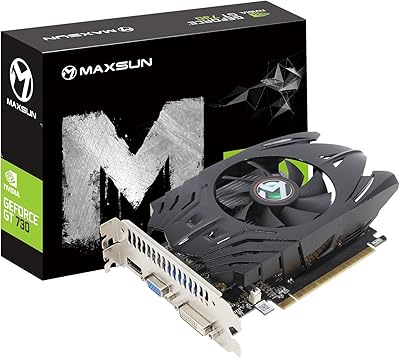
Maxsun GeForce GT 730 4GB Graphics Card
75%
83%
Value for Money
91%
Multi-Monitor Support
88%
Installation & Compatibility
89%
Form Factor & Physical Fit
31%
Gaming Performance
More
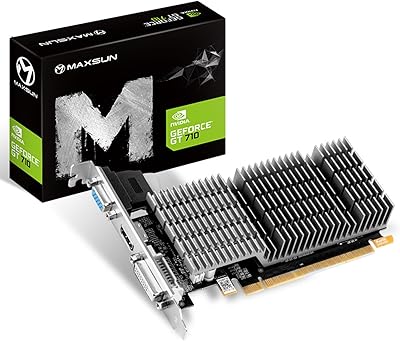
Maxsun GeForce GT 710 2GB Low Profile GPU
84%
88%
Performance for Basic Tasks
95%
Noise and Cooling
90%
Ease of Installation
92%
Value for Money
60%
Gaming Performance
More
QTHREE GeForce GT 730 4GB Graphics Card
74%
91%
Ease of Installation
88%
Multi-Monitor Support
86%
Form Factor Compatibility
89%
Power Efficiency
52%
Memory Bandwidth (DDR3 vs GDDR5)
More
GIGABYTE GeForce RTX 3050 Gaming OC 8GB Graphics Card
84%
91%
Value for Money
88%
Gaming Performance (1080p)
89%
Cooling Efficiency
84%
Build Quality
86%
Noise Level
More
EVGA GeForce GTX 950 2GB SC Gaming Graphics Card
83%
90%
Value for Money
88%
Performance at 1080p
91%
Cooling System Noise
87%
Power Consumption
85%
Ease of Installation
More
GIGABYTE GeForce RTX 5080 WINDFORCE OC SFF 16G
78%
93%
Gaming Performance
91%
DLSS 4 & AI Features
89%
SFF Compatibility & Fit
86%
Thermal Performance
84%
Noise Levels
More

FAQ

No — this is one of the more convenient things about the GIGABYTE GeForce GT 710 2GB Graphics Card. It draws all the power it needs directly from the PCIe slot on your motherboard, so there are no 6-pin or 8-pin power connectors to worry about. That makes it a particularly easy fit for compact systems or older desktops with small power supplies.

It is specifically designed to. The low-profile bracket means the card stands just 2.7 inches tall, which is the standard requirement for slim and small form factor enclosures. Standard full-height cards would not fit in those cases at all, so this is genuinely one of the few practical options available at this tier for that chassis type.

Yes, it supports multiple display outputs — HDMI, DVI-D, and D-Sub — so running dual monitors is achievable. Most users pairing an HDMI and a DVI-D monitor report stable dual-display operation for everyday productivity. Running all three outputs simultaneously at higher resolutions is technically possible but has produced occasional signal instability for some users, so dual output is the more reliable configuration.

Honestly, no — and it is worth being direct about that. The GT 710 is not a gaming GPU. Even older or lighter titles will expose its performance ceiling very quickly, and the DDR3 memory only adds to those limitations. If gaming is part of your plan at all, you should look at a different card. This one is strictly a display and desktop productivity solution.

The DDR5 variant of the same chip offers meaningfully better memory bandwidth, which translates to a more responsive feel when multitasking or running browser-heavy workflows. For basic single-display desktop use, the difference may not be obvious day to day. But if you are doing any amount of media work or running multiple browser tabs alongside other applications, the DDR5 version is worth the small additional cost if it is available.

It is about as approachable as hardware installation gets. You open the case, locate the PCIe slot, remove the appropriate back panel bracket cover, slide the card in until it clicks, secure the bracket screw, close the case, and connect your monitor. On Windows 10 and Windows 11, the system typically auto-detects the card and pulls drivers automatically. Most first-time builders complete the process in under ten minutes.

It may work, but expect a less smooth experience compared to Windows 10 or 11. A subset of users on older operating systems, including Windows 7, have reported needing to manually locate and install drivers rather than relying on automatic detection. It is not a dealbreaker for everyone, but it does add a step that more current systems avoid entirely.

Thermal performance is actually one of this low-profile GT 710's quiet strengths. Under typical desktop and media playback workloads, the card stays cool enough that the cooling solution operates passively or near-silently. Users in HTPC setups and open-plan offices consistently call out the near-silent operation as a specific reason they chose it. Only in poorly ventilated cases have users occasionally reported warmer-than-expected temperatures.

Yes — the HDMI output supports up to 4096x2160, so connecting it to a 4K television works. For media playback and desktop use at 4K, most HTPC users report clean and stable output. Keep in mind that this is not a card for compute-heavy 4K tasks — it is best suited to video playback and navigating a desktop interface at that resolution, rather than anything more demanding.

A couple of things. First, confirm your case actually supports low-profile cards — some micro-towers accept only full-height cards, which would make this a non-starter regardless of its size. Second, check whether your preferred bracket orientation (the card ships with one pre-installed) matches your case layout, since swapping it is straightforward but documentation on how to do so is minimal. Finally, if you are comparing this to the DDR5 version, the memory difference is worth factoring in rather than ignoring to save a small amount.

Where to Buy