Overview

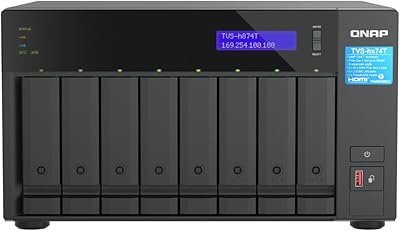
The QNAP TVS-h874 i7-32G 8-Bay NAS sits in an interesting middle ground — serious enough for small business IT infrastructure, yet accessible enough for dedicated home lab enthusiasts who have outgrown consumer-grade storage. What separates it from the crowded NAS market is its 12th Gen Intel Core i7 processor, a hybrid 8P+4E architecture that handles concurrent workloads in ways ARM-based units simply cannot match. Running on QuTS hero, QNAP's ZFS-based operating system, it brings enterprise-caliber data integrity and snapshot protection to a desktop form factor. It ships diskless, so factor drives into your budget — but that flexibility also means you build exactly the storage pool you need.
Features & Benefits

The storage architecture here is genuinely thoughtful. Eight SATA bays handle your spinning drives or 2.5-inch SSDs, while two M.2 PCIe Gen4 x4 slots let you layer fast NVMe storage on top — either as a cache tier to accelerate HDD pools or as a dedicated all-flash array. The 32GB of DDR4 RAM gives virtualization and Docker workloads real breathing room, and upgrading to 64GB is straightforward. On the networking side, dual 2.5GbE ports cover most office environments without requiring a 10GbE switch, and a PCIe Gen 4 expansion slot means you can add 10GbE or even 25GbE later. The HDMI output is a genuine bonus for media-heavy workflows — 4K playback handled directly on the unit, no separate streaming box required.

Best For

This desktop NAS makes the most sense for buyers who have specific, demanding workloads rather than simple file-sharing needs. Small creative studios that store and collaborate on large video projects will benefit from the combination of high throughput and on-device transcoding. IT administrators managing virtual machines and containers alongside backup routines will find the processing headroom genuinely useful. It is also a strong fit for businesses planning a multi-year infrastructure investment — the PCIe expandability and RAM ceiling mean the unit will not become a bottleneck as demands grow. That said, if your workload is basic file storage for a handful of users, the 8-bay QNAP is likely more power than needed.

User Feedback

With a 4.6-star average across 87 ratings, buyer sentiment skews strongly positive — but the reviews paint a nuanced picture. Small business IT professionals and home lab enthusiasts alike praise the build quality and ZFS reliability, noting that QuTS hero's snapshot and data integrity features hold up well in production environments. On the other side, some buyers flag that initial setup carries a real learning curve, particularly for those without prior NAS or ZFS experience. Fan noise under sustained load comes up periodically as a minor annoyance. A few reviewers raise the price-to-value question, especially when comparing to Synology alternatives, though most who genuinely need this unit's processing depth conclude the premium is justified.

Pros

  • The 12th Gen Intel Core i7 handles simultaneous VMs, transcoding, and file serving without hitting processing limits.
  • ZFS on QuTS hero delivers enterprise-grade data integrity and flexible snapshot recovery in a desktop form factor.
  • Dual M.2 PCIe Gen4 slots enable tiered storage, dramatically accelerating access to frequently used project files.
  • RAM is expandable to 64GB, giving virtualization and container workloads room to grow without replacing the unit.
  • Dual 2.5GbE ports support link aggregation, boosting multi-user throughput without a costly 10GbE switch.
  • The PCIe Gen 4 expansion slot makes upgrading to 10GbE or 25GbE networking a future option, not a replacement.
  • USB 3.2 Gen 2 ports at up to 10Gb/s make shuttling large media files from external drives genuinely fast.
  • Built-in HDMI output handles 4K playback and real-time transcoding directly on the unit, no extra hardware needed.
  • Build quality earns consistent praise — this 8-bay QNAP feels engineered for years of continuous operation.
  • Broad software ecosystem covers backup, surveillance, containers, and cloud sync without third-party dependencies.

Cons

  • Fan noise under sustained heavy workloads is a recurring complaint — plan for a closet or equipment room installation.
  • Initial setup requires real networking and storage knowledge; non-IT buyers face a steep and frustrating learning curve.
  • Diskless pricing is just the entry point — add drives, NVMe SSDs, and a 10GbE card for a fully capable system.
  • HDMI output is capped at 4K at 30Hz via HDMI 1.4b, falling short for high-frame-rate display use cases.
  • QNAP customer support response times drew criticism, especially for complex QuTS hero configuration issues.
  • The sheer volume of settings and apps in the QNAP ecosystem can overwhelm buyers who just need simple file sharing.
  • Thermal management in warm or poorly ventilated spaces requires attention — ambient environment matters here.
  • Buyers coming from Synology will find QuTS hero less polished and more complex to navigate day-to-day.
  • At over 20 pounds diskless, placement and desk space require planning before the unit even arrives.

Ratings

The scores below were generated by AI after analyzing verified buyer reviews worldwide for the QNAP TVS-h874 i7-32G 8-Bay NAS, with active filtering applied to remove incentivized, spam, and low-credibility submissions. Reviewers range from home lab power users to small business IT managers, giving us a broad and honest cross-section of real-world experience. Both the standout strengths and the genuine frustrations are reflected transparently in every category.

Processing Performance
93%
The 12th Gen Intel Core i7 with its hybrid core architecture handles simultaneous workloads — running VMs, transcoding video, and serving files to multiple users — without breaking a sweat. Reviewers doing surveillance recording alongside Docker containers noted they never hit a processing ceiling during normal operations.
A small number of users running extremely intensive parallel workloads, such as multiple 4K transcode streams plus active VM snapshots, reported occasional scheduling delays. This is an edge case, but buyers pushing the absolute limits should be aware the CPU is not unlimited.
Storage Flexibility
91%
Eight SATA bays combined with two NVMe M.2 PCIe Gen4 slots gives buyers rare architectural flexibility — you can run a tiered ZFS pool where NVMe handles metadata and hot data while HDDs absorb bulk storage. Creative teams managing large RAW photo and video archives found this hybrid approach genuinely impactful on access speeds.
The diskless configuration means upfront costs can balloon significantly once you price out eight enterprise-grade drives plus NVMe SSDs. A few buyers felt the total system cost was not sufficiently communicated at purchase, leading to sticker shock at the drive stage.
ZFS & OS Reliability
89%
QuTS hero's ZFS foundation earns consistent praise for data integrity — users running the unit as a primary business backup target reported zero silent data corruption incidents over extended periods. The snapshot scheduling is flexible and genuinely useful for versioned recovery without requiring third-party software.
QuTS hero is meaningfully more complex than consumer NAS operating systems like Synology's DSM. First-time NAS buyers or those without a Linux or ZFS background reported a steep learning curve during initial configuration, particularly around pool creation and network share permissions.
Networking Capability
84%
Dual 2.5GbE ports cover most small office environments without forcing a costly 10GbE switch upgrade — link aggregation lets teams pull close to 500MB/s aggregate throughput on compatible infrastructure. For studios sharing large project files across several workstations, this is a practical and cost-effective setup.
Buyers with existing 10GbE infrastructure will find the base networking a bottleneck and must purchase a PCIe expansion card separately to unlock that speed tier. The PCIe Gen 4 slot is there for exactly this purpose, but it adds to the total cost of a fully configured system.
RAM & Virtualization Headroom
88%
Shipping with 32GB of DDR4 and supporting expansion to 64GB, this desktop NAS handles virtualization workloads that would choke lesser units. IT managers running several lightweight VMs alongside containerized applications reported comfortable memory headroom with the base 32GB configuration.
Maxing out RAM to 64GB requires purchasing additional SO-DIMM modules separately, which some buyers felt should have been acknowledged more clearly in product positioning. Users who immediately needed the full 64GB noted the upgrade process, while straightforward, adds another line item to the budget.
Build Quality & Construction
87%
The chassis feels deliberately engineered for longevity — drive trays are solid, port placement is logical, and the overall assembly inspires confidence in a unit intended to run continuously. Several reviewers specifically noted it felt more like enterprise hardware than a consumer appliance.
At over 20 pounds diskless, installation in tight rack-adjacent spaces or on smaller desks requires some planning. A handful of users also noted the chassis runs warm in poorly ventilated environments, which feeds into the fan noise issue under sustained load.
Noise Level Under Load
67%
33%
Under light to moderate workloads — standard file sharing, scheduled backups overnight — the TVS-h874 runs at an acceptable noise level for a home office or equipment closet. Fans are not intrusive during idle or low-demand periods.
Under sustained heavy workloads like simultaneous transcoding, scrubbing large ZFS pools, and active VM operations, the cooling fans ramp up noticeably. Multiple reviewers flagged this as a real concern for open-plan office deployments, recommending a dedicated equipment room or closet installation.
Initial Setup Experience
63%
37%
For experienced NAS administrators or IT professionals, setup is logical and well-documented. QNAP's online resources and community forums are extensive, and users with prior ZFS or Linux experience generally got up and running without major friction.
For buyers without networking or storage administration experience, the initial configuration is genuinely challenging. Creating ZFS pools, setting up user permissions, and configuring network shares involves multiple interdependent steps that are not beginner-friendly, and a misstep early in setup can require a full reset.
Media Playback & Transcoding
82%
18%
The HDMI output handling 4K at 30Hz means this desktop NAS can double as a media server without additional hardware. Content creators archiving 4K project files appreciated being able to preview footage directly on an attached monitor during file management sessions.
The HDMI specification tops out at 4K at 30Hz via HDMI 1.4b, which falls short for buyers expecting 4K at 60Hz output for high-frame-rate content. Users accustomed to HDMI 2.0 or 2.1 standards noted this limitation when attempting to use the unit as a primary media playback device.
Expandability & Future-Proofing
91%
The PCIe Gen 4 expansion slot is a genuine long-term asset — buyers can add 10GbE or 25GbE networking cards as their infrastructure scales, without replacing the NAS itself. Reviewers planning multi-year deployments specifically cited this as a reason they chose this unit over cheaper alternatives.
The expansion slot, while valuable, represents a cost that budget-conscious buyers may not anticipate. Purchasing and installing a quality 10GbE card adds meaningfully to total expenditure, and some reviewers felt the base networking speed should have been higher given the unit's overall price tier.
USB Connectivity
78%
22%
USB 3.2 Gen 2 ports running at up to 10Gb/s make external drive transfers and expansion enclosure connections genuinely fast. Photographers and video editors transferring large libraries from shuttle drives to the NAS reported substantially faster ingestion speeds compared to USB 3.0 setups.
The number of USB ports, while adequate for most setups, can feel limiting when simultaneously connecting an external enclosure, a UPS management cable, and a backup drive. A USB hub resolves this, but it is an additional purchase some buyers did not anticipate.
Software Ecosystem
79%
21%
QNAP's app center covers a broad range of use cases — surveillance, cloud sync, container management, and backup — without requiring third-party software. IT admins managing hybrid cloud environments found the native cloud backup integration for major providers practical and reliable.
The breadth of the software ecosystem can itself be a source of confusion — the sheer volume of available apps and settings overwhelms buyers who just need straightforward file sharing. Some reviewers noted that QNAP's UI, while powerful, lacks the polished simplicity that Synology's DSM offers.
Value for Money
71%
29%
For buyers who fully leverage the processing power, ZFS capabilities, and expandability, the investment holds up well over a multi-year deployment cycle. Small businesses avoiding per-seat cloud storage fees often find the total cost of ownership favorable compared to subscription-based alternatives.
For buyers whose workloads do not demand this level of horsepower, the price gap versus capable mid-range NAS units is hard to justify. Several reviewers acknowledged they were paying for headroom they might never use, and recommended honestly auditing your actual workload before committing.
Thermal Management
74%
26%
Under normal operating conditions, thermal management keeps drive and CPU temperatures within healthy ranges. Users running the unit in climate-controlled server rooms or ventilated equipment cabinets reported stable long-term temperatures even during extended periods of high activity.
In warmer ambient environments or enclosed spaces without adequate airflow, temperatures climb faster than some buyers expected. A few reviewers in warm climates or small home offices with poor ventilation noted the unit ran hotter than they were comfortable with during summer months.
Documentation & Support
69%
31%
QNAP maintains an extensive knowledge base, active community forums, and detailed hardware documentation. For technically inclined users willing to research, answers to most configuration questions are findable without contacting support directly.
Official customer support response times drew criticism from several reviewers dealing with time-sensitive setup issues. Users accustomed to the responsiveness of consumer-tier support found QNAP's support experience slower and less intuitive, particularly for complex QuTS hero configuration problems.

Suitable for:

The QNAP TVS-h874 i7-32G 8-Bay NAS is built for buyers who have outgrown simple file sharing and need a storage platform that can carry real workloads. Small business IT administrators managing on-premises infrastructure will find the combination of ZFS data integrity, snapshot scheduling, and VM support genuinely practical rather than theoretical. Creative studios working with 4K or 8K media libraries benefit from the tiered storage architecture — NVMe slots accelerating access to active projects while high-capacity HDDs hold the archive. The TVS-h874 also fits home lab enthusiasts who want enterprise-class data protection without paying for a rack-mounted server, and organizations that need a reliable hybrid cloud backup hub that handles both local and cloud-side recovery. If you are planning to run Docker containers, host lightweight VMs, or manage surveillance streams alongside file serving, the processing headroom here is a genuine asset. Buyers who think five or six years ahead and want a NAS that grows with them via PCIe expansion and RAM upgrades will find this unit a sound long-term investment.
Not suitable for:

The QNAP TVS-h874 i7-32G 8-Bay NAS is genuinely the wrong tool for buyers whose primary need is simple, low-maintenance file sharing for a handful of home users. The QuTS hero operating system, while powerful, carries a meaningful learning curve — if configuring ZFS pools, managing network shares, and troubleshooting permission structures sounds unfamiliar or unappealing, this unit will frustrate more than it helps. The diskless design also means the advertised price is just the starting point; once you add eight drives and optional NVMe SSDs, the total outlay is substantially higher, making it a poor fit for buyers on a tight or fixed budget. Buyers in noise-sensitive environments — open-plan offices, shared home spaces, or small apartments — should know that fans ramp up audibly under sustained heavy loads. If your workload is modest and a mid-range four-bay NAS would cover your needs, the extra investment in this desktop NAS is difficult to justify on practical grounds alone.

Specifications

  • Processor: 12th Gen Intel Core i7 with a hybrid 8P+4E core architecture, totaling 12 cores and 20 threads for sustained multi-threaded workloads.
  • RAM: 32GB DDR4 SODIMM installed as two 16GB modules, with support for expansion up to 64GB via standard SO-DIMM slots.
  • Drive Bays: Eight hot-swappable bays compatible with both 3.5-inch and 2.5-inch SATA hard drives and SSDs.
  • M.2 Slots: Two M.2 PCIe Gen4 x4 NVMe slots support high-speed SSD caching or dedicated all-flash storage pools.
  • Networking: Dual 2.5GbE ports support speeds of 2.5G, 1G, and 100M, enabling link aggregation or simultaneous multi-network deployment.
  • PCIe Expansion: One PCIe Gen 4 expansion slot accommodates optional 10GbE or 25GbE network interface cards for high-throughput environments.
  • USB Ports: Multiple USB 3.2 Gen 2 ports — including both Type-A and Type-C — deliver transfer speeds of up to 10Gb/s for external drives and enclosures.
  • Display Output: One HDMI 1.4b port supports 4K resolution at 30Hz for direct media playback and real-time transcoding output.
  • Operating System: Runs QuTS hero, QNAP's ZFS-based NAS operating system, providing advanced data integrity, inline deduplication, and snapshot capabilities.
  • Form Factor: Desktop tabletop chassis designed for placement on a desk, shelf, or within a ventilated equipment cabinet.
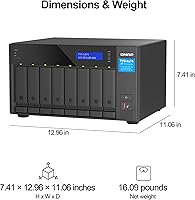
  • Dimensions: The unit measures 16 x 17 x 14 inches (L x W x H), requiring adequate clearance on all sides for airflow.
  • Weight (Diskless): The diskless chassis weighs 20.2 pounds; total weight increases substantially once drives are installed.
  • Drive Interface: All eight SATA bays use Serial ATA interface, compatible with standard 7200 RPM HDDs and SATA SSDs.
  • Drive Config: Ships diskless — no hard drives or NVMe SSDs are included, allowing buyers to specify their own storage configuration.
  • Transcoding: Supports real-time 4K media transcoding directly on the NAS using the integrated Intel processor, eliminating the need for a separate media server.
  • Virtualization: Supports running multiple virtual machines and Docker containers concurrently, enabled by the x86 Intel processor and expandable DDR4 RAM.
  • Snapshot Support: QuTS hero's ZFS engine supports scheduled and on-demand snapshots for versioned recovery of files, volumes, and virtual machines.
  • Cloud Backup: Built-in backup center supports backup and restore of cloud data and virtual machines to and from major cloud storage providers.
  • Amazon Ranking: Ranked #17 in the Network Attached Storage Devices category on Amazon, based on sales and customer engagement data.
  • User Rating: Holds a 4.6 out of 5 star average rating based on 87 verified customer reviews on Amazon.

Related Reviews
QNAP TVS-h874T-i9-64G 8-Bay NAS
83%
92%
Performance
68%
Setup/Installation
89%
Build Quality
85%
Software/Firmware Experience
80%
Usability/Ease of Use
More
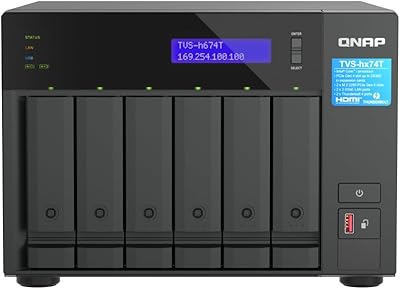
QNAP TVS-h674T-i5-32G 6-Bay NAS
84%
91%
Performance
85%
Ease of Setup
93%
Speed/Connectivity
88%
Build Quality
79%
Software Experience
More
QNAP TVS-h1688X-W1250-32G NAS
85%
91%
Performance
93%
Data Transfer Speed
88%
Reliability
72%
Setup & Installation
87%
Build Quality
More
QNAP TS-832PX-4G 8-Bay NAS with 10GbE SFP+ and 2.5GbE
85%
91%
Performance
94%
Network Connectivity
89%
Ease of Setup
85%
Expandability (RAM)
88%
Data Security (Encryption)
More
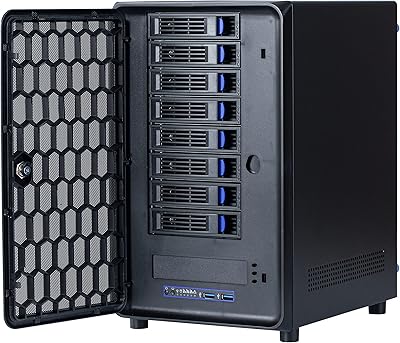
Asustor Lockerstor 8 AS6508T 8-Bay NAS
77%
91%
Network Performance
84%
Value for Money
88%
Build Quality
62%
Software (ADM)
83%
SSD Caching
More
KCMconmey NAS-812 8+2 Bay DIY NAS Case
84%
86%
Build Quality
62%
Cooling Performance
88%
Ease of Use
90%
Compatibility with PSU Types
91%
Customization Options
More
Synology DS1823xs+ 8-Bay NAS Enclosure
80%
91%
Build Quality & Chassis Durability
88%
Processor Performance
93%
Network Throughput & Connectivity
86%
Storage Expansion Flexibility
89%
DSM Software Ecosystem
More
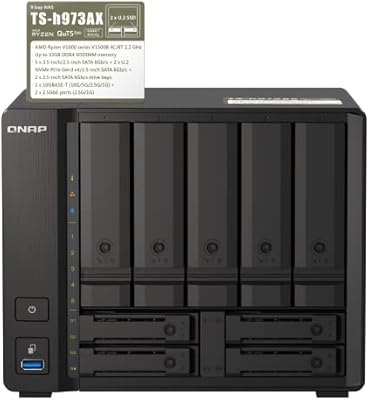
QNAP TS-h973AX 32G 9-Bay NAS
78%
91%
Storage Flexibility
84%
Network Performance
76%
Operating System & Software
88%
Processor & Compute Headroom
86%
RAM & Memory Configuration
More
QNAP TVS-h1288X-W1250-16G NAS
84%
93%
Performance
65%
Setup and Installation
89%
Data Integrity (ECC RAM)
91%
Network Speed (10GbE Ports)
88%
Storage Capacity (12-bay Setup)
More
AUDHEID K7 8 Bay NAS Case
86%
88%
Ease of Setup
91%
Cooling Performance
86%
Build Quality
89%
Customization Flexibility
92%
Noise Level
More

FAQ

No, the TVS-h874 ships completely diskless. You will need to purchase drives separately — budget for up to eight 3.5-inch or 2.5-inch SATA drives, and optionally one or two M.2 NVMe SSDs if you want cache acceleration or an all-flash tier. This gives you full control over capacity and drive quality, but do factor those costs in before purchasing.

Honestly, it has a steeper learning curve than most consumer NAS operating systems. If you are comfortable with networking concepts like VLANs, shared permissions, and storage pools, you will get through initial setup without too much friction. If this is your first NAS and you do not have an IT background, expect to spend time in QNAP's documentation and community forums before everything feels intuitive.

Yes, and this is one of the strongest use cases for this desktop NAS. The 12th Gen Intel Core i7 and 32GB of DDR4 RAM give you genuine headroom to run several lightweight VMs or Docker containers concurrently while still serving files to users on the network. Expanding to 64GB RAM makes heavier virtualization workloads even more comfortable.

Under light workloads — routine file access, scheduled backups — it is fairly unobtrusive. Once you push it hard, running simultaneous transcoding, scrubbing a large ZFS pool, or sustaining heavy VM activity, the cooling fans spin up and become noticeable. Most reviewers recommend treating this as equipment-closet hardware rather than a unit you want sitting open in a shared workspace.

Not necessarily at the start. The dual 2.5GbE ports cover most small office and studio scenarios well, especially when configured for link aggregation. If you outgrow that bandwidth later, the PCIe Gen 4 expansion slot lets you add a 10GbE or 25GbE network card without replacing the unit — it is a deliberate upgrade path rather than a limitation.

ZFS continuously checksums your data, so if a drive quietly corrupts a sector, the system detects and corrects it automatically — something traditional file systems like NTFS or ext4 cannot do on their own. You also get native snapshot support, meaning you can roll back files or entire volumes to a previous point in time without third-party backup software. For businesses storing critical data, that combination is a meaningful safety net.

The main trade-off is power versus ease of use. Synology's DSM operating system is widely regarded as more polished and beginner-friendly, which is a real advantage if setup simplicity matters to you. The TVS-h874 counters with significantly more processing power, ZFS at the OS level, and PCIe Gen 4 expandability — advantages that matter more to IT professionals and power users than to typical home buyers.

Yes, through two paths. The HDMI 1.4b port outputs 4K at 30Hz directly, so you can connect a display and use the NAS as a standalone media player. Alternatively, QNAP's Plex or multimedia server apps allow you to stream to smart TVs, media players, and other devices on your network with real-time transcoding handled on-device. The HDMI cap of 30Hz is worth noting if you have a high-refresh display.

Small business IT administrators, creative studios managing large video libraries, and technically experienced home lab users are the sweet spot. If you need a NAS that doubles as a virtualization host, handles on-premises backup and disaster recovery, and can scale its networking over time, the value proposition holds up well. If you mostly need simple file sharing for two or three home users, you are likely overpaying for capabilities you will not use.

Yes. The unit uses standard SO-DIMM DDR4 slots and ships with two 16GB modules installed, leaving room to swap up to 64GB depending on your chosen module configuration. QNAP publishes a compatibility list of tested memory modules on their website, and it is worth consulting that list before purchasing third-party RAM to avoid stability issues.

Where to Buy

Newegg.com
In stock $3,950.00
SHI International
In stock $3,371.00
NAS Headquarters
In stock $4,395.00