Overview

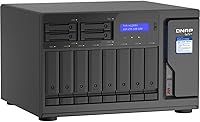
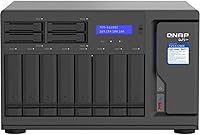
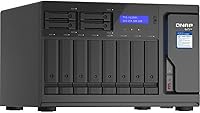
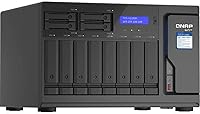
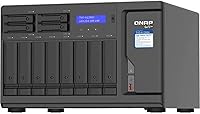
The QNAP TVS-h1288X-W1250-16G 12-Bay NAS is built squarely for professionals who have outgrown consumer-grade storage and need something closer to a workstation server. Its hybrid bay layout — eight 3.5-inch slots paired with four 2.5-inch slots — gives you real flexibility to mix spinning HDDs with fast SSDs in a single chassis. What separates it from the crowded mid-range NAS market is the QuTS hero OS, a ZFS-based platform that brings enterprise-grade data protection to a desktop form factor. The dual 10GbE ports are central to why this unit commands a serious price; it is simply not hardware aimed at home users storing family photos.

Features & Benefits

The heart of this prosumer storage unit is its Intel Xeon W-1250 processor — a 6-core chip that boosts to 4.7 GHz and handles real-time 4K transcoding without breaking a sweat. The 16GB of ECC DDR4 RAM catches memory errors before they corrupt data, which matters enormously when running active business workloads around the clock; with four DIMM slots supporting up to 128GB, headroom is not a concern. The Intel UHD P630 graphics offload transcoding tasks from the main CPU, keeping performance consistent under parallel loads. ZFS on QuTS hero adds inline deduplication and snapshot-based recovery that most NAS operating systems simply cannot match.

Best For

This 12-bay NAS is a natural fit for small post-production studios where editors pull large raw video files across the network simultaneously. IT administrators who want a capable on-premises virtualization host alongside centralized backup will find the combination of processing power and storage density hard to beat at this tier. Photographers archiving terabytes of high-resolution RAW assets will appreciate the scalable bay count. Running multiple Docker containers or lightweight VMs is well within reach here. What this unit is not suited for is the occasional home user wanting a simple file server — the complexity and cost place it firmly in a professional context.

User Feedback

Buyers consistently praise the chassis build quality — the unit feels solid and well-engineered, with nothing rattling under the weight of fully loaded drives. Real-world 10GbE throughput scores well against expectations, with users reporting strong transfer speeds in production environments. That said, the most common criticism centers on setup complexity: QuTS hero is a more demanding OS than standard QTS, and newcomers often need time to get comfortable with its ZFS configuration options. A handful of reviewers flagged fan noise under sustained heavy loads as noticeable in quieter office spaces. The QNAP app ecosystem draws mixed reactions — broad in scope but occasionally inconsistent in update cadence.

Pros

  • Xeon W-1250 CPU handles real-time 4K transcoding without throttling under sustained parallel workloads.
  • ECC DDR4 RAM actively corrects memory errors, protecting critical business data around the clock.
  • Dual 10GbE ports deliver the kind of throughput that makes a meaningful difference in multi-user environments.
  • ZFS on QuTS hero brings inline deduplication and snapshot recovery that budget NAS platforms simply cannot offer.
  • Hybrid bay design lets you mix large-capacity HDDs and fast SSDs within a single, unified storage pool.
  • RAM is expandable up to 128GB across four slots, giving this unit serious long-term headroom.
  • Four 2.5GbE ports add flexible options for network segmentation or connecting additional clients.
  • Build quality is consistently praised — the chassis feels genuinely robust, not like consumer-grade plastic.
  • Intel UHD P630 GPU offloads transcoding tasks, keeping the main CPU available for other concurrent jobs.
  • Ranked in the top 60 NAS devices on Amazon with a 4.5-star average across real buyer reviews.

Cons

  • QuTS hero has a steep learning curve; newcomers to ZFS will need time and patience during initial setup.
  • Fan noise becomes noticeable under heavy sustained loads, which can be disruptive in quiet workspaces.
  • The unit ships diskless, so total investment grows significantly once drives are factored in.
  • QNAP app updates can be inconsistent, with some third-party integrations lagging behind in polish.
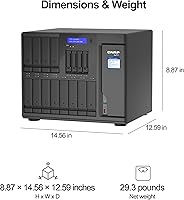
  • The desktop tower footprint and 25-pound weight make placement and cable management a real planning exercise.
  • Price-per-bay is high compared to competing units targeting similar workloads with fewer network ports.
  • No 25GbE or faster networking out of the box, which may limit longevity in rapidly scaling environments.
  • QuTS hero is a separate OS branch from standard QTS; users switching from other QNAP units must relearn workflows.

Ratings

The QNAP TVS-h1288X-W1250-16G 12-Bay NAS earns its reputation as a serious professional tool, and the scores below reflect exactly that — a unit that excels where it matters most for power users but carries real trade-offs that casual buyers should not overlook. These ratings were produced by AI analysis of verified global user reviews, with spam, bot-generated, and incentivized submissions actively filtered out before scoring. Both the strengths that make this prosumer storage unit genuinely compelling and the friction points that frustrate real-world buyers are represented transparently here.

Build Quality
91%
Buyers consistently describe the chassis as feeling overbuilt in the best possible way — heavy-gauge metal panels, tight tolerances, and drive trays that slide in without wobble. For a unit that runs 24/7 in a production environment, that rigidity translates directly to confidence in long-term reliability.
At nearly 25 pounds, the sheer physical weight makes repositioning or rack-adjacent placement a two-person job. A few users also noted that the drive tray latches, while sturdy, require deliberate force to seat fully.
Network Throughput
93%
Real-world 10GbE performance impresses even experienced network engineers, with multiple reviewers reporting sustained transfers well above what competing units achieve at this price tier. Post-production teams pulling large ProRes or RAW files across the network found it genuinely changes how they structure collaborative workflows.
Realizing the full throughput potential requires a 10GbE switch and compatible client NICs, which adds meaningful cost to the total deployment. Buyers who connect via standard gigabit networking leave most of the hardware's capability completely unused.
Processing Performance
89%
The Xeon W-1250 handles simultaneous transcoding, active snapshots, and container workloads without visible degradation — something most NAS CPUs buckle under. Editors running real-time 4K proxy generation while colleagues are actively reading from the same volume reported no noticeable slowdown.
The Xeon platform draws more power than ARM-based or lower-end Intel NAS units, which shows up in electricity costs over months of continuous operation. Workloads that push all six cores simultaneously also cause the fans to ramp up audibly.
Software Ecosystem
72%
28%
QuTS hero's ZFS foundation gives it capabilities — inline deduplication, block-level snapshots, data checksumming — that simply do not exist at this level on most competing NAS platforms. The QNAP App Center covers a broad range of use cases from surveillance to VM hosting.
App update cadence is inconsistent, with some packages going months between releases while bugs linger. A handful of reviewers flagged specific third-party integrations that felt unpolished compared to the hardware quality they were running on.
Setup Experience
58%
42%
For IT professionals familiar with ZFS concepts, initial configuration is logical and well-documented, with QNAP's setup wizard handling the basics competently. Users who have previously worked with FreeNAS or TrueNAS found the transition relatively straightforward.
Buyers coming from standard QTS or competing platforms like Synology DSM frequently describe a genuine learning curve that extends beyond a weekend. The distinction between storage pools, volumes, and shared folders in a ZFS context trips up many first-time QuTS hero users for days.
Value for Money
63%
37%
When evaluated purely on what the hardware delivers — Xeon CPU, ECC RAM, dual 10GbE, ZFS OS — the price is defensible against comparable workstation-class NAS configurations from enterprise vendors. Professionals who would otherwise pay significantly more for a rack-mount solution find real value here.
The diskless configuration means the sticker price is only the beginning, and the cost-per-bay calculation looks less favorable once drives are added and compared against competing 12-bay units. Budget-conscious buyers frequently note that similar raw storage capacity can be sourced elsewhere for less.
Noise Level
61%
39%
Under light workloads and at idle, the unit is quiet enough to sit in a shared workspace without becoming a distraction. Thermal management is competent, and the fans do not run at maximum speed unnecessarily during routine file operations.
Under sustained CPU and disk load — the exact scenario this unit was built for — fan noise climbs to a level that several reviewers described as intrusive in office environments. This is fundamentally not a quiet NAS, and buyers expecting near-silent operation will be disappointed.
RAM & Expandability
88%
Starting at 16GB of ECC DDR4 and scaling to 128GB across four slots gives this prosumer storage unit genuine longevity as virtualization and containerization workloads grow over time. ECC error correction adds a layer of data integrity that non-ECC consumer NAS units simply cannot offer.
DDR4 ECC UDIMM modules at higher capacities carry a premium cost compared to standard consumer RAM. Only four DIMM slots are available, so maxing out memory requires purchasing high-density modules rather than simply adding more sticks.
Storage Flexibility
86%
The hybrid layout of eight 3.5-inch and four 2.5-inch bays lets users implement practical tiered storage — spinning drives for deep archive capacity, SSDs in the smaller bays for active project tiers or caching. Few NAS units in this class offer that combination in a single desktop chassis.
All twelve bays are SATA only, with no native NVMe M.2 expansion slots built into the motherboard for dedicated SSD caching without add-in cards. Buyers planning heavy SSD-caching strategies may find this limiting compared to newer competing models.
Virtualization Support
82%
18%
Running lightweight VMs alongside active storage workloads is well within this unit's capabilities, and IT administrators have used it successfully as a cost-effective alternative to a separate dedicated virtualization server. Container Station handles Docker deployments reliably for those running self-hosted applications.
Memory bandwidth becomes a real bottleneck when several demanding VMs run concurrently alongside heavy NAS workloads, even with upgraded RAM installed. Users expecting to replace a proper hypervisor server entirely may find edge cases where the shared architecture shows its limits.
Hardware Transcoding
84%
The Intel UHD P630 GPU handles hardware-accelerated transcoding effectively, allowing Plex or QNAP's own multimedia station to serve multiple streams without hammering the main CPU. Video editors using the unit for proxy file generation found the GPU offload made a measurable difference in sustained throughput.
The P630 is an integrated workstation-class GPU, not a dedicated media engine, so extremely high simultaneous stream counts can still saturate its transcoding capacity. 8K hardware transcoding in particular pushes the GPU closer to its limits than most promotional descriptions suggest.
Reliability & Uptime
87%
Long-term buyers running this prosumer storage unit as an always-on production server report strong uptime records, with ZFS checksumming catching silent data corruption events that would go completely undetected on ext4-based NAS platforms. ECC RAM further reinforces confidence for mission-critical deployments.
QNAP's firmware update history has occasionally introduced instability, and a small number of reviewers reported needing to roll back after updates caused unexpected reboots. Running a NAS at production scale means firmware timing and testing cadence matters more than it does for casual users.
Documentation & Support
67%
33%
QNAP maintains an extensive knowledge base and active community forum where many QuTS hero configuration questions have already been answered in detail. Setup guides for common scenarios like RAID configuration, snapshot scheduling, and VM setup are thorough and regularly updated.
Official QNAP support response times draw mixed reviews, with some business buyers reporting slower-than-expected replies during critical issues. The breadth of the product line means some documentation feels written for a generic audience rather than specifically addressing QuTS hero edge cases.

Suitable for:

The QNAP TVS-h1288X-W1250-16G 12-Bay NAS was built for professionals who treat storage as infrastructure, not an afterthought. Small post-production studios where multiple editors pull 4K or 8K raw footage across the network simultaneously will find the dual 10GbE ports and Xeon CPU genuinely transformative for daily throughput. IT administrators running on-premises backup, lightweight virtualization, or containerized applications get a surprisingly capable all-in-one platform without needing a full rack server. Photographers and videographers sitting on tens of terabytes of RAW assets will value the hybrid bay layout, which allows spinning drives for bulk capacity and SSDs for active project tiers in the same chassis. Businesses where data integrity is non-negotiable — accounting firms, medical offices, engineering teams — benefit directly from ECC RAM and ZFS-level snapshot protection running underneath every workload.

Not suitable for:

The QNAP TVS-h1288X-W1250-16G 12-Bay NAS is a poor match for anyone who just wants simple, plug-and-play file sharing at home. The QuTS hero operating system is powerful precisely because it is complex, and buyers who are not comfortable with concepts like ZFS pools, storage volumes, or network configuration will find the learning curve genuinely steep. The price point alone rules it out for casual users who only need to back up a few laptops or stream media to a TV — far cheaper units handle those tasks without the overhead. At nearly 25 pounds and with fans that spin up audibly under sustained load, this prosumer storage unit is also impractical for a quiet home office or bedroom setup. If budget is a primary constraint and 10GbE networking is not a requirement, competing units offer better cost-per-bay ratios for lighter workloads.

Specifications

  • Processor: Intel Xeon W-1250 6-core CPU runs at a base clock of 3.3 GHz and boosts up to 4.7 GHz for demanding compute tasks.
  • RAM: 16GB ECC UDIMM DDR4 memory is included, expandable up to 128GB across four long-DIMM slots.
  • Storage Bays: The unit provides 8 x 3.5-inch and 4 x 2.5-inch SATA bays, all diskless, supporting both 6Gb/s and 3Gb/s SATA speeds.
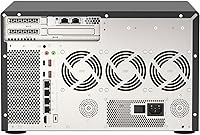
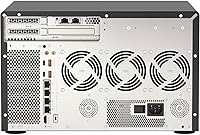
  • Network Ports: Two 10GbE ports and four 2.5GbE ports (supporting 2.5G, 1G, and 100M speeds) are built into the rear panel.
  • Graphics: Intel UHD Graphics P630 is integrated into the Xeon processor for hardware-accelerated media transcoding.
  • Operating System: QuTS hero, QNAP's ZFS-based NAS operating system, comes pre-installed and supports inline deduplication, compression, and snapshots.
  • Form Factor: Desktop tower chassis constructed with a rigid metal frame, finished in black.
  • Dimensions: The unit measures 14.59 x 12.59 x 9.24 inches (L x W x H).
  • Weight: The chassis weighs approximately 24.9 pounds without installed drives.
  • Max RAM: The four DIMM slots support a maximum installed capacity of 128GB DDR4 ECC UDIMM.
  • RAM Type: Only ECC UDIMM DDR4 modules are supported; non-ECC or RDIMM modules are not compatible.
  • SATA Standard: All drive bays support SATA 6Gb/s for current-generation HDDs and SSDs, with backward compatibility at 3Gb/s.
  • GPU Acceleration: The integrated P630 GPU handles hardware transcoding tasks to reduce load on the main CPU cores.
  • Amazon Ranking: This unit is ranked #54 in the NAS Devices category on Amazon as of its latest sales rank update.
  • User Rating: It holds an average rating of 4.5 out of 5 stars based on 51 customer ratings on Amazon.
  • Availability Date: The product was first made available for purchase on October 19, 2020.
  • Manufacturer: Designed and manufactured by QNAP Systems, Inc., a Taiwan-based network storage specialist.
  • Compatible Clients: The unit is compatible with Windows, macOS (including Mac OS 10.10 and later), and Linux client systems across the network.

Related Reviews
QNAP TVS-h1688X-W1250-32G NAS
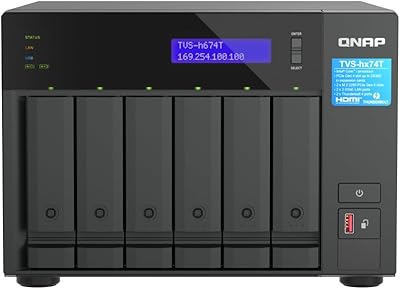
85%
91%
Performance
93%
Data Transfer Speed
88%
Reliability
72%
Setup & Installation
87%
Build Quality
More
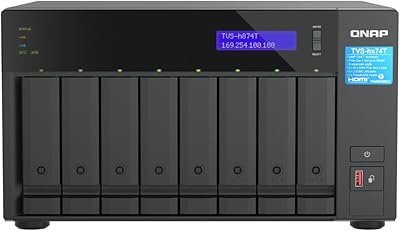
QNAP TVS-h874T-i9-64G 8-Bay NAS
83%
92%
Performance
68%
Setup/Installation
89%
Build Quality
85%
Software/Firmware Experience
80%
Usability/Ease of Use
More
QNAP TVS-h674T i5 6-Bay Desktop NAS
76%
91%
Thunderbolt 4 Performance
88%
Build Quality
86%
Storage Flexibility
67%
Software & OS (QuTS hero)
84%
Real-Time Transcoding
More
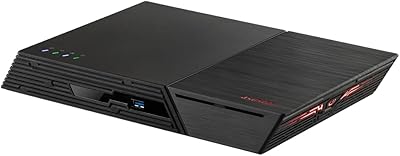
QNAP TVS-h874 i7-32G 8-Bay NAS
80%
93%
Processing Performance
91%
Storage Flexibility
89%
ZFS & OS Reliability
84%
Networking Capability
88%
RAM & Virtualization Headroom
More
Asustor Flashstor 12 Pro Gen2 NAS
76%
93%
Read/Write Performance
61%
SSD Compatibility
89%
Noise & Thermal Management
47%
USB4 / Thunderbolt Connectivity
84%
Build Quality & Design
More
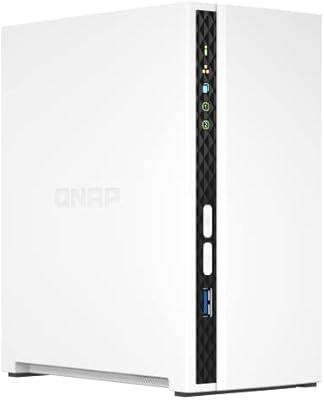
QNAP TS-233 2-Bay NAS Drive
77%
83%
Ease of Setup
78%
Software & App Ecosystem
76%
Performance for File Sharing
87%
Backup Reliability
58%
Media Streaming
More
QNAP TS-433-4G 4-Bay NAS
73%
89%
Network Speed
91%
Storage Capacity
77%
Value for Money
62%
Processor Capability
68%
QTS Software
More
QNAP TS-435XeU-4G 4-Bay Rackmount NAS
74%
88%
Network Performance
91%
Build Quality & Physical Design
72%
Software & OS Flexibility
61%
Setup & Initial Configuration
67%
M.2 NVMe Cache Performance
More
QNAP TS-453E 4-Bay NAS
79%
91%
Network Performance
87%
Processor Performance
68%
Software & OS (QTS)
89%
Build Quality
73%
Value for Money
More
QNAP TR-004U 4-Bay Rackmount NAS Expansion

78%
88%
Build Quality
91%
RAID Configuration
86%
Ecosystem Integration
67%
DAS Mode Usability
83%
Drive Tray Security
More

FAQ

No, it ships completely diskless. You need to purchase drives separately and install them yourself, which gives you full control over capacity and drive brand — just make sure to check QNAP's compatibility list before buying.

Yes, meaningfully so. QuTS hero is built on ZFS, which changes how storage pools and volumes are created and managed compared to the ext4-based QTS. If you have experience with standard QTS, expect a relearning period of a few days before things feel natural.

Yes, the QNAP Xeon NAS supports both QNAP Virtualization Station for full VMs and Container Station for Docker containers. The Xeon CPU and generous RAM headroom make it genuinely capable for running lightweight VMs alongside active storage workloads.

At idle or light load it is reasonably quiet, but under sustained heavy workloads the fans spin up noticeably. Several buyers have mentioned this is not a unit you want sitting on a desk in a quiet office — a dedicated equipment room or storage closet is a better fit.

You can install up to 128GB of ECC UDIMM DDR4 RAM across the four available DIMM slots. The unit ships with 16GB already installed, so you have room to upgrade significantly as your workloads grow.

Yes, as long as your switch has standard SFP+ or RJ45 10GbE ports that match the NAS connections. The QNAP TVS-h1288X-W1250-16G 12-Bay NAS uses standard 10GbE interfaces, so it should integrate with any compliant 10G switch without special configuration.

That is exactly the scenario it was designed for. With dual 10GbE ports and a Xeon processor handling transcoding via the integrated GPU, multiple editors can pull high-bitrate footage simultaneously without saturating the network connection.

It has a learning curve, especially around concepts like storage pools, volumes, and snapshots. That said, QNAP provides solid documentation and the interface guides you through the setup process. Most technically inclined users get comfortable within a week of regular use.

Yes, you can mix drive capacities across both the 3.5-inch and 2.5-inch bays, though your RAID configuration will determine how usable capacity is calculated. Many users put large-capacity spinning drives in the 3.5-inch bays and use the 2.5-inch slots for SSDs as a cache or tiered storage layer.

Both brands offer solid hardware at this tier, but the key difference is the OS philosophy. QuTS hero with ZFS offers more advanced data integrity features like native checksums and inline deduplication, whereas Synology DSM is generally considered more accessible for less technical users. Your choice really comes down to whether ZFS capabilities justify the added configuration complexity for your specific workflow.