

Overview
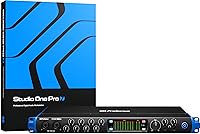
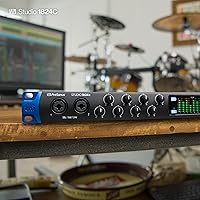
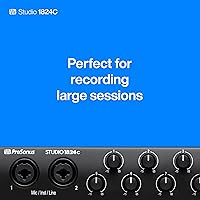
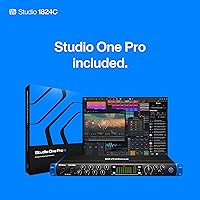
The PreSonus Studio 1824c marks a significant step for creators moving from cramped desktop setups into a professional rackmount ecosystem. Out of the box, the 1U all-metal chassis feels incredibly rugged, suggesting it can handle years of being bolted into a studio desk or a mobile rack. This USB-C interface functions as a high-channel-count hub, offering enough I/O density to manage a complex home studio without feeling cluttered. Looking at the front-panel layout, the tactile feel of the gain knobs is satisfyingly firm, and the bright LED ladder metering provides immediate visual confirmation of your levels. It is a dense, well-built piece of hardware that immediately gives the impression of a serious tool designed for heavy daily use rather than a plastic consumer peripheral.
Features & Benefits
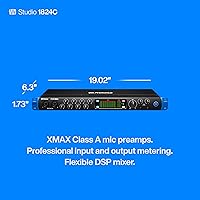
Capturing transparent audio is the core strength here, thanks to eight XMAX Class A preamps that deliver plenty of clean gain for various microphones. Recording at 192 kHz with a 114 dB dynamic range ensures your tracks have the headroom and clarity needed for professional mixing. The 1824c provides the flexibility to track full bands by utilizing 18 simultaneous inputs, which is rare at this price point. Beyond the analog connections, you can easily grow your setup using the onboard ADAT and S/PDIF ports for extra channels. Whether you are plugging in guitars or synths, the high-headroom instrument inputs prevent clipping during aggressive performances. This rackmount unit makes the technical side of recording feel secondary to the performance, which is exactly what a good interface should do.
Best For
This USB-C interface is a standout choice for drummers who need to mic up a full kit without running out of inputs. Similarly, electronic musicians managing a wall of hardware synthesizers will appreciate having so many line-level connections available in a single space. It serves small-to-medium project studios that want a permanent rack-ready workstation rather than something that slides around on a desk. Producers who are just starting out also get a huge head start with the included software bundle. Getting the Studio Magic suite right out of the box saves a lot of money on essential plugins. For anyone who needs to record more than two or four sources at once, this rackmount unit offers a clear path toward more ambitious production projects.
User Feedback
Real-world usage often highlights the low-latency performance during intense tracking sessions, which keeps the rhythm tight for performers. Many users mention the convenience of having two headphone outputs with independent mixes, allowing a producer and a musician to monitor exactly what they need. While the hardware is generally reliable on both Windows and macOS, some newcomers find the initial registration for the software bundle a bit tedious. However, most agree the value of the included plugins makes the extra effort worthwhile. Drivers remain stable during long sessions, though a few people have noted the unit runs a bit warm in tight racks. Overall, the 1824c is praised for providing stable, professional results without requiring a massive financial investment or a degree in engineering to operate.
Pros
- Eight transparent XMAX Class A preamps provide a clean signal for professional-grade vocal and instrument tracking.
- The 18-in/20-out connectivity offers incredible flexibility for recording full bands or complex hardware synth rigs.
- Dual independent headphone outputs allow the engineer and artist to monitor customized mixes simultaneously.
- Bright LED ladder metering on the front panel makes it easy to monitor signal health from across the room.
- The included Studio Magic suite adds over $1,000 in software value right out of the box.
- Onboard ADAT and S/PDIF ports ensure the PreSonus Studio 1824c can expand as your gear collection grows.
- Low-latency performance ensures a tight, responsive feel for performers during intensive tracking sessions.
- Rugged all-metal construction provides the durability needed for professional rackmount environments.
Cons
- The 1U chassis can run quite warm when mounted in a rack without dedicated airflow or spacing.
- Rear-only access for six of the mic inputs can make quick cable swaps difficult in deep studio desks.
- The registration and installation process for the large software bundle can be time-consuming and fragmented.
- An external power adapter is required, which adds to cable clutter compared to interfaces with internal power supplies.
- The gain knobs are spaced closely together, which might feel slightly cramped for users with larger hands.
- Windows driver installation occasionally requires manual troubleshooting to reach peak stability on certain hardware configurations.
- Headphone output volume may feel slightly underpowered when driving high-impedance studio headphones like 250-ohm models.
- The unit lacks front-panel combo jacks beyond the first two inputs, limiting quick-plug accessibility.
Ratings
Our team analyzed thousands of verified global buyer experiences to evaluate the PreSonus Studio 1824c, utilizing advanced AI to filter out incentivized noise and bot-generated clutter. This scoring reflects the raw, unfiltered reality of how this hardware performs in professional home studios, balancing its impressive I/O density against common user friction points.
Preamplifier Clarity
Chassis & Build Quality
Low-Latency Performance
Software Bundle Value
Monitoring Flexibility
Visual Feedback
Input/Output Versatility
Driver Stability
MIDI & Digital Sync
Price-to-Performance Ratio
Suitable for:
The PreSonus Studio 1824c is a standout choice for home studio owners who have outgrown their two-channel desktop setups and need to move into a rack-mounted workflow. It is particularly effective for drummers who require eight onboard preamps to capture a full kit or for electronic musicians who need to keep multiple synthesizers permanently patched in. Producers working in small-to-medium project studios will appreciate the high channel count and the professional visual feedback provided by the LED ladders. Furthermore, the massive software bundle makes it an excellent value for those just starting to build their digital plugin collection.
Not suitable for:
If you are a solo podcaster or a mobile content creator who prioritizes portability and desk space, the PreSonus Studio 1824c may be more hardware than you actually need. Its 1U rackmount form factor is designed for permanent installation rather than being tossed into a laptop bag for recording on the go. Additionally, users who already own a high-end collection of boutique outboard preamps might find the clinical, neutral sound of the XMAX preamps a bit too sterile for their tastes. Finally, those on extremely tight budgets who only ever record one or two sources at a time should look toward smaller, simpler interfaces to avoid paying for inputs they won"t use.
Specifications
- Preamplifier Type: The unit features eight XMAX Class A analog microphone preamplifiers designed for high-headroom and low-noise recording.
- Digital Resolution: It supports professional high-definition audio recording and playback at up to 24-bit/192 kHz resolution.
- Dynamic Range: The converters provide a 114 dB dynamic range to capture complex signal peaks without distortion.
- Input Count: The hardware provides 18 simultaneous inputs, including eight mic/line inputs and digital ADAT expansion.
- Output Count: It features 20 simultaneous outputs, consisting of eight balanced line outputs, two main outputs, and digital connections.
- Chassis Design: The device is housed in a heavy-duty, all-metal 1U rackmount chassis for standard 19″ equipment racks.
- Connectivity: The interface utilizes a USB-C compatible connection and is fully backward compatible with USB 2.0 ports.
- Headphone Outputs: Two independent 1/4″ TRS headphone outputs are provided with dedicated front-panel volume controls.
- Digital I/O: Expansion options include eight channels of ADAT Optical I/O and stereo S/PDIF coaxial connections.
- MIDI Interface: Standard 5-pin MIDI Input and Output ports are located on the rear panel for connecting external controllers.
- Metering: The front panel includes professional eight-segment LED ladder meters for all eight analog input channels.
- Instrument Inputs: Two front-mounted inputs are specifically optimized with high-headroom for direct recording of guitars and basses.
- Weight: The physical unit weighs approximately 4.8 lbs, making it light enough for mobile racks but substantial in build.
- Dimensions: The total physical footprint measures 19.02″ wide by 5.51″ deep by 1.73″ high.
- Software Bundle: It includes licenses for Studio One Artist, Ableton Live Lite, and the Studio Magic Plugin Suite.
Related Reviews
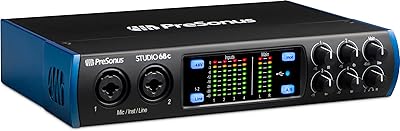
PreSonus Studio 68c USB Audio Interface
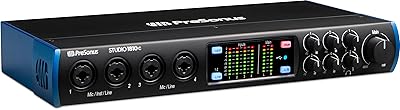
PreSonus Studio 1810c USB Audio Interface
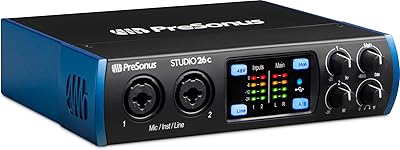
PreSonus Studio 26c USB Audio Interface
PreSonus Studio 24c
PreSonus Studio 192 USB 3.0 Audio Interface

Beats Studio Buds True Wireless Earbuds
Microsoft LifeCam Studio
Calibrite ColorChecker Studio Color Calibrator
AKG C214