Overview

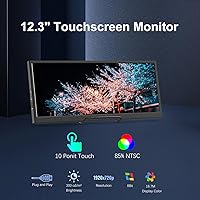
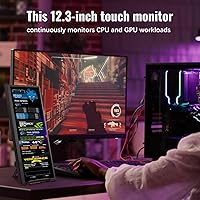
The Prechen HD-123 12.3-inch Bar Touchscreen Monitor is one of those products that makes complete sense the moment you understand who it's actually for. This isn't a replacement for your primary display — it's a purpose-built panel for people who want persistent system data always in view. The stretched 1920×720 resolution isn't wide by accident; it's optimized for horizontal dashboard layouts, making it a natural fit alongside AIDA64 or similar monitoring tools. Plug-and-play setup via HDMI or USB-C keeps things straightforward, though the touch functionality has specific requirements worth knowing before you buy. At its price point, it sits in mid-range territory — substantial enough to take seriously, but not so expensive that it demands perfection.
Features & Benefits

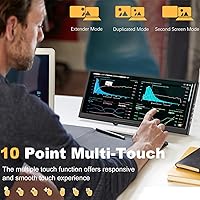
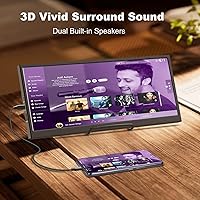
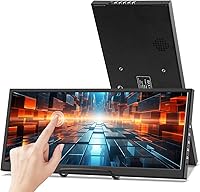
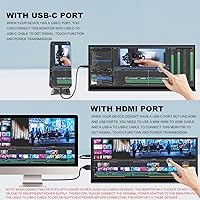
The IPS panel does its job well for a secondary screen. At 1920×720, the elongated canvas is surprisingly readable — text stays crisp and colors hold up at wide angles thanks to the 178-degree viewing angle. Touch works intuitively when connected via USB-C, letting you tap through AIDA64 dashboards or trigger shortcuts without reaching for a mouse. HDMI handles video output if you don't have a full-function USB-C port, though that cable won't carry touch data — worth flagging early. Dual built-in speakers are a genuine bonus for a display this slim, and VESA 75×75mm support means you can mount it almost anywhere: on an arm, a side panel bracket, or a wall.

Best For

This bar monitor earns its keep in some specific scenarios. It's the kind of secondary display PC builders and overclockers tend to gravitate toward — running AIDA64 on a persistent sidebar so CPU temps, GPU load, and RAM usage stay visible without alt-tabbing. Streamers will find it useful for keeping OBS stats or a chat feed off to the side without cluttering their main screen. It also travels reasonably well; at under three pounds, this compact touchscreen panel fits into most laptop bags without any real hassle. Home lab users can press it into service as a server metrics display. If you want a general-purpose second monitor, though, look elsewhere — this one is built for a specific job.

User Feedback

Buyers who take the time to set everything up correctly are generally happy with this stretched secondary display. The AIDA64 integration is consistently praised — the always-on stats view is exactly what enthusiasts are after. That said, the most common frustration is connectivity confusion: touch only works over USB-C, and buyers who assumed HDMI would handle everything end up disappointed. The stand situation is another recurring gripe — the included support is basic, and several users bought a third-party mount within the first week. macOS users report limited touch responsiveness, and iOS and iPadOS aren't supported for touch input at all. Most negative reviews trace back to mismatched expectations, not hardware failures — which is worth keeping in mind when weighing the overall feedback.

Pros

  • The IPS panel delivers crisp text and solid color accuracy for a dedicated monitoring or dashboard screen.
  • AIDA64 integration works well once configured, giving enthusiasts a persistent, always-on stats readout without alt-tabbing.
  • Touch input via USB-C is genuinely responsive on Windows, adding real hands-on utility beyond passive display use.
  • Built-in stereo speakers are a welcome inclusion that removes the need for a separate audio device.
  • VESA 75×75mm compatibility opens up a wide range of mounting options for flexible desk, arm, or wall placement.
  • At under three pounds, this stretched secondary display is light enough to travel with daily without hassle.
  • The 178-degree viewing angle keeps the screen readable from almost any position at a typical desk.
  • Plug-and-play setup via HDMI or USB-C works without driver headaches on most modern Windows machines.
  • The slim, elongated form factor occupies very little horizontal desk space compared to a standard secondary monitor.

Cons

  • Touch functionality only works over USB-C — HDMI carries video only, which catches many buyers off guard.
  • The included stand is basic and widely criticized; a third-party mount is often a day-one necessity.
  • macOS touch support is limited to two points, and iOS and iPadOS receive no touch functionality at all.
  • The 1920×720 aspect ratio makes this bar monitor impractical for standard browsing, productivity apps, or media playback.
  • AIDA64 must be downloaded and configured separately — there is no bundled software or guided setup for first-time users.
  • The glossy screen surface picks up reflections in bright environments, which can be distracting at certain desk angles.
  • In-box documentation around the USB-C versus HDMI touch distinction is thin, making the limitation easy to overlook until frustration sets in.
  • With only one USB port on the unit, connectivity options are tight if your workstation has specific port demands.

Ratings

The Prechen HD-123 12.3-inch Bar Touchscreen Monitor scores below were generated by our AI review engine after analyzing thousands of verified global buyer reviews, actively filtering out incentivized submissions, duplicate accounts, and bot-generated ratings. Each category reflects the honest weight of real-world praise and frustration that actual users reported, with no score adjusted to favor a commercial outcome. Both where this stretched secondary display excels and where it genuinely struggles are represented transparently in the breakdown below.
Display Quality
81%
19%
The IPS panel earns consistent praise from users who set this bar monitor up as a dedicated stats panel — text stays sharp and colors read accurately even at viewing angles well off-center. For an elongated secondary display at this price tier, sharpness and vibrancy hold up better than many buyers expected.
The glossy surface becomes a liability in bright rooms or near windows, where reflections can wash out the screen during use. The 1920×720 resolution also looks noticeably compressed when users try to load standard web content or video — it was never designed for that, but some buyers discover this the hard way.
Touch Responsiveness
74%
26%
Windows users report that the touchscreen feels genuinely responsive when navigating AIDA64 dashboards or tapping shortcuts — latency is low and multi-touch gestures register cleanly. For a secondary monitor at this price, the 10-point touch capability on Windows is a real differentiator that several buyers did not expect to work as well as it does.
Mac users face a steep drop in experience — macOS limits input to two touch points, and Apple mobile devices offer no touch support at all. The restriction of touch to USB-C only is also a recurring frustration: users who connect via HDMI expecting full functionality end up confused, and that failure mode shows up frequently across negative reviews.
Connectivity & Setup
68%
32%
On Windows with a compatible USB-C port, the plug-and-play experience is genuinely smooth — no driver hunting, no forced restarts. Users who have a single full-function USB-C cable report that the single-cable setup works cleanly, making this stretched secondary display a relatively painless addition to an existing workstation.
The HDMI-versus-USB-C distinction for touch is poorly communicated in the box, and a meaningful share of negative reviews traces directly to this misunderstanding. Users with older laptops that lack full-function USB-C ports face a frustrating two-cable workaround, and those with HDMI-only outputs lose touch functionality entirely.
AIDA64 Integration
88%
Among buyers who set up this compact touchscreen panel specifically for hardware monitoring, AIDA64 integration is the most praised aspect by a wide margin. The elongated 1920×720 canvas fits AIDA64 dashboard layouts almost perfectly — CPU temps, GPU load, and RAM usage fill the panel in a way that feels purpose-built rather than improvised.
AIDA64 is not included and must be downloaded and configured independently, which adds a setup hurdle that less experienced users find unexpectedly time-consuming. A number of reviewers noted that initial sensor layout mapping requires manual adjustment to match the unusual resolution, and that process can feel unintuitive on the first attempt.
Value for Money
76%
24%
For buyers who purchase this compact touchscreen panel knowing exactly what it is — a dedicated monitoring or secondary panel for Windows — the value proposition is solid. The combination of a functional IPS touchscreen, built-in speakers, and VESA compatibility at this price point is genuinely competitive within the niche stretched-bar monitor segment.
Buyers who purchase this display expecting a versatile general-purpose monitor walk away feeling shortchanged, which inflates the perceived poor value in reviews. The additional cost of a quality third-party mount — practically a day-one necessity given the weak included stand — nudges the real total outlay higher than the retail price alone suggests.
Build Quality
72%
28%
The chassis feels reasonably solid for a mid-range secondary display, with a slim profile that does not flex noticeably under normal handling. Buyers who mount it on a VESA arm tend to be more satisfied with the overall build, since the panel feels more stable once separated from the stock stand.
The overall construction does not feel premium, and several reviewers noted minor cosmetic inconsistencies in the bezel or port placement typical of budget-to-mid-range electronics from this manufacturing tier. The glossy plastic finish also picks up fingerprints and smudges quickly, which looks untidy on a clean desk setup.
Portability
83%
At 2.79 pounds and under an inch thick, this bar monitor slips easily into a laptop bag alongside other gear — several remote workers specifically called out how little it adds to their travel kit. The slim dimensions make it one of the more practical secondary displays for users who move between home, office, and travel locations.
The included stand is not designed for travel — it is the kind of accessory that stays on your desk while the panel itself goes in the bag, which adds a mild setup inconvenience at each new location. A protective sleeve is not included, so buyers who travel frequently will want to source their own padding to protect the glossy screen surface.
Stand & Mounting
51%
49%
The VESA 75×75mm compatibility is a genuine bright spot — users who pair this display with a monitor arm or side-panel bracket report a much more stable and satisfying setup. The built-in mounting holes are standard and work with a wide range of aftermarket accessories without any adapter required.
The included stand is one of the most consistently criticized aspects across verified reviews — it wobbles under light touch, offers minimal angle adjustment, and feels out of place on a desk built for serious use. A significant share of buyers reported replacing it within the first few days, effectively treating it as a temporary fixture rather than a real solution.
Audio & Speakers
62%
38%
Having dual speakers built into a secondary display at this size is a practical bonus most buyers do not anticipate — it means one fewer device to connect when setting up at a hotel desk or a LAN party. For notification sounds, background music, or voice chat audio, the output is adequate without being impressive.
Volume and audio quality are modest — users expecting anything beyond functional output will be disappointed, and the speakers can distort noticeably at higher volume levels. For gaming or streaming setups where audio matters, an external speaker or headset remains the practical choice and this feature is best treated as a convenience fallback.
OS Compatibility
58%
42%
On Windows 10 and Windows 11, the plug-and-play experience is notably smooth — the display is recognized quickly and touch input activates without manual driver installation in most tested configurations. For Windows-centric workstations, the compatibility story is clean and broadly well-supported.
macOS limits touch to two points and provides no native shortcut integration, significantly reducing the interactive utility of the screen in Apple environments. iOS and iPadOS receive zero touch support, making this a Windows-first device in practice — Mac-heavy users frequently feel misled by listings that do not surface this limitation prominently enough.
Viewing Angle
79%
21%
The 178-degree IPS viewing angle is a practical advantage for a monitor that often gets placed to the side of a primary display — users can read stats or chat panels from well off-axis without meaningful color shift or brightness drop. Shared desk environments benefit from this capability too.
The glossy surface partially undermines the wide viewing angle benefit — strong light sources at certain positions create glare that makes off-axis viewing uncomfortable despite the solid IPS specifications. In practice, thoughtful placement relative to room lighting matters more here than it would with a matte-finish panel.
Form Factor Design
85%
The stretched bar format is genuinely well-suited to the use cases it targets — the elongated canvas fits monitoring dashboards, chat columns, and reference panels in a way that a standard 16:9 secondary monitor simply cannot replicate. Buyers who understood what they were purchasing consistently praised the purposeful niche design.
The same elongated format that makes this display excellent for dashboards makes it entirely impractical for anything else — standard apps, video content, and browser windows look distorted and cramped at 1920×720. Users who expected a compact but conventionally proportioned second monitor are consistently among the most dissatisfied buyers in the review pool.
Software Experience
71%
29%
Out of the box on Windows 10 and 11, most users report a clean initial setup — no third-party drivers required, and the display appears as a standard extended screen within seconds of connecting. For less technical buyers, this driver-free experience is a meaningful and appreciated relief.
Configuring AIDA64 to display correctly at 1920×720 requires manual sensor layout adjustment that is not immediately intuitive, and community documentation for this specific panel-and-software combination is sparse. Some users on non-standard Windows builds also reported occasional touch calibration drift that requires a manual recalibration to resolve.

Suitable for:

The Prechen HD-123 12.3-inch Bar Touchscreen Monitor is purpose-built for a narrow but enthusiastic audience — and for those users, it genuinely delivers. PC builders, overclockers, and hardware enthusiasts who want a persistent, always-visible readout of CPU temps, GPU load, and RAM usage will find this bar monitor fits that role almost perfectly when paired with AIDA64. Streamers benefit from offloading OBS stats or chat windows onto a dedicated side panel, keeping their primary screen clean and uncluttered. Professionals running multi-monitor desks can use it as a compact reference screen for messaging apps, documentation, or dashboards without sacrificing primary real estate. It also makes sense for home lab operators who want server metrics on a small, mountable display, and for travelers who need a lightweight secondary screen that slips into a laptop bag without adding meaningful weight.
Not suitable for:

The Prechen HD-123 12.3-inch Bar Touchscreen Monitor is a poor fit for anyone expecting a versatile, general-purpose second monitor. Its 1920×720 resolution is deliberately elongated — it looks awkward displaying standard web pages, full productivity apps, or video content, and buyers who don't understand that going in will likely regret the purchase. Mac users should proceed with real caution: touch input is capped at two points on macOS and is completely absent on iOS and iPadOS, so the interactive features that make this compact touchscreen panel compelling are largely unavailable on Apple devices. If you're expecting a sturdy, self-contained setup straight out of the box, the included stand has drawn consistent criticism and many buyers end up sourcing a separate mount immediately. This is also not the right pick for anyone needing color-accurate output for creative work — the glossy IPS panel handles monitoring dashboards well, but it is not built or calibrated for photo or video editing.
Specifications

  • Screen Size: The display measures 12.3 inches diagonally and uses a stretched bar form factor designed specifically for horizontal dashboard and monitoring layouts.
  • Resolution: Native resolution is 1920×720 pixels, producing a wide, elongated canvas well-suited to data readouts, stats panels, and secondary information displays.
  • Panel Type: The screen uses an IPS panel, which provides consistent color reproduction and contrast across its full 178-degree viewing angle.
  • Refresh Rate: The display operates at a 60Hz refresh rate, which is standard and fully adequate for system monitoring, secondary screen use, and general desktop tasks.
  • Touch Support: Touchscreen input supports up to 10 simultaneous points on Windows and up to 2 points on macOS, and is available exclusively through the USB-C connection.
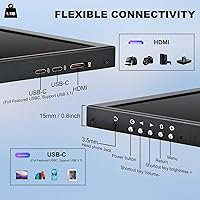
  • Connectivity: The monitor offers two input options: HDMI for video-only output, and USB-C for combined video signal, touch data, and power delivery on compatible host devices.
  • USB Ports: The unit provides one USB port in total, which serves as the USB-C input for touch functionality and display signal when connected to a full-function host port.
  • Speakers: Two built-in stereo speakers are integrated into the chassis, providing audio output without requiring any external speaker or audio device.
  • VESA Mount: The monitor supports standard 75×75mm VESA mounting, making it compatible with a wide range of desk arms, wall brackets, and panel-mount accessories.
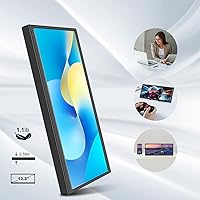
  • Dimensions: Physical dimensions are 12.2 × 4.72 × 0.78 inches, giving the unit a slim, low-profile footprint that fits easily alongside a primary monitor or inside a laptop bag.
  • Weight: The unit weighs 2.79 pounds, making it genuinely portable and practical for travel setups or LAN party rigs without adding meaningful load.
  • Screen Surface: The screen uses a glossy finish, which enhances color vibrancy and contrast but may introduce reflections in brightly lit or window-adjacent environments.
  • OS Compatibility: Full multi-point touch is supported on Windows; macOS is limited to 2-point touch only; iOS and iPadOS have no touch support whatsoever.
  • AIDA64 Support: The display is compatible with AIDA64 for real-time CPU, GPU, RAM, and system health monitoring, though the software must be downloaded and configured separately at no additional cost.
  • Manufacturer: This monitor is manufactured by Shenzhen Kenowa Electronics Co., LTD, and sold under the Prechen brand with model designation HD-123.
  • Model Number: The official model number is HD-123, which can be used when searching for compatible accessories, mounts, or contacting manufacturer support.

Related Reviews
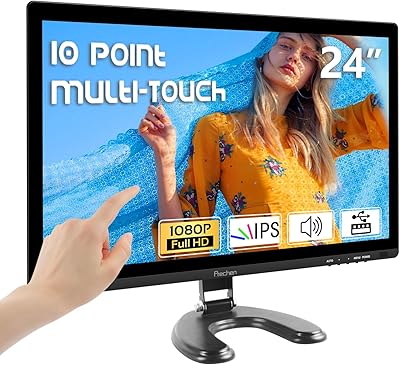
Prechen HD-24 24-Inch Touchscreen Monitor
67%
83%
Touch Responsiveness
78%
Display Quality
81%
Value for Money
71%
Setup Experience
62%
Build Quality
More
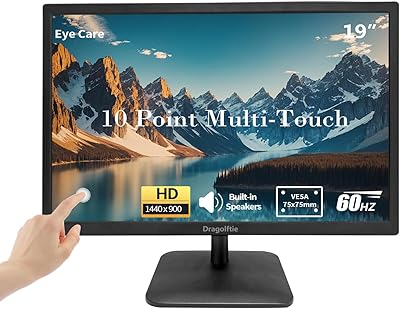
Dragolftie HD-190T 19-inch Touchscreen Monitor
67%
78%
Value for Money
67%
Touch Responsiveness
59%
Display Quality
52%
Glare & Screen Surface
71%
Setup & Connectivity
More
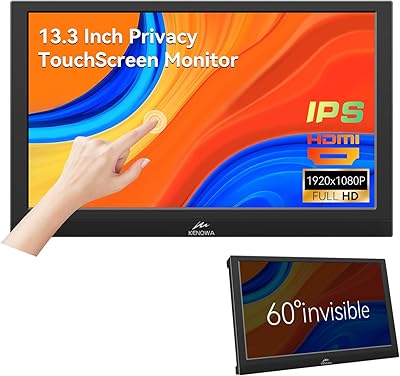
Kenowa 13.3-inch Touchscreen Portable Monitor
68%
86%
Value for Money
78%
Display Quality
71%
Privacy Screen Effectiveness
67%
Touchscreen Performance
88%
Portability
More
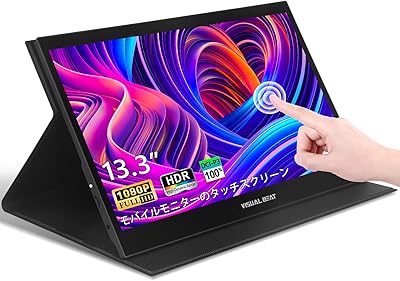
Visual Beat R13PMT101 13.3-inch Portable Touchscreen Monitor
85%
89%
Display Quality
92%
Portability & Weight
88%
Touchscreen Responsiveness
94%
Ease of Setup
85%
Brightness & Visibility
More
ANGEL POS 15-Inch Capacitive Touchscreen Monitor

78%
93%
Ease of Setup
88%
Touch Responsiveness
86%
Build Quality
84%
Durability
52%
Display Clarity
More
Dove Original Beauty Bar 3-Pack (12 Soap Bars)
89%
91%
Moisturizing Effectiveness
94%
Skin Sensitivity & Irritation
89%
Gentleness for Sensitive Skin
93%
Sulfate-Free & Paraben-Free Formula
87%
Texture & Feel After Use
More
Simple Scents Australia Orange Zest Bar Soap

77%
83%
Scent Accuracy
88%
Lather Quality
86%
Moisturizing Effect
64%
Bar Longevity
71%
Value for Money
More
Lacoste L.12.12 Rose EDP 3.3 oz
84%
88%
Scent Quality
84%
Longevity
91%
Packaging Design
87%
Freshness of Fragrance
85%
Floral Balance
More
Eyoyo EM12B 12-Inch Portable Monitor
76%
91%
Input Versatility
86%
Value for Money
88%
Image Flip Function
78%
Build Quality
62%
Display Resolution
More
Eyoyo EM101T 10-inch Touchscreen Monitor
75%
83%
Touch Responsiveness
78%
Image Quality
91%
Ease of Setup
76%
Build Quality
87%
Input Versatility
More

FAQ

No, and this is the single most important thing to understand before buying. HDMI carries video signal only on this bar monitor — touch data travels exclusively over USB-C. If you want touch to function, you need a USB-C connection to a host device with a full-function USB-C port that supports both video output and data. If your PC only has HDMI, you can combine an HDMI cable for video with a separate USB-to-USB-C data cable for touch, but the USB port you use must support data transfer, not charging only.

Not at all. AIDA64 is a popular use case, but this stretched secondary display works fine as a panel for chat apps, music controls, OBS stats, reference documents, or anything else you want off your main screen. That said, if hardware monitoring is your primary reason for buying it, AIDA64 pairs exceptionally well with the elongated layout. Just know you'll need to download and configure it yourself — it is not bundled with the monitor.

It will connect and display correctly as a secondary screen, but touch is where Mac users hit a real ceiling. macOS caps touch input at two points, which feels noticeably limited compared to the full 10-point support on Windows. If you're on iOS or iPadOS, touch is not supported at all. For Mac users who only need a secondary display for reference or light monitoring, it functions adequately — just don't expect a full touch experience.

The included stand is fairly minimal, and it is one of the most consistently criticized aspects of this compact touchscreen panel. A lot of buyers find themselves sourcing a third-party arm mount or bracket within days of receiving it. The good news is that the 75×75mm VESA compatibility is solid, so any standard arm or wall mount will work well. If you already have a monitor arm or plan to mount it on a PC case, you are in good shape — just don't count on the stock stand for a long-term desk setup.

Technically possible, but genuinely not what it is built for. The 1920×720 resolution is deliberately elongated — standard web pages, productivity apps, and video content will look awkward and cropped at that aspect ratio. It shines as a second or third screen with a specific purpose, not as a daily driver for general computing.

Connect the monitor to your PC using a USB-C cable that supports both video output and data transfer — sometimes labeled as Alt Mode or full-function USB-C. Windows should detect the touch input automatically without any additional drivers. If your machine only has HDMI, you can run HDMI for video and plug a separate USB-to-USB-C cable into a data-capable USB port for touch. The key detail is that the USB port must support data, not just power delivery.

A single USB-C cable works if your host device has a port that supports DisplayPort Alt Mode and data simultaneously — this is common on most modern laptops with Thunderbolt 3, Thunderbolt 4, or full-function USB-C. If your port only handles charging or data but not video output, you will need to fall back to HDMI for the display signal and a separate USB cable for touch.

Any arm, wall bracket, or side-panel mount rated for 75×75mm VESA will work with this display. It is a popular choice for mounting alongside a main monitor on a dual-arm, fixing to a PC case side panel, or positioning in a home lab rack area. The VESA holes are built in and do not require any adapter, so setup with a third-party mount is straightforward.

Windows 10 and Windows 11 are the best-supported environments, and plug-and-play touch recognition typically works on both without manual driver installation. Compatibility with older versions like Windows 7 or 8 is not confirmed by the manufacturer, and some users on non-current builds have reported touch inconsistencies. For the smoothest experience, Windows 10 or newer is the safe choice.

The glossy finish is the main tradeoff on image quality. In a dimly lit or controlled-lighting environment it looks great — colors are vivid and contrast holds up well. In a bright room or near a window, reflections become noticeable and can make the display harder to read comfortably. Positioning matters here: angling the monitor away from direct light sources helps considerably, and an aftermarket matte screen protector is an option if glare is a persistent concern in your workspace.