Overview

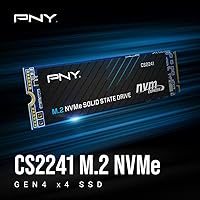
The PNY CS2241 2TB M.2 NVMe Gen4 SSD sits squarely in the mainstream storage upgrade market, targeting anyone still running a SATA drive or an older Gen3 NVMe and ready for a meaningful step up. PNY has been a reliable name in consumer memory and storage for decades, and this drive reflects that heritage — solid everyday performance at a price that doesn't require flagship-level spending. It won't compete with top prosumer drives in sustained workloads, but that's not the point. The M.2 2280 form factor means it fits virtually any modern desktop motherboard or laptop with a free PCIe Gen4 slot, making the upgrade path genuinely straightforward for most buyers.
Features & Benefits

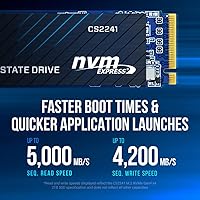
Push past 5,100 MB/s sequential reads and you're in territory where Windows boots in seconds and large game assets load before you've finished blinking. The CS2241 2TB hits up to 4,200 MB/s write via its PCIe Gen4 x4 interface — numbers that handily outpace anything SATA-based or Gen3. Worth knowing: this drive operates without a dedicated DRAM cache, common at this price tier and generally unnoticeable in everyday tasks, though sustained large-file transfers can occasionally show slight speed dips. The 2TB capacity is genuinely useful for consolidating games or media, and a 5-year warranty with a published TBW rating gives buyers a concrete measure of the drive's rated lifespan.

Best For

This NVMe upgrade makes the most sense for PC builders on a budget who have a Gen4-capable platform and want real performance gains without overspending. Gamers upgrading from a SATA SSD will notice the difference immediately — faster level loads, snappier asset streaming, and a system that feels more responsive under pressure. Laptop owners with an open M.2 Gen4 slot stand to gain quite a bit too, especially running it as a primary OS volume. Creative users storing large photo or video libraries will appreciate the 2TB headroom. It's less compelling for anyone with heavy sustained write workloads, who would benefit more from a DRAM-equipped premium drive.

User Feedback

With a 4.7-star average across nearly 300 ratings, the CS2241 2TB has earned broadly positive marks from real buyers. The most consistent praise covers straightforward installation, reliable day-to-day operation, and strong value relative to the capacity offered. A handful of reviewers note the drive running warm under sustained loads — not unusual for a DRAM-less Gen4 drive, but worth considering if your case airflow is limited. There are occasional mentions of the warranty process being less than smooth. It's also fair to note that nearly 300 reviews is a relatively modest sample for drawing firm long-term reliability conclusions, so treat early durability impressions as preliminary data rather than settled evidence.

Pros

  • Gen4 read speeds up to 5,100 MB/s translate to noticeably snappier boot times and application launches in everyday use.
  • The 2TB capacity gives gamers and creatives real room to work without constantly managing free space.
  • M.2 2280 form factor is universally compatible with modern desktops and most current-generation laptops.
  • A 5-year warranty backed by a published TBW rating offers concrete, measurable long-term purchase assurance.
  • 24/7 US-based technical support is a genuine differentiator at this price tier, not just a checkbox feature.
  • Buyers consistently report a straightforward, tool-friendly installation experience with no compatibility surprises.
  • At its price point, this NVMe upgrade delivers Gen4 performance that would have cost significantly more just two years ago.
  • Overall user ratings hover at 4.7 stars across nearly 300 reviews, reflecting a reliably consistent ownership experience.
  • Write speeds up to 4,200 MB/s represent a massive jump for anyone still running a SATA SSD.

Cons

  • No dedicated DRAM cache means sustained large-file write speeds can dip under prolonged workloads.
  • Thermal output under heavy continuous use has been flagged by some users, which matters in poorly ventilated cases.
  • The review count, while positive, is still modest — long-term durability data remains limited compared to more established drives.
  • No included heatsink or thermal pad, requiring users with tight thermal budgets to source their own solution.
  • Warranty claim and customer service experiences have drawn occasional complaints, suggesting the process is not always frictionless.
  • Buyers on PCIe Gen3 or older platforms will not come close to the advertised speeds, making it a poor value in those systems.
  • No software bundle or drive management utility is included, which may frustrate less experienced users during migration.
  • Compared to DRAM-equipped competitors at a similar price, random read and write performance at queue depth 1 is a step behind.

Ratings

Our AI rating system analyzed verified buyer reviews for the PNY CS2241 2TB M.2 NVMe Gen4 SSD from global sources, filtering out incentivized, bot-generated, and unverified feedback to surface what real users actually experienced. The scores below reflect both where this drive genuinely excels and where it falls short, giving you an honest picture before you commit. Strengths and friction points are weighted equally so you can make an informed call.
Sequential Read Performance
88%
Buyers upgrading from SATA or Gen3 drives consistently report a noticeable snap in system responsiveness — Windows loads faster, large games feel quicker to enter, and file transfers that used to drag finish with less waiting. The rated 5,100 MB/s ceiling is competitive for a mainstream Gen4 drive.
Peak speeds are achieved under ideal, queue-depth-heavy workloads that don't reflect light desktop use as closely. Users doing simple file browsing or web use won't feel much difference compared to a solid Gen3 NVMe drive at this speed tier.
Sequential Write Performance
83%
Write speeds up to 4,200 MB/s are genuinely impressive at this price tier and make copying large files — game installs, photo exports, video project folders — feel meaningfully faster than a SATA SSD or a mid-range Gen3 drive.
Without a DRAM cache, sustained write speed can taper off during very long continuous write sessions, such as cloning a full drive or transferring a multi-hour video export. Most everyday users won't hit that ceiling, but it's a real limit if you do.
Real-World Speed Gains
86%
Reviewers who came from SATA SSDs or budget Gen3 drives were notably enthusiastic about the perceptible day-to-day improvement — boot times tightened up, application launches felt sharper, and game level loading became less of a patience test.
Buyers already running a higher-end Gen3 or entry Gen4 drive noticed smaller gains in practice, since everyday desktop tasks rarely saturate the bandwidth difference between those tiers. The upgrade impact is strongest coming from older storage.
Value for Money
91%
At its mid-range price point, this NVMe upgrade offers a combination of Gen4 speed, 2TB capacity, and a 5-year warranty that is hard to match in the same bracket. Buyers repeatedly cited the capacity-to-price ratio as one of the main reasons they chose it over rivals.
When stacked directly against a few competing drives at a similar price that do include a DRAM cache, the value equation tightens. The warranty and US support help justify the cost, but informed buyers comparing spec sheets will note the trade-off.
Thermal Management
67%
33%
In well-ventilated desktop builds with a motherboard heatsink cover installed, most users report no thermal throttling during gaming sessions or typical productivity tasks, suggesting the drive manages heat adequately under normal consumer loads.
In enclosed laptop chassis or cases with poor M.2 airflow, some buyers flagged the drive running noticeably warm under sustained workloads, occasionally triggering speed throttling. No heatsink is included in the box, which means users in thermally constrained builds need to plan ahead.
Installation Experience
93%
Across hundreds of reviews, one of the most consistently praised aspects was how straightforward the physical installation is. The standard M.2 2280 footprint slots into nearly every modern desktop board without adapters, and most buyers had the drive seated and recognized by their system within minutes.
PNY does not bundle any migration software, which means users transferring from an existing drive need to source a cloning tool separately. For first-time builders this is a minor inconvenience, though free options are readily available online.
Build & Durability
79%
21%
The drive has a clean, compact profile that fits precisely where expected and feels solidly constructed for its weight class. Nothing about the physical build raised concerns among reviewers in typical installation and daily use scenarios.
The review pool is still relatively modest — around 300 ratings — so long-term durability data beyond two years of ownership is limited. Early adopters have reported no widespread failure patterns, but it's too early to draw strong conclusions about multi-year reliability.
Compatibility
92%
The M.2 2280 form factor and PCIe Gen4 x4 interface cover an enormous range of modern hardware, from AMD Ryzen 5000 and 7000 series builds to Intel 12th Gen and newer platforms, as well as a wide range of current-generation laptops with an open M.2 Gen4 slot.
The drive is limited to systems with a PCIe Gen4 M.2 slot to achieve its rated performance. Older Gen3 systems will run it at reduced speeds, and buyers with those platforms are essentially paying for headroom they cannot use.
Warranty & Support
84%
A 5-year limited warranty with a published TBW rating gives buyers a concrete benchmark rather than vague assurances. Having 24/7 US-based support accessible by phone is a genuine differentiator compared to budget brands that rely solely on email ticketing.
A small but recurring thread in user feedback involves the RMA and warranty claim process feeling slower or less streamlined than expected. The support infrastructure is there, but the execution appears inconsistent based on buyer reports.
Capacity Usability
89%
2TB is a practical sweet spot for anyone consolidating their primary storage — it comfortably holds a modern OS, a full Steam library of 20 to 30 titles, and a working creative project folder without constant space management. Buyers in both gaming and creative workflows found it genuinely freeing.
Buyers who only need a fast boot drive for the OS and a handful of apps may find 2TB excessive for the price, since smaller-capacity variants of Gen4 drives often hit lower per-gigabyte costs. The 2TB tier makes sense primarily when you plan to fill it.
DRAM Cache Architecture
61%
39%
For light to moderate workloads — web browsing, streaming, gaming, office applications — the absence of a dedicated DRAM cache is effectively invisible. The drive relies on host memory buffer (HMB) support in modern systems, which handles the mapping tasks adequately in these contexts.
Compared to DRAM-equipped drives at a similar price, random access performance at low queue depths lags slightly, and sustained write consistency under heavy load is a genuine weakness. Users doing professional video editing or running database workloads will notice the gap more than casual users.
Boot & OS Responsiveness
87%
As a primary OS drive, this PNY Gen4 drive delivers fast, consistent boot times that most buyers found satisfying right out of the box. Windows 11 in particular benefits from the high read throughput, keeping startup snappy even as background services load.
The improvement over a premium Gen3 drive running the same OS workload is real but not dramatic — users expecting a transformative jump over their existing NVMe may calibrate expectations slightly downward once the new-drive novelty wears off.
Gaming Load Times
85%
Gamers who moved from SATA drives to this NVMe upgrade reported clear reductions in level load times across open-world and asset-heavy titles, and the 2TB capacity means fewer hard choices about which games stay installed at any given time.
In competitive gaming contexts where NVMe load speed differences between Gen3 and Gen4 drives can be measured in fractions of a second, the CS2241 2TB doesn't offer a decisive edge over a well-specced Gen3 drive. The benefit is more quality-of-life than competitive advantage.

Suitable for:

The PNY CS2241 2TB M.2 NVMe Gen4 SSD is a strong fit for anyone with a modern Gen4-capable platform who wants a genuine performance upgrade without paying a premium price. PC builders assembling a mid-range gaming or productivity rig will find it hits a practical sweet spot — fast enough to make a real difference, capacious enough to hold a full game library or working media files, and priced where it won't dominate the build budget. Gamers upgrading from a SATA drive or an older Gen3 NVMe will likely feel the improvement immediately in boot times and load screens. It also works well as a primary drive in a laptop refresh, provided the machine has an open M.2 PCIe Gen4 slot. Creative users who deal in large photo batches or moderate video editing projects will appreciate both the read speed and the room to store assets without constantly juggling external drives.
Not suitable for:

Buyers with demanding, sustained workloads should think carefully before assuming the PNY CS2241 2TB M.2 NVMe Gen4 SSD covers every use case. Because it operates without a dedicated DRAM cache, performance can taper off during prolonged large-file writes — a real concern for videographers working with 4K or 8K footage continuously, or developers running intensive build pipelines. Users with older PCIe Gen3 or Gen2 systems won't unlock the drive's rated speeds regardless, making it a weaker value proposition in those builds. Anyone prioritizing absolute peak sequential throughput or the kind of consistent sustained speeds that high-end prosumer drives deliver should look at DRAM-equipped alternatives like PNY's own XLR8 CS3140 or comparable options from competing brands. Finally, if long-term reliability data is a deciding factor for you, the current review sample size is too modest to draw firm conclusions — buyers who need that confidence may prefer a drive with a longer track record in the market.

Specifications

  • Capacity: The drive offers 2TB of usable flash storage, suitable for operating systems, large game libraries, and media collections.
  • Interface: It connects via PCIe NVMe Gen4 x4, delivering significantly higher bandwidth than SATA or PCIe Gen3 interfaces.
  • Form Factor: The M.2 2280 form factor measures 22mm wide by 80mm long, fitting the standard slot found on most modern motherboards and laptops.
  • Sequential Read: Rated sequential read speed reaches up to 5,100 MB/s under optimal conditions using the PCIe Gen4 x4 interface.
  • Sequential Write: Rated sequential write speed reaches up to 4,200 MB/s, representing a substantial improvement over SATA and Gen3 NVMe drives.
  • DRAM Cache: This drive does not include a dedicated DRAM cache, relying instead on host memory buffer (HMB) technology for mapping operations.
  • Warranty: PNY backs the drive with a 5-year limited warranty that includes a published TBW (terabytes written) endurance rating.
  • Technical Support: Buyers have access to 24/7 US-based technical support by phone or online for the lifetime of the warranty period.
  • Compatible Devices: The drive is compatible with desktops and laptops that feature an M.2 slot with PCIe Gen4 x4 support.
  • Installation Type: This is an internal drive installed directly into an M.2 slot on the motherboard; no external enclosure or adapter is required for standard use.
  • Weight: The drive weighs approximately 1.12 ounces, consistent with the lightweight profile of M.2 2280 form factor SSDs.
  • Color: The drive has a black PCB finish with no heatsink included in the retail package.
  • Encryption: Hardware-level AES-256 encryption is not listed as a confirmed feature on the CS2241; buyers with encryption requirements should verify this before purchasing.
  • Release Date: The CS2241 2TB was first made available in March 2023, placing it within the mainstream Gen4 product wave.
  • Amazon Ranking: As of the most recent data, this drive holds a top-110 ranking in the Internal Solid State Drives category on Amazon.
  • User Rating: The drive holds an average rating of 4.7 out of 5 stars based on approximately 298 customer reviews on Amazon.

Related Reviews
PNY CS2241 500GB M.2 NVMe Gen4 SSD
86%
91%
Performance
89%
Value for Money
94%
Ease of Installation
93%
Compatibility with Gen4 Systems
85%
Build Quality
More
PNY CS2241 1TB M.2 NVMe Gen4 SSD
88%
94%
Performance
92%
Speed & Responsiveness
89%
Compatibility with Modern Systems
88%
Ease of Installation
91%
Reliability & Durability
More
PNY CS2241 4TB NVMe SSD
85%
88%
Read Performance
83%
Write Performance
61%
Thermal Management
92%
Value for Money
94%
Installation Ease
More
PNY CS1030 2TB M.2 NVMe SSD
88%
92%
Performance Speed
88%
Ease of Installation
90%
Reliability
89%
Value for Money
85%
Power Efficiency
More
PNY CS2230 2TB M.2 NVMe SSD
88%
94%
Performance
88%
Installation Ease
92%
Speed (Read/Write)
90%
Compatibility with PC and Mac
89%
Reliability
More
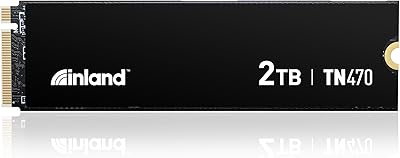
Inland TN470 2TB Gen4 NVMe M.2 SSD
88%
94%
Performance
96%
Speed (Read/Write)
78%
Power Efficiency
88%
Ease of Installation
91%
Compatibility
More
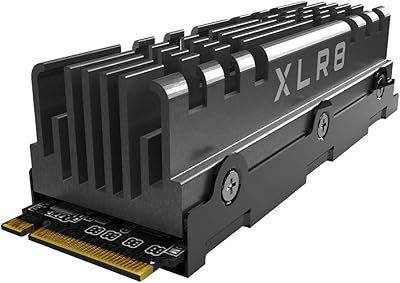
PNY XLR8 CS3140 2TB M.2 NVMe SSD
86%
93%
Performance
89%
Thermals
87%
Ease of Installation
92%
Value for Money
90%
Build Quality
More
Lexar 2TB NQ780 SSD PCIe Gen4 NVMe M.2
89%
95%
Performance
94%
Read Speed
92%
Write Speed
90%
Compatibility with PS5
88%
Ease of Installation
More
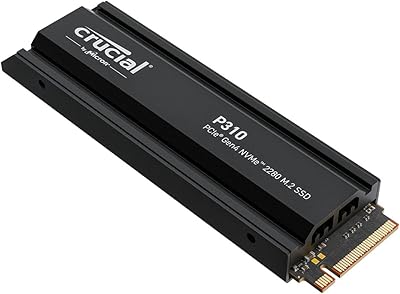
Crucial P310 2TB NVMe SSD
80%
86%
Read & Write Speed
93%
PS5 Compatibility
84%
Value for Money
71%
Thermal Management
91%
Installation Experience
More
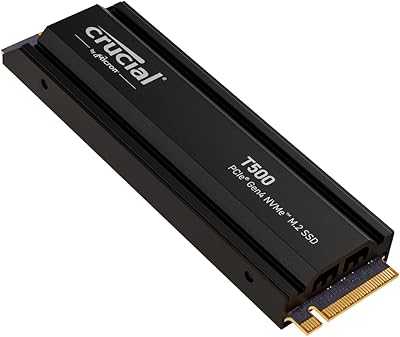
Crucial T500 2TB Gen4 NVMe M.2 SSD with Heatsink
89%
95%
Read Speed
92%
Write Speed
88%
Thermal Management
90%
Compatibility with PS5
83%
Ease of Installation
More

FAQ

Yes, the drive will physically fit and function in a Gen3 M.2 slot, but you will not get anywhere near the rated speeds. Gen4 drives are backward compatible, but they are throttled to Gen3 bandwidth in older slots, so the performance advantage over a native Gen3 drive shrinks considerably. If your board only supports Gen3, a purpose-built Gen3 drive is often a better value.

No, PNY does not include a heatsink in the retail package. Most modern motherboards come with their own M.2 heatsink covers, so this is rarely a problem for desktop builds. If you are installing it in a laptop or a board without a heatsink, keeping airflow reasonable around that slot will help prevent thermal throttling under heavy sustained use.

The PS5 requires an M.2 NVMe SSD with PCIe Gen4 speeds and a 2280 or compatible form factor. This NVMe upgrade meets those basic criteria, but Sony recommends using a drive with a heatsink, since the console's M.2 bay runs warm. You would need to add an aftermarket heatsink before installation, which is a minor extra step but very doable.

For the vast majority of daily tasks — booting Windows, launching apps, loading games — you will not notice the absence of a DRAM cache at all. The difference shows up mainly during prolonged sequential writes, like copying a large video project or cloning a drive, where a DRAM-equipped drive maintains speed more consistently. For typical consumer workloads, it is a non-issue.

Check your laptop's specifications page on the manufacturer's website and look for M.2 slot details. Gen4 support is typically tied to AMD Ryzen 5000 or newer and Intel 12th Gen or newer platforms. If your laptop was released before 2021, it almost certainly does not have a Gen4 slot.

PNY publishes a TBW (terabytes written) endurance rating for the CS2241 series, though the exact figure for the 2TB variant should be confirmed on PNY's official product page since it can vary by capacity tier. TBW is a useful benchmark for estimating how long a drive will last under your specific write habits.

Absolutely, and it works very well in that role. Many users install it alongside an existing boot drive purely for game storage or media libraries, where the high read speed keeps load times snappy without needing to reinstall the operating system. There is no performance penalty for using it as a secondary drive.

You would contact PNY's support team to initiate an RMA (return merchandise authorization) process. PNY offers 24/7 US-based support, which makes the initial contact easier than with some budget brands. Some buyers have noted that the warranty process can take time, so keeping a backup of critical data is always a smart precaution regardless of which brand you buy.

The CS3140 is PNY's enthusiast-tier Gen4 offering, rated up to 7,500 MB/s read and equipped with a DRAM cache — it is meaningfully faster in sustained workloads and targets power users willing to pay more. The CS2241 2TB is the mainstream option, built for buyers who want a solid Gen4 experience without the premium price tag. For gaming and general productivity, most users will not exhaust what the CS2241 offers.

Installation requires just a small Phillips-head screwdriver to secure the M.2 screw on your motherboard. No drivers are needed since NVMe is natively supported by Windows 10 and 11. If you are migrating from an existing drive, you will need cloning software — many free options like Macrium Reflect work well for this.

Where to Buy